---
title: "AI Dispatching & Scheduling Software | Upper"
url: "https://www.upperinc.com/ai-dispatch-software/"
date: "2026-08-24T13:56:49+00:00"
modified: "2026-09-24T11:53:43+00:00"
type: "WebPage"
resource: "https://www.upperinc.com/ai-dispatch-software/"
timestamp: "2026-09-24T11:53:43+00:00"
author:
name: "Riddhi Patel"
word_count: 1524
reading_time: "8 min read"
summary: "For multi-stop delivery, collection, and field service teams
AI dispatch software that takes routine decisions off your desk
Assign the day’s work, fit in new stops, and keep customers ..."
description: "Upper’s AI dispatch software assigns work, replans routes, and keeps customers updated. Automate routine matches while your team stays in control."
keywords: "ai dispatch software,ai dispatching,upper ai dispatcher software,ai dispatcher software"
language: "en"
schema_type: "WebPage"
---
# AI Dispatching & Scheduling Software | Upper
_Published: August 24, 2026_
_Author: Riddhi Patel_
For multi-stop delivery, collection, and field service teams
# AI dispatch software that takes routine decisions *off your desk*
Assign the day’s work, fit in new stops, and keep customers informed. Upper’s AI Dispatcher checks skills, vehicles, availability, and workload — then automates routine assignments so your team can focus on the decisions that need them.
[Book a demo](https://calendly.com/upper/demo)See how your rules shape the plan — and which decisions Upper can take off your team’s hands.
## You shouldn’t have to hold the whole day *in your head*
Who can take another stop? Do they have the right vehicle? What happens to the deliveries after it?
Answering usually means checking a schedule, opening a map, and calling a driver. Repeat that all day, and coordinating the team starts to take over your own work.
Upper uses your operating rules to recommend assignments and automate routine matches. Your team can see the plan, follow progress, and spend time on work that still needs a human decision.
## Get the day assigned without checking *every match yourself*
Start with the work due today — including repeat customers and new requests. Upper [checks which drivers or crews are eligible](https://www.upperinc.com/features/ai-dispatcher-software/automatic-driver-assignment/), then weighs travel time, availability, workload, and the effect on the rest of their route.
A route with fewer stops can still be the fuller day. Upper includes travel and time on site when weighing the next assignment, so workload is more than a stop count.
## Use the rules your team *already works by*
- **People and vehicles:**
Required skills, certifications, equipment, and [vehicle fit](https://www.upperinc.com/features/vehicle-profiles/).
- **Availability and workload:**
Working hours, time off, job limits, and [configured capacity](https://www.upperinc.com/features/capacity-optimization/).
- **Customer requirements:**
Location, service territory, time on site, and preferred arrival windows.
- **Repeat work and priorities:**
Recurring visits and urgent jobs alongside the day’s other commitments.
Required skills, equipment, and territories decide who is eligible. Arrival preferences help shape the schedule — with significant deviations flagged for review.
Your operating knowledge becomes part of the assignment process, even when someone else is covering dispatch.
## Know who can take the work *when the day changes*
Before you say yes to a rush order or move a delayed stop, you need to know what else will be affected. Upper evaluates the wider schedule and suggests changes you can review.
See which eligible driver can take the stop and how it affects their remaining route. Decide whether to accept the order or offer another time before you promise. Update availability and let Upper suggest reassignments. Review the proposed cover and any stops that still need a solution. Gap-filling agents find pending work that could fit the opening — so a cancelled visit does not have to leave the time unused. Re-optimize after delays or changes, and move stops between routes when another driver can take them. Check the effect on remaining work before releasing the revised plan. 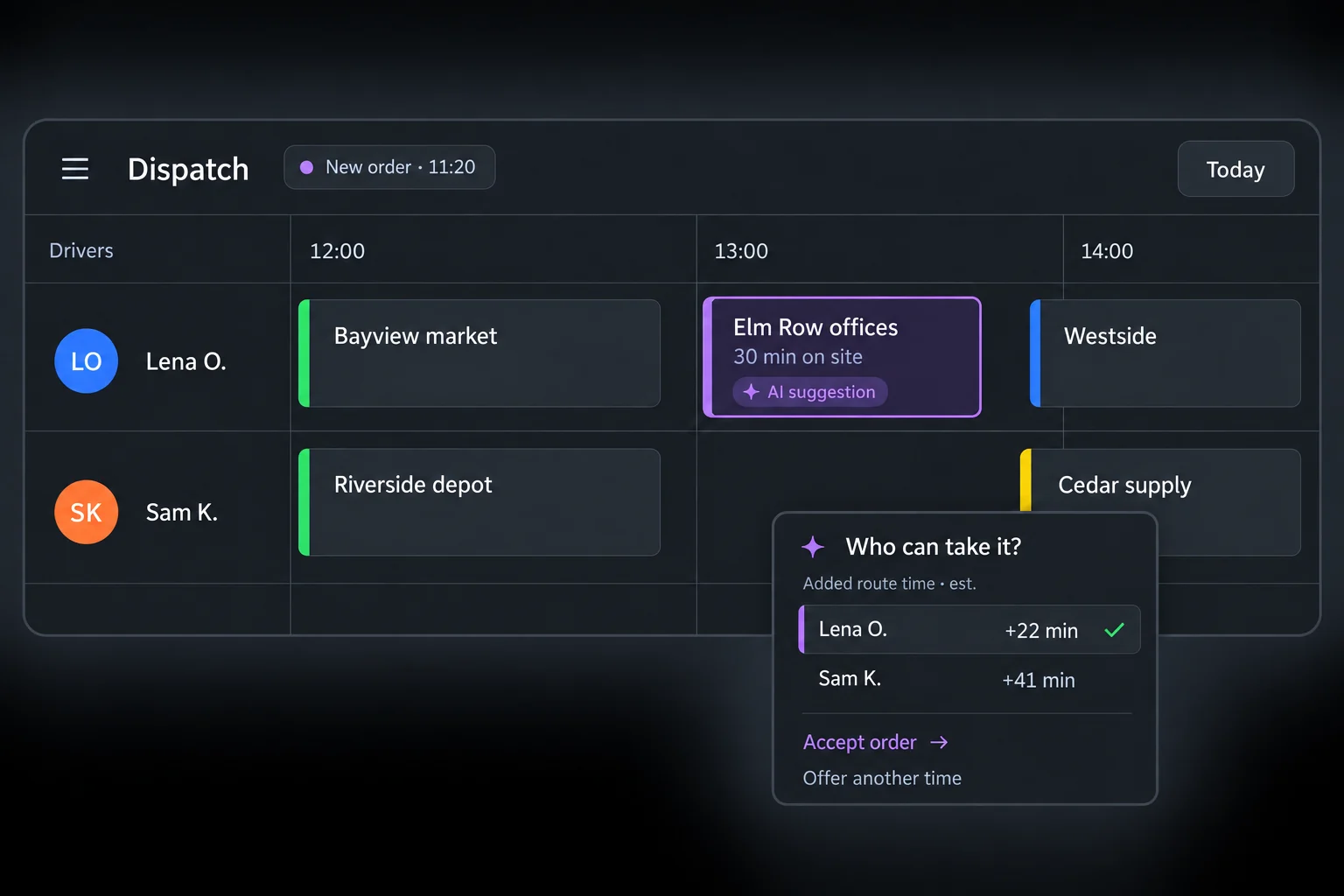 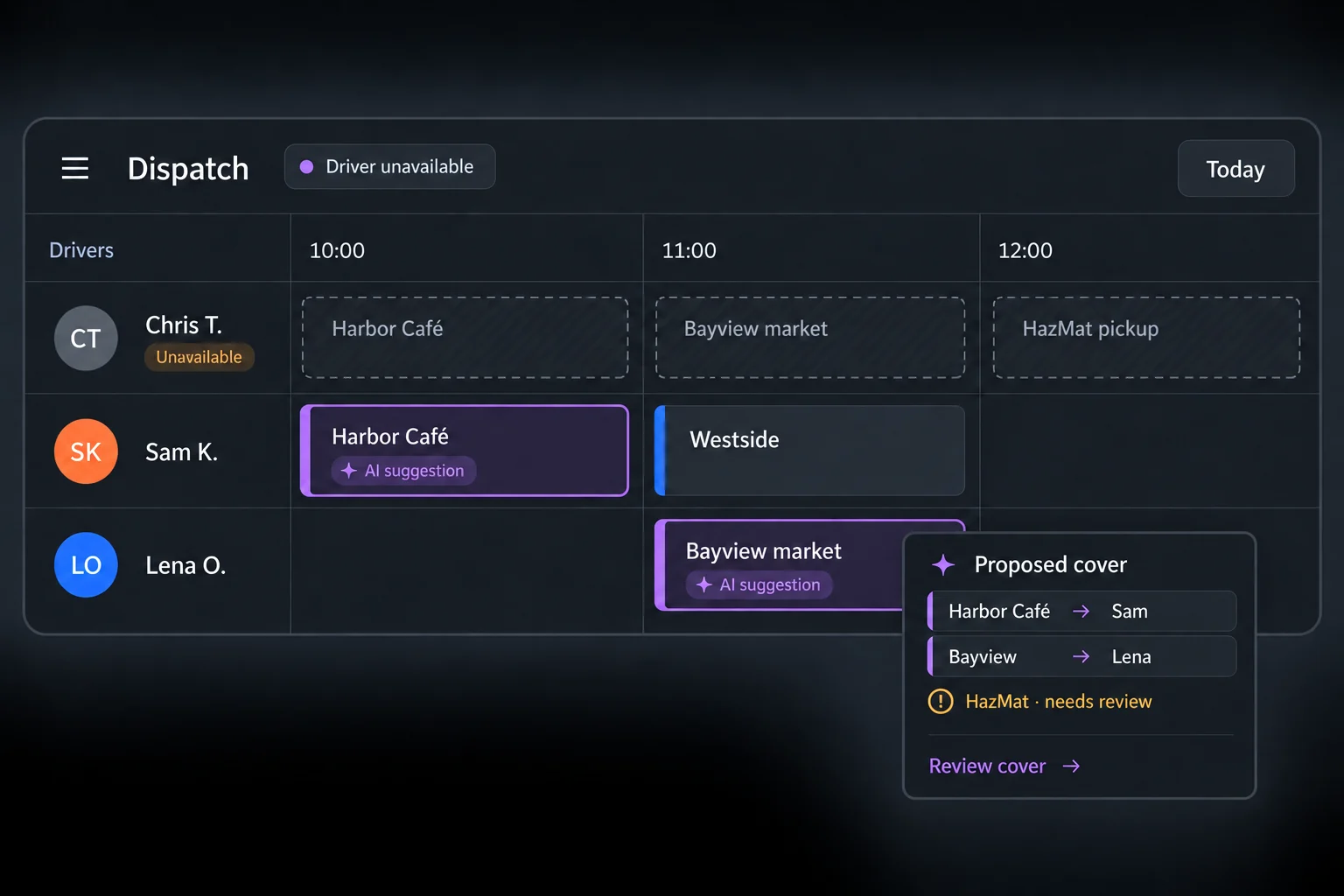 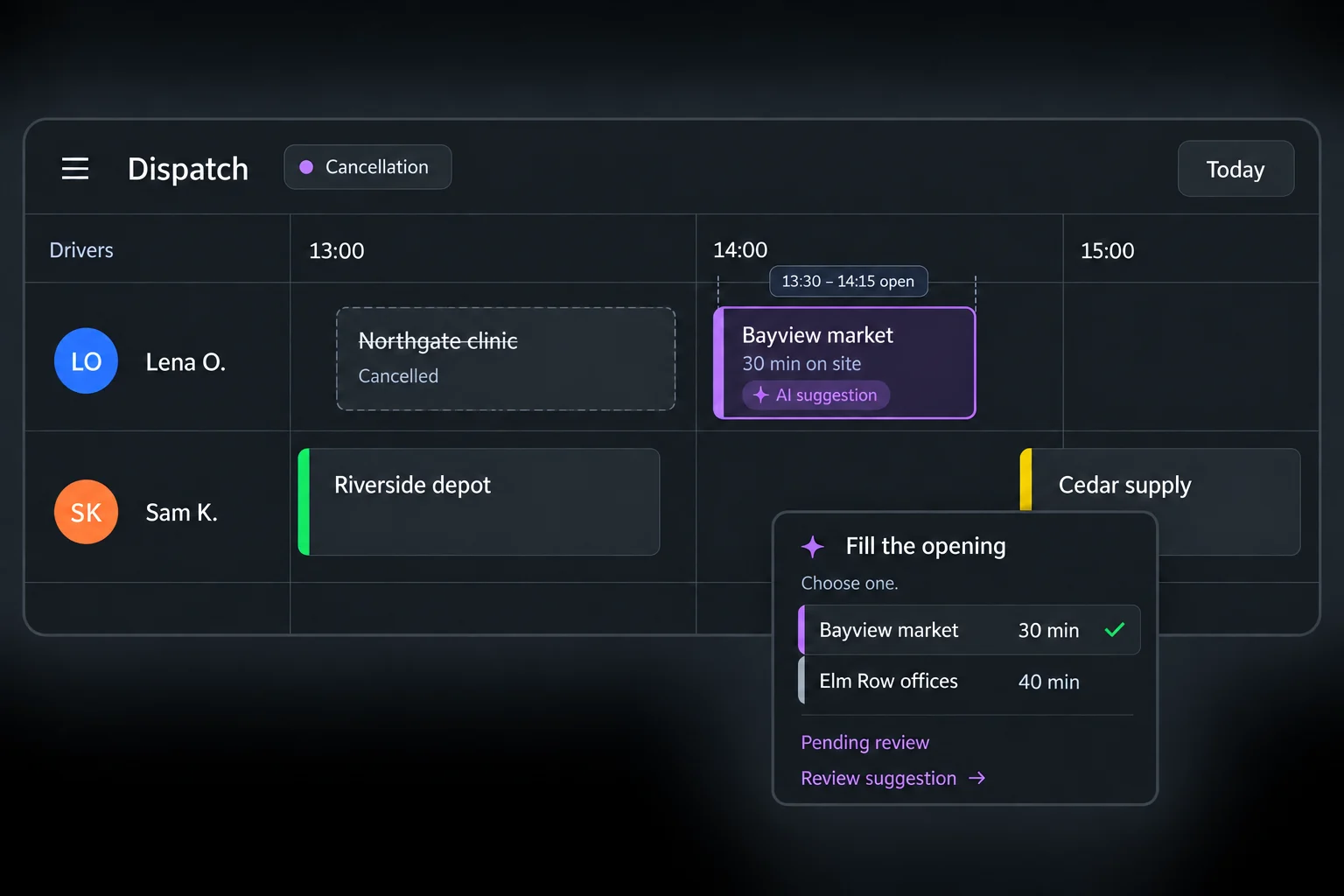 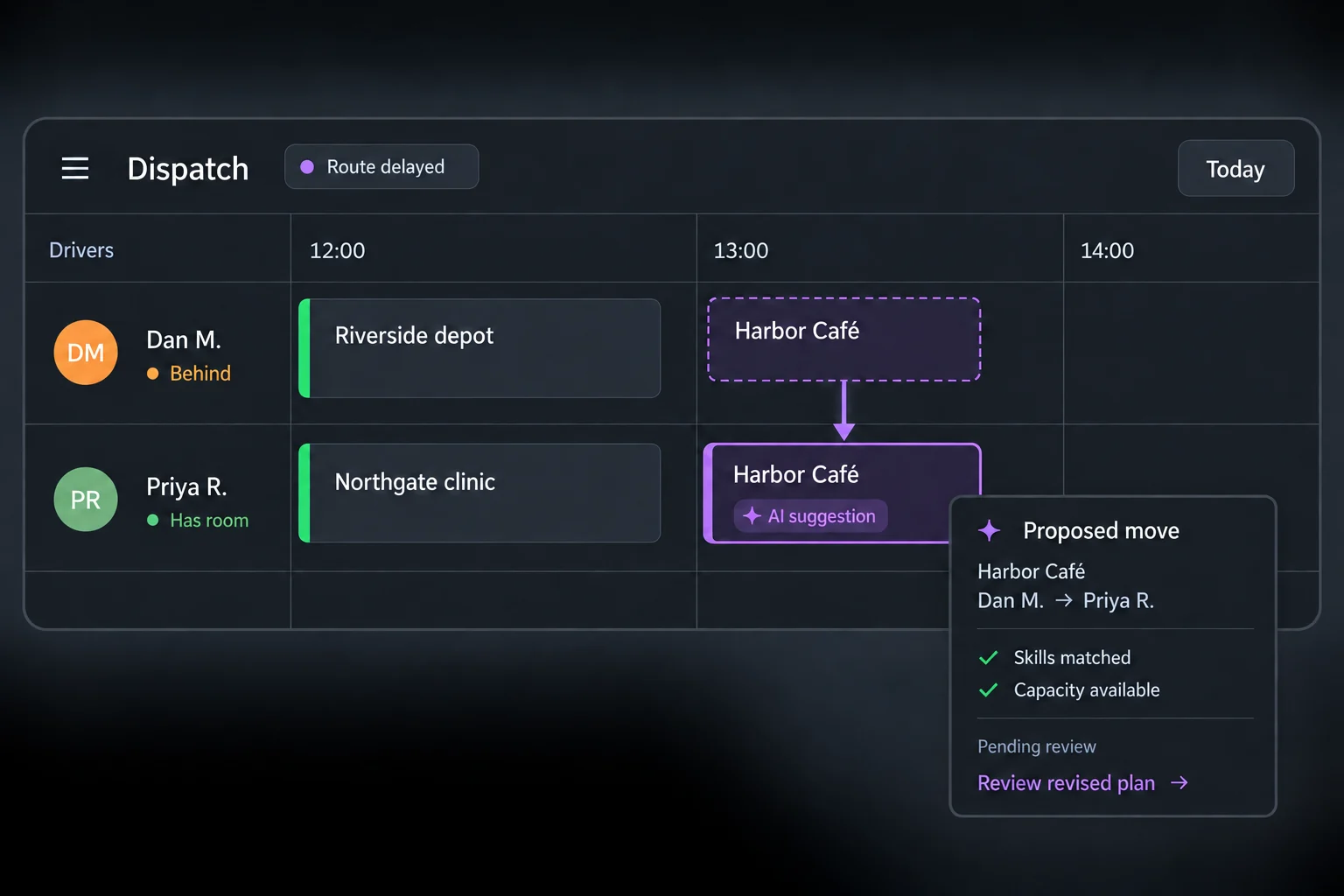 When no eligible driver can take the work, Upper shows the blocking reason. Unassigned stops stay visible so your team can arrange cover, offer another time, or contact the customer.
Your dispatcher approves recovery changes and confirms practical details — like transferring goods already loaded onto another vehicle.
## Automated dispatch software that follows *your operating rules*
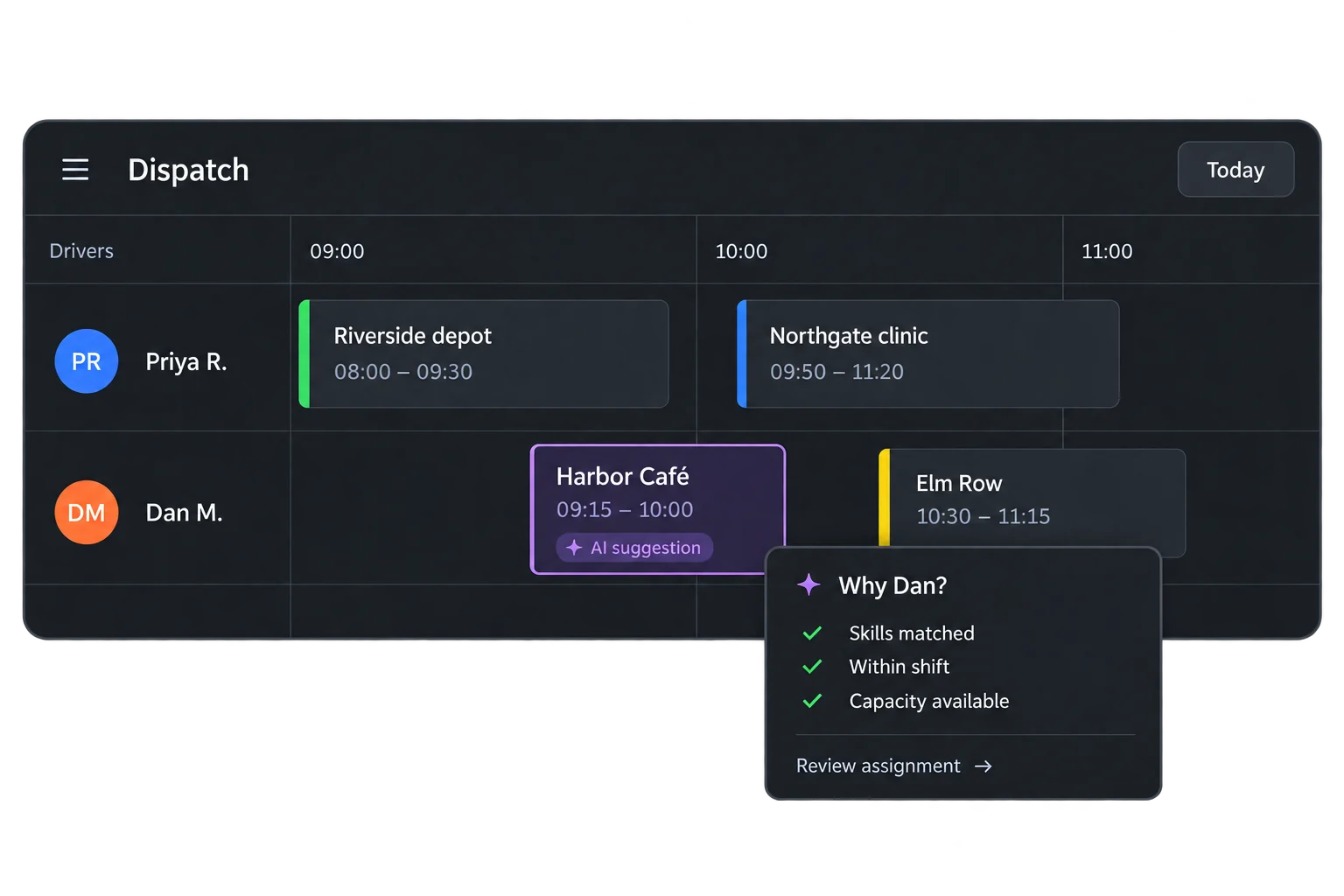
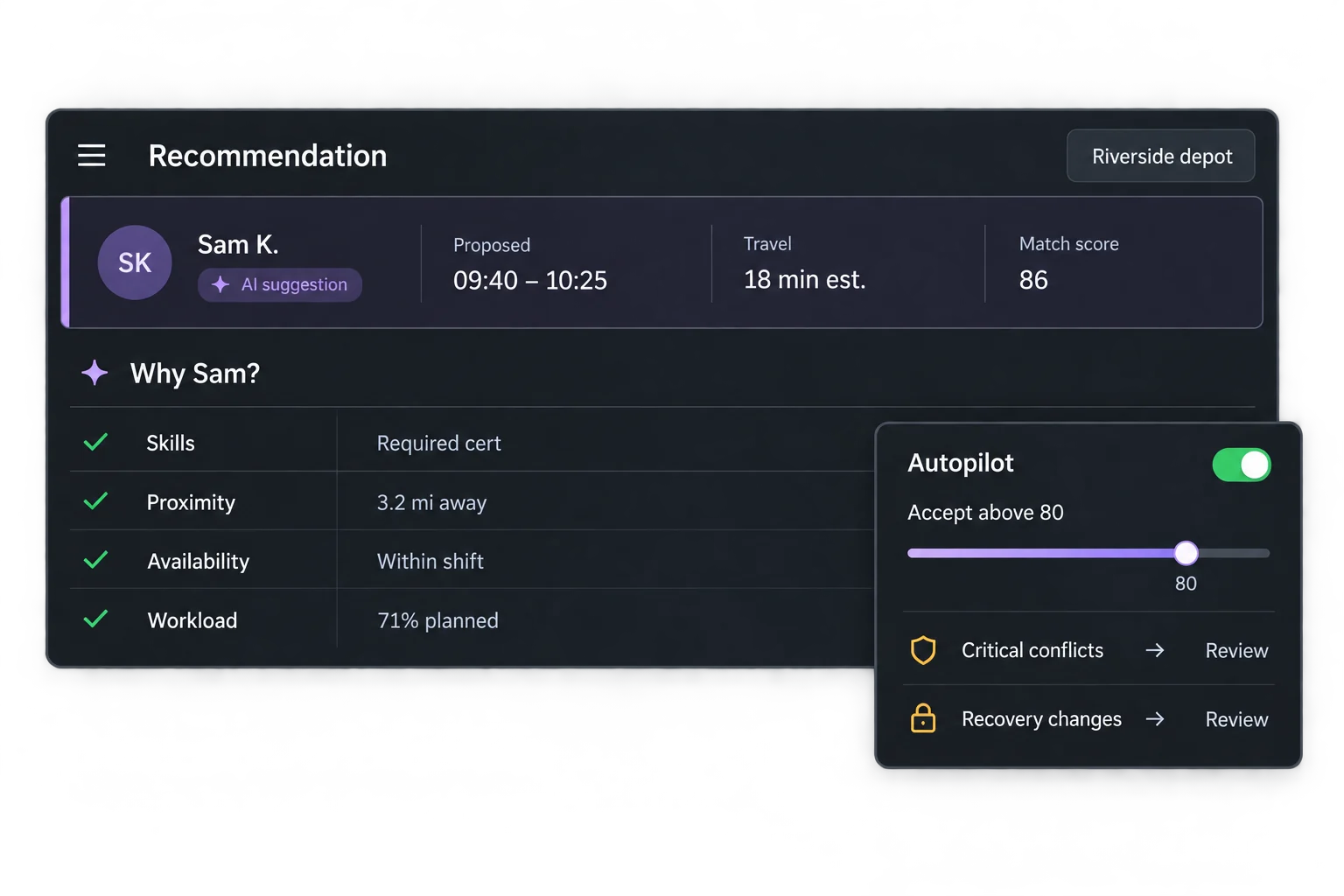
You should be able to answer “Why this driver?” before you act on a recommendation.
Upper shows the recommended person, proposed start and finish, estimated travel, and a confidence score. Open the reasoning to see how skills, proximity, availability, and workload contributed to the match.
Review suggestions yourself, or let Autopilot accept routine matches above your chosen confidence threshold. Critical conflicts are never automatically accepted. Recovery suggestions also stay subject to review before changes are applied.
A confidence score describes the match quality. It is not a probability of on-time delivery.
[Book a demo](https://calendly.com/upper/demo)See a routine assignment — and what happens when a job cannot fit.
## What AI dispatch software *does*
For multi-stop teams, the work is assignment, change, and follow-through — not another map to babysit.
**Automated assignment:**
Match work using skills, equipment, location, availability, and workload.
**Dynamic route optimization:**
Recalculate the plan when new work, cancellations, or delays change the day.
**Human control:**
Review recommendations with their reasoning and confidence scores; automate routine matches within your settings.
**Customer communication:**
Send customer updates and tracking links through Upper’s notification tools.
**Delivery visibility:**
Track route progress and collect photos, signatures, and notes as proof of completed work.
## Give drivers the plan and customers *the update*
**Driver dispatch:**
[Send routes, stop details, and delivery instructions](https://www.upperinc.com/features/driver-dispatch-management/) to drivers’ phones so they know what to do next.
**Live GPS tracking:**
Check locations and completed stops on the map before interrupting someone for an update.
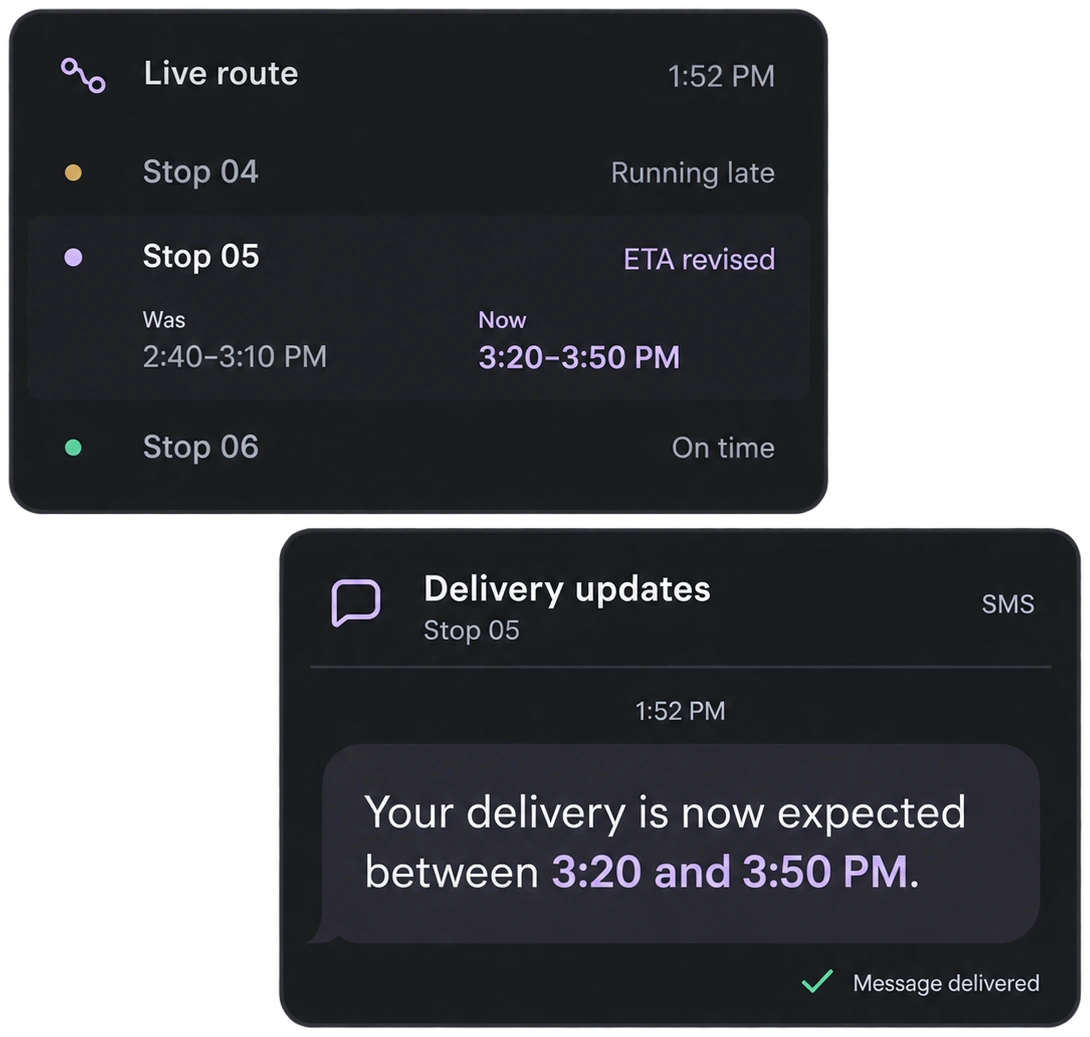
**Automated customer updates:**
Send [delivery notifications and tracking links](https://www.upperinc.com/features/notification-software/) by SMS or email so customers can follow progress.
**Proof of delivery:**
Drivers record photos, signatures, and notes at the stop — so the office has a record without searching message threads or calling the driver back.
## From scattered photos to a record *the office can find*
Win Waste Solutions uses Upper’s route planning, [live tracking](https://www.upperinc.com/features/driver-fleet-tracking/live-gps-driver-tracking-software/), and proof of service for daily cart-replacement visits. The team can retrieve photos tied to each stop — instead of searching phone galleries and message threads.
[Read the route-operations story →](https://www.upperinc.com/success-stories/winwaste-waste-management/) > “Upper just solved it — every photo is tied to the address, the date, the crew member.”
— Tracy L, Win Waste Solutions
## AI dispatching software for delivery, collection, and *field teams*
Recurring accounts, different receiving hours, and new orders to fit around existing deliveries. Urgent requests while drivers are already on the road. Repeat stops, service territories, and capacity limits that shape each route. Visits that need the right skills, equipment, and time on site. 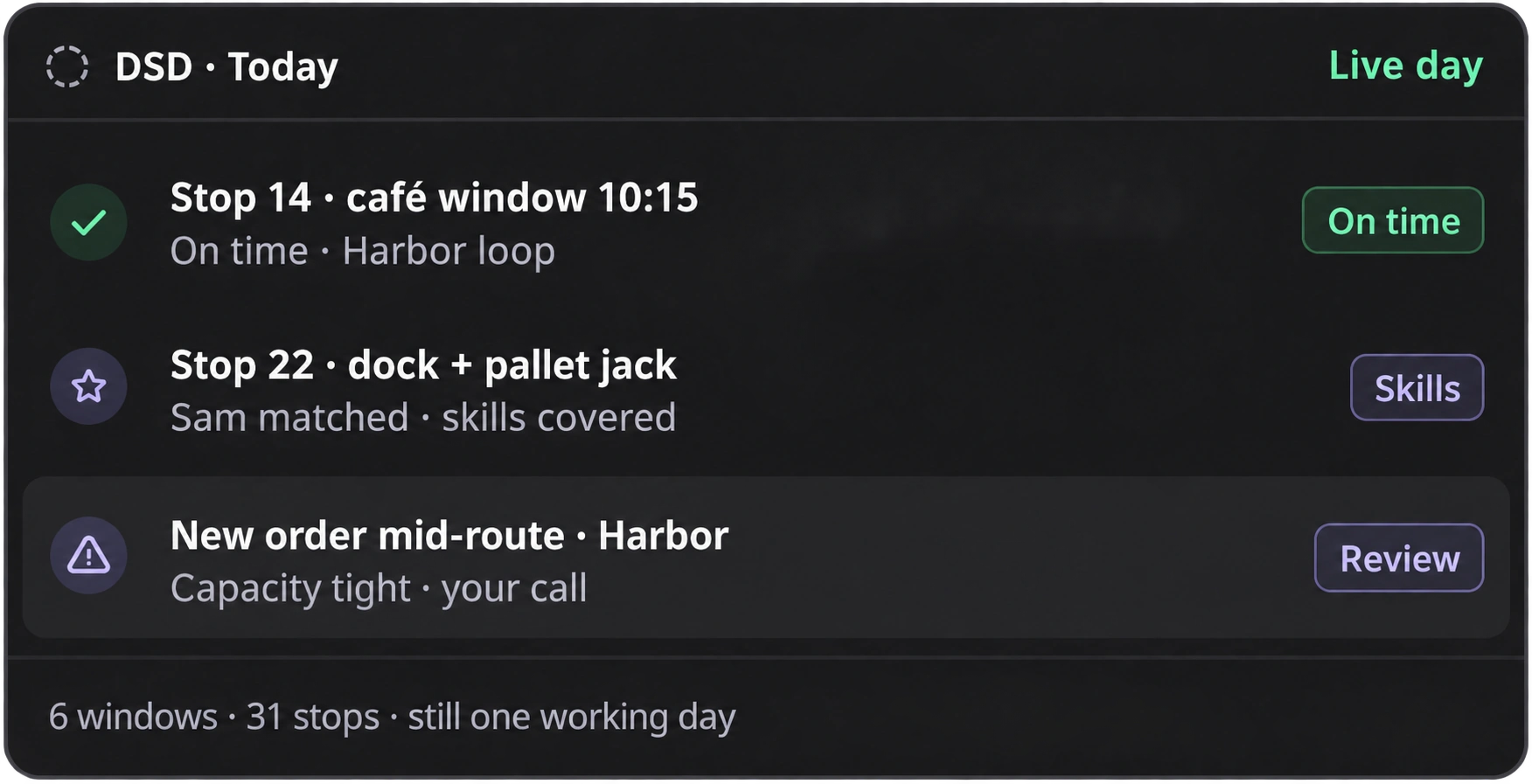 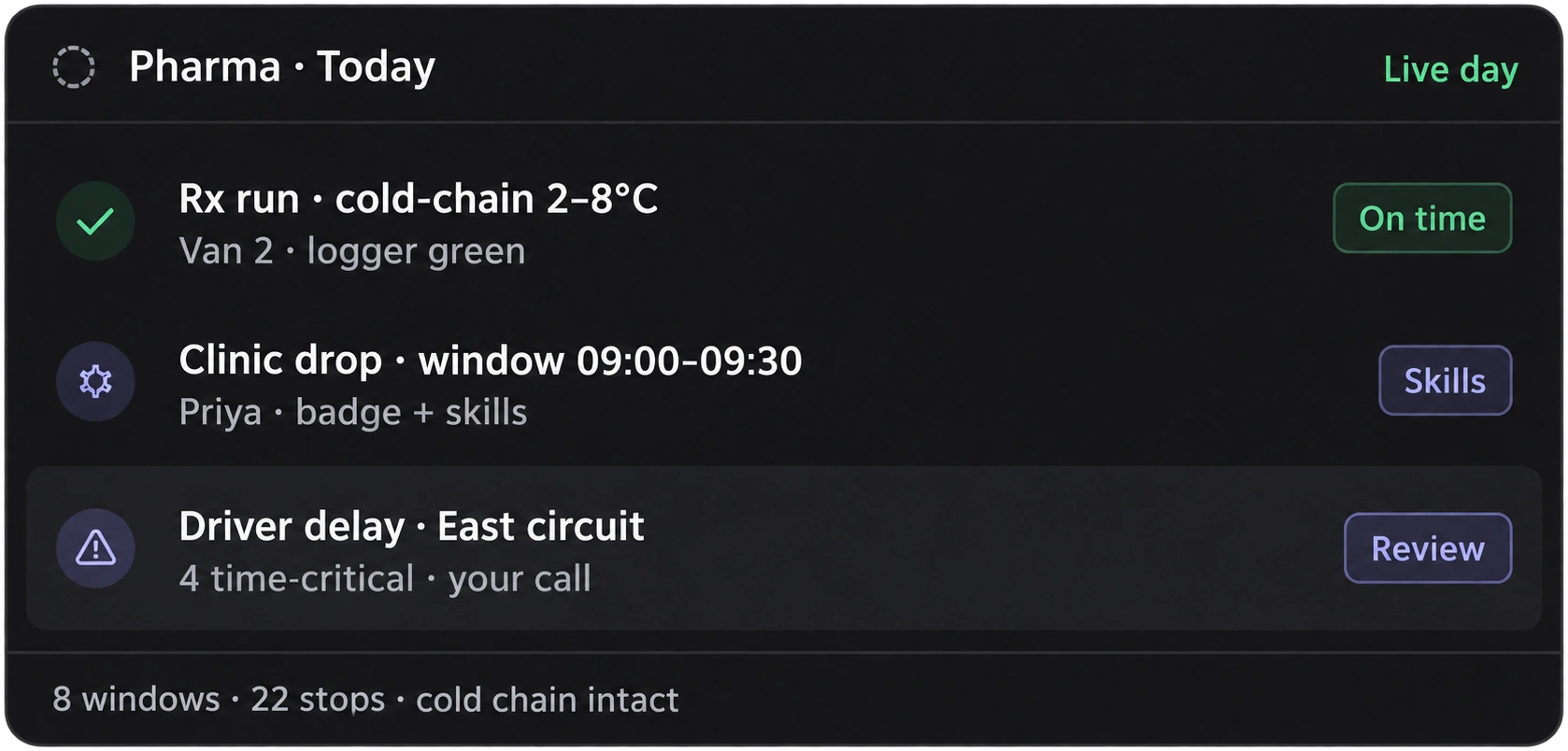 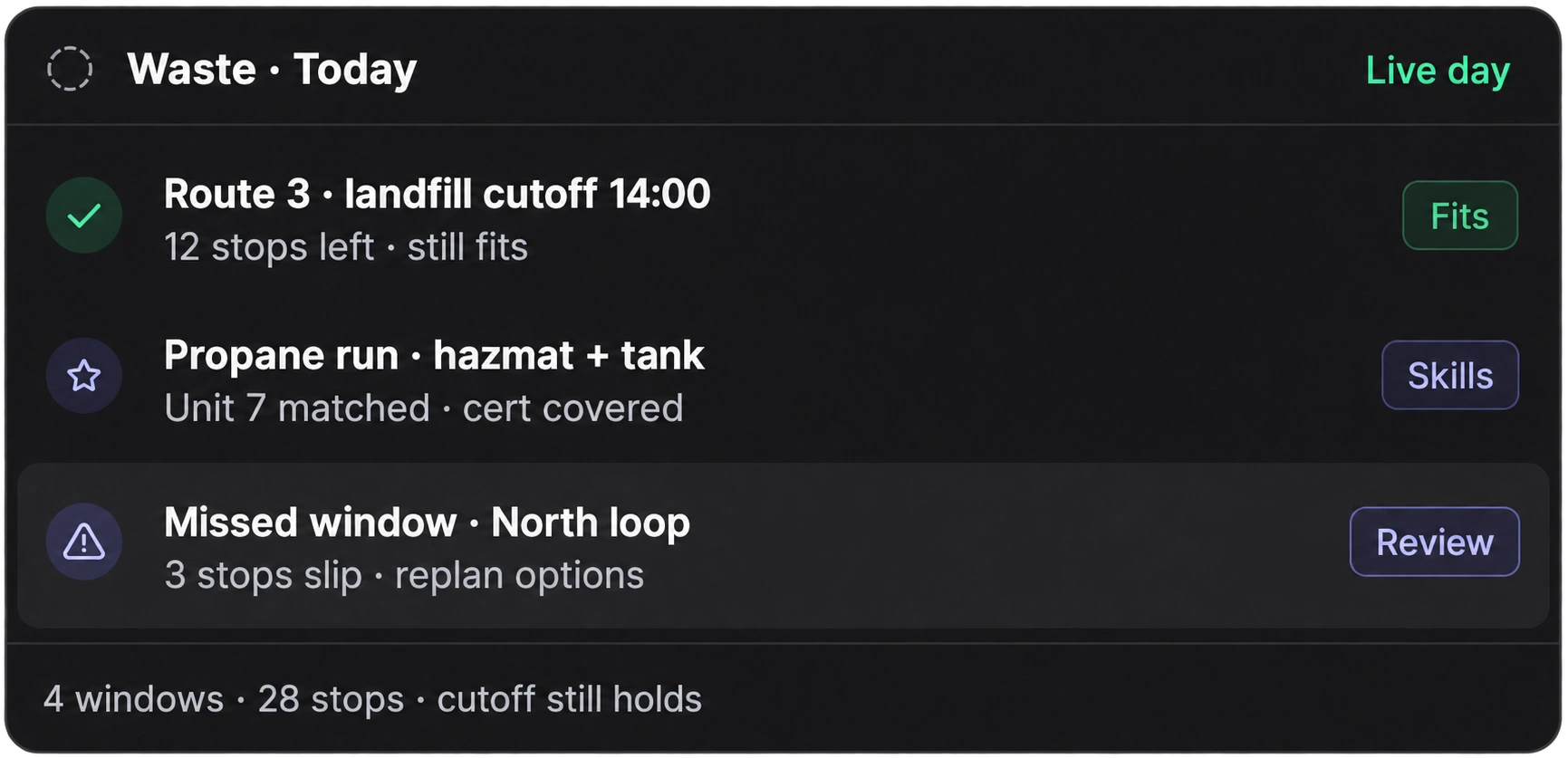 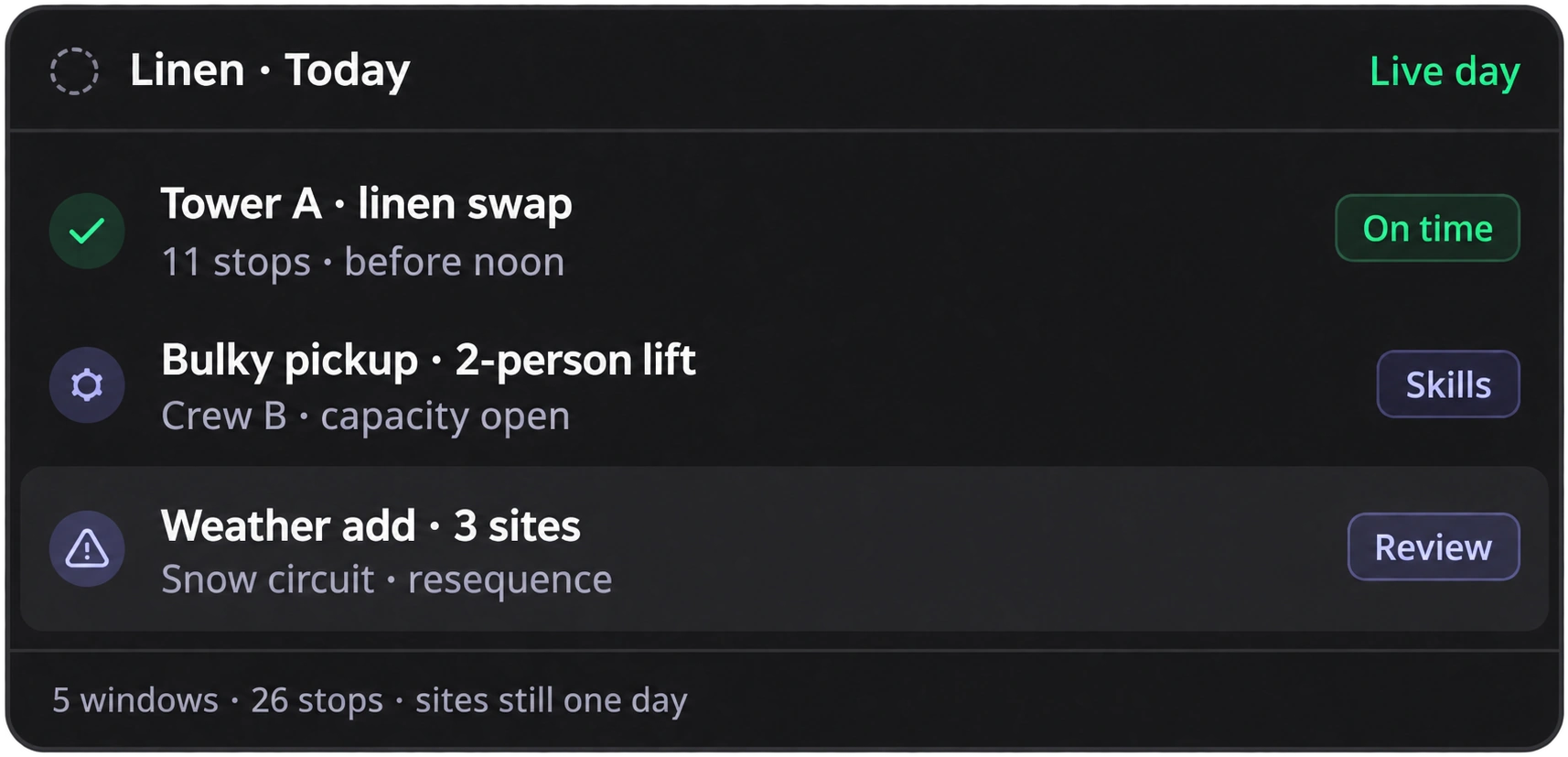 Also fits Upper’s locked logistics verticals (foodservice/beverage, industrial supply, [building materials](https://www.upperinc.com/businesses/building-supplies-distribution-and-routing-app-software/), [fuel and propane](https://www.upperinc.com/businesses/fuel-delivery-software/), industrial gas, linen, furniture/bulky, multi-site supply, snow, and related multi-stop days).
## Start with a working day *your team recognizes*
1. **Bring in your work.**
[Import jobs and team records from CSV](https://www.upperinc.com/features/spreadsheet-import/). Check addresses, visit durations, availability, and job requirements.
2. **Set the rules your dispatcher uses.**
Configure skills, equipment, territories, work schedules, and capacity settings.
3. **Review before automating.**
Check a normal day and an awkward one — an absence, an urgent request, or work that cannot fit.
4. **Put routine assignments on Autopilot.**
Set your confidence threshold and keep critical conflicts with your team.
Judge the difference against your current process: time spent assigning work, time spent resolving changes, and stops left unassigned.
Run dispatch from your browser. Keep the telematics you already trust. We’ll review how order and customer data can reach Upper as part of evaluating the setup.
## Frequently asked *questions*
**What is AI dispatch software?+**
AI dispatch software uses artificial intelligence to match jobs to drivers or technicians, build schedules around operating rules, and recommend adjustments as new work, delays, or cancellations arise. Upper combines assignment, [route optimization](https://www.upperinc.com/route-optimization-software/), automated customer updates, and [proof of delivery](https://www.upperinc.com/features/proof-of-delivery-software/) for multi-stop operations.
**Is AI dispatch the same as automated dispatch software?+**
The terms overlap. Automated dispatch software carries out assignments using rules and workflows; it may also use AI. Upper’s AI dispatching software scores eligible matches, explains recommendations, and can automatically accept routine assignments within your settings.
**How is AI dispatch different from route optimization?+**
Route optimization can allocate stops across vehicles and sequence routes around constraints. AI dispatch adds assignment review, routine automation, and exception handling as work changes throughout the day. Upper brings these jobs together.
**Does AI replace the dispatcher?+**
No. Upper reduces repetitive assignment work. Your dispatcher sets the rules, reviews exceptions, and decides when work cannot fit the available resources.
**What changes for our drivers?+**
Drivers receive their route and stop details, navigate to each location, and record completion from the [driver app](https://www.upperinc.com/route-planner-app/). Include a driver in the evaluation to check that this handoff works for the people using it every day.
**Can it handle recurring routes and jobs?+**
Yes. Set [recurring jobs](https://www.upperinc.com/features/delivery-route-scheduling/) on weekly, biweekly, or monthly schedules. Upper considers those commitments alongside new work. If your routes rarely change and you only need sequencing, route optimization alone may be enough.
**Will we have to enter orders twice?+**
You can import jobs and team records from CSV. An ongoing connection to your order system depends on the integration available. During evaluation, check how new orders, changes, and cancellations reach dispatch so you know what remains manual.
**What does AI Dispatcher cost?+**
Request a quote for the workflow you need. Confirm which automation capabilities are included, any setup or integration work, and [messaging charges](https://www.upperinc.com/text-messaging-pricing/) so you can compare full cost with your current process.
## See how Upper would handle the work *on your desk*
Tell us what slows your team down: assigning the morning’s work, fitting in a late order, or covering an absent driver.
We’ll walk through the matching rules, the proposed plan, and the decisions your team controls — so you can judge the fit for the way you actually operate.
[Book a demo](https://calendly.com/upper/demo)
---
_View the original post at: [https://www.upperinc.com/ai-dispatch-software/](https://www.upperinc.com/ai-dispatch-software/)_
_Served as markdown by [Third Audience](https://github.com/third-audience) v3.6.1.1_
_Generated: 2026-09-24 11:53:45 UTC_