---
title: "AI Dispatching & Scheduling Software | Upper"
url: "https://www.upperinc.com/ai-dispatcher/"
date: "2026-08-12T13:56:49+00:00"
modified: "2026-08-12T13:59:03+00:00"
type: "WebPage"
resource: "https://www.upperinc.com/ai-dispatcher/"
timestamp: "2026-08-12T13:59:03+00:00"
author:
name: "Riddhi Patel"
word_count: 1313
reading_time: "7 min read"
summary: "Upper AI Dispatcher
Turn Dispatch Judgment Into a System.
Plan delivery and field service work across people, time, and routes—without solving the day one assignment at a time. Uppe..."
description: "Plan delivery and field service work across people, time, and routes. Apply your operating rules, review the plan, and adapt when the day changes."
language: "en"
schema_type: "WebPage"
---
# AI Dispatching & Scheduling Software | Upper
_Published: August 12, 2026_
_Author: Riddhi Patel_
Upper AI Dispatcher
# Turn Dispatch Judgment Into a System.
Plan delivery and field service work across people, time, and routes—without solving the day one assignment at a time. Upper applies your operating rules to the full workload and gives your dispatcher a plan to review and put in motion.
[See it work on your schedule ](https://calendly.com/upper/demo/) [See how it works](https://www.upperinc.com/how-it-works/) Ready-made software · Route-aware planning · Your dispatcher in control
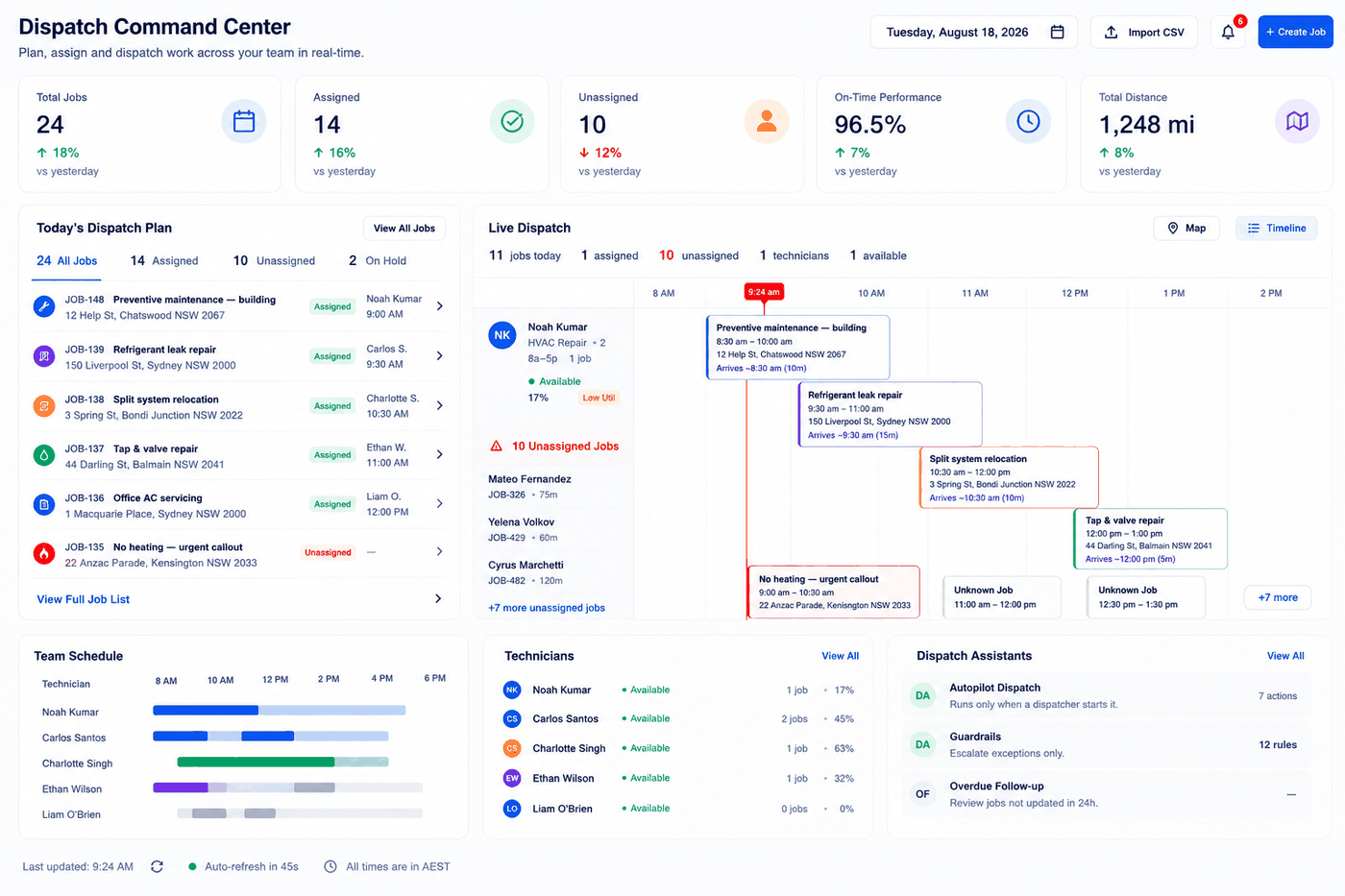Upper evaluates those decisions together, so your team can see the day as one connected plan before it goes into motion.
### The right person
Put work with an available driver or technician who fits the job.
### The right time
Fit work around schedules, commitments, and the time already spoken for.
### The right route
Account for where the team is going—not just where each job sits on the map.
### The right balance
Use the capacity of the whole team without creating an impossible day for one person.
Stop planning job by job. Start planning the day.
1
### Bring in the work and the team
Start with the stops or jobs that need to happen and the people or vehicles available to handle them.
2
### Set the rules that shape the day
Tell Upper what must be respected and what your operation prefers when more than one answer is possible.
3
### Let Upper evaluate the full workload
Upper considers assignments, schedules, and route impact together instead of treating each job as a separate decision.
4
### Review before you release
See the proposed plan, make the changes that need human context, and approve the day with your dispatcher.
5
### Dispatch the plan
Send approved work into the connected Upper workflow so the field team knows where to go and what comes next.
[Walk through your dispatch workflow](https://calendly.com/upper/demo/)
### Who can take the work?
Use the requirements that determine whether a driver, technician, or vehicle is a fit.
### When can it happen?
Plan around availability, existing work, customer commitments, and the working day.
### Where does it fit?
Consider the route and schedule the assignment changes—not only the distance to the next address.
### What matters most?
Reflect the priorities and operating preferences that make your business run the way it does.
One operating playbook. Applied across every dispatch decision.
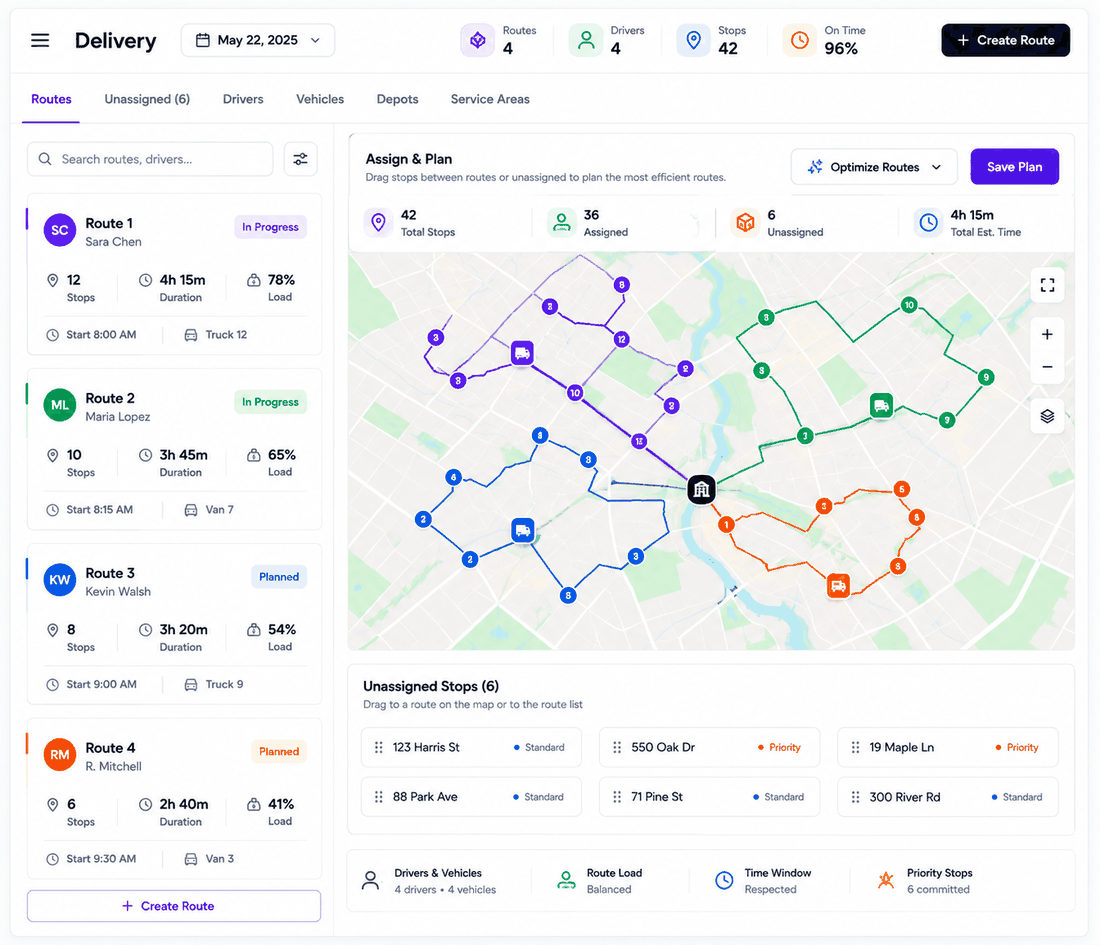
### Delivery
Assign stops with the route in mind.
Plan work across drivers and vehicles while accounting for the practical limits of each route—from customer timing and service areas to vehicle needs and the work already assigned.
- Multi-stop delivery work- Drivers and vehicles- Route load and timing- Priority stops and customer commitments- Depots, territories, and service areas
[Explore AI dispatching for delivery →](https://www.upperinc.com/businesses/local-delivery-route-planning-optimization-app-software/)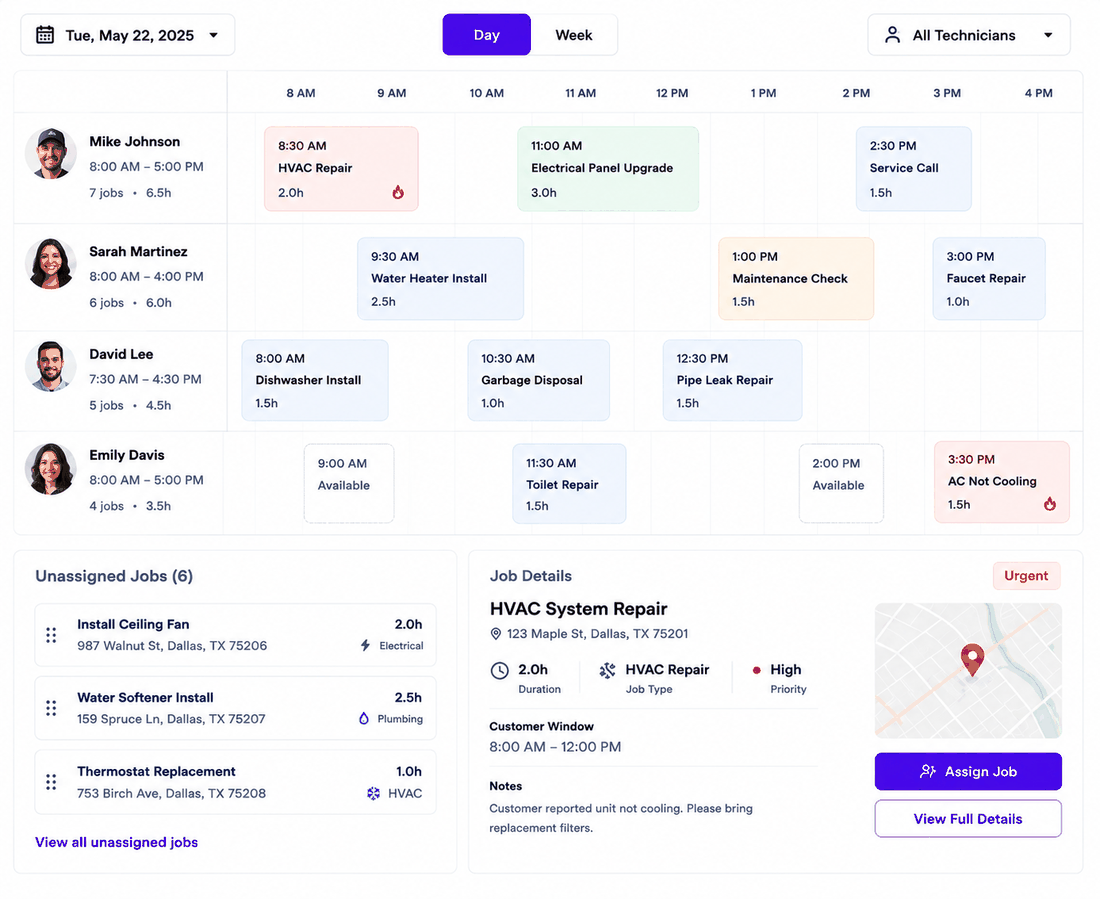
### Field service
Match the job to the person—and the appointment to the day.
Plan field work around technician availability, job fit, appointment timing, and the travel between customers.
- Service jobs and appointments- Technicians and working hours- Job requirements- Existing workload and travel- Urgent and scheduled work
[Explore AI dispatching for field service →](https://www.upperinc.com/field-service-route-optimization/)Different work. Different rules. One workable day.
Bring the change back into the current plan. Upper evaluates it against the work already scheduled, so your dispatcher can see the impact, choose the right response, and keep the day moving.
### New work
Find where an urgent job can fit without losing sight of everything around it.
### Team changes
Rework the affected schedule when availability changes.
### Timing changes
See what a delay or cancellation means for the remaining day.
Rework the exception—not the entire plan.
### What Upper does
Upper handles the repetitive comparison of people, work, time, and routes. Your dispatcher brings the customer knowledge and operational judgment that software cannot infer from an address or schedule.
### How the day gets approved
- Your team sets the operating rules.- Upper prepares the plan.- Your dispatcher reviews the result.- Human judgment handles the exceptions.- Only the approved plan moves forward.
AI for the calculation. Human judgment for the exceptions.
### Route planners sequence the work
They can find an efficient order after the stops have been assigned. Your dispatcher may still need to decide who should do the work and when.
### Optimization APIs provide the building blocks
They can support complex planning, but your team still has to build the data model, dispatcher interface, controls, and operating workflow around them.
### Upper brings the decision into ready-made software
Connect assignment, scheduling, and route context in a workflow your operations team can review and use.
Get a stronger dispatch decision without building the system yourself.

### Motive
Connect Motive vehicle and location data with Upper’s route planning and dispatch workflow.

### Zapier
Move work between Upper and the apps your team already uses.

### Upper API
Connect Upper with your own operational systems and workflows.
[Explore integrations](https://www.upperinc.com/integrations/) [Explore the Upper API](https://www.upperinc.com/features/route-planner-api/)Bring a day with competing priorities, different schedules, route pressure, and the rules your best dispatcher keeps in their head. That is where you will see whether the plan actually works for your operation.
[See Upper on your schedule](https://calendly.com/upper/demo/)Bring the work. Bring the rules. Keep your dispatcher in the conversation.
- How is AI dispatching different from route optimization?**Route optimization primarily determines the order in which stops should be visited. AI dispatching also considers who should perform the work, when it can happen, and how the assignment affects the wider schedule. Upper connects those decisions with route context.
- Can my dispatcher review the plan?**Yes. Upper is designed to keep the dispatcher in the workflow. Your team reviews the proposed plan, applies the context only people have, and approves the work before it moves forward.
- What happens when the day changes?**Bring new work, availability changes, cancellations, or delays back into the current planning workflow. Upper helps your dispatcher evaluate the impact and decide what should change.
- Is Upper AI Dispatcher for delivery or field service?**Both. Delivery teams can plan around drivers, vehicles, stops, timing, and routes. Field service teams can plan around technicians, jobs, appointments, job fit, and travel between customers.
- Does Upper work with our existing systems?**Upper offers integration options including the Upper API, Zapier, and a documented Motive integration. The right setup depends on where your jobs, vehicles, people, and status data live today.
- Will AI replace the dispatcher?**No. AI helps evaluate the routine combinations that are difficult to compare manually. Dispatchers still define the operating rules, review the plan, and handle the customer and field exceptions that require human judgment.
## Bring Us Your Hardest Dispatch Day.
Show us the work, the team, and the rules that make your schedule difficult. See how Upper turns them into a connected plan your dispatcher can review and put into action.
[See it work on your schedule](https://calendly.com/upper/demo/) [Talk to an Upper expert](https://calendly.com/upper/demo/)
---
_View the original post at: [https://www.upperinc.com/ai-dispatcher/](https://www.upperinc.com/ai-dispatcher/)_
_Served as markdown by [Third Audience](https://github.com/third-audience) v3.6.1_
_Generated: 2026-08-12 13:59:05 UTC_