---
title: "Fuel Management Software"
url: "https://www.upperinc.com/fuel-delivery-software/"
date: "2026-10-06T13:43:35+00:00"
modified: "2026-10-30T09:57:58+00:00"
type: "WebPage"
resource: "https://www.upperinc.com/fuel-delivery-software/"
timestamp: "2026-10-30T09:57:58+00:00"
author:
name: "Riddhi Patel"
word_count: 1069
reading_time: "6 min read"
summary: "Fuel delivery software
Spend less time planning routes and chasing delivery updates
Build efficient delivery rounds, decide where urgent orders fit and know which cust..."
description: "Fuel delivery software for heating oil, propane and mobile fueling teams. Plan routes, dispatch will-call orders and send ETA updates. Book a demo"
keywords: "fuel delivery software,fuel delivery route planning,fuel delivery dispatch"
language: "en"
schema_type: "WebPage"
---
# Fuel Management Software
_Published: October 6, 2026_
_Author: Riddhi Patel_
# Fuel delivery software
Spend less time planning routes and chasing *delivery updates*
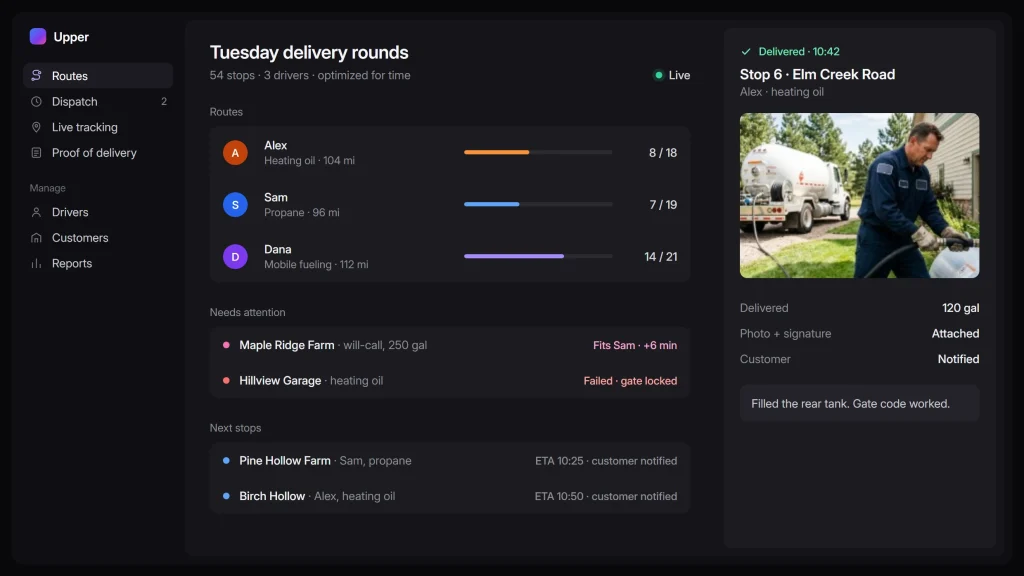
Build efficient delivery rounds, decide where urgent orders fit and know which customers still need attention. Upper gives heating oil, propane and mobile fueling teams the routing, dispatch and delivery tools to manage the day from the first order list to the last stop.
[Book a Demo](https://calendly.com/upper/demo/)Bring your order list. See the routes, driver instructions and delivery records Upper would help you manage.
 Trusted by operations in waste, distribution, fuel, medical routes, and multi-site supply.
   
## Cut unnecessary miles with *fuel delivery route planning*
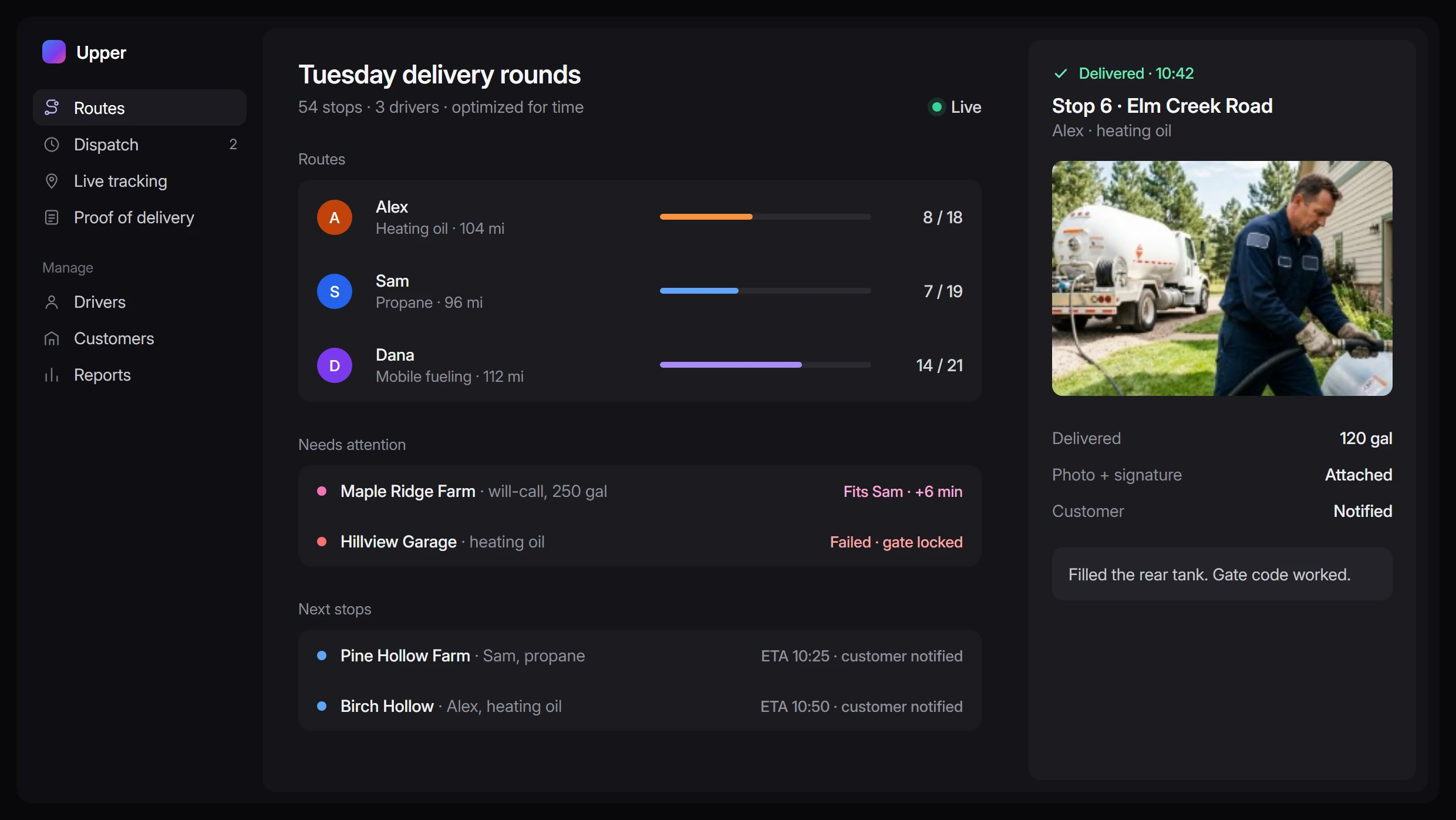
Every unnecessary mile takes time away from the next delivery. And a tightly packed route can fall behind if it leaves too little time for hose setup, pumping and customer access.
### Import & optimize
Import your orders from [CSV or Excel](https://www.upperinc.com/features/spreadsheet-import/) and add your estimated service times, customer arrival windows and driver shifts. Upper [divides and sequences stops across drivers](https://www.upperinc.com/features/multi-driver-optimization/), optimizing for time or distance.
### Review & adjust
See each route’s planned time and mileage before it goes out. You can pre-assign customers to a chosen driver and adjust the sequence using your local knowledge. Start with [an optimized plan](https://www.upperinc.com/route-optimization-software/) you can review, saving the work of arranging every stop by hand.
## Fuel delivery dispatch for *the next urgent order*
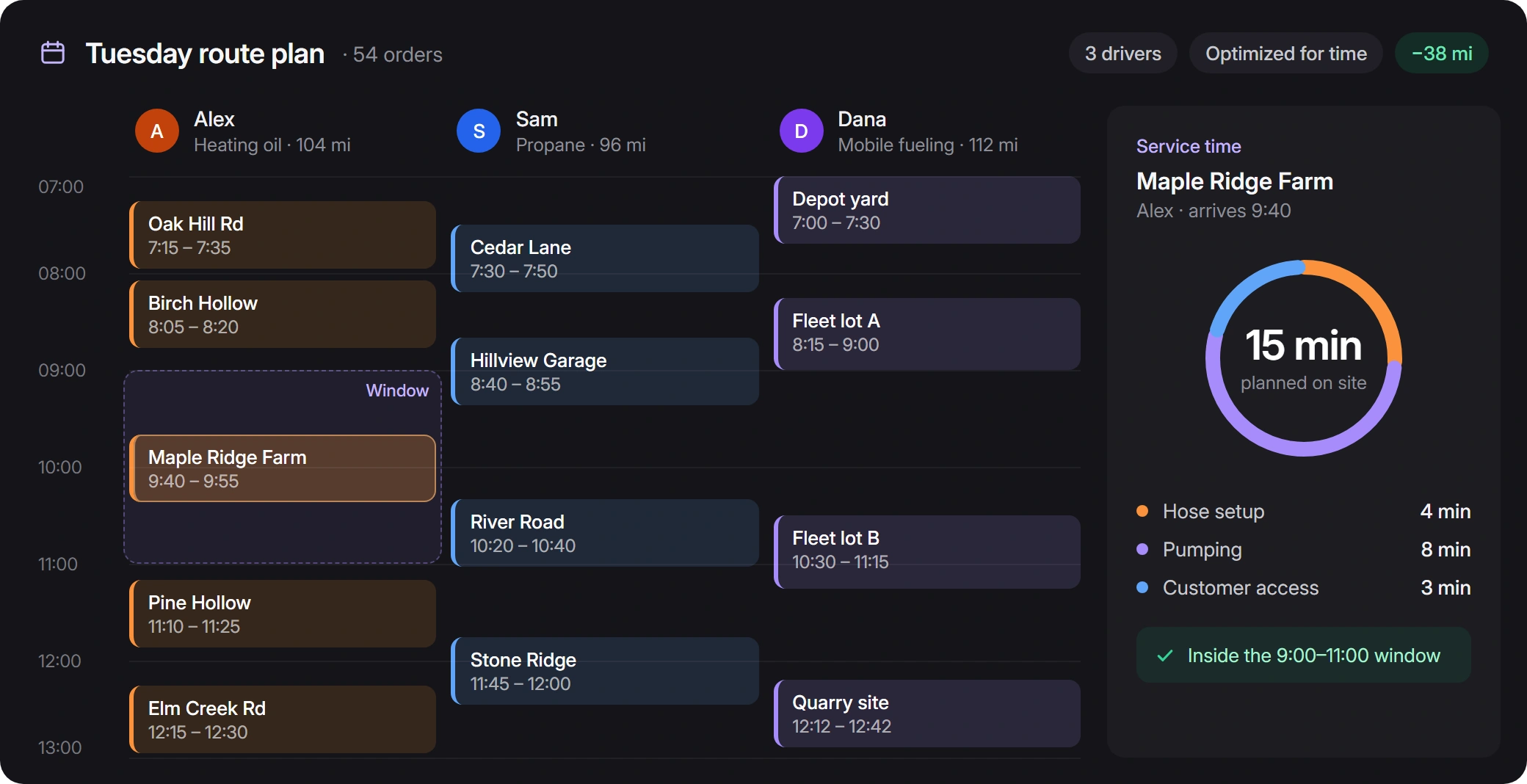
A will-call customer needs fuel today. Before you say yes, you need to know where the stop fits and what it means for the customers already on the schedule.
### Get a recommended driver
[Upper’s AI Dispatcher](https://www.upperinc.com/ai-dispatch-software/) checks recorded skills, equipment access, service areas, availability, workload and travel. Review the recommended driver, proposed timing and reasons before accepting. If no suitable assignment is found, [see why the work could not be placed](https://www.upperinc.com/ai-dispatch-software/dispatch-exception-management/).
### Revise the plan when the day changes
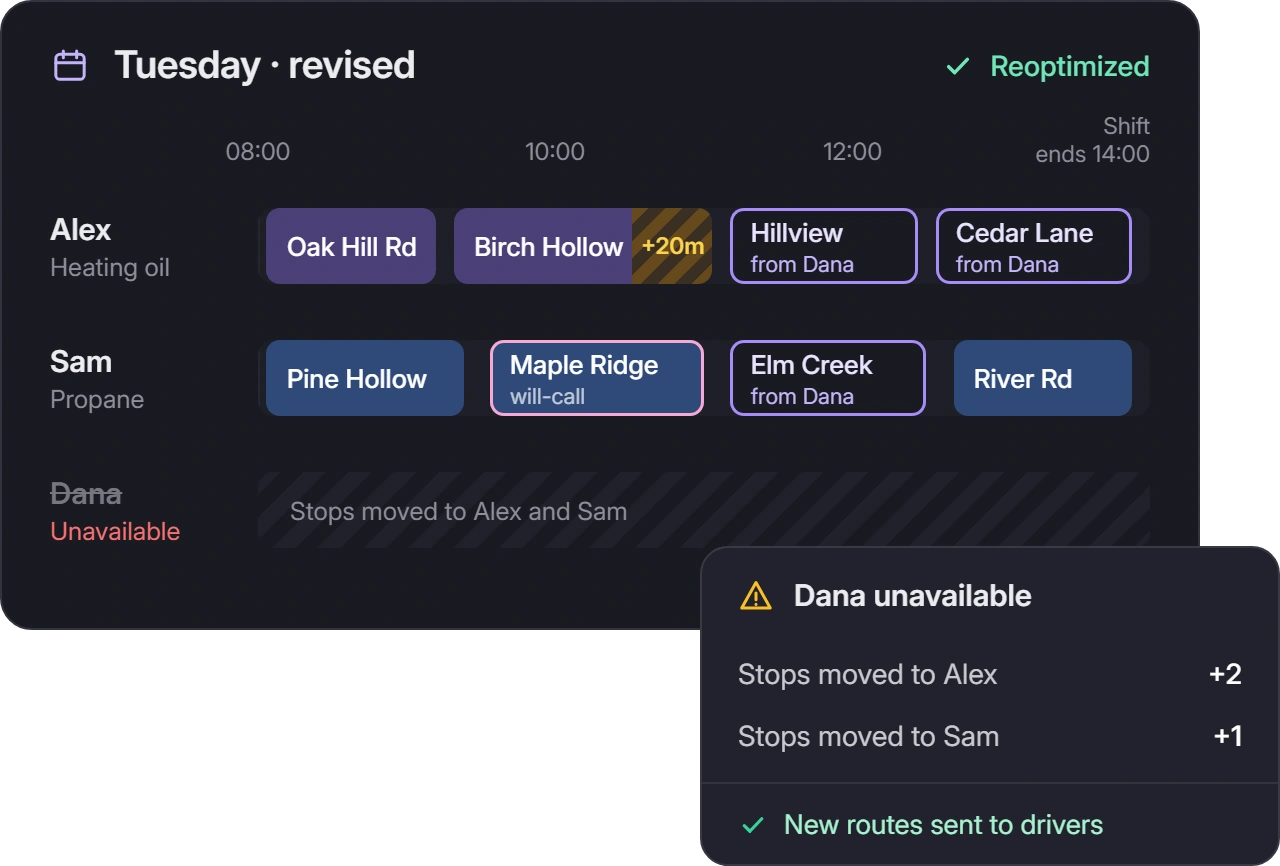
When a driver becomes unavailable or a delivery runs long, you can move stops and [reoptimize routes](https://www.upperinc.com/dynamic-dispatch-reoptimization/) to revise the plan.
 Who decides what
Your team confirms the fuel product and remaining truck load. Upper helps with the assignment and schedule decision.
[Book a Demo →](https://calendly.com/upper/demo/)
## Give the next driver *the details your regular driver knows*
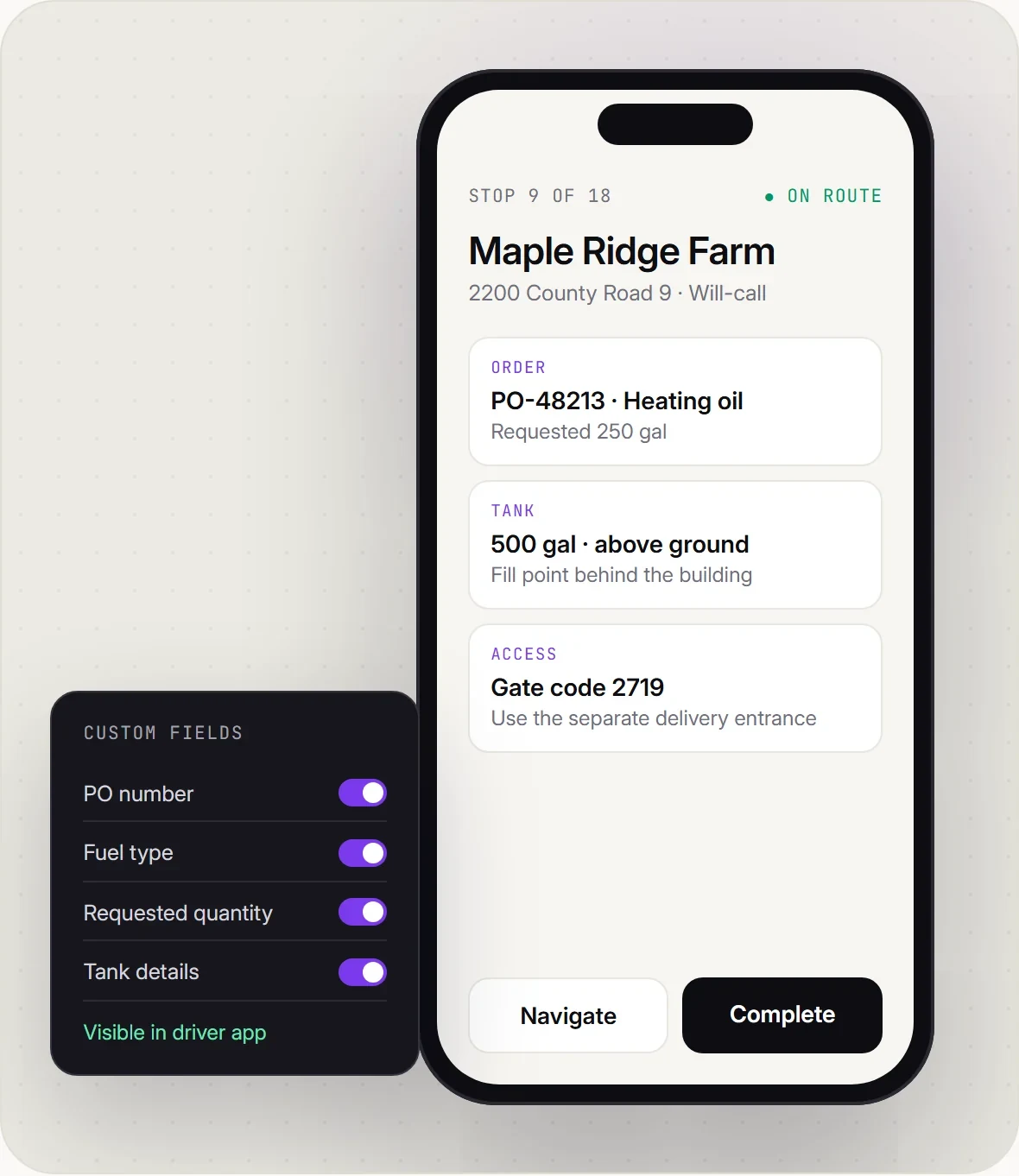
- The fill point is behind the building.
- The yard uses a separate delivery entrance.
- The gate needs a code.
Keep those instructions with the stop so covering an unfamiliar round takes fewer calls back to dispatch.
Add the order or PO number, fuel type, requested quantity and tank details through custom fields, then make them visible in the [driver app](https://www.upperinc.com/route-planner-app/). Drivers get the order information and recorded access instructions with their route.
## Answer delivery questions *without another call to the truck*
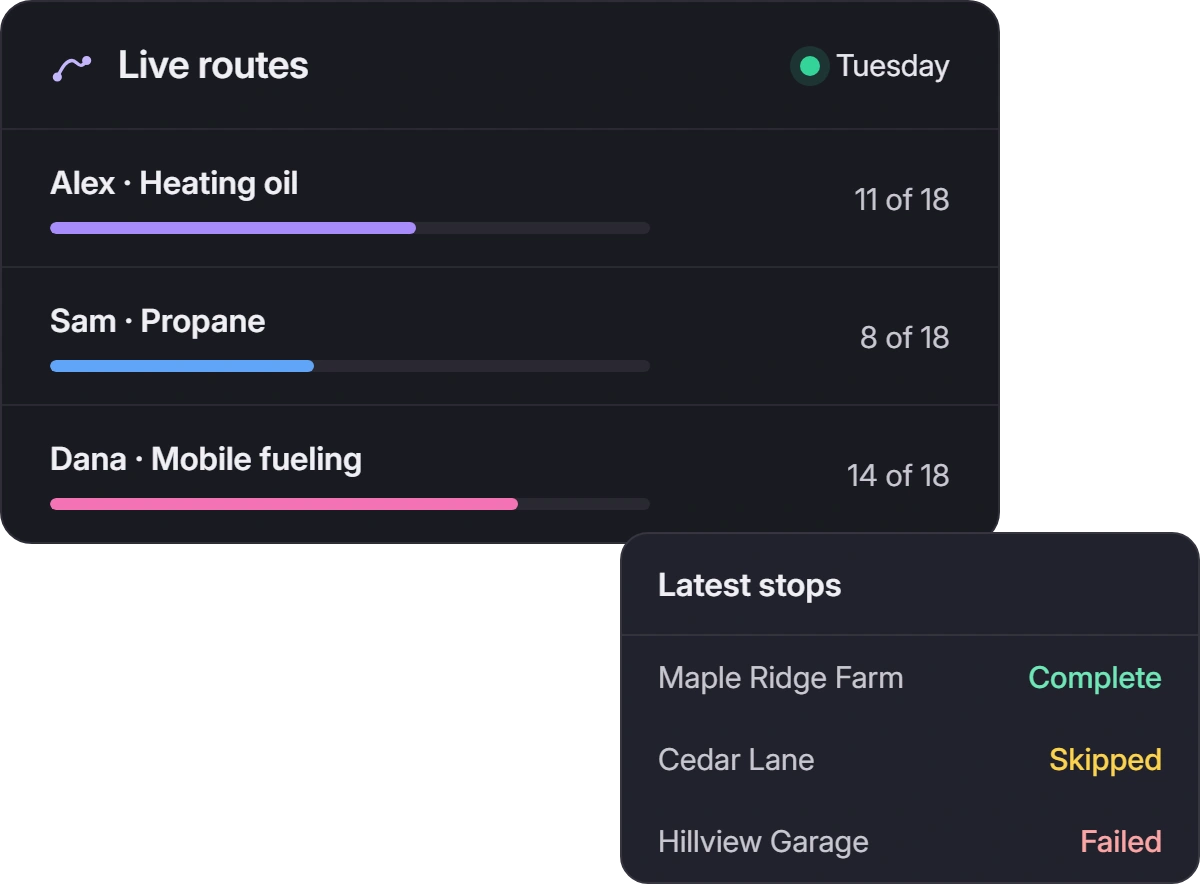
### Live route progress
[Follow route progress](https://www.upperinc.com/features/driver-fleet-tracking/live-gps-driver-tracking-software/) and see the stops marked complete, failed or skipped.
### Check a completed delivery
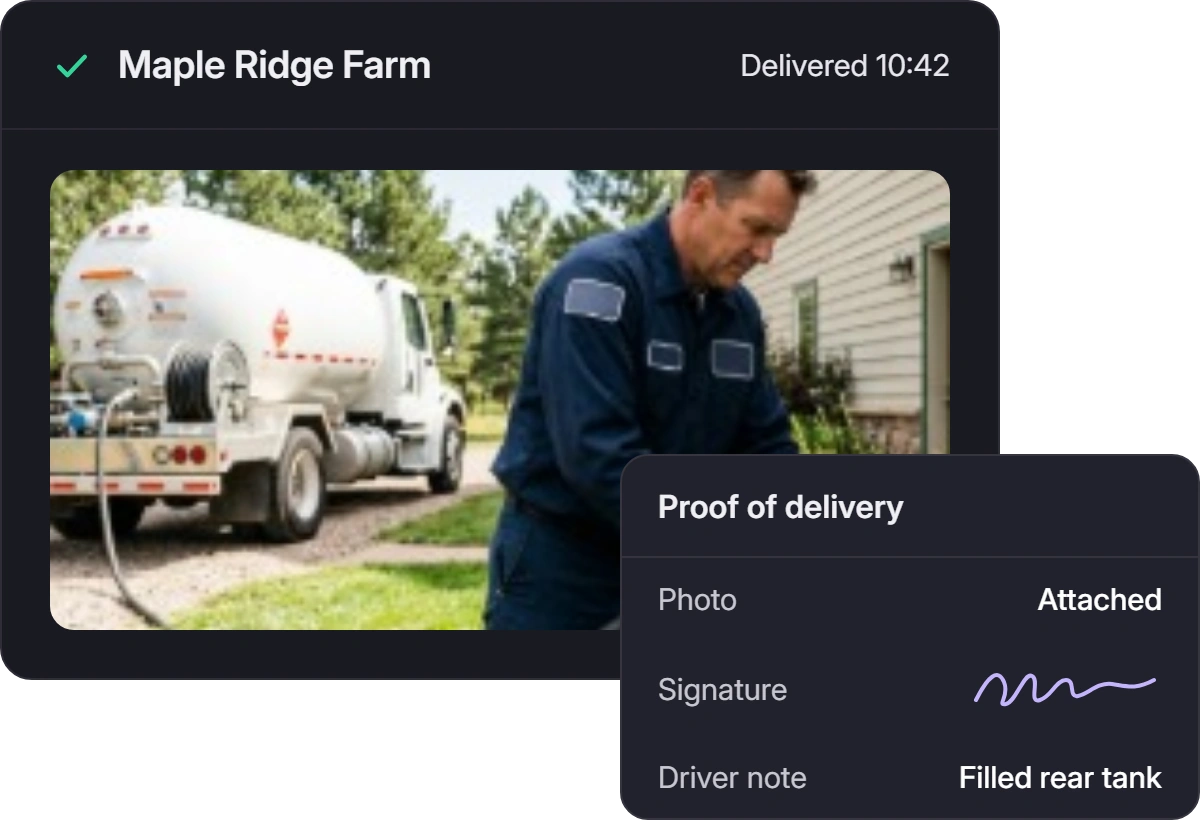
For a completed delivery, your office can check the [photos, signatures and notes](https://www.upperinc.com/features/proof-of-delivery-software/photo-signature-capture/) captured by the driver.
### Know why a delivery failed
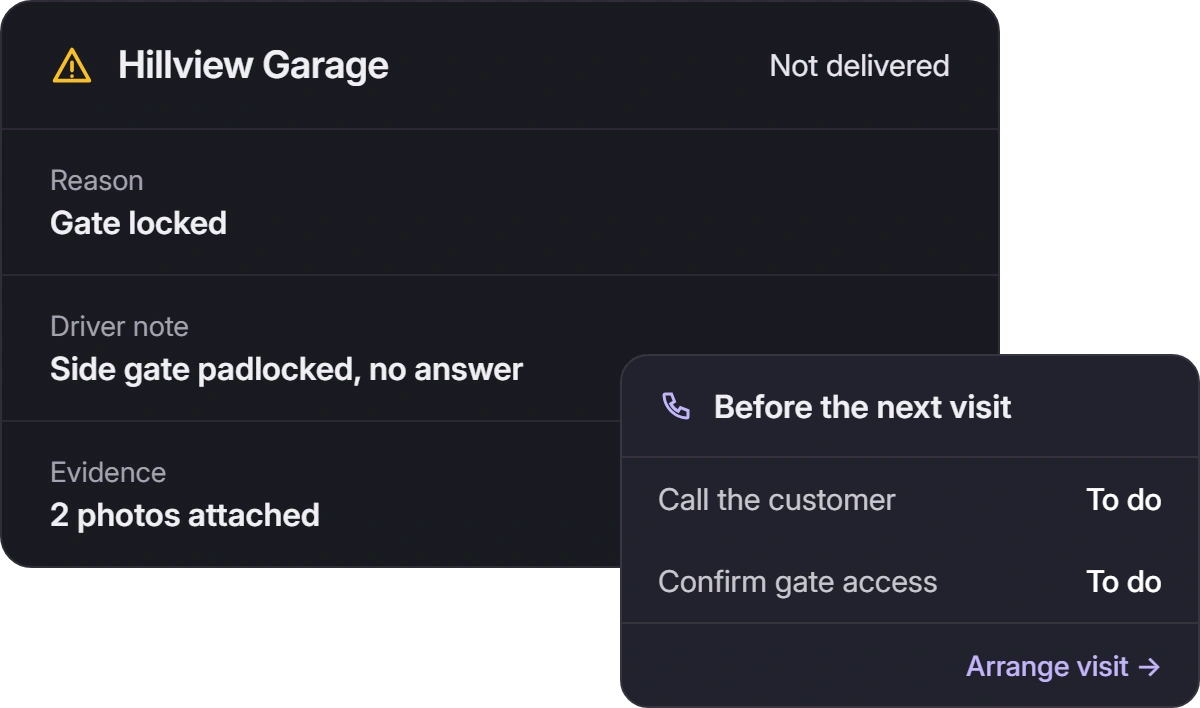
If a locked gate or blocked fill point prevents delivery, the driver can record the reason and supporting notes or photos. Your team knows what to discuss with the customer before arranging another visit.
## Give customers an arrival update *they can check themselves*
Share an [ETA tracking link](https://www.upperinc.com/features/notification-software/delivery-eta-notifications/) and send [SMS or email updates](https://www.upperinc.com/features/notification-software/) when a route goes out, when the customer is next, and after completed or missed deliveries. Customers can follow the status of their delivery while your team keeps the round moving.

## Emergency fills in *under 4 hours*
HeatSource Propane delivers propane fuel to residential and commercial customers across rural Vermont and New Hampshire, operating a fleet of 15 trucks serving over 3,000 accounts.
[Read the HeatSource Propane story →](https://www.upperinc.com/success-stories/heatsource-propane/) 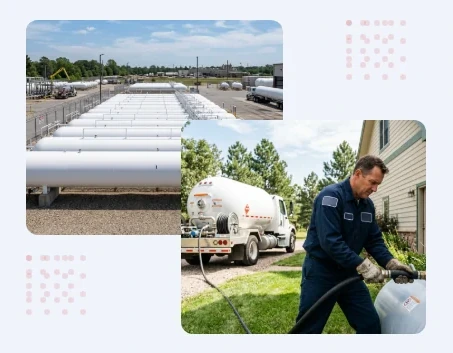 **HeatSource Propane**Rural Vermont / New Hampshire > “Most routing software is built for city delivery. Our drivers cover 120 miles a day on two-lane roads where GPS sometimes loses signal. Upper handled the rural routing from day one. We imported 3,000 addresses, and it didn’t blink.”
**Tom Garrity**Dispatch Supervisor, HeatSource Propane
- ****70%**Reduction in customer run-outs- ****$6,200/mo**Fuel savings across the fleet- ****<4 hrs**Emergency response time, down from a 24–48 hour average- ****3.5%**Decrease in customer churn
## Make the change with *one familiar round*
Use a day’s orders you know well. Import the stops and order references, set the service times and review the routes. Compare planned mileage, the distribution of work and the details each driver receives.
Then add a will-call order and follow a stop through to its delivery record. See how Upper would handle the parts of the day that take the most coordination now.
[Book a Demo](https://calendly.com/upper/demo/) 
## Questions about *fuel delivery software*
**What does fuel delivery software do?+**
Fuel delivery software helps fuel distributors manage orders, routing, dispatch and delivery records. Specialist fuel platforms can also include tank monitoring, demand forecasting and billing. Upper helps your team [plan routes](https://www.upperinc.com/guides/fuel-delivery-route-optimization/), assign delivery work, keep customers informed and [capture proof of delivery](https://www.upperinc.com/features/proof-of-delivery-software/).
**Can we plan scheduled fuel deliveries and will-call orders together?+**
Yes. Plan the accounts your team has selected for delivery, [copy routes for repeat rounds](https://www.upperinc.com/features/delivery-route-scheduling/) and add will-call orders as they arrive. During winter peaks, split work across available drivers and review their planned workloads before dispatch.
**Can drivers work in areas with poor mobile coverage?+**
Open the route while online. Drivers can then record stop statuses and proof offline, with those records syncing after reconnection. Live tracking, navigation and newly dispatched changes need connectivity.
**What will drivers need to do?+**
Drivers use Upper’s iOS or Android app to view their route, check stop details and open navigation. At each stop, they record the outcome and collect the photos, signatures or notes you’ve configured.
**Does Upper replace fuel forecasting, metering or billing?+**
Keep your specialist systems for tank monitoring, degree-day or K-factor forecasts, metering and fuel-specific billing. Upper organizes the deliveries you select. Custom quantity fields store entered data; they do not measure fuel or track remaining truck inventory. Photos and signatures complement the metered fuel ticket.
**Can we use Upper with our existing fuel back-office software?+**
You can start with CSV or Excel imports and route-data exports. Confirm any [direct integration](https://www.upperinc.com/integrations/) against your specific system. In the demo, check how orders come in, how their references stay attached and how your office will use completion records.
## Give your next delivery day *a better plan*
See where Upper can reduce the routing work, driver calls and delivery follow-up your team handles today. Book a demo built around your fuel delivery operation.
[Book a Demo](https://calendly.com/upper/demo/)
---
_View the original post at: [https://www.upperinc.com/fuel-delivery-software/](https://www.upperinc.com/fuel-delivery-software/)_
_Served as markdown by [Third Audience](https://github.com/third-audience) v3.6.1.1_
_Generated: 2026-10-30 09:58:00 UTC_