
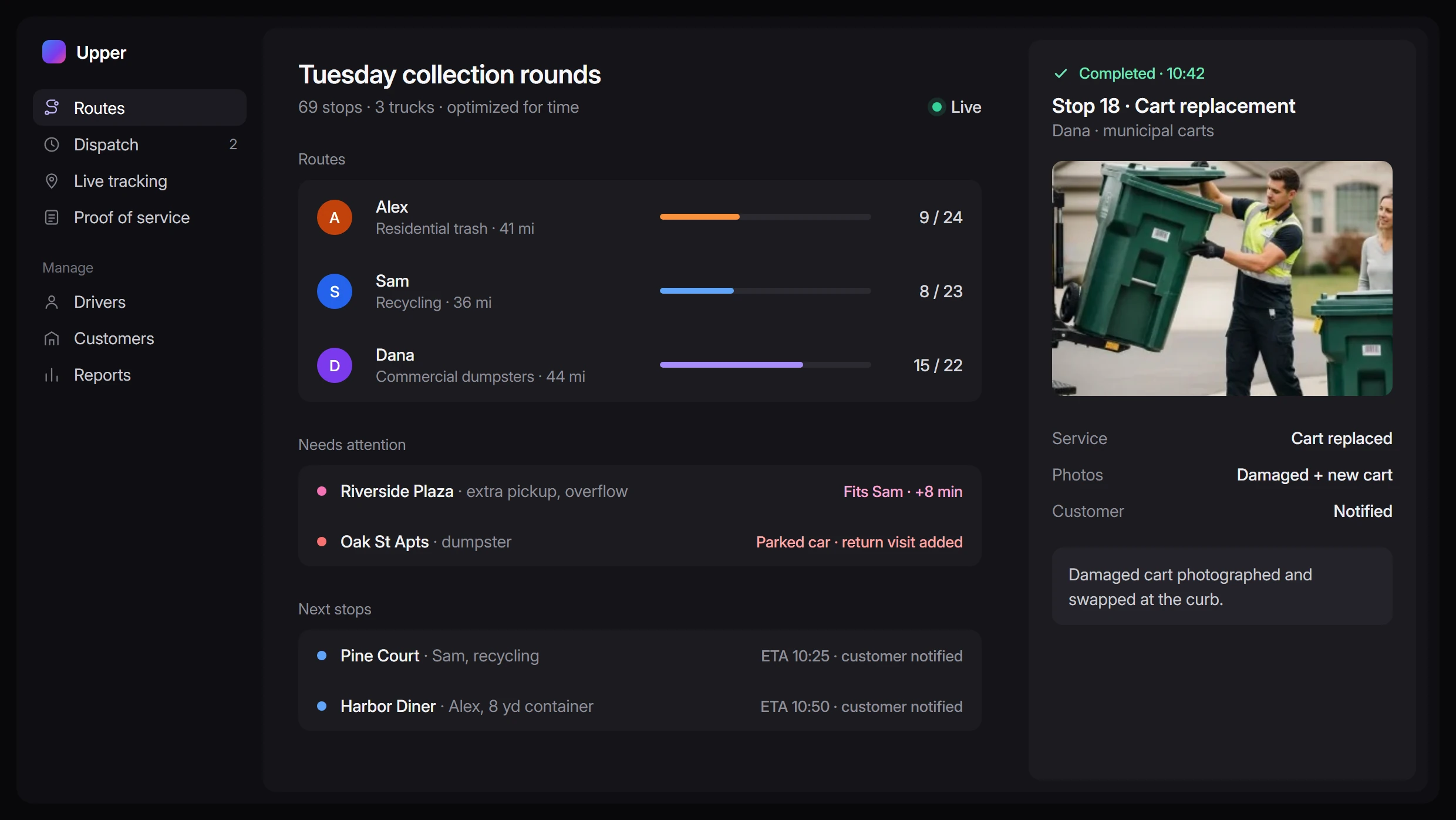
Waste management software
Spend less time rebuilding routes and chasing collection updates
Plan efficient waste collection routes, organize recurring service and dispatch extra pickups with Upper. Give drivers the site details to finish the job and your office the visibility to keep service moving—from the scheduled round to the last return visit.
See Upper with the routes and collection requests your team handles every day.


Every collection detail, in one place

Every new account needs a collection day, a place on the route and instructions the driver can use. When that information lives across spreadsheets, messages and drivers’ memories, even a routine change creates more work for dispatch.
Upper’s waste management software helps you turn those details into scheduled work, assigned routes and recorded outcomes. Review the day before trucks leave, adjust it while they are out and follow up with a clear record of what happened.
Balance every round before trucks leave
One driver is doubling back across town. Another has too many stops to finish comfortably. Adding customers to yesterday’s round can leave you paying for extra driving while the workload stays uneven.
Import & optimize
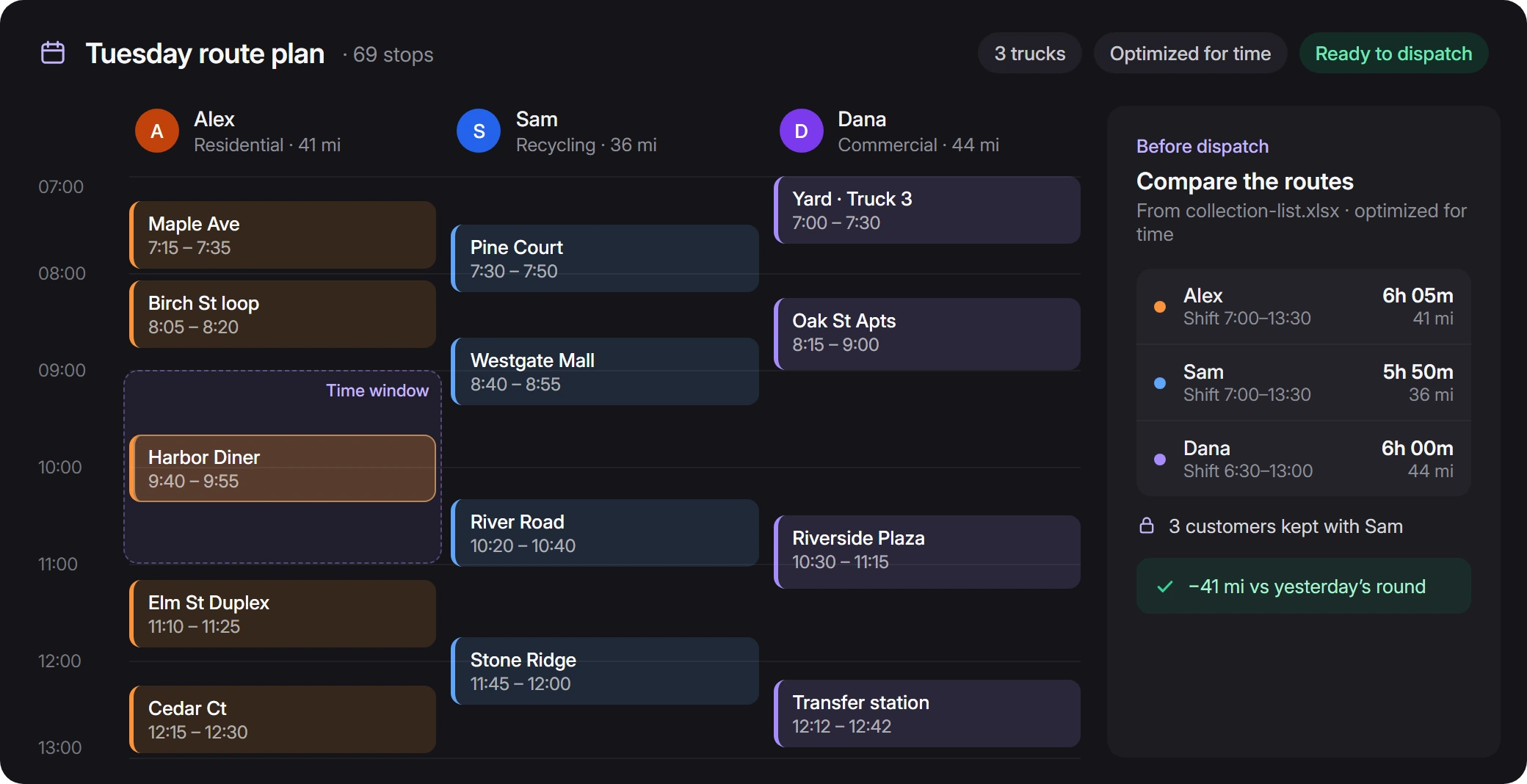
Import your collection list from CSV or Excel. Set service durations, time-window preferences, driver shifts and start and end locations. Upper splits and sequences stops across drivers, optimizing for time or distance.
Compare & adjust
Compare estimated route times and distances before dispatch. Keep selected customers with a familiar driver and adjust the stop order where your local knowledge matters. Build a more efficient plan around the work each round actually requires.
Weekly, biweekly and one-off pickups, in one schedule
AI Dispatcher
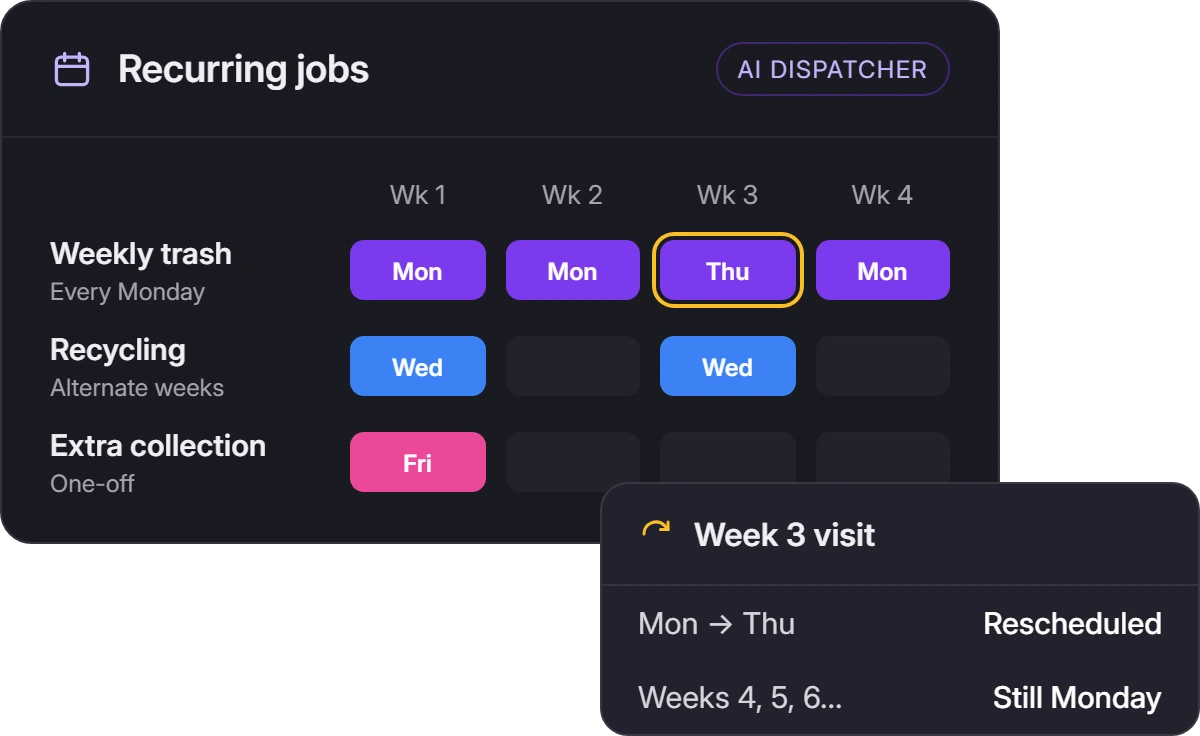
Weekly trash, alternating-week recycling and a one-off collection on Friday each need a place in the schedule. AI Dispatcher generates visits from recurring jobs with weekly, biweekly or custom service patterns. Reschedule or reassign an individual visit while keeping the ongoing series in place.
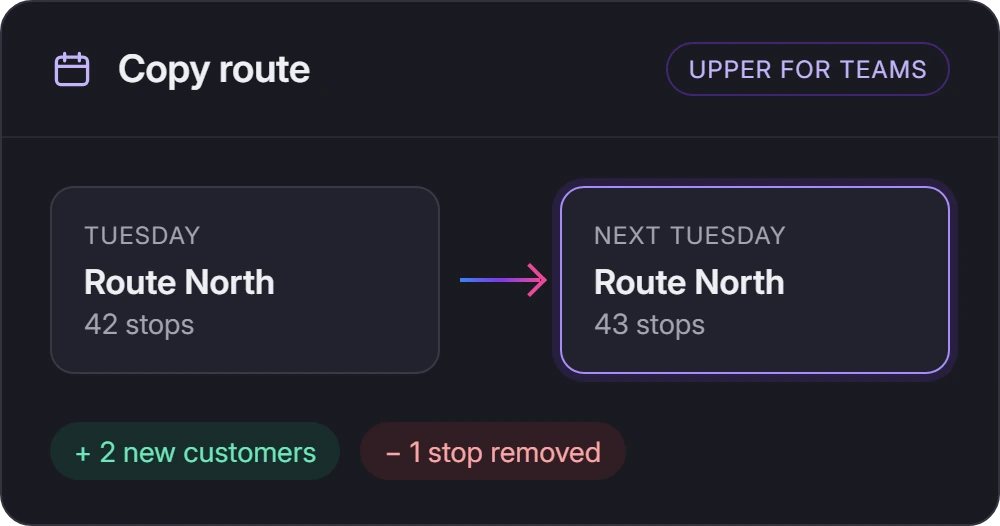
Upper for Teams
For teams that work from established collection lists, Upper for Teams lets you copy a route to another date and update its stops. Keep regular service organized as customers join or change their collection needs.
Say yes to the extra pickup with the round in view
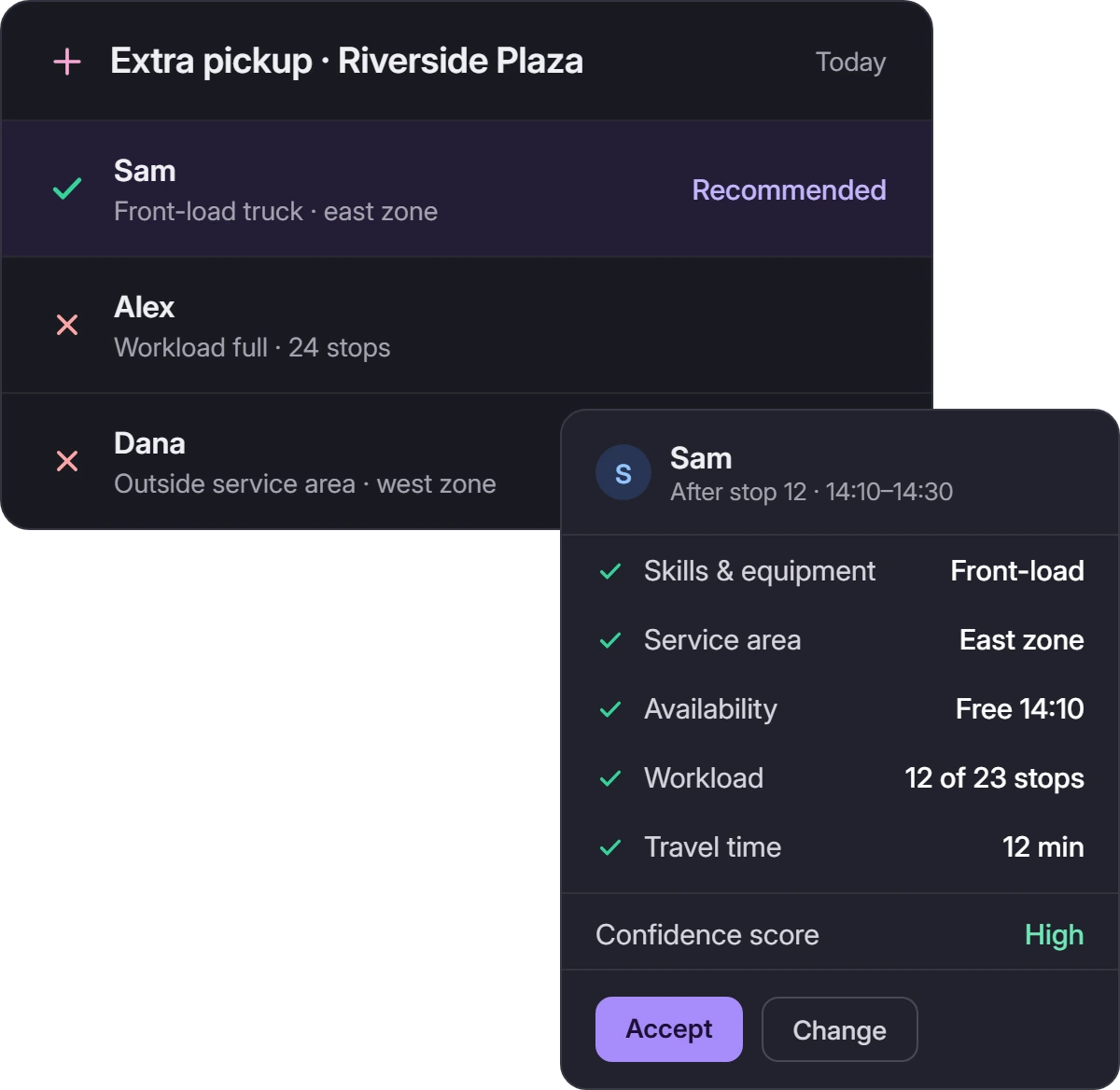
A customer needs another collection today. Before saying yes, you need to know which driver has time, can handle the work and can reach the site without disrupting the rest of the round.
Get a recommended driver
Upper’s AI Dispatcher recommends assignments using recorded skills and equipment requirements, service areas, availability, workload and travel time. Review the proposed driver, timing and reasons before accepting. The confidence score helps you assess the match.
Handle a driver or truck change
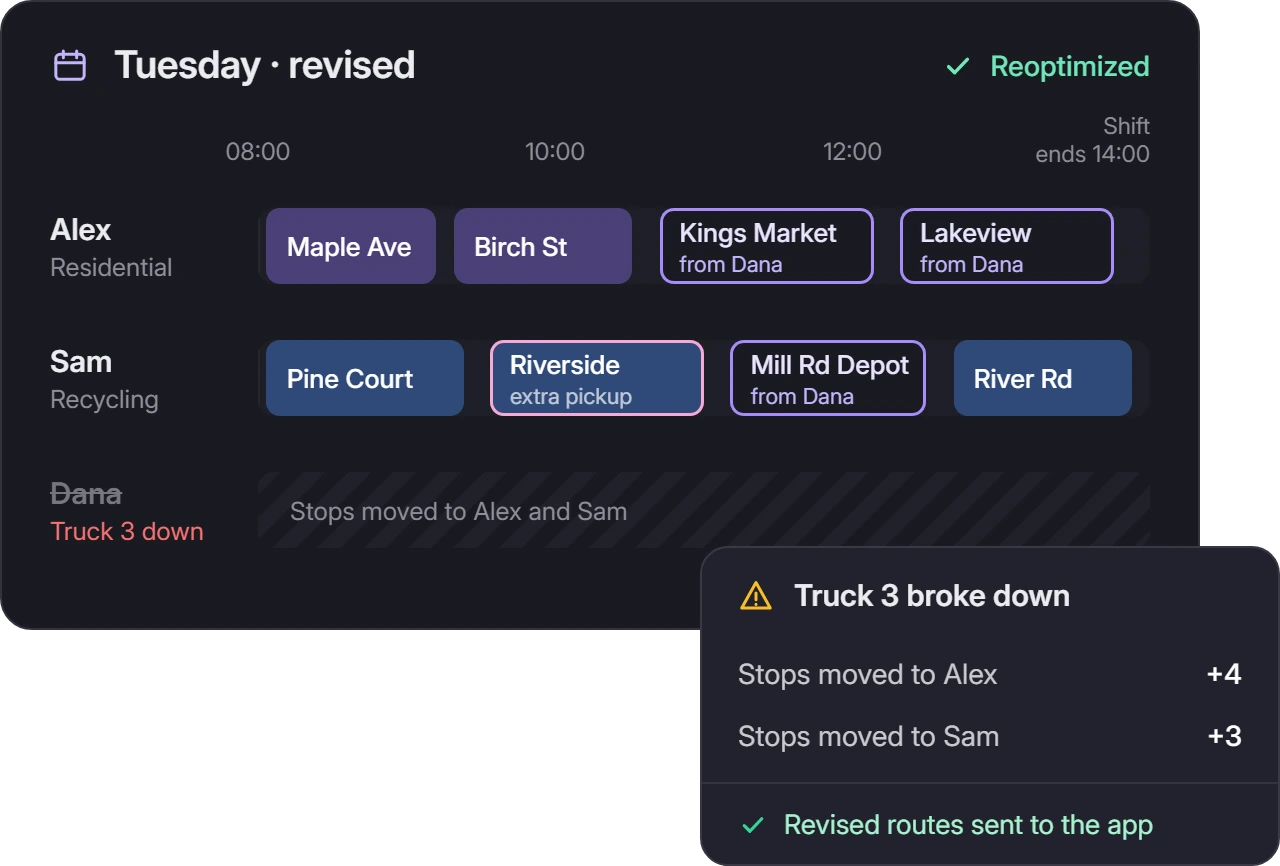
When a driver calls out or a truck breaks down, reassign the route or move stops between drivers. Reoptimize the remaining work and send the revised route to the app. Your dispatcher can work through the change with the schedule in view.
Before you approve
Your team still confirms vehicle suitability, onboard load and disposal needs before approving additional work.
Give the covering driver what the regular driver knows
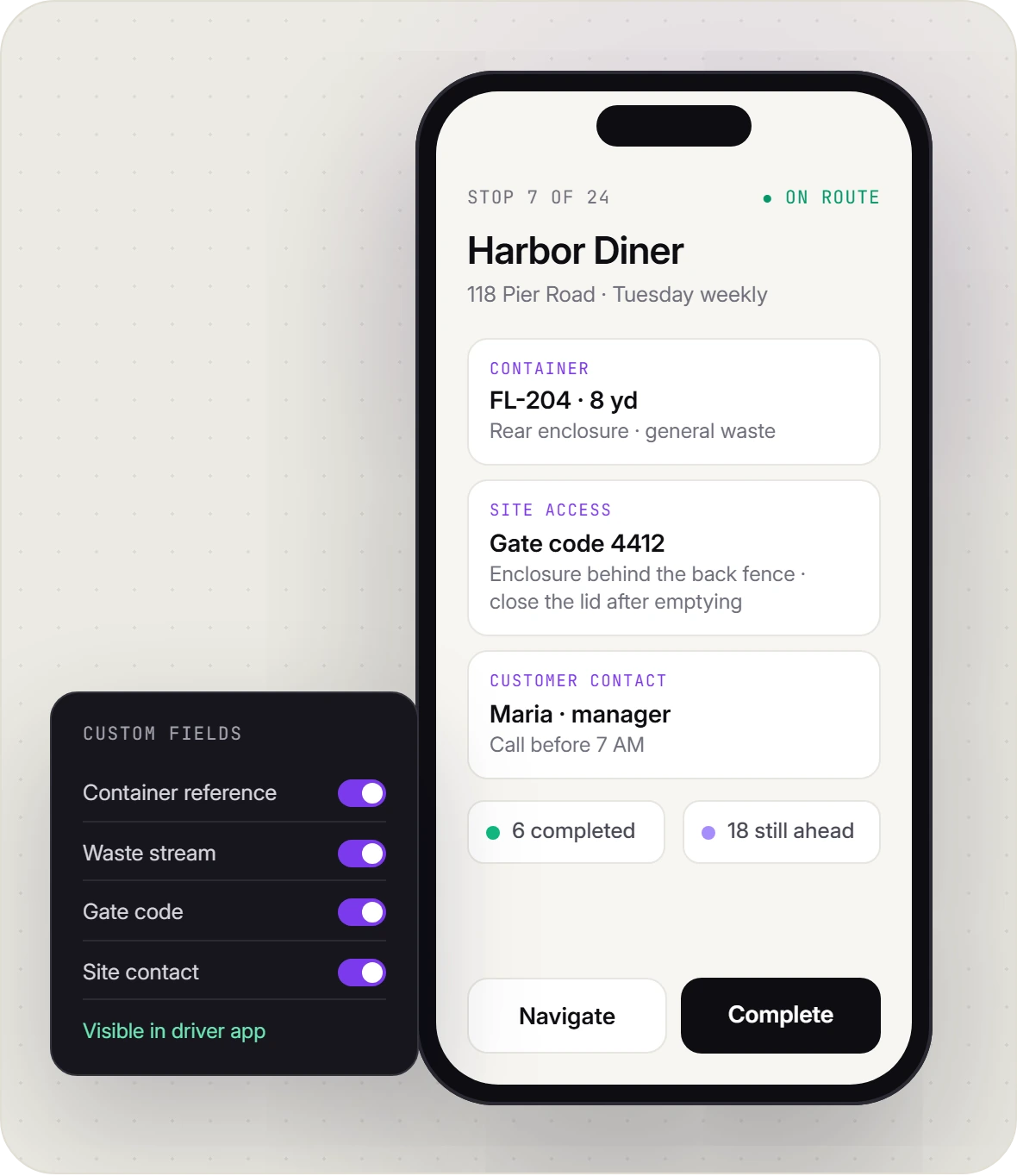
The regular driver knows which enclosure to visit and how to get through the gate. Make those details available to the person covering the round.
Use stop notes and custom fields to send:
-
Container details: The reference, location and waste stream your team has recorded.
-
Site access: Gate codes, enclosure directions and collection instructions.
-
Customer contacts: Someone to reach when access needs to be arranged.
In the iOS or Android driver app, drivers can check instructions, open navigation and record the stop outcome. After an interruption or trip to unload, the stop list shows completed work and the pickups still ahead.
A clear record of every stop, even the missed ones
See progress while drivers are out
See where drivers are and how the routes are progressing while connected. Your office can check recorded stop outcomes before calling a driver or answering a customer’s service question.
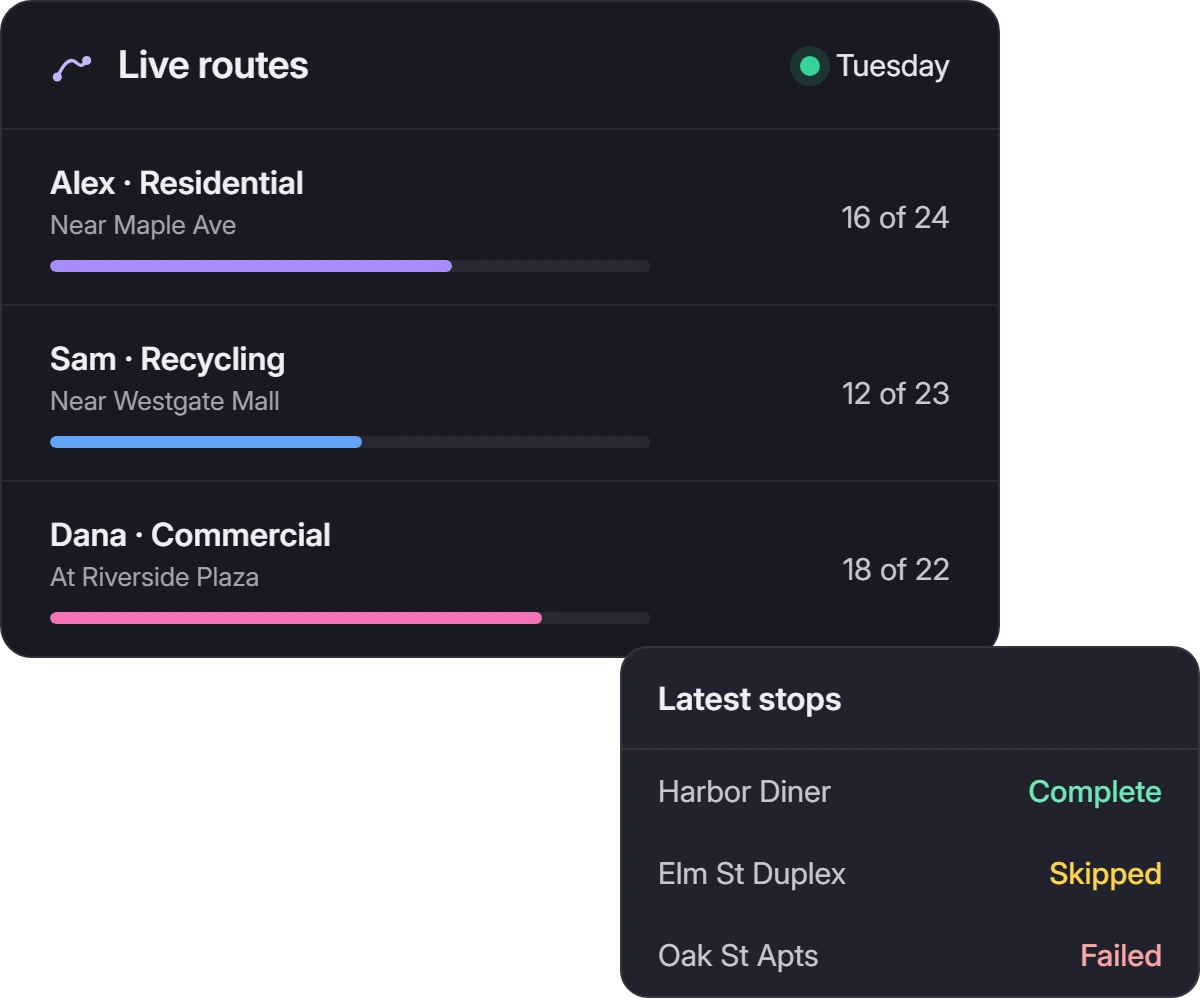
Record a failed or skipped stop
If a parked car blocks a dumpster, the driver can mark the stop as failed or skipped, add the reason and capture a photo. Dispatch has the evidence to explain the visit and arrange a return once access is clear. At the end of the round, copy missed stops into a reattempt route.
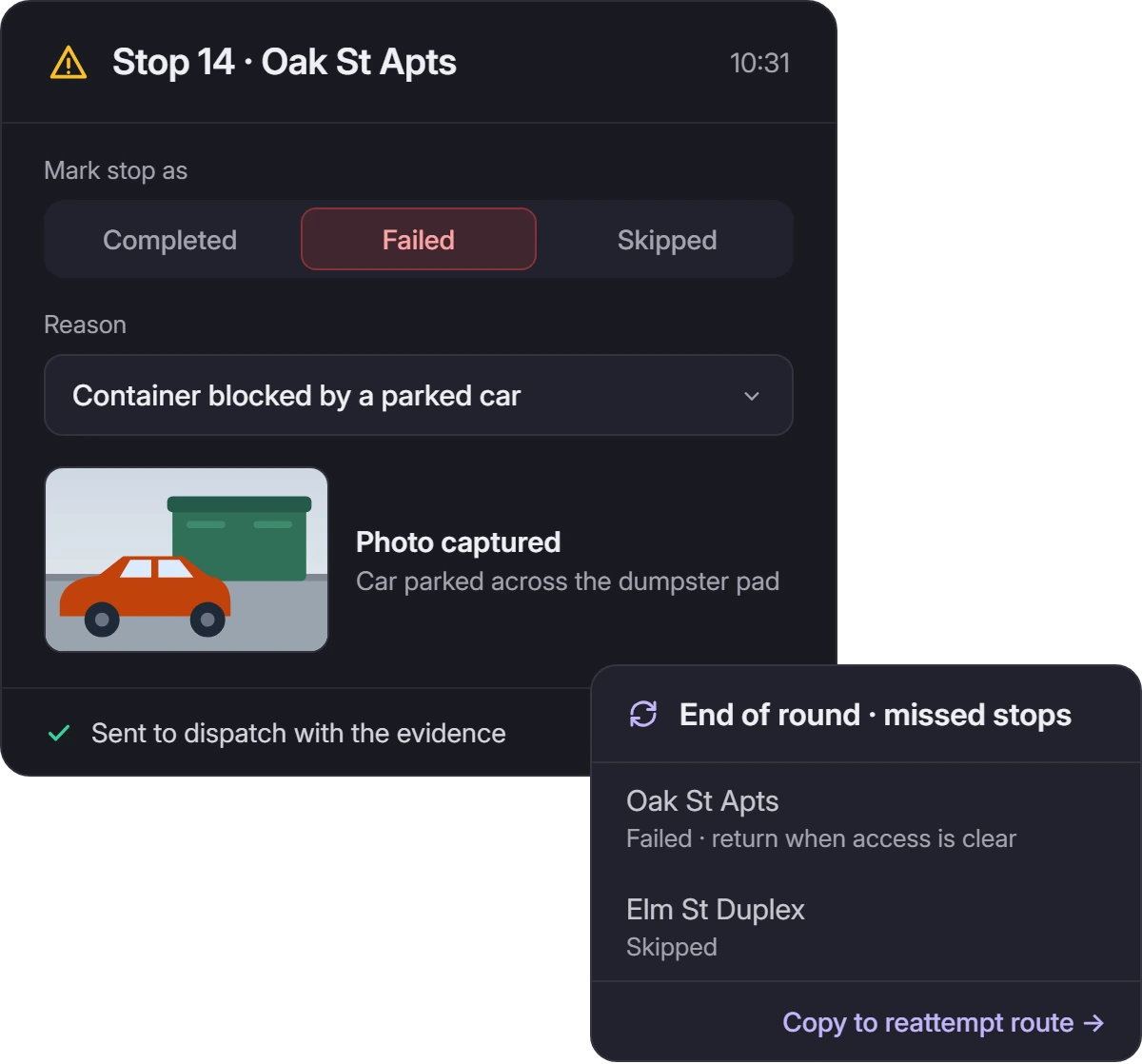
Give customers a collection update they can check themselves
Keep customers informed with SMS or email updates for route departure, the next stop, completed service or missed service. Share an ETA tracking link when customers need to prepare for arrival.

Photo proof for every cart replacement
Win Waste Solutions uses Upper for municipal waste-cart replacements. Crews photograph the damaged cart and its replacement in the app, keeping the images attached to the stop for later retrieval.
Read the Win Waste Solutions story
 Win Waste SolutionsCharlotte, North Carolina
“Our biggest nightmare was keeping every photo organized for two years because that’s what the government requires. Upper just solved it — every photo is tied to the address, the date, the crew member. I can pull it up in seconds.”
 Tracy LOwner, WinWaste Solutions
- Industry
- Waste Management
- Headquarters
- Charlotte, North Carolina
- Fleet size
- 5 Field Crew Members
- Key features used
- Route planning
- Proof of service
- Route scheduling
- Real-time tracking
- 8New government contracts in 2 months
- 10Minutes or less for daily route planning
- 2Years of photo records stored and accessible
- 30%More stops completed per crew member daily
Turn the finished pickup into an invoice
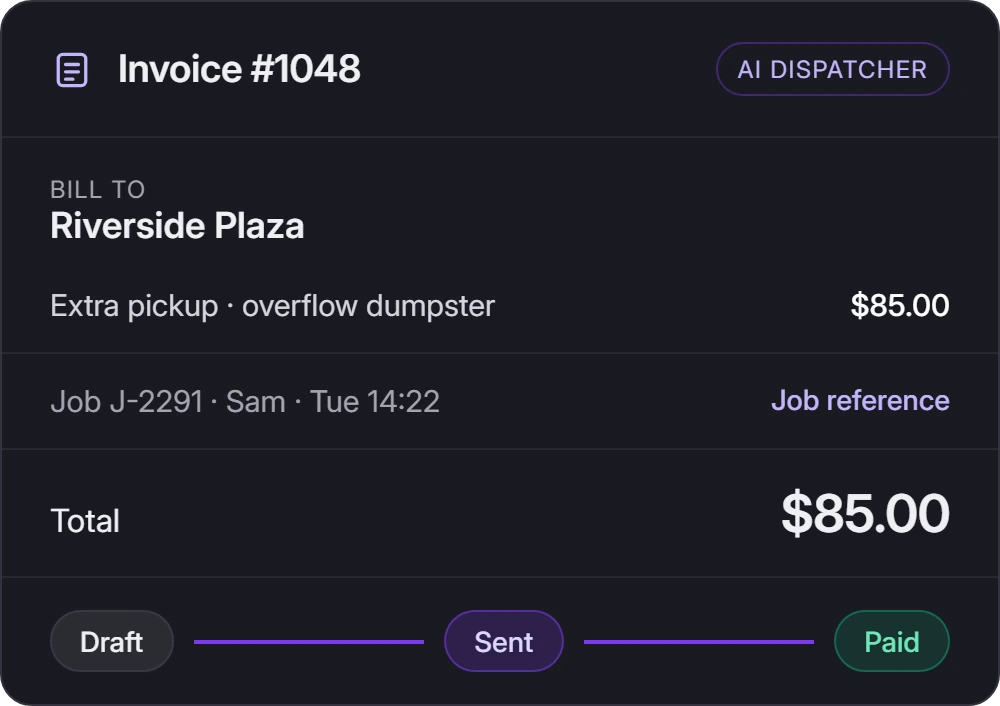
The extra pickup is finished. Give the office the job details it needs to prepare the charge.
AI Dispatcher brings customer records, jobs, visit history, invoices and payments together. Create an invoice from the job, review the service line items and charges, then send it and track payment status. Keep the job reference and billing history within reach when a customer asks about an invoice.
Check before you charge
For overfilled containers or extra service, review the recorded visit details before applying a charge. Automatic overage detection, weight-based rates and disposal-fee calculations need to be checked against your billing requirements.
Waste management software, answered
What is waste management software?
Waste management software helps haulers organize collection schedules, routes, driver assignments, service records and customer administration. Upper supports route optimization, dispatch, live tracking and proof of service. AI Dispatcher adds recurring jobs, customer records, invoicing and payment tracking.
Should I choose Upper for Teams or AI Dispatcher?
Upper for Teams supports route planning and day-to-day driver execution. Choose AI Dispatcher when you also need assignment recommendations and a broader workflow for customer records, recurring jobs and invoices. Your demo can focus on the work your office needs to manage.
Does Upper support side-of-road routing for collection trucks?
Upper includes side-of-road preferences in vehicle routing settings. Check a representative round against your loading side, vehicle restrictions and local access conditions before rollout.
Can drivers record stops without mobile coverage?
Drivers open the route while online, then can record stop outcomes and proof offline. Those records sync when coverage returns. Navigation, live tracking and new dispatch updates need a connection.
Does Upper track containers, weights or waste manifests?
Custom fields can store container references and service details. Automated container tracking, scale integrations, waste manifests and regulatory reporting need separate verification. Generic capacity settings do not establish live waste-load measurement, compaction calculations or automatic disposal-trip planning.
Can Upper connect to our current billing or customer software?
Yes. Start with collection-list imports and route-data exports. For a direct connection, confirm the integration or API workflow for your specific system, including which fields transfer and in which direction.
Bring your hardest collection day to the demo
Bring a regular round, an extra pickup and a service problem that usually sends your dispatcher to the phone. See how Upper’s waste management software plans the work, handles the change and brings the collection record back to your office.