
Multi-Driver Route Optimization That Gets Every Driver to More Stops in Less Time

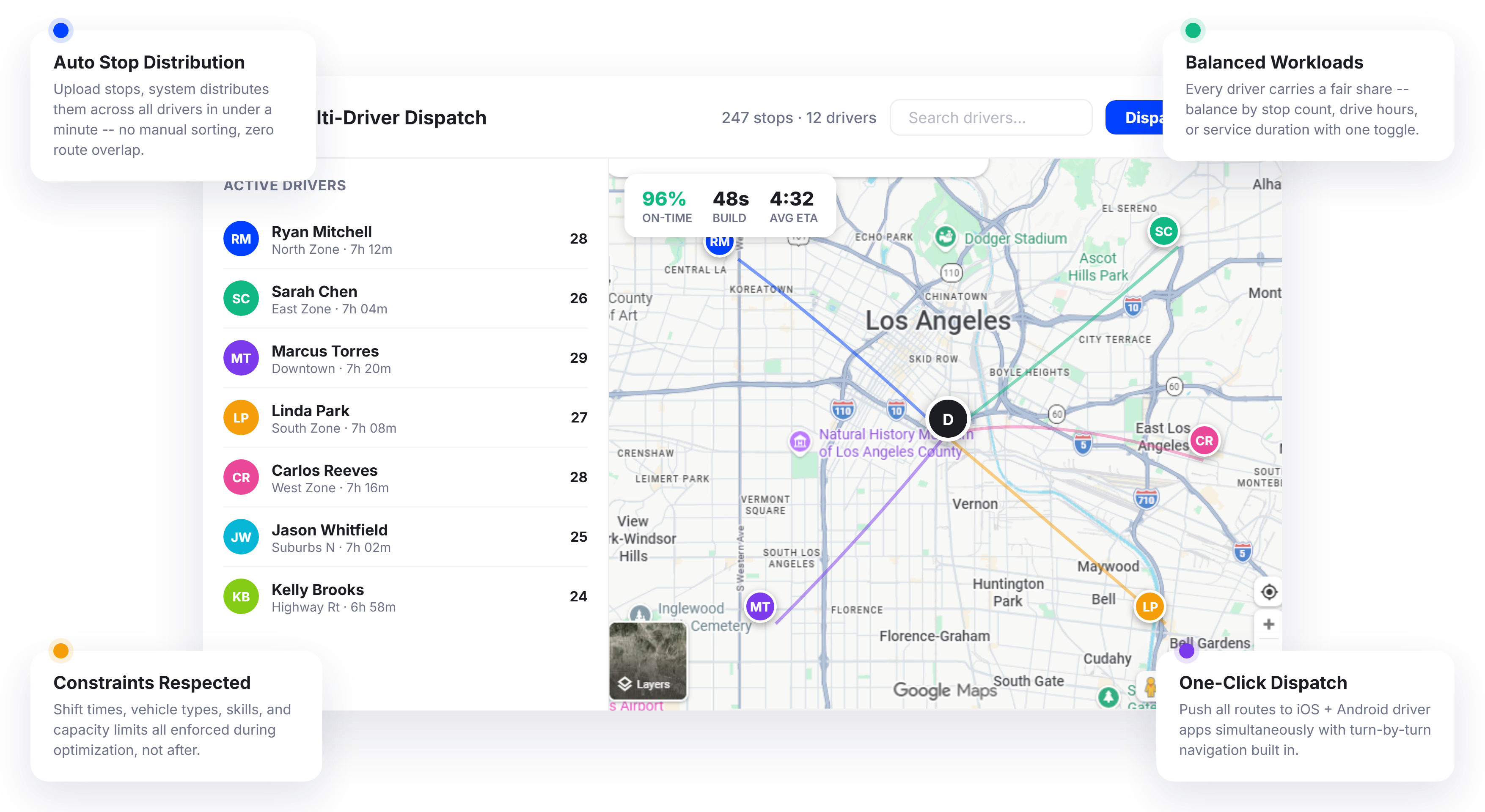
Teams That Switch to Multi-Driver Optimization Save 11+ Hours a Week on Route Planning






One Driver Is Easy to Route. Ten Drivers with 300 Stops Is a Different Problem.
What Multi-Driver Route Optimization Promises:
-
 Upload your stops and the system distributes them perfectly across drivers
-
Every driver gets a balanced, efficient route with no overlap
-
Optimization considers traffic, time windows, vehicle types, and driver shifts
-
Fleet-wide planning done in minutes, not hours

What
Actually Happens
-
Dispatchers spend two hours every morning splitting stops into driver groups by hand
-
Some drivers get overloaded while others finish early and sit idle
-
Routes overlap because nobody can see the full picture when splitting stops manually
-
A last-minute order means re-doing half the morning’s work
Multi-Driver Route Optimization That Handles the Entire Fleet in One Pass
Upper Route Planner’s multi-driver route optimization engine does not optimize one driver’s route and then figure out the rest. It considers every stop, every driver, and every constraint simultaneously, building the most efficient set of routes across your entire fleet in a single optimization pass. No manual grouping. No spreadsheet splitting. No guesswork.
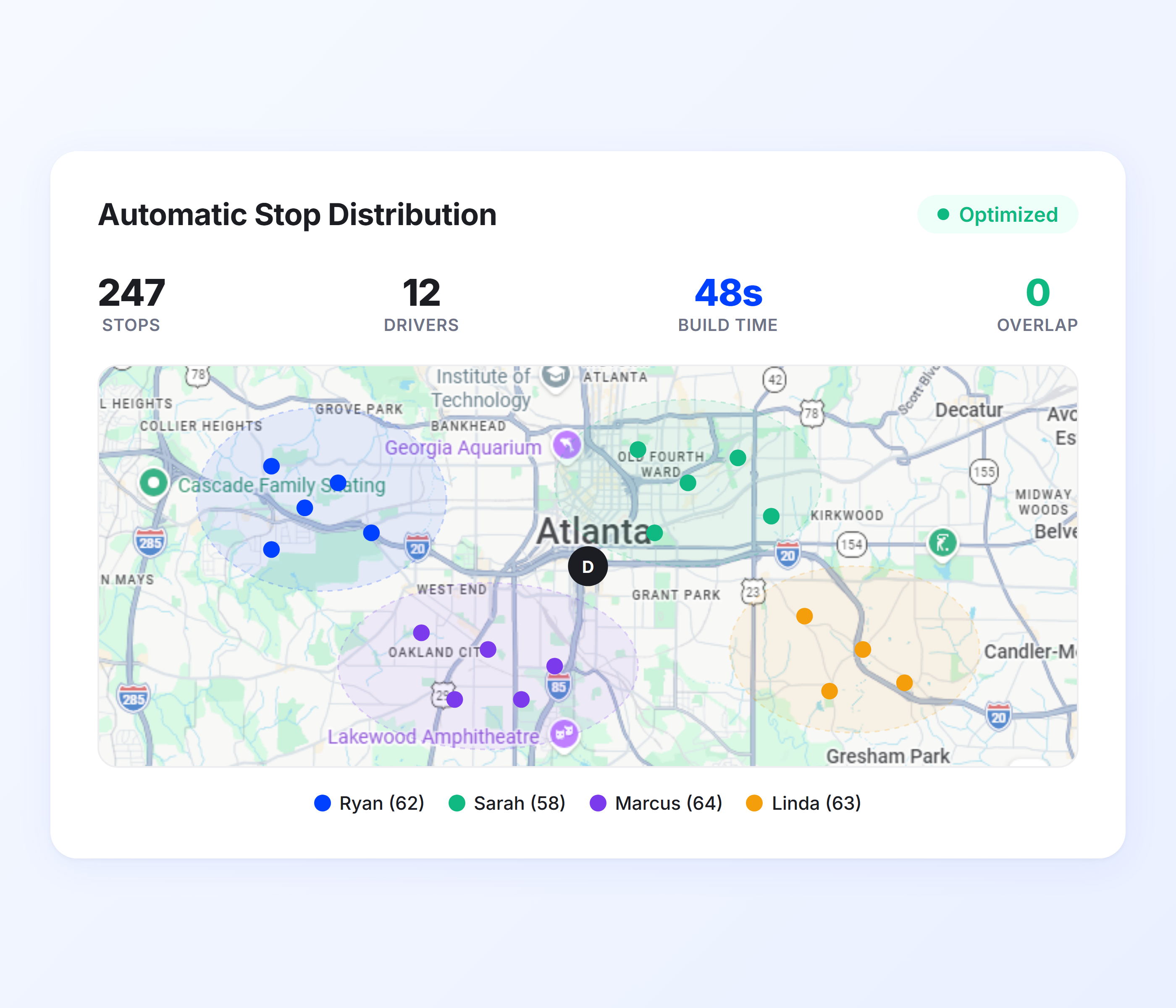
Automatic Stop Distribution
Manually dividing stops across drivers means someone is looking at a map and making judgment calls about which cluster goes to which driver. Upper automates this entirely. Upload your full stop list and the system distributes stops to drivers based on proximity, route density, and the shortest total fleet travel time.
-
 Automatic assignment of stops to nearest available driver
-
Cluster-based distribution to eliminate route overlap
-
Distance and drive time minimized across the full fleet
-
Support for hundreds of stops across 20+ drivers
-
Re-distribution when stops are added or removed
-
Spreadsheet import for bulk stop upload with one click

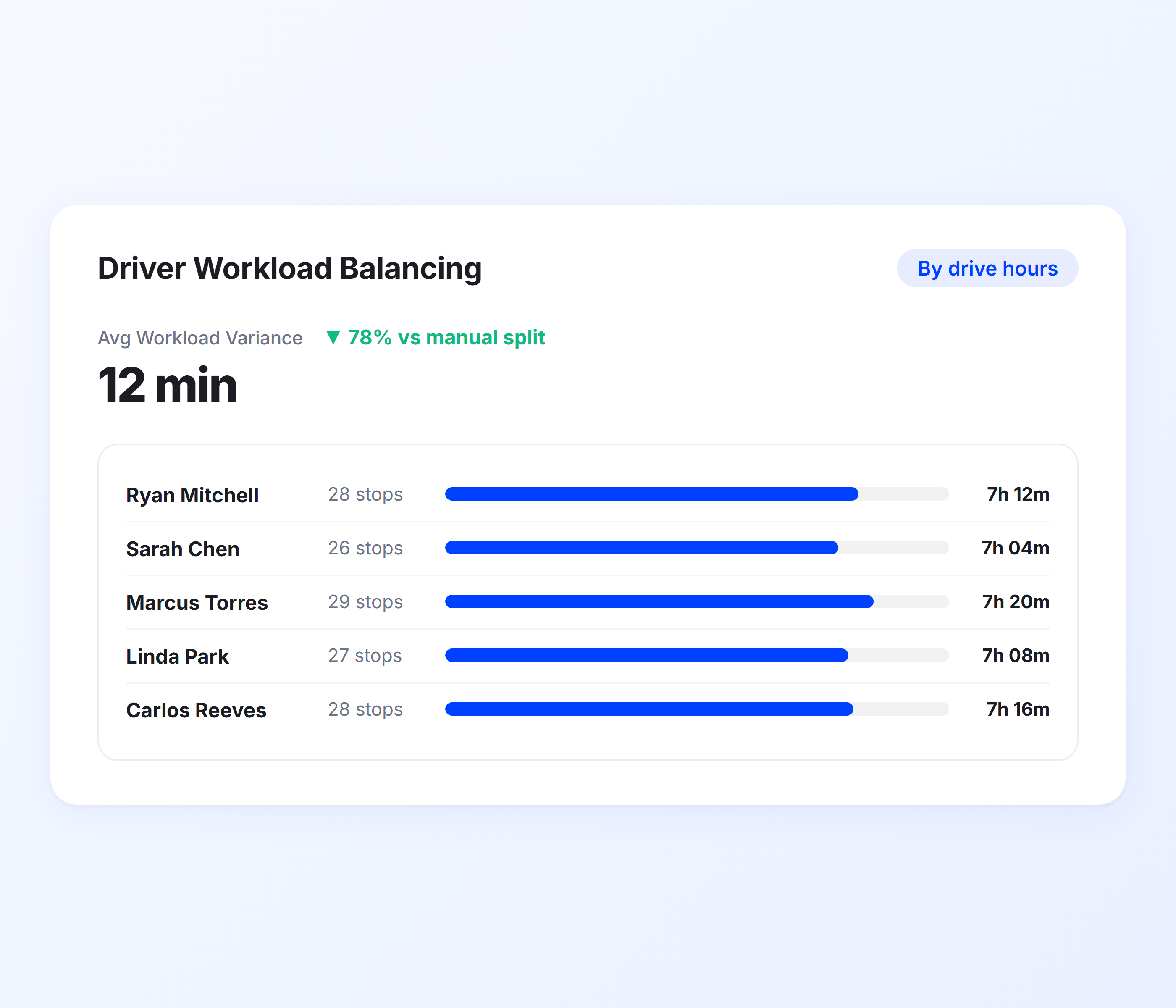
Driver Workload Balancing
An optimized fleet is not just about short routes. It is about making sure no driver is buried in 60 stops while another has 15. Upper’s workload balancing distributes stops evenly based on stop count, total drive time, or estimated service duration so every driver carries a fair share of the day’s work.
-
Balance by stop count, hours, or service time
-
Even distribution prevents driver burnout and idle time
-
Automatic rebalancing when driver availability changes
-
Shift time limits respected per driver
-
Overtime prevention through hard time caps
-
Visible workload comparison across the full driver roster
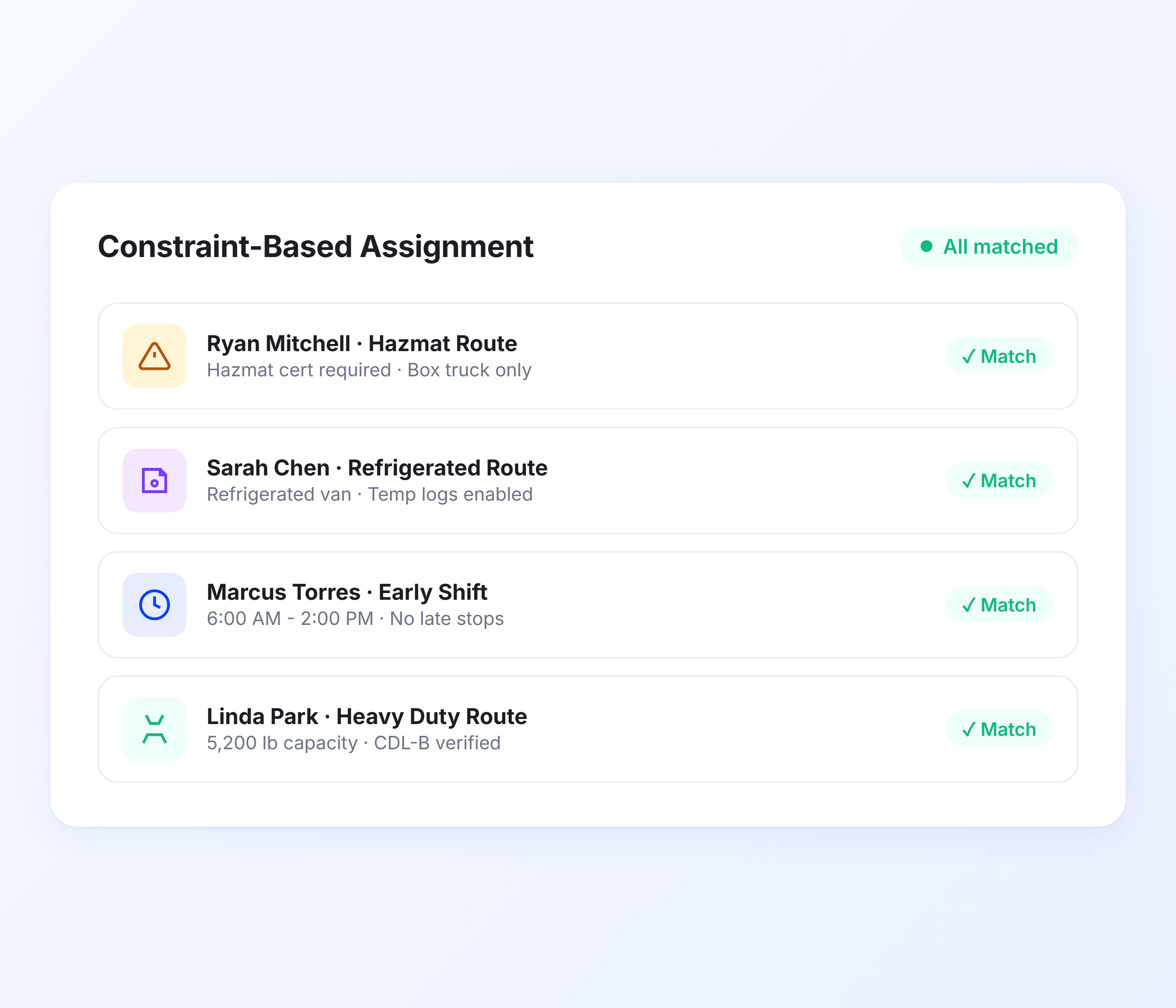
Constraint-Based Assignment
Real fleets do not have identical drivers and identical vehicles. One driver handles hazmat. Another drives a refrigerated van. A third only works until 2 PM. Upper factors in vehicle type, driver skills, capacity limits, time windows, and shift schedules when assigning stops, so every route respects the real-world constraints your operation runs on.
-
Vehicle type matching (van, truck, car, cargo)
-
Driver skill and certification requirements
-
Capacity optimization by weight and volume
-
Time window compliance per stop
-
Driver start and end location flexibility
-
Break time and shift limit enforcement
-
Priority stop assignment to fastest available driver
-
Avoidance options for tolls, highways, and ferries
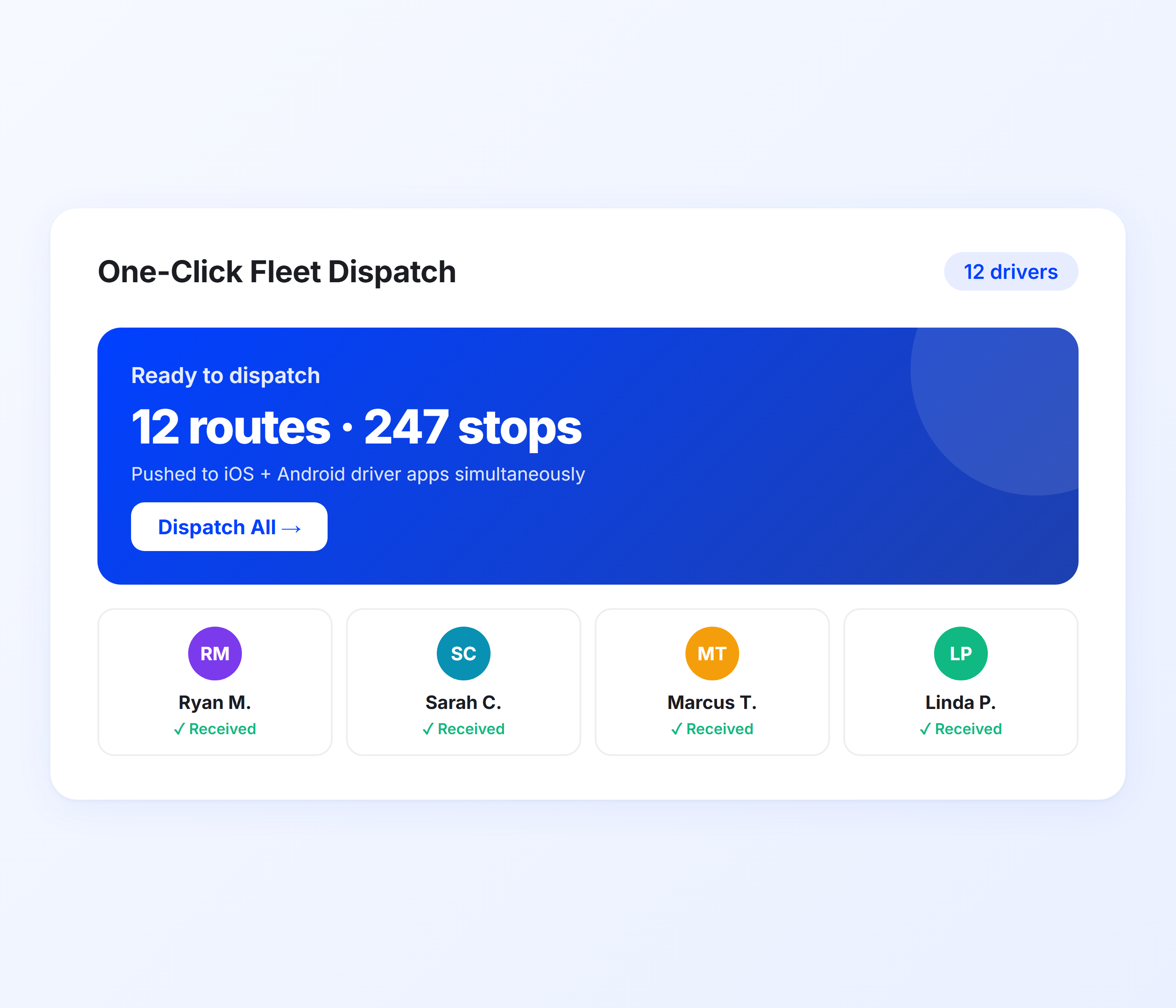
One-Click Fleet Dispatch
Routes are only useful if drivers have them. Upper lets you dispatch optimized routes to your entire fleet with a single click. Every driver receives their route on the Upper mobile app with turn-by-turn navigation, stop details, and proof of delivery prompts ready to go. No phone calls, no printed route sheets, no morning confusion.
-
Simultaneous dispatch to all drivers
-
Routes delivered to iOS and Android driver app
-
Turn-by-turn navigation via Google Maps, Waze, or Apple Maps
-
Stop notes, customer details, and special instructions included
-
Drivers notified instantly when routes are assigned
-
Route updates pushed in real time if changes are made
-
One dashboard to manage all dispatched routes
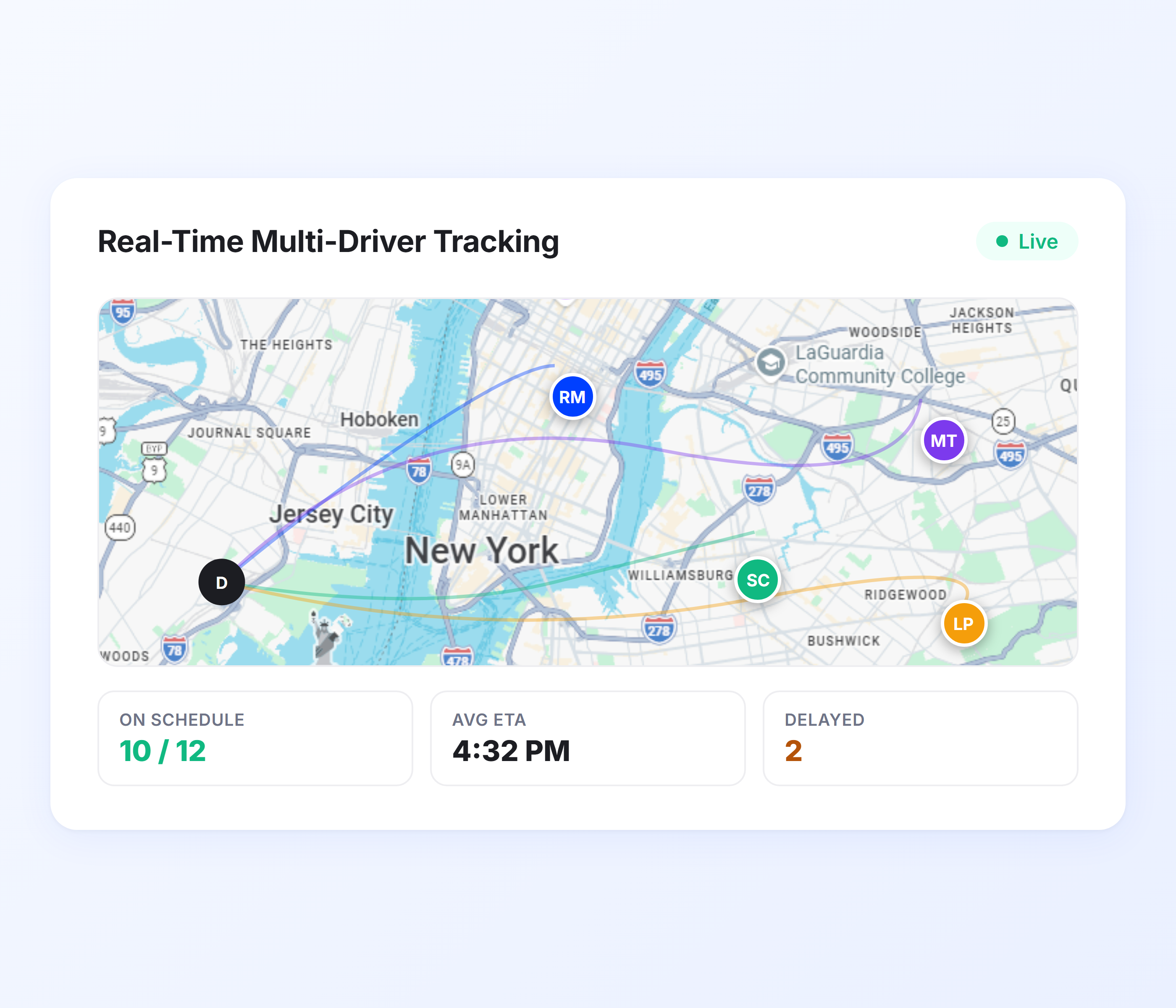
Real-Time Multi-Driver Tracking
Once routes are dispatched, you need to know what is happening. Upper’s GPS tracking shows every driver’s live location, route progress, and estimated completion time on a single map. Spot delays before customers call. Reassign stops when a driver falls behind. See your entire operation in real time, not in yesterday’s report.
-
Live GPS location for every active driver
-
Route progress with completed, in-progress, and remaining stops
-
Parts and labor cost breakdown per work order
-
ETA tracking per stop and per route
-
Delay alerts when a driver falls behind schedule
-
On-map driver identification for quick visual status
-
Historical route replay for post-day review
-
Customer notifications triggered by driver proximity
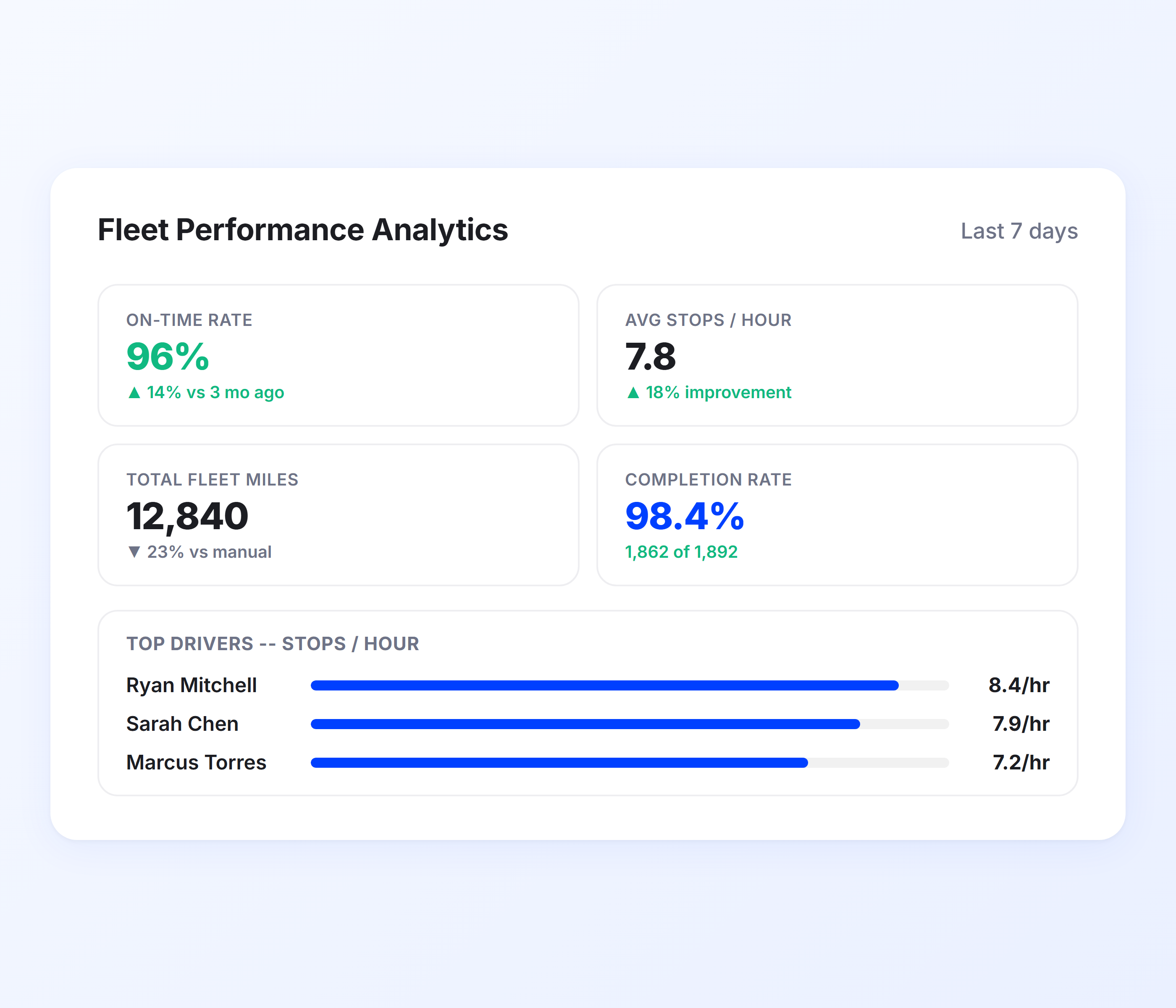
Fleet Performance Analytics
You cannot improve multi-driver operations without measuring them. Upper’s analytics dashboard breaks down performance by driver, route, and fleet-wide, so you can identify who is consistently efficient, which routes need restructuring, and where your fleet is losing time and fuel.
-
On-time delivery rate per driver and fleet
-
Average stops per hour by driver
-
Total miles and drive time per route
-
Fuel cost estimates per route and driver
-
Completion rate tracking (delivered, failed, skipped)
-
Driver comparison scorecards
-
Exportable reports for payroll and operations review
-
Trend analysis for week-over-week improvement
Optimize Routes for Your Entire Fleet in Under a Minute
Upper’s multi-driver route optimization replaces hours of manual planning with a system that distributes, balances, and dispatches routes for every driver on your team.
Client Success Stories

“We used to spend 2 hours every morning planning routes in spreadsheets. Now it takes 10 minutes. Upper paid for itself in the first week.”


“What sold me was how easy it is to make changes. My schedules change a lot and I drag & drop stops and we’re back on track in 30 seconds. With our old software, that would’ve been an hour of replanning.”


“Our drivers actually follow the routes now. The app is simple, the navigation works, and they’re not calling me every 10 minutes asking where to go next.”

Multi-Driver Route Optimization Features for Smarter Fleet Operations
- Spreadsheet Import
- Route Scheduling
- Driver App
- Proof of Delivery
- Chrome Extension

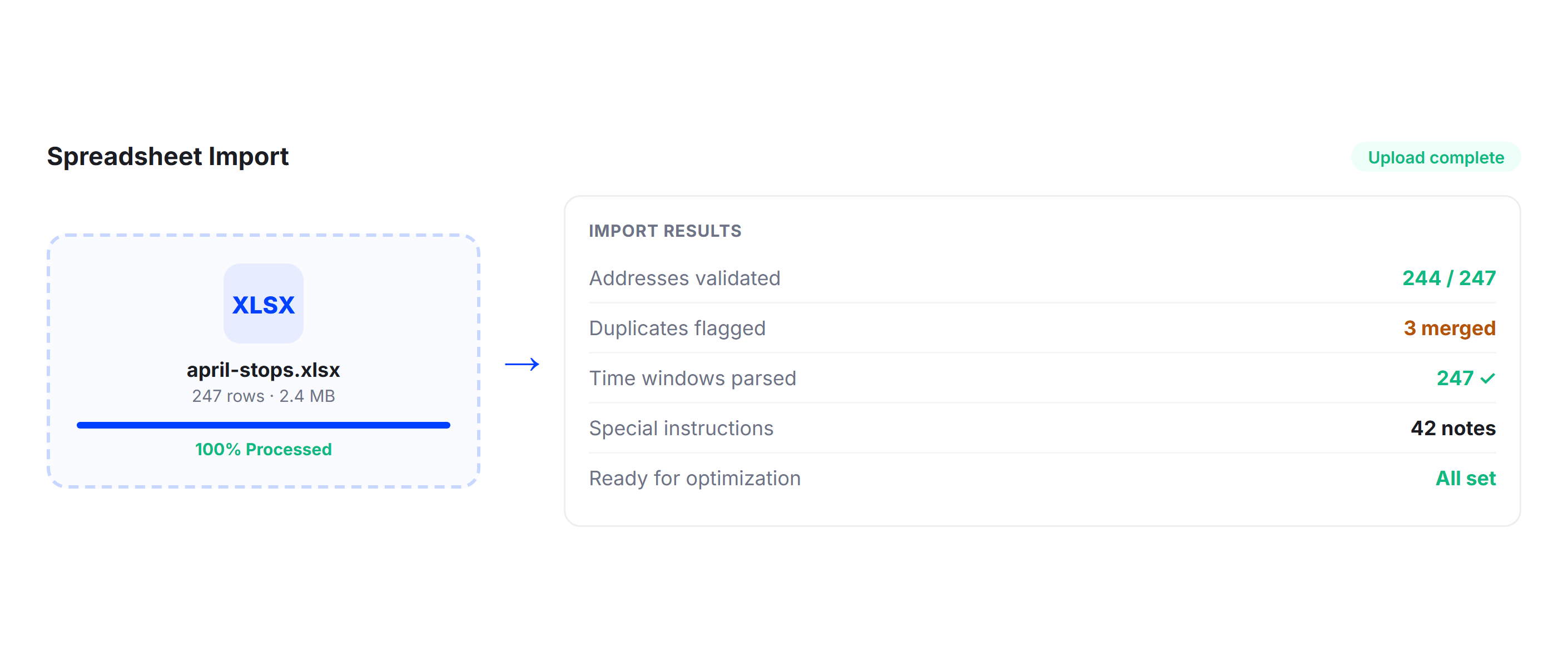
Spreadsheet Import
Upload your entire stop list from Excel or CSV with addresses, time windows, package data, and special instructions. Upper’s spreadsheet import validates addresses, flags duplicates, and feeds everything into the multi-driver optimizer. No manual data entry between your order system and your routes.
Route Scheduling
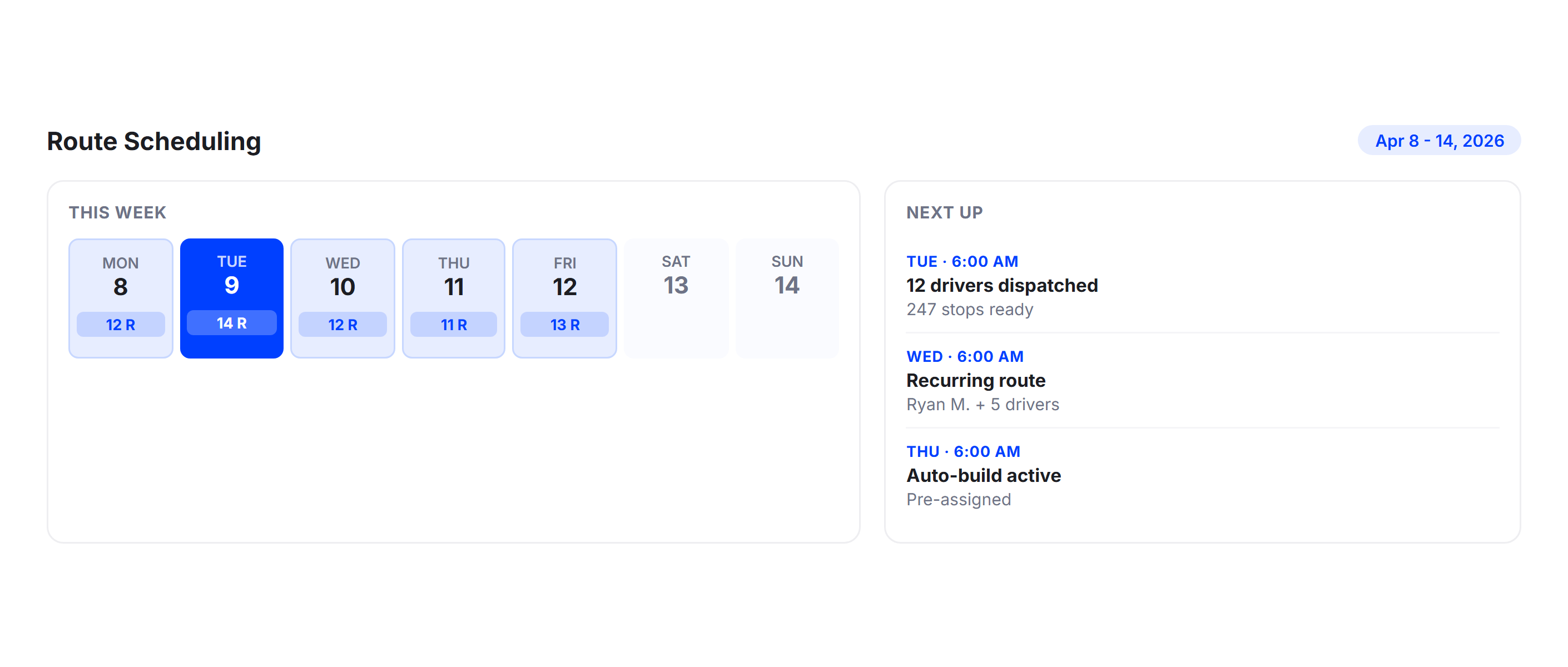
Plan routes days or weeks in advance with Upper’s route scheduling. Set up recurring deliveries, pre-assign drivers to scheduled routes, and let the system optimize stop distribution automatically when the day arrives. Dispatchers start the morning with routes ready instead of building them from scratch.
Driver App
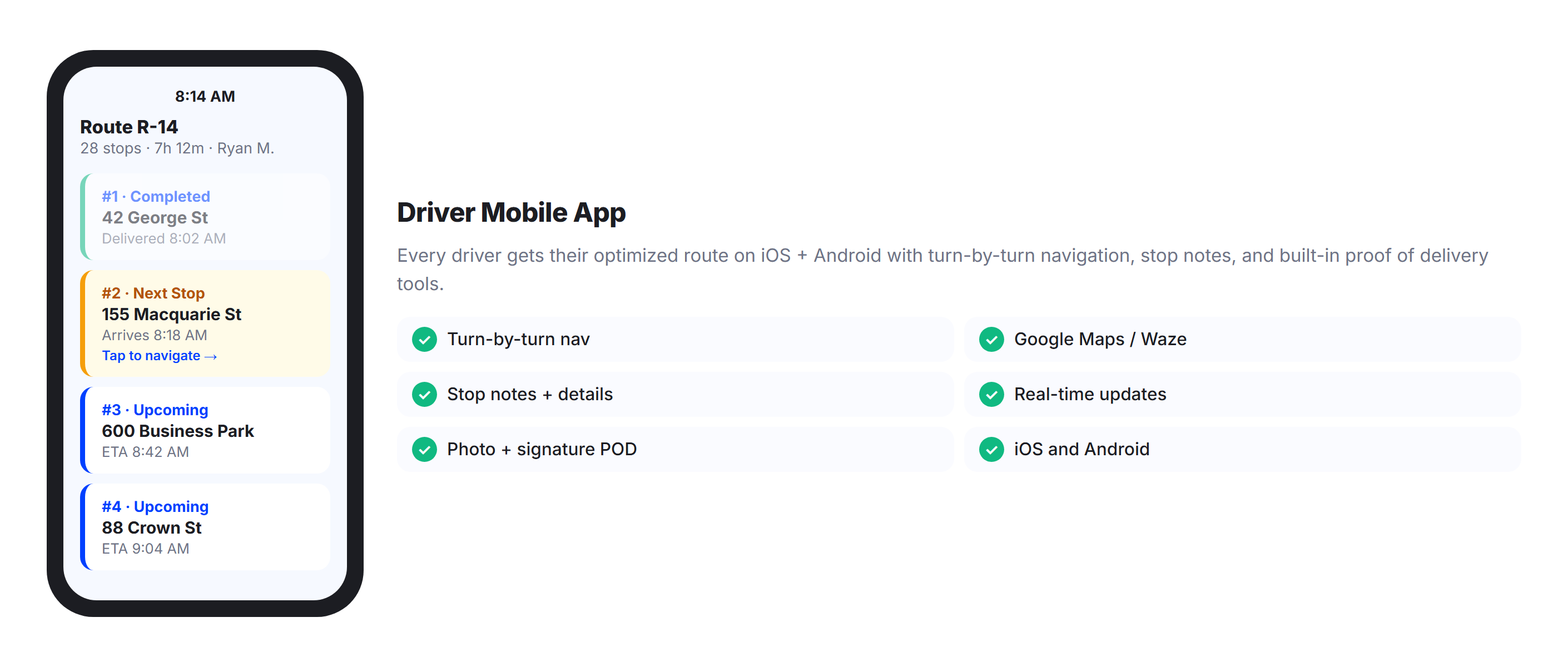
Every driver gets their optimized route on the Upper mobile app with the stop sequence, navigation, customer notes, and proof of delivery tools built in. The app works on iOS and Android and integrates with Google Maps, Waze, or Apple Maps for turn-by-turn directions.
Proof of Delivery
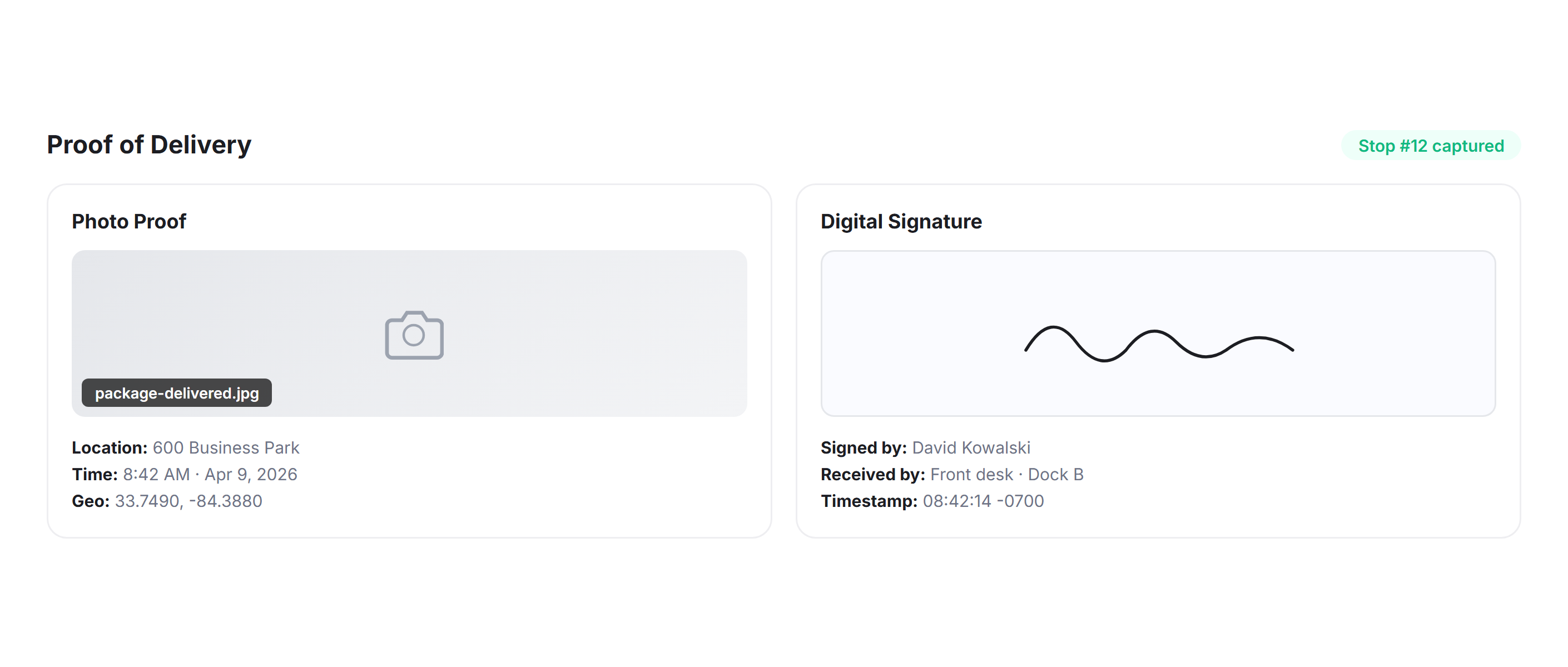
Drivers capture photos, digital signatures, and delivery notes at every stop through the app. Each proof of delivery record is timestamped and linked to the route, creating a searchable digital trail for every delivery your fleet completes.
Chrome Extension
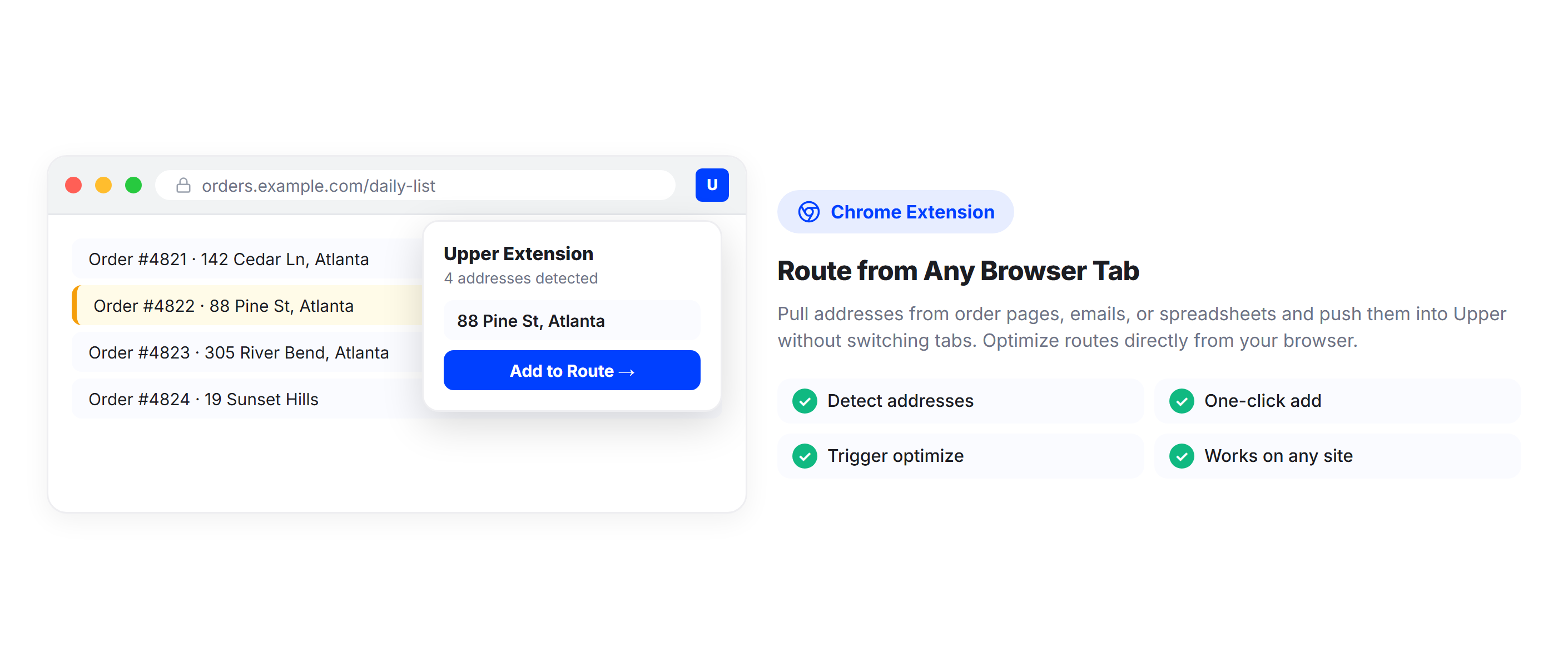
Manage routes directly from your browser with Upper’s Chrome extension. Pull addresses from any webpage, add them to routes, and trigger optimization without switching between tabs or platforms.
Why Delivery Fleets Choose Upper for Multi-Driver Route Optimization

Save Hours on Daily Routing
Upload your stops, set your constraints, and let Upper build optimized routes for every driver in under a minute. Replace the two-hour morning planning session with a process that takes less time than making coffee.

Balance Driver Workloads Automatically
No more overloaded drivers finishing late while others sit idle by noon. Upper distributes stops based on drive time, stop count, or service duration so every driver carries a fair workload.

Reduce Fuel Costs Across the Fleet
Multi-driver optimization eliminates route overlap, reduces total fleet miles, and sequences stops to minimize backtracking. Delivery fleets using route optimization report 25-40% fuel savings.

Scale Without Scaling Overhead
Adding drivers does not mean adding dispatchers. Upper handles 5 drivers or 50 with the same optimization engine. Your planning process stays the same whether you are running a local operation or expanding to new territories.

Adapt When Plans Change Mid-Day
A last-minute order, a driver calling in sick, or a road closure does not mean starting over. Upper re-optimizes routes and redistributes stops across available drivers without disrupting the rest of the fleet.

Track Every Driver from One Dashboard
Live GPS tracking, route progress, and performance analytics for your entire fleet on a single screen. Know where every driver is, how every route is progressing, and where the day stands at any moment.
Connect Your Fleet Data with the Tools You Already Use


Stop Splitting Routes by Hand and Start Optimizing for the Entire Fleet
Upper distributes stops, balances workloads, and dispatches routes to your entire fleet in minutes. Join thousands of delivery teams running smarter operations.
Frequently Asked Questions
-
How does Upper distribute stops across multiple drivers?
Upper’s optimization engine analyzes the full stop list along with driver locations, vehicle types, shift times, and capacity limits. It clusters stops geographically, assigns clusters to the nearest available drivers, and then sequences each driver’s stops for minimum drive time.
The result is a set of routes with minimal overlap, balanced workloads, and the shortest total fleet miles. You upload the stops, set your constraints, and Upper handles the distribution automatically.
-
Can I set driver-specific constraints like shift times and vehicle types?
Yes. Each driver profile in Upper can include shift start and end times, start and end locations, vehicle type, capacity limits, skill tags, and break requirements. The optimization engine respects all of these when assigning stops.
A driver with a 6 AM to 2 PM shift will not receive stops that require a 4 PM delivery. A driver in a compact car will not be assigned a stop requiring a box truck. All constraints are solved simultaneously during route optimization.
-
How does multi-driver optimization differ from single-driver routing?
Single-driver routing optimizes the stop sequence for one driver at a time. Multi-driver optimization considers the entire fleet simultaneously, deciding both which stops go to which driver and the optimal sequence for each.
This fleet-wide view eliminates route overlap, prevents workload imbalances, and produces a more efficient total outcome than optimizing each driver individually. Upper supports both modes, so solo operators and fleet managers use the same platform.
-
How long does it take to optimize routes for 10 or more drivers?
Upper optimizes routes for fleets of 10, 20, or more drivers in under a minute. The optimization engine processes hundreds of stops across multiple drivers simultaneously, factoring in time windows, vehicle constraints, and driver schedules. The exact time depends on the number of stops and complexity of constraints, but most fleet dispatchers go from a full stop list to dispatched routes in less time than it takes to brief the morning team.
-
Can I rebalance routes after they have been dispatched?
Yes. If a driver calls in sick, a new order comes in, or a stop needs to be moved, you can adjust routes and re-optimize without starting from scratch. Upper redistributes affected stops across available drivers and recalculates the most efficient sequences. Updated routes push to the driver app in real time so your team always has the current plan.
-
Does Upper handle different start and end locations for each driver?
Yes. Not every driver starts at the same depot. Upper lets you set custom start and end locations for each driver. Some drivers may start from home, end at a different depot, or run one-way routes. The optimizer accounts for these individual locations when distributing stops and building routes, so every route begins and ends where it should for that specific driver.
-
How does workload balancing work in Upper?
Upper offers multiple balancing modes. You can balance by stop count so every driver handles a similar number of deliveries, by total drive time so every driver spends a similar amount of time on the road, or by estimated service duration so the total work hours are evenly distributed. The system respects balancing preferences while still optimizing for route efficiency, finding the best trade-off between even workloads and minimum total fleet miles.
-
What makes Upper different from other multi-driver routing tools?
Upper combines multi-driver optimization, dispatch, tracking, proof of delivery, and analytics in one platform. Most competitors either optimize routes without fleet management or manage fleets without true multi-driver optimization.
Upper solves both in a single system. The optimization engine handles constraints like time windows, vehicle capacity, driver skills, and shift limits simultaneously rather than as separate steps. And the interface is built for dispatchers managing 5 to 50 drivers, not enterprise logistics teams requiring months of onboarding.