
Assign, Reroute, and Rebalance Your Fleet in Seconds with Real-Time Dispatching

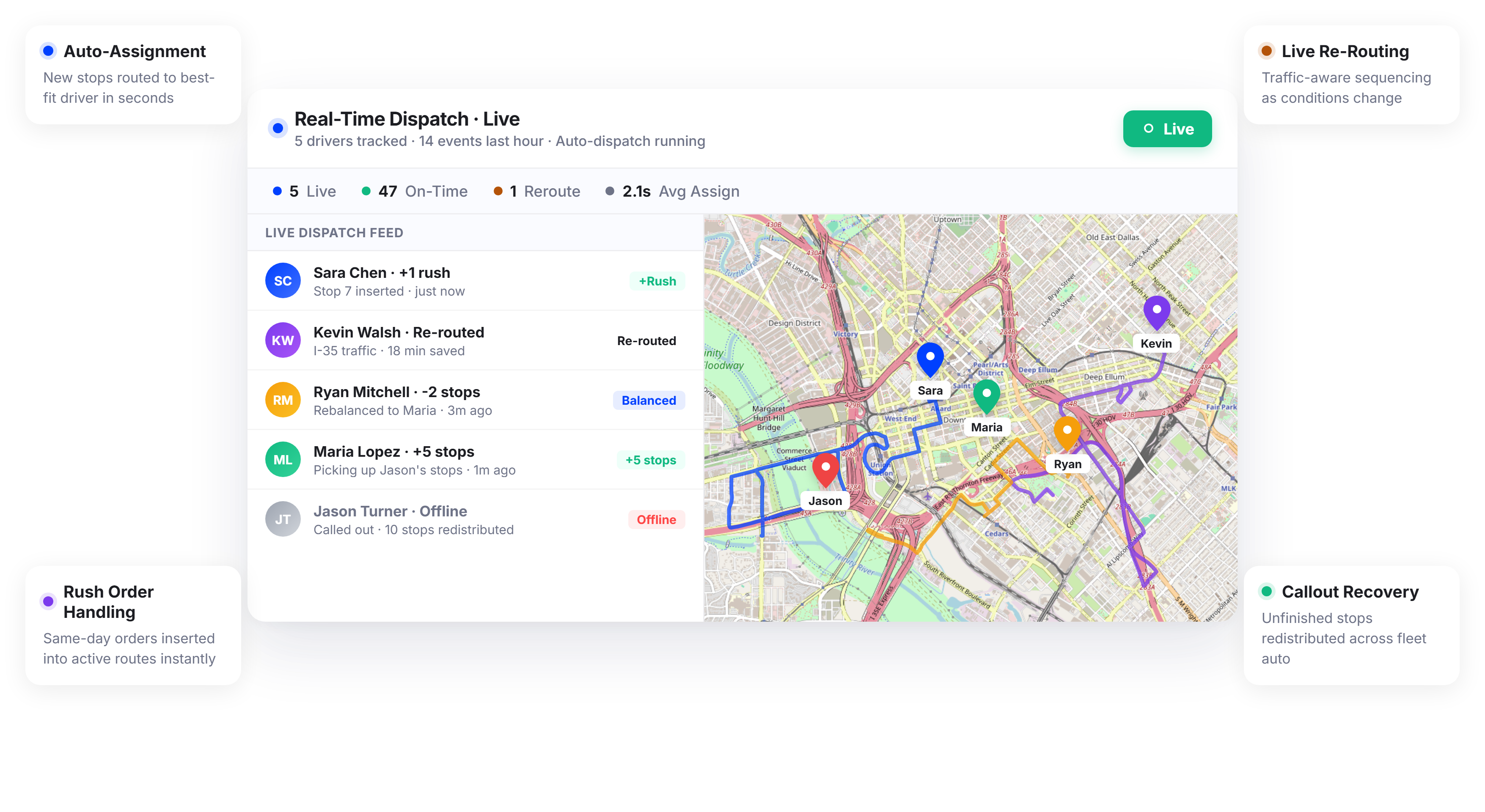
Fleets Using Upper’s Real-Time Dispatch Complete 15-25% More On-Time Deliveries






You Built the Route Plan at 6 a.m. By 10 a.m., Half of It Was Already Wrong.
What Dispatch Software Promises
-
 Routes are optimized once, and drivers follow them all day
-
New orders get assigned to the right driver instantly
-
Disruptions are handled without dispatcher intervention
-
Workloads stay balanced across the fleet automatically

What Actually Happens
-
A driver calls out sick, and the dispatcher scrambles to redistribute 40 stops by hand
-
A same-day order comes in at 10 a.m., and nobody knows which driver can handle it
-
Traffic reroutes one driver, and now three downstream deliveries will be late
-
The dispatcher spends the entire day on the phone, shuffling stops between drivers
Real-Time Dispatch That Adapts Your Fleet as the Day Unfolds
Upper’s real-time dispatch software turns driver dispatch management from a morning task into a continuous, automated process. As orders arrive, drivers progress, and conditions change, Upper reassigns stops, adjusts routes, and rebalances workloads without your dispatcher touching a spreadsheet.
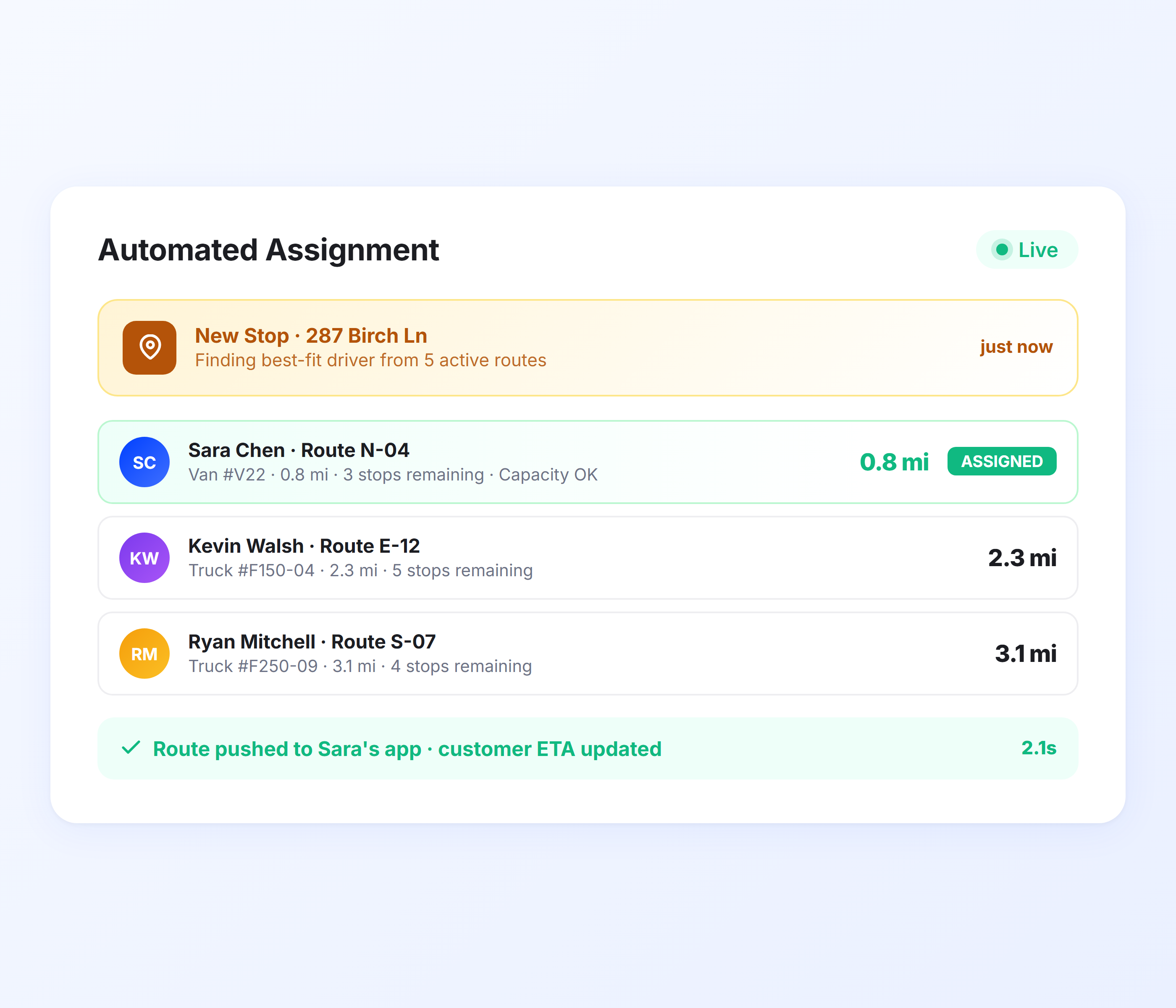
Automated Driver Assignment
When a new stop enters the system, Upper assigns it to the best-fit driver based on real-time location, remaining capacity, time windows, and route efficiency. No manual evaluation, no guessing which driver has room. The assignment happens in seconds, and the driver receives the updated route in the Upper mobile app.
-
 Assigns stops to the nearest qualified driver automatically
-
Factors in real-time location, capacity, and time windows
-
Considers driver skills and vehicle type constraints
-
New stop appears in the driver’s app within seconds
-
Handles single additions and batch order imports
-
Replaces manual assignment that takes 5-10 minutes per stop

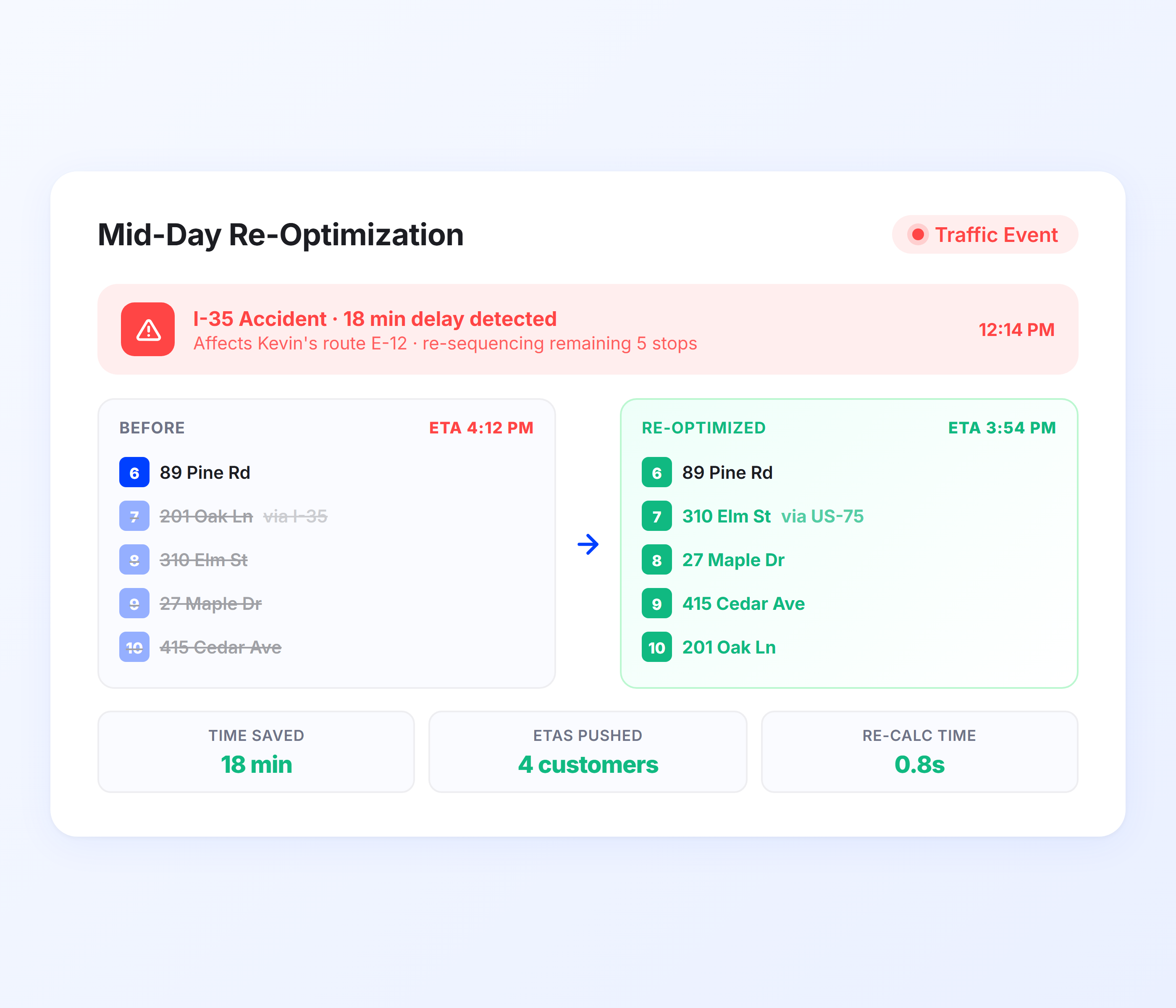
Mid-Day Route Re-Optimization
When conditions change after routes are dispatched, Upper re-optimizes remaining stops across affected drivers. A traffic jam, a cancellation, a same-day rush order, or a driver running ahead of schedule all trigger automatic re-sequencing. Downstream stops get reordered for the most efficient path given current conditions.
-
Automatic re-optimization when conditions change
-
Traffic-aware rerouting using live data
-
Same-day order insertion without disrupting existing stops
-
Cancellation handling with immediate route adjustment
-
Route optimization runs continuously, not just at morning plan time
-
Drivers receive updated route sequences in real time
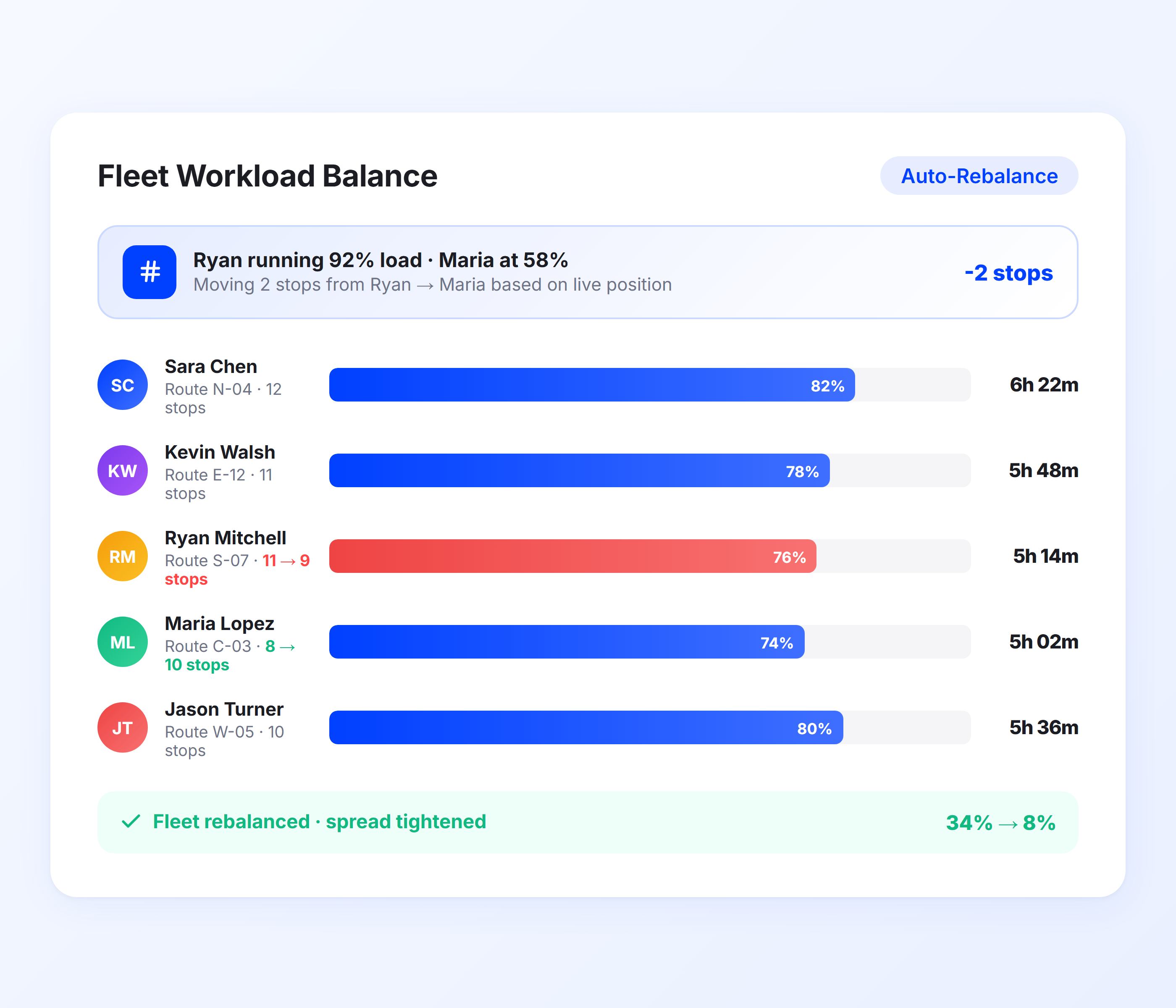
Fleet Workload Balancing
When one driver falls behind, or another finishes early, Upper rebalances stops across the fleet to keep workloads even. Stops are moved from overloaded drivers to those with capacity, factoring in location, time windows, and vehicle constraints. Your fleet operates as a coordinated unit, not a collection of individual routes.
-
Automatic workload redistribution across drivers
-
Moves stops from overloaded to underloaded drivers
-
Respects time windows, capacity, and vehicle constraints
-
Rebalances when a driver calls out, or a vehicle breaks down
-
GPS tracking provides real-time driver position for accurate balancing
-
Keeps delivery promises even when the original plan breaks
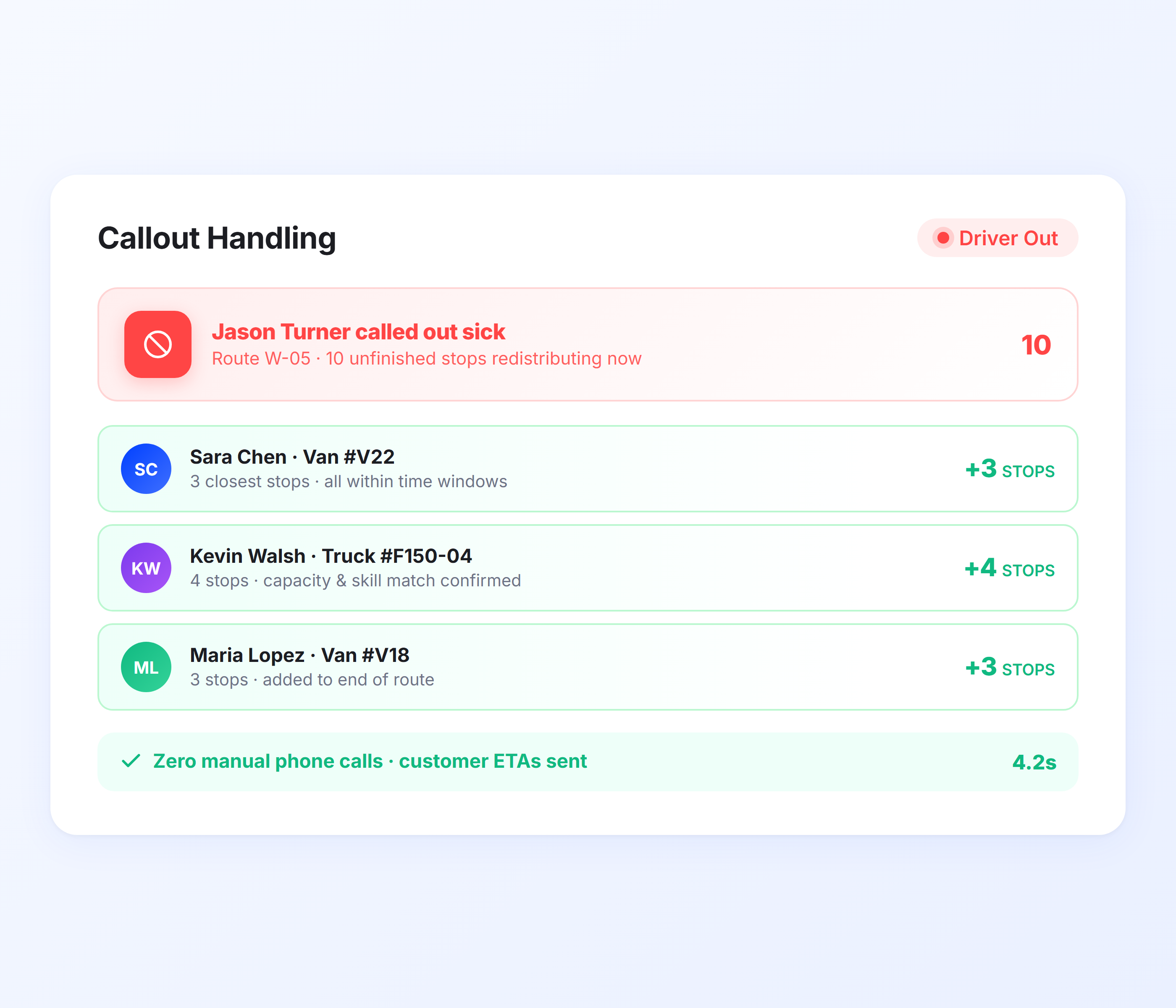
Driver Callout and Vehicle Breakdown Handling
When a driver is unavailable or a vehicle breaks down mid-route, Upper redistributes their remaining stops across the rest of the fleet in seconds. The dispatcher doesn’t manually call each driver to reassign stops. Upper identifies which drivers can absorb the extra stops based on current position, remaining capacity, and time windows, then pushes updated routes to their apps.
-
Instant redistribution of unfinished stops
-
Assigns based on proximity, capacity, and time windows
-
Affected customers receive updated ETAs automatically
-
No manual phone calls to reassign work
-
Works for planned absences and unexpected breakdowns
-
Customer notifications keep recipients informed of changes
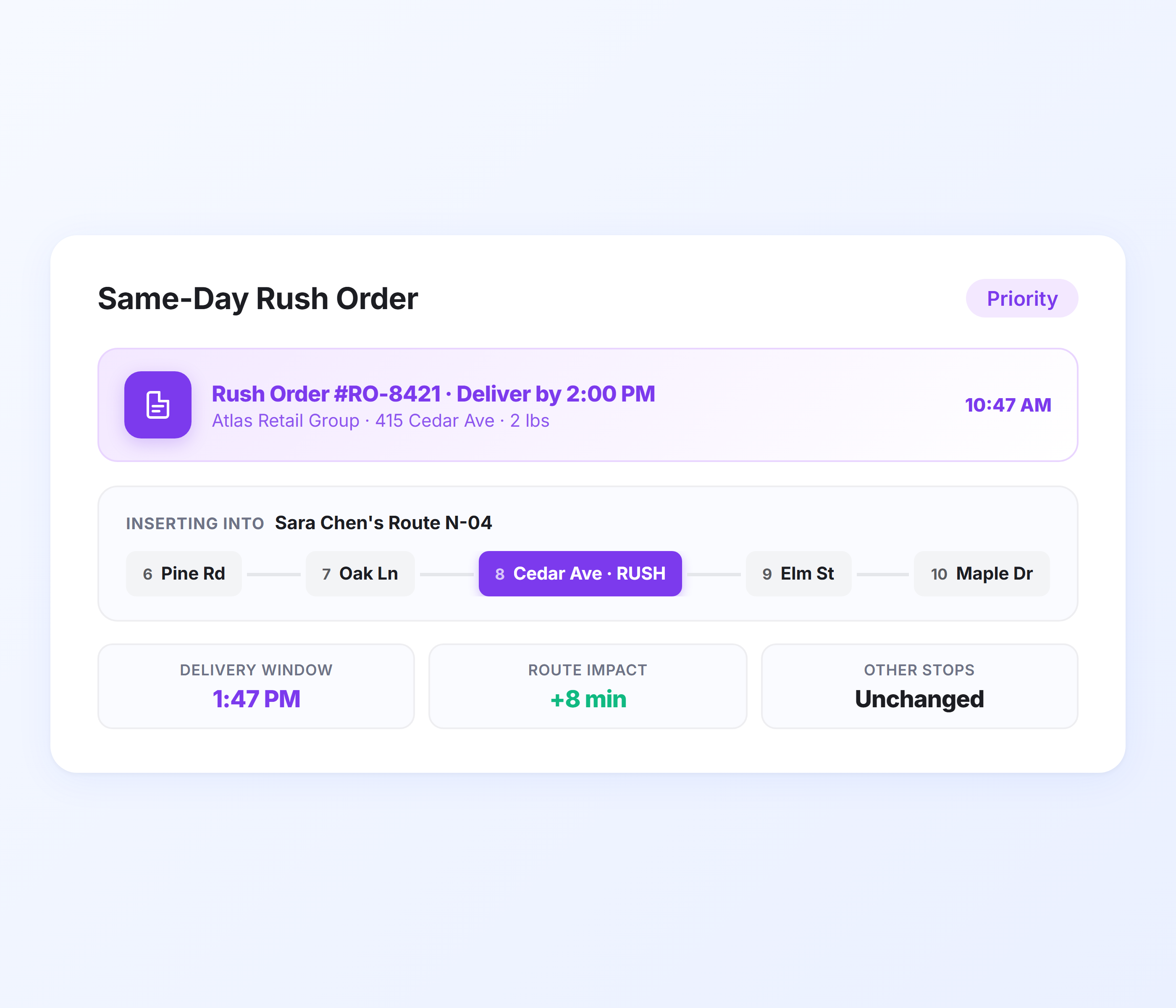
Same-Day and Rush Order Dispatch
When a same-day order comes in after routes are already running, Upper identifies the best driver to handle it without disrupting committed deliveries. The new stop is inserted into the optimal point in an active route, the driver’s sequence updates, and the affected customer ETAs are adjusted. No dispatcher deliberation, no driver confusion.
-
Same-day order inserted into active routes
-
Identifies best-fit driver without manual evaluation
-
Preserves existing time window commitments
-
Driver receives the updated route with a new stop added
-
Customer notifications trigger for the new delivery
-
Handles single rush orders and batch additions
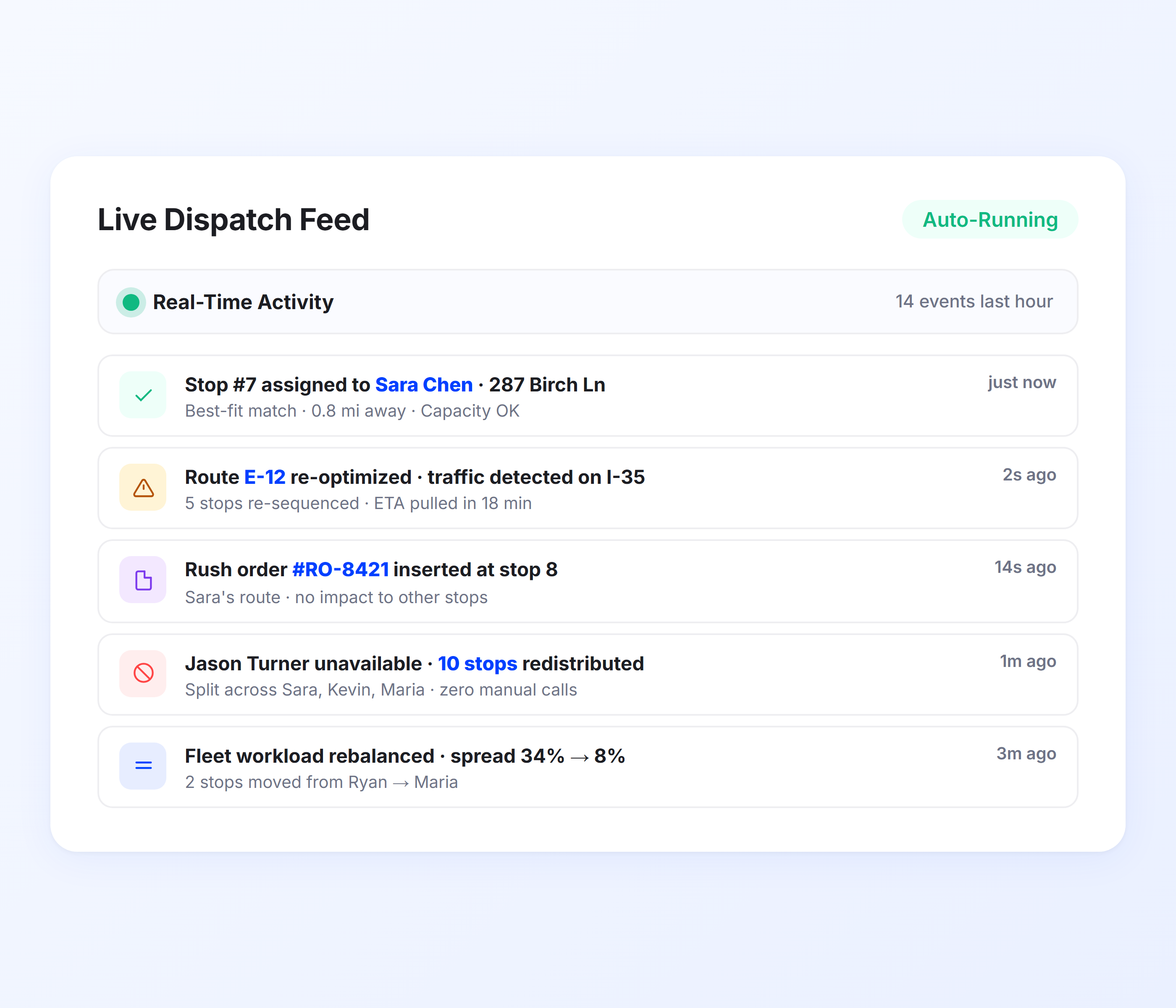
Proactive Dispatch Alerts and Exception Handling
Real-time dispatch is only useful if the dispatcher knows when something needs attention. Upper monitors every active route and flags exceptions before they become missed deliveries. Late-running drivers, at-risk time windows, idle vehicles, and failed delivery attempts surface as actionable alerts on the dispatch dashboard. The dispatcher focuses on problems, not on scanning a map hoping to spot them.
-
Automatic alerts when a driver falls behind schedule
-
At-risk time window warnings before the window closes
-
Idle vehicle detection when a driver stops moving unexpectedly
-
Failed delivery attempt notifications with recommended next action
-
Proof of delivery exceptions flagged for dispatcher review
-
Alert priority ranking so the most urgent issues surface first
Dispatch Drivers in Real Time With Upper’s AI Dispatching Engine
Upper assigns stops, reroutes drivers, and rebalances workloads continuously as your day unfolds. Same-day orders, callouts, and traffic don’t break your operation because dispatch never stops running.
Client Success Stories

“We used to spend 2 hours every morning planning routes in spreadsheets. Now it takes 10 minutes. Upper paid for itself in the first week.”


“What sold me was how easy it is to make changes. My schedules change a lot and I drag & drop stops and we’re back on track in 30 seconds. With our old software, that would’ve been an hour of replanning.”


“Our drivers actually follow the routes now. The app is simple, the navigation works, and they’re not calling me every 10 minutes asking where to go next.”

Real-Time Dispatch Features for Agile Fleet Operations
- Dispatch Dashboard
- Priority-Based Routing
- Constraint Management
- Driver App Updates
- Dispatch Analytics

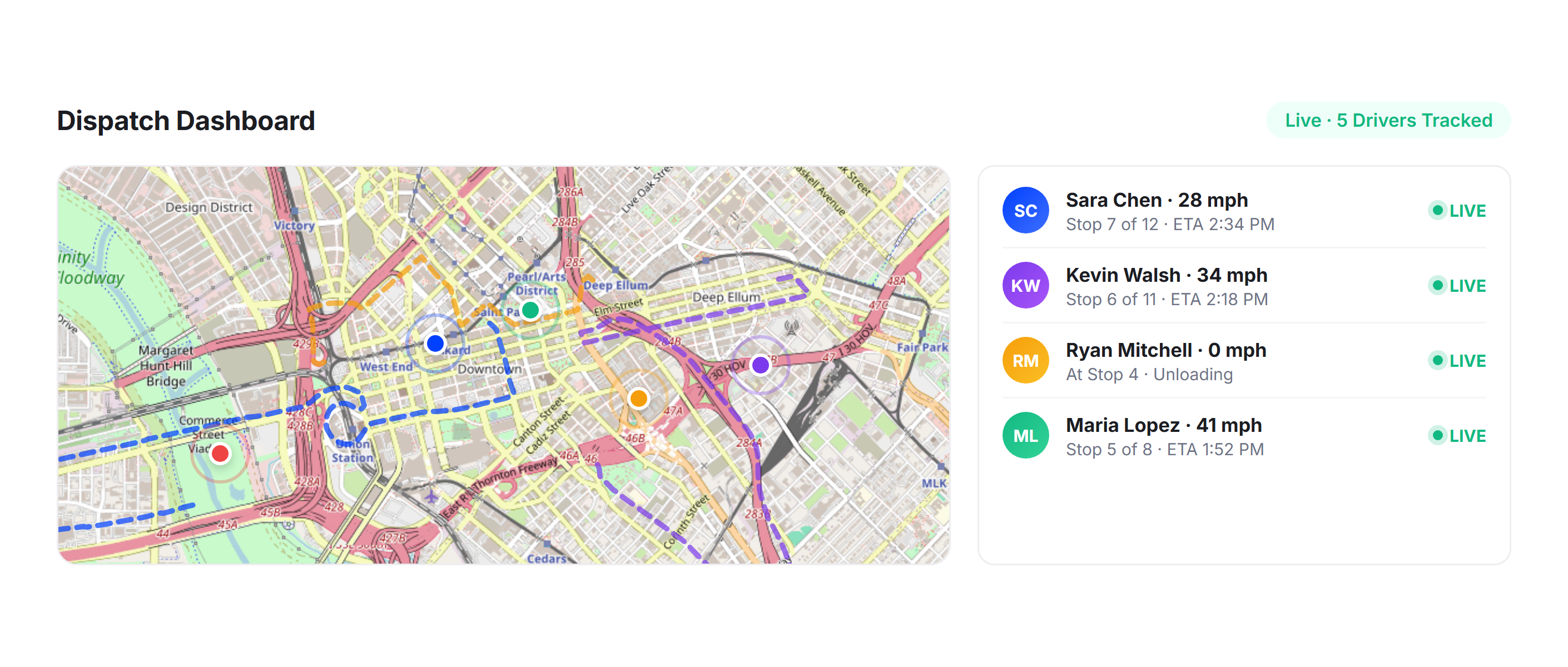
Dispatch Dashboard
Monitor your entire fleet from one screen. The dispatch dashboard shows every driver’s real-time position, route progress, and remaining stops. Drag-and-drop manual overrides are available when you need them, but automated dispatch handles the routine assignments.
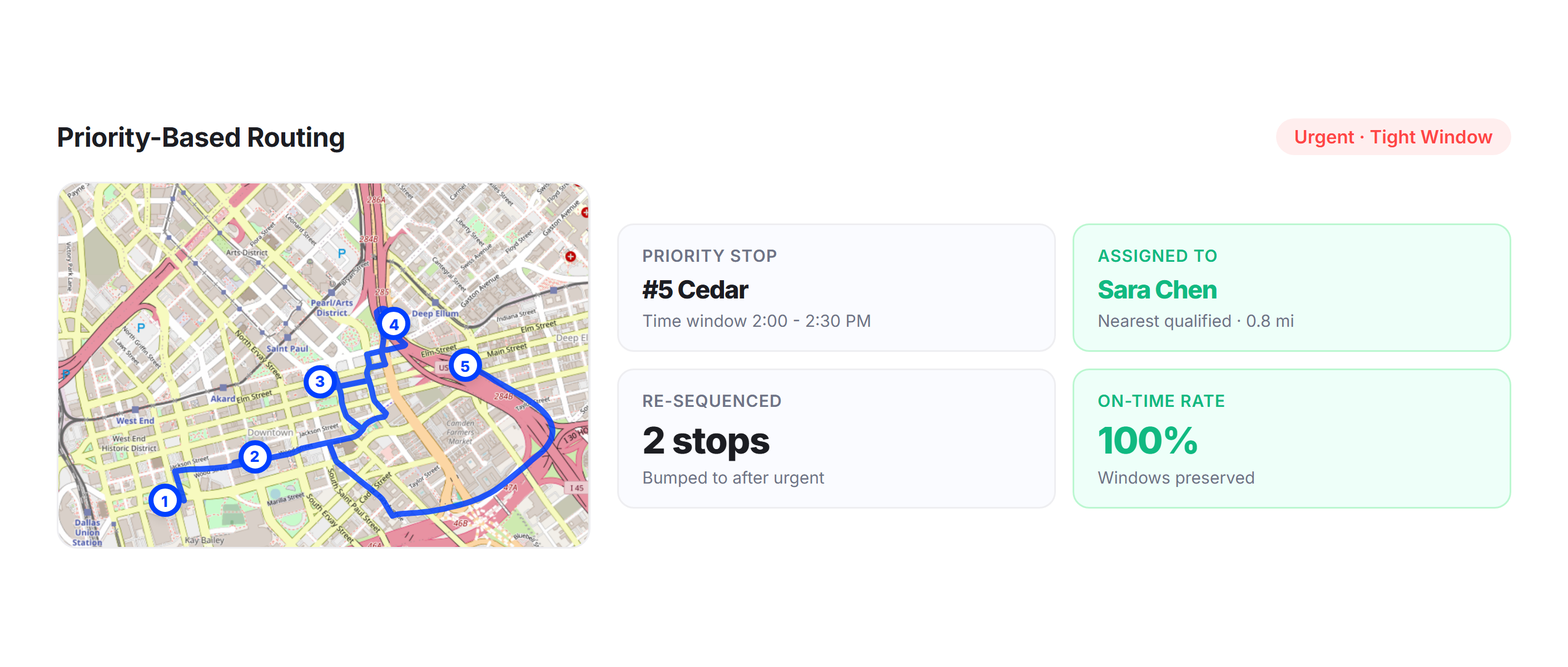
Priority-Based Routing
Flag high-priority stops that must be delivered within tight time windows. Upper’s real-time dispatch ensures priority stops are assigned to the closest driver with available capacity, even if it means re-sequencing other deliveries to accommodate the commitment.
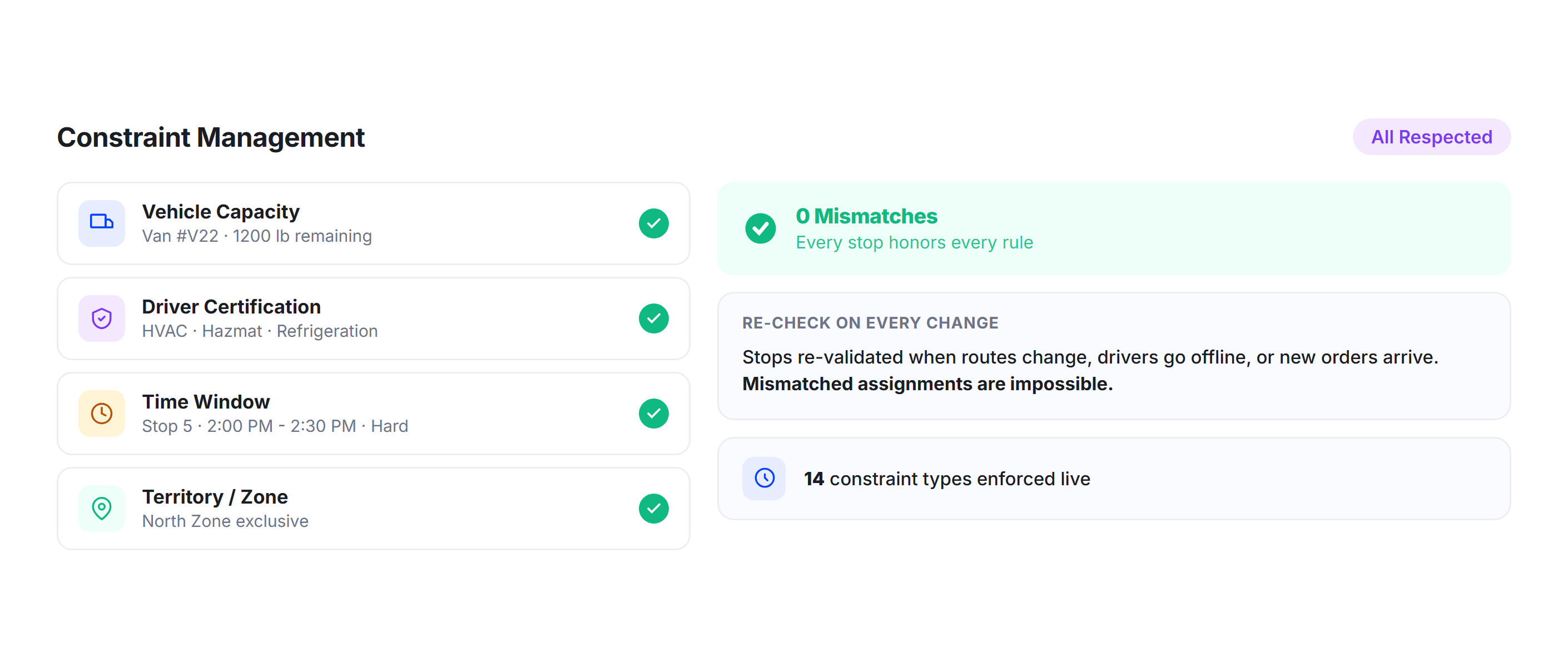
Constraint Management
Real-time dispatch respects every constraint: vehicle capacity, driver certifications, delivery time windows, customer preferences, and geographic territories. Stops are only assigned to drivers who can actually fulfill them, preventing mismatches that manual dispatch often creates.
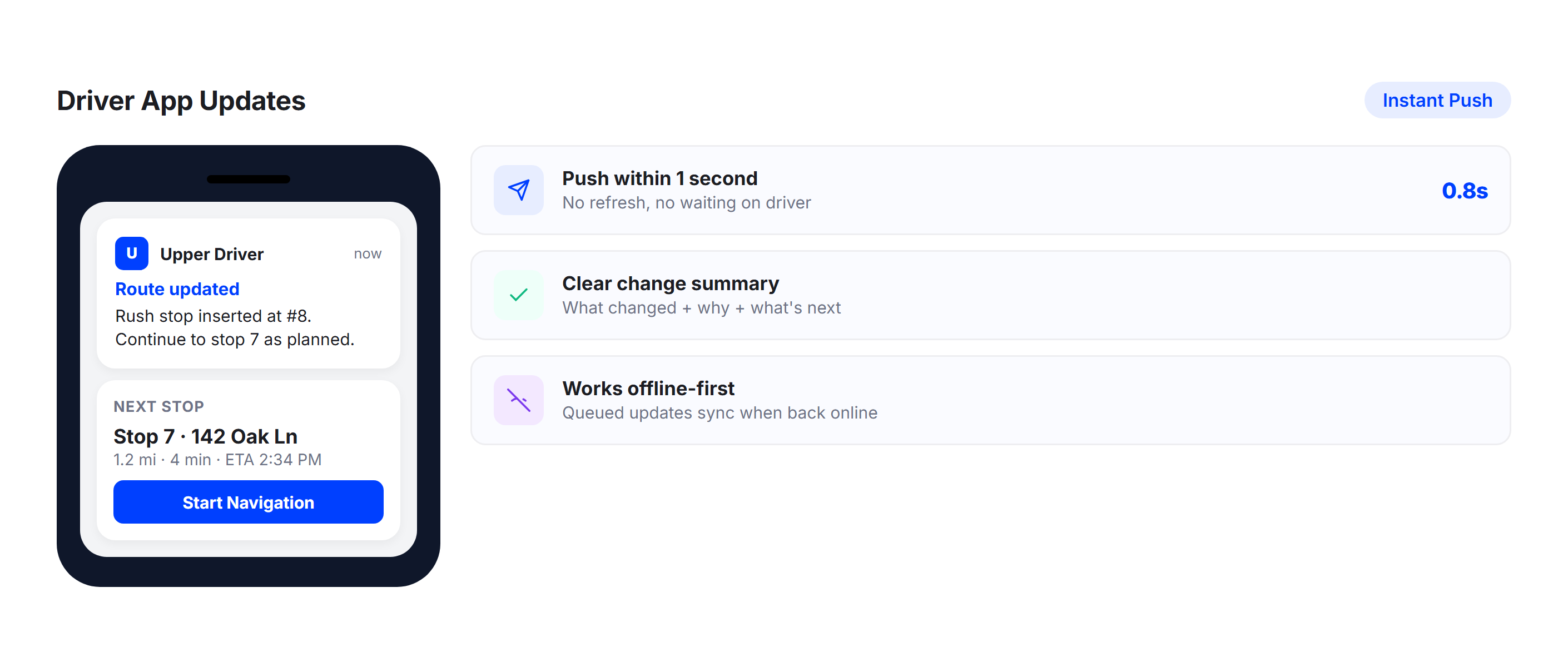
Driver App Updates
When real-time dispatch changes a driver’s route, the update appears instantly in the Upper mobile app. Drivers see their new stop sequence, updated navigation, and any notes about added or removed stops. No phone calls, no confusion, no delay.
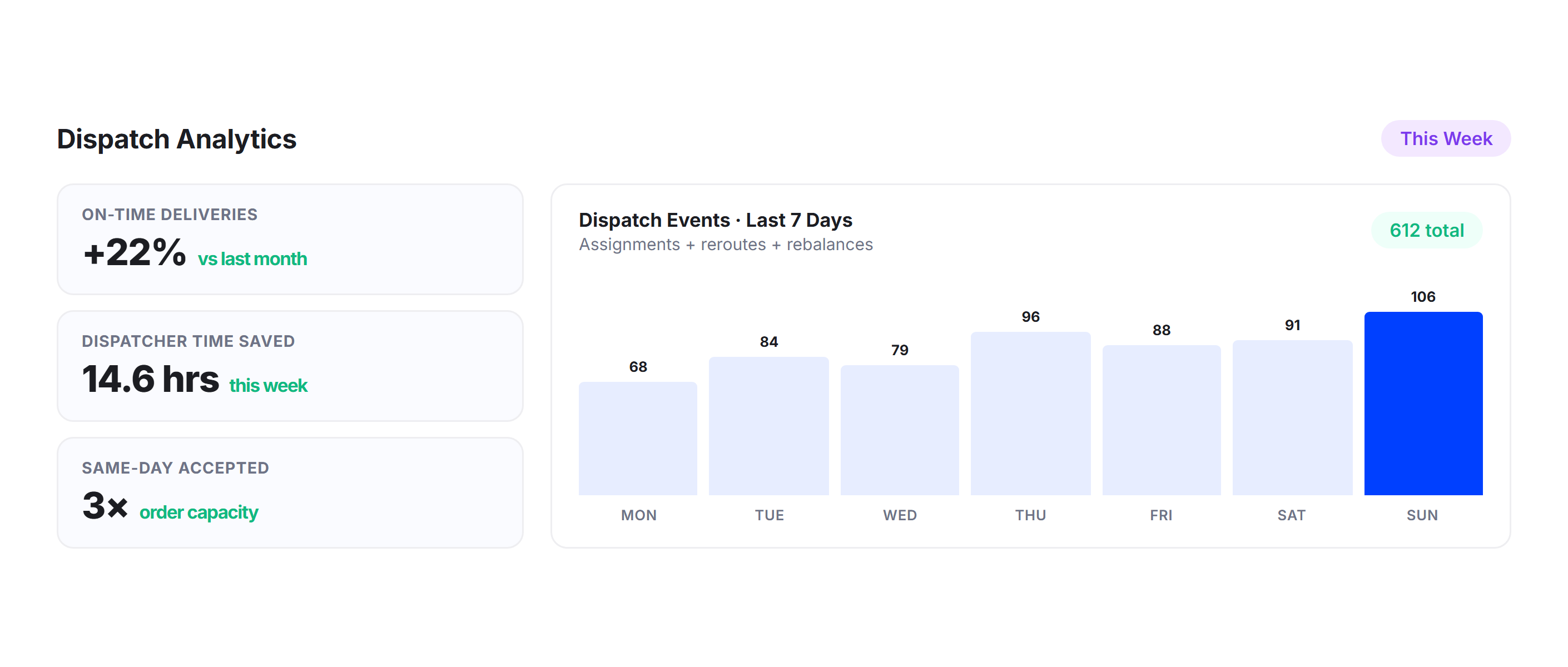
Dispatch Analytics
Track dispatch efficiency, on-time rates, workload distribution, same-day order handling time, and driver utilization through Upper’s analytics dashboard. Identify patterns in disruptions and measure how real-time dispatch impacts fleet productivity.
Why Delivery Fleets Choose Upper for Real-Time Dispatch

Recover from Disruptions in Seconds
Driver callouts, vehicle breakdowns, traffic jams, and cancellations are handled automatically in real time. Upper redistributes work across the fleet before your dispatcher can even pick up the phone.

Accept Same-Day Orders Without Chaos
Rush orders are inserted into active routes and assigned to the best-fit driver within seconds. Your operation can say yes to same-day requests without the 15-minute scramble to figure out who can handle them.

Free Your Dispatcher from Manual Assignment
Upper automates the stop-by-stop assignment that consumes 10-20 hours of dispatcher time per week. Your dispatcher manages exceptions and strategy instead of shuffling stops between drivers all day.

Keep Every Delivery Promise
When the original plan breaks, real-time dispatch instantly re-optimizes routes efficiently to protect committed time windows. Stops are automatically resequenced and reassigned to ensure customers receive their deliveries exactly when promised.

Balance Workloads Across the Fleet
No more overloaded drivers running behind while others finish early. Upper continuously redistributes stops in real time to keep workloads balanced based on real-time progress, capacity, and location.

Scale Without Adding Dispatchers
A 5-driver fleet and a 50-driver fleet both need the same number of dispatchers when real-time dispatch handles the assignment logic. Add drivers and routes without proportionally growing your dispatch team.
Connect Real-Time Dispatch with Your Existing Tools


Stop Replanning Your Routes by Hand Every Time Something Changes
Upper’s real-time dispatch software assigns, reroutes, and rebalances your fleet continuously. Same-day orders, driver callouts, and traffic don’t derail your operation because dispatch adapts in real time.
Frequently Asked Questions
-
Can Upper handle same-day orders that come in after routes are already running?
Yes. When a same-day order enters the system, Upper identifies the best driver to handle it based on real-time location, remaining capacity, and time window constraints. The new stop is inserted into the optimal point in the driver’s active route. The driver’s app updates with the new sequence, and any affected customer ETAs adjust automatically. No manual evaluation needed from your dispatcher.
-
What happens when a driver calls out sick, or a vehicle breaks down?
Upper redistributes the unavailable driver’s remaining stops across the rest of the fleet in seconds. The system evaluates which drivers can absorb the extra stops based on current position, remaining capacity, and time windows. Updated routes are pushed to each affected driver’s app, and customers receive updated delivery ETAs. The entire redistribution happens without manual phone calls or spreadsheet shuffling.
-
Does real-time dispatch work with Upper’s other features?
Yes. Real-time dispatch is integrated with Upper’s route optimization, GPS tracking, proof of delivery, customer notifications, and analytics. Route optimization provides the sequencing logic.
GPS tracking provides real-time driver positions for accurate assignment decisions. Customer notifications automatically update recipients when dispatch changes affect their delivery ETA. Everything runs within one platform.
-
Does the dispatcher still have manual control over assignments?
Yes. Upper automates routine dispatch decisions but gives dispatchers full override capability. The dispatch dashboard lets you manually drag stops between drivers, lock specific assignments, or override automated decisions when you need to. Real-time dispatch handles the volume; your dispatcher handles the exceptions and judgment calls.
-
Can Upper handle priority or time-sensitive deliveries within real-time dispatch?
Yes. Stops can be flagged as high-priority with strict time windows. When a priority stop enters the system, Upper assigns it to the closest driver with available capacity and adjusts their route to ensure the time window is met, even if it means resequencing other non-priority deliveries. Priority handling is automatic and doesn’t require manual dispatcher intervention.