
Delivery ETA Notifications Software That Keeps Every Customer in the Loop

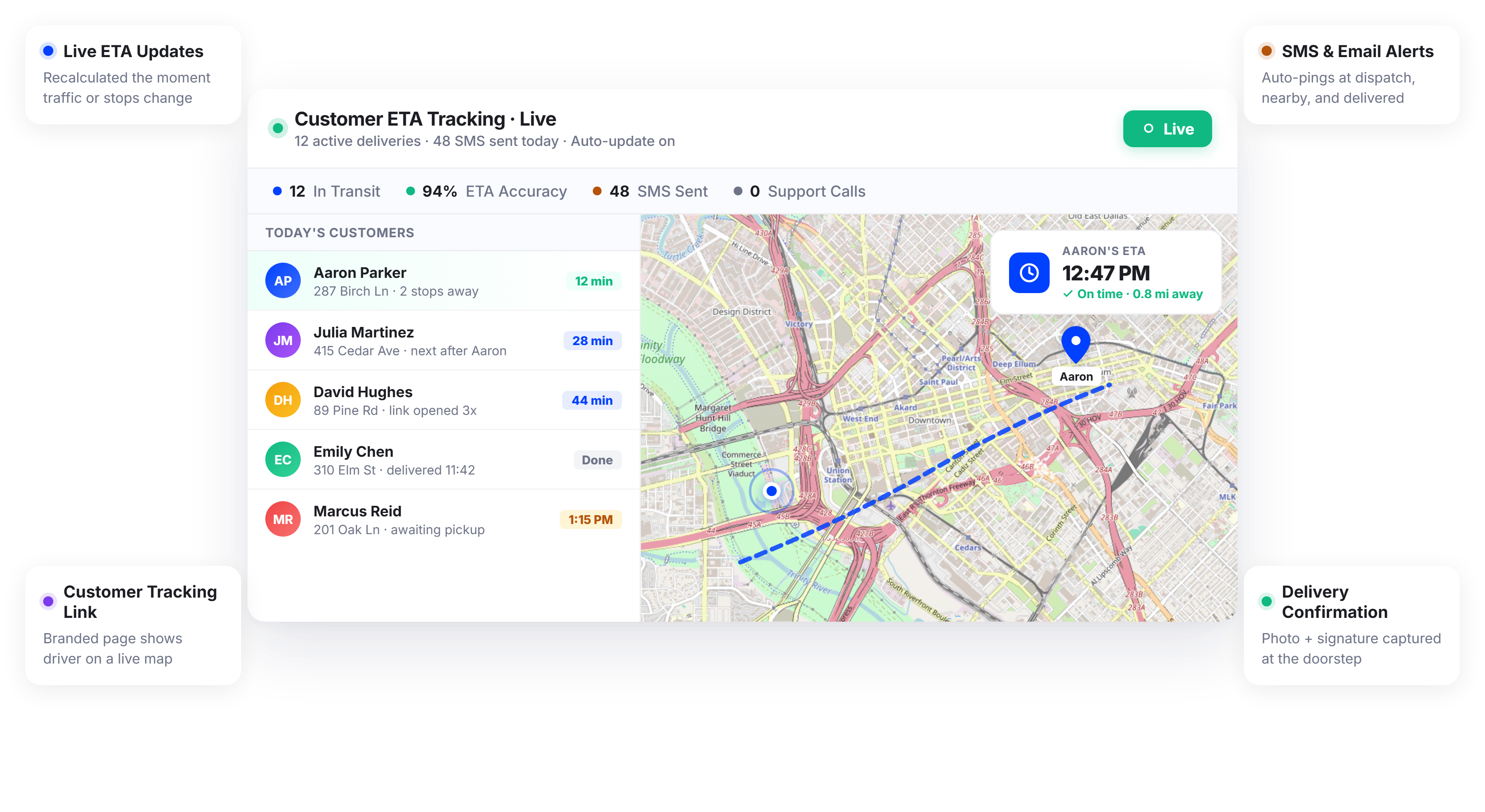
Businesses Using Upper Spend 60% Less Time on Delivery Status Calls






Customers Want Delivery Updates. Most Businesses Still Can’t Provide Them.
What ETA Tracking Promises
-
 Customers always know when their delivery arrives
-
Support teams spend zero time on status inquiries
-
Every delivery feels professional and transparent
-
Recipients plan their day around accurate arrival windows

What Actually Happens
-
Customers call and text asking “where’s my order?” all day
-
Dispatchers manually relay ETAs that are already outdated
-
Estimated windows are so wide they’re meaningless
-
Missed deliveries pile up because nobody was home
Every Delivery ETA Tracking Tool Your Customers Actually Need
Upper’s delivery ETA tracking software calculates accurate arrival times directly from live route optimization data and driver GPS positions. Instead of static time windows, your customers receive dynamic ETAs that update as routes progress.
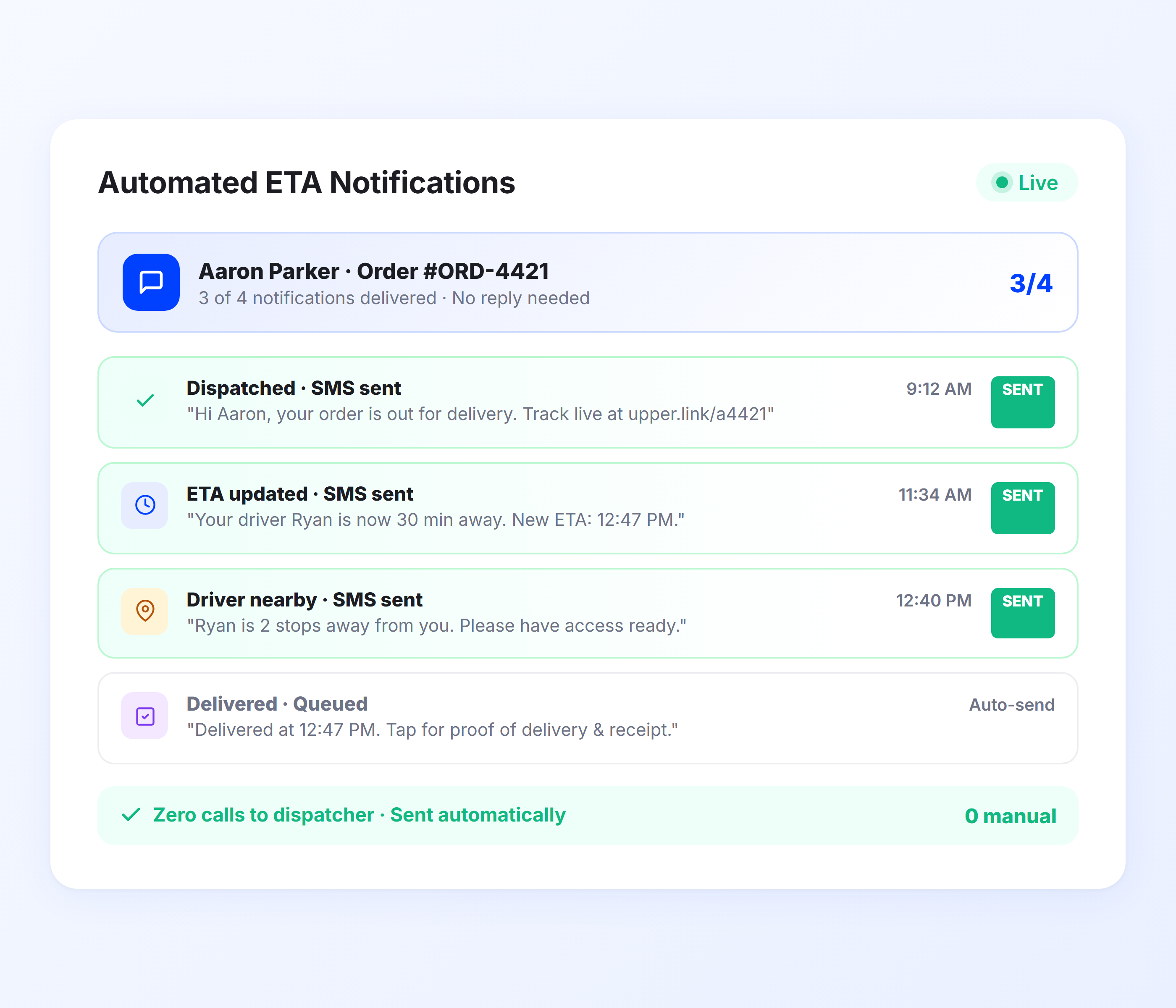
Automated ETA Notifications
Customers receive estimated arrival times automatically at every stage of the delivery process. No manual messages, no dispatcher phone calls, no guesswork. Upper triggers SMS and email notifications the moment a route starts, when a driver is approaching, and when the delivery is complete.
-
 Automatic SMS and email ETA alerts
-
Customer notifications triggered at each delivery stage
-
Dynamic arrival times from live route data
-
Customizable message templates per notification type
-
Multi-channel delivery via SMS and email
-
Opt-in recipient notification preferences

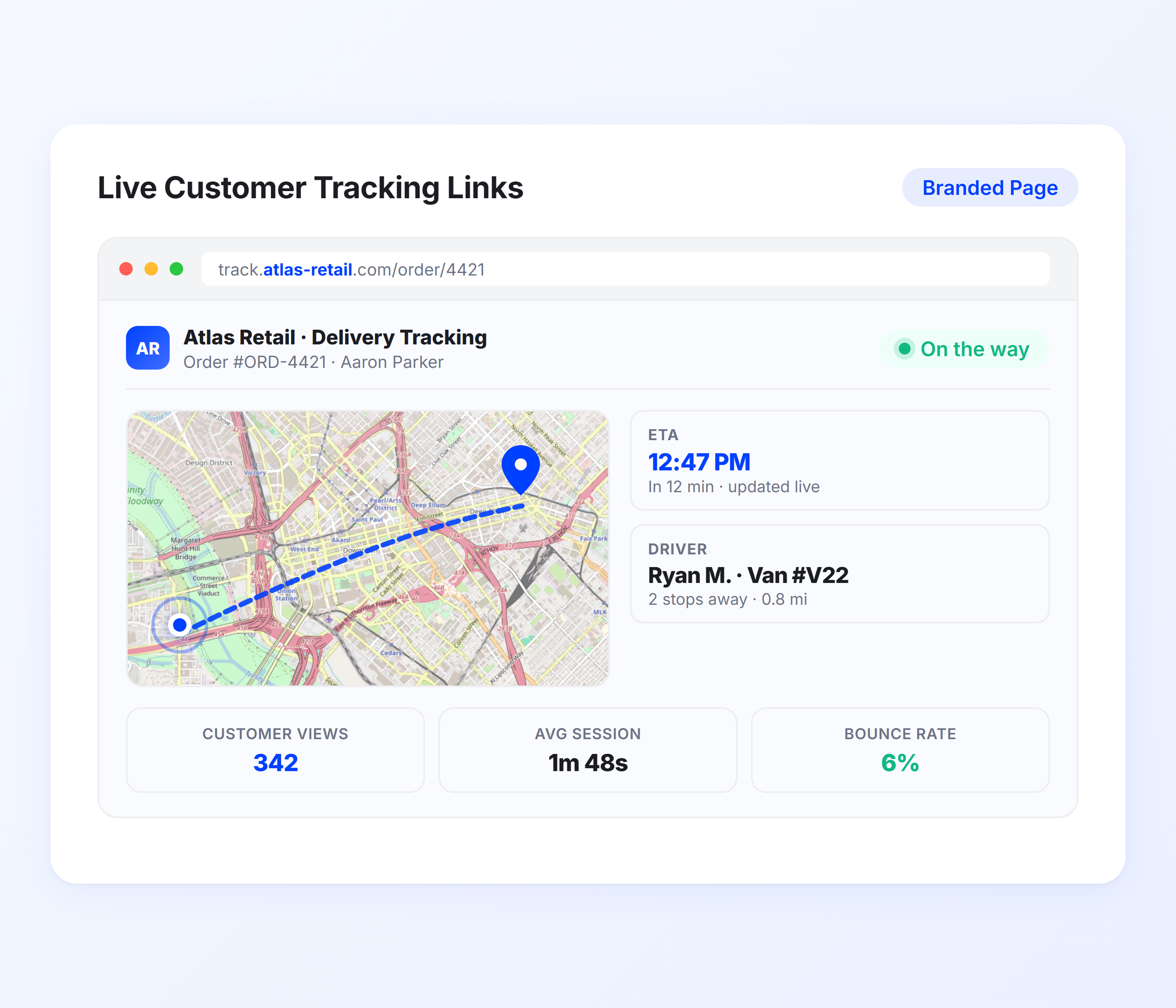
Live Customer Tracking Links
Every notification includes a tracking link that lets recipients see their delivery’s real-time status on an interactive map. Customers can watch their driver’s progress, view an updated arrival estimate, and plan accordingly without calling your office.
-
Shareable tracking link in every notification
-
Real-time driver position on interactive map
-
Auto-updating ETA based on live route progress
-
Mobile-optimized tracking page for recipients
-
No app download required for customers
-
Branded tracking experience with your business info
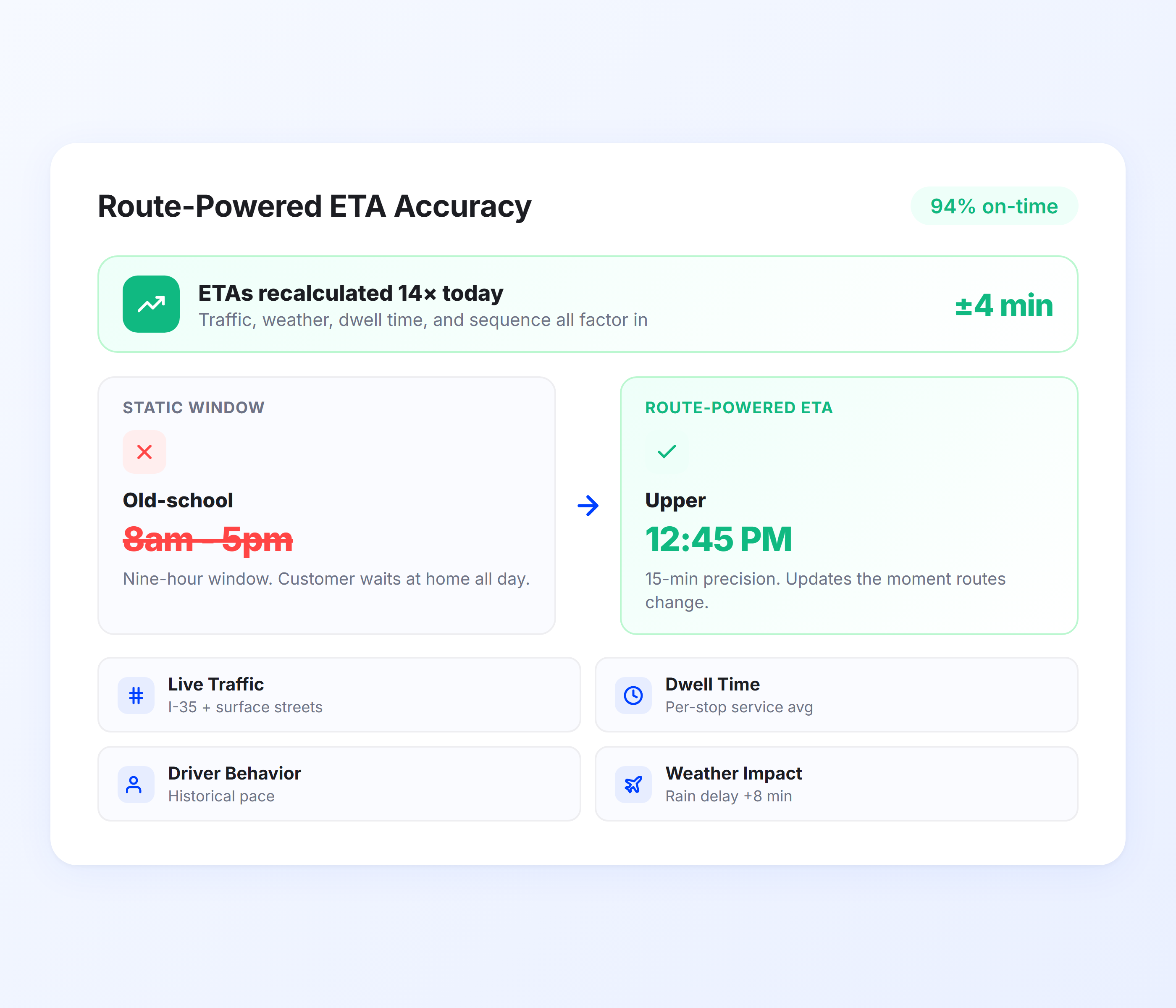
Route-Powered ETA Accuracy
Unlike tools that estimate arrival from straight-line distance, Upper calculates ETAs from actual optimized route sequences, live traffic conditions, and real-time driver progress. The result is arrival estimates your customers can trust, not four-hour delivery windows.
-
ETA calculated from optimized route planning sequences
-
Live traffic and road condition adjustments
-
Real-time recalculation as drivers complete stops
-
Historical delivery time pattern analysis
-
Time window and service time factored into estimates
-
Accuracy improves continuously with route data
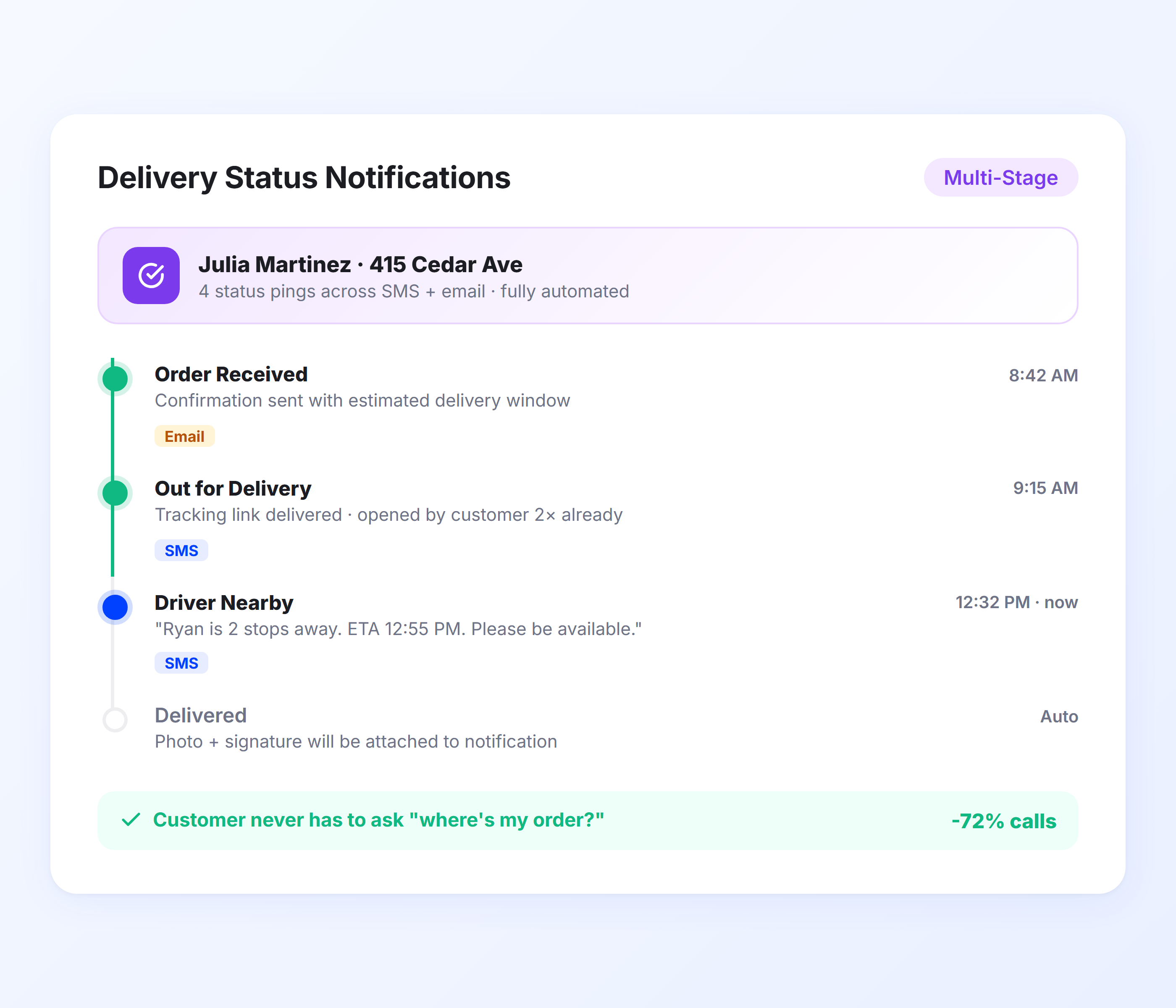
Delivery Status Notifications
Beyond ETAs, Upper sends automatic status updates at every milestone. Customers know when their delivery is scheduled, when the driver departs, when they’re next in the queue, and when the delivery is complete, all without a single phone call.
-
“Scheduled for delivery” confirmation notification
-
“Driver en route” departure alert
-
“Driver approaching” proximity notification
-
“Delivered” confirmation with proof of delivery
-
“Missed delivery” follow-up notification
-
Customizable notification triggers per stage
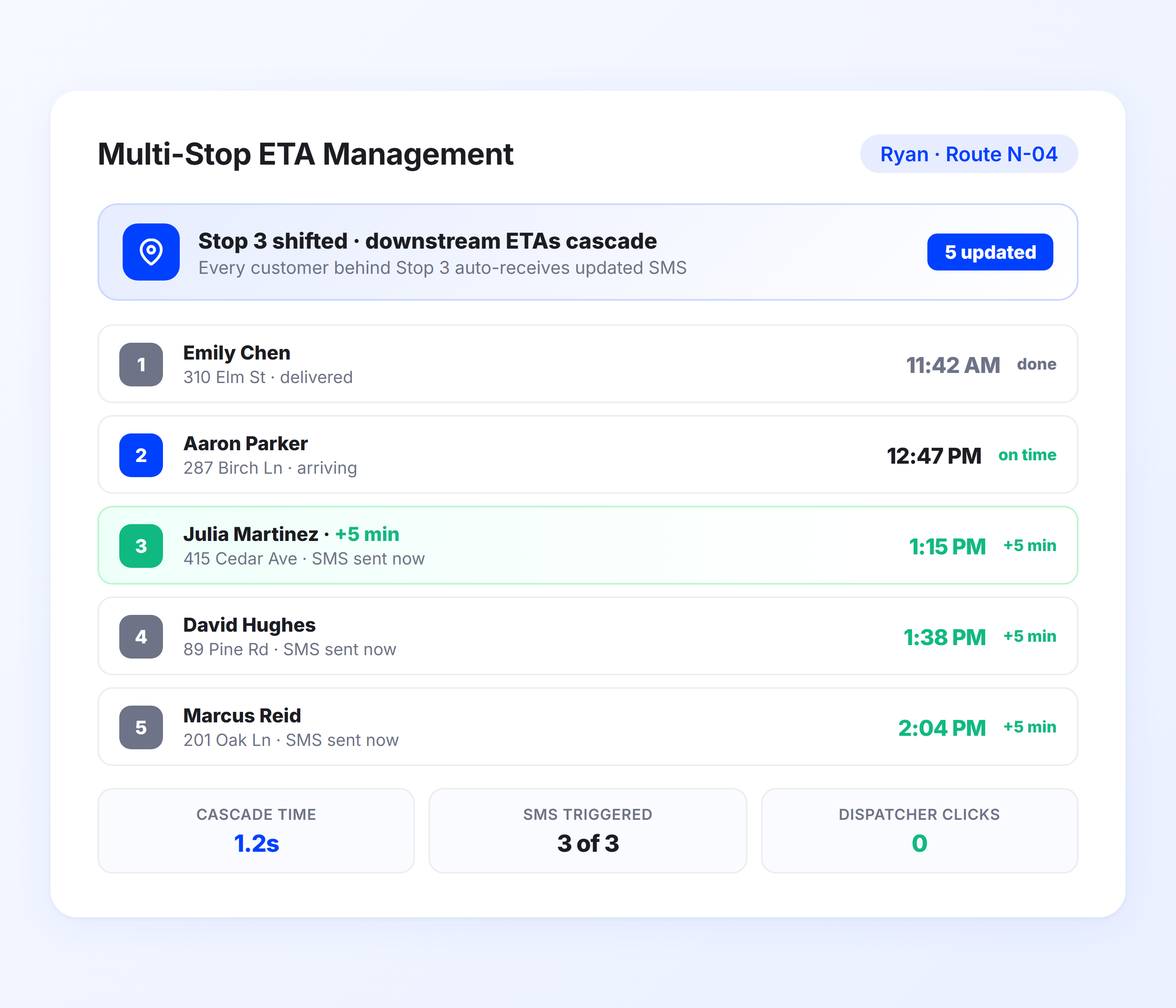
Multi-Stop Delivery ETA Management
When drivers handle 50, 100, or 200 stops per route, individual ETA accuracy matters at every single stop. Upper recalculates downstream ETAs in real time as each delivery is completed, so stop 150 gets the same accuracy as stop 1.
-
Real-time ETA recalculation after each completed stop
-
Accurate ETAs across routes with 100+ stops
-
Driver dispatch synced with customer notifications
-
Batch notification management for high-volume routes
-
ETA adjustments for service time variations
-
Handles priority stops and time-sensitive deliveries
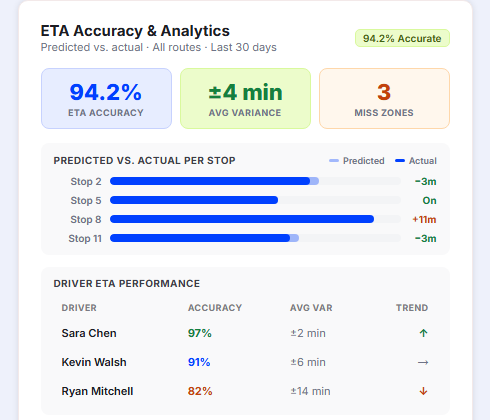
ETA Accuracy and Performance Analytics
Upper tracks predicted arrival times against actual delivery times across every stop, route, and driver. You can see which routes consistently deliver within the ETA window, which drivers run ahead or behind, and where service time estimates need adjustment. Over time, this data tightens your ETA accuracy so customers receive arrival estimates they can genuinely plan around.
-
Predicted vs. actual arrival time comparison per stop
-
ETA accuracy rate tracked across routes, drivers, and time periods
-
Identifies routes or zones where estimates consistently miss
-
Service time variance analysis per delivery type
-
Data-driven adjustments to improve future ETA precision
-
Exportable reports for operations review and SLA tracking
Send Real-Time ETAs to Every Customer, Automatically
Upper calculates arrival times from live route optimization data and sends them via SMS and email at every delivery stage. No manual messages, no dispatcher phone calls.
Client Success Stories

“We used to spend 2 hours every morning planning routes in spreadsheets. Now it takes 10 minutes. Upper paid for itself in the first week.”


“What sold me was how easy it is to make changes. My schedules change a lot and I drag & drop stops and we’re back on track in 30 seconds. With our old software, that would’ve been an hour of replanning.”


“Our drivers actually follow the routes now. The app is simple, the navigation works, and they’re not calling me every 10 minutes asking where to go next.”

Delivery ETA Tracking Features for a Better Customer Experience
- Notification Templates
- Delivery Confirmations
- Failed Delivery Alerts
- Scheduled Route Updates
- Customer Communication Log

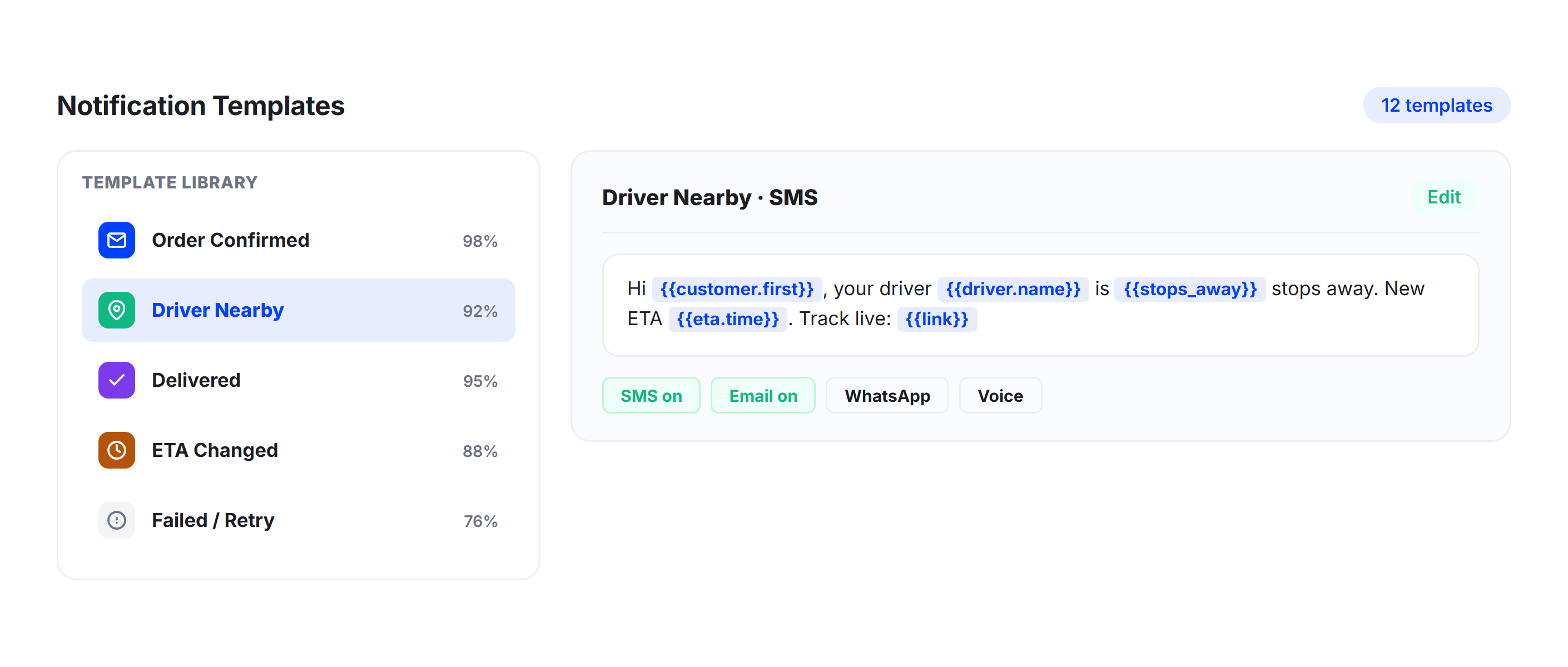
Notification Templates
Customize the content and timing of every notification your customers receive. Set different message templates for each delivery stage, include your business name and branding, and control which channels (SMS, email, or both) are used for each notification type.
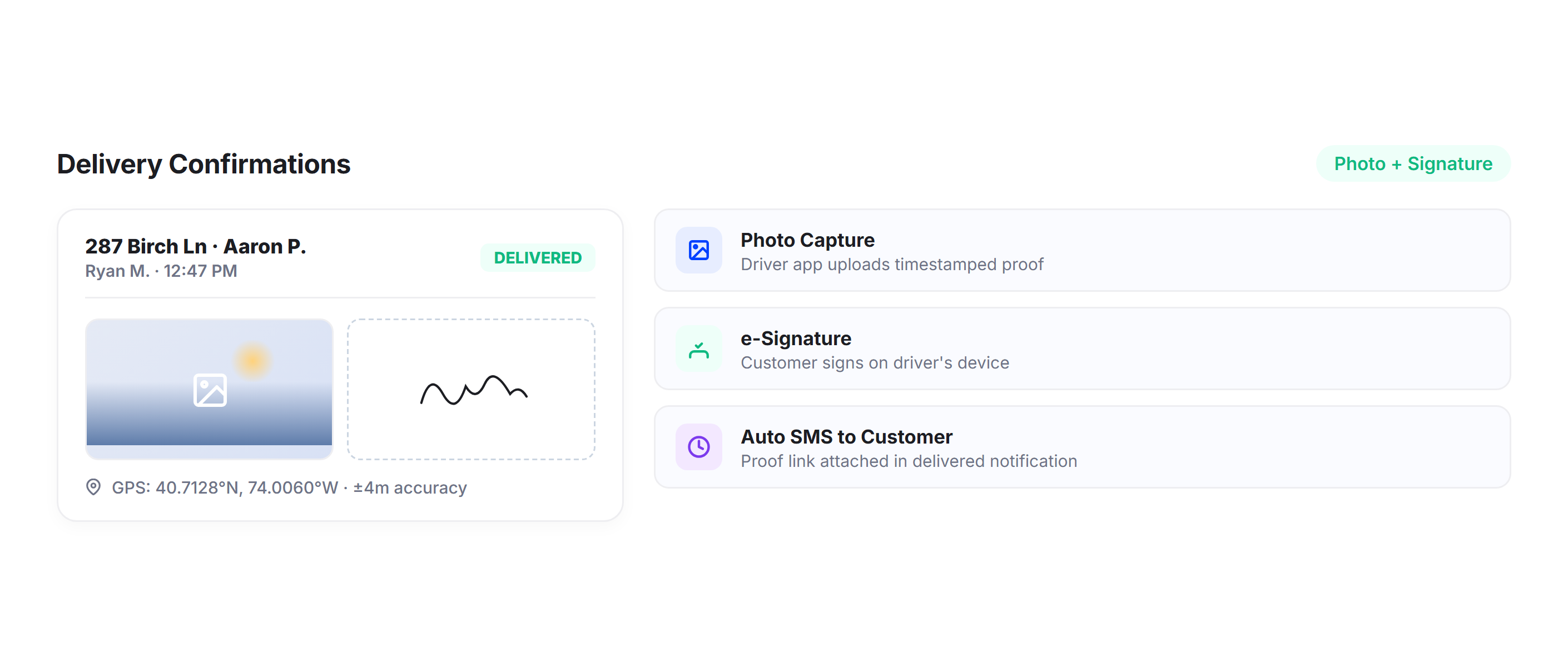
Delivery Confirmations
Send automatic delivery confirmation notifications the moment a driver marks a stop complete. Include proof of delivery details, photos, or signature confirmation so customers have a complete record without requesting one.
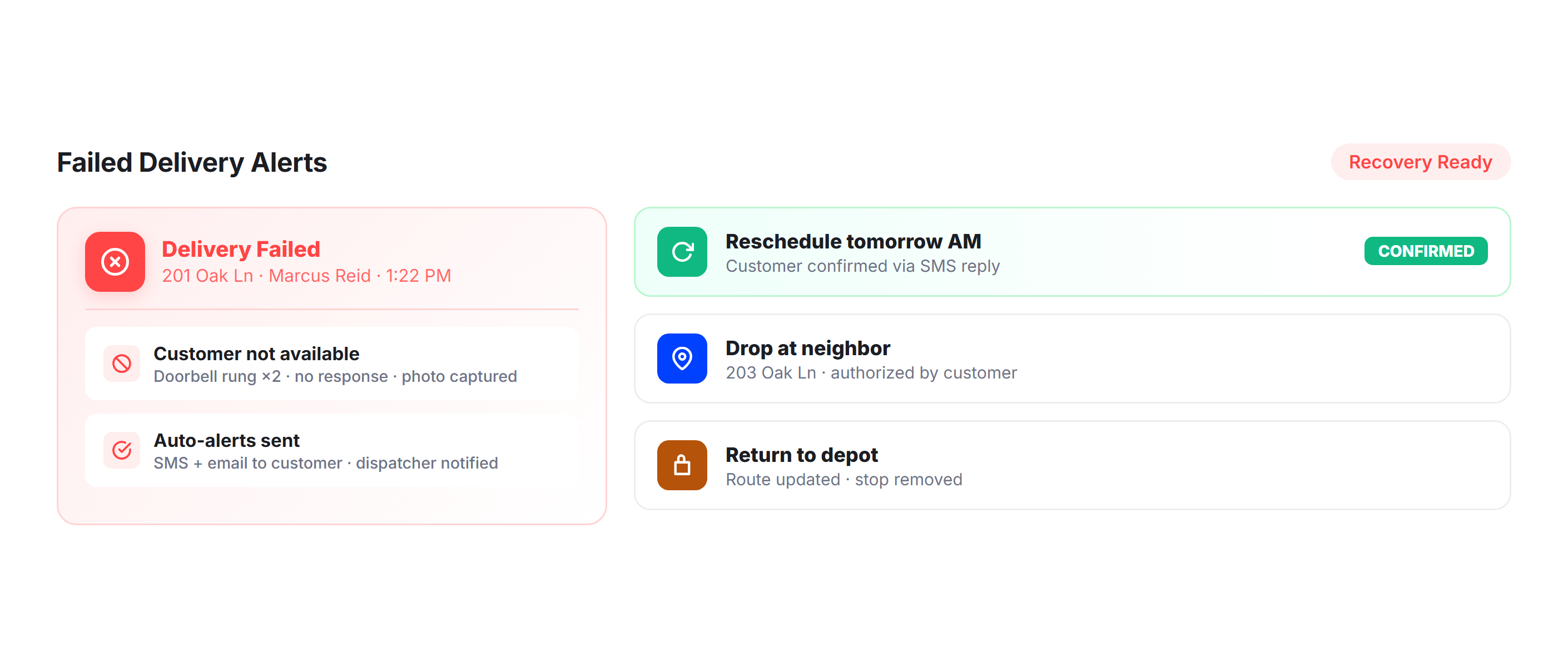
Failed Delivery Alerts
When a delivery can’t be completed, Upper automatically notifies the recipient with the reason and next steps. Reduce back-and-forth by giving customers immediate visibility into missed deliveries and rescheduling options.
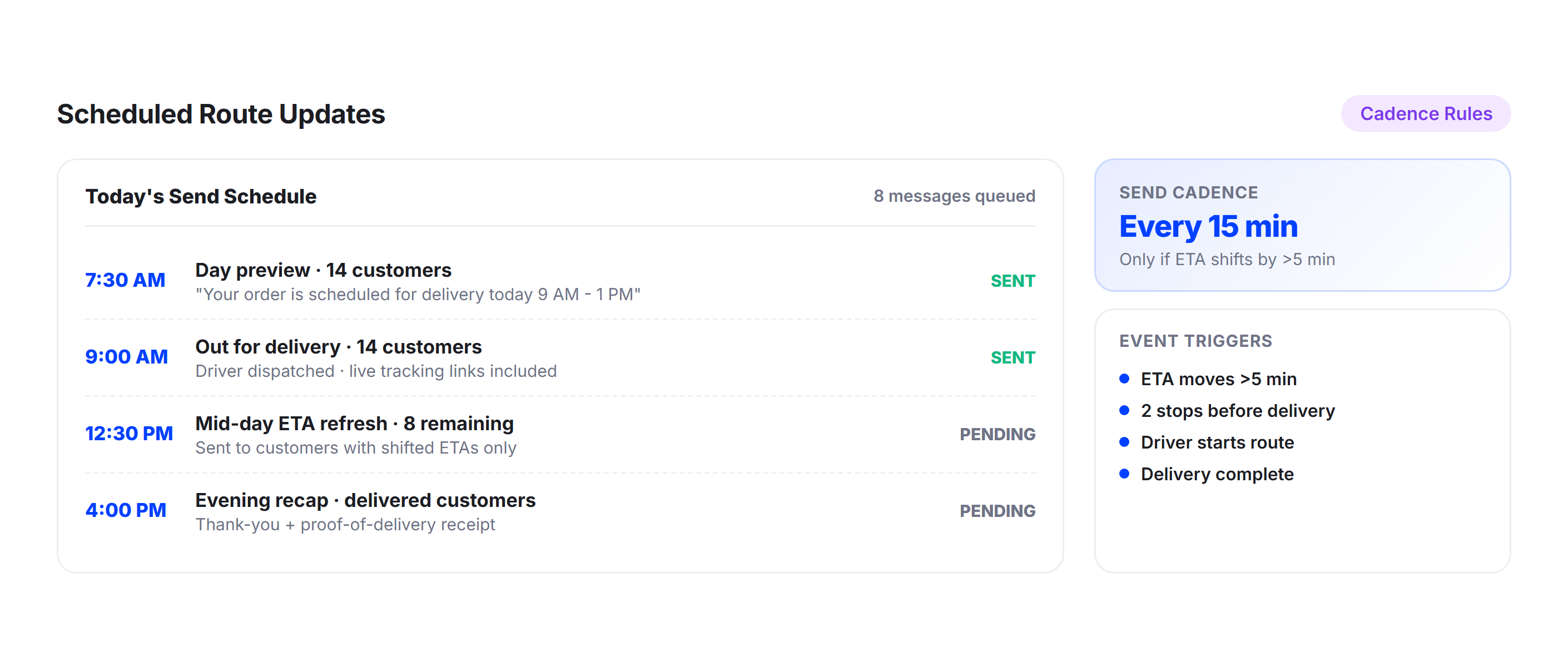
Scheduled Route Updates
For recurring deliveries and scheduled routes, customers receive advance notifications confirming their upcoming delivery window. Keeps regular recipients informed and reduces no-shows for appointment-based deliveries.
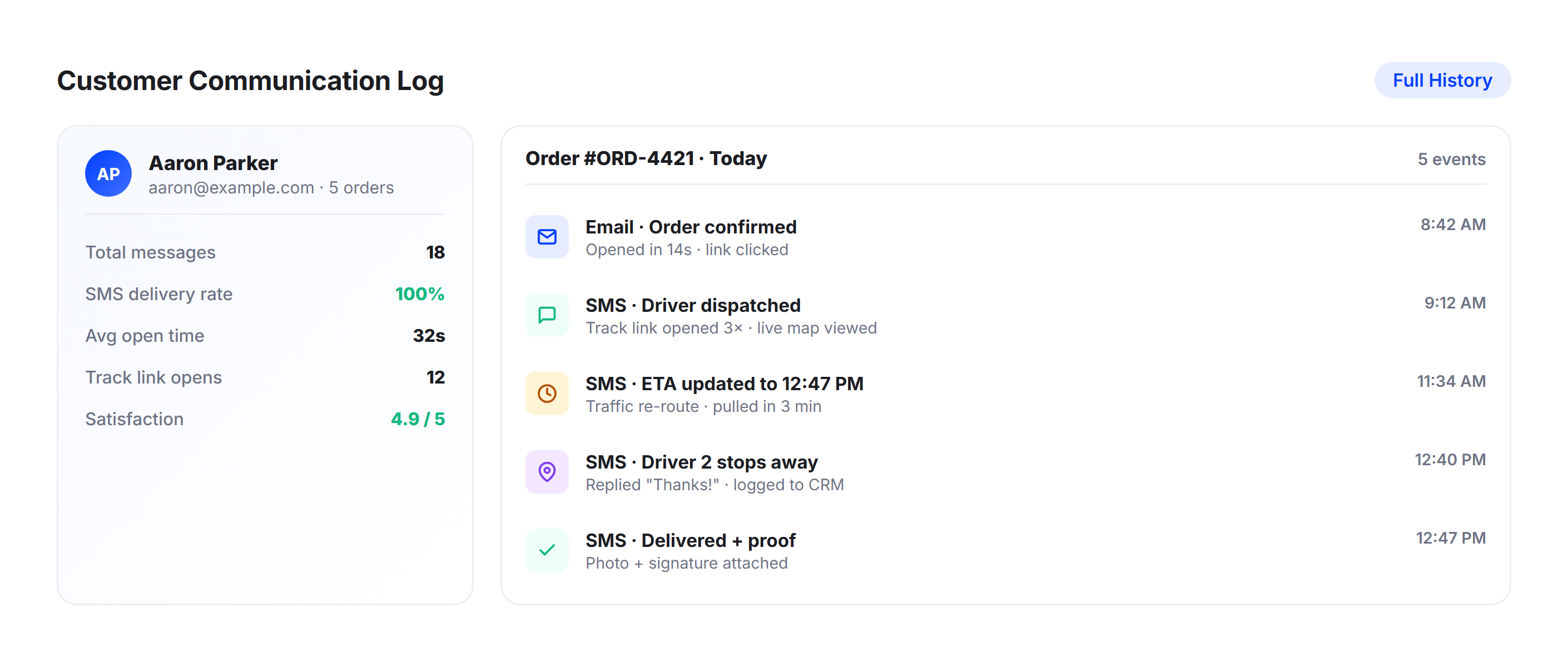
Customer Communication Log
Every notification sent to every customer is logged in Upper’s dashboard. Dispatchers can see exactly what was communicated, when, and through which channel, creating a complete audit trail for every delivery.
Why Leading Fleet
Companies Choose Upper

Reduce “Where’s My Order?” Calls
Automated ETA notifications answer common customer questions before they call. Real-time tracking keeps customers informed and reduces delivery status inquiries by up to 60%.

Build Customer Trust with Accuracy
ETAs based on live route data and GPS tracking stay accurate throughout the day. Customers can rely on precise delivery times instead of waiting in long, uncertain time windows.

Save Dispatch Hours Every Day Efficiently
Stop manually sharing ETAs between drivers and customers. Upper automates communication from route start to delivery, saving time and reducing daily dispatch workload.

Reduce Missed Delivery Rates Efficiently
When customers know exactly when to expect delivery, they are more likely to be available. This leads to fewer missed deliveries and reduces costly reattempts.

Scale Without Adding Support Staff
As delivery volume grows, automated notifications handle communication at scale. Manage more deliveries daily without increasing your support or dispatch team size.

Professional Delivery Experience Enhanced
Branded tracking links and automated updates create a modern delivery experience. Customers receive clear, timely communication that builds trust in your service.
Connect Your ETA Tracking with the Tools You Already Use


Let Customers Track Every Delivery with Live ETAs and Tracking Links
Upper sends accurate arrival times, status updates, and real-time tracking links for every stop on every route. Customers stay informed from dispatch to doorstep.
Frequently Asked Questions
-
How does Upper calculate delivery ETAs for customers?
Upper calculates ETAs using data from your optimized route sequence, real-time driver GPS position, live traffic conditions, and historical delivery patterns. Because the ETA is derived from actual route optimization data rather than straight-line distance estimates, arrival times are significantly more accurate. ETAs recalculate automatically as drivers complete stops, so downstream recipients always see an updated estimate.
-
Can I customize the ETA notification messages my customers receive?
Yes. Upper lets you customize notification templates for each delivery stage, including the message content, your business name, and which communication channel to use. You can set different templates for departure alerts, approaching notifications, delivery confirmations, and missed delivery follow-ups. All templates support both SMS and email delivery.
-
How accurate are the ETA predictions?
Upper’s ETAs are calculated from live route optimization data, which factors in traffic patterns, stop sequences, service times at each location, and real-time driver progress. This approach produces arrival estimates accurate enough for customers to plan their availability around. As drivers complete stops throughout the day, ETAs for remaining recipients are continuously recalculated.
-
What notification channels does Upper support for ETA alerts?
Upper sends ETA notifications via SMS and email. You can configure which channel to use per notification type, or send through both channels simultaneously for critical updates. Every notification includes a tracking link so customers can check their delivery status at any time.
-
How does ETA tracking integrate with Upper’s other features?
ETA tracking is directly connected to Upper’s route optimization, GPS tracking, and proof of delivery features. Route optimization provides the data for accurate ETAs, GPS tracking enables real-time updates, and proof of delivery confirmations trigger the final delivery notification. Everything works within a single platform.