
A Locked Door Means a Wasted Truck Roll — Notify Customers Before Your Electrician Arrives

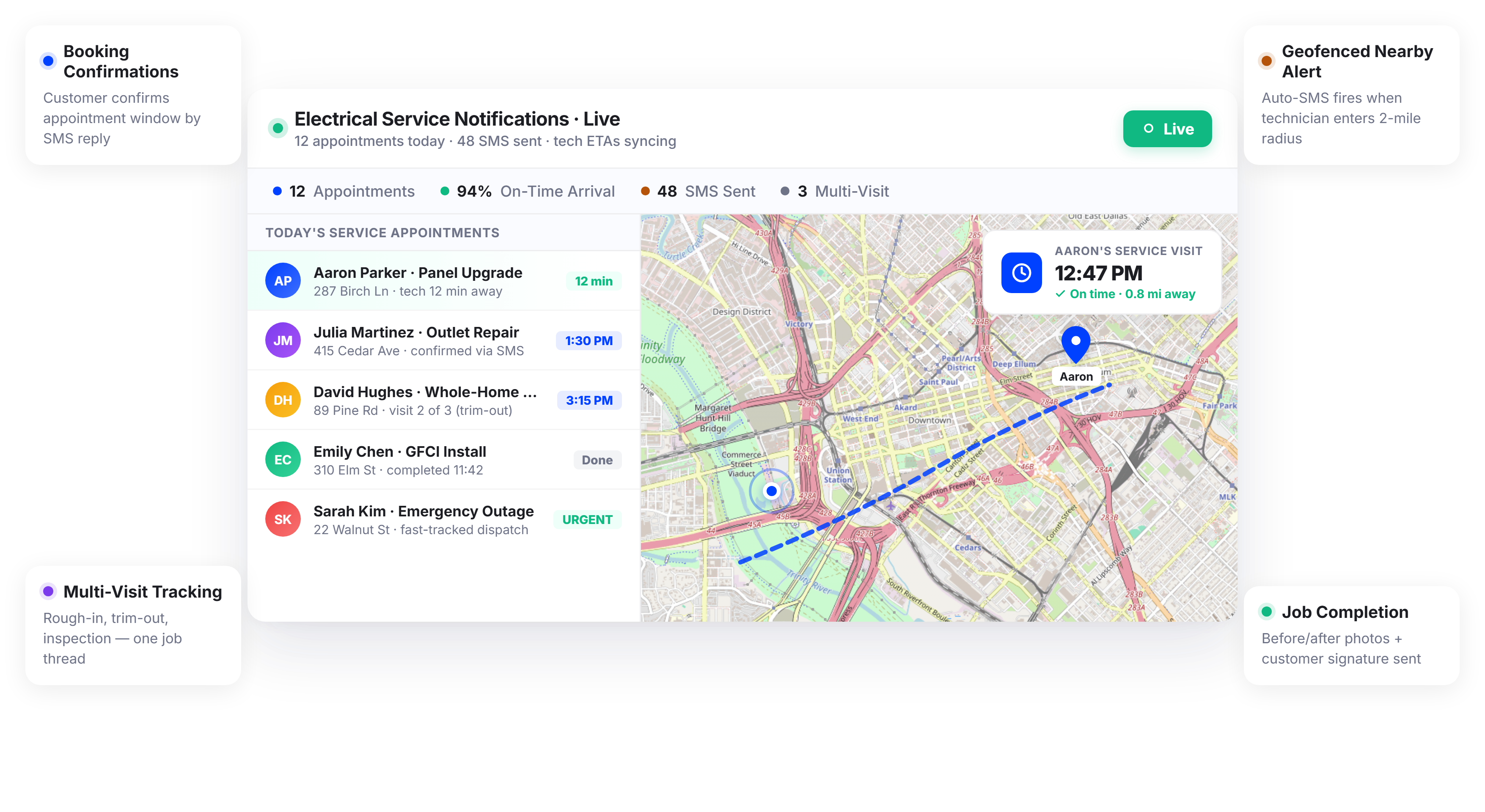
Electrical Contractors Using Upper Keep Appointment Schedules Tight and Customers Informed






Your Technician Drove 30 Minutes to the Job. The Customer Forgot They Had an Appointment.
What Appointment Communication Promises
-
 Customers remember their appointment and are home on time
-
Homeowners get enough advance notice to prepare the work area
-
Technicians arrive to an accessible panel with the power situation explained
-
Your office handles emergencies, not “when will the electrician be here?” calls

What Actually Happens
-
Customers book appointments but often forget by the next day without timely reminders or notifications.
-
Homeowners aren’t home because the two-hour arrival window is too vague and hard to plan around.
-
Electrical panel is blocked by furniture since customers weren’t clearly told to clear the area in advance.
-
Office coordinator spends the entire morning calling customers manually to confirm and reduce no-shows.
Every Notification Your Electrical Contracting Business Needs
Upper’s customer notifications software for electrical contractors automates communication across the entire service appointment lifecycle. From booking confirmation to job completion, every customer receives timely updates and your office stops making manual reminder calls.
Appointment Booking Confirmations
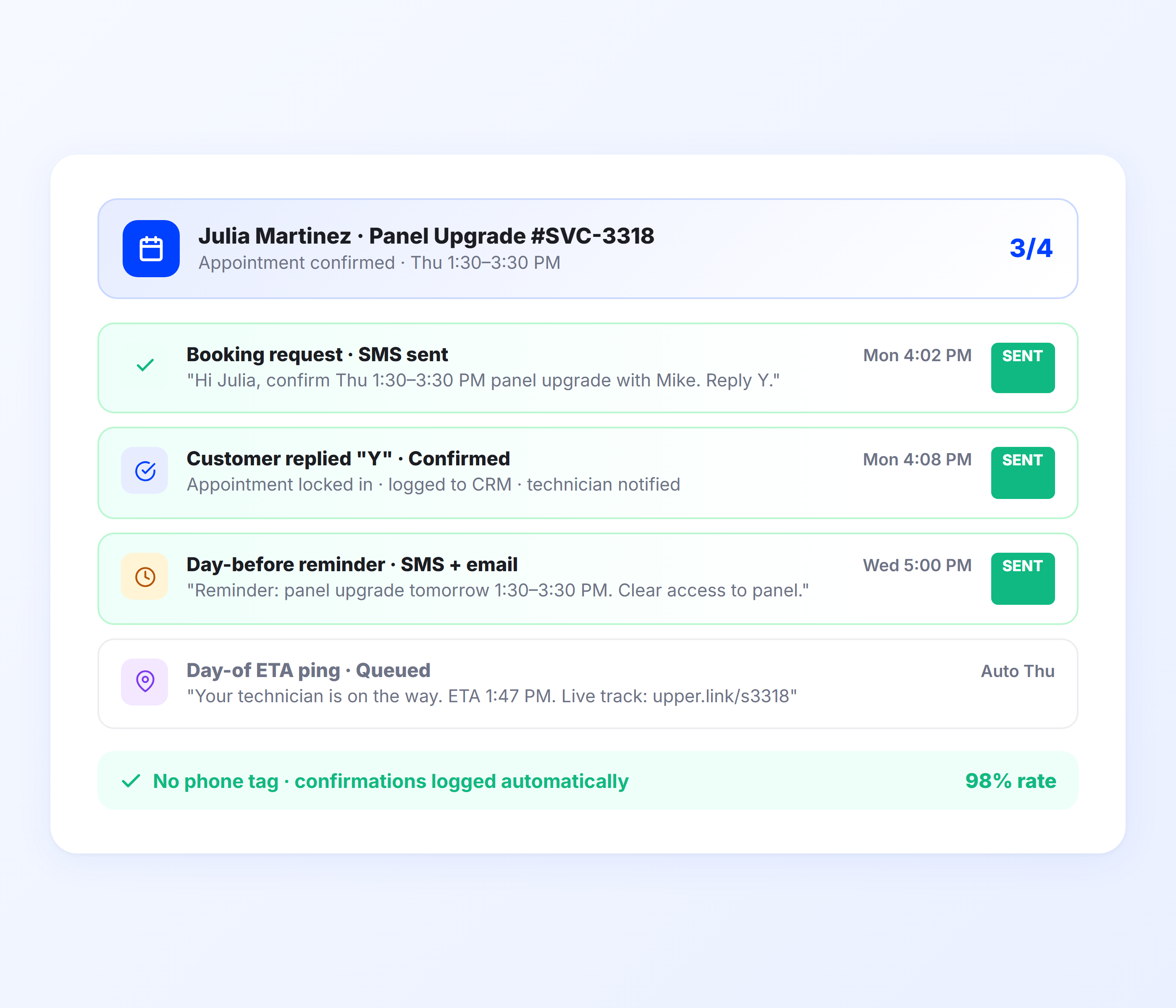
The moment a job is scheduled, Upper sends the customer an automated confirmation with the date, time window, and preparation instructions. For electrical work where customers need to clear access to panels, move furniture, or be aware of power shutoff requirements, this first notification sets expectations before your technician arrives.
- Automatic booking confirmation via SMS and email
- Appointment date, time window, and technician details
- Preparation instructions (clear panel access, secure pets, etc.)
- Rescheduling link for customers who need to change the appointment
- Confirmation sent immediately when route is finalized
- Customizable templates for different job types

Day-Before Appointment Reminders
Upper sends an automated reminder the day before the appointment. This single notification dramatically reduces no-shows by putting the appointment back on the customer’s radar. The reminder includes the time window, any preparation steps, and a link to reschedule if they can no longer make it.
- Automated reminder 24 hours before the appointment
- Appointment time window and preparation recap
- Reschedule link to reduce last-minute cancellations
- Sent via SMS, email, or both
- Reduces no-show rates significantly
- Customers can confirm availability with one tap
Real-Time Technician ETAs
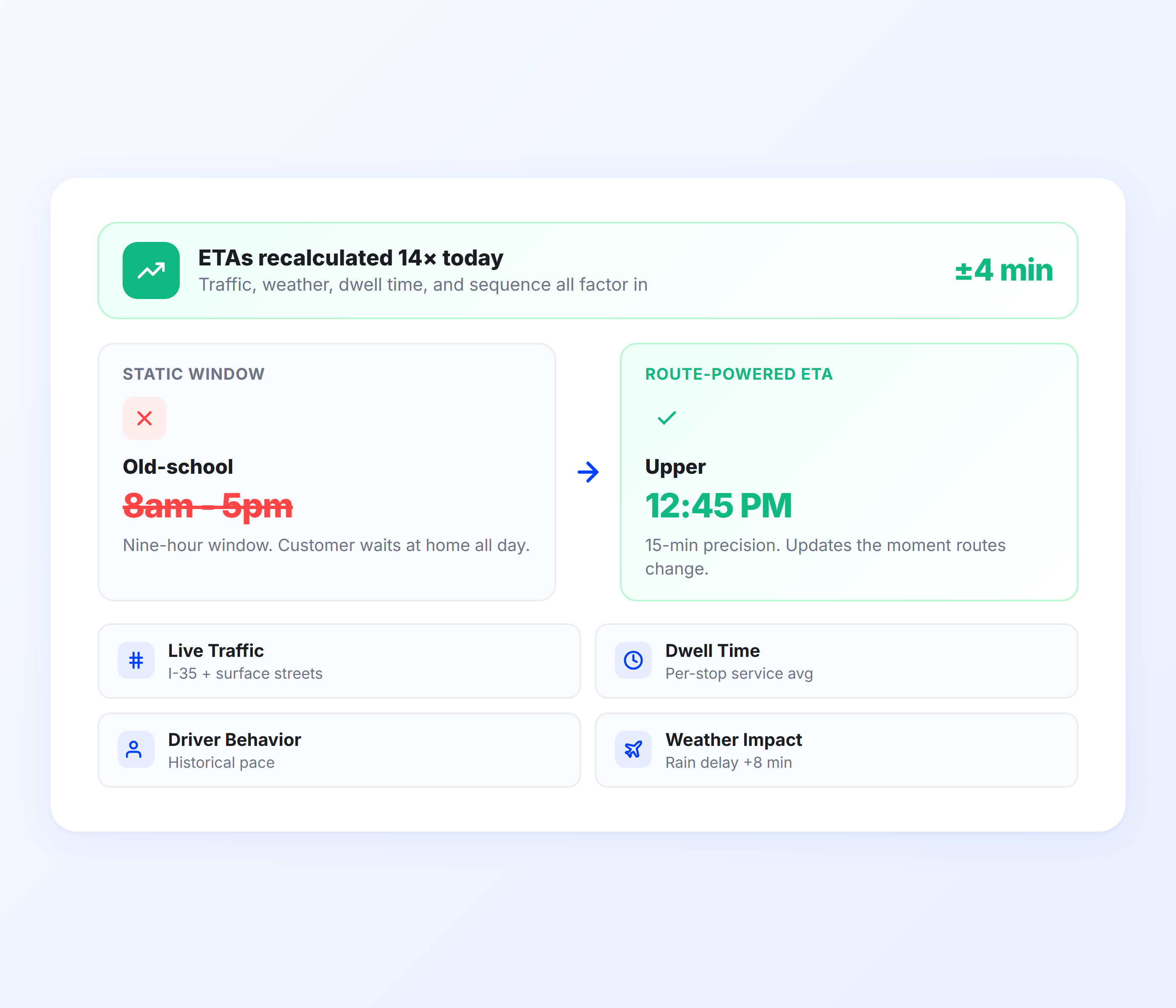
On service day, Upper sends customers a live ETA calculated from route optimization data and technician GPS position. As the technician completes earlier jobs, downstream customer ETAs recalculate automatically. Customers see a precise arrival time instead of sitting through a two-hour window.
- Live ETA from route optimization and GPS data
- Auto-recalculation as the technician completes earlier jobs
- Narrows two-hour windows to precise arrival estimates
- SMS and email notification with tracking link
- Factors in variable job durations at each stop
- Updates automatically for delays or schedule changes
Technician Tracking Links
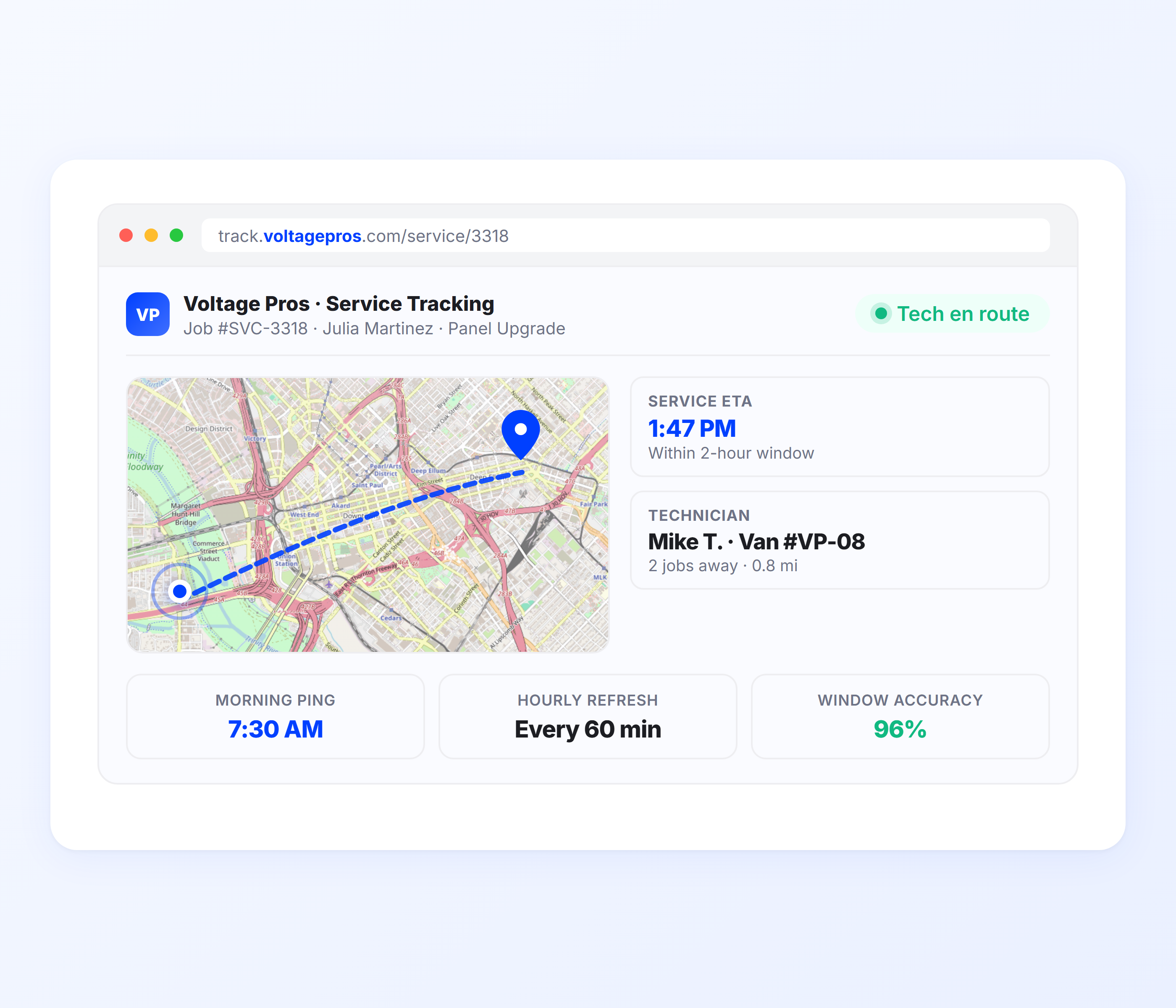
Every day-of notification includes a tracking link that opens in the customer’s mobile browser. Homeowners can check where the technician is and when they’ll arrive without calling your office. The tracking page is mobile-optimized, requires no app download, and shows a live map with an updated ETA.
- Real-time technician position on mobile-optimized map
- Updated ETA visible on tracking page
- No app download or login required
- Shareable with other household members
- Reduces “when will the electrician be here?” calls
- Branded tracking page with your company info
Permit and Inspection Scheduling Notifications
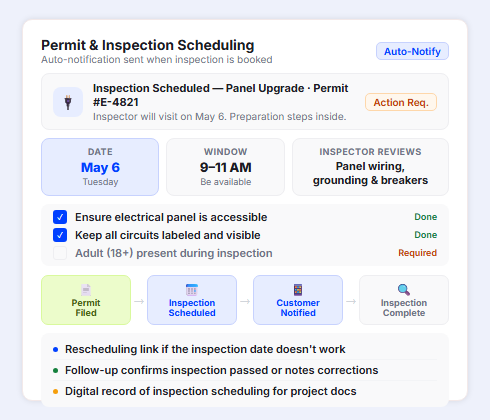
When electrical work requires a permit inspection — panel upgrades, new circuit installations, or commercial wiring — Upper sends the customer a notification with the scheduled inspection date, what the inspector will review, and any preparation required. Customers know when to be available and what to expect instead of discovering an inspection was scheduled when someone knocks on their door.
- Automatic inspection scheduling notification to the customer
- Inspection date, time window, and what the inspector will review
- Preparation instructions (ensure panel access, keep circuits labeled)
- Rescheduling link if the inspection date doesn’t work
- Follow-up notification confirming inspection passed or noting required corrections
- Digital record of inspection scheduling for project documentation
Job Completion and Follow-Up Notifications
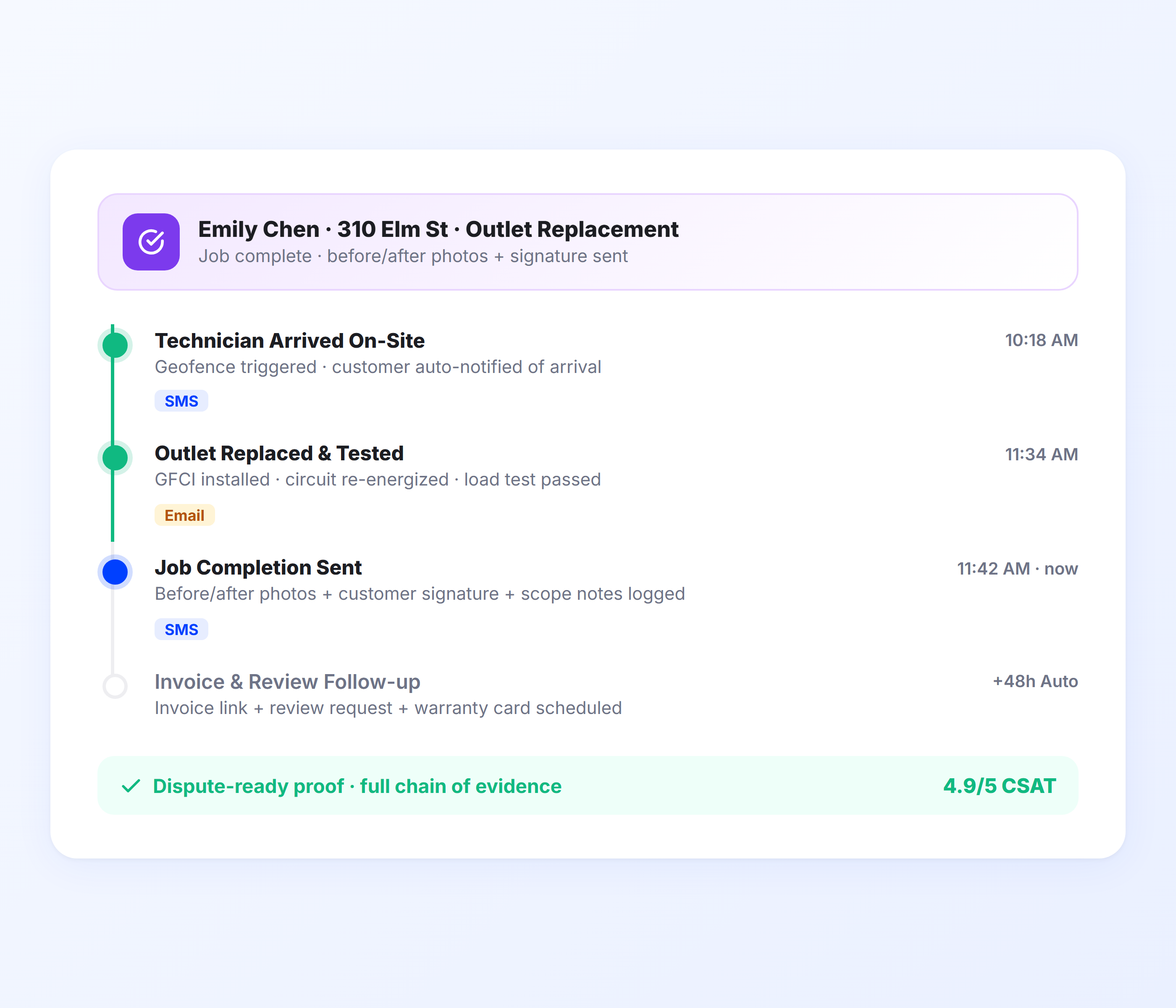
When the technician marks a job complete, Upper sends the customer a confirmation with job details, proof of service photos, and any follow-up notes. For multi-visit electrical jobs (rough-in, trim-out, inspection), the completion notification can include scheduling information for the next visit.
- Automatic job completion notification
- Before/after photos of completed work
- Technician notes and follow-up recommendations
- Next-visit scheduling for multi-phase jobs
- Digital record for customer files and warranty
- Invoice or payment link option in notification
Send Reminders, ETAs, and Job Confirmations to Every Customer Automatically
Upper automates every customer touchpoint from booking confirmation to job completion. Your technicians focus on electrical work, not calling customers from the truck.
Client Success Stories

“We used to spend 2 hours every morning planning routes in spreadsheets. Now it takes 10 minutes. Upper paid for itself in the first week.”


“What sold me was how easy it is to make changes. My schedules change a lot and I drag & drop stops and we’re back on track in 30 seconds. With our old software, that would’ve been an hour of replanning.”


“Our drivers actually follow the routes now. The app is simple, the navigation works, and they’re not calling me every 10 minutes asking where to go next.”

Electrical Contractor Notification Features for Tighter Schedules
- Appointment Templates
- Geofenced Arrival Alerts
- Multi-Visit Job Tracking
- Emergency Dispatch Alerts
- Service Analytics

Appointment Templates
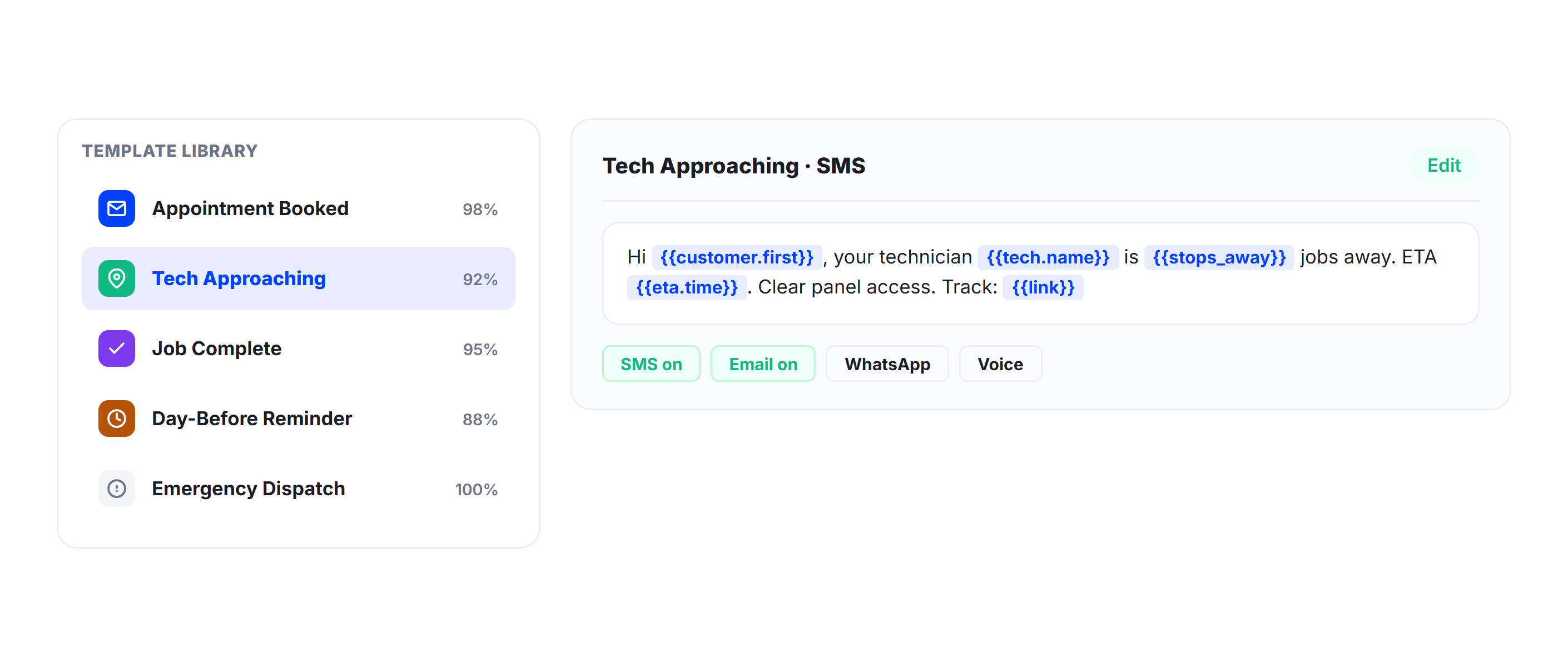
Build separate notification templates for different job types: new installations, panel upgrades, troubleshooting calls, inspections, and emergency service. Each template can include job-specific preparation instructions and different notification timing.
Geofenced Arrival Alerts
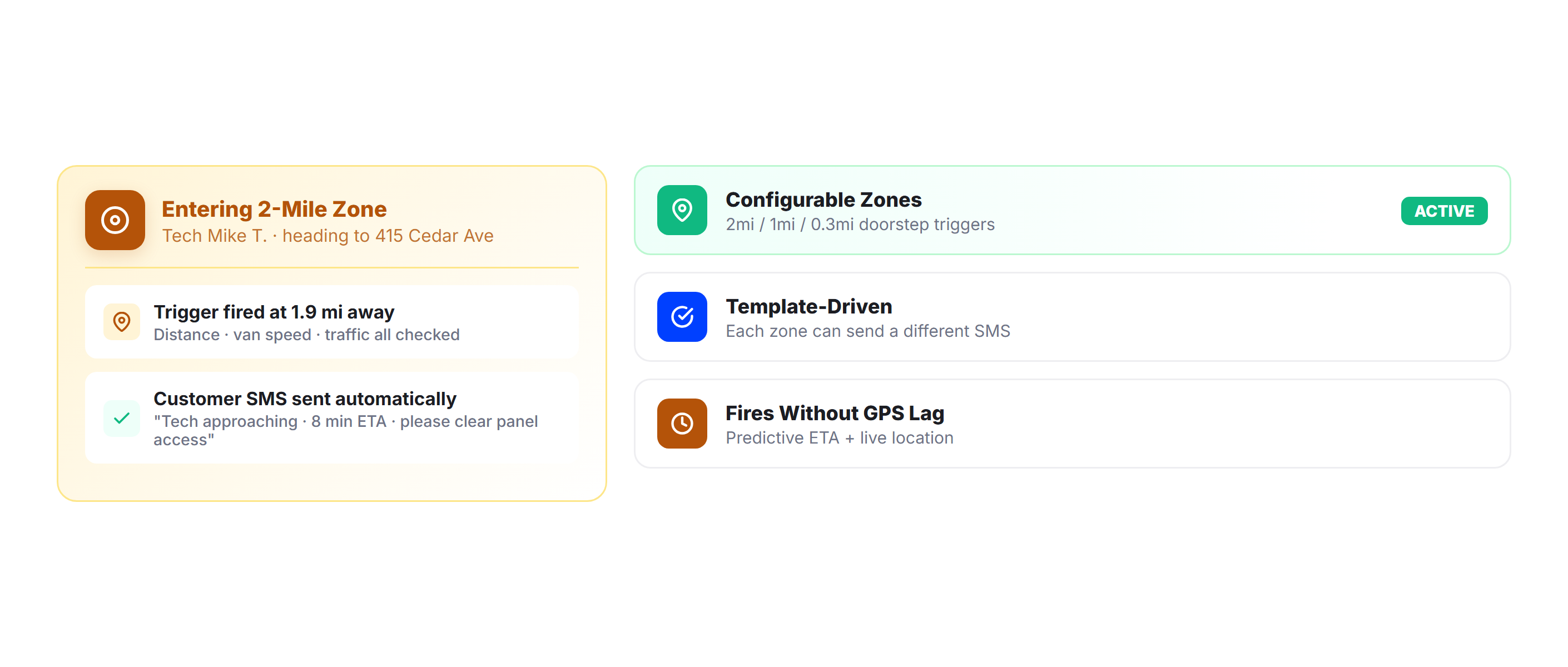
Trigger automatic “technician approaching” notifications when the service vehicle enters a customer’s geofenced zone. Give homeowners the advance notice they need to be at the door, secure pets, or clear access to the work area.
Multi-Visit Job Tracking
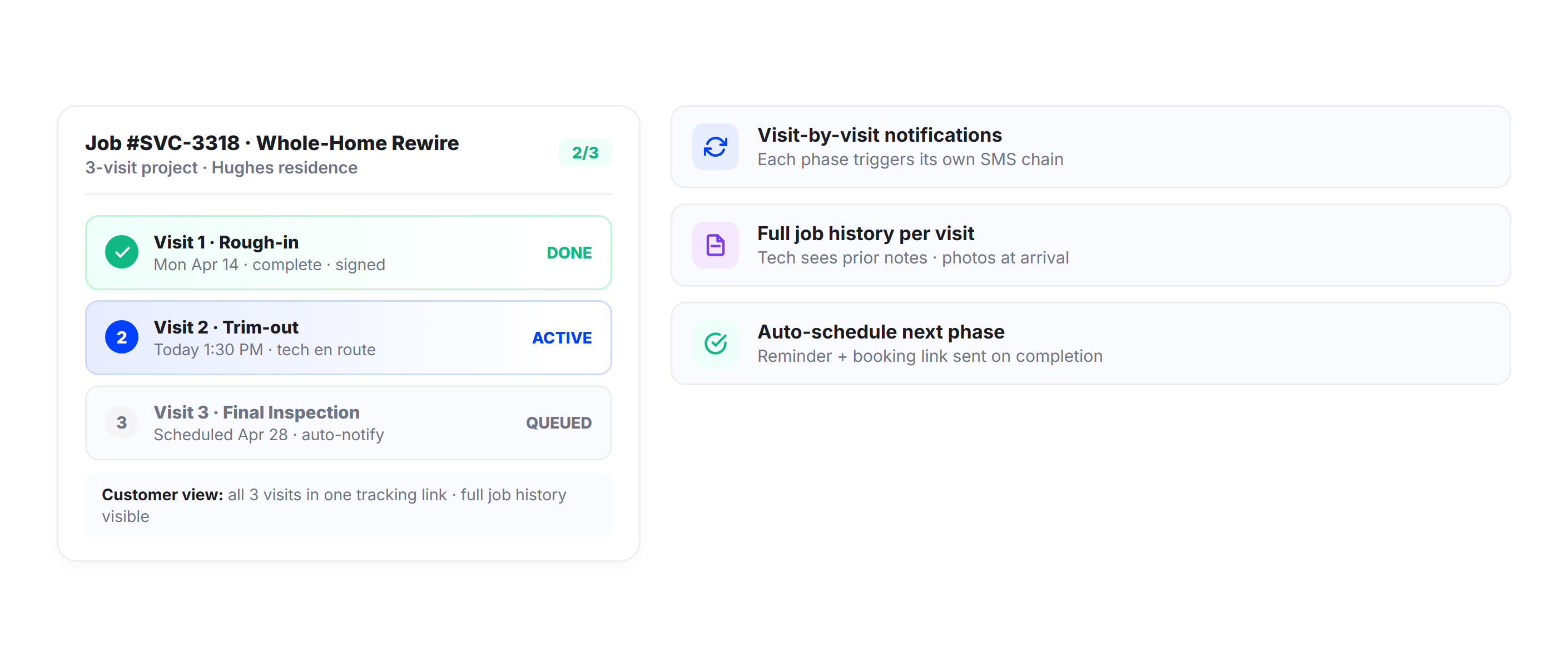
For electrical projects spanning multiple visits (rough-in, trim-out, final inspection), Upper tracks the job across all visits. Customers receive notifications for each scheduled visit, and technicians see the full job history when they arrive for the next phase.
Emergency Dispatch Alerts
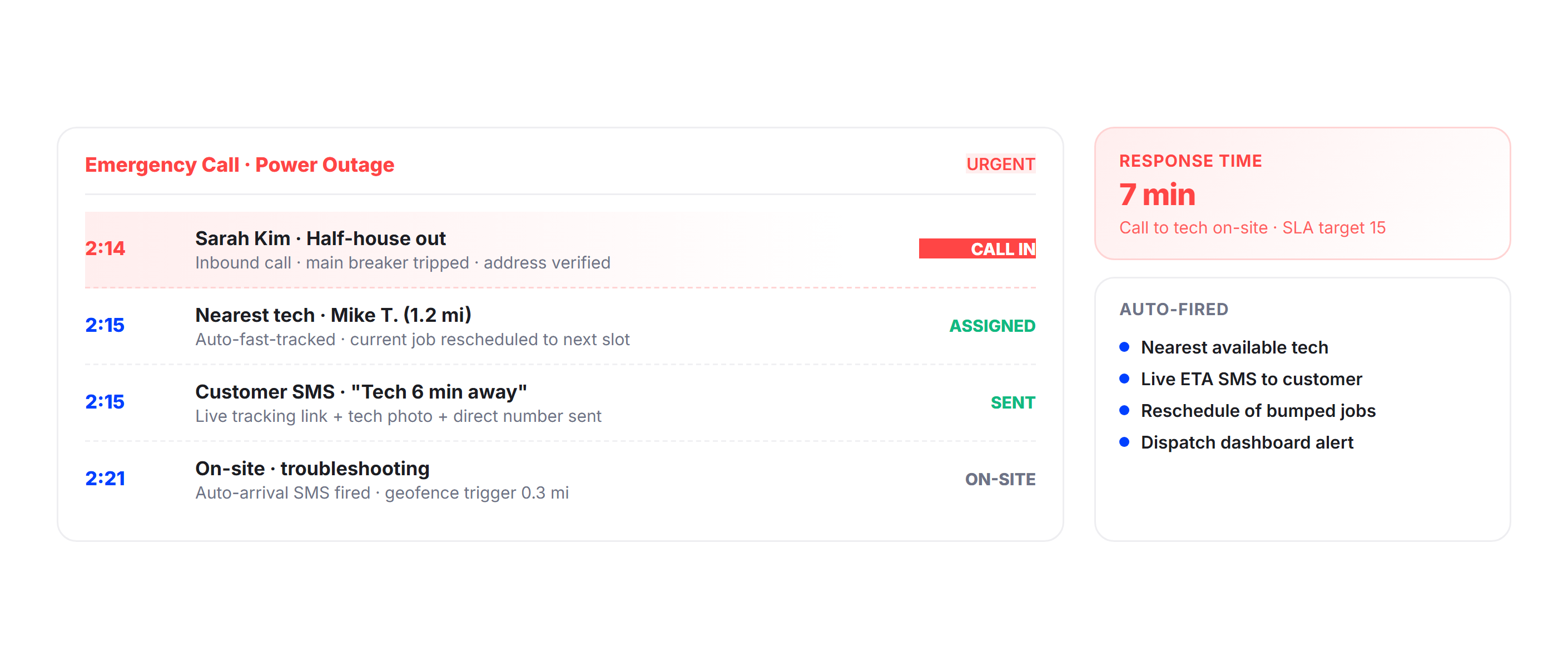
When an emergency service call comes in, Upper can fast-track the nearest available technician and send the customer an immediate ETA. The emergency notification template conveys urgency and gives the customer a live tracking link so they know help is on the way.
Service Analytics
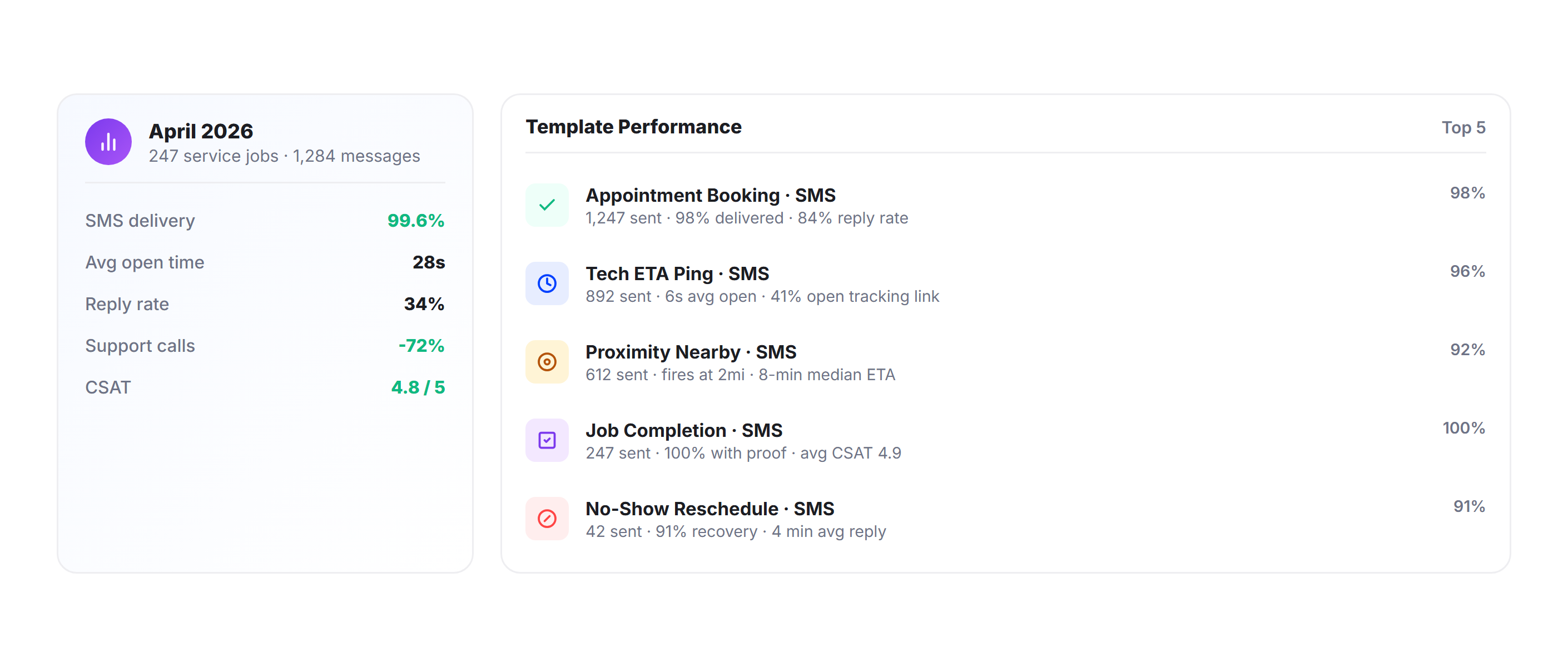
Track on-time rates, job durations, customer no-show rates, and notification engagement through Upper’s analytics dashboard. Identify which notification types have the biggest impact on reducing no-shows and use the data to optimize your appointment scheduling.
Why Electrical Contractors Choose Upper for Customer Notifications

Eliminate Customer No-Shows
Day-before reminders and day-of ETAs keep appointments on the customer’s radar. When homeowners know the technician is 10 minutes away, they stay home. Fewer no-shows means fewer wasted truck rolls and more billable hours per day.

Stop Making Manual Confirmation Calls
Your office coordinator shouldn’t spend every morning calling customers to confirm appointments. Upper automates the entire confirmation and reminder workflow so your team manages the schedule, not the phone.

Handle Variable Job Durations Accurately
A 30-minute outlet install and a three-hour panel upgrade create very different downstream ETAs. Upper factors in actual job duration at each stop when calculating arrival times for remaining customers, so estimates are realistic.

Homeowner Prep Time
Electrical work often requires clearing access to panels, moving furniture, or being aware of the power shutoff. Preparation instructions in the booking confirmation and reminder notifications ensure the home is ready when the technician walks in.

Manage Multi-Visit Projects Smoothly
Rough-in, trim-out, inspection. Each phase needs its own appointment, its own reminder, and its own completion confirmation. Upper handles the full sequence across multiple visits without manual scheduling overhead.

Scale Your Service Territory
Whether you run two service trucks or 20, every customer on every route gets the same automated notification experience. Expand your service area and add technicians without adding office staff to handle customer communication.
Connect Electrical Contractor Notifications with Your Existing Tools


Automate Every Appointment Notification from Booking to Job Completion
Upper sends booking confirmations, day-before reminders, live technician ETAs, arrival alerts, and job completion notifications for every service call on every route.
Frequently Asked Questions
-
Can I include preparation instructions in the appointment notification?
Yes. Upper’s notification templates are fully customizable. For electrical work, you can include instructions like “clear a 3-foot area around your electrical panel,” “secure all pets in a separate room,” or “be aware that power will be shut off for approximately 30 minutes during the installation.” Different templates can be set for different job types.
-
How does Upper handle variable job durations when calculating ETAs for later appointments?
Upper lets you set estimated service times per stop. A quick outlet install might be 30 minutes, while a panel upgrade might be three hours. The route optimization engine uses these per-stop durations to calculate accurate arrival times for downstream customers. As technicians complete jobs faster or slower than estimated, remaining ETAs recalculate automatically.
-
Can Upper handle emergency electrical service calls?
Yes. Emergency calls can be added to an active route or assigned to the nearest available technician. Upper sends the customer an immediate ETA and tracking link so they know when help is arriving. Emergency notifications use a separate template to convey urgency and provide the customer with a live view of the technician’s approach.
-
Does Upper work for multi-visit electrical projects?
Yes. For projects requiring multiple visits (rough-in, trim-out, final inspection), Upper tracks the full job sequence. Customers receive booking confirmations, reminders, and ETAs for each visit. Technicians see the complete job history when they arrive for the next phase. The system handles the scheduling and notification for the entire project lifecycle.
-
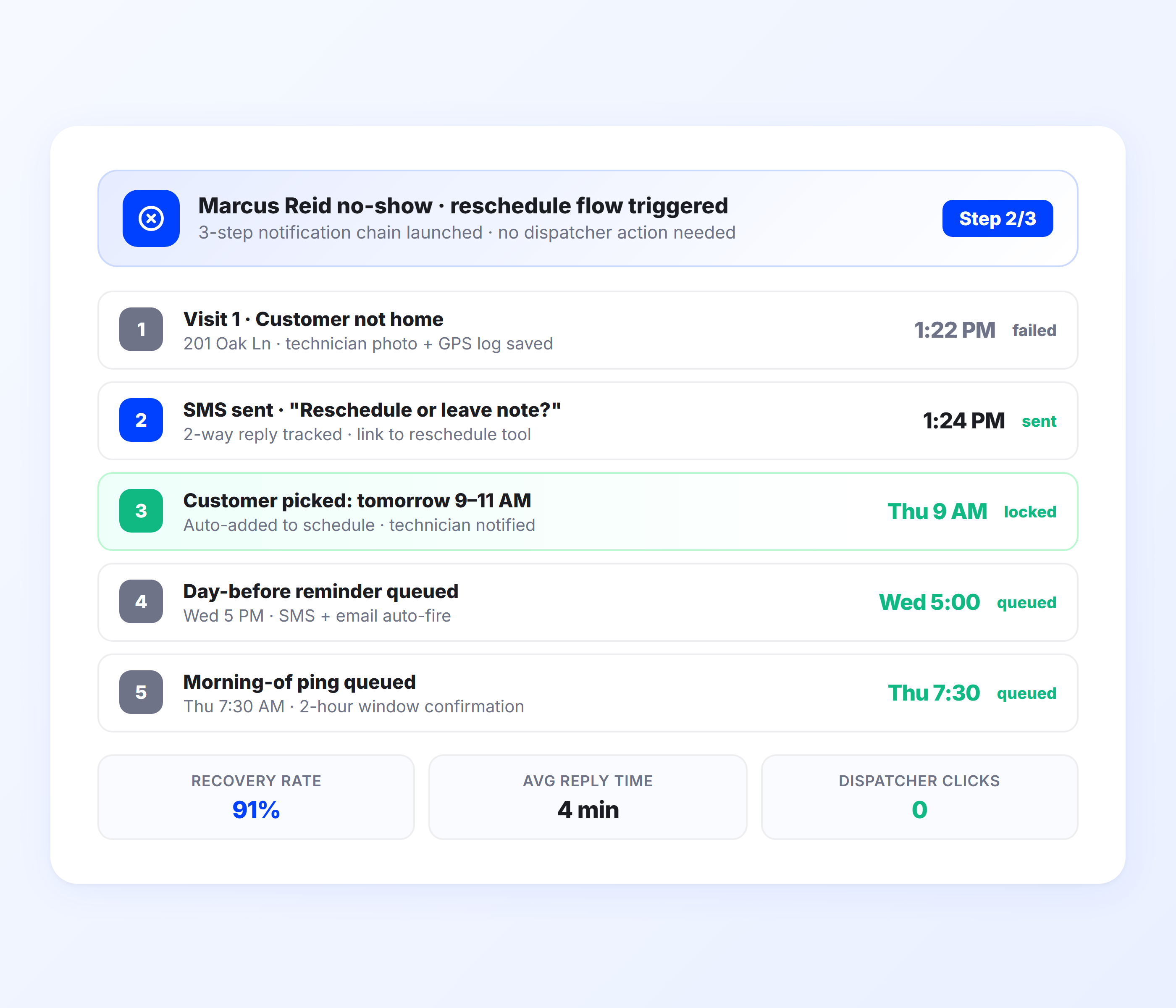
What happens when a customer isn’t home for their electrical appointment?
Upper logs the no-show with a timestamp and GPS coordinates. The customer receives an automatic notification with rescheduling options. Your dispatch dashboard shows the no-show in real time, so you can reassign the technician to the next job or redirect them to a nearby call.