
Cut “Where’s My Package?” Calls in Half — Automate Notifications for Every Courier Delivery

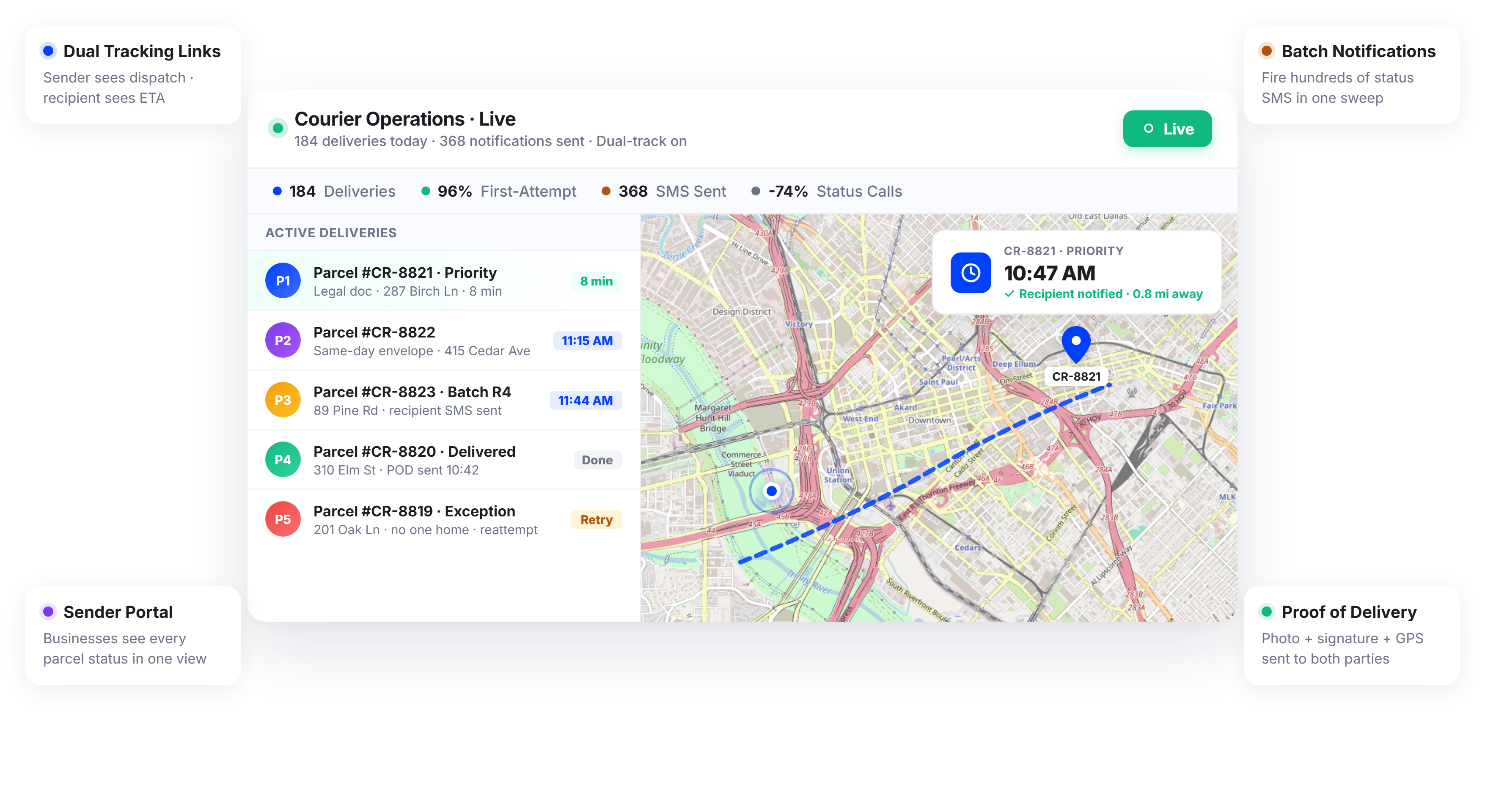
Courier Teams Using Upper Handle More Deliveries with Fewer Status Calls






Senders Want Proof It Was Delivered. Recipients Want to Know When. You’re Stuck in the Middle.
What Courier Delivery Communication Promises
-
 Senders get confirmation the moment their package is delivered
-
Recipients receive a real-time ETA they can plan around
-
Every delivery has a documented proof trail
-
Your support team handles exceptions, not status inquiries

What Actually Happens
-
Senders frequently call asking if the package was delivered, due to lack of real-time status updates.
-
Recipients call repeatedly asking when the driver will arrive, creating constant support interruptions.
-
Drivers sometimes ring once and mark “attempted” without proper effort, leading to failed deliveries.
-
Dispatch spends significant time relaying updates between senders and recipients, reducing efficiency.
Every Notification Tool Your Courier Operation Needs
Upper’s customer notifications software for courier delivery automates communication to both senders and recipients across every delivery on every route. From pickup confirmation to proof of delivery, every party stays informed without a single phone call from your team.
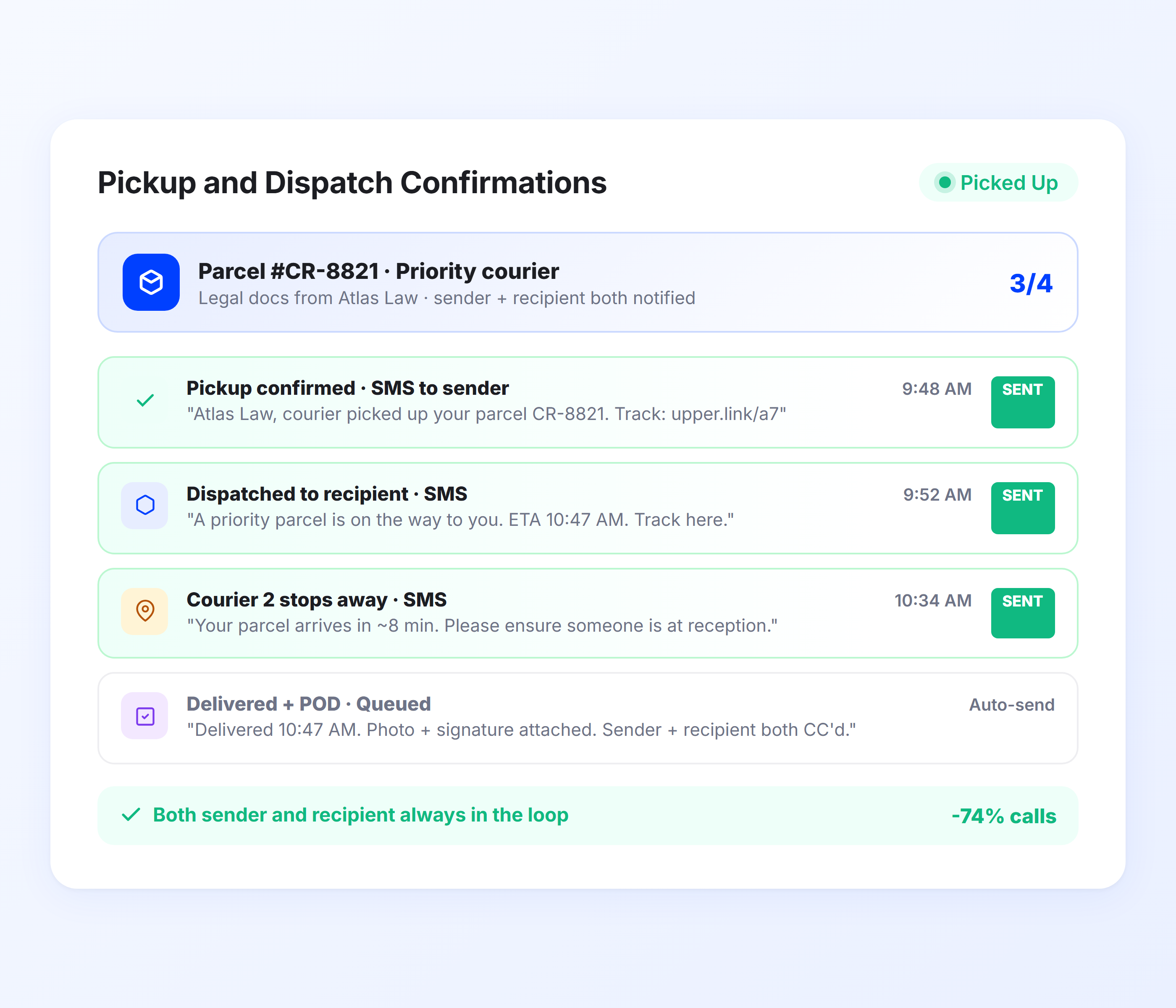
Pickup and Dispatch Confirmations
When a courier picks up a package, Upper sends the sender an automatic confirmation that the item is in transit. The recipient receives a separate notification with an estimated delivery window. Both sides know the delivery is active from the moment it starts.
- Automatic pickup confirmation to sender
- Delivery window notification to recipient
- Separate customizable templates for senders and recipients
- Sent immediately when the package enters the route
- Includes tracking link for both parties
- Batch notifications for high-volume multi-pickup routes

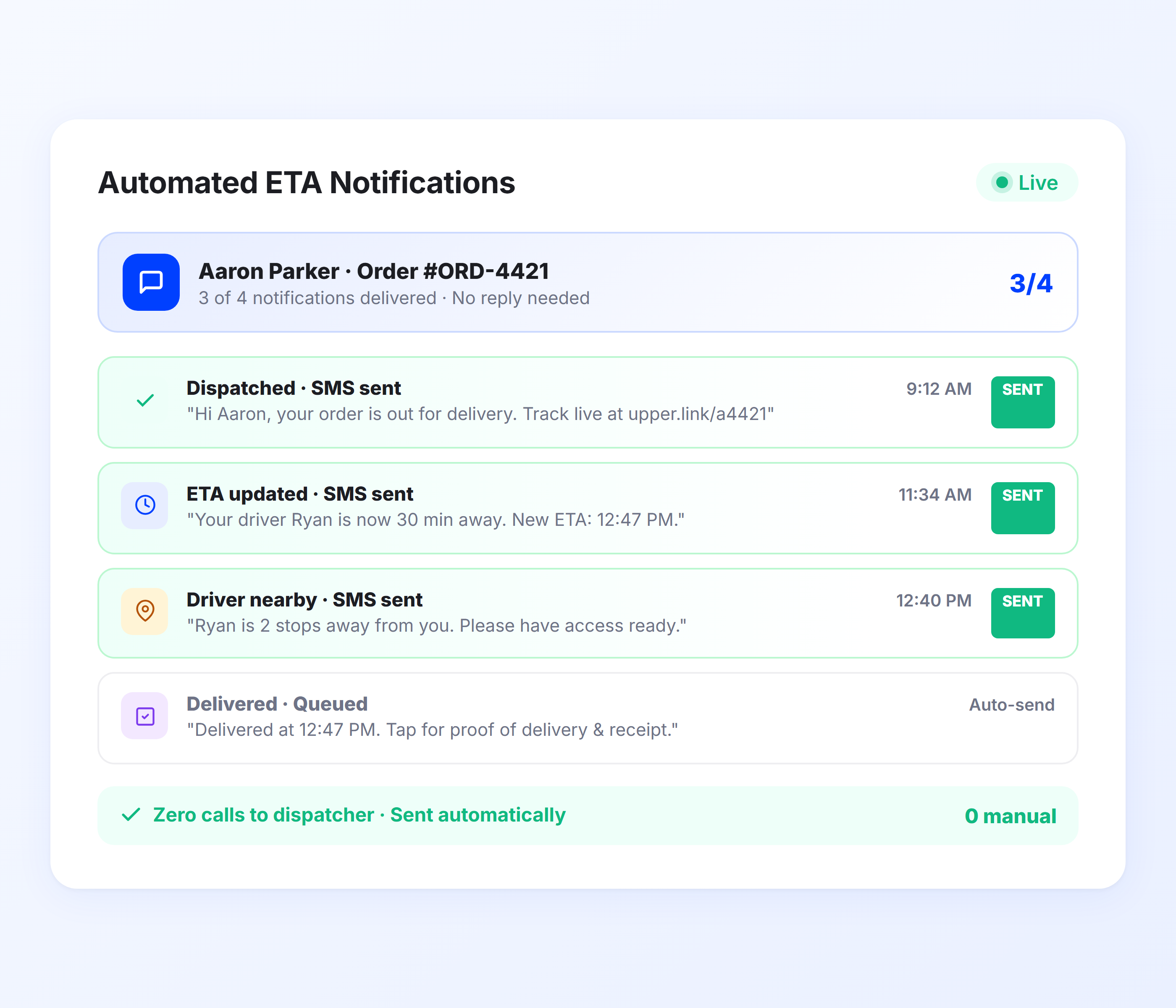
Real-Time Delivery ETAs for Recipients
Upper calculates recipient ETAs from live route optimization data and driver GPS positions. As the driver completes earlier stops, downstream ETAs recalculate automatically. Recipients get a dynamic arrival time accurate enough to plan around, whether their delivery is stop 5 or stop 50.
- Live ETA from route optimization and GPS data
- Automatic recalculation after each completed delivery
- Accurate across high-volume 100+ stop routes
- SMS and email notification with tracking link
- Per-stop accuracy regardless of route position
- Updates sent automatically as conditions change
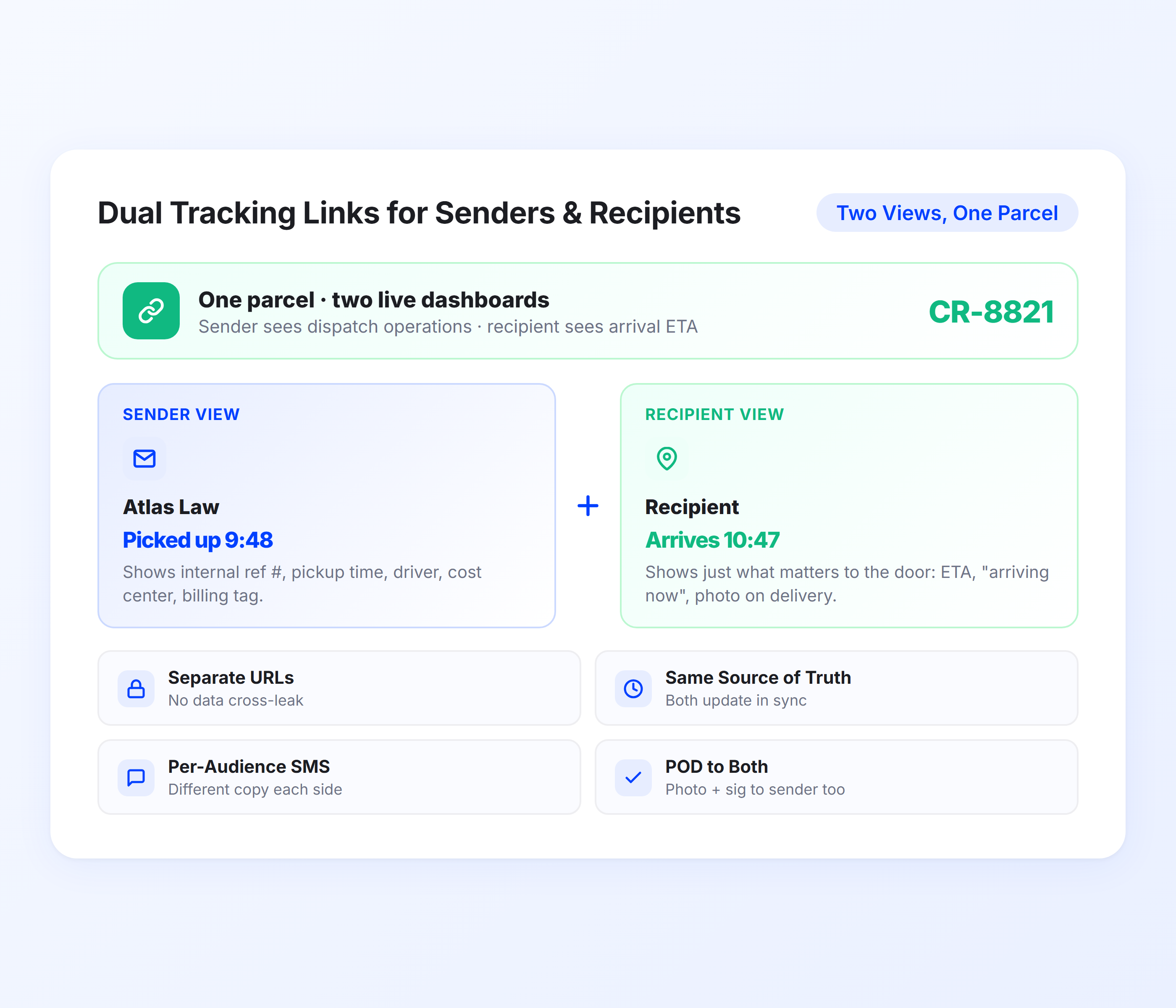
Dual Tracking Links for Senders and Recipients
Every delivery generates two tracking perspectives. The sender sees package progress and delivery status across all their shipments. The recipient sees their specific delivery’s real-time location and ETA. Both access a tracking link in their mobile browser with no app required.
- Separate tracking views for sender and recipient
- Real-time driver position on mobile-optimized map
- Sender can track all their active packages in one view
- Recipient sees only their delivery’s status and ETA
- No app download or login required from either party
- Branded tracking experience with your courier company info
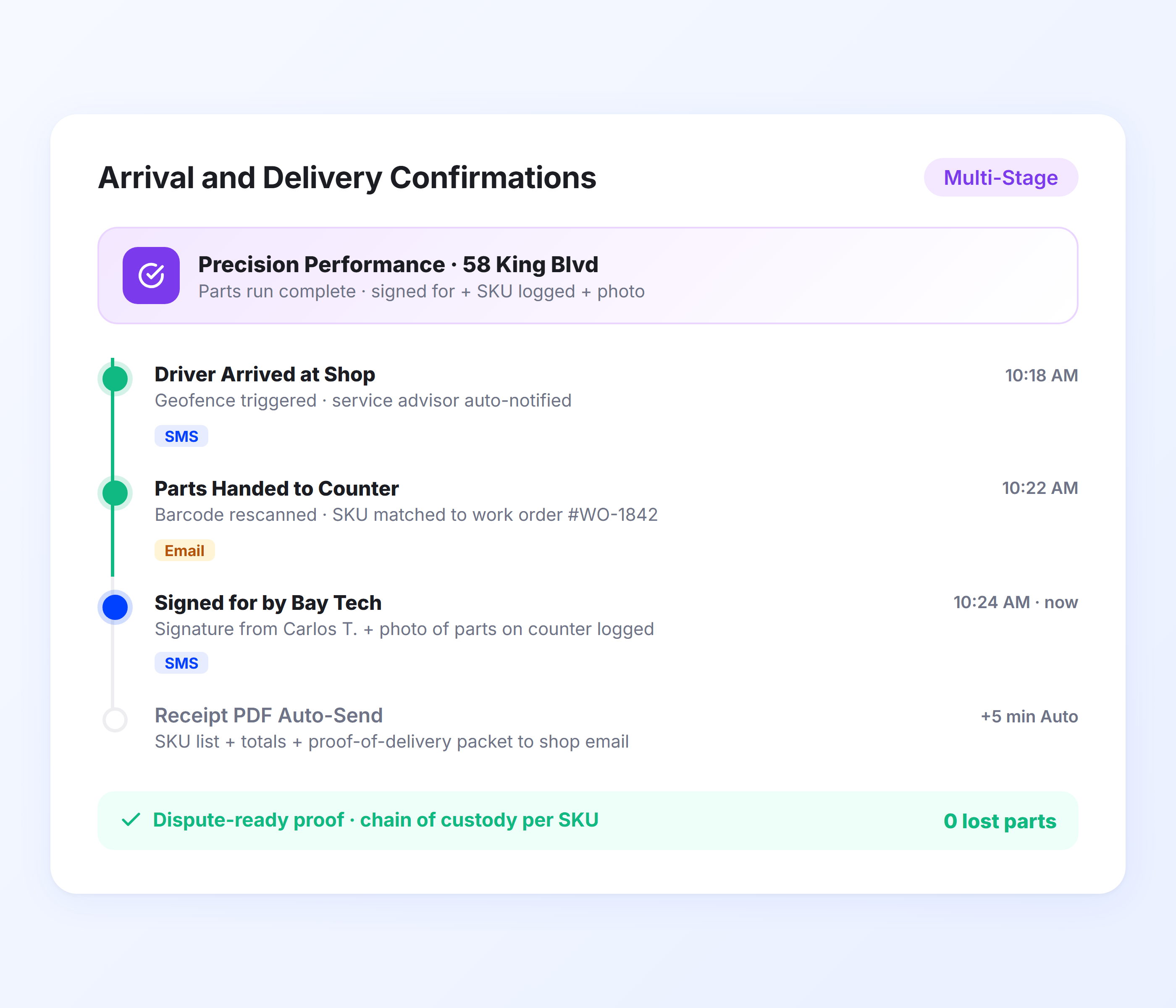
Proof of Delivery Notifications
When a delivery is completed, Upper sends both the sender and recipient a confirmation. The notification includes proof of delivery details: photos of the delivered package, digital signature from the recipient, and a timestamp with GPS coordinates. For legal, medical, or high-value packages, this creates the chain-of-custody documentation senders require.
- Delivery confirmation to both sender and recipient
- Photo proof of delivery attached to notification
- Digital signature captured from recipient
- Timestamped GPS coordinates for every delivery
- Chain-of-custody documentation for sensitive packages
- Complete digital record for dispute resolution
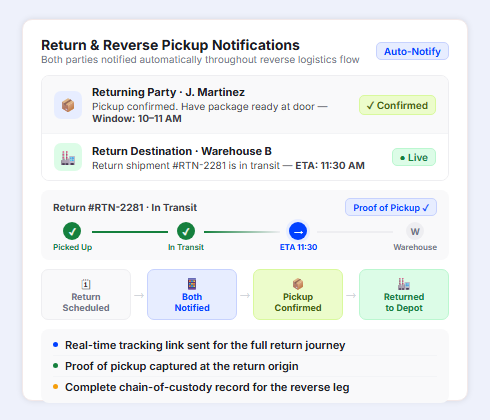
Return and Reverse Pickup Notifications
When a return pickup is scheduled, Upper notifies both the original recipient (now the sender) and the return destination with pickup and delivery details. The person returning the package receives a pickup window and preparation reminder. The return destination receives a notification that a return is in transit with an ETA. This keeps both sides informed through the reverse logistics flow without your support team coordinating manually.
- Automatic return pickup confirmation to the returning party
- Pickup window and preparation reminder (have package ready)
- Return destination notified that a return shipment is in transit
- Real-time tracking link for the return journey
- Proof of pickup captured at the return origin
- Complete chain-of-custody record for the reverse leg
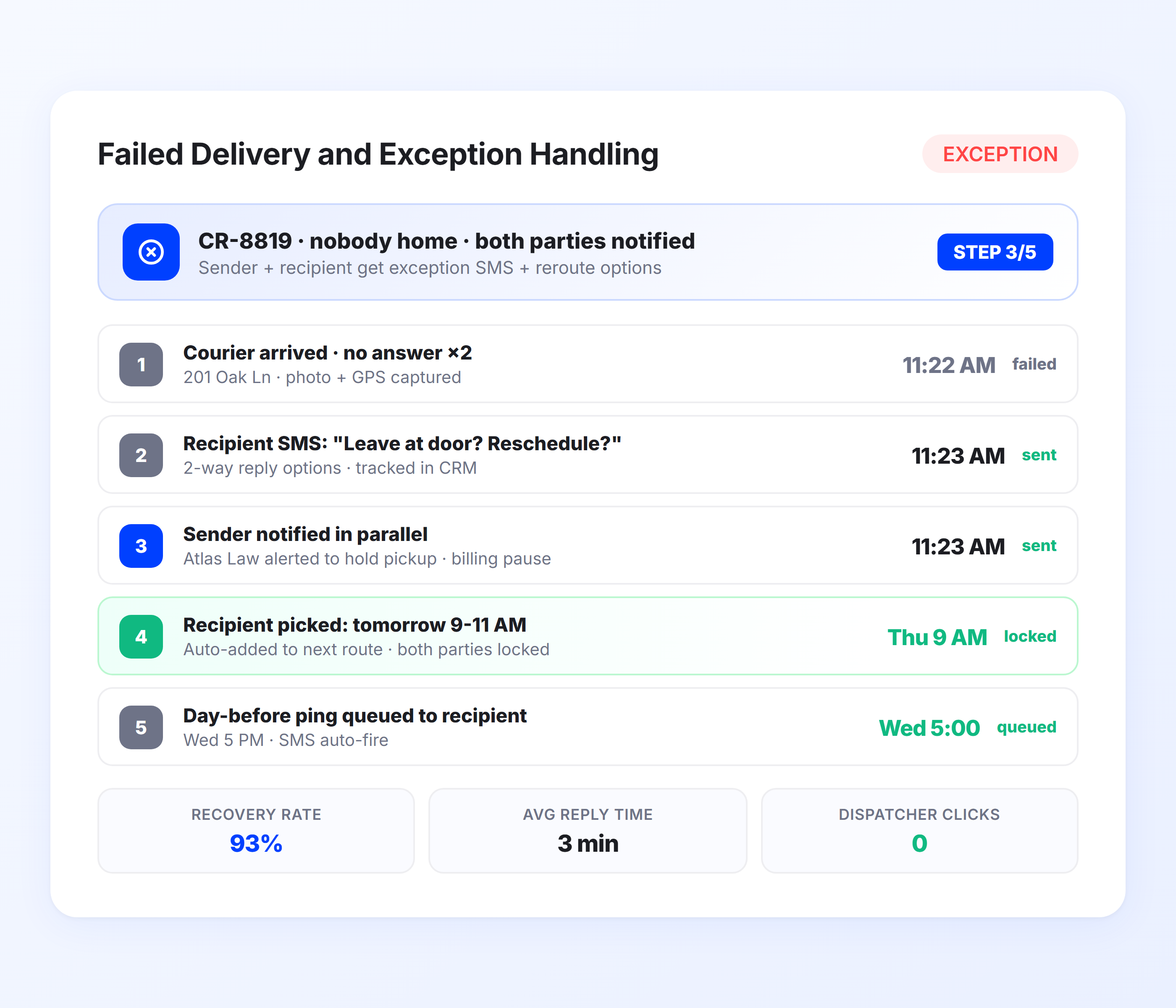
Failed Delivery and Exception Handling
When a delivery cannot be completed, Upper logs the attempt with a reason code, notifies both the sender and recipient, and creates a documented record. No more “soft attempts” where a driver logs attempted delivery without genuinely trying. The delivery attempt record includes timestamp, GPS location, and driver notes.
- Automatic failed delivery notification to sender and recipient
- Reason code logged (not home, wrong address, refused, access issue)
- GPS-stamped attempt record prevents soft attempt disputes
- Rescheduling options in recipient notification
- Sender notified immediately with exception details
- Dispatch dashboard shows all exceptions in real time
Notify Both Senders and Recipients at Every Delivery Stage, Automatically
Upper sends pickup confirmations, live ETAs, dual tracking links, proof of delivery, and exception alerts for every package on every route.
Client Success Stories

“We used to spend 2 hours every morning planning routes in spreadsheets. Now it takes 10 minutes. Upper paid for itself in the first week.”


“What sold me was how easy it is to make changes. My schedules change a lot and I drag & drop stops and we’re back on track in 30 seconds. With our old software, that would’ve been an hour of replanning.”


“Our drivers actually follow the routes now. The app is simple, the navigation works, and they’re not calling me every 10 minutes asking where to go next.”

Courier Notification Features for High-Volume Delivery Operations
- Sender Portal Notifications
- Geofenced Recipient Alerts
- Batch Notification Management
- Delivery Analytics
- Return and Pickup Scheduling

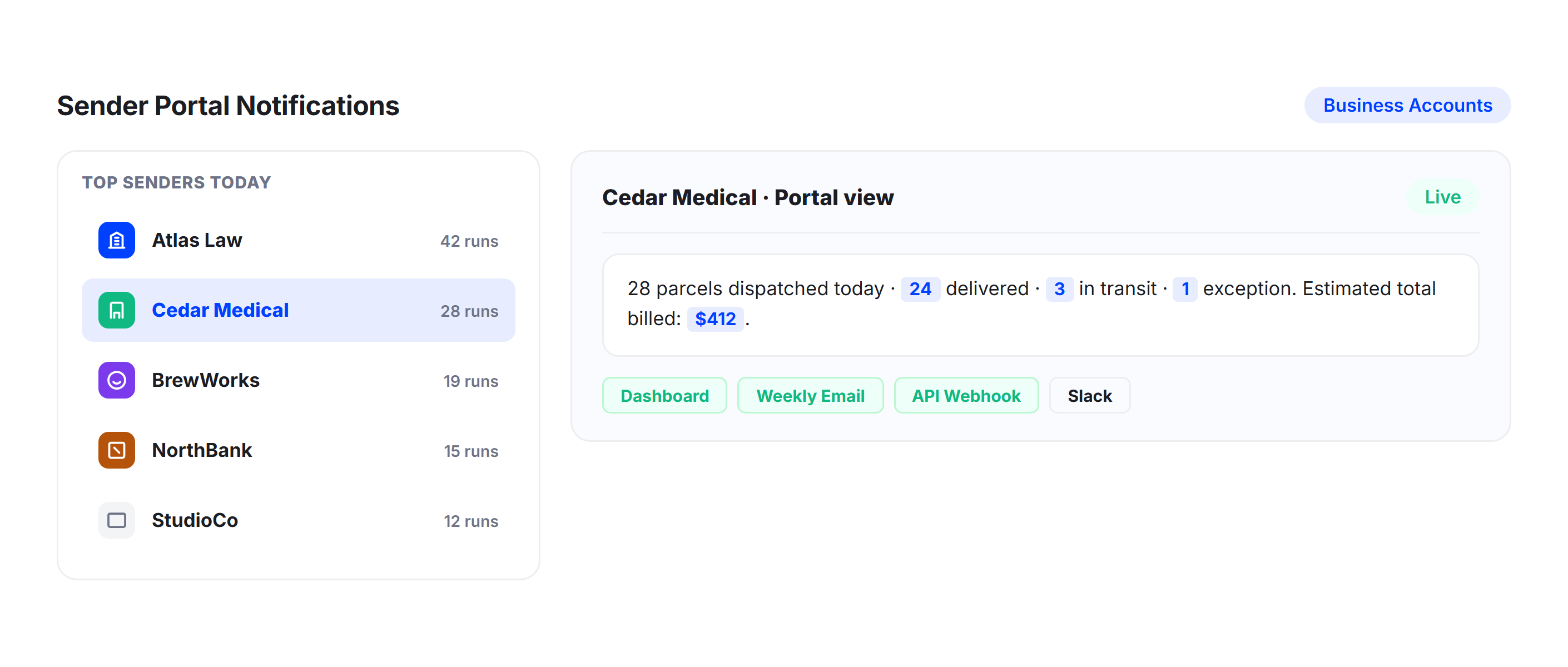
Sender Portal Notifications
Keep your business clients informed with automated updates across all their active deliveries. Senders receive pickup confirmations, delivery progress updates, proof of delivery, and exception alerts for every package. Configure notification frequency and detail level per sender account.
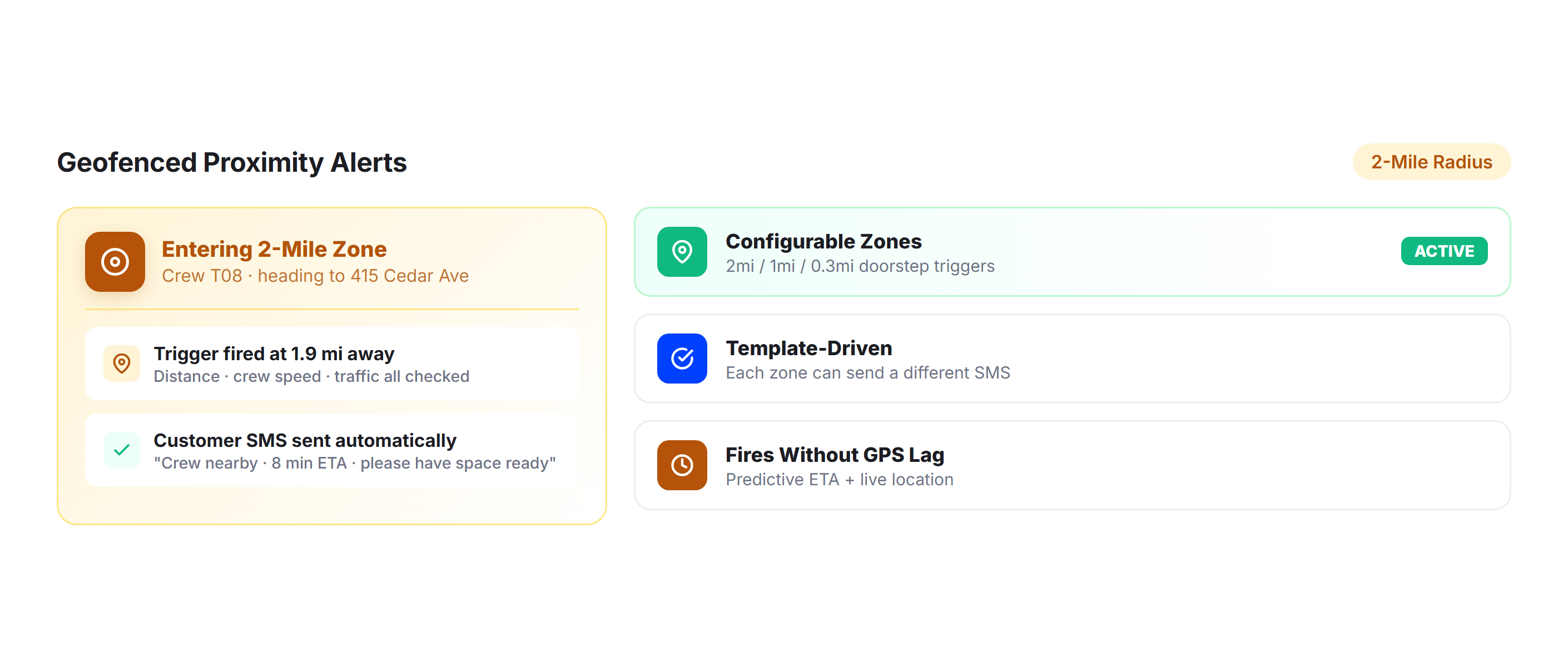
Geofenced Recipient Alerts
Trigger automatic “driver approaching” notifications when the courier enters a recipient’s geofenced zone. For deliveries requiring a signature or someone present, proximity alerts ensure the recipient is available when the driver arrives.
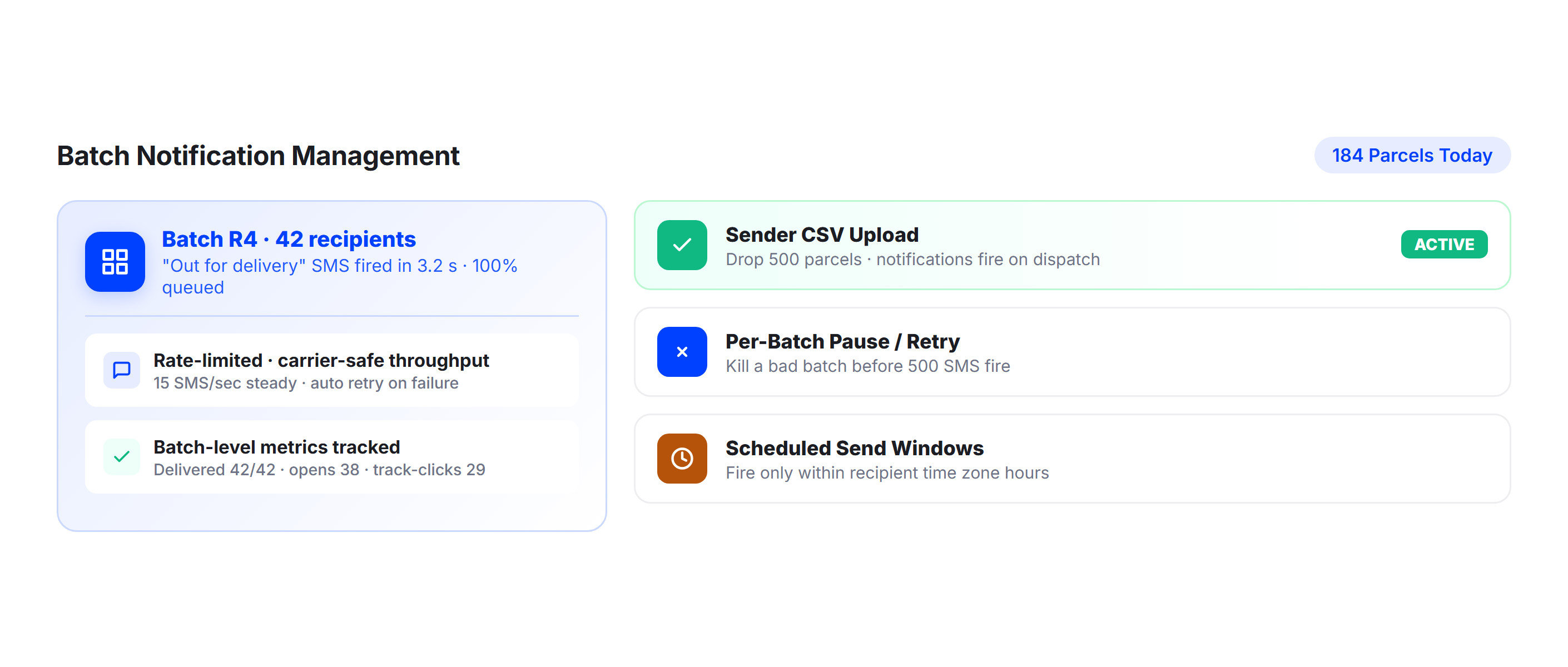
Batch Notification Management
For high-volume courier operations handling hundreds of daily deliveries, Upper sends notifications in batches synced to route progress. Configure how notifications are queued, throttled, and delivered across your entire fleet without overwhelming recipients or your SMS provider.
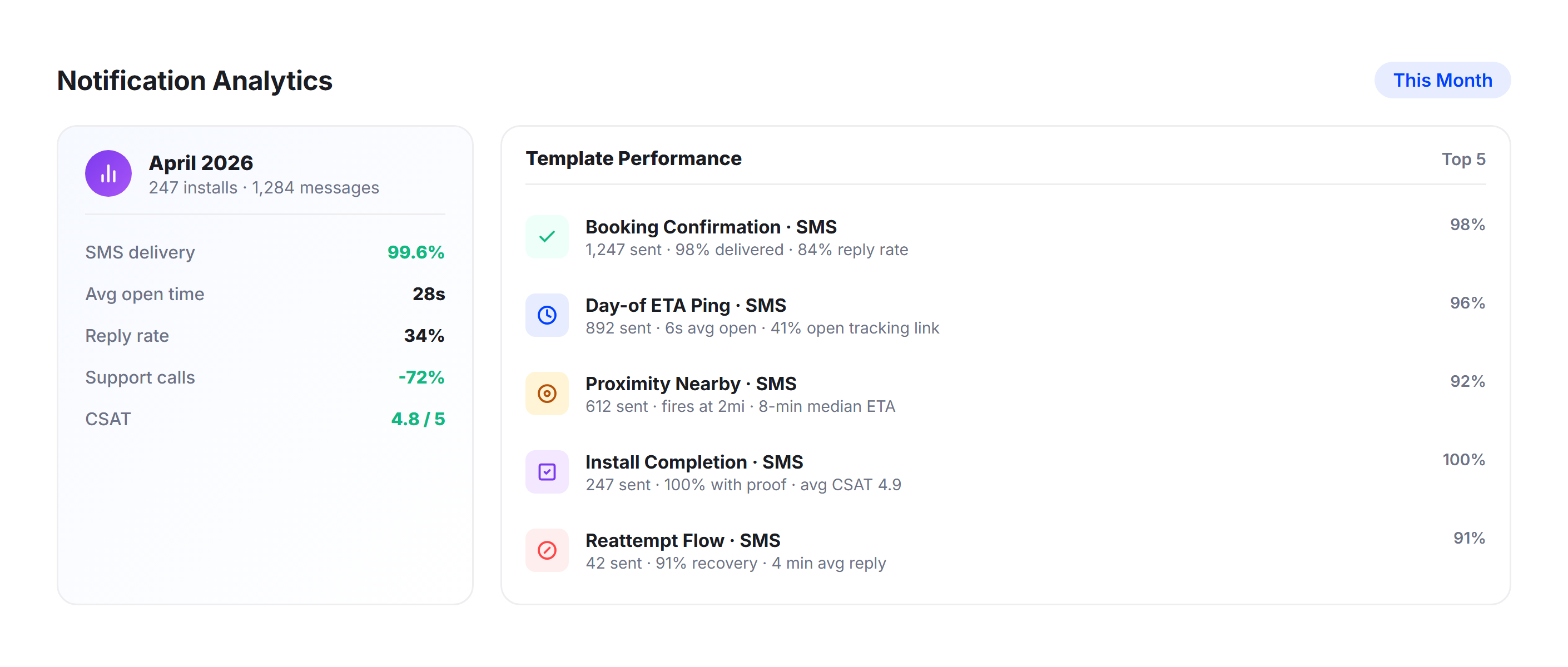
Delivery Analytics
Track first-attempt success rates, notification engagement, delivery times, and exception rates across your operation. Upper’s analytics dashboard identifies patterns in failed deliveries, highlights drivers with high soft-attempt rates, and shows which notification types correlate with successful deliveries.
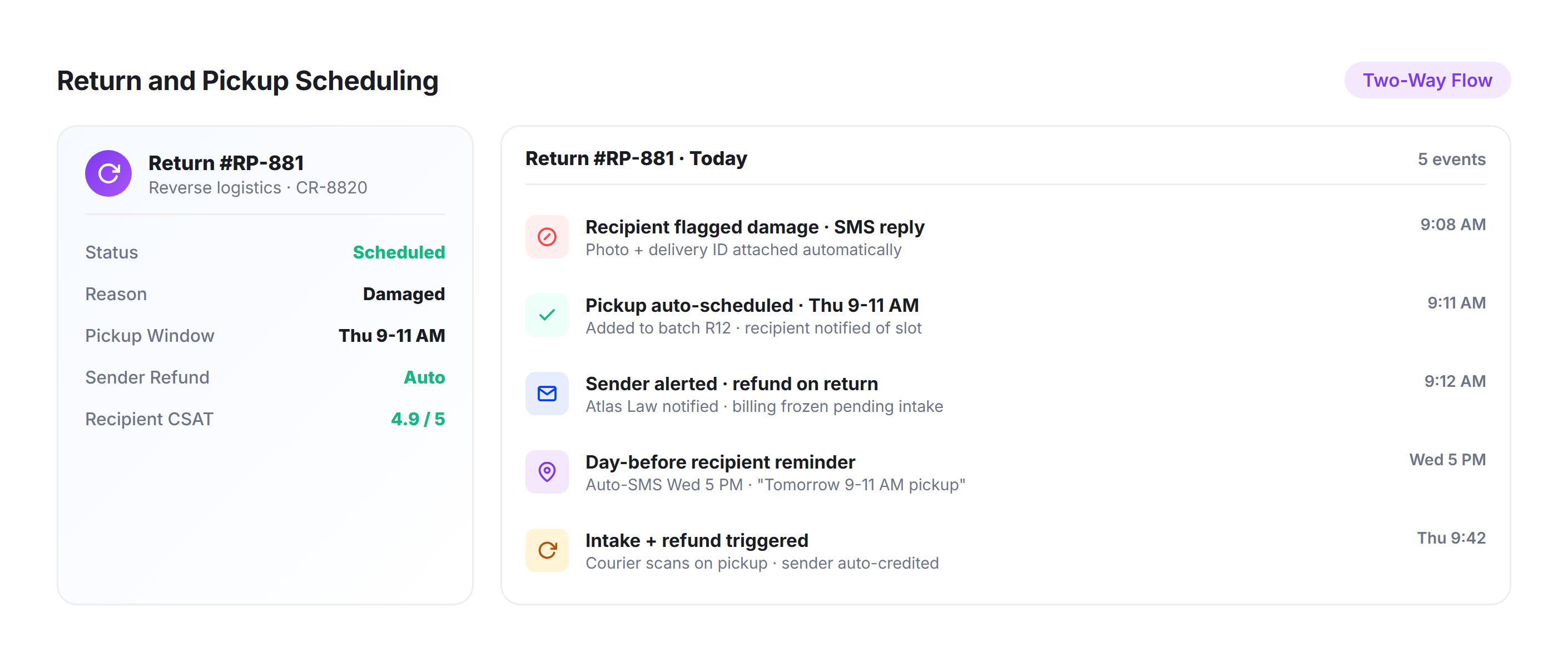
Return and Pickup Scheduling
For courier operations handling returns and reverse logistics, Upper’s notification system works in both directions. Schedule pickups, notify senders of pickup windows, and confirm collections with the same tracking links and proof documentation used for deliveries.
Why Courier Companies Choose Upper for Customer Notifications

Serve Two Customers on Every Delivery
Couriers answer to the sender who’s paying and the recipient who’s waiting. Upper automates notifications to both parties at every stage, eliminating the double set of status calls that comes with manual communication.

Scale Notifications Across Hundreds of Daily Stops
A 200-stop route generates 200 sets of notifications. Upper handles the volume automatically with per-stop ETAs, individual tracking links, and delivery confirmations for every package on every route.

Eliminate Soft Attempt Disputes Completely
GPS-stamped delivery attempt records with timestamps and photos document exactly when and where a driver attempted delivery. When a recipient claims no attempt was made, you have evidence.

Reduce Failed Deliveries with Proximity Alerts
Geofenced notifications give recipients advance timely warning so they’re available when the driver arrives. Fewer failed attempts means fewer redelivery costs and higher customer retention rates.

Build Chain-of-Custody for Sensitive Packages
Legal documents, medical supplies, and high-value packages require proof that the right person received the item. Photo proof, signature capture, and GPS-tagged timestamps create the documentation senders expect.

Free Your Support Team for Exception Handling
When senders and recipients can track deliveries themselves, your support team handles actual exceptions instead of fielding routine status inquiries. That’s fewer calls, faster resolution, and more capacity to grow.
Connect Courier Notifications with Your Existing Tools


Keep Senders and Recipients Informed Across Every Package on Every Route
Upper automates pickup confirmations, live ETAs, dual tracking links, proof of delivery, and exception handling for every courier delivery.
Frequently Asked Questions
-
Does Upper send notifications to both the sender and recipient?
Yes. Upper supports dual-notification workflows for courier operations. The sender receives pickup confirmations and delivery status updates for all their packages. The recipient receives delivery ETA notifications, tracking links, and delivery confirmations for their specific package. Both parties get automated notifications without your team making a single call.
-
Can senders track all their active deliveries in one place?
Yes. Senders receive a tracking view that shows all their active packages and their current status. Each package shows the driver’s progress, the current ETA, and the delivery status. Recipients get their own individual tracking link showing only their delivery.
-
How does this work for same-day courier deliveries?
Same-day deliveries follow the same notification workflow: pickup confirmation, real-time ETA updates, proximity alerts, and delivery confirmation. Because ETAs are calculated from live route data and GPS position, same-day recipients get the same ETA accuracy as scheduled deliveries. The notification sequence runs automatically the moment the package enters a route.
-
Can I customize notifications for different sender accounts?
Yes. Upper supports multiple notification templates and configurations. You can set different messaging, branding, notification frequency, and proof of delivery requirements per sender account. A law firm might require signature confirmation on every delivery, while a retail client might only need photo proof. Each account gets the workflow they need.
-
Will this reduce our customer support workload?
Significantly. Courier operations report 40-60% fewer inbound status calls after implementing real-time tracking and automated notifications. When both senders and recipients can check a tracking link at any time and receive proactive updates, they have no reason to call your support team for routine status inquiries.
-
Does Upper handle return pickups and reverse logistics?
Yes. Upper’s notification system works for pickups and returns with the same tracking links, ETA notifications, and proof documentation. Schedule return pickups, notify the sender of the pickup window, and confirm the collection with photos and signatures.