
Voice Dispatch Software That Keeps Your Team Hands-Free and Routes on Track

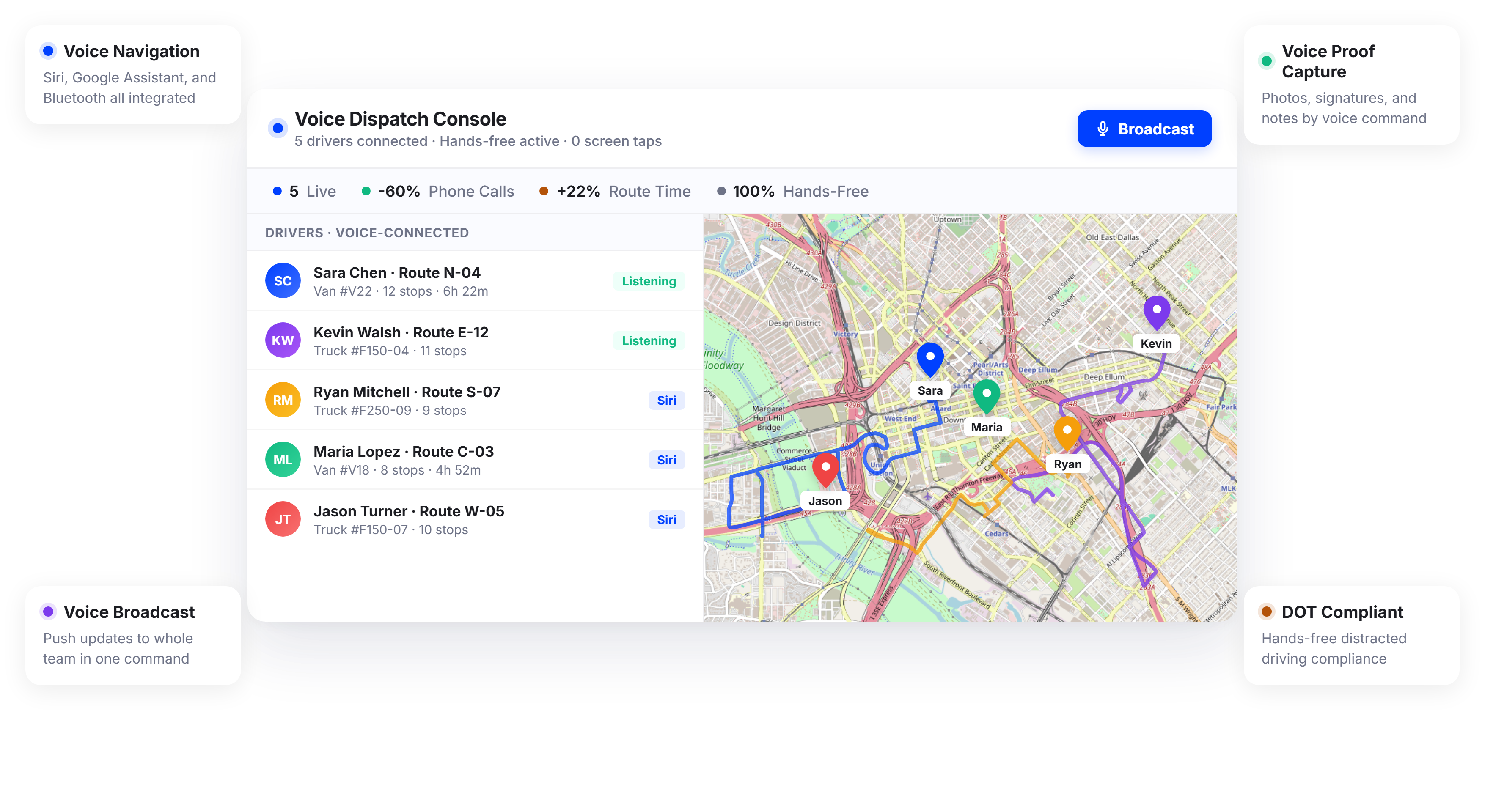
Teams Using Upper Reduce Dispatcher-to-Field Phone Calls by 60%






Voice Dispatch Sounds Like the Future. For Most Operations, It Is Still Just Phone Tag.
What Voice Dispatch Software Promises:
-
 Drivers and technicians manage routes without touching their phone
-
Dispatch communicates changes instantly, no calls needed
-
Proof of delivery or service captured hands-free at the door
-
Full FMCSA compliance for distracted driving regulations

What
Actually Happens
-
Drivers pull over to read texts and technicians answer dispatch calls between jobs
-
Route changes require a phone call, a voicemail, and a callback
-
Proof capture means fumbling with a phone camera at every stop or appointment
-
Operations managers have no way to enforce hands-free policies on the road
Voice-Activated Dispatch Built into Every Route
Upper does not bolt voice commands onto a legacy dispatch system. Voice interaction is built into the Upper mobile app, connected to Siri and native voice assistants, so drivers, technicians, and dispatchers use natural language to manage routes, stops, and jobs without tapping a screen. Whether your team delivers packages or completes service appointments, the result is faster communication, safer driving, and zero time on hold.
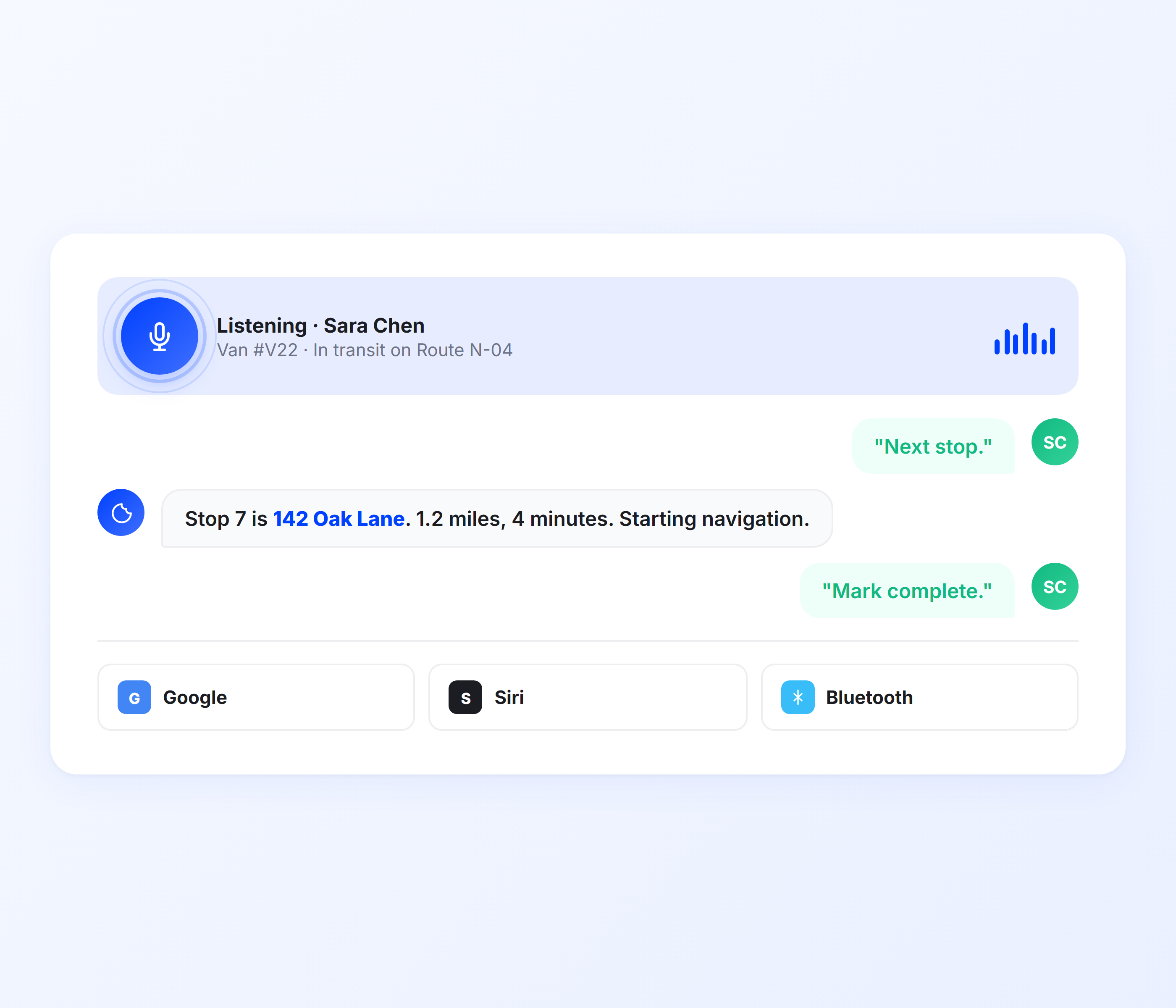
Hands-Free Stop and Job Management
Delivery drivers cycle through stops all day. Field technicians move between service appointments. Tapping “Navigate,” “Complete,” and “Next Stop” on a phone screen hundreds of times a week is slow and unsafe. Upper’s voice dispatch software lets your team say “Navigate to next stop,” “Mark job complete,” or “Skip this appointment” without touching the device. Siri processes the command and Upper updates the route in real time.
-
 Voice-triggered navigation to next stop or appointment
-
Hands-free job completion and status updates
-
Skip or reschedule stops by voice command
-
Automatic route progression after voice confirmation
-
Job notes and issue reporting via dictation
-
Works through Siri, Google Assistant, and vehicle Bluetooth

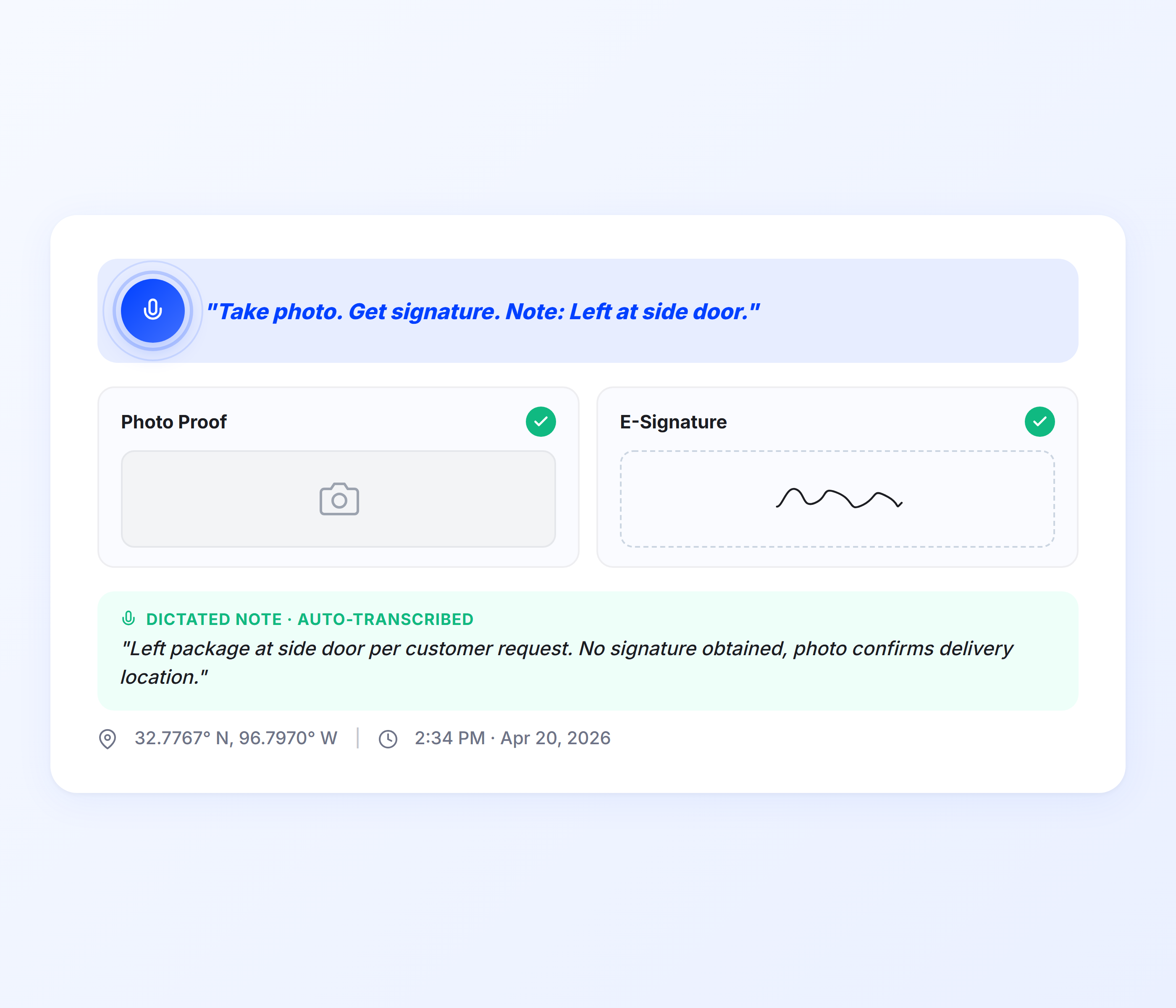
Voice-Activated Proof of Delivery and Service
Capturing proof usually means stopping, unlocking the phone, opening the app, and snapping a photo. Upper lets your team trigger proof of delivery or service capture by voice. Say “Capture photo” or “Record signature” and the app opens the camera or signature pad instantly. Service notes and delivery details can be dictated instead of typed.
-
Voice-triggered photo capture at delivery or job site
-
Signature collection launched by voice command
-
Service notes and delivery details dictated to the stop record
-
Timestamp and GPS location auto-recorded on capture
-
Proof synced to the dispatcher dashboard in real time
-
No manual app navigation required at any stop
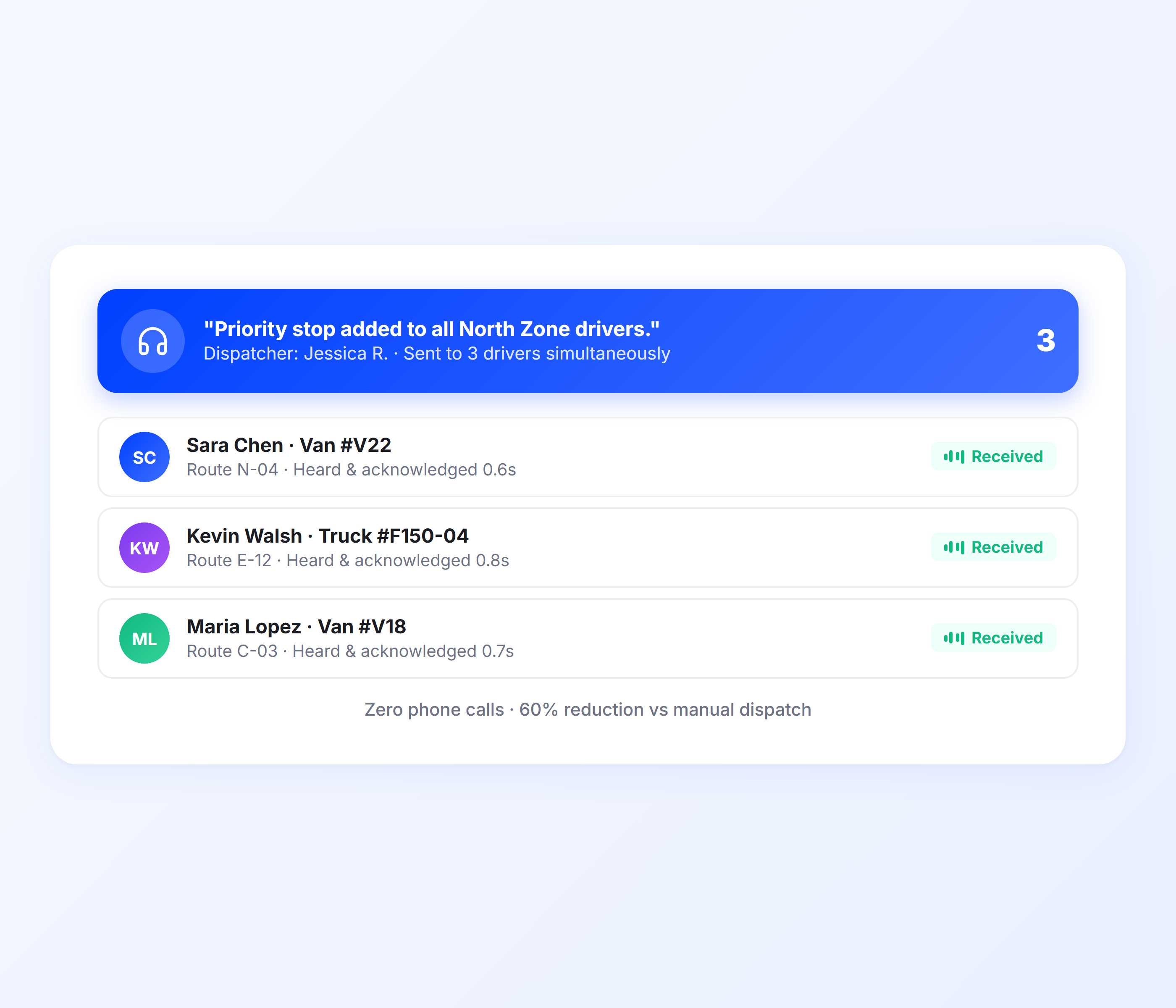
Dispatcher Voice Commands for Route Adjustments
Dispatchers managing 10 or more drivers and technicians cannot call each one to communicate changes. Upper lets dispatchers push route adjustments, priority job injections, and schedule changes directly to team devices. Crew members receive voice notifications of the change and confirm by voice. No phone call. No missed update. The dispatch management workflow stays in the platform.
-
Push route changes to team members with instant voice alerts
-
Priority stop or job injection with voice confirmation
-
Batch dispatch updates across multiple crew members at once
-
Team acknowledgment tracked in the dispatch dashboard
-
Two-way status updates without phone calls
-
Voice notification preferences configurable per team member
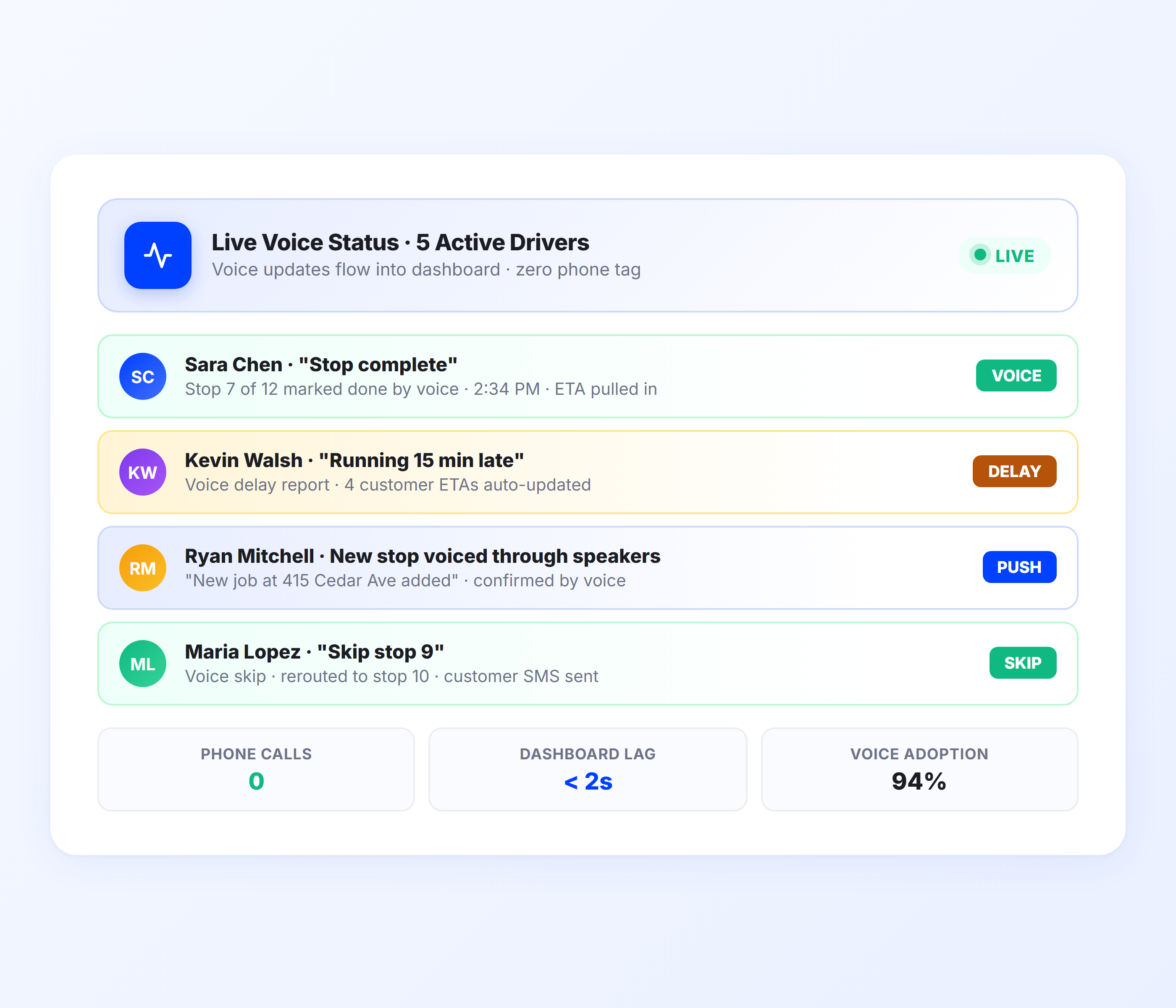
Real-Time Voice Status Updates
Operations managers need to know where things stand without calling every driver or technician for an update. Upper sends voice-enabled status notifications to your team and receives voice confirmations back. When a crew member marks a stop or job complete by voice, the dispatcher dashboard updates instantly. When dispatch adds a new appointment, the technician hears the update through their vehicle speakers.
-
Live dashboard updates from team voice commands
-
Voice-read notifications for new stops, jobs, and route changes
-
Delay reporting via voice (“Running 15 minutes late”)
-
Automated customer ETA updates triggered by voice completions
-
Operation-wide status visibility without a single phone call
-
Integration with customer notifications for real-time alerts
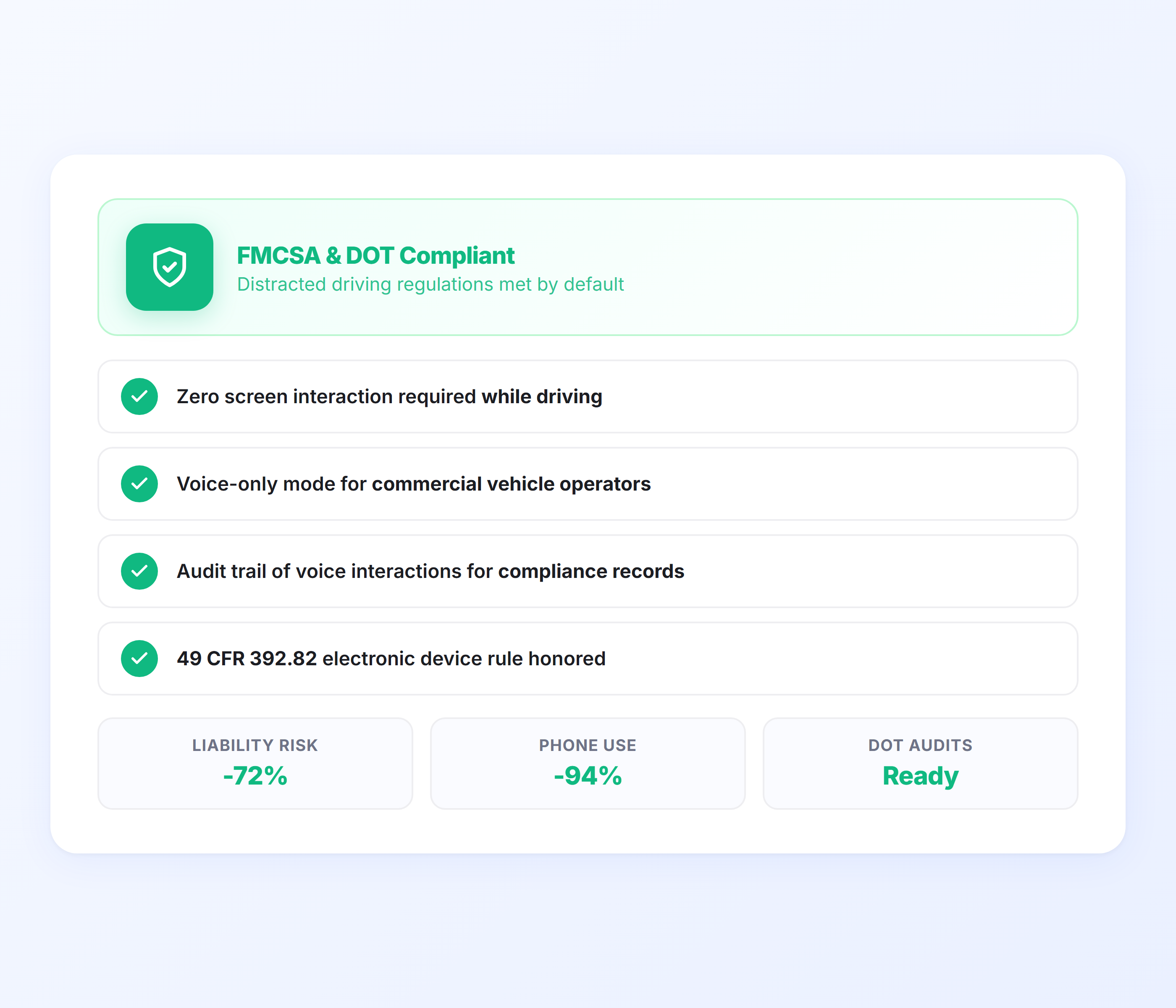
FMCSA-Compliant Hands-Free Operations
Distracted driving regulations are not optional, and a phone-dependent dispatch system puts your operation at risk. Upper’s voice dispatch software enables fully hands-free interaction that meets FMCSA and DOT requirements for commercial vehicle operations. Drivers and technicians keep both hands on the wheel while managing their entire route through voice commands.
-
Fully hands-free operation for FMCSA compliance
-
No screen interaction required during driving
-
Voice-only mode for commercial vehicle operators
-
Team behavior aligned with distracted driving regulations
-
Audit trail of voice interactions for compliance records
-
Reduces liability exposure from phone use on the road
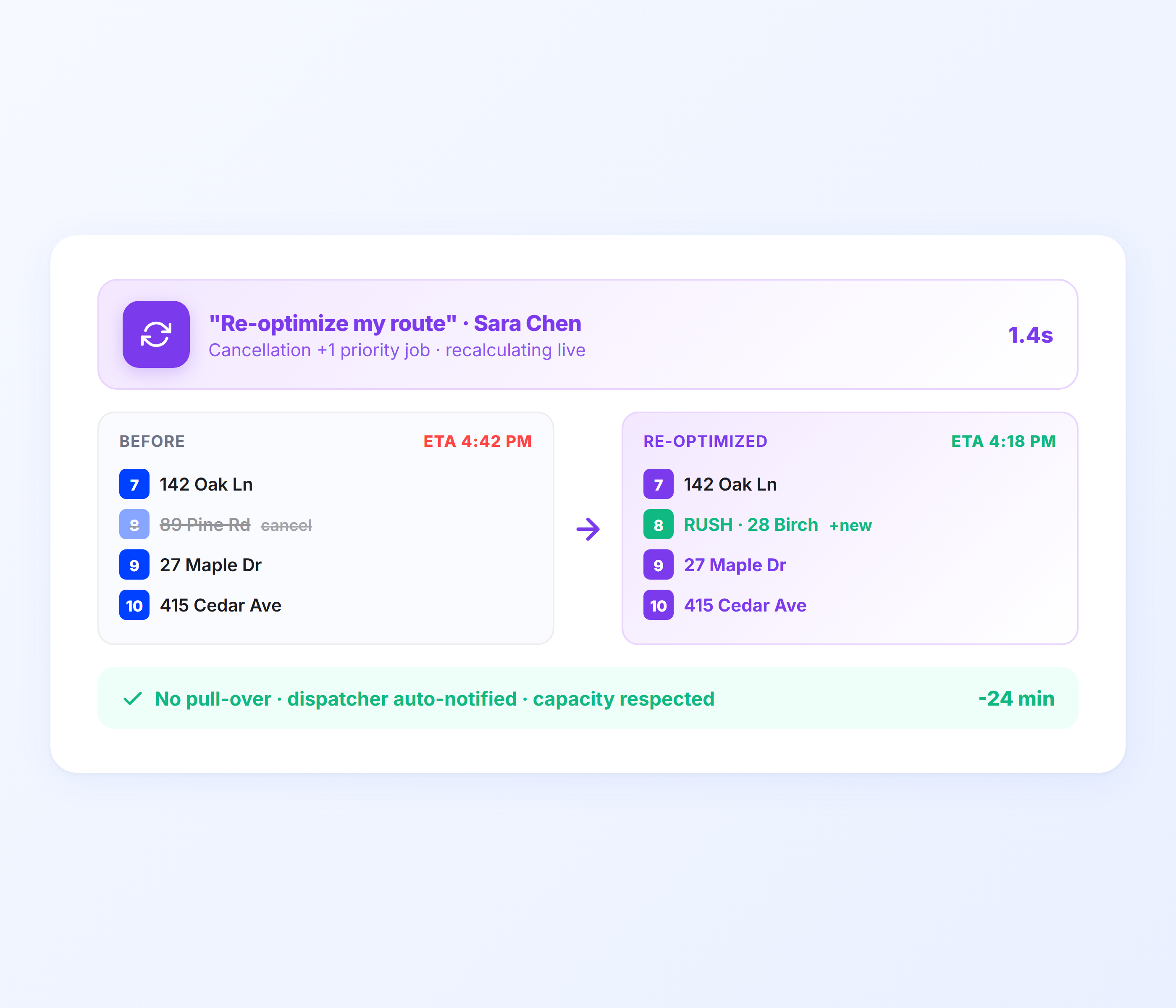
Voice-Triggered Route Re-Optimization
Conditions change mid-route. A customer cancels. A priority job lands. Traffic shuts down a highway. Instead of pulling over to rearrange stops manually, your driver says, “Re-optimize my route,” and Upper recalculates the fastest sequence on the spot. The updated route accounts for current stop locations, time windows, and vehicle capacity, so your team always runs the most efficient path without a dispatcher stepping in.
-
Voice-initiated route recalculation after cancellations or new jobs
-
Updated stop sequence based on real-time location and time windows
-
No need to pull over or manually drag stops on a map
-
Dispatcher notified automatically when a driver re-optimizes
-
Capacity and vehicle constraints respected in every recalculation
-
Works mid-route without resetting completed stops
Give Your Team a Dispatch System That Does Not Require a Phone Call
Upper’s voice dispatch software replaces phone tag with hands-free commands. Drivers stay focused. Technicians stay productive. Dispatchers manage more with less. No credit card required to start.
Client Success Stories

“We used to spend 2 hours every morning planning routes in spreadsheets. Now it takes 10 minutes. Upper paid for itself in the first week.”


“What sold me was how easy it is to make changes. My schedules change a lot and I drag & drop stops and we’re back on track in 30 seconds. With our old software, that would’ve been an hour of replanning.”


“Our drivers actually follow the routes now. The app is simple, the navigation works, and they’re not calling me every 10 minutes asking where to go next.”

Voice Dispatch Features for Smarter Team Communication
- Route Optimization
- GPS Tracking
- Operations Analytics
- Route Scheduling

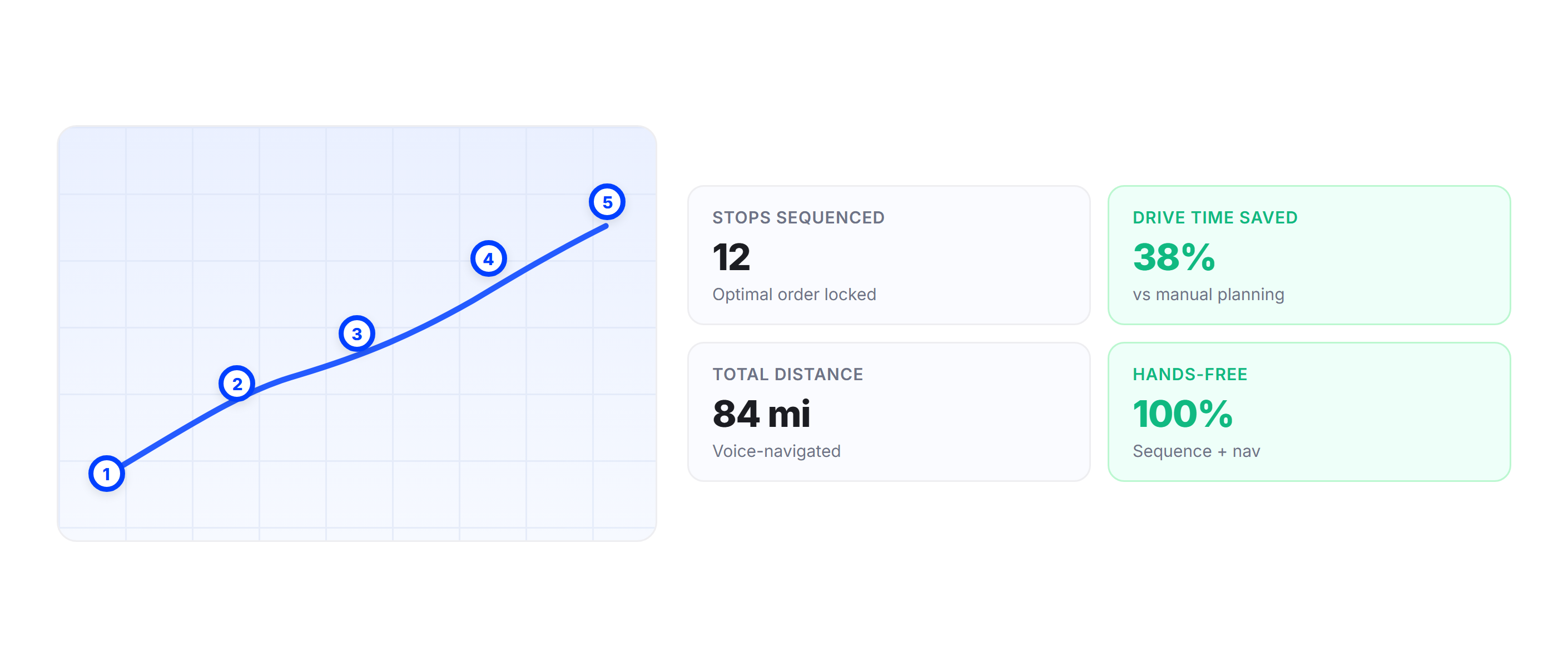
Route Optimization
Voice dispatch works on top of optimized routes. Upper’s route planning engine sequences stops and appointments to minimize drive time and distance before dispatching them to your team. Voice commands let drivers and technicians navigate those optimized routes without ever touching the screen.
GPS Tracking
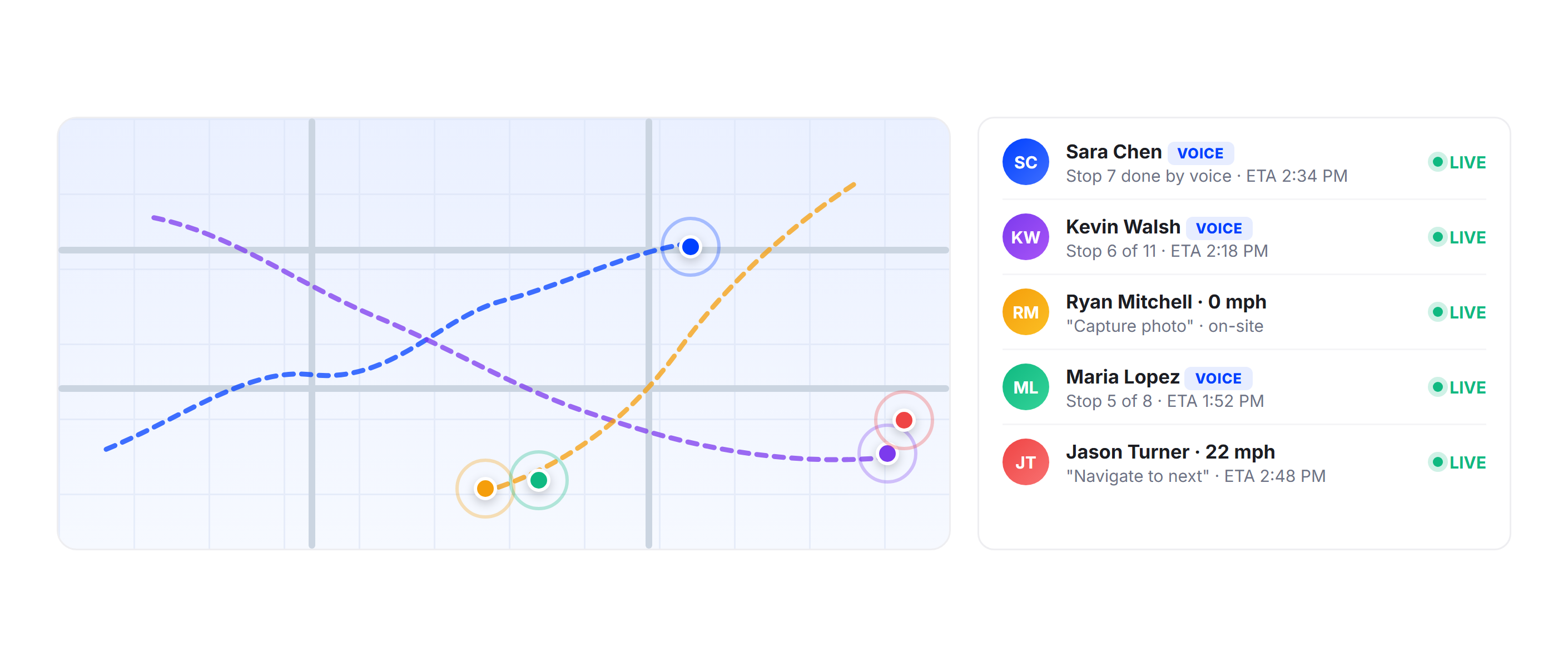
Real-time GPS tracking pairs with voice dispatch to give operations managers live visibility into team progress. When a driver or technician completes a stop by voice, their position updates on the map instantly. Dispatchers make routing decisions based on actual locations, not last-known positions.
Operations Analytics
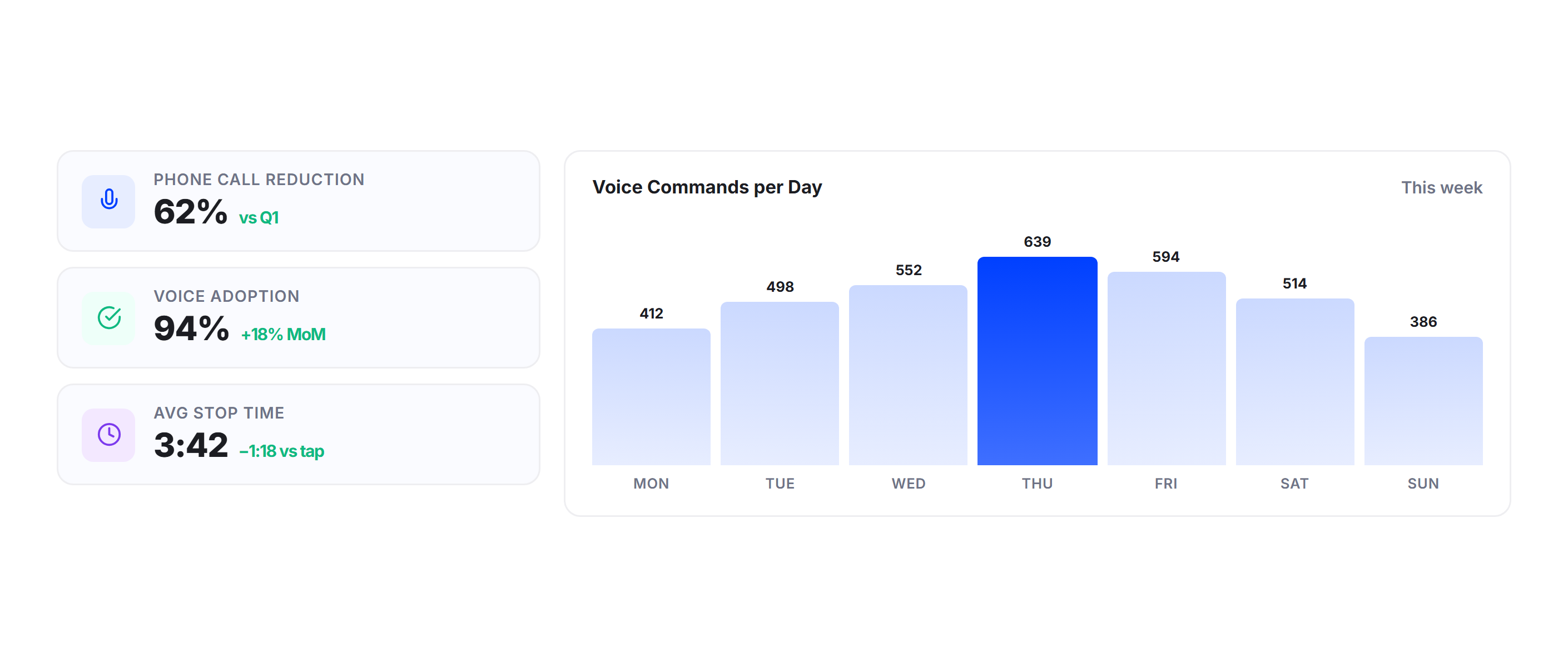
Upper’s analytics dashboard tracks voice dispatch metrics alongside standard operational KPIs. See phone call reduction rates, voice command adoption per team member, hands-free compliance percentages, and the impact on stop times and route completion.
Route Scheduling
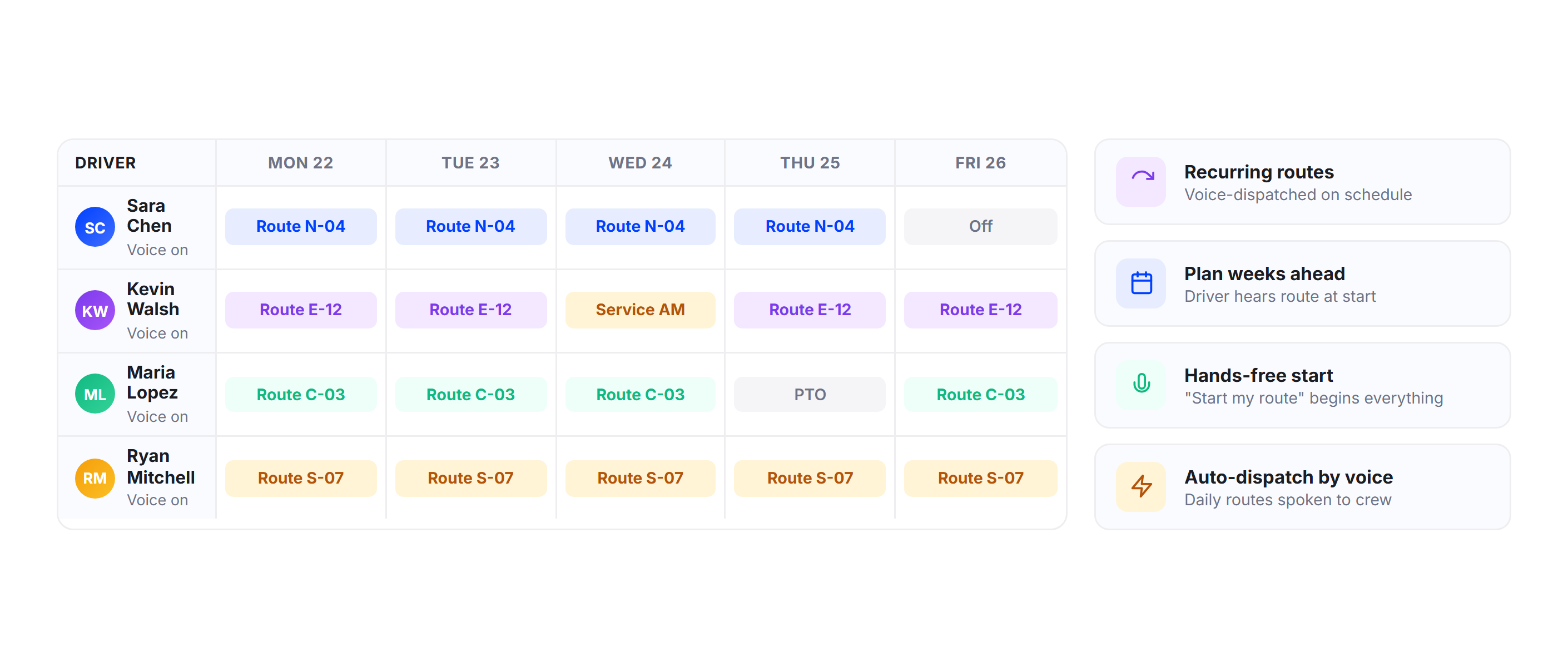
Plan voice-dispatched routes days or weeks in advance. Route scheduling lets operations managers build recurring routes that drivers and technicians receive and manage entirely through voice commands when the scheduled dispatch time arrives.
Why Delivery and Field Service Teams Choose Upper for Voice Dispatch

Eliminate Phone Distractions on the Road
Drivers and technicians manage routes using voice commands only, avoiding screen taps, calls, or stopping. This keeps routes on track and improves safety and focus.

Cut Dispatcher Phone Volume by 60%
Route updates, status checks, and confirmations happen within the platform, reducing calls. Dispatchers can manage more drivers with fewer interruptions daily.

Speed Up Every Stop and Appointment
Voice navigation and job updates remove delays at each stop. Saving seconds per stop adds up to significant time saved across daily routes and service calls.

Stay Fully FMCSA and DOT Compliant
Hands-free operation supports FMCSA and DOT compliance standards. Voice dispatch ensures safe workflows without relying on manual habits or driver discipline.

Reduce Onboarding Time for New Hires
New drivers quickly learn simple voice commands like “next stop.” No complex training is needed, making onboarding faster and easier for every team member.

Scale Communication Without Adding Dispatchers
Voice dispatch removes communication bottlenecks. One dispatcher can manage more drivers as the system handles updates, coordination, and daily communication.
Sync Your Voice Dispatch Data with the Tools You Already Use


Stop Managing Your Team Through Phone Calls and Text Messages
Join thousands of delivery and field service teams that use Upper to dispatch, communicate, and confirm jobs hands-free.
Frequently Asked Questions
-
How does Upper’s voice dispatch software work with Siri and voice assistants?
Upper’s mobile app integrates with Siri, Google Assistant, and native device voice controls. Drivers and technicians activate voice commands through their phone’s built-in assistant or vehicle Bluetooth system. Commands like “Navigate to next stop,” “Mark job complete,” and “Capture photo” are processed by the voice assistant and executed in the Upper app. No separate voice hardware or third-party software is required.
-
Can dispatchers push route changes to drivers and technicians through voice notifications?
Yes. When a dispatcher adds, removes, or reorders stops in the Upper dashboard, the affected team member receives an instant voice notification through the app. They hear the update through their phone speaker or vehicle Bluetooth and can confirm the change by voice. This eliminates the need to call each driver or technician individually when routes change mid-day.
-
Does voice dispatch work for proof of delivery and proof of service capture?
Upper’s voice dispatch software lets your team trigger proof capture entirely by voice. Say “Capture photo” and the camera opens. Say “Record signature” and the signature pad launches. Service notes and delivery details can be dictated instead of typed. Every proof record includes a timestamp, GPS coordinates, and syncs to the dispatcher dashboard automatically.
-
Can I track which team members are using voice commands versus screen interaction?
Upper’s analytics dashboard shows voice command adoption rates per team member, including how often each person uses voice versus manual screen taps for stop management, navigation, and proof capture. Operations managers use this data to identify team members who need additional voice dispatch training and to measure hands-free compliance across the operation.
-
How many team members can a single dispatcher manage with voice dispatch?
Voice dispatch removes the phone call bottleneck that limits traditional dispatch capacity. Without voice dispatch, a dispatcher typically manages 8 to 12 drivers or technicians before communication becomes the constraint. With Upper’s voice dispatch software, dispatchers routinely manage 15 to 20 team members because route changes, status updates, and job confirmations flow through the platform instead of the phone.
-
Does Upper’s voice dispatch integrate with my existing tools?
Upper connects with your existing tools through API, webhooks, and Zapier. Voice-triggered events like job completions, proof captures, and route confirmations push data to your order management system, CRM, or field service platform in real time. Navigation launches in Google Maps, Waze, or Apple Maps based on team member preference.