
Delivery Confirmation Reports That Build Themselves at Every Stop

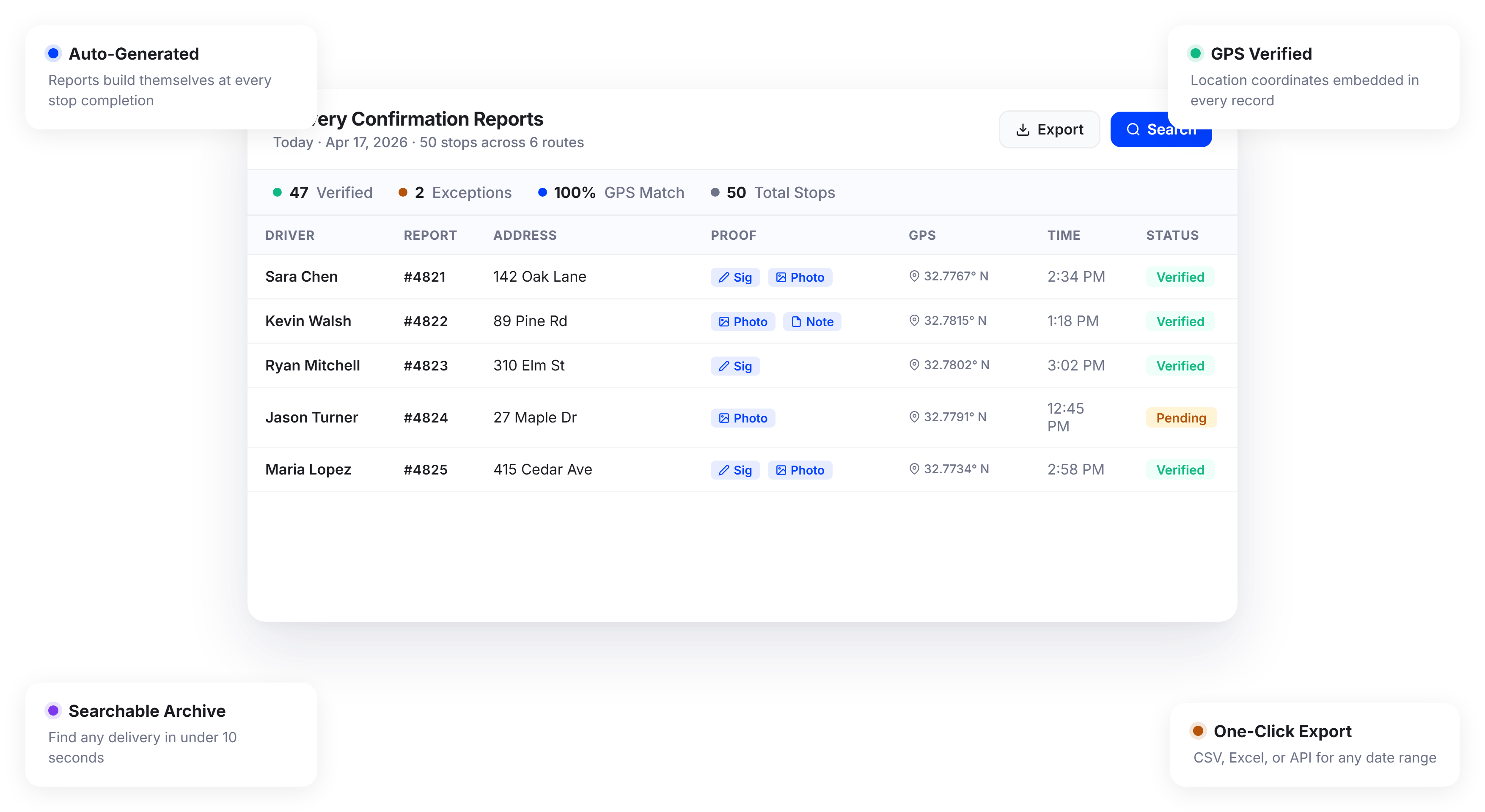
Teams Using Automated Delivery Reports Save 10+ Hours a Week on Documentation






Delivery Reporting Sounds Simple. Until You Need to Actually Find a Record.
What Delivery Confirmation Reports Promise:
-
 A verified record for every completed delivery
-
Quick access to proof when customers raise issues
-
Clean documentation for audits and compliance
-
A single source of truth for all delivery data

What
Actually Happens
-
Records are scattered across email, group chats, and driver phones
-
Pulling a single confirmation takes 15 minutes of searching
-
Reports are missing signatures, photos, or timestamps
-
End-of-week reporting means hours of manual compilation
Your Delivery Confirmation Report Is Ready Before the Driver Leaves the Stop
Upper does not wait until the end of the day or the end of the week to generate delivery confirmation reports. Every stop on every route creates its own verified record the moment the driver marks it complete. Your dispatchers and managers get a live, searchable archive of every delivery across your entire fleet.
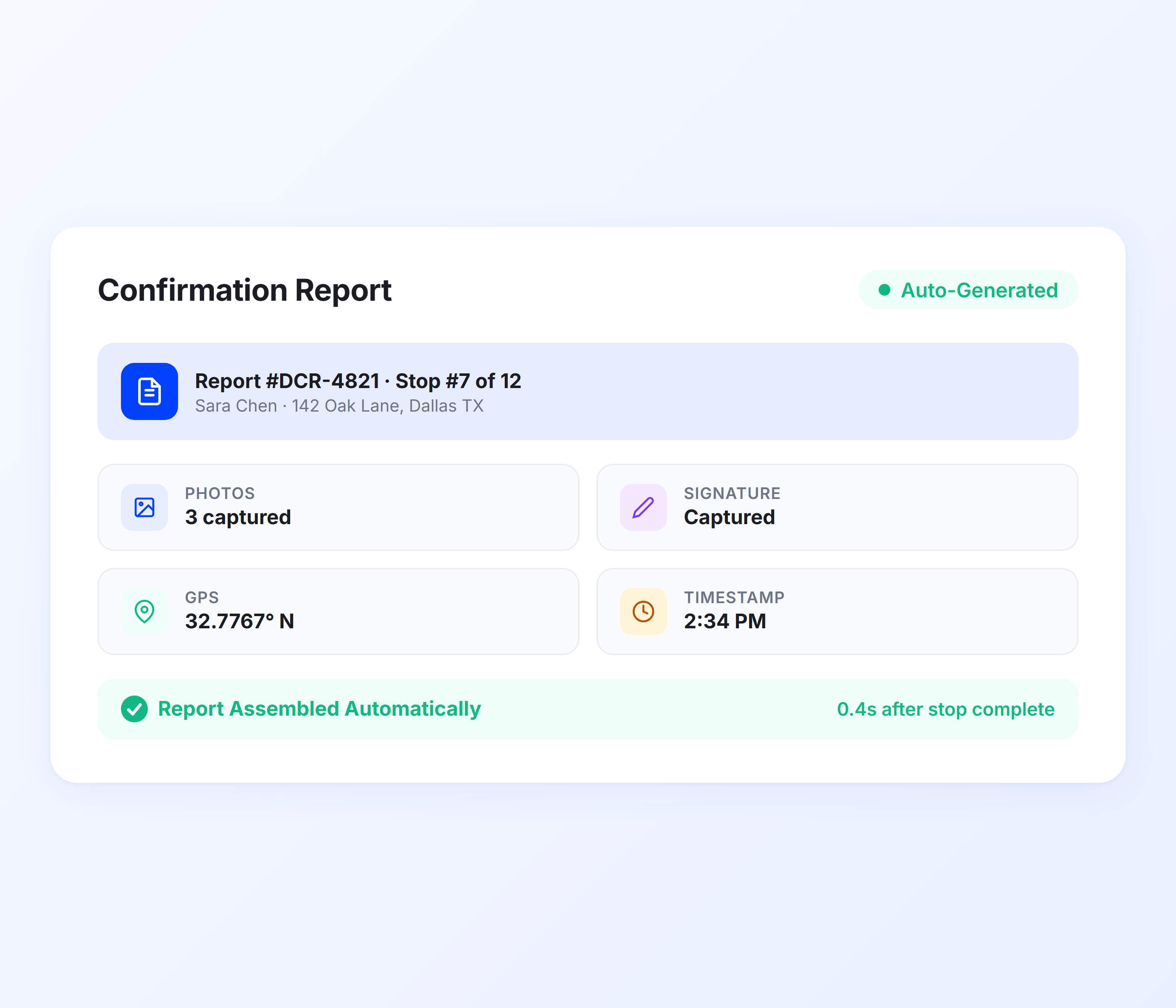
Auto-Generated Confirmation Records
The moment a driver completes a stop in the Upper app, the system assembles a delivery confirmation report automatically. It pulls together the proof of delivery capture (photos, signatures, notes), GPS coordinates, timestamp, driver name, and stop details into a single record. No manual input from dispatchers. No end-of-day data entry.
-
 Confirmation report created at stop completion
-
Includes all proof types: photos, e-signatures, driver notes
-
GPS coordinates and timestamp embedded automatically
-
Driver and route details linked to each record
-
Report generated in real time, not batched
-
Zero manual data entry from office staff

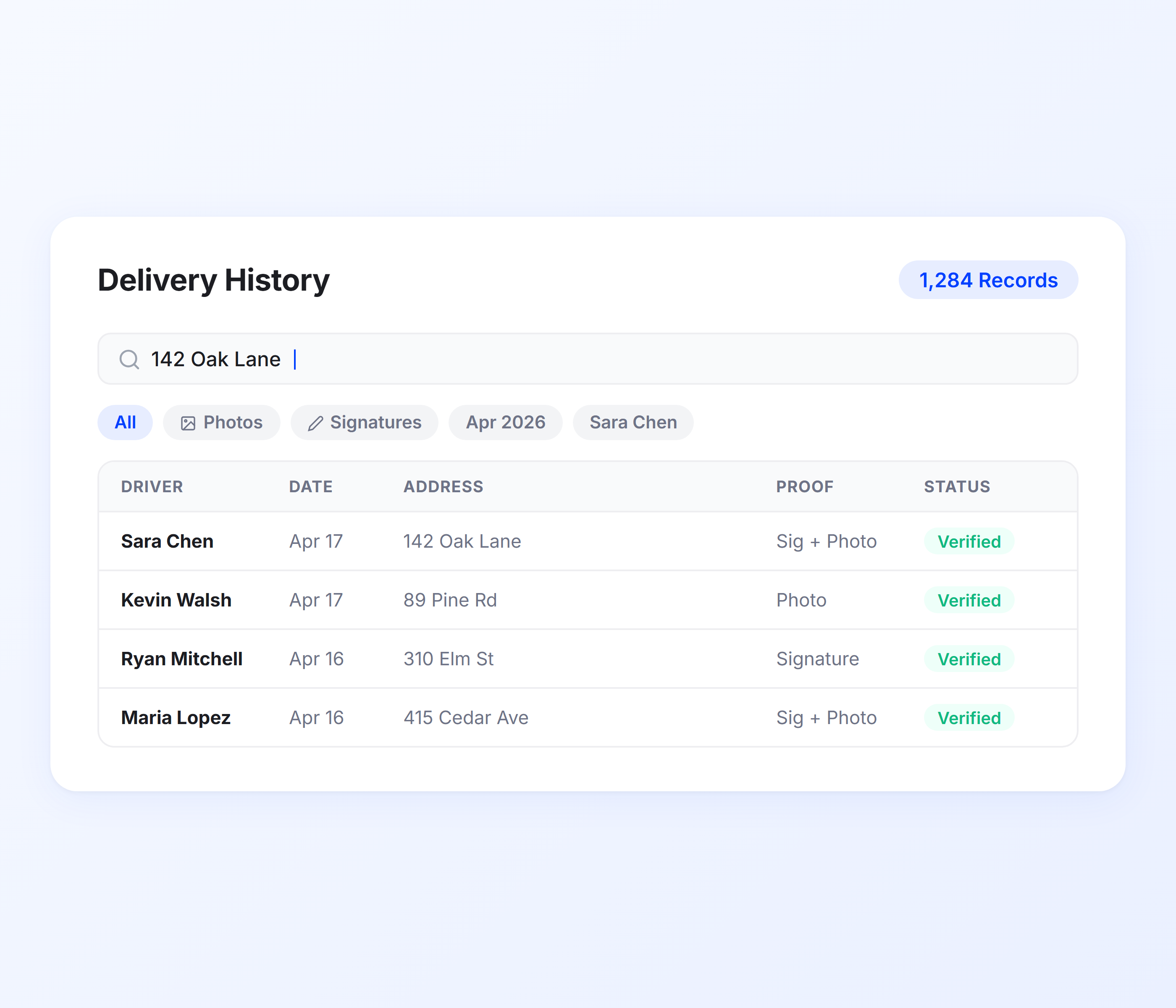
Searchable Delivery History Dashboard
Every confirmation report lives in a centralized dashboard where dispatchers and managers can find any delivery in seconds. Search by driver, date, customer name, route number, or address. Filter by proof type, delivery status, or date range. No more scrolling through files, messages, or spreadsheets to locate a single record.
-
Search by driver, date, customer, route, or address
-
Filter by proof type (photo, signature, notes, barcode)
-
View delivery status across all routes on one screen
-
Sort by date, driver, or completion time
-
Drill into any record for full proof details
-
Role-based access for dispatchers, managers, and admins
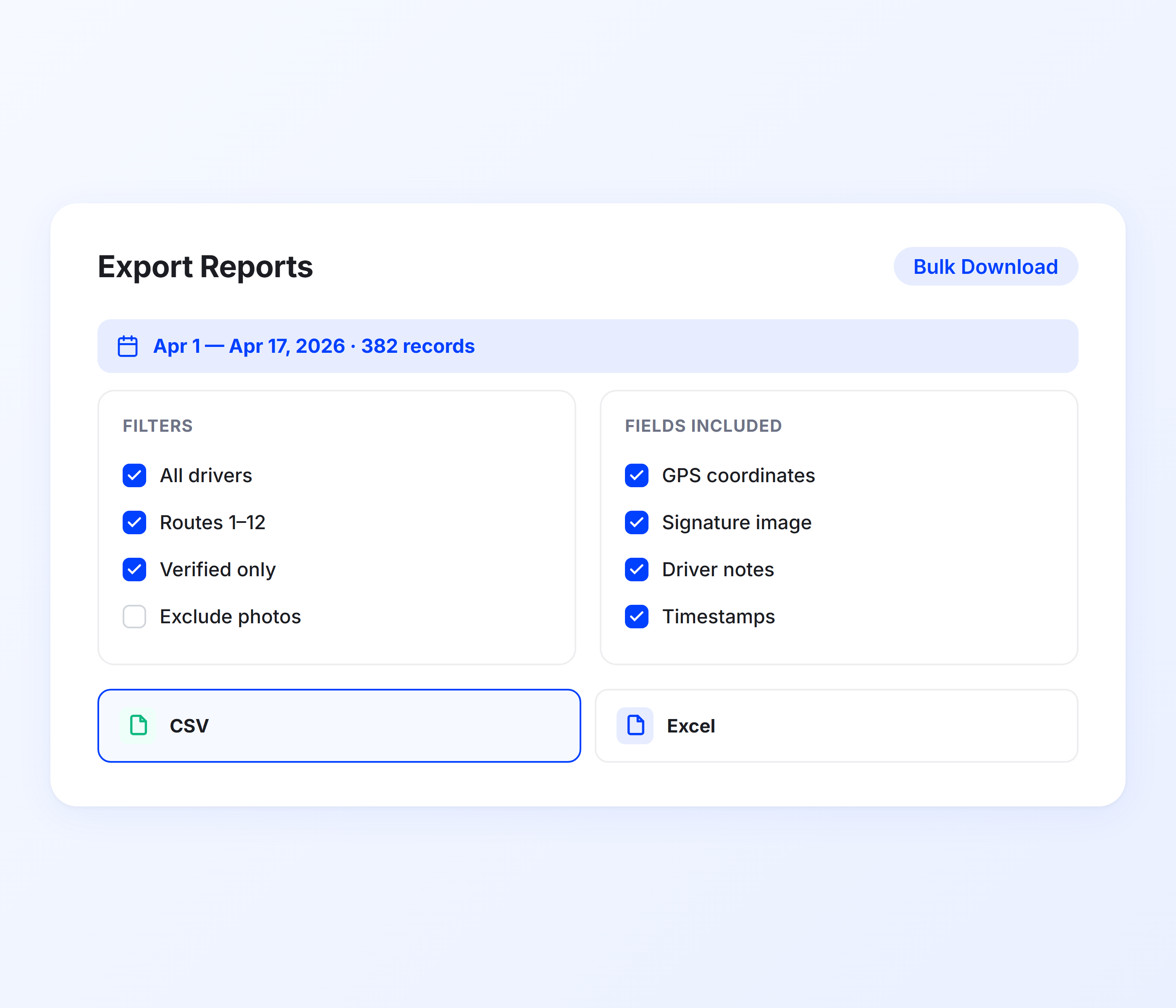
Bulk Export and Custom Reports
When you need delivery data outside of Upper, export confirmation reports to CSV or Excel with one click. Select date ranges, specific drivers, or individual routes and download everything you need for invoicing, client reporting, compliance audits, or internal reviews. No manual formatting or copy-pasting.
-
Export to CSV or Excel format
-
Filter exports by date range, driver, route, or customer
-
Include or exclude specific proof fields
-
Batch download for weekly or monthly reporting
-
Compatible with accounting and invoicing software
-
Export formats ready for client-facing documentation
GPS-Verified Delivery Records
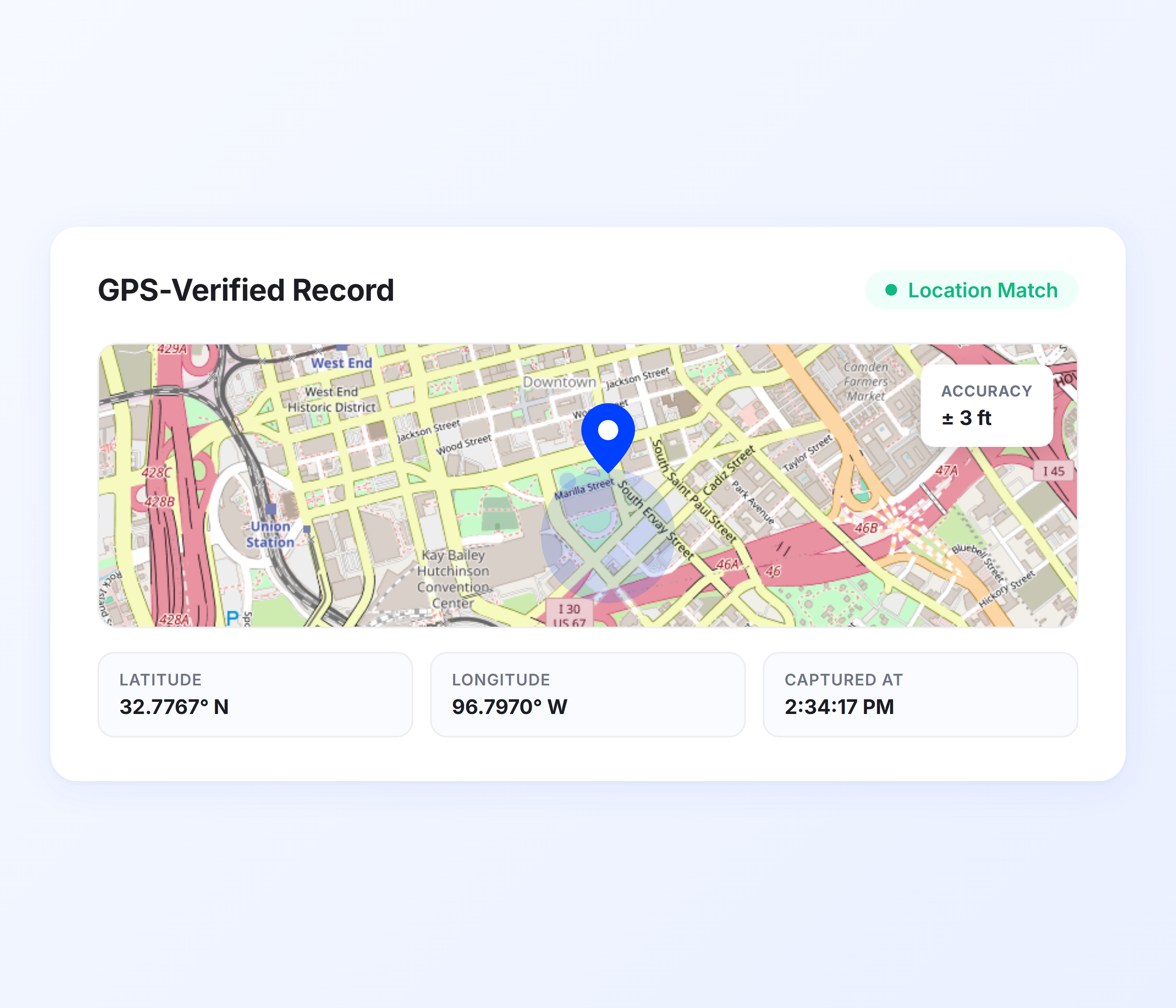
Every delivery confirmation report includes the exact GPS coordinates where the driver marked the stop complete. Combined with a timestamp, this creates a location-verified record that proves exactly where and when the delivery happened. Ideal for resolving disputes, validating service-level agreements, and maintaining compliance.
-
Latitude and longitude recorded at stop completion
-
Timestamp accurate to the second
-
GPS data embedded in the confirmation report
-
Map view available for visual location verification
-
Supports geofencing validation for restricted delivery zones
-
Tamper-proof records that cannot be edited after capture
Driver Performance Documentation
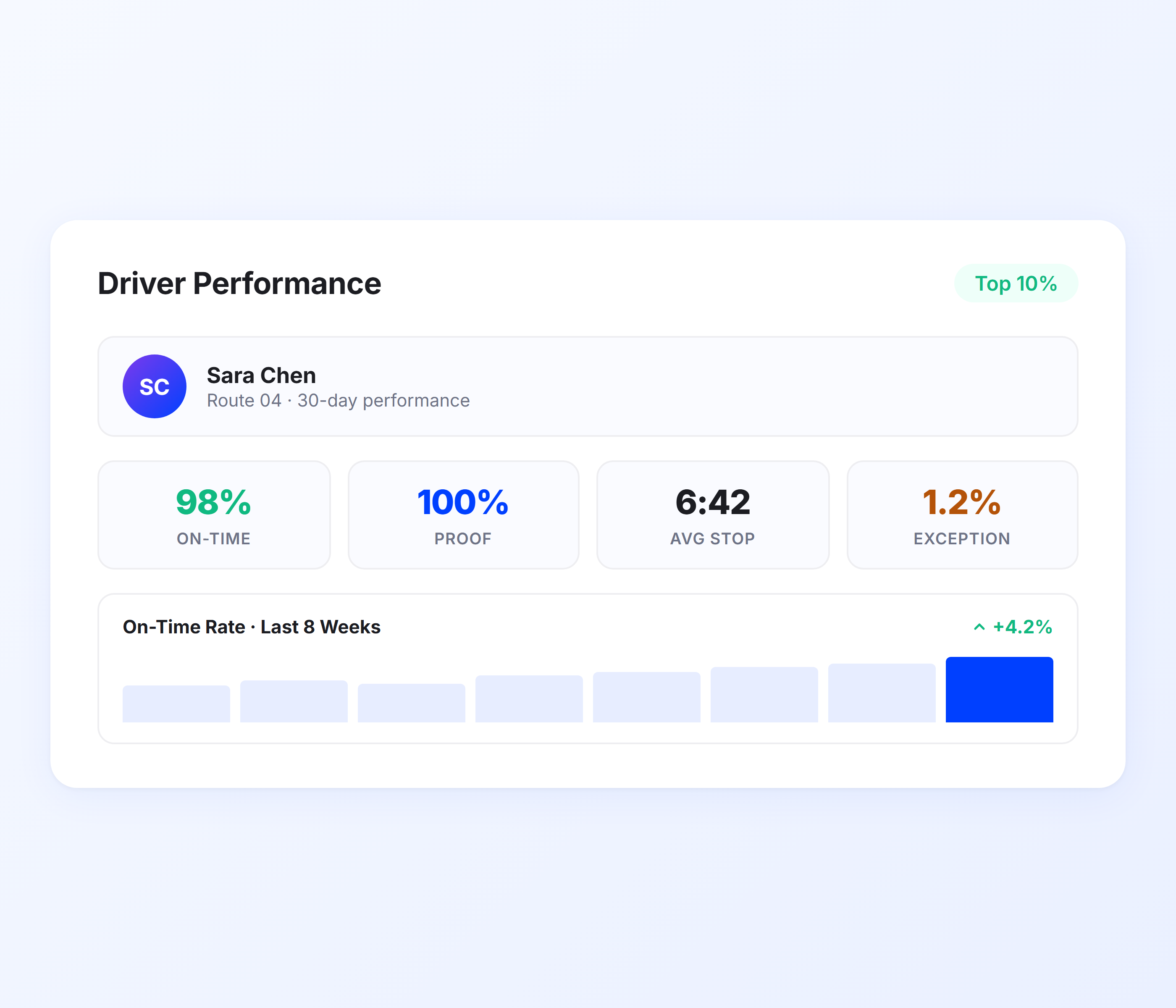
Delivery confirmation reports are not just about individual stops. Aggregated across routes and time periods, they reveal driver-level performance patterns. Track on-time completion rates, proof capture compliance, average time per stop, and delivery success rates. Use this data for coaching, scheduling, and workload balancing through Upper’s analytics dashboard.
-
On-time delivery rate per driver
-
Proof capture compliance percentage
-
Average stop completion time
-
Delivery success vs. exception rate
-
Performance trends over time
-
Complete audit trail with timestamps on every action
-
Data feeds into driver performance reviews
Exception and Failed Delivery Logging
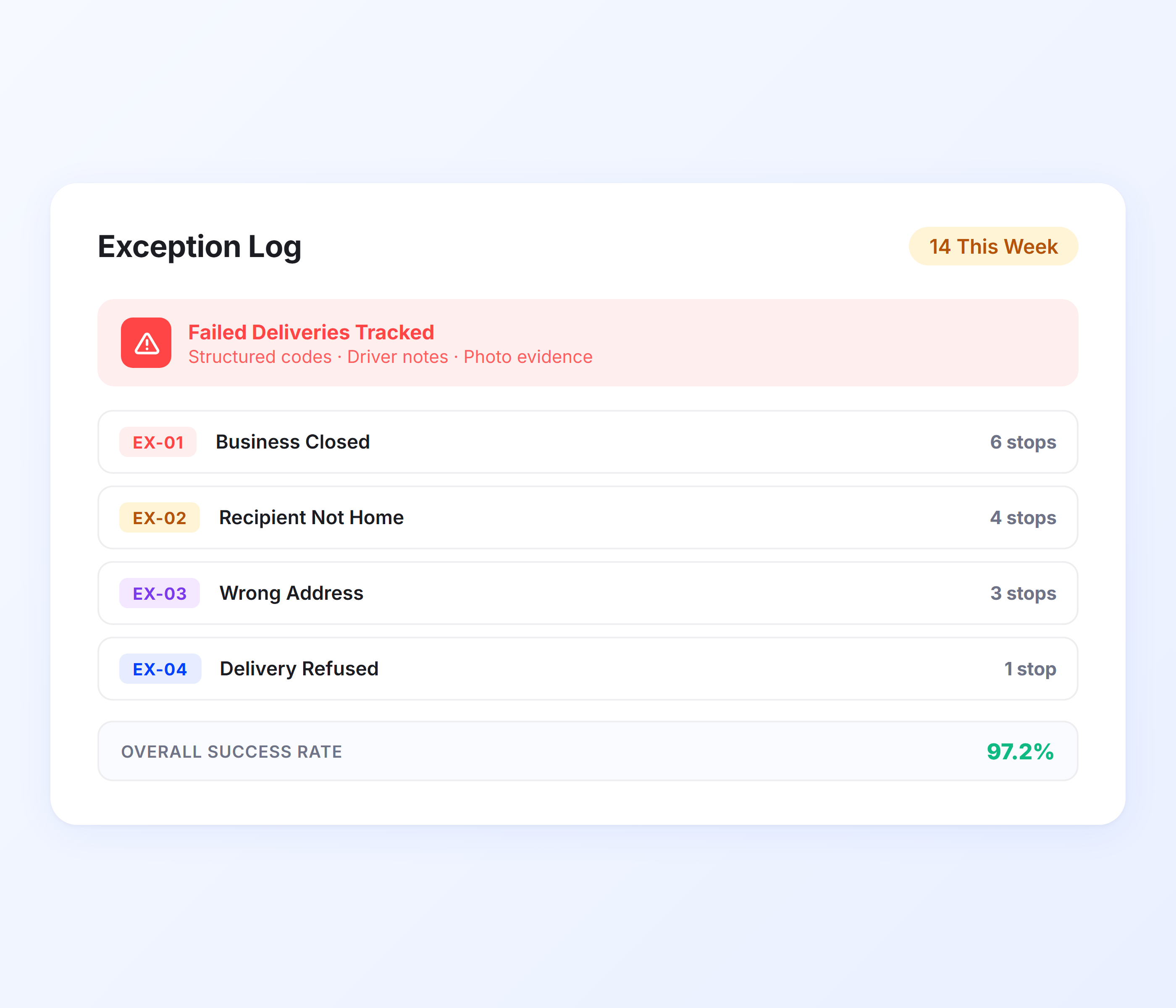
Not every delivery goes as planned. When a driver cannot complete a stop, Upper captures the reason with structured exception codes, driver notes, and optional photos. The failed delivery is logged in the same reporting system as the successful ones, so you have a complete picture of every attempted stop, not just the ones that went smoothly.
-
Structured exception codes (closed business, wrong address, refused, not home)
-
Driver notes and photos for failed delivery context
-
Exception reports are visible alongside completed deliveries
-
Track failure rates by reason, driver, or area
-
Identify recurring delivery issues for operational fixes
-
Complete audit trail for every attempted stop
Get Delivery Confirmation Reports Without the Busywork
Upper builds a verified report for every delivery automatically. Photos, signatures, GPS, and timestamps in one searchable archive your team can access from anywhere.
Client Success Stories

“We used to spend 2 hours every morning planning routes in spreadsheets. Now it takes 10 minutes. Upper paid for itself in the first week.”


“What sold me was how easy it is to make changes. My schedules change a lot and I drag & drop stops and we’re back on track in 30 seconds. With our old software, that would’ve been an hour of replanning.”


“Our drivers actually follow the routes now. The app is simple, the navigation works, and they’re not calling me every 10 minutes asking where to go next.”

Delivery Report Features for Complete Documentation
- Route Summary Reports
- Customer-Facing Reports
- Compliance Documentation
- Scheduled Reports
- API Access

Route Summary Reports
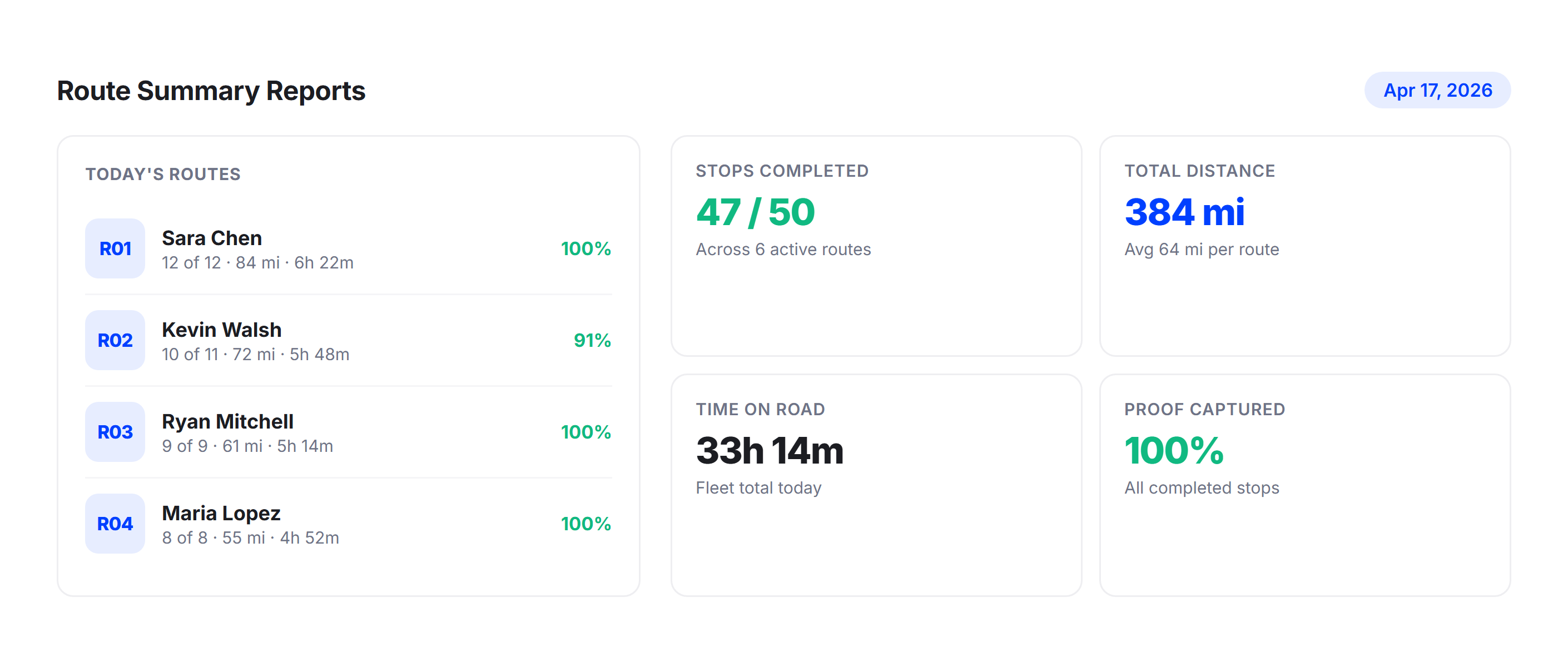
Get a complete summary for every route: stops completed, stops failed, total distance, time on road, and proof captured. Route summaries give managers a high-level view of daily operations without drilling into individual stops.
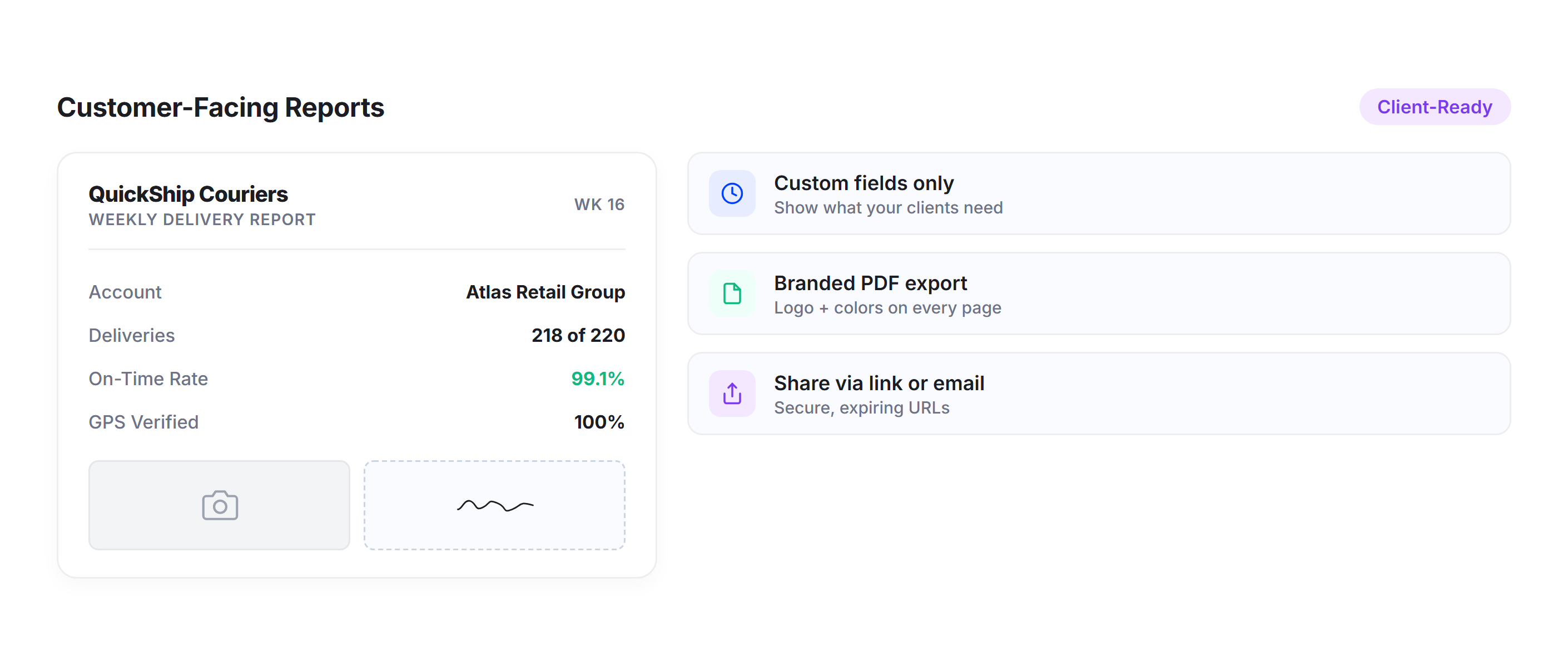
Customer-Facing Reports
Generate client-ready delivery reports with only the fields your customers need. Share proof of delivery data with business clients, e-commerce partners, or enterprise accounts as part of your service documentation.
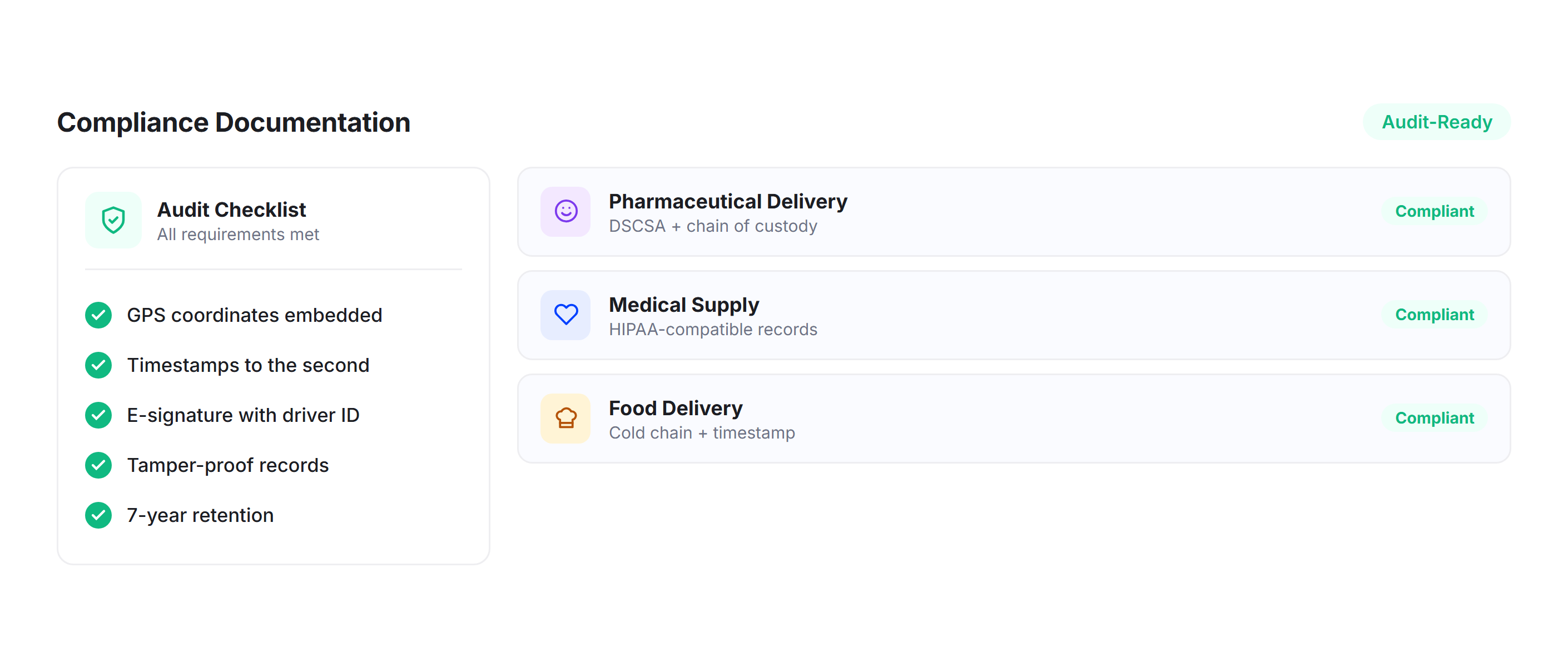
Compliance Documentation
Industries like pharmaceuticals, food delivery, and medical supply require documented delivery chains. Upper’s confirmation reports with GPS verification, timestamps, and signatures meet documentation requirements for regulated delivery operations.
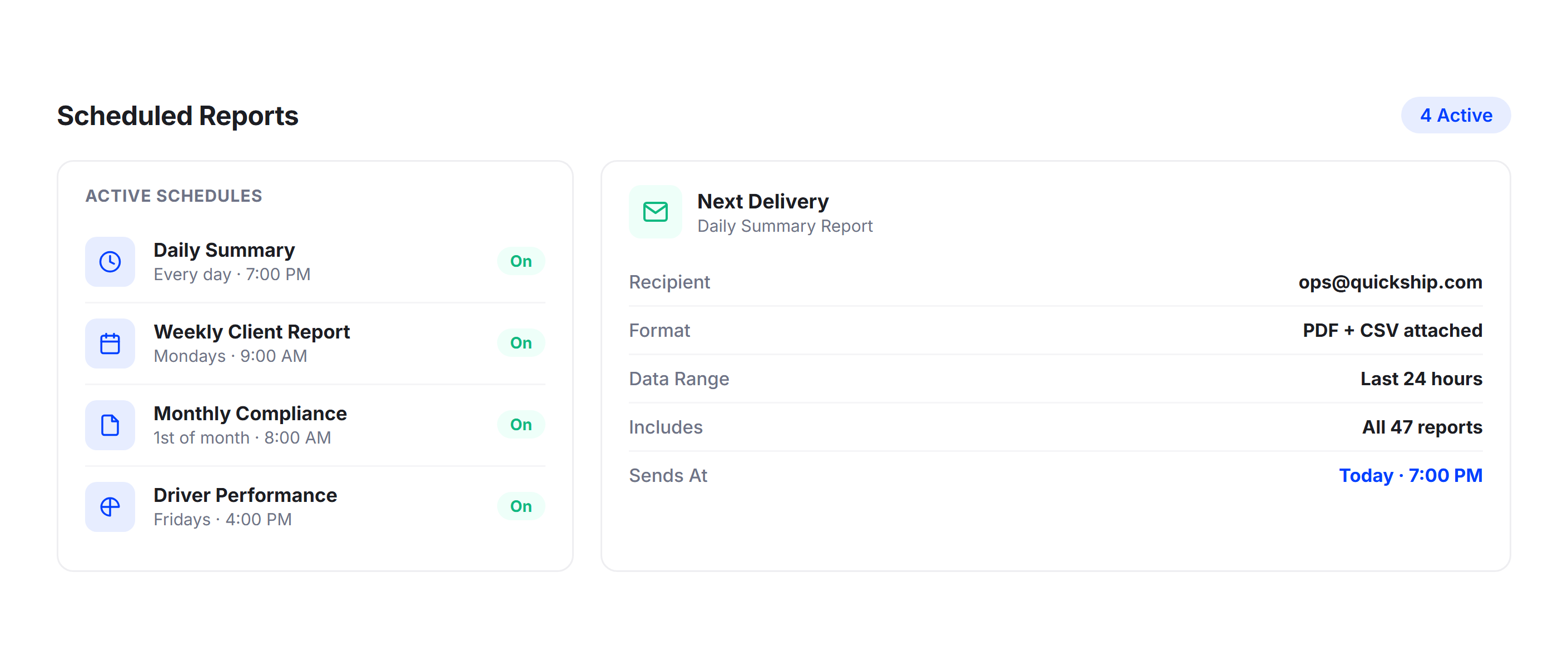
Scheduled Reports
Set up recurring report exports that land in your inbox automatically. Daily, weekly, or monthly delivery summaries are compiled and sent without manual effort, keeping stakeholders informed on a consistent schedule.
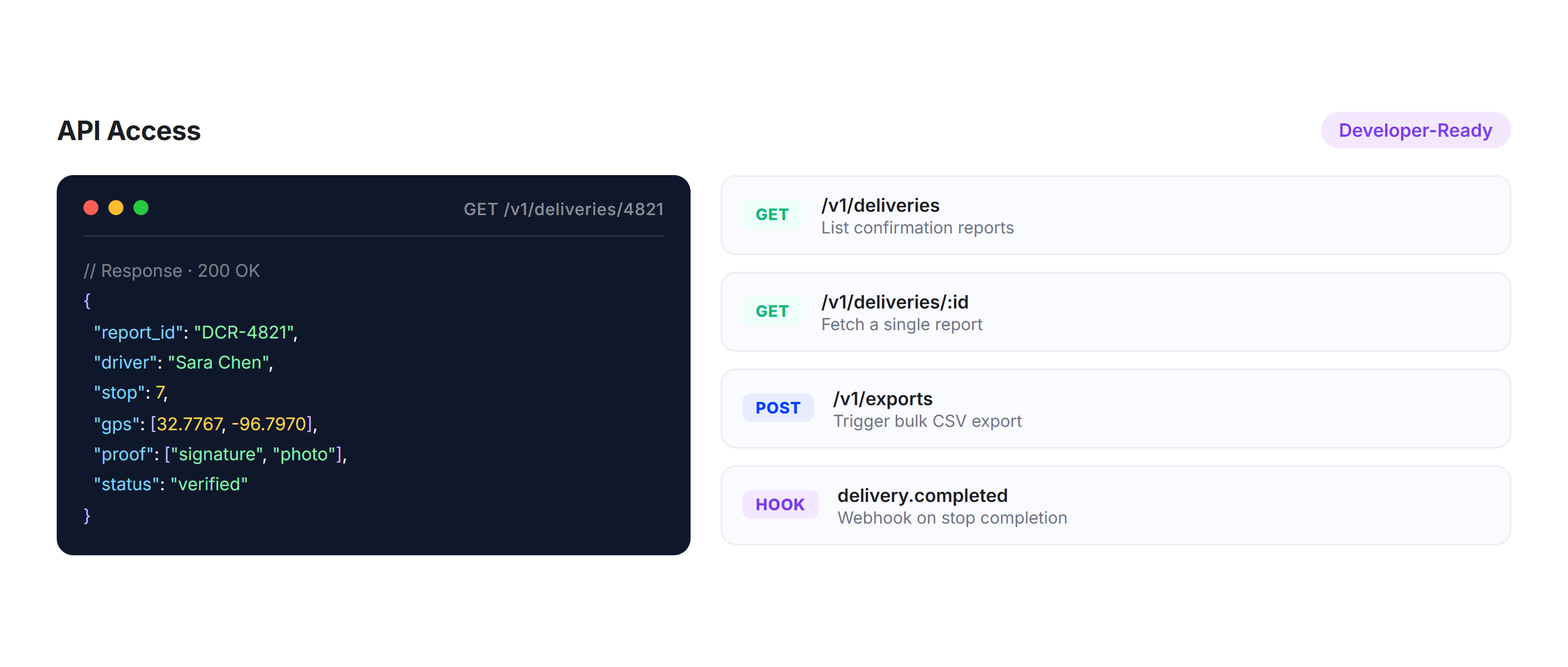
API Access
Pull delivery confirmation data into your existing systems using Upper’s route planner API. Automate report generation, feed data into business intelligence tools, or trigger workflows based on delivery events.
Why Leading Delivery Teams Choose Upper for Confirmation Reports

Eliminate Manual Reporting
Reports build themselves at every stop. No end-of-day data entry, no weekly compilation, no spreadsheet reconciliation.

Find Any Record in Seconds
Search and filter thousands of delivery records by driver, date, customer, or route. Pull up any confirmation report instantly.

Prove Every Delivery with GPS
Every report includes GPS coordinates and timestamps that verify exactly where and when the delivery happened. Disputes close in minutes.

Stay Audit-Ready at All Times
A complete, searchable archive of every delivery with photos, signatures, and metadata means you are always prepared for compliance reviews.

Make Data-Driven Decisions
Aggregated delivery data reveals performance patterns, failure trends, and efficiency opportunities across your fleet through delivery analytics.

Scale Without Admin Work
Whether you run 5 routes or 50, Upper generates the same confirmation report for every stop. Your reporting workload does not grow with your fleet.
Sync Your Delivery Report Data with the Tools You Already Use


Stop Compiling Delivery Reports by Hand
Join 10,000+ teams that rely on Upper to generate, store, and export verified delivery confirmation reports for every stop. Start your free trial today, no credit card required.
Frequently Asked Questions
-
How does Upper generate delivery confirmation reports automatically?
When a driver marks a stop as complete in the Upper mobile app, the system assembles a confirmation report that includes all captured proof (photos, e-signatures, driver notes), GPS coordinates, a timestamp, driver details, and stop information. The report is available in your dashboard within seconds. No dispatcher input or manual data entry is required.
-
Can I search for a specific delivery’s confirmation report in Upper?
Yes. The centralized dashboard lets you search by driver name, delivery date, customer name, route number, or address. You can also filter results by proof type, delivery status, or date range. Most users find the record they need in under 10 seconds, even across thousands of deliveries.
-
Does Upper support exporting delivery reports for external use?
Upper supports export to CSV and Excel formats. You can filter by date range, driver, route, or customer before downloading. The exported files include all proof metadata and are formatted for direct use in invoicing, compliance reporting, or client documentation.
-
Can Upper handle exception reporting for failed deliveries?
When a driver cannot complete a delivery, they select a structured exception code (closed business, wrong address, refused, recipient not home) and can add notes and photos. The failed delivery is logged in the same reporting system as successful deliveries, giving you a complete record of every attempted stop and the reason for any failures.
-
Does Upper’s delivery reporting work for compliance-regulated industries?
Upper’s confirmation reports include GPS coordinates, timestamps, e-signatures, photos, and driver identification, which meet documentation requirements for many regulated industries, including pharmaceutical delivery, medical supply distribution, and food delivery. All records are stored permanently and are exportable for audits at any time.
-
Can I set up automated delivery report exports?
Upper supports scheduled report exports on daily, weekly, or monthly intervals. Configure the report parameters once (date range, drivers, routes, fields to include), and the system emails the export to your designated recipients automatically. Stakeholders stay informed without anyone manually pulling data.