Snow removal photo documentation app
Snap it at the lot, find it when the claim arrives
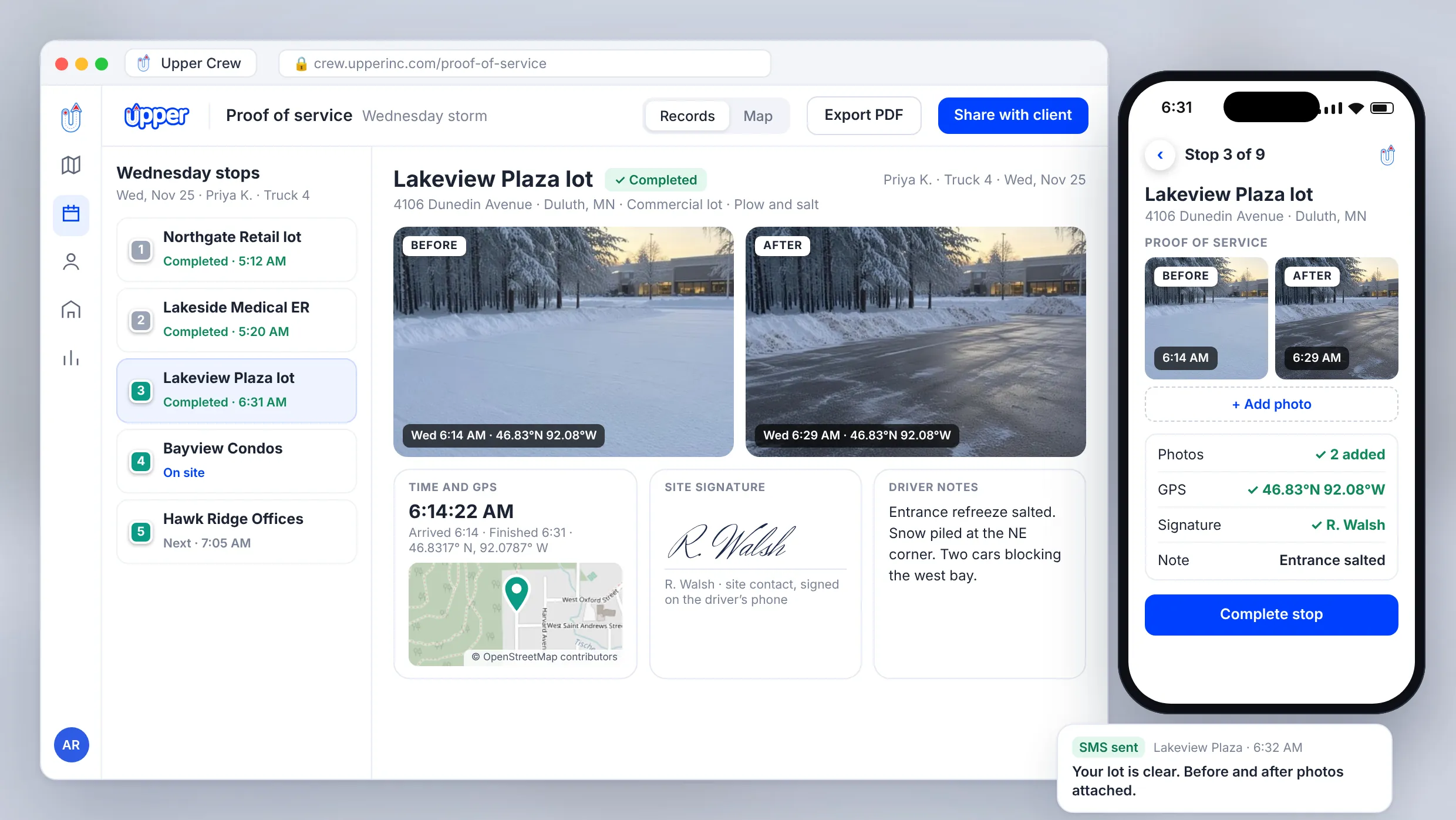
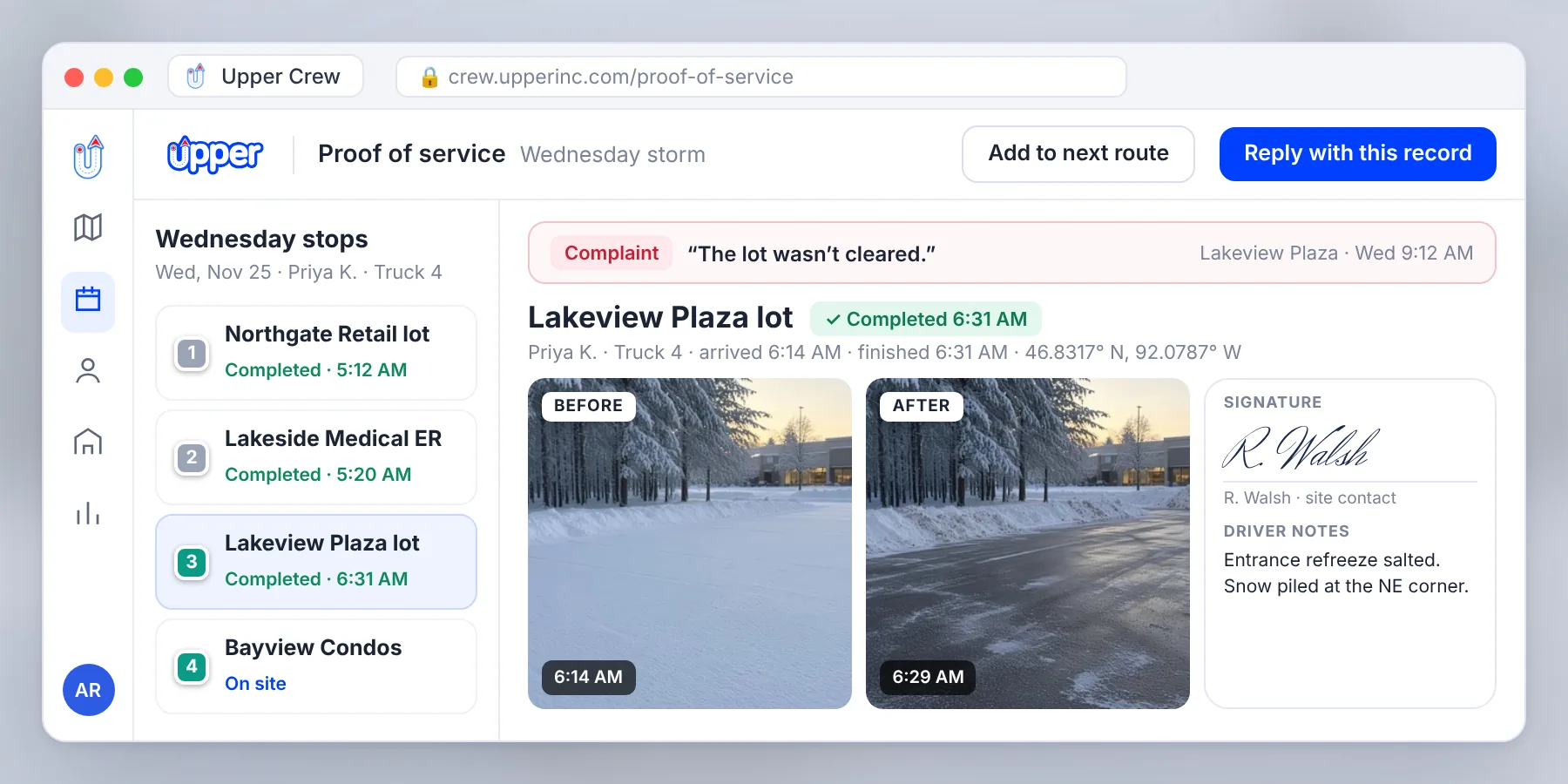
Upper Crew is a snow removal photo documentation app that saves each property’s photos, signature and notes on its stop. On Professional and above, each record is also stamped with the time and GPS location. When a slip-and-fall claim arrives months later, the proof sits on the route your driver ran instead of in a camera roll.
900,000+ routes optimized
Bring a property list and one visit you had to defend, and see the record Upper Crew keeps for every stop. Or start a 7-day free trial, no credit card required.


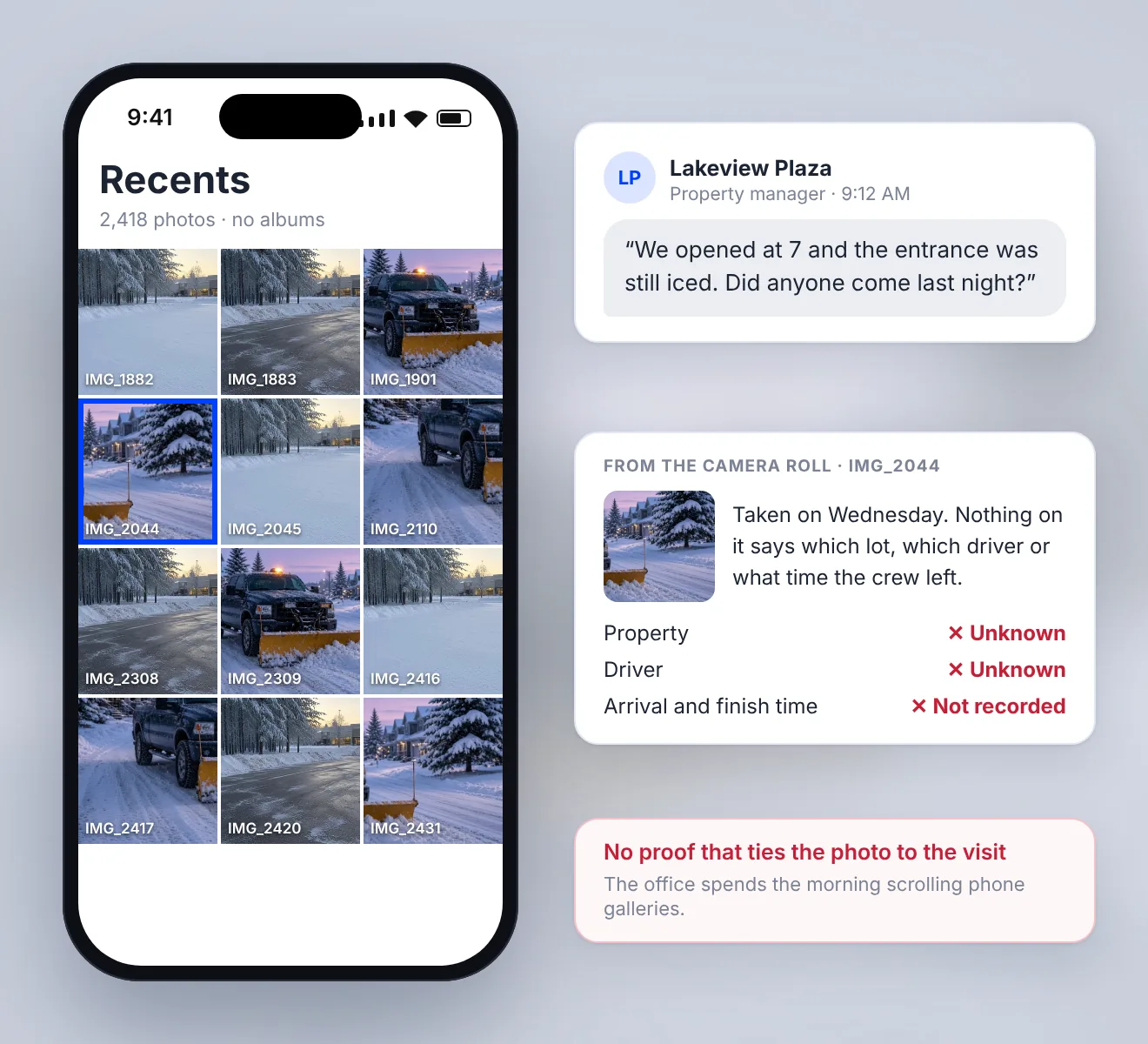
Photos alone don’t settle a dispute
When a client says the lot wasn’t cleared, you need to show which driver was there, when they arrived and that the photo is of the right property. A phone gallery can’t show that quickly. Upper Crew ties each photo to the property and to the driver who took it.
What Upper Crew records at each property
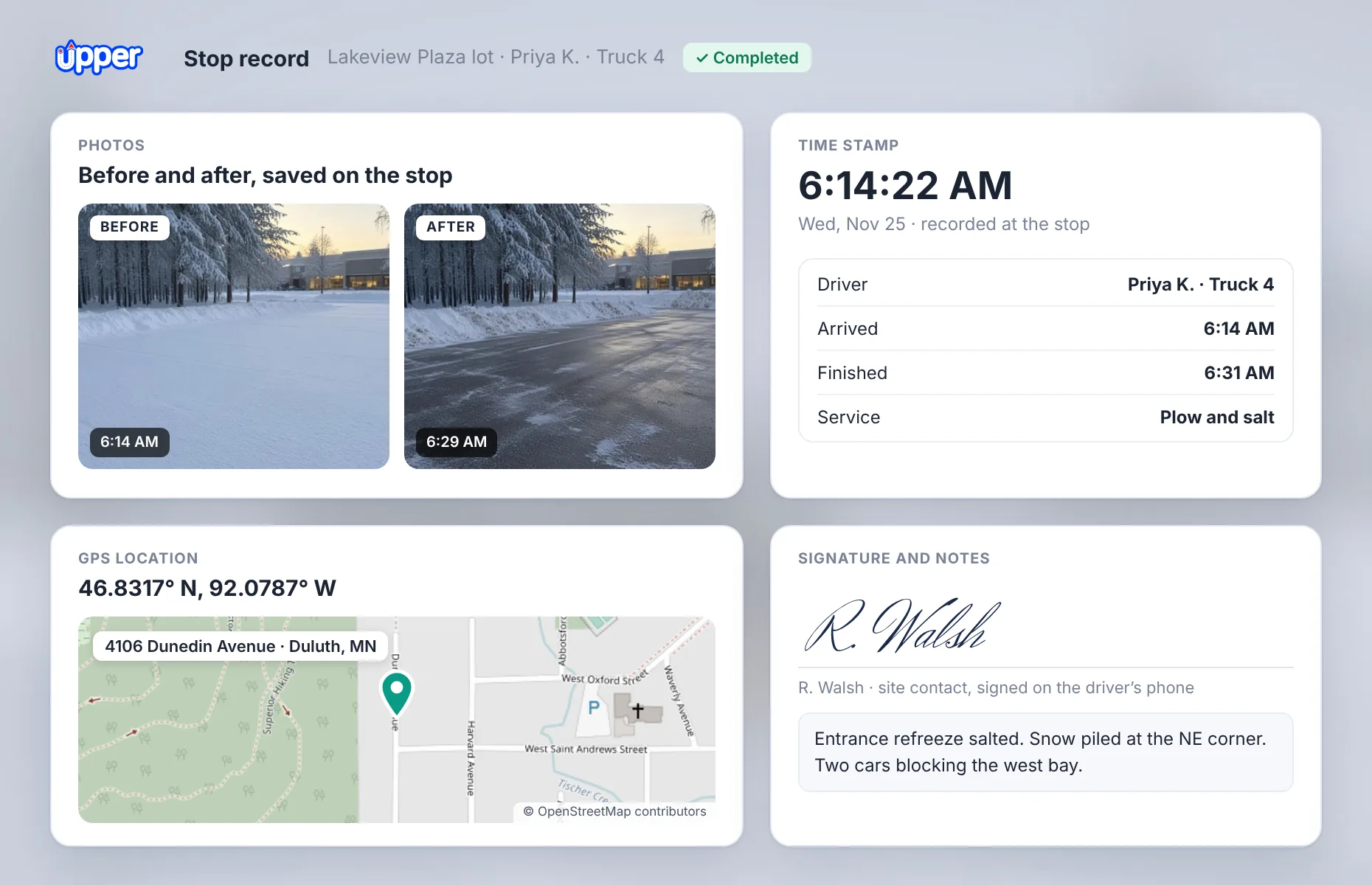
A snow removal proof of service app should hold more than a picture. Each completed stop can keep:
Photos: Up to 3 per stop on Starter, 5 on Professional and 10 on Optimize, through photo and signature capture.
Time and location: On Professional and above, each record is stamped with the GPS location and time of the visit.
Signature: A property manager or site contact signs on the driver’s phone.
Notes: What the driver saw, such as cars blocking the lot or a refreeze near the entrance.
How drivers take before-and-after photos at every stop
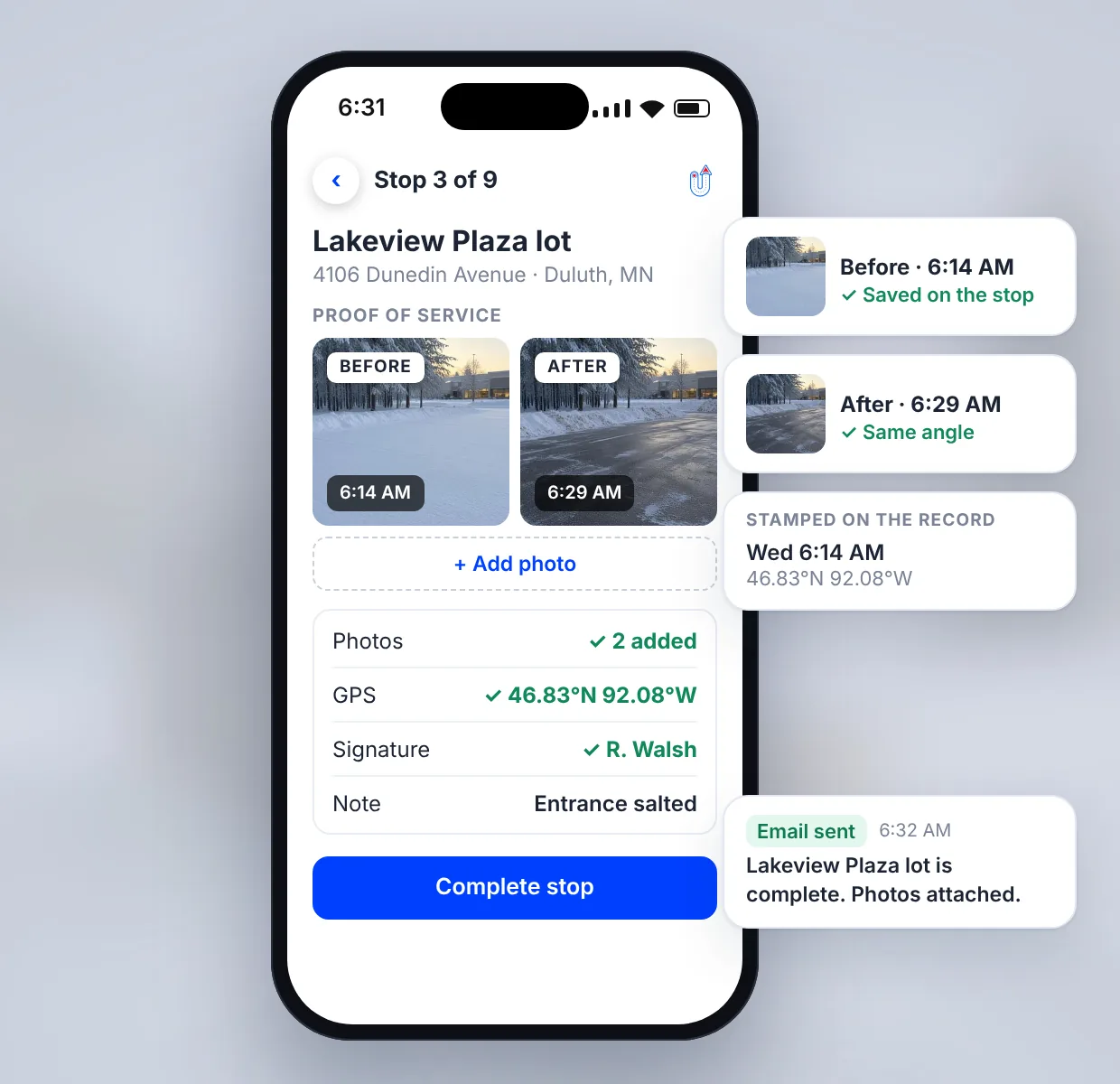
1. Plan the route
Plan plow and salt routes in Upper’s snow removal route planning software before the storm, or optimize snow plow routes from your property list, and each driver’s app shows the properties in order with site notes.
2. Photograph the arrival
The driver takes a before photo showing the lot as they found it.
3. Clear and photograph again
An after photo shows the finished surface from the same angle.
4. Close the stop
The driver adds a signature or notes, and the visit is saved to that property.
5. Send the update
On Professional and above, the client gets a text and an email completion update.
Answer a missed-service complaint with time-stamped photos
When a client says the plow never came, the record made at the stop carries more weight than notes written the next morning. Handle the complaint in four steps:
- 1
Open the property’s stop. Check the arrival time, photos and driver against the date in question.
- 2
Compare it with the contract. Confirm the snowfall reached the depth your contract sets, and that the visit fell inside the service window.
- 3
Reply in writing. Send the time-stamped photos and notes, so the exchange leaves a paper trail.
- 4
Offer a return visit. If the record shows the lot needs more work, add the property to the next route with Upper’s snow removal dispatch software and tell the client when to expect it.
Keep proof on file for as long as claims can come in
A slip-and-fall claim can arrive months after the storm. Proof of service only helps if it’s still on file, so choose the plan that matches how long your clients and insurers can come back to you.
| Plan | Photos per stop | Time and location stamp | Data retention |
|---|---|---|---|
| Starter | 3 | ✕Not included | 6 months |
| Professional | 5 | ✓Included | 1 year |
| Optimize | 10 | ✓Included | 2 years |
| Enterprise | 10 | ✓Included | Custom |
A GPS location shows the truck was at the property. A photo shows what the surface looked like. Keep both, and add a note when conditions change, such as a refreeze after you leave.
A note on claims
Upper Crew records what happened at each stop. It doesn’t give legal advice, so check with your insurer or attorney how long records should be kept in your state.
Paper log, phone camera or a snow removal photo documentation app
| What you need after a storm | Paper log | Phone camera |  Proof on every stopUpper Crew (Professional and above) |
|---|---|---|---|
| Photo tied to the property | ✕No | –Only if the driver labels it | ✓Yes, saved on the stop |
| Time and location | –Written by hand | –In the photo’s file data | ✓Stamped on the record |
| Signature and notes | –On paper | ✕Not captured | ✓Captured in the driver app |
| Office sees it the same night | ✕No | –Only if the driver sends it | ✓Yes, as soon as the stop is completed |
| Found again months later | –If the paper survives | –If the phone does | ✓Stored for your plan’s retention period |
Time and GPS stamps start on Professional. Compare every plan, including Optimize and Enterprise, on the Upper pricing page.
Bring one disputed visit and see the record Upper Crew would have kept.
Disputes went from frequent to rare for one snow team
ClearWay Snow Solutions, a snow removal company in Ontario, used to field customer disputes over whether a property had been fully cleared. Now every completed stop is documented with a time-stamped photo taken by the driver on site and attached to the job automatically.
Read the ClearWay Snow Solutions story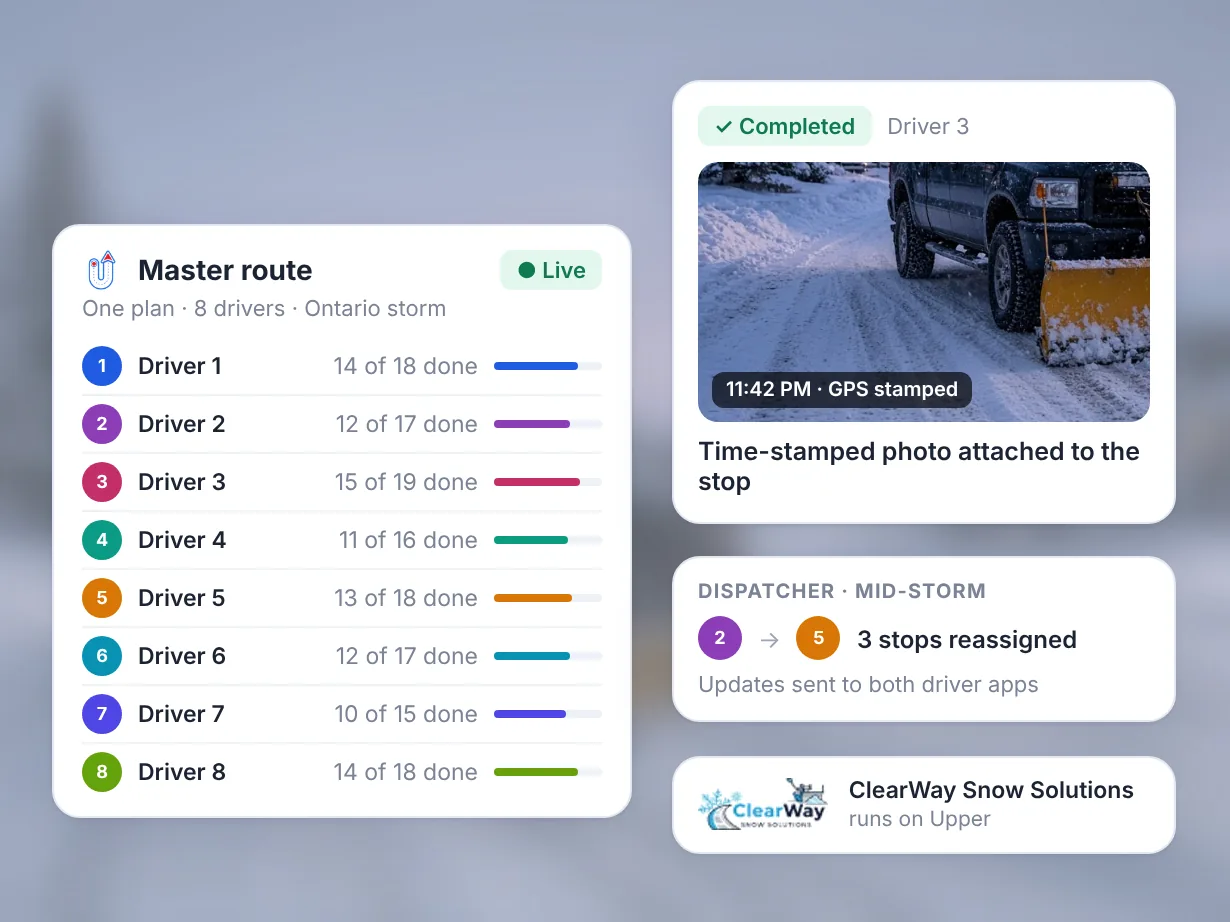 ClearWay Snow SolutionsOntario, Canada
“We can now track all our drivers in real time, reassign stops instantly, and provide proof-of-service to our clients.”
- Industry
- Snow removal
- Location
- Ontario, Canada
- Fleet
- 8 drivers
Result
| Metric | Before Upper | After Upper |
|---|---|---|
| Service disputes per week | Frequent | Rare |
| On-time completion | 76% | 94% |
| Stops per shift | 80–100 | 140–160 |
| Manual dispatch time per shift | 2–3 hours | 15–20 minutes |
Bring the dispute that cost you the most last season.
Test photo proof free for 7 days
The 7-day free trial needs no credit card and covers Professional plan features, except customer SMS notifications, for up to 5 users.
- 1
Import a few properties.
Upload them from CSV or Excel with addresses and site notes.
- 2
Run a before-and-after stop.
Complete one stop with a photo on arrival and one when finished.
- 3
Pull the record.
Open the stop the way you would for a disputed visit.
Snow removal photo documentation app FAQs
What is a snow removal photo documentation app?
A snow removal photo documentation app ties each plow or salt visit to photos, notes, a time and a location, so you can prove what was done at a property. Upper Crew adds route planning, live tracking and client updates, so the proof sits on the route your drivers run.
Does Upper geotag and timestamp snow plow photos?
Yes. From the Professional plan, each proof record is automatically stamped with the GPS location and time of the visit. Starter keeps photos (up to 3 per stop), signatures and notes, but without the GPS time-and-location stamp.
Can drivers take timestamped before-and-after photos?
Yes. Drivers can add up to 3 photos per stop on Starter, 5 on Professional and 10 on Optimize, which leaves room for a before shot and an after shot.
How long does Upper keep proof of service records?
Route data and reports are kept for 6 months on Starter, 1 year on Professional and 2 years on Optimize before they’re archived. Enterprise plans set a custom retention period, so pick the plan that covers how late a claim can arrive.
Is there a free snow removal proof of service app?
Upper Crew isn’t free, but its 7-day free trial needs no credit card and covers Professional plan features, including time- and GPS-stamped photo proof. After the trial, plans cost $50, $60 or $89 per user per month billed monthly, or 20% less billed yearly. See Upper pricing for plan limits.
Can photo records help defend a slip-and-fall claim?
Yes, they can support your side. Records made at the stop show who serviced the property and what the surface looked like, with the time and location of the visit on Professional and above. They don’t decide a claim, so confirm with your insurer what evidence and retention period they expect.
Put proof on every stop before the first storm
Bring your property list and the dispute that cost you the most last season. See how Upper Crew plans the route, captures the photos and keeps the record ready.