
Snow removal route planning software
Optimized plow and salt routes before the storm, re-planned the moment it changes
Upper Crew is snow removal route planning software that turns your property list into optimized plow and salt routes in minutes. It splits stops across your trucks, puts priority sites first and starts every truck at your yard. When a truck goes down or a late lot comes in, re-optimize and send the update to the driver app.
Or start a 7-day free trial, no credit card required.
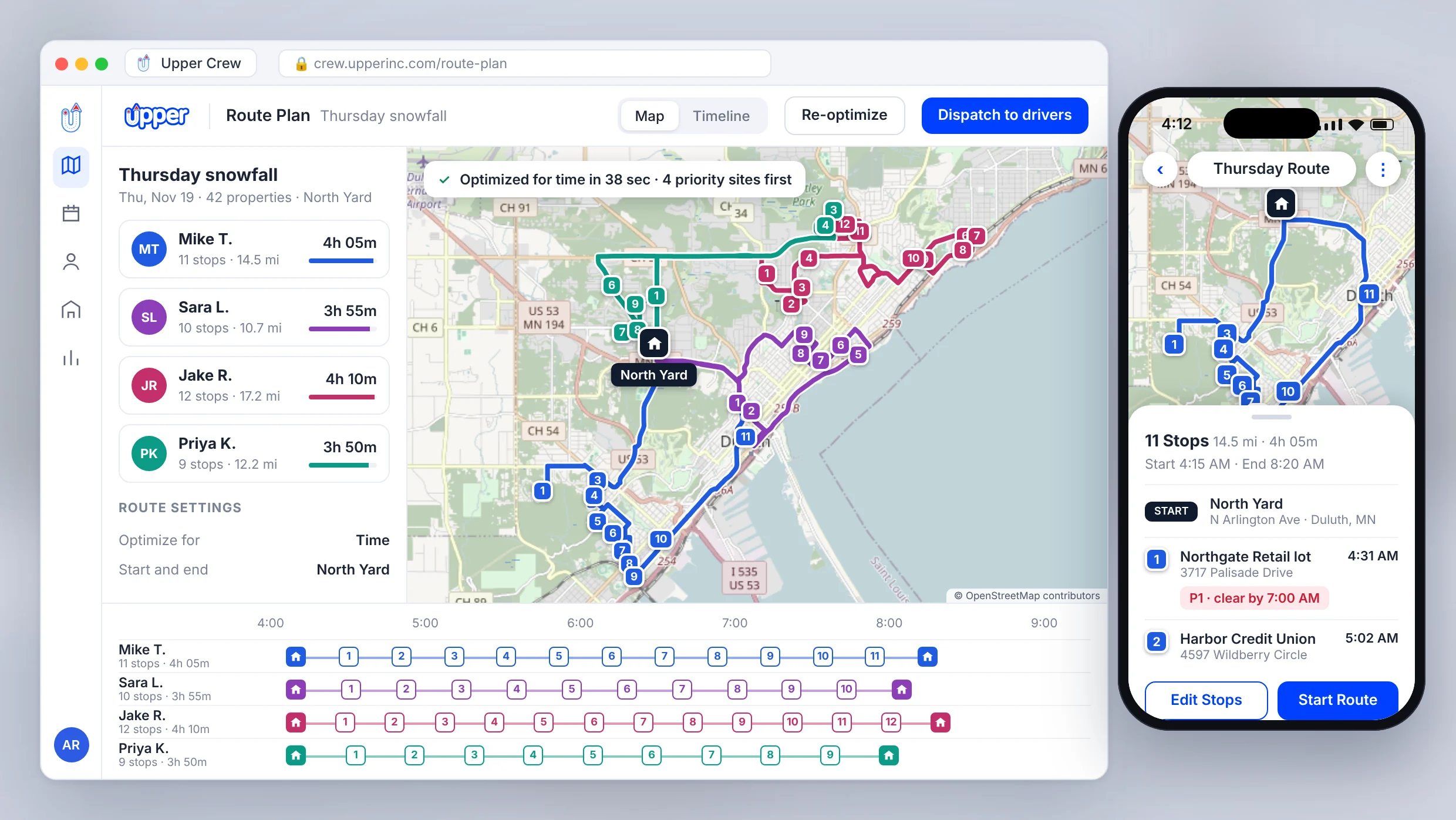


Plow routes built by hand break in the first storm
One truck crosses town between lots while another has more properties than it can clear before stores open. Priority sites end up late in the day, and every snowfall starts with someone rebuilding everything from a spreadsheet.
Work from one property list, so your dispatcher reviews a finished plan instead of starting from scratch.
How snow removal route planning works in Upper
Import your property list
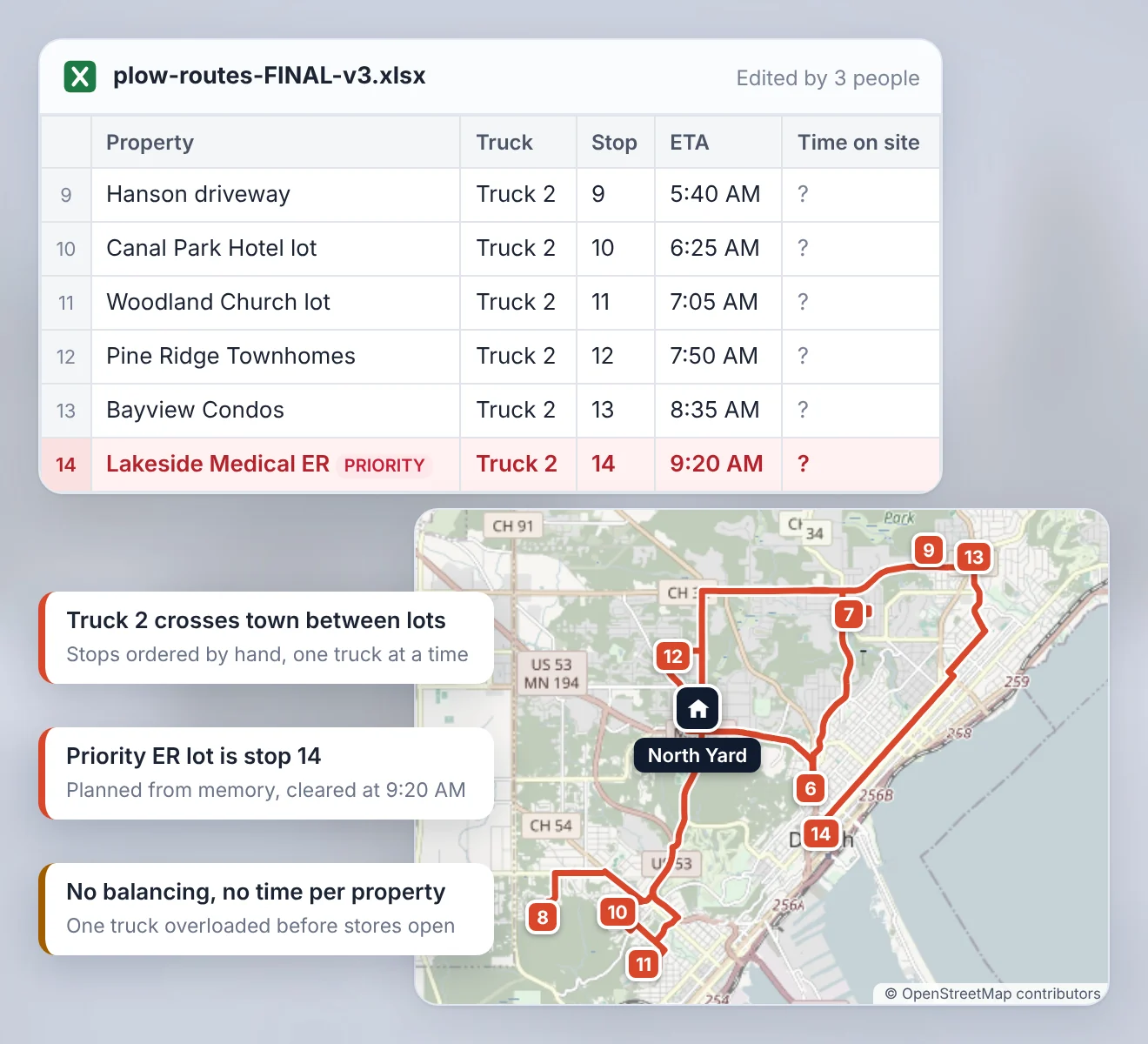
Import properties from CSV or Excel, with service durations, preferred time windows and stop priorities in the same file. Saved properties are ready for every snow event.
Start and end every route at your yard
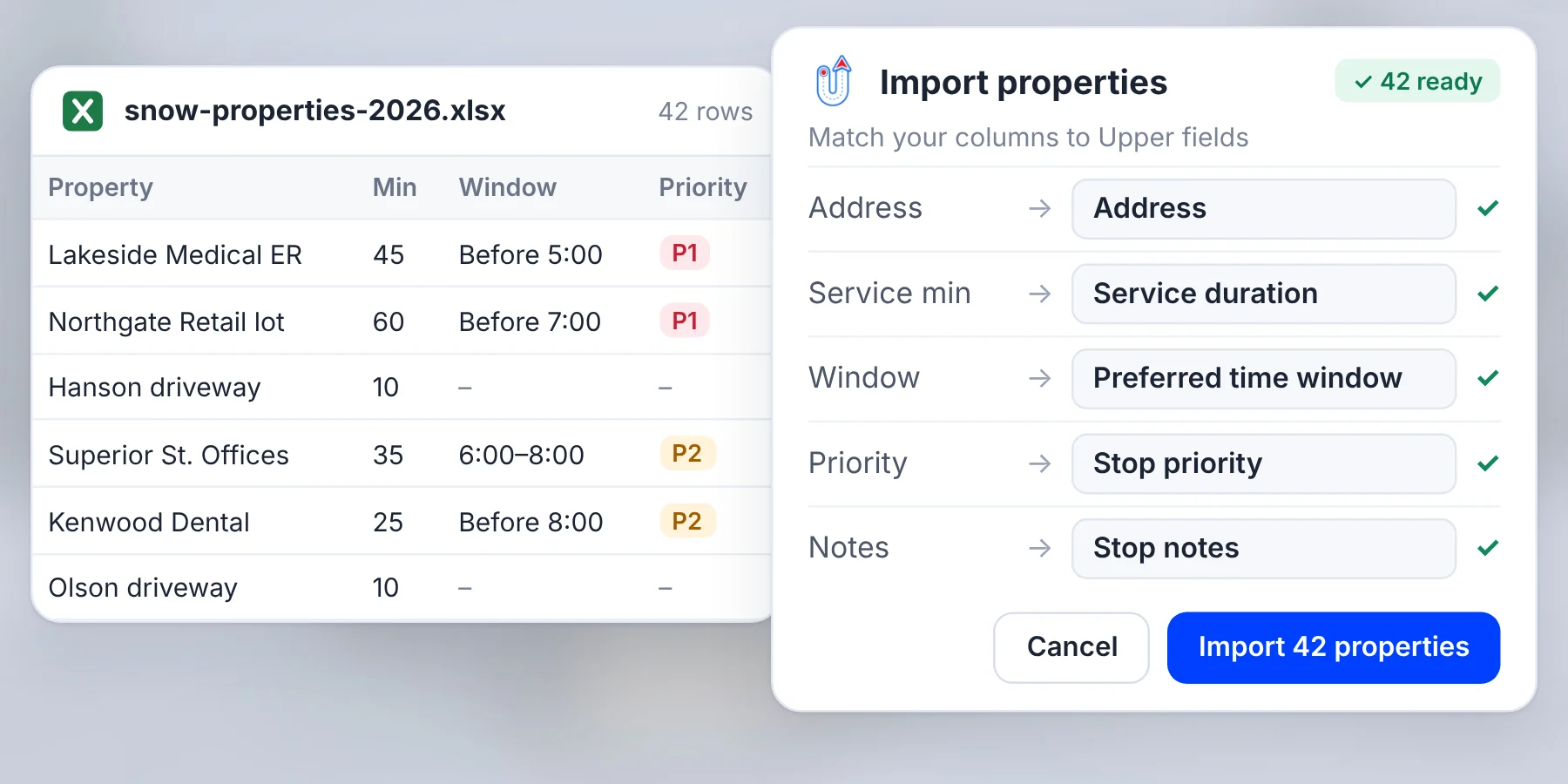
Set each driver’s start and end address, so trucks leave from your yard, shop or salt dome and return there when the run is done. The properties in between are sequenced for you.
Optimize across all your plow trucks
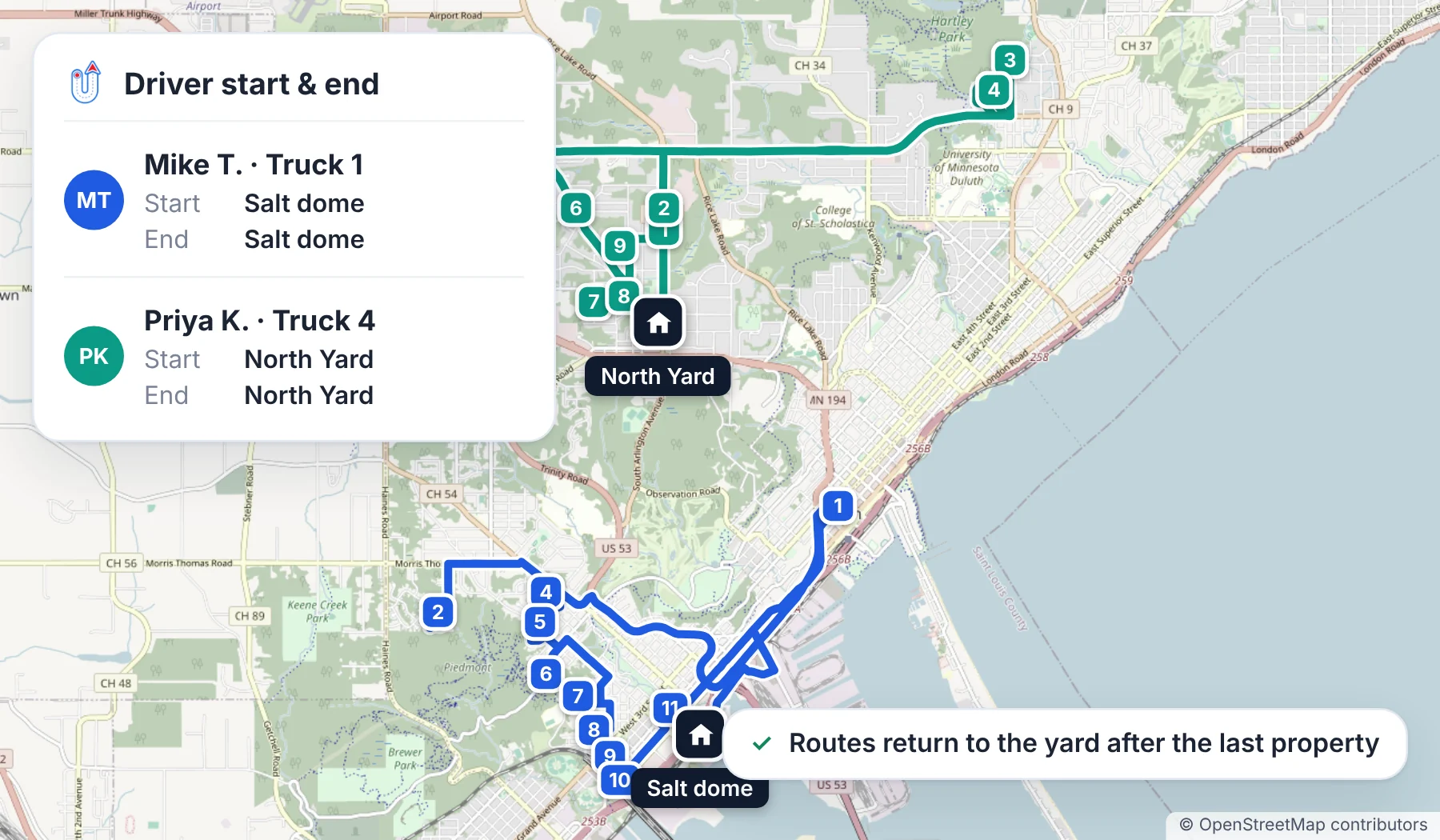
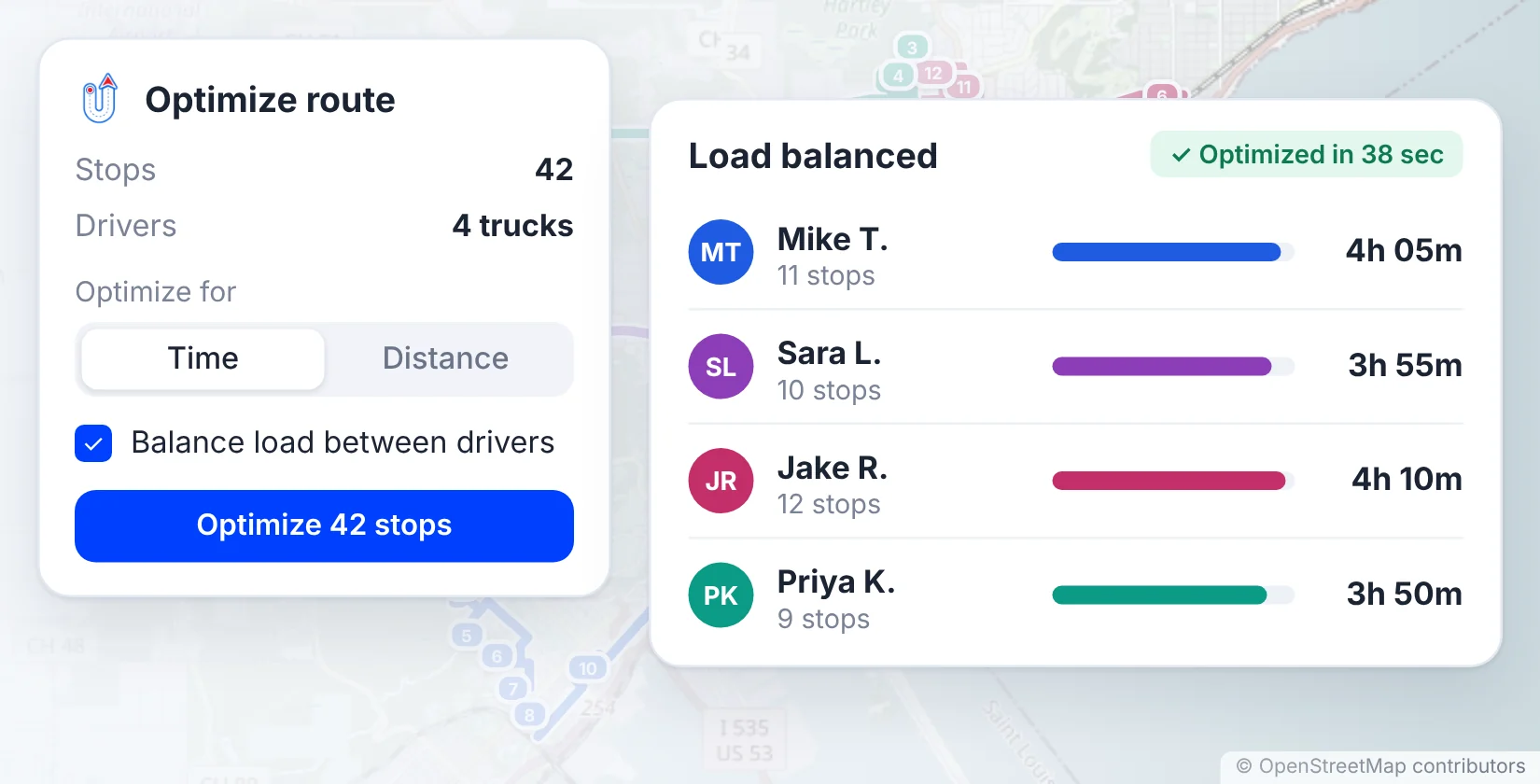
Split and sequence stops across your trucks in one run, optimized for time or distance, with the load balanced between drivers.
Review, adjust and dispatch
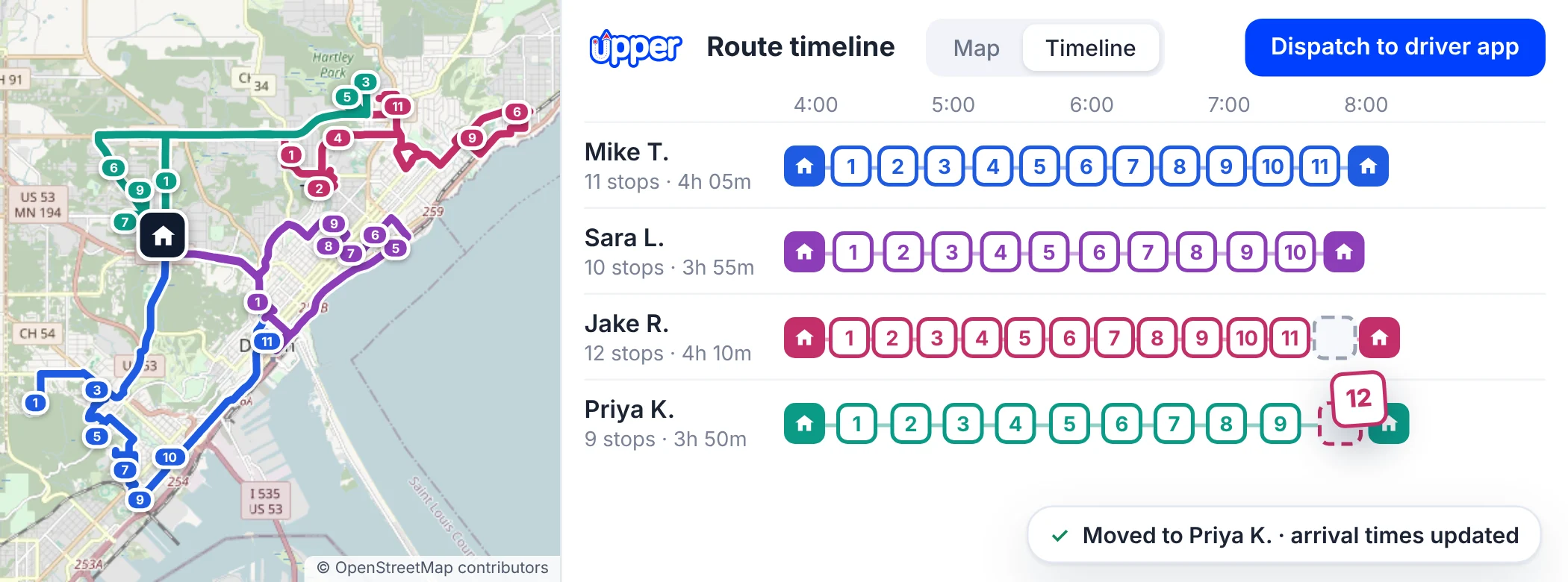
Check every route on the map and timeline before it rolls. Drag stops where local knowledge matters, then dispatch to the driver app in one click.
Snow plow route optimization around how your sites work
A run that looks short on a map can still fail on a snow day. Optimize around the details that decide a real plow route.
-
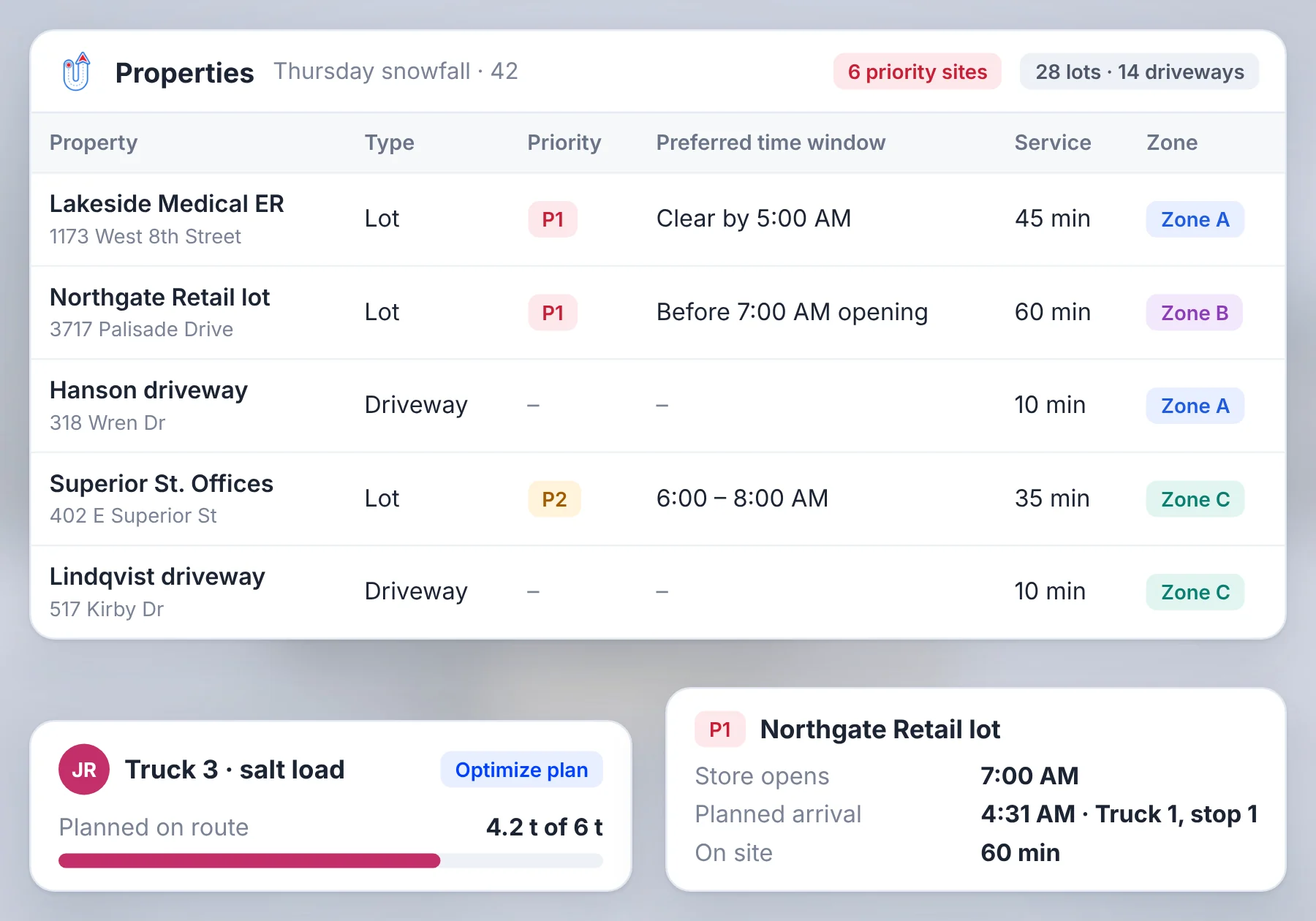
Stop priorities: Hospitals, early-opening retail lots and contract-deadline sites are planned ahead of other stops.
-
Preferred time windows: Add when a client needs the lot clear, such as before a store opens (Professional and above).
-
Service durations: Give a large commercial lot more time than a driveway, so later arrival times stay realistic.
-
Lots and driveways: Plan commercial lots and residential driveways on separate routes, or together when that’s how a truck runs.
-
Zones: Keep drivers in set areas with zone-based routing on the Optimize plan.
-
Truck capacity: Set each truck’s weight or volume limit on the Optimize plan.
Who decides what
Preferred time windows are preferences, not hard rules. Your dispatcher reviews the result and decides where a priority site goes when two deadlines compete.
Plan routes once, reuse them every storm
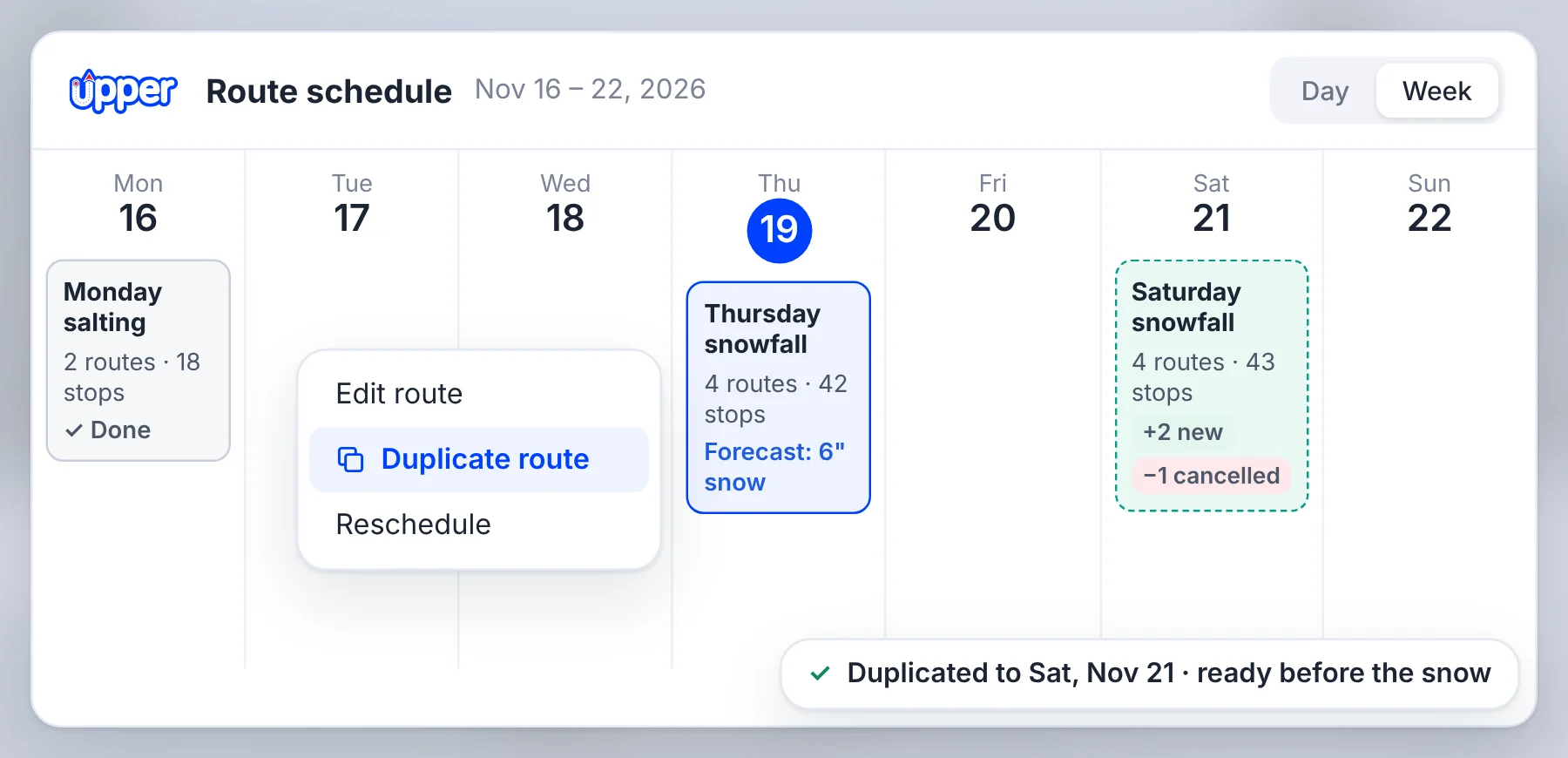
When most clients return each season, schedule routes in advance and duplicate a route in one click when the next snowfall is forecast. Add new clients and remove cancelled ones, and everything is ready before the snow starts.
Re-plan routes mid-storm and send them straight to the truck
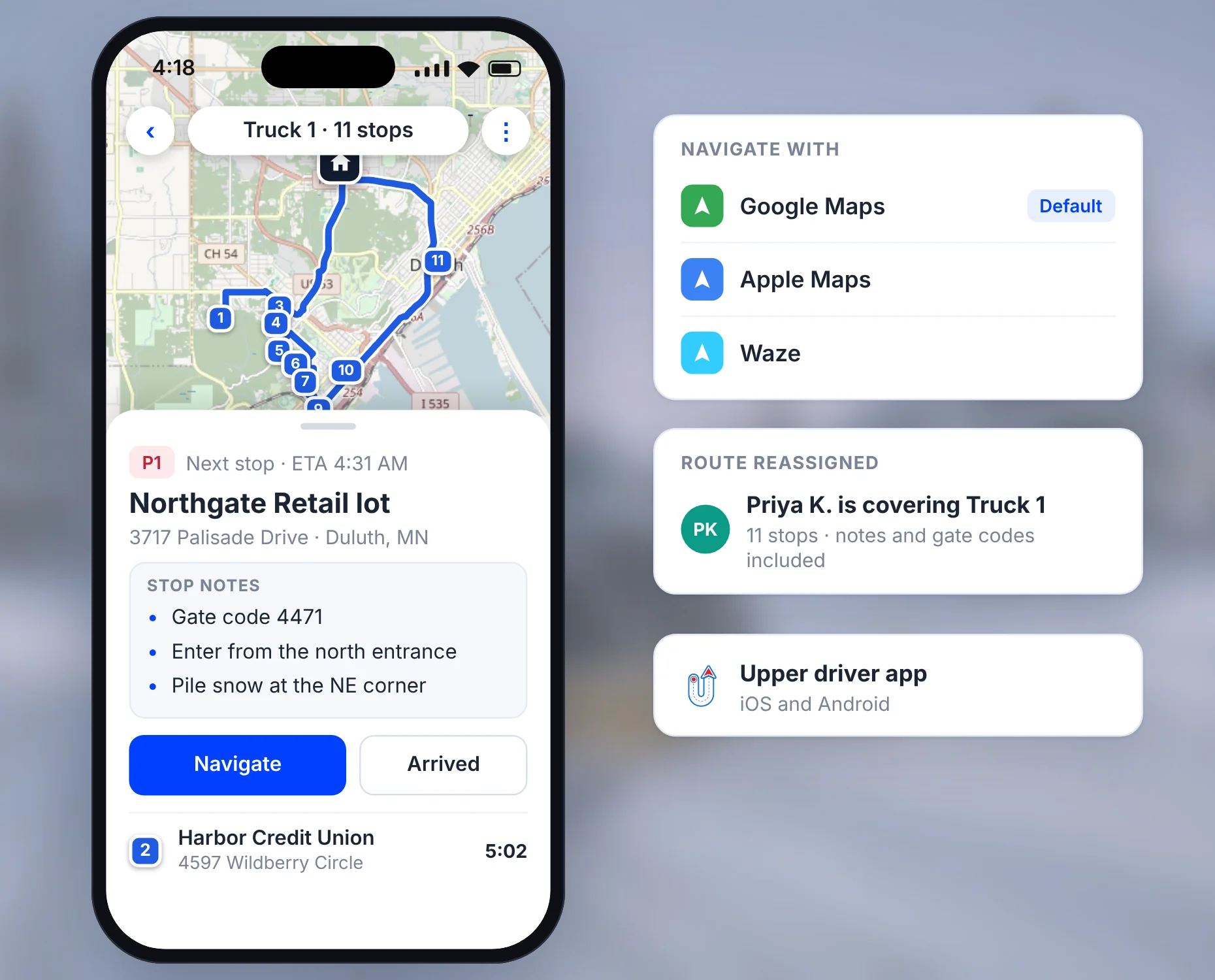
When a late property comes in or a truck goes down, add the stop or move its remaining stops to other drivers, then re-optimize and push the changes to the driver app. Your team still confirms each truck’s blade, salt load and site access before adding more work to that truck. For mid-storm changes after dispatch, use Upper’s snow removal dispatch software.
Drivers follow the route stop by stop
Each driver gets their stops in order in the driver app for iOS and Android, with navigation through Google Maps, Apple Maps or Waze. Stop notes carry gate codes, entrance directions and where to pile snow, so a covering driver can take over too.
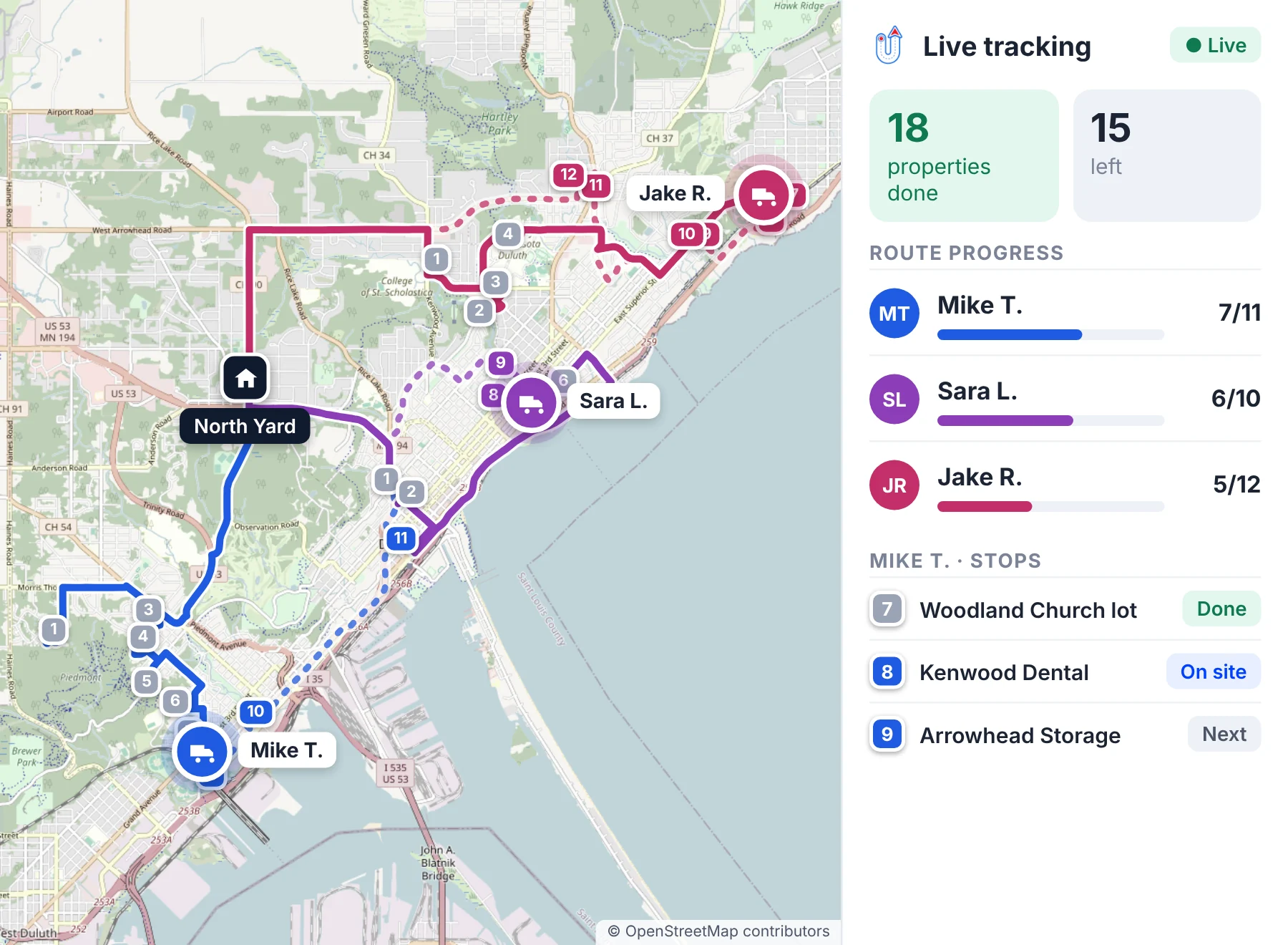
Follow each route live and see which properties are done and which are left.
Plan availability
Multi-truck balancing, the route timeline, drag-and-drop changes, one-click dispatch, updates after dispatch and live tracking start on the Professional plan.
How Northern Clearways cut route planning time by 81% with Upper
Northern Clearways, a landscaping and snow removal company in Duluth, Minnesota, serves 550+ regular clients. The team plans routes as soon as snow is forecast, and duplicates a run with its pending stops to give work to drivers who finish early.
Read the Northern Clearways story Northern ClearwaysDuluth, Minnesota
“With Upper, we’re not just reacting to the weather; we’re strategically prepared for it, saving us invaluable time and enhancing our service reliability.”
- Industry
- Landscaping and snow removal
- Location
- Duluth, Minnesota
- Clients
- 550+ regular clients
Northern Clearways’ reported results:
- 81%route planning time saved
- Less than 50 hoursof route planning per season, down from over 400 hours
- 96%driver productivity, up from 80 to 85%
Manual routing vs map apps vs Upper
A spreadsheet lists the properties. A map app orders one driver’s stops. Snow removal route planning software like Upper builds and balances the work for every truck, then keeps it current as conditions change.
| Feature | Spreadsheet and manual routing | Map app | Snow removal route planning software |
|---|---|---|---|
| Building runs | By hand, one truck at a time | Stops entered for one driver | Optimized across all trucks in one run |
| Splitting stops across trucks | Dispatcher’s judgment | One driver at a time | Balanced across trucks by time or distance |
| Priority sites | From memory | Reordered by hand | Planned ahead of other stops |
| Time on each property | Estimated | Not included | Set per property |
| Mid-storm changes | Calls and texts | Stops re-entered | Re-optimized and sent to the driver app |
| Next snowfall | Rebuilt from the spreadsheet | Stops re-entered | Duplicated or scheduled in advance |
Plans start at $50 per user per month, or $40 billed yearly. See all plans.
Try it on your own properties in a 7-day free trial
The free trial lasts 7 days and needs no credit card. It covers Professional plan features except customer SMS notifications, and you can add up to 5 users at no cost.
- 1
Import your properties.
Upload your property list from CSV or Excel.
- 2
Set your yard and priorities.
Add start and end locations, stop priorities and service durations.
- 3
Optimize and dispatch.
Balance stops across your trucks and send them to the driver app.
- 4
Change a route mid-run.
Add a late property or move stops between drivers.
- 5
Follow along.
Watch live progress and see which properties are done.
Snow removal route planning software FAQs
What is snow removal route planning software?
It turns a property list into optimized plow and salt routes across your trucks, with priority sites first and realistic time for each property. Upper Crew also lets you re-plan after dispatch and send the changes to the driver app.
Can Upper plan routes for a whole fleet of plow trucks?
Yes. Every truck gets its route in one run, with stops balanced between them. Starter covers up to 10 driver profiles, Professional 15, Optimize 30 and Enterprise is unlimited.
How does snow plow route optimization work in Upper?
Each truck’s stops are sequenced using location, service duration, stop priority and preferred time windows, optimizing for time or distance. Your dispatcher reviews the result on the map, adjusts anything, then dispatches. Time windows and the route timeline start on the Professional plan.
Can a plow route start and end at our yard?
Yes. Set each driver’s start and end address to your yard, shop or salt dome, and the route is optimized out and back. If a truck starts and ends at the same yard, enter the same address in both fields.
How are priority sites handled?
Mark priority accounts as priority stops, and they’re planned ahead of other stops. On Professional and above, add preferred time windows for sites that must be clear by a set time, and your dispatcher reviews the plan before it goes out.
Can we reuse plow routes all season?
Yes. Schedule routes in advance and duplicate a route in one click when the next snowfall is forecast. Update the stops for new or cancelled clients before you dispatch.
How many stops can one plow route hold?
Up to 250 stops per route on Starter, 500 on Professional and 1,500 on Optimize. Every plan includes unlimited routes each month.
Can Upper plan around truck capacity?
Yes, on the Optimize plan. Set each truck’s weight or volume limit, and every route stays within it.
See your plow routes built in Upper
Bring your property list, your priority accounts and the last-minute change that usually sends your dispatcher to the phone. Watch your plow routes get built, re-planned and sent to your drivers.