
Dumpster rental dispatch software for roll-off haulers
Plan drop-offs, swaps and pickups, then change the day without starting over
Upper Crew is dumpster rental dispatch software for roll-off companies with several trucks. It plans each route across your drivers, sends it to the driver app and keeps photo proof at every stop. When a swap request or a call-out lands, your dispatcher changes the plan and drivers see it.
Bring your job list. See how Upper Crew plans the day and handles a same-day swap.


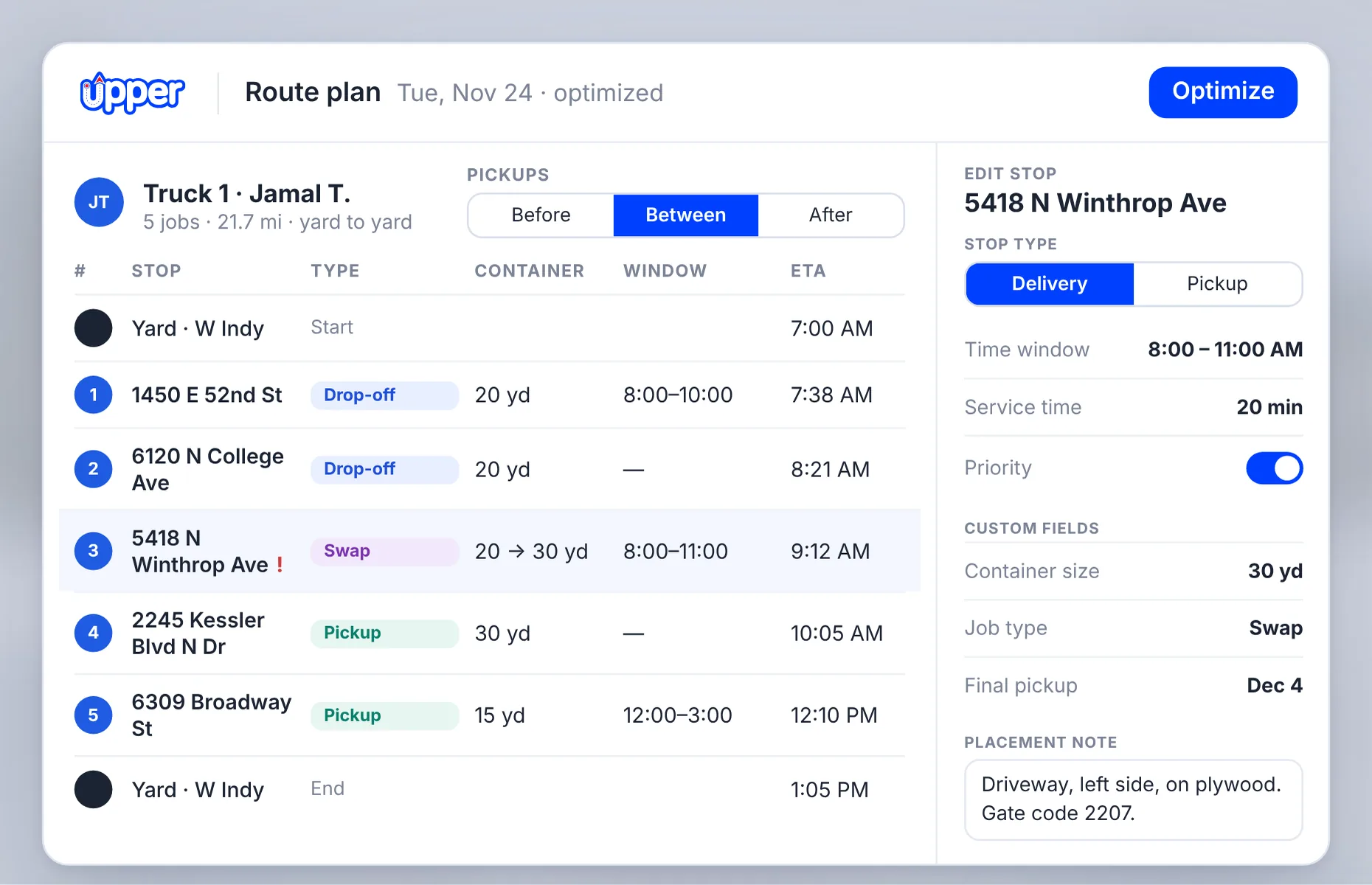
How do you plan drop-offs, swaps and pickups on one route?
Import the day’s jobs from a spreadsheet, and Upper Crew splits them across your trucks and sets the stop order.
- Delivery or pickup: Mark each stop as a delivery or a pickup, then set pickups before, between or after deliveries.
- Job details: Note the container size, whether it’s a swap or a final pickup, and where the can goes.
- Site access: Keep gate codes, placement notes and site contacts on the stop for any driver who covers it.
- Service time and priority: Set how long each job takes, and put urgent drop-offs first.
- Yard start and end: Start and end each driver’s route at your yard.
- Time windows: Add a preferred arrival window when a customer needs the can by a set time. Upper plans around it, but a window is a preference, not a guarantee.
Preferred time windows and custom fields for site details start on the Professional plan. Upper’s guide on how to combine pickups and deliveries covers the stop order choices.
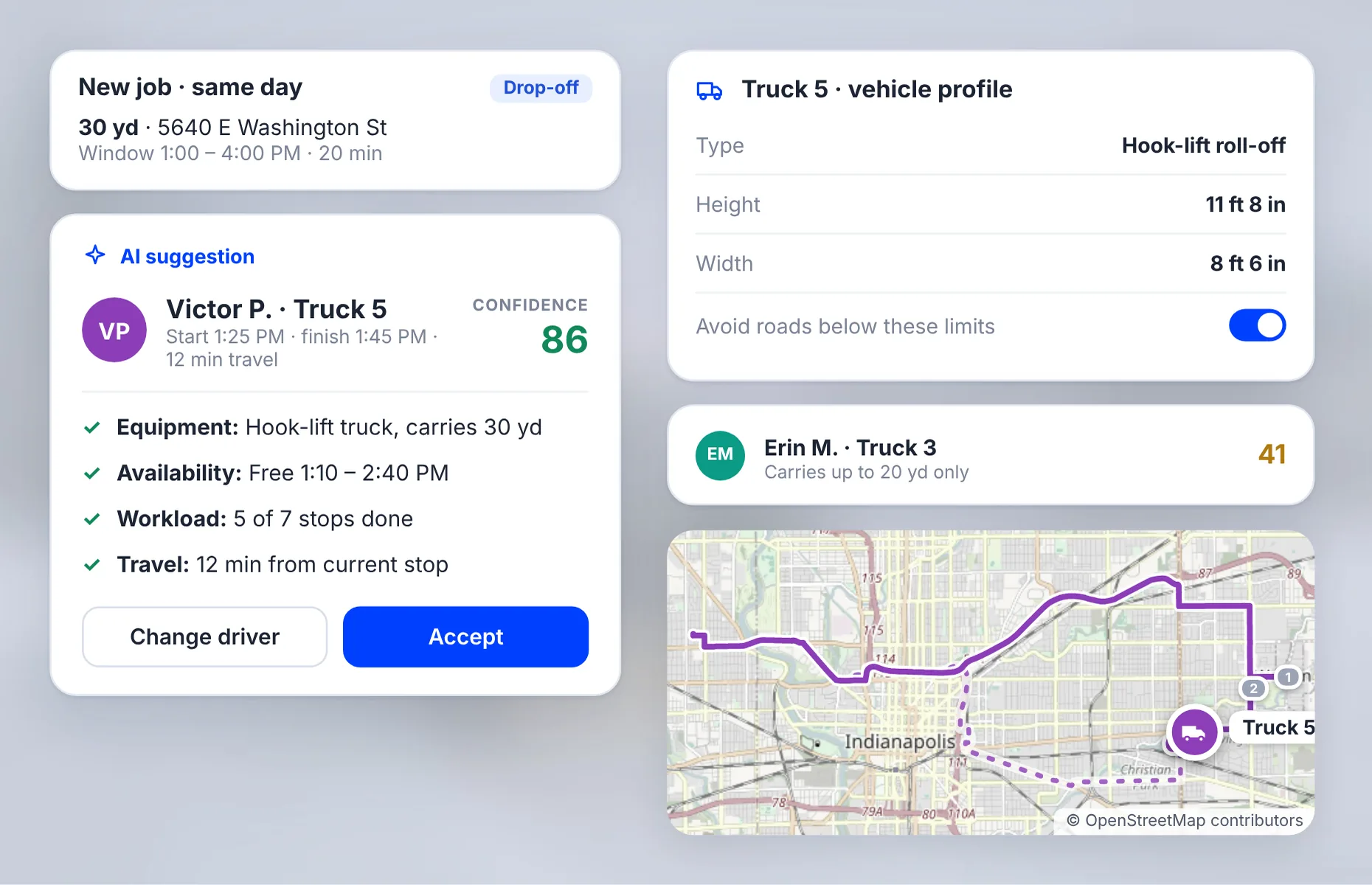
How do you match each job to the right truck?
Not every truck can take every job. A tight driveway or a low bridge limits which truck can go.
The software splits the stops across your drivers and balances the workload. Height and width limits keep a truck off roads it can’t use.
Upper AI Dispatcher recommends a driver for each new job. It weighs equipment, vehicle fit, availability, workload and travel time, and shows its reasons with a confidence score. Your dispatcher accepts or changes the match before it goes out.
Multi-driver load balancing starts on the Professional plan. Vehicle height and width restrictions start on Optimize, and AI driver assignment is part of the Optimize plan.
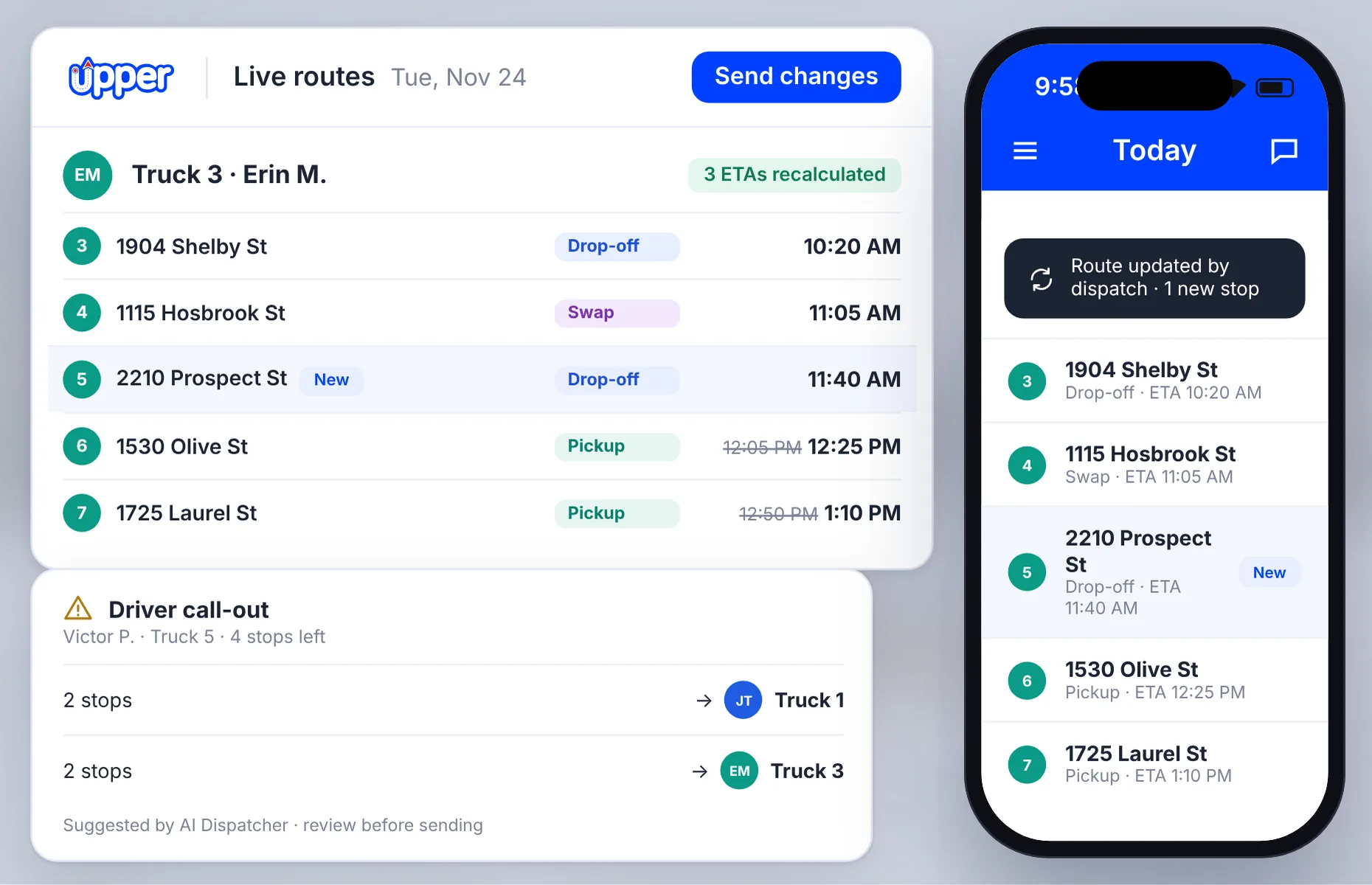
What happens when the day changes after trucks leave the yard?
A roll-off day changes after dispatch. Here is how Upper Crew handles the usual changes:
- Same-day order: Insert the new drop-off into a live route. The software recalculates the arrival times for the stops after it.
- Swap upsized or moved: Edit the stop and its note, then re-optimize the remaining stops and send the revised route to the driver.
- Driver call-out or breakdown: Drag the stops to other drivers, or let AI Dispatcher suggest who can cover them.
- Cancellation: Remove the stop and re-optimize the rest, or let AI Dispatcher suggest pending work for the gap.
Each change goes to the driver app, so no driver works from an old list. Your dispatcher still decides which can goes out and whether a job fits today.
Real-time route updates and drag-and-drop changes start on the Professional plan.
Bring one change that usually breaks your day. We’ll make it live in the demo.
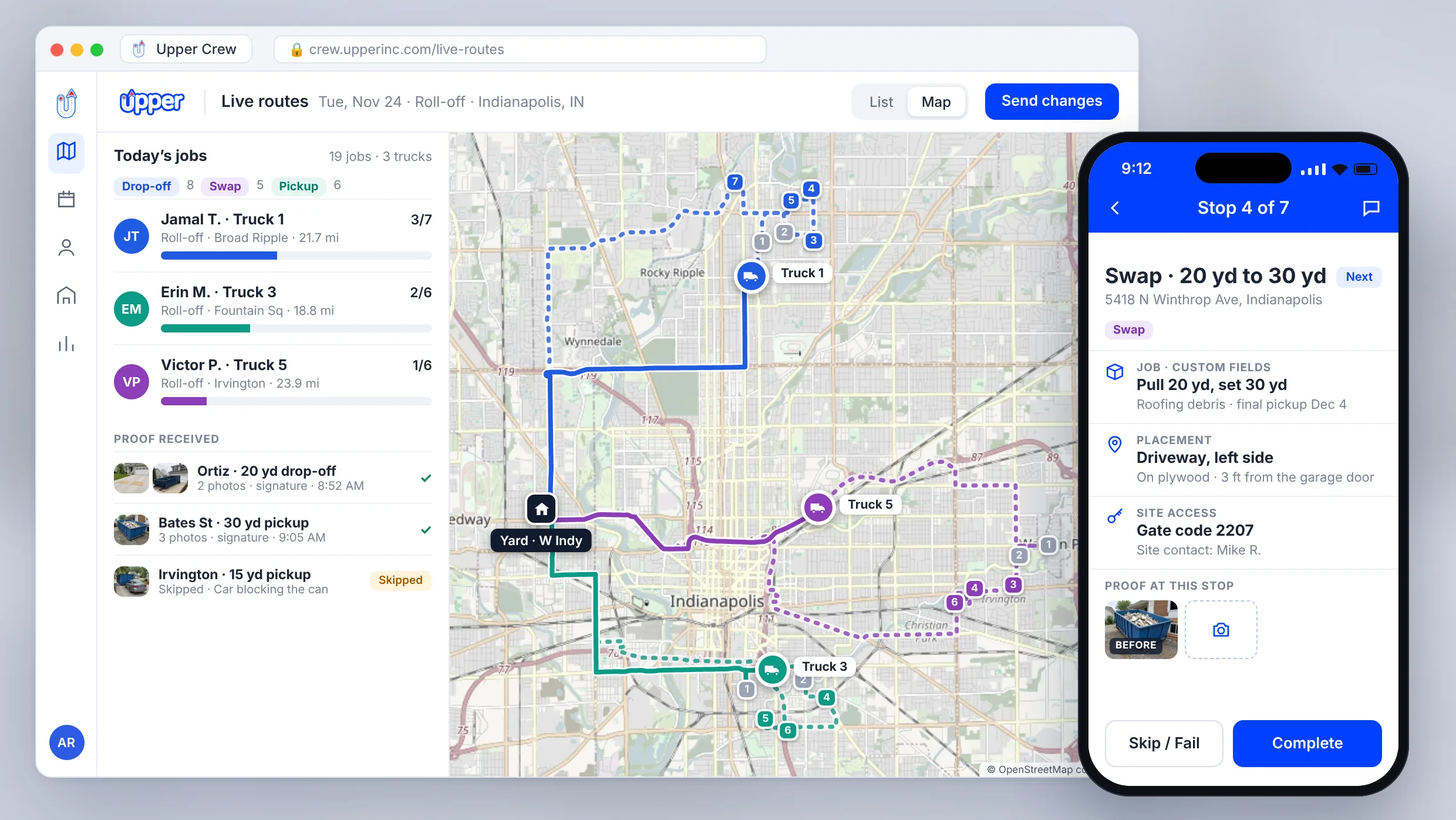
How do drivers record proof at every drop-off and pickup?
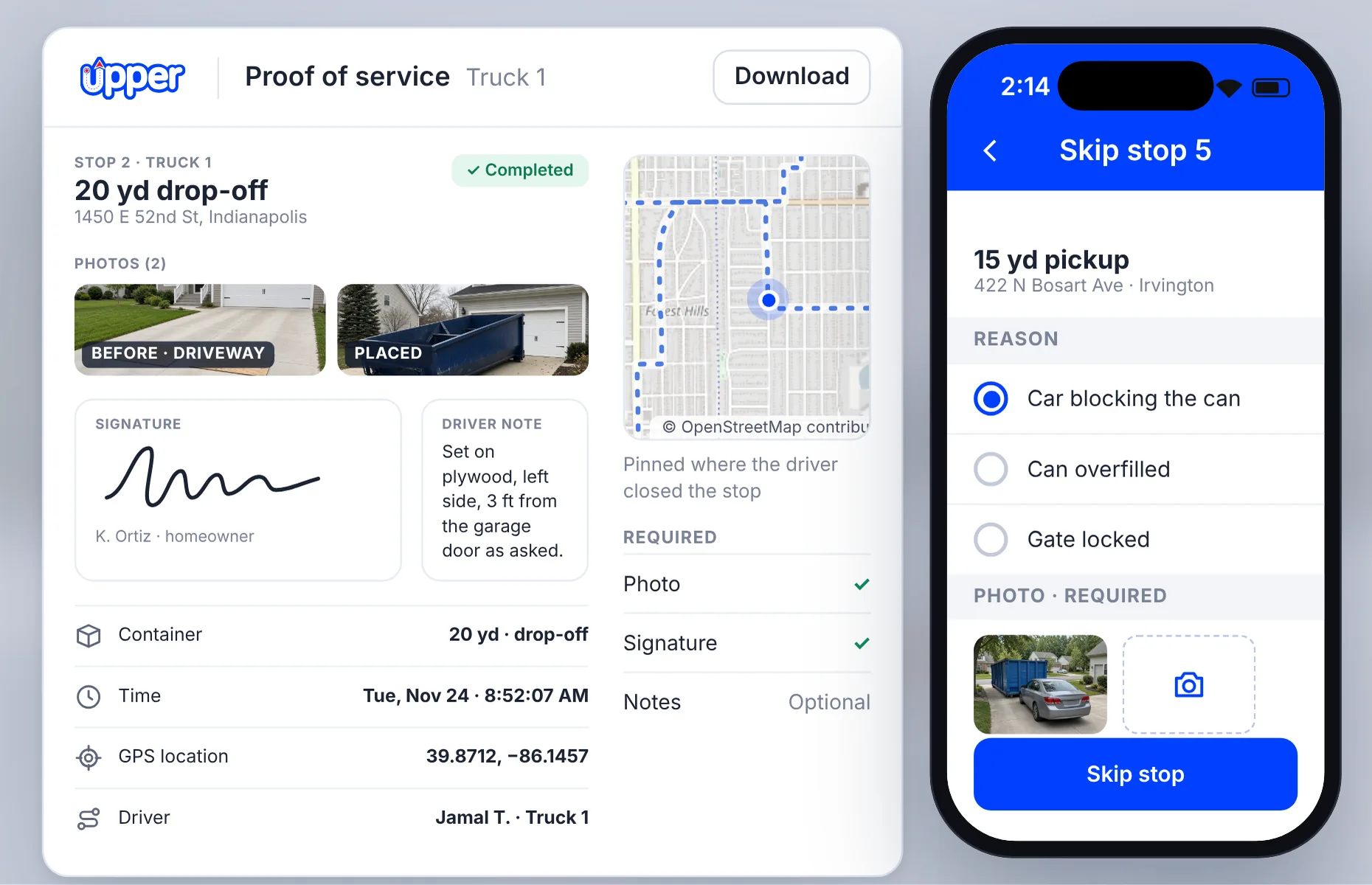
Drivers record proof in the driver app before they close each stop:
- Photos: Show where the can was placed, or how it looked at pickup.
- Signature and notes: Get a signature from the customer or site contact, and note anything unusual.
- Time and GPS stamp: Each record shows when and where the driver was at the stop.
- Blocked jobs: If a parked car blocks the dumpster, the driver marks the stop failed or skipped with a reason. If your settings require a photo, the driver adds one.
- No signal: Once the route is open on the phone, drivers keep marking stops offline, and the proof syncs once the phone reconnects.
At the end of the day, your dispatcher copies the skipped and missed stops into a reattempt route.
Starter allows 3 photos per stop, Professional 5 and Optimize 10. The time and GPS stamp starts on Professional.
How do customers know when the truck is coming?
Customers get texts or emails when the route starts, when the driver is near and when the job is done. If a stop is skipped, they get a missed-service message instead.
Customer notifications start on the Professional plan, and SMS is billed per text. Optimize includes a live tracking link with the driver’s ETA. It’s also available as a $20 per driver add-on.
- Route started: the customer knows the can is on today’s route.
- Driver is near: a heads-up before the truck reaches the driveway.
- Job done: sent when the driver closes the stop.
- Missed service: sent instead when the stop is skipped.
How does Win Waste Solutions dispatch its crews with Upper?
Win Waste Solutions replaces damaged waste carts for state and county governments. A crew member delivers the new cart, photographs it and hauls the old one back to the county facility. Each morning, the team imports the day’s stops from a spreadsheet and assigns them across the crew. The stops then go to the driver app.
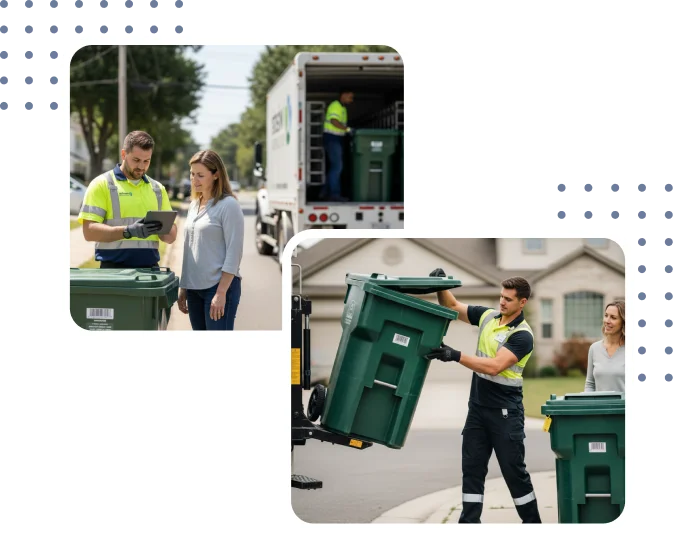
 Win Waste SolutionsWaste management · Charlotte, North Carolina · 5 field crew members
“Before Upper, I’d finish a stop and have to text photos to three different people just to make sure someone saved them. Now I just snap it in the app and it’s done — tagged, saved, and I move on to the next stop.”

Key features used: route planning, proof of service, route scheduling and real-time tracking.
- Under 10 minFor daily route planning, down from 45–60 minutes
- 55–65Stops completed per crew per day, up from 40–50
- Real-timeGPS tracking of every crew, where the office once relied on phone calls
- SecondsTo find a photo record, down from hours of searching
Bring a day of drop-offs, swaps and pickups. We’ll plan it across your trucks in the demo.
Plan your roll-off jobs in a 7-day free trial
- 1
Import your jobs.
Upload a few days of drop-offs, swaps and pickups from your spreadsheet. - 2
Split them across trucks.
Check how Upper Crew balances the routes between your drivers. - 3
Change a route.
Move a stop after dispatch and check that it reaches the driver’s phone. - 4
Record a stop.
Have a driver take photos and get a signature at one drop-off.
The 7-day free trial needs no credit card. It covers Professional plan features, except customer SMS notifications, for up to 5 users.
Dumpster rental dispatch software FAQs
What is dumpster rental dispatch software?
Dumpster rental dispatch software plans drop-offs, swaps and pickups, assigns them to trucks and sends them to drivers’ phones. Upper Crew covers the routes, mid-day changes and proof at each stop. Container tracking and rental billing stay in your rental system.What should roll-off dispatch software do after trucks leave the yard?
It should let your dispatcher add, move or cancel jobs and send the change to the driver right away. Upper Crew re-optimizes the remaining stops, updates arrival times and sends the revised route to the driver app. Each stop keeps its photos, signature and notes.Is Upper Crew dumpster delivery and pickup scheduling software?
Yes, for the routing side. It schedules and routes the delivery and pickup stops you give it, on the dates you choose. Customer booking and the rental calendar stay in your rental system.Can Upper Crew run roll-off and trash routes together?
Yes. Drop-offs, pickups and trash collection stops are all stops on a route, so one dispatcher can plan both. See Upper’s waste management software for collection rounds.How much does Upper Crew cost?
Plans are billed per user per month: Starter $50, Professional $60 and Optimize $89 (as of Nov 20, 2026). Billed yearly, each costs 20% less, and Enterprise pricing is by request. AI driver assignment is part of the Optimize plan. See pricing for plan limits.Is there a free trial?
Yes. The 7-day free trial needs no credit card and covers Professional plan features, except customer SMS notifications, for up to 5 users.Does Upper Crew track containers or bill for rentals?
No. It doesn’t track container inventory, rental days or weight tickets, and it doesn’t plan landfill runs by itself. Route planning in Upper Crew doesn’t create invoices. AI Dispatcher can turn a finished job into an invoice and track payment, or keep your rental or billing system and connect it through Zapier on Optimize or the Platform API.Does Upper Crew work for a one-truck dumpster business?
Yes. A one-truck business still gets route planning, the driver app and photo proof at every stop. If you add trucks later, you add their drivers as users and keep the same setup. For a single driver who only needs a route planner, another option is Upper Solo.See your roll-off day planned in Upper Crew
Bring a day of drop-offs, swaps and pickups, plus one change that usually breaks it. See the routes Upper Crew builds and how the change reaches your drivers.