
Junk removal dispatch software for crews and trucks
Match each job to a crew, then change the plan while trucks are out
Upper is junk removal dispatch software for hauling companies that send several crews out each day. It assigns each job to a driver, sequences each truck’s stops and sends the route to drivers’ phones. When a job is added or a crew calls out, your dispatcher moves the work and shares the update with drivers.
Bring a day of jobs and your crew list. See a late job added and a call-out covered in Upper.
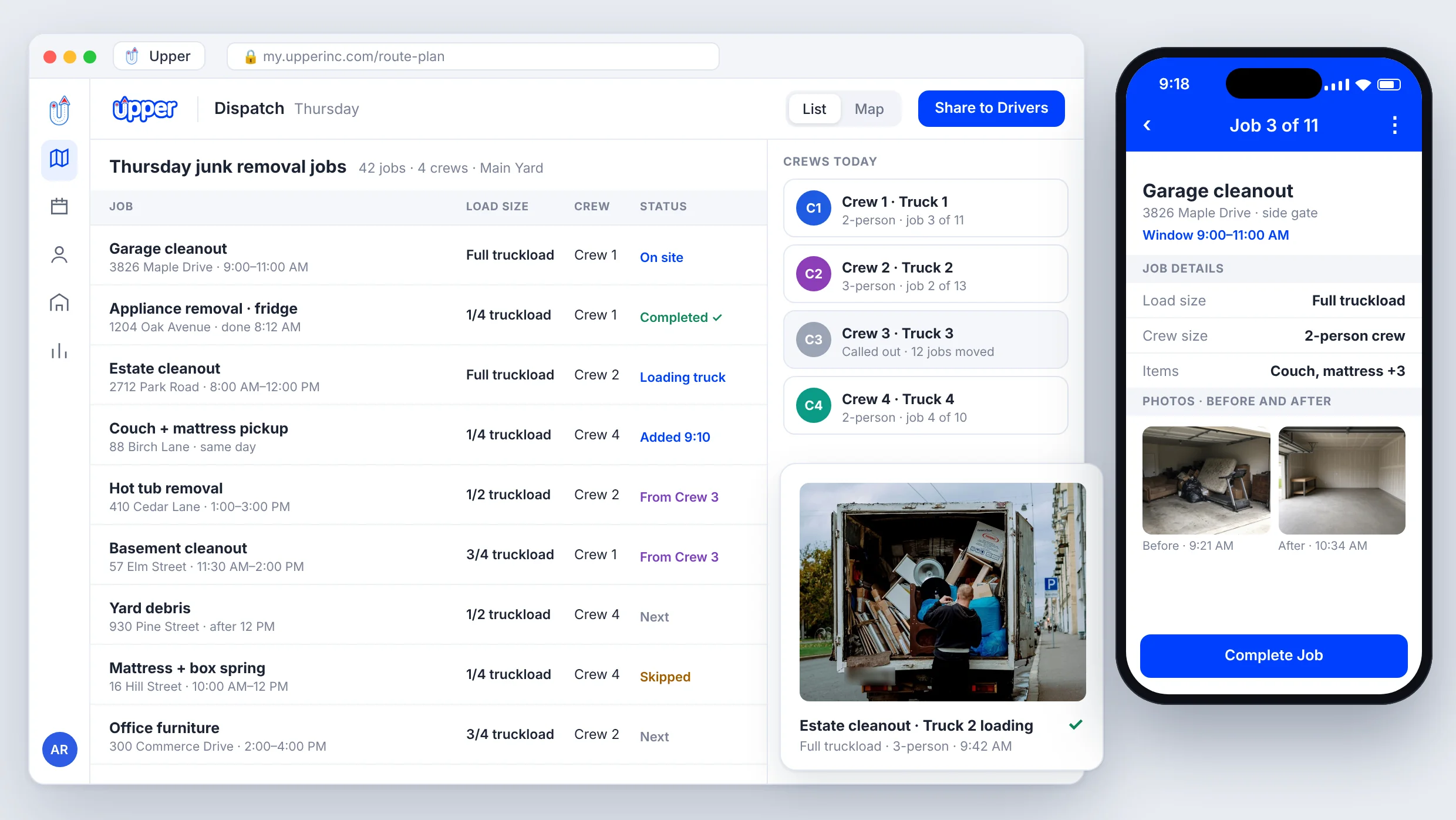


Texts and whiteboards fall behind once the first truck leaves
A junk removal day rarely stays as planned. Customers add same-day jobs, crews call out and trucks break down. When the schedule lives in texts and on a whiteboard, each change has to be repeated to each driver.
Unclear coverage: Your office can’t see at a glance which crew has which job.
Late changes by text: A new job reaches one driver while another still works from the old list.
No record of the stop: When a customer disputes a pickup, the proof sits in a driver’s camera roll.
With Upper waste management software, jobs, crews, routes and stop records stay in one place. Your office sees which crew has which job, and each change you share reaches drivers in the app.
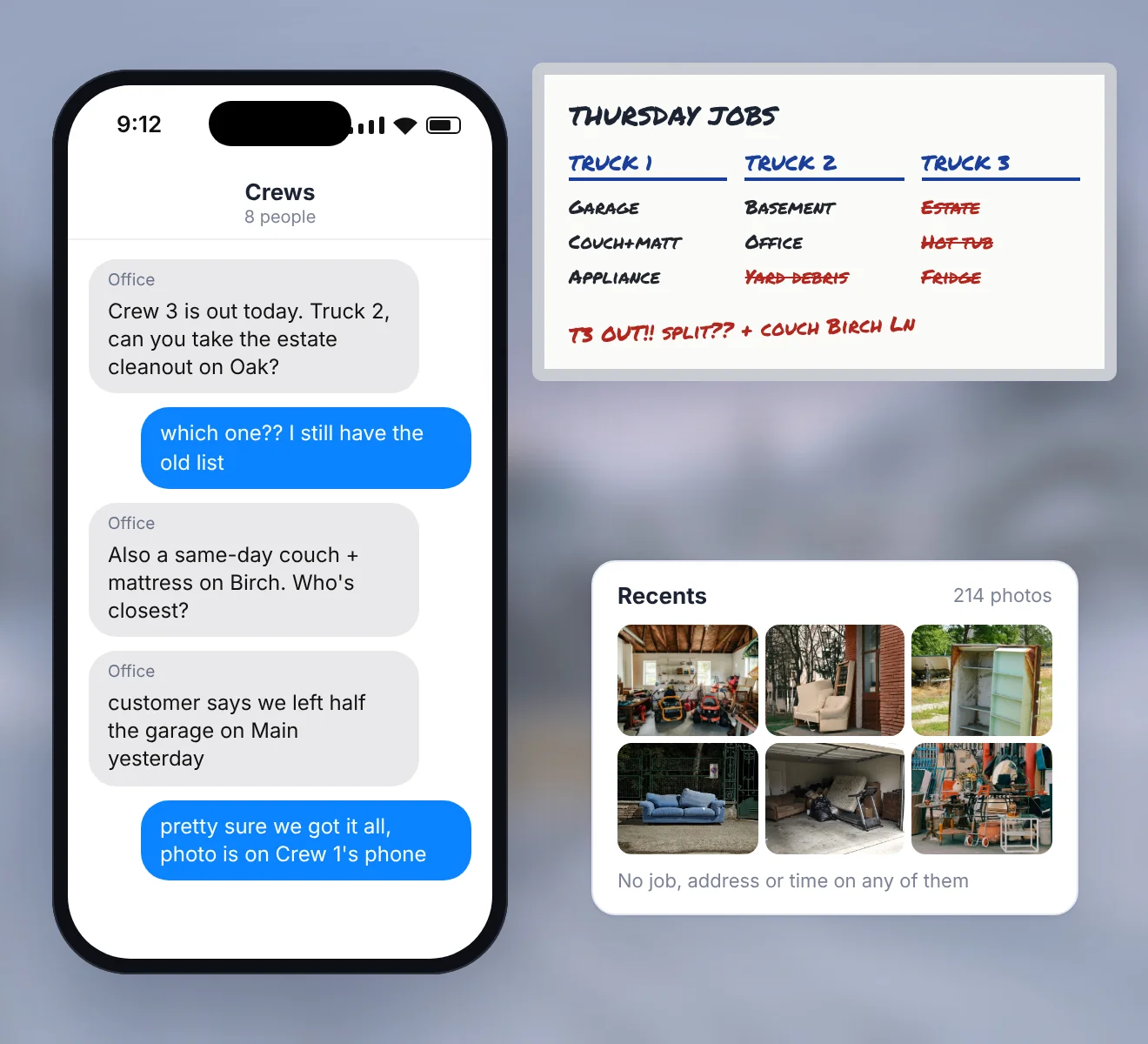
How Upper assigns each junk removal job to the right crew and truck
Upper turns your day’s jobs into a route for each driver. Your dispatcher reviews the split before anything is sent.
Import the jobs: Upload the day’s list from a CSV or Excel file, with no IT team or implementation project.
Pre-assign a crew: Pin a job to a named driver, such as the crew that already knows the customer. The job stays with that driver when routes are optimized.
Split the work: The jobs are divided across your drivers, and each route’s workload is balanced.
Start and end at the yard: Set each driver’s start and end address, and the shift they work.
Send when ready: Share the routes to the driver app in one step.
Upper AI Dispatcher can also recommend a driver for each job. It checks who is eligible, then weighs travel time, availability, workload and the effect on that driver’s route. Each match shows its reasons and a confidence score.
Who decides what
The software suggests the split. Your dispatcher decides which crew takes each job, and Autopilot only accepts routine matches above the threshold you set.
Multi-driver load balancing is on the Professional plan and above. Zone-based routing and AI driver assignment are on the Optimize plan.
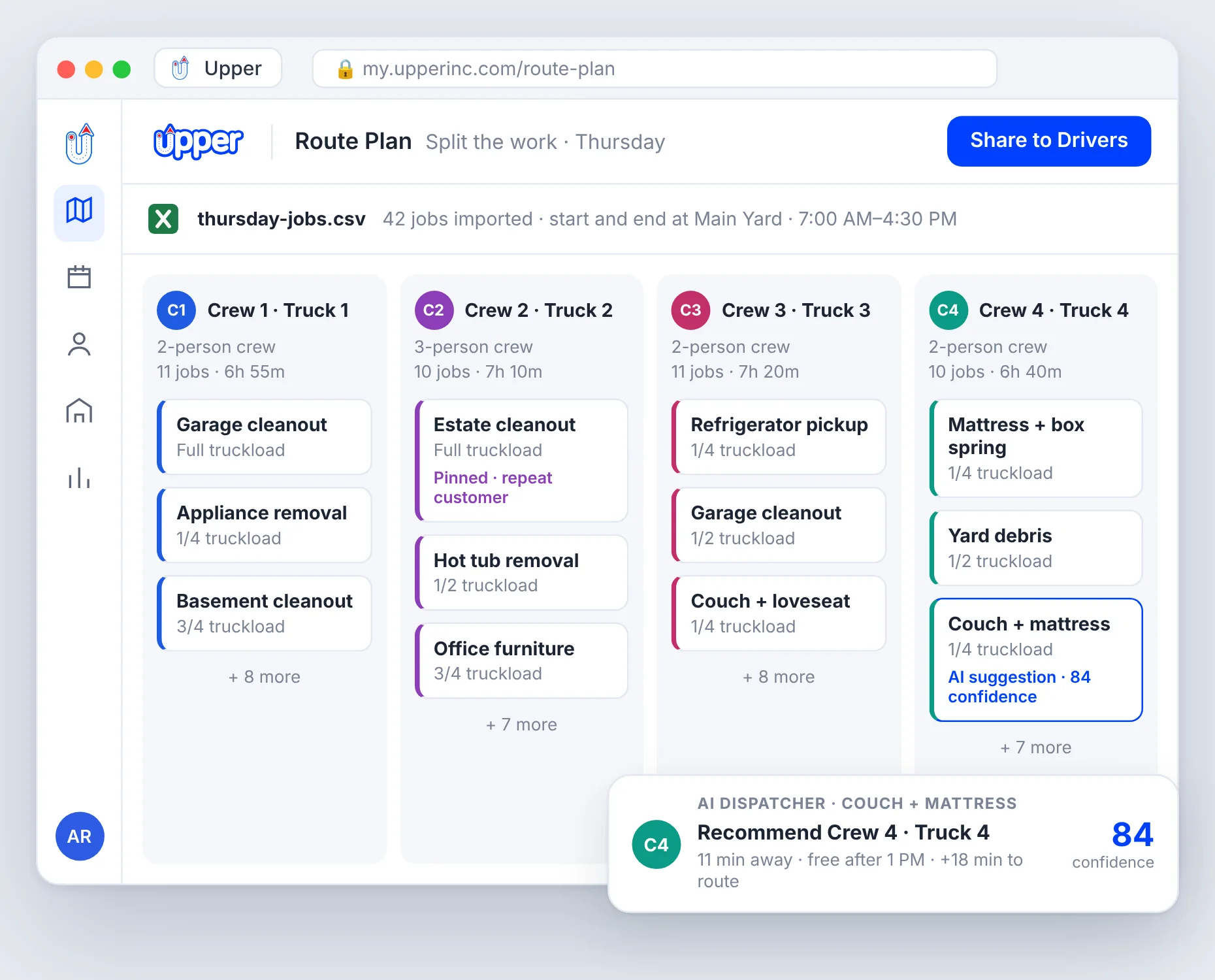
Handle last-minute changes after the trucks leave the yard
Upper lets your dispatcher change the plan while drivers are on the road:
Same-day job
Add the stop to the route that suits it best. Arrival times for the stops after it are recalculated. For one urgent job, place it by hand so the stops a driver expects stay in order.
Crew call-out
Draw a box around the absent driver’s stops on the map and reassign them to other drivers. Then share the updated routes.
Truck breakdown
Swap the whole route to another driver, then share it so the new crew has all of the jobs.
Cancellation or reschedule
Remove the stop and re-optimize the stops that remain. Drivers get the new sequence.
Updates reach drivers: Each change reaches drivers in the Upper driver app once you share the updated route.
Customer ETAs: Customers who get text or email updates receive an ETA for their stop.
Time windows are preferences: Preferred time windows are preferences, not hard rules, so a job can still fall outside one when the day changes.
Mid-route adjustments work on every plan. Drag-and-drop re-optimization, real-time route updates, live tracking, route chat and customer text or email updates start on the Professional plan.
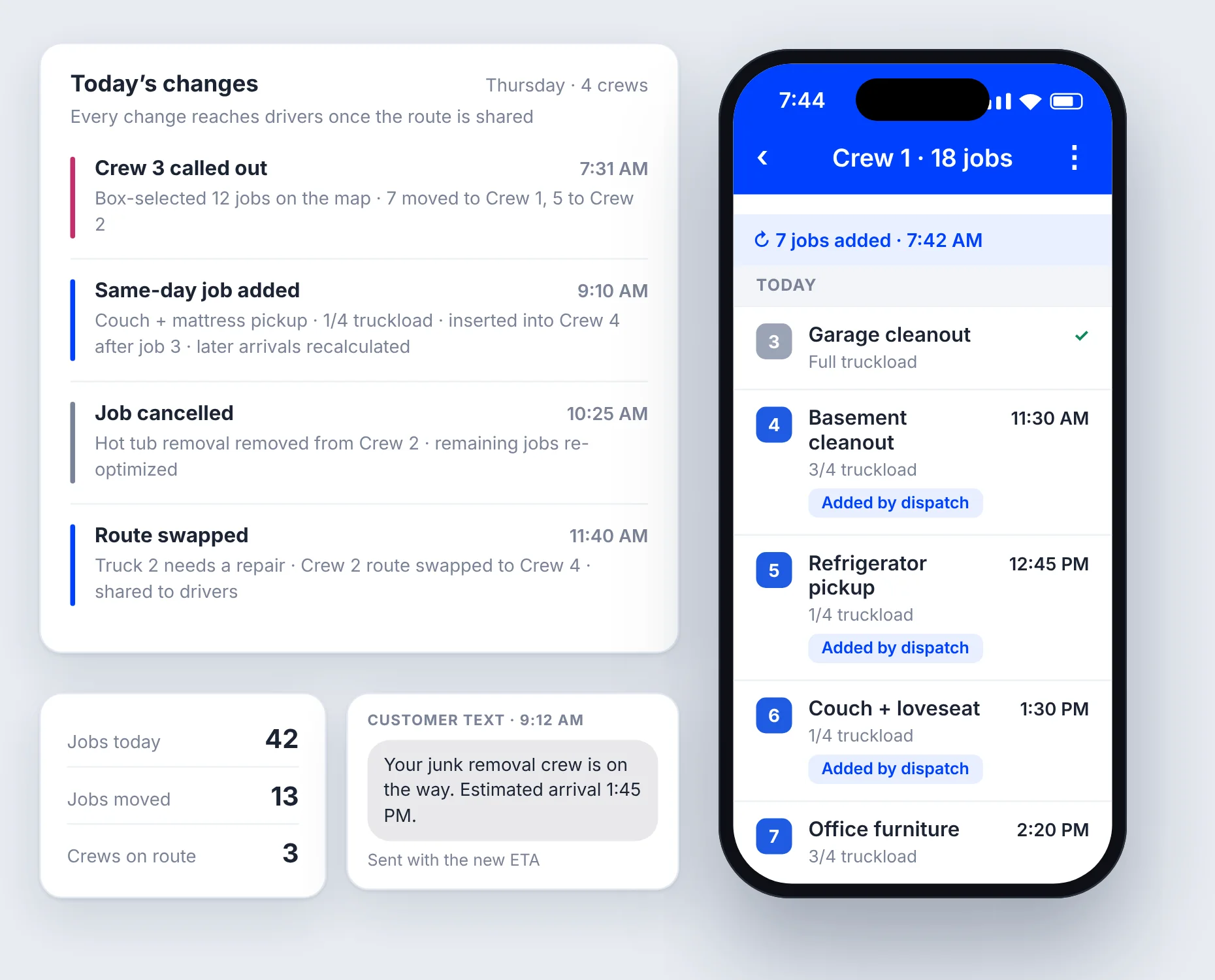
Plan each route around drive time, distance and time windows
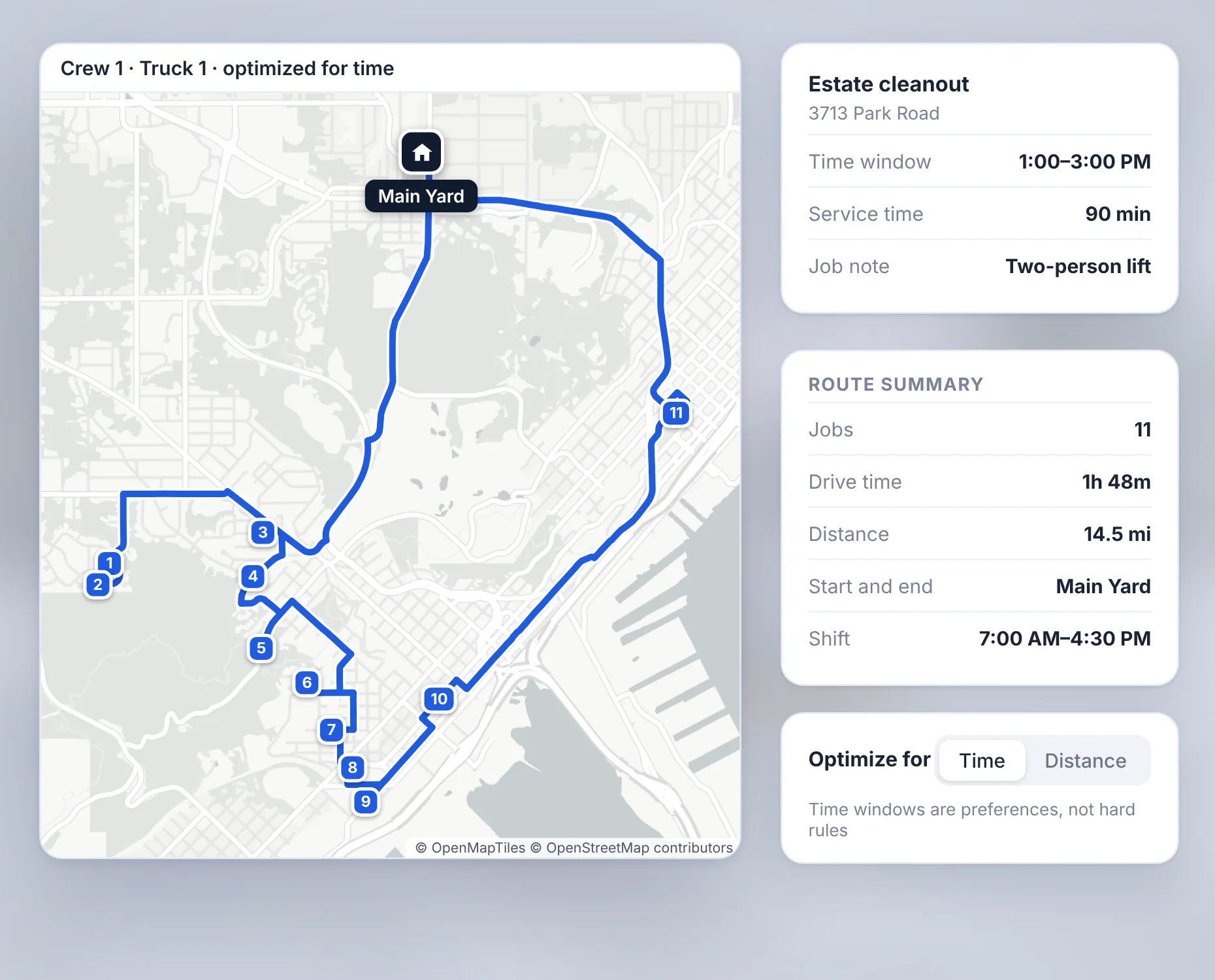
Dispatch works best when the routes are built first. Upper covers junk removal route planning by ordering each driver’s stops and respecting the time windows you set.
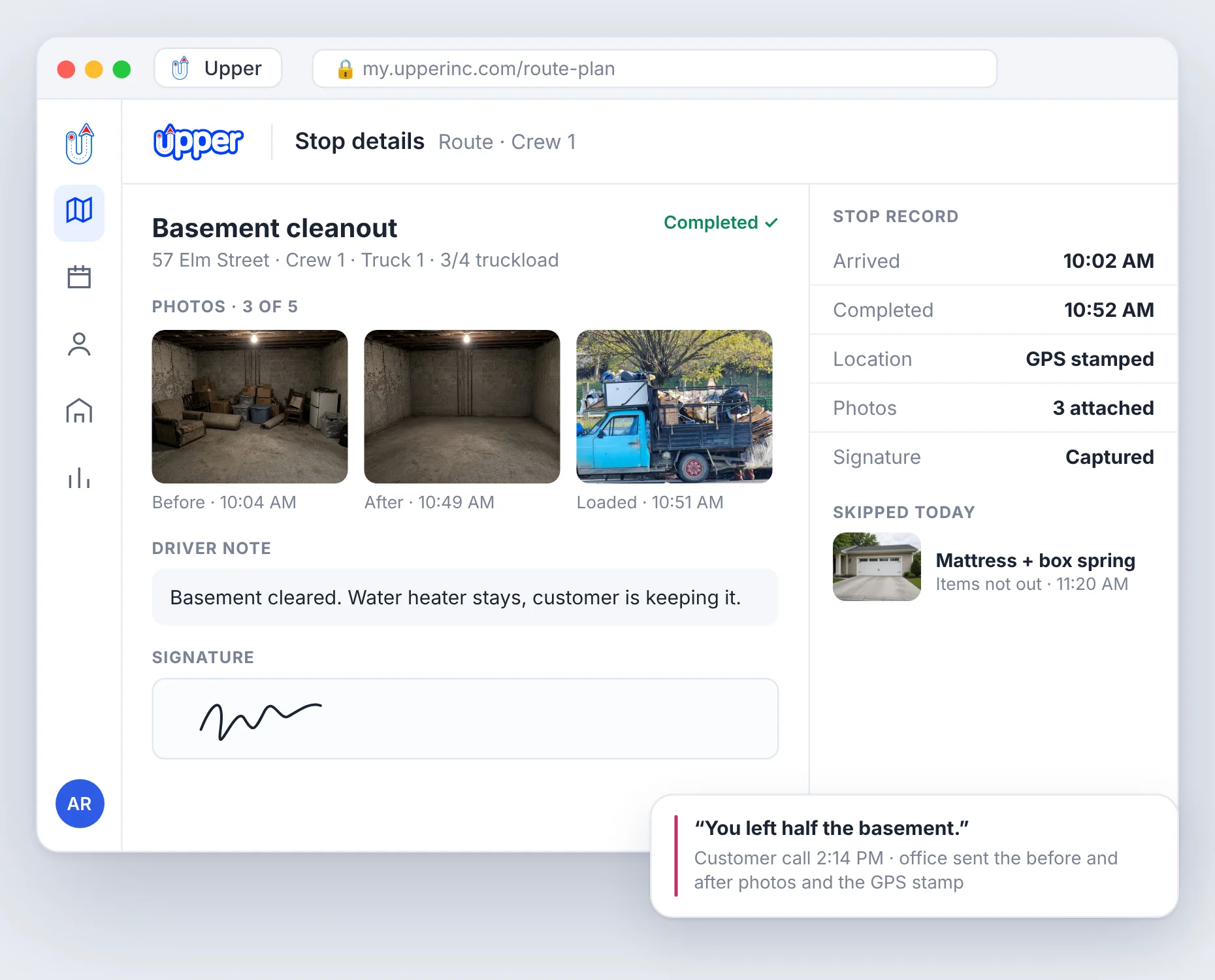
Keep a record of each junk removal stop for disputed pickups
When a customer says a job was missed or left half done, your office needs to show what happened. Upper keeps photos, signatures and notes on each stop, which gives you a proof of service record to answer the complaint. Drivers can also mark a stop failed or skipped and pick a reason from your list.
The time and GPS stamp on each record starts on the Professional plan.
How Win Waste Solutions plans and assigns its crew’s day in under 10 minutes
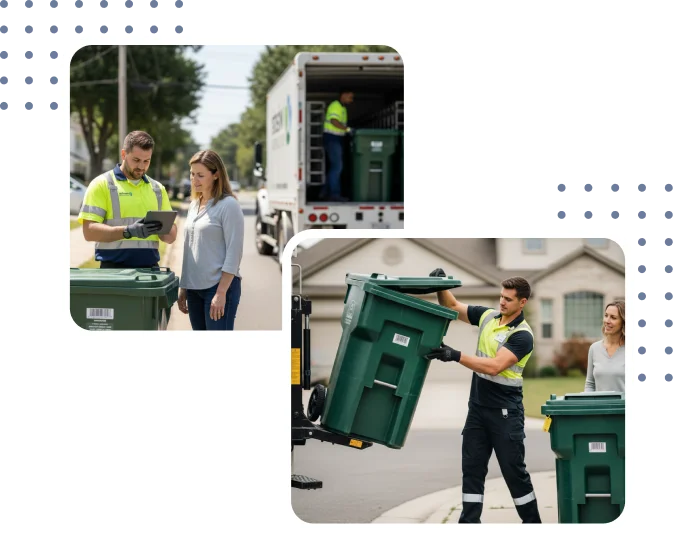
Win Waste Solutions replaces damaged waste carts for state and county governments with a five-person crew. Each morning, its owner imports the day’s stops from a spreadsheet into Upper, assigns them across the crew and sends them out. Upper optimizes the routes and puts each member’s stops in the driver app. Live tracking shows where each member is and how many stops are done, so the owner no longer calls to ask.

“We won eight new contracts in two months, and I don’t think we could have handled them without it.”

Tracy LOwner, Win Waste Solutions
- 8New government contracts in 2 months
- 10 minOr less for daily route planning, down from 45–60
- 30%More stops completed per crew member daily
See a day of jobs assigned and changed in Upper.
Run a test day of junk removal jobs in Upper’s 7-day free trial
- 1
Import your jobs.
Upload a day of pickups from a CSV or Excel file.
- 2
Assign your crews.
Split the jobs across drivers, then pin one job to a named crew.
- 3
Change the day.
Add a late job, then move a crew’s stops to another driver.
- 4
Capture proof.
Complete a stop in the driver app, then check the record in the office.
Upper’s 7-day free trial needs no credit card. It covers Professional plan features, except customer SMS notifications, for up to 5 users.
Junk removal dispatch software FAQs
What is junk removal dispatch software?
Junk removal dispatch software assigns each job to a crew, orders the stops and sends the route to the driver. Upper also moves work when the day changes and records proof at each stop. For the basics, read the guide to what dispatch software is.
Is dispatch software for junk removal companies only for large fleets?
No. Starter covers up to 10 driver profiles and 250 stops per route, Professional 15 profiles and 500 stops, and Optimize 30 profiles and 1,500 stops. A single driver can use Upper Solo, the route planner app.
Can I reassign a job when a crew calls out?
Yes. Draw a box around the stops on the map, pick another driver and share the new routes. Re-optimizing can move stops a driver was expecting, so check the new order first.
Do drivers see a change right away?
Yes, once you share the updated route from the planner. Real-time route updates are on the Professional plan and above.
Does Upper work for roll-off or dumpster rental jobs?
Yes, partly. Each delivery or pickup can be a stop on a route, and the software works beside your rental records. It does not track containers, scales or manifests. See dumpster rental dispatch software for roll-off routes.
Does Upper handle quoting, payments or online booking?
No. Upper doesn’t price jobs by load, track tip fees, take payments, plan disposal trips or offer a booking widget. It works beside your current quoting and billing tools, and connects through Zapier on Optimize or the Platform API on Enterprise.
Do my drivers need special devices?
No. The driver app runs on iOS and Android phones. Navigation opens in Google Maps, Apple Maps or Waze.
How much does Upper cost?
Plans are billed per user per month: Starter $50, Professional $60 and Optimize $89, or 20% less billed yearly. Enterprise pricing is by request, and AI driver assignment is part of the Optimize plan. See Upper pricing for plan limits.
Can I try it before I buy?
Yes. The 7-day free trial needs no credit card and covers Professional plan features, except customer SMS notifications, for up to 5 users. There are no cancellation fees or multi-year contracts.
See your own crews and jobs on one dispatch board
Bring a day of jobs and your crew list. See how Upper assigns the work, moves a late job onto a route and keeps proof at each stop.