Junk Removal Proof of Service App for Crews
Proof on every junk removal job, ready when a client asks
Upper Crew is a junk removal before and after photo app for multi-truck crews. Drivers photograph the space before anything moves, clear it, photograph it again and get a signature in the driver app. Each record stays on its stop with notes, so your office can answer a homeowner, landlord or property manager months later.
Bring a recent job a client questioned. See how Upper Crew records it and where your office finds it later.
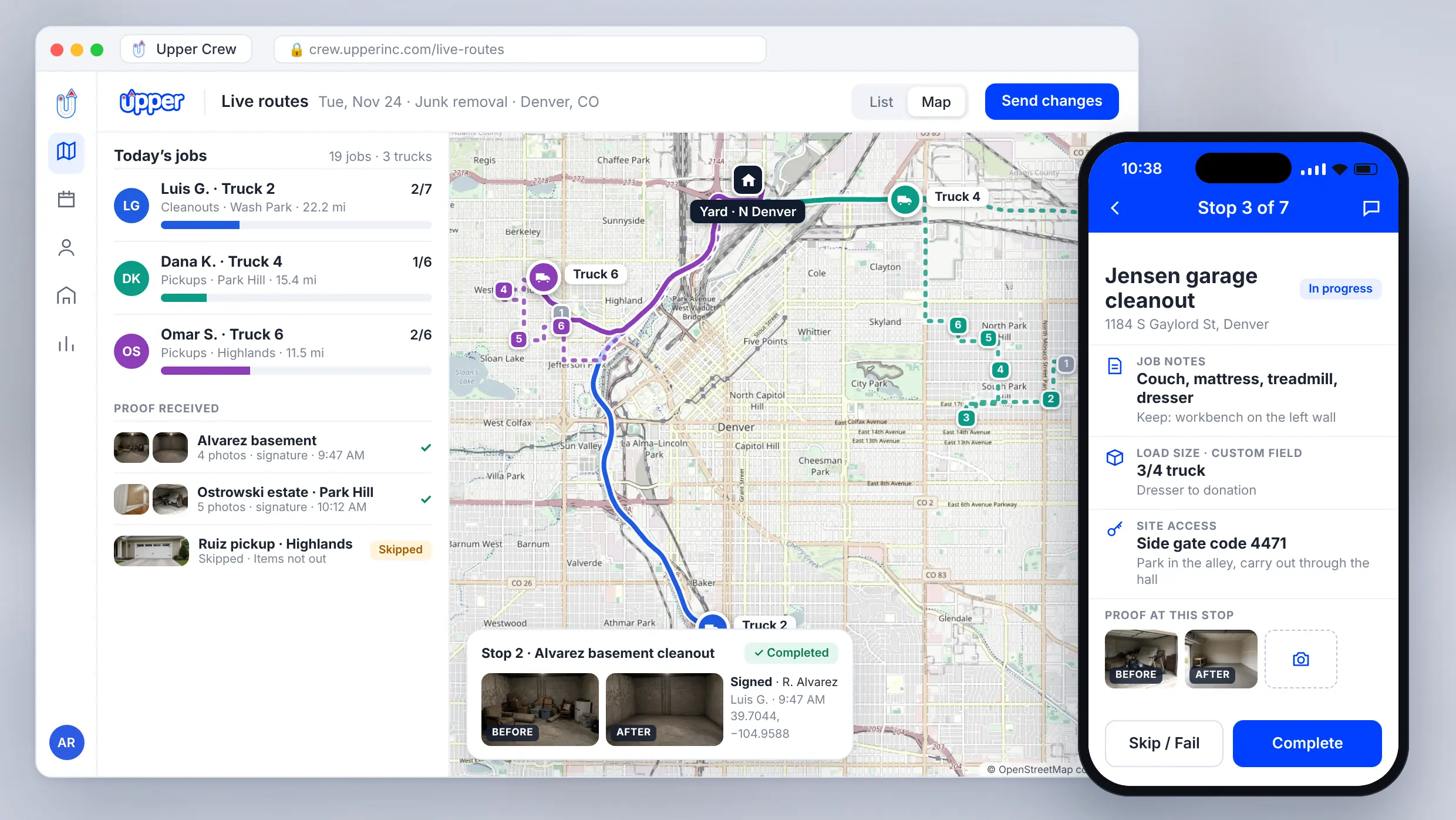
Why do junk removal jobs turn into disputes?
Most junk removal disputes start after the truck has left. When job photos sit in camera rolls and group texts, your office can’t find the right one, and it becomes your crew’s word against the client’s.
- “There was a scratch on the wall before you came.” A photo of the carry route before work starts shows the damage was already there.
- “It was half a truck, not three-quarters.” A before photo of the pile and a load-size field on the stop back up the price.
- “You took something I wanted to keep.” A photo and a note of the items left on purpose answer it.
- “You never finished the basement.” The after photo, the time of the visit and the client’s signature show the space was cleared.
How does a junk removal job get recorded in Upper Crew?
- 1
Plan the day.
Import the day’s jobs from Excel or CSV, and Upper builds and optimizes a route for each truck. - 2
Photograph first.
At the stop, the driver photographs the pile and any existing damage on the way in, before anything moves. - 3
Clear and photograph again.
After loading, the driver takes the after photos from the same spots, adds notes and gets the client’s signature. - 4
Find it later.
The record reaches your office, where the team can search it by customer, date, driver or route.
What does Upper Crew record on each junk removal job?
Drivers add proof in the driver app before they mark a job done, with photo and signature capture on every stop:
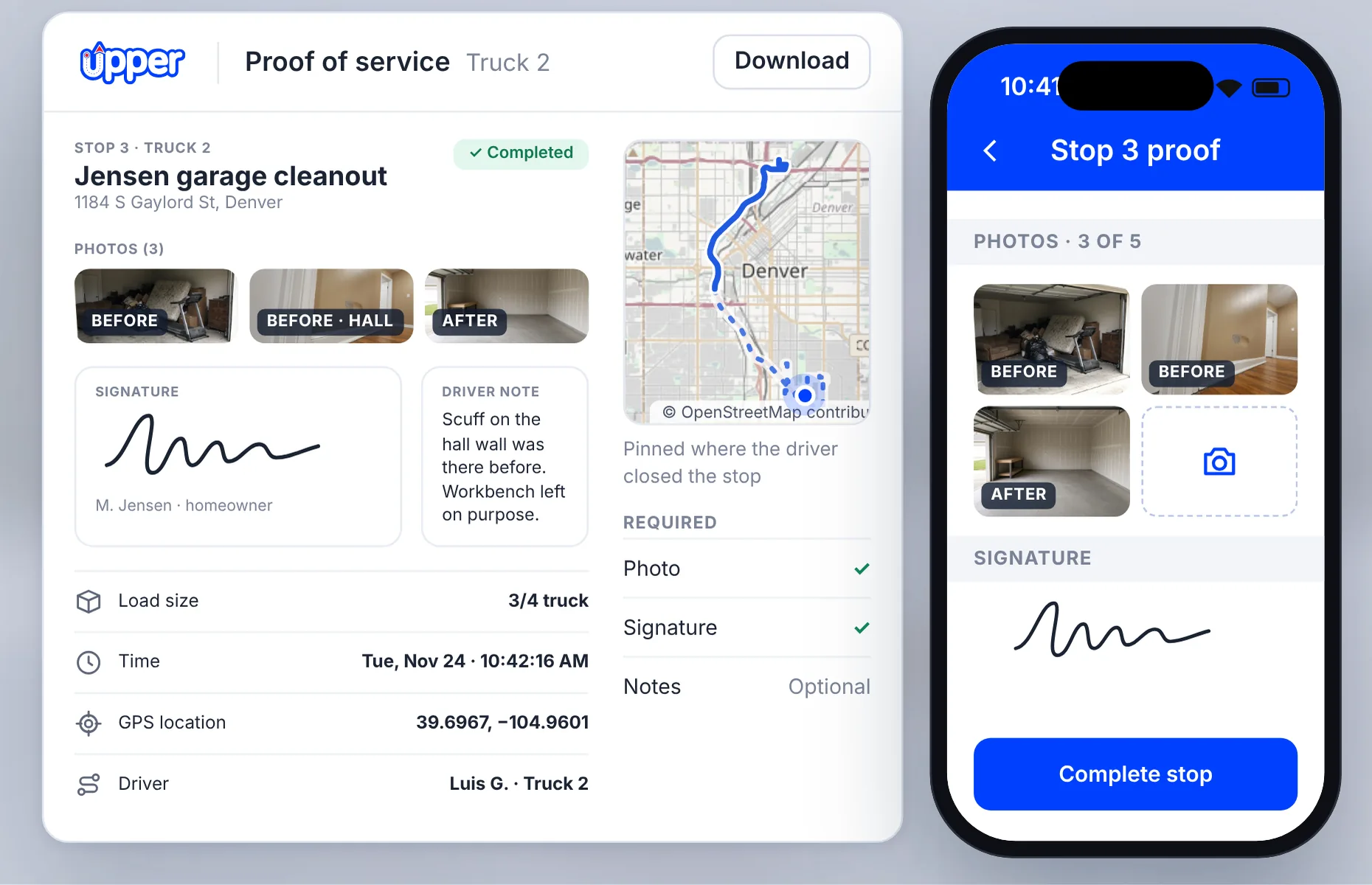
- Before and after photos: up to 3 per stop on Starter, 5 on Professional and 10 on Optimize, attached to that job.
- Signature and notes: the client signs on the driver’s phone, and the driver notes what was removed and what stayed.
- Time and GPS stamp: on Professional and above, each record shows the time and location of the visit.
- Required photos: set photos as required, so a driver can’t mark a job complete without them.
- Custom fields (Professional and above): add your own fields, such as load size, items donated or a stairs fee.
- Works offline: open the route while you have signal. Photos taken in basements or dead zones then sync once the phone reconnects.
A 4-room cleanout needs a before and an after photo for each room: 8 photos in all, which fits within the 10 per stop on Optimize.
How do clients see the proof?
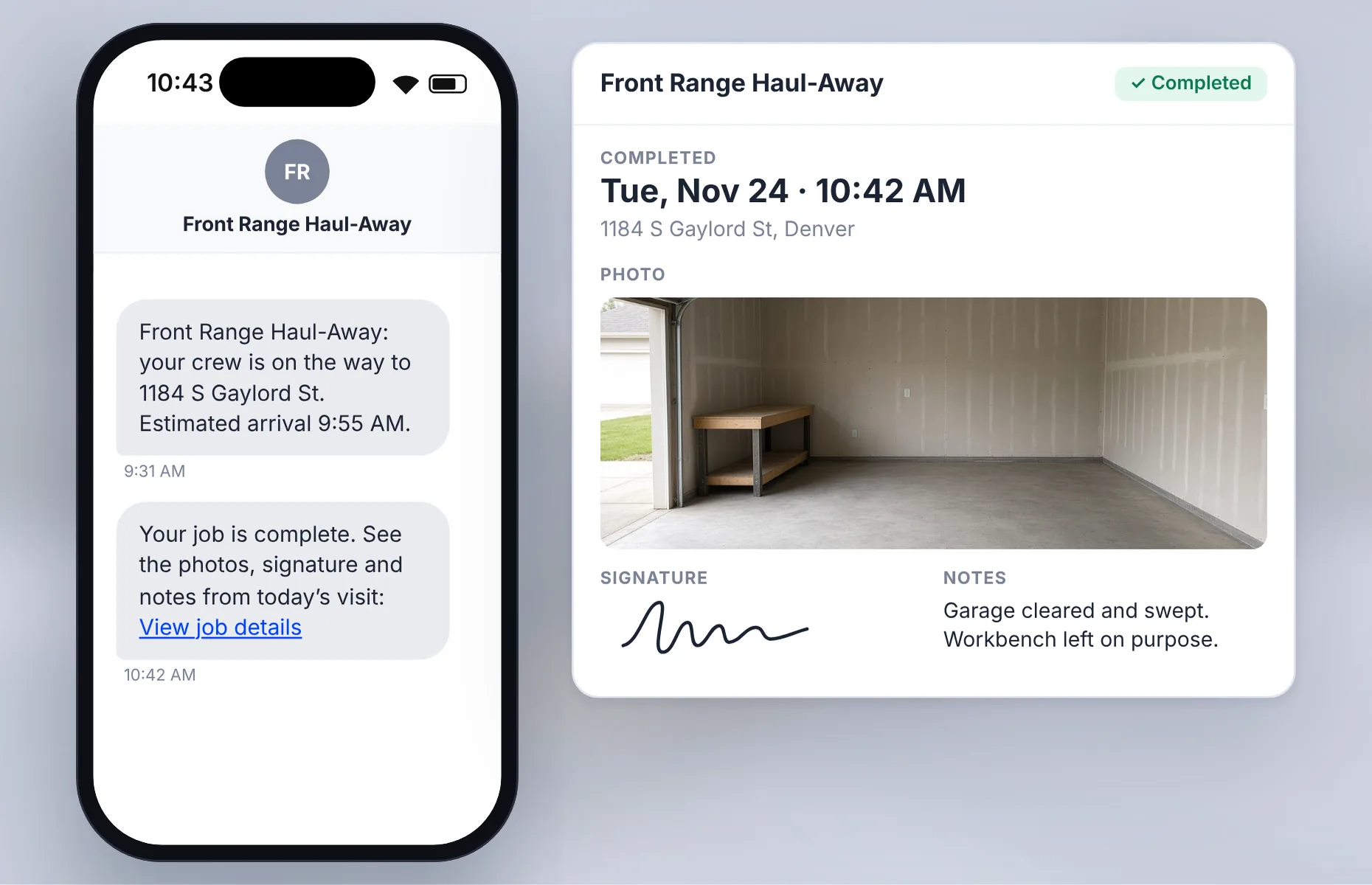
The same record answers the client on the day and your office months later.
The client gets the after photos
On Professional and above, Upper Crew texts or emails your client when the crew heads over and when the job is done. The “job done” message links to a page with the after photos, the signature, the driver’s notes and the completion time, so a landlord, realtor or family member who wasn’t there can see the cleared space.
SMS is billed per text, starting at $0.01.
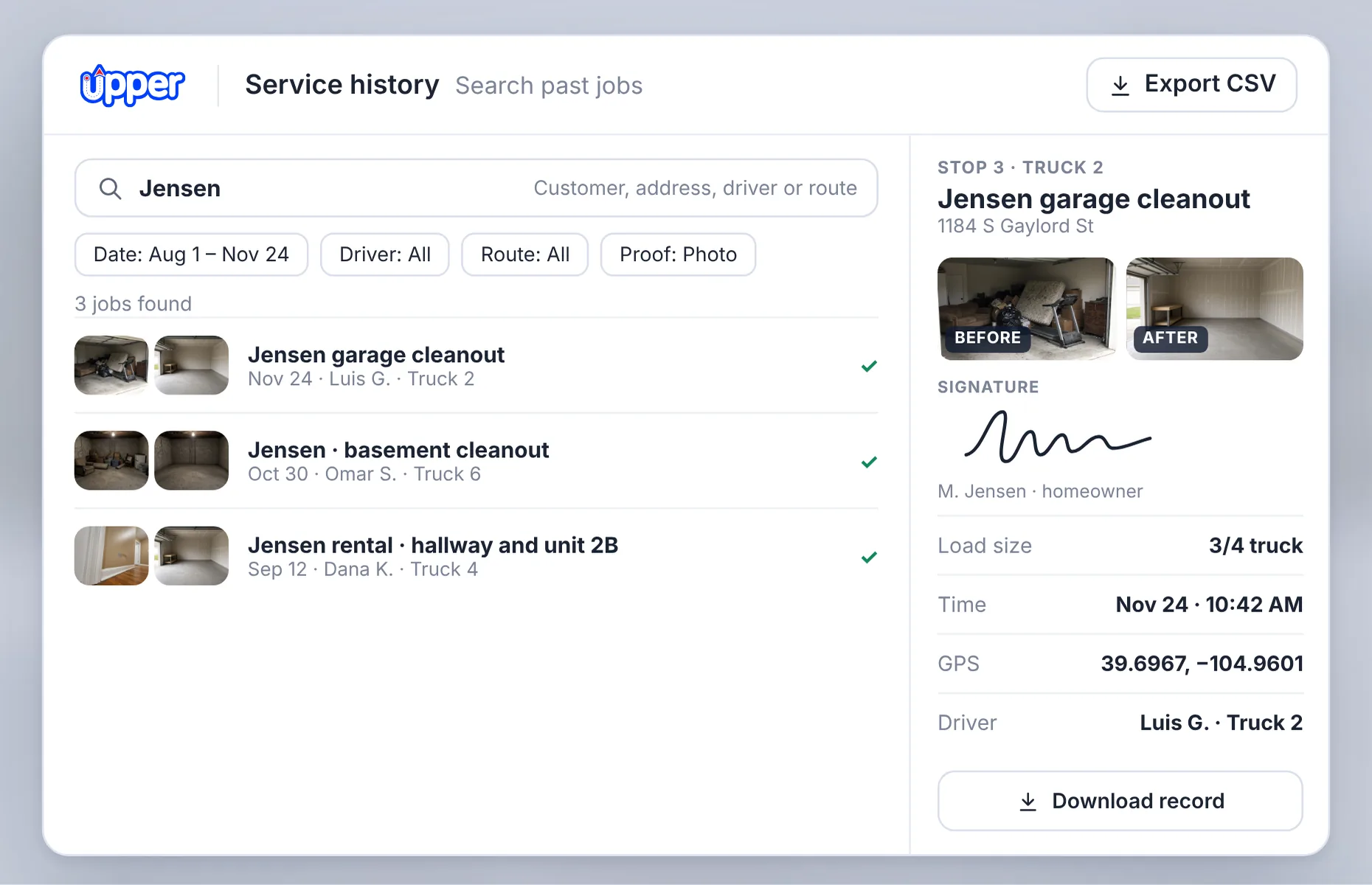
Your office finds any job later
When a client calls back, search any past job by customer, date, driver or route in delivery confirmation reports. Export a batch of jobs to CSV or Excel, for example for a property manager’s monthly review.
Records are kept for 6 months on Starter, 1 year on Professional and 2 years on Optimize. They support your side in a dispute but don’t decide it, so check what your insurer expects for damage claims.
We’ll walk one of your jobs from the before photo to the record your office pulls up later.
What happens when the crew can’t finish a job?
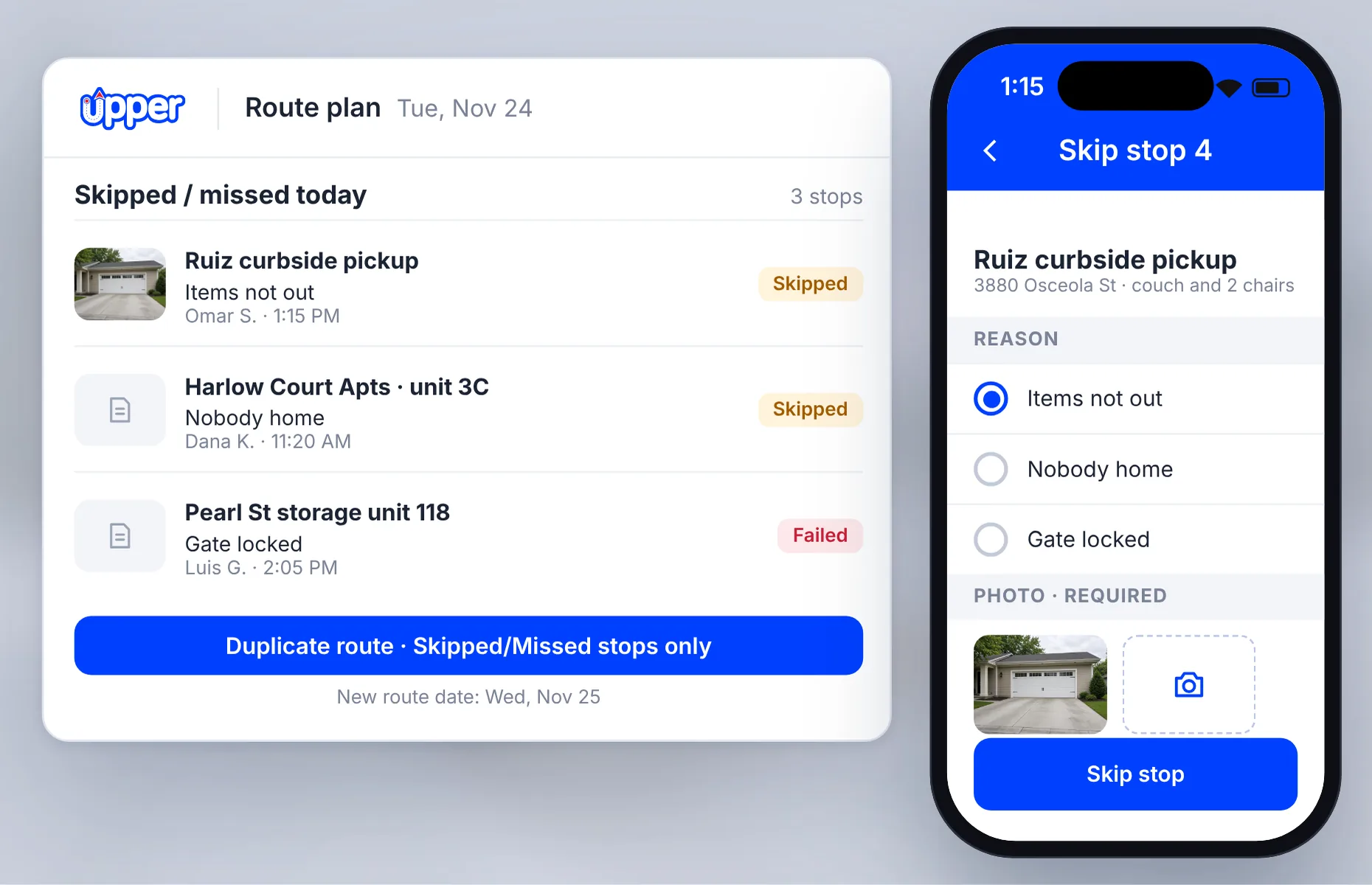
When the items aren’t out, nobody’s home or the gate is locked, the driver marks the stop as skipped or failed and picks a reason from your list. If your settings require it, the driver adds a photo of the locked gate or the empty curb. The reason stays on the stop, so your office can explain the missed visit to the client.
At the end of the day, your dispatcher copies the skipped and missed stops into a reattempt route for another day.
Which teams keep their proof in Upper?
These two field teams had the problem junk removal crews know: a client asks for proof after the crew has gone.
Win Waste Solutions: 2 years of photo records, found in seconds
 Win Waste SolutionsWaste cart replacement · Charlotte, North Carolina · 5 field crew
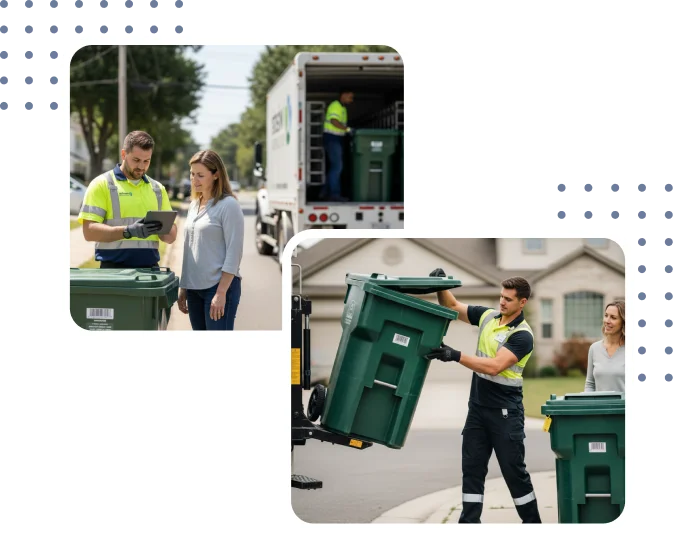
Win Waste replaces damaged waste carts for state and county governments, which require records for up to two years. Crews photograph the damaged cart and its replacement in the Upper driver app, and each photo is time-stamped, geo-tagged and tied to the stop address.
“Our biggest nightmare was keeping every photo organized for two years because that’s what the government requires. Upper just solved it — every photo is tied to the address, the date, the crew member. I can pull it up in seconds. We won eight new contracts in two months, and I don’t think we could have handled them without it.”
 Tracy LOperations Lead, Win Waste Solutions
- SecondsTo pull up a photo record, down from hours of searching
- 8New government contracts in 2 months
- 55–65Stops per crew per day, up from 40–50
CleanHaul: all 12 at-risk property contracts renewed
CleanHaul Services runs valet trash collection for 140+ apartment complexes in Dallas-Fort Worth. Property managers kept saying buildings were missed. With time-stamped, geotagged photos and GPS trails on every visit, missed-pickup complaints dropped from about 40 a month to about 6, and all 12 at-risk contracts were renewed.
Read the CleanHaul storyBring the job and the client question. We’ll show the record Upper would have kept.
How much does Upper Crew cost for a junk removal company?
Plans are billed per user per month, or 20% less billed yearly.
| Plan detail |  Starter |
 GPS stampProfessional |
Optimize |
Enterprise |
|---|---|---|---|---|
| Monthly | $50/user/month | $60/user/month | $89/user/month | Custom |
| Billed yearly | $40/user/month | $48/user/month | $71/user/month | Custom |
| Photos per stop | Up to 3 | Up to 5 | Up to 10 | Up to 10 |
| Signature and notes | ✓Included | ✓Included | ✓Included | ✓Included |
| Time and GPS stamp | ✕Not included | ✓Included | ✓Included | ✓Included |
| Custom fields (load size, items) | ✕Not included | ✓Included | ✓Included | ✓Included |
| Client text and email updates | ✕Not included | ✓Included | ✓Included | ✓Included |
| Records kept | 6 months | 1 year | 2 years | Custom |
| Zapier connection | ✕Not included | ✕Not included | ✓Included | ✓Included |
Pick Professional if you need the GPS stamp, a load-size field and client updates. Pick Optimize if a single cleanout needs up to 10 photos or contracts ask for 2 years of records. See Upper pricing for every limit.
The trial covers Professional features, except customer SMS, for up to 5 users. No credit card required.
Is Upper the right fit for your junk removal business?
Good fit
- You run 2 or more trucks and an office or dispatcher assigns the jobs.
- Clients, landlords or property managers ask for proof after the job.
- You want routes and job proof in one driver app.
- You already have a booking, quoting or invoicing tool and want to keep it.
Not the best fit on its own
- You want online booking, truck-load quotes or payments in the driveway. Upper Crew doesn’t do these, so keep your current tool.
- You need dump-ticket scanning or disposal-fee tracking. Upper doesn’t read dump tickets.
- You run one truck and plan your own day. Upper Solo is the single-driver app, and it also takes photo and signature proof.
Junk removal before and after photo app FAQs
What is proof of service for junk removal?
It is the record that shows a junk removal job was done: who came, when, and what left the property. It usually combines before and after photos, a client signature, the invoice and the disposal site’s ticket. Upper Crew keeps the photos, signature and notes on each stop. Invoices and dump tickets stay in your billing system.What should a junk removal before and after photo app record?
Before and after photos of the space, photos of any existing damage, a client signature and notes, each tied to the job’s address and time. Upper Crew records all of these in the driver app, and skipped jobs keep their reason.Can Upper Crew help with damage claims?
It records the evidence. Before photos of walls, floors and the carry route show the condition before work started, with the time and GPS location on Professional and above. Records support your side but don’t decide a claim, so check with your insurer.How much does Upper Crew cost?
$50, $60 or $89 per user per month on Starter, Professional and Optimize, or 20% less billed yearly. Enterprise is priced on request. See Upper pricing.Is there a free trial?
Yes. The 7-day free trial needs no credit card and covers Professional features, except customer SMS, for up to 5 users. There are no cancellation fees or multi-year contracts.Does Upper Crew create invoices or track dump fees?
Route planning in Upper Crew doesn’t create invoices or track disposal fees. AI Dispatcher can turn a finished job into an invoice and track payment. Or keep your billing system and connect it through Zapier on Optimize or the Platform API.Do the photos work without signal?
Yes. Open the route while you have signal. Drivers can then complete or skip jobs and take photos in basements or dead zones, and everything syncs when the phone reconnects.Put proof on every junk removal job before the next complaint
Bring your job list and one client question you’ve had to answer. See how Upper Crew records each job and where your office finds it months later.