
Electronic Proof of Delivery
Software That Runs Itself

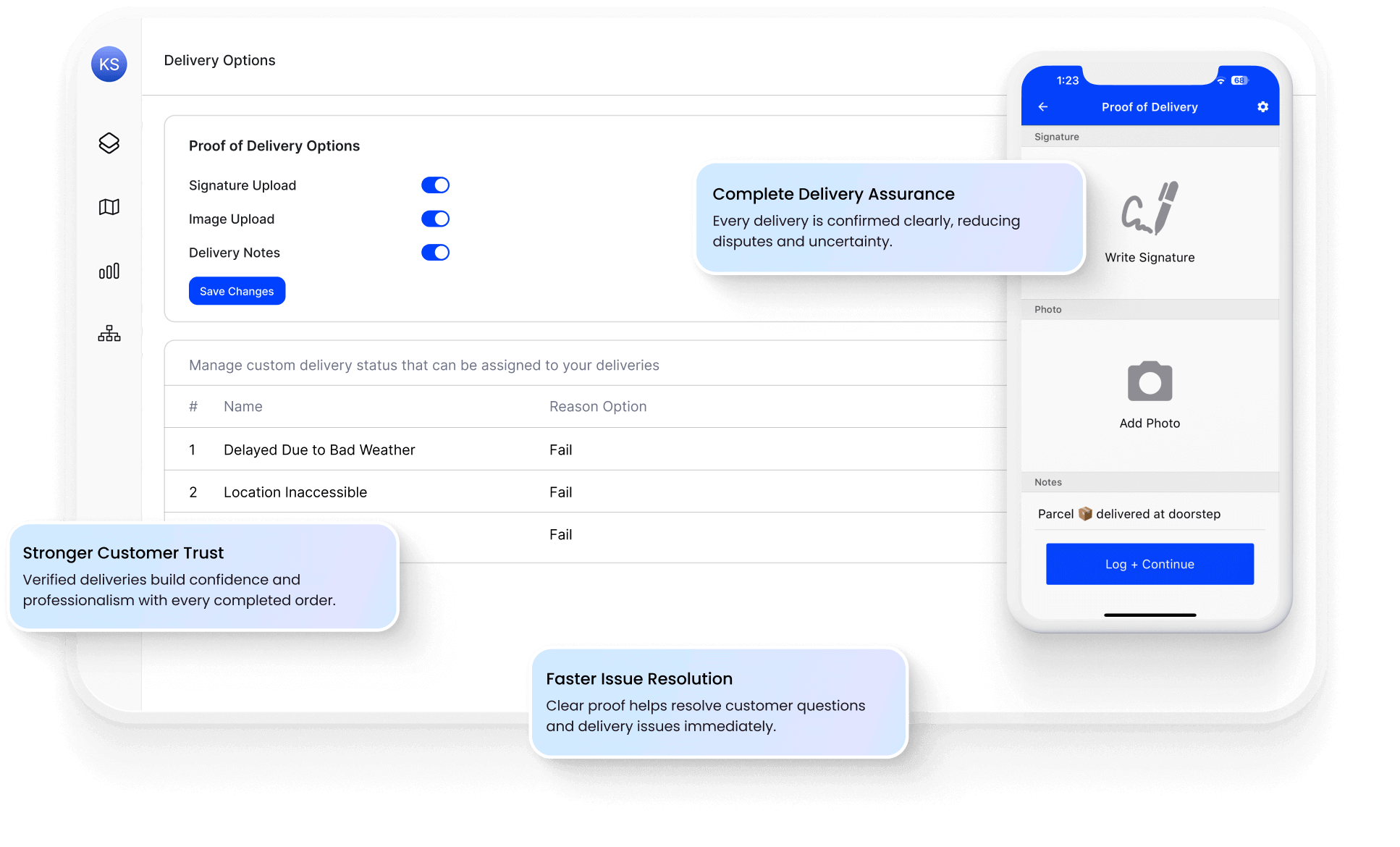
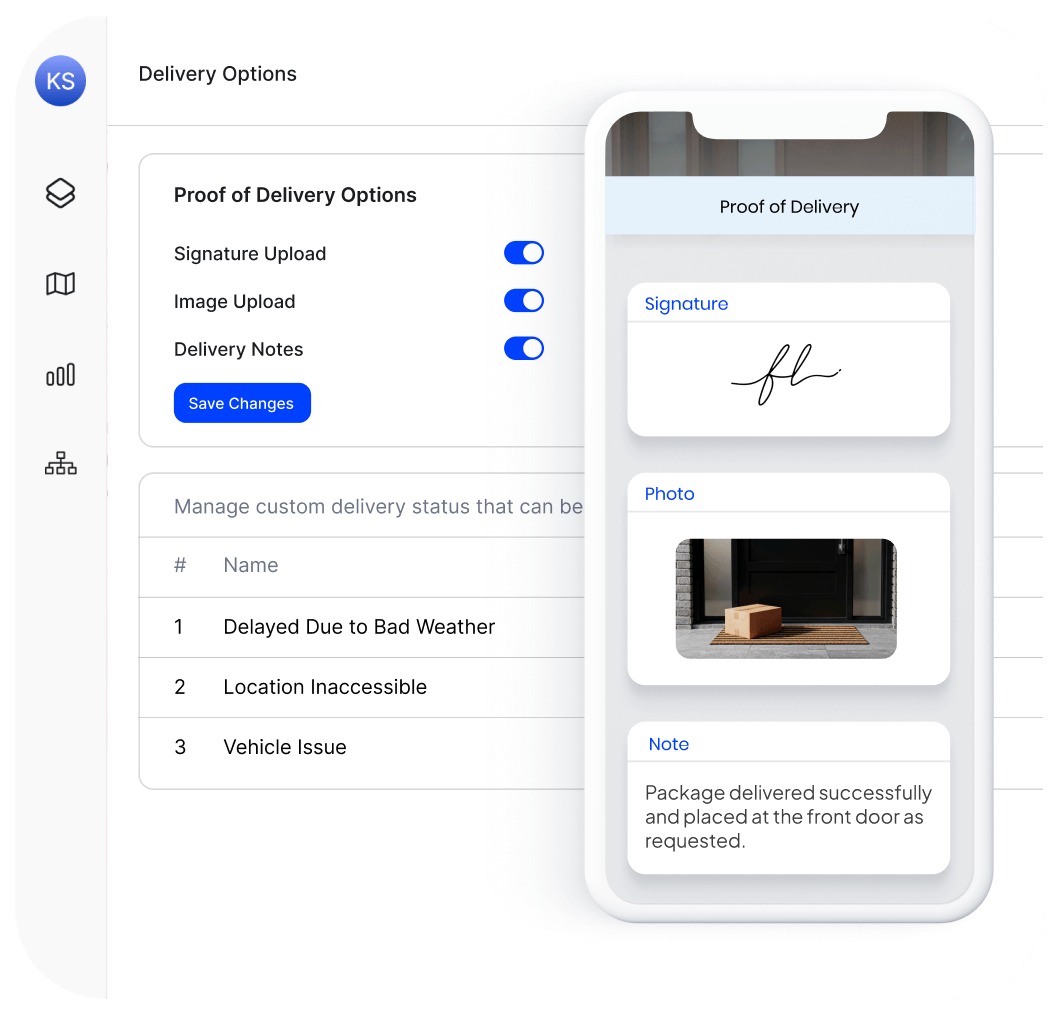
10,000+ drivers capturing
proof of delivery daily






Most proof of delivery stops at “mark complete.” Your customers need more.
What Route Planning Software Promises:
-
 Verified deliveries
-
Happy customers
-
Fewer support calls
-
Driver accountability
-
Instant records

What Actually
Happens:
-
Drivers forget to capture proof or skip it entirely
-
Photos buried in camera rolls, not your system
-
Customers still call because they never see the proof
-
No GPS verification driver could be anywhere
-
Good luck finding that signature from 3 weeks ago
One Tap From Driver. Full Proof
for You and Your Customer.
Your drivers capture proof in seconds. Customers get confirmation automatically. You get auto generated reports and searchable records for every delivery – no manual work required.
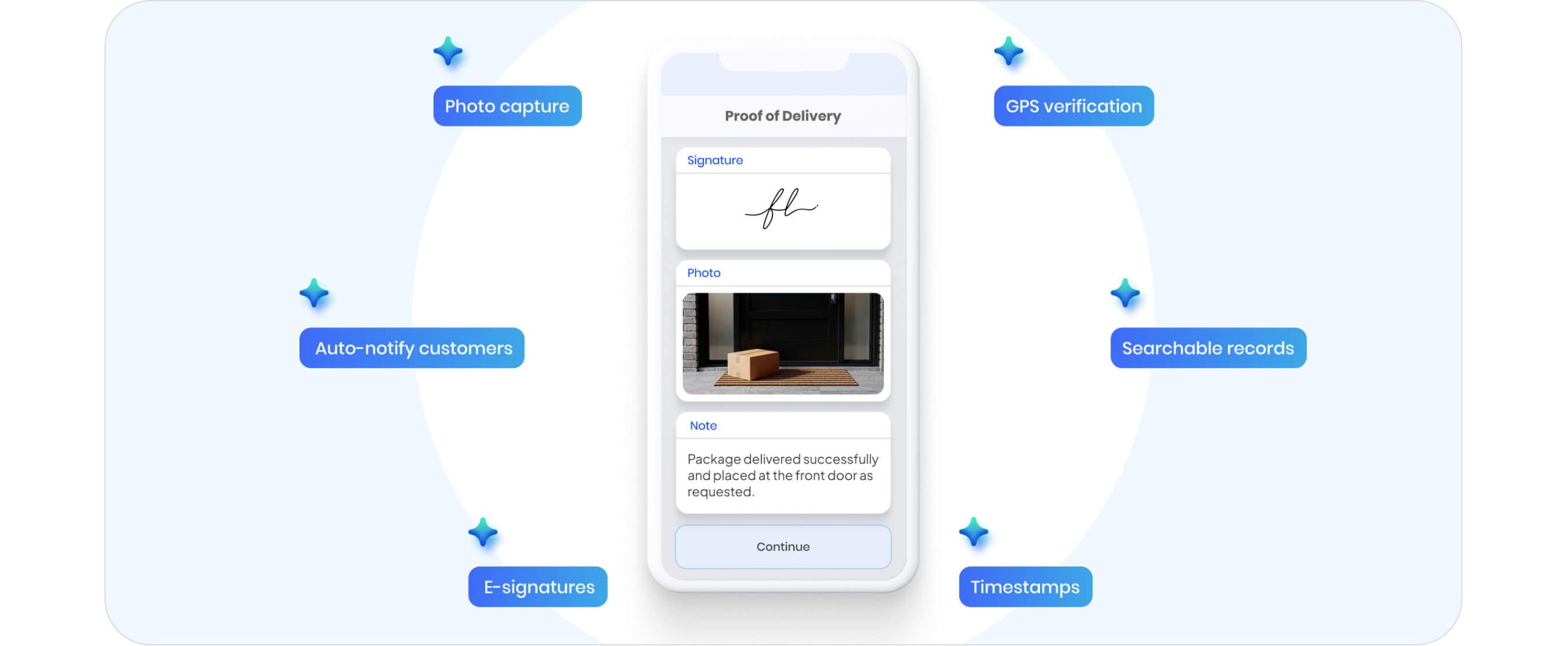
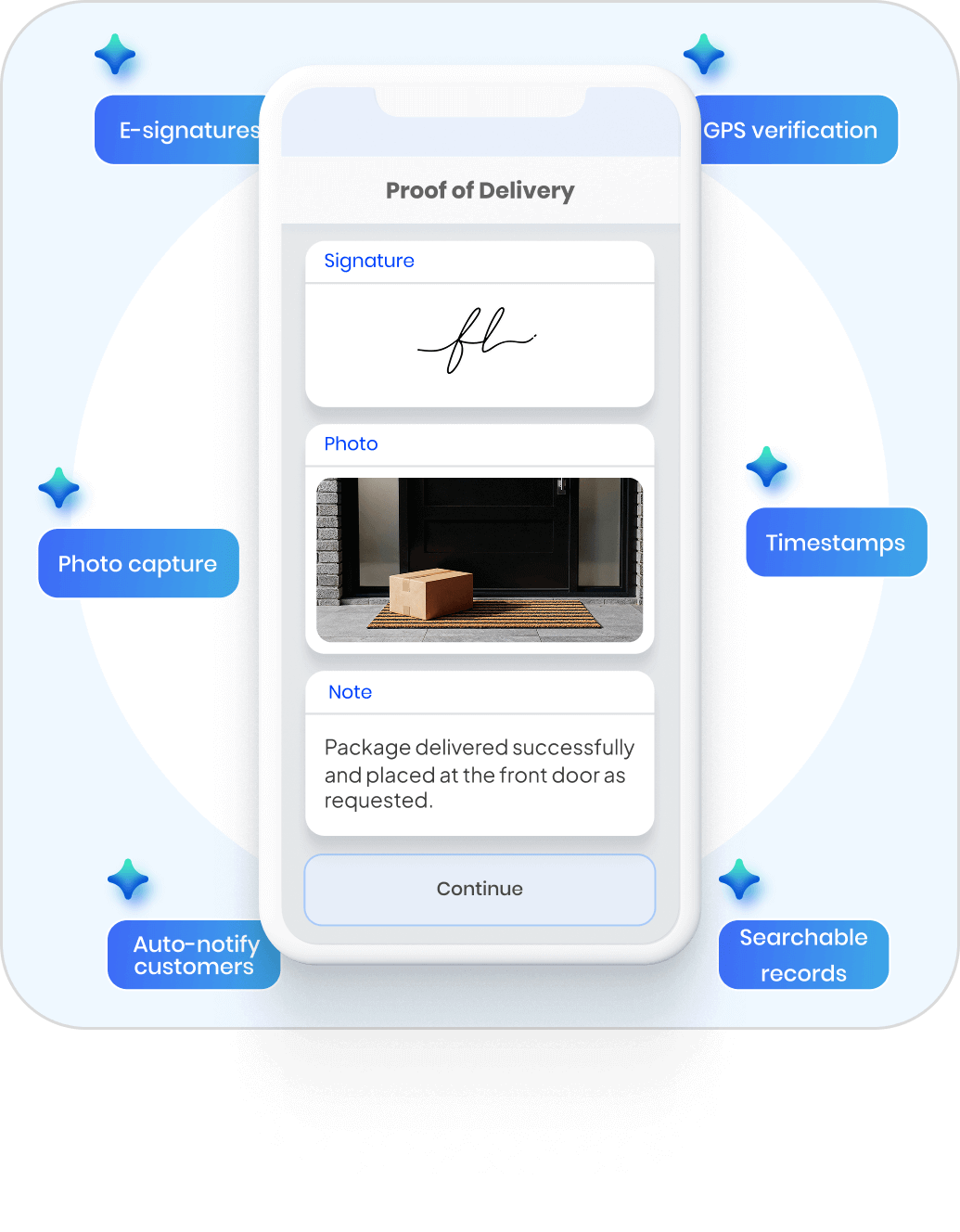
Photo + Signature in One Tap
Driver snaps a photo and captures signature on the same screen. No extra steps, no app switching. Proof uploads instantly.
GPS & Timestamp Auto-Attached
Every proof tagged with exact location and time — automatically. Know where and when delivery happened without asking.
Customers Notified Instantly
Proof sent via SMS or email the moment delivery completes. Customers see their package arrived before they think to call.
The Old Way vs. The Upper Way
The Usual Way

Drivers text photos to a group chat
Signatures on paper slips that get lost
“Delivered” means driver said so
Customers call to ask if it arrived
Digging through messages to find proof
Disputes turn into he-said-she-said

The Upper Way
Photos captured in-app, synced to dashboard automatically
E-signatures stored digitally with every delivery
GPS verification confirms exact location
Customers get photo proof via SMS/email instantly
Search any delivery by name, date, or address in seconds
Timestamped photo + signature + GPS ends the debate
Everything You Need to
Verify Every Delivery
Photo and signature capture is just the start. Upper gives you searchable records, custom proof requirements, exception handling, and full integration with routes and tracking.
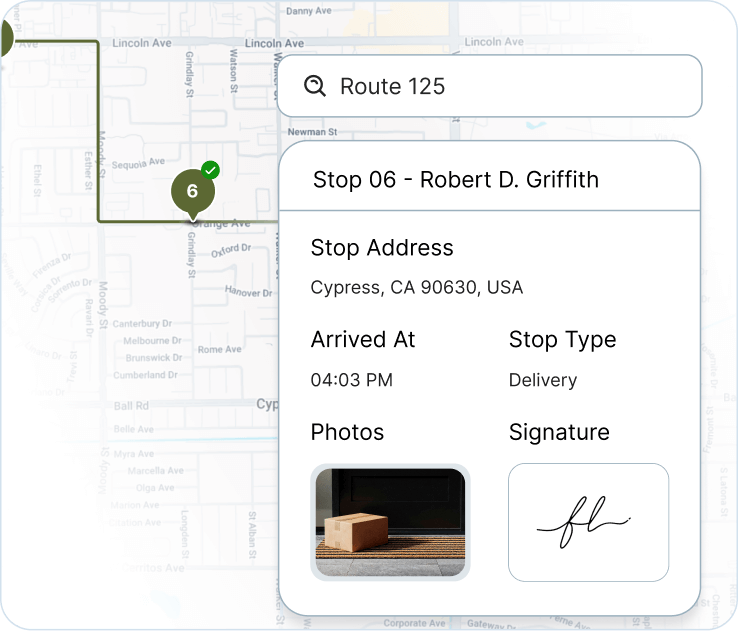
Searchable Delivery History – Find Any Proof in Seconds
Every photo, signature, and timestamp stored permanently in your dashboard. Search by customer name, address, driver, or date range — no digging through files or messages.
-
 Filter by driver, date, route, or delivery status
-
Download proof records for disputes or invoicing
-
2-year data retention on all plans

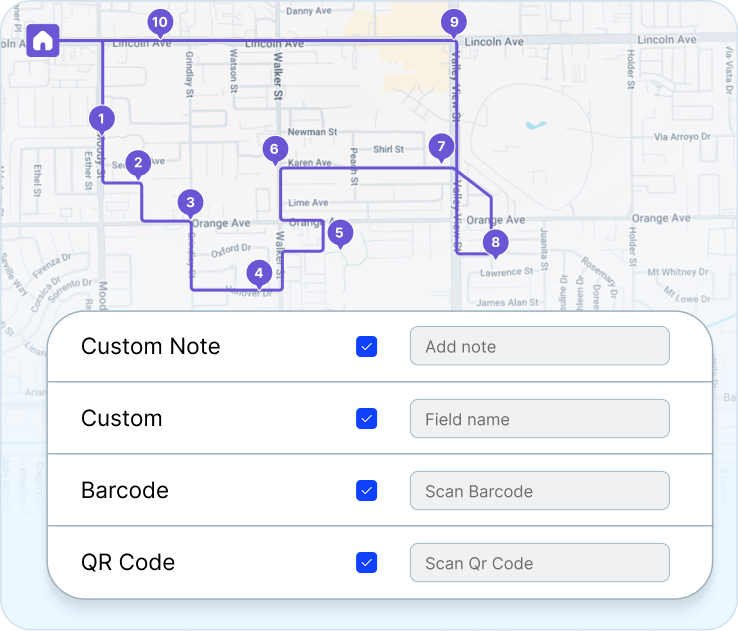
Custom Proof Requirements – Capture What Your Business Needs
Configure exactly what drivers must capture before marking a stop complete. Require photo, signature, or both. Add custom fields for notes, barcodes, or recipient names.
-
Set requirements per route or stop type
-
Add custom fields for your workflow
-
Drivers can’t skip required proof
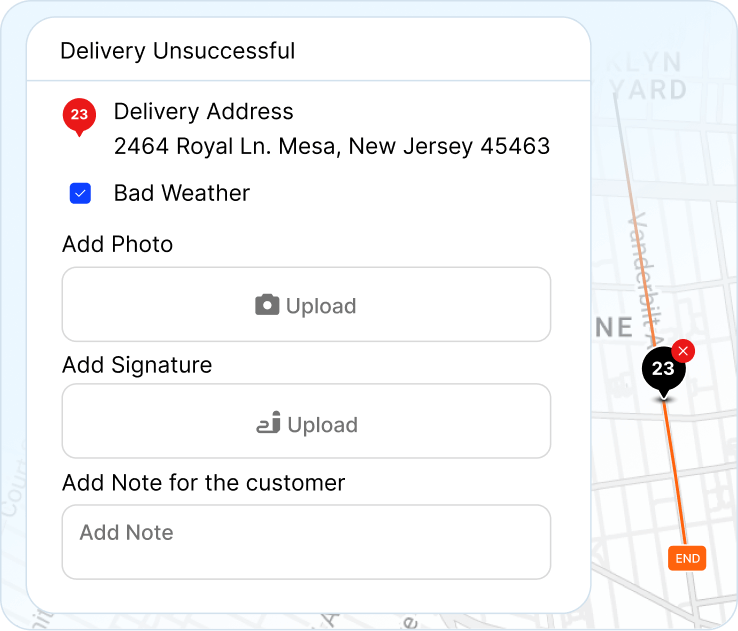
Failed Delivery Documentation – Record Every Attempt
When delivery doesn’t happen, capture why. Drivers log exceptions with photos and notes — closed business, wrong address, refused. Full audit trail of every attempt.
-
Pre-set exception reasons for fast logging
-
Photo proof of failed attempts (closed gate, no access)
-
Timestamped record of every delivery attempt
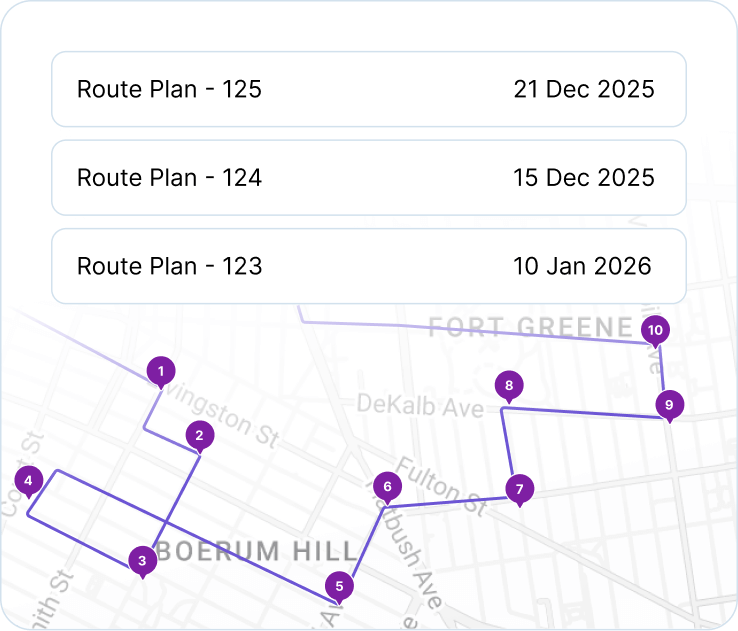
Connected to Routes & Tracking — POD That Isn’t Standalone
Every proof links to the route, the stop, and the customer notification. Customers track their delivery live, then see photo proof the moment it arrives.
-
POD auto-attached to route history
-
Triggers customer notification on capture
-
Full journey visible: route → tracking → proof

“We used to spend 2 hours every morning planning routes in spreadsheets. Now it takes 10 minutes. Upper paid for itself in the first week”


“Customers reschedule on us constantly. Before Upper, every change meant phone calls and confusion. Now I move the stop, the driver’s app updates automatically, and the customer gets a new ETA. No drama”


“Our techs actually follow the routes now. Before, they’d ignore the schedule and do their own thing because the routes never made sense. Upper plans routes they trust—so they stick to them.”

Frequently Asked Questions
-
What devices can be used to sign deliveries with Upper?
Customers can easily sign for deliveries on any device with an internet connection, including smartphones, tablets, and computers.
-
What are the benefits of Upper’s POD feature?
Upper’s POD feature offers several benefits, including:
Simplified reporting with readily available electronic POD data.
Improved transparency with clear delivery status for both your business and customers
Increased accuracy with digital records, photos, and notes
-
Is there a free trial available for Upper’s POD feature?
Yes! Upper offers a 7-day free trial, so you can experience the benefits of the system firsthand before committing.
-
Can I edit the proof of delivery after submitting it?
No, you cannot edit or recreate proof of delivery once you have already submitted it.
-
Will the proof of delivery be visible in the delivery reports generated by the dispatcher?
Yes, the dispatcher generates detailed reports and analytics that represent the proof of delivery for each delivery.
-
Is Upper’s POD feature easy to use for both drivers and customers?
Upper’s POD feature is designed with user-friendliness in mind. Thus, the interface is intuitive and easy to navigate for both drivers and customers, requiring no training. Drivers can capture information quickly and efficiently, while customers can sign for deliveries with just a few clicks or taps on any device.
Plan Fast. Adapt Faster.
Try Upper free for 7 days—no credit card require.