
Automated Delivery Notifications
via SMS & Email

10,000+ teams have cut “where’s my order?”
calls with Upper






Customers shouldn’t have to call to find out where their order is.
What Route Planning Software Promises:
-
 Customers always informed
-
Fewer inbound calls
-
Professional experience
-
Real-time updates
-
Happy, loyal customers

What Actually
Happens:
-
Notifications sent once — then radio silence until delivery
-
Customers still call because ETAs are vague or missing
-
Generic messages that look like spam, not your brand
-
“Real-time” means a static tracking page, not live updates
-
Missed deliveries because customers didn’t know when to expect you
Automatic Updates at Every Stage
Dispatch to Delivery
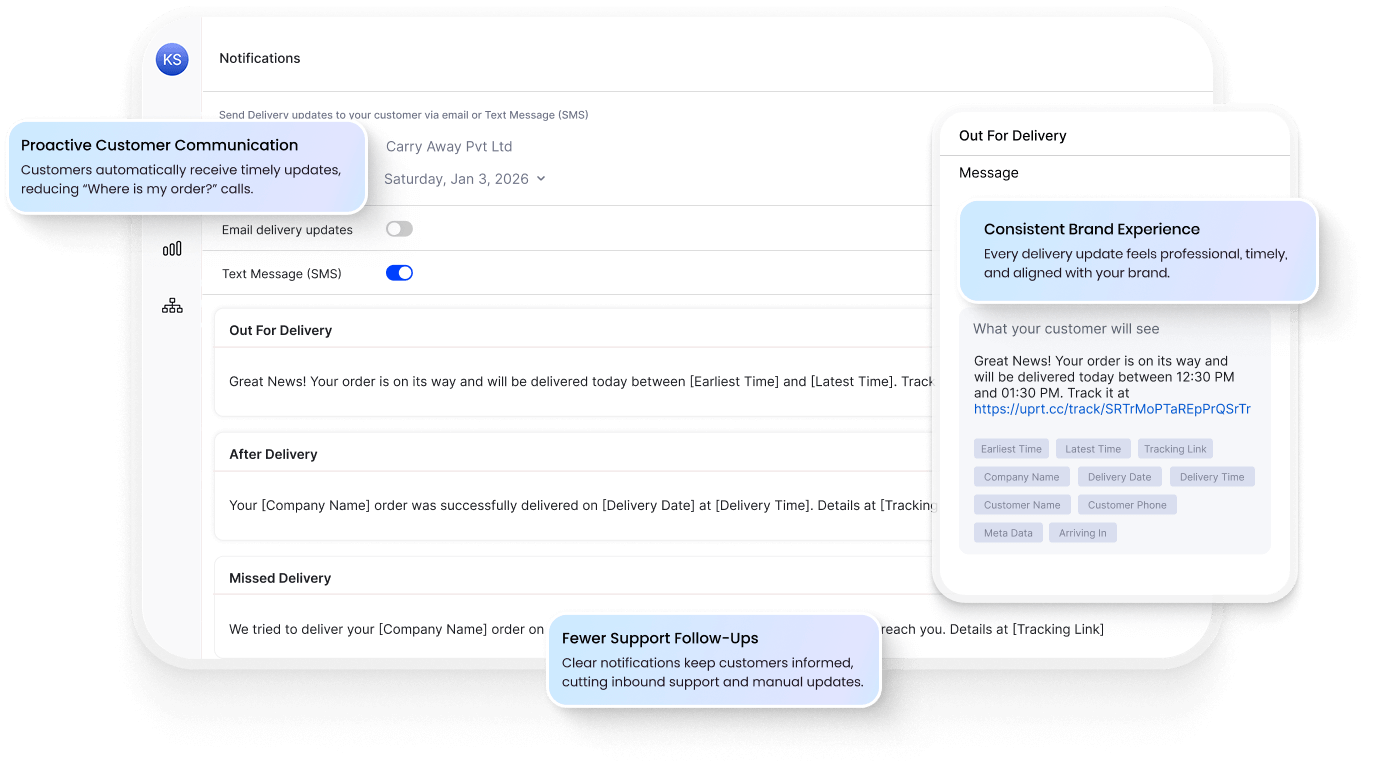
Set it once, forget it forever. Notifications trigger based on route events — out for delivery, arriving soon, delivered. Customers stay informed. You stay focused on operations.
SMS + Email — Customer’s Choice
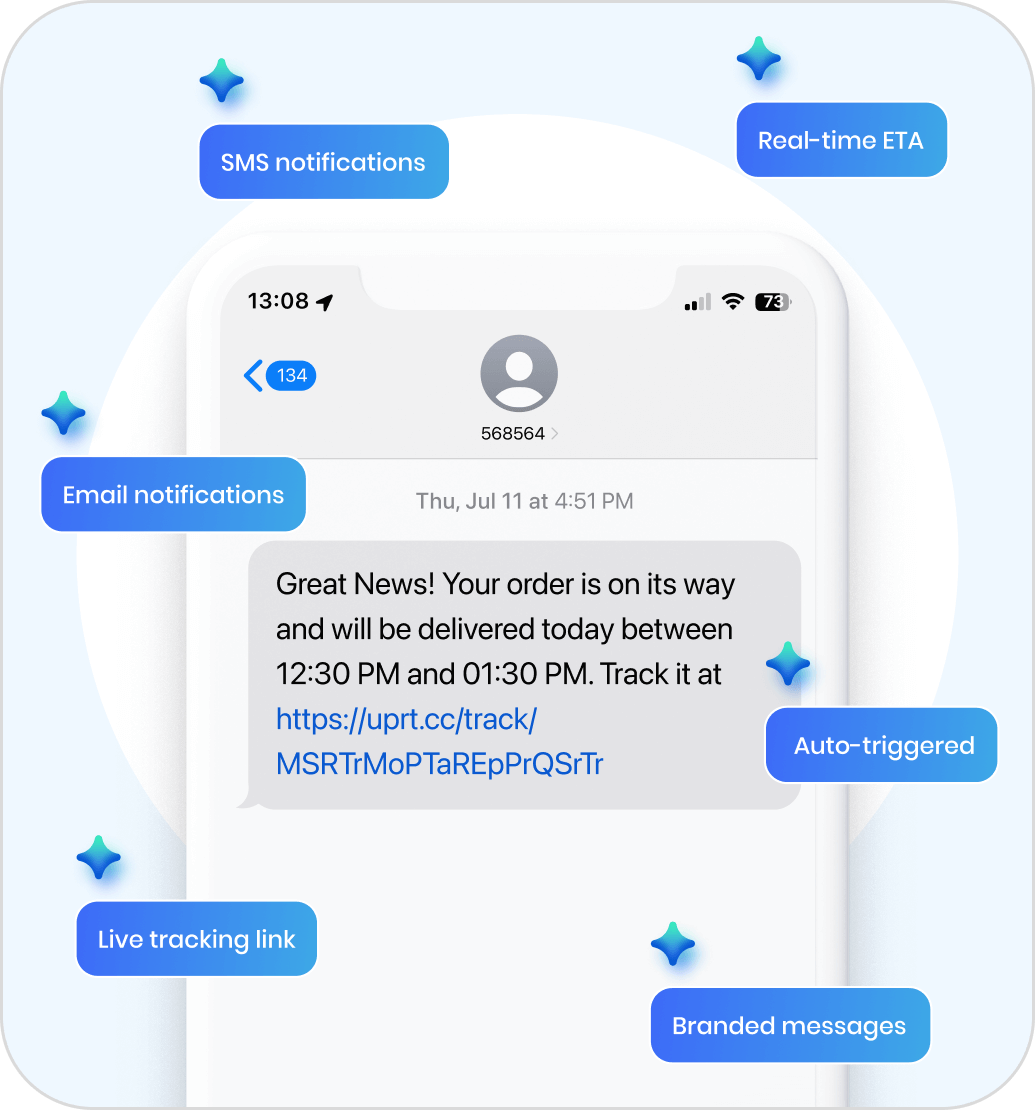
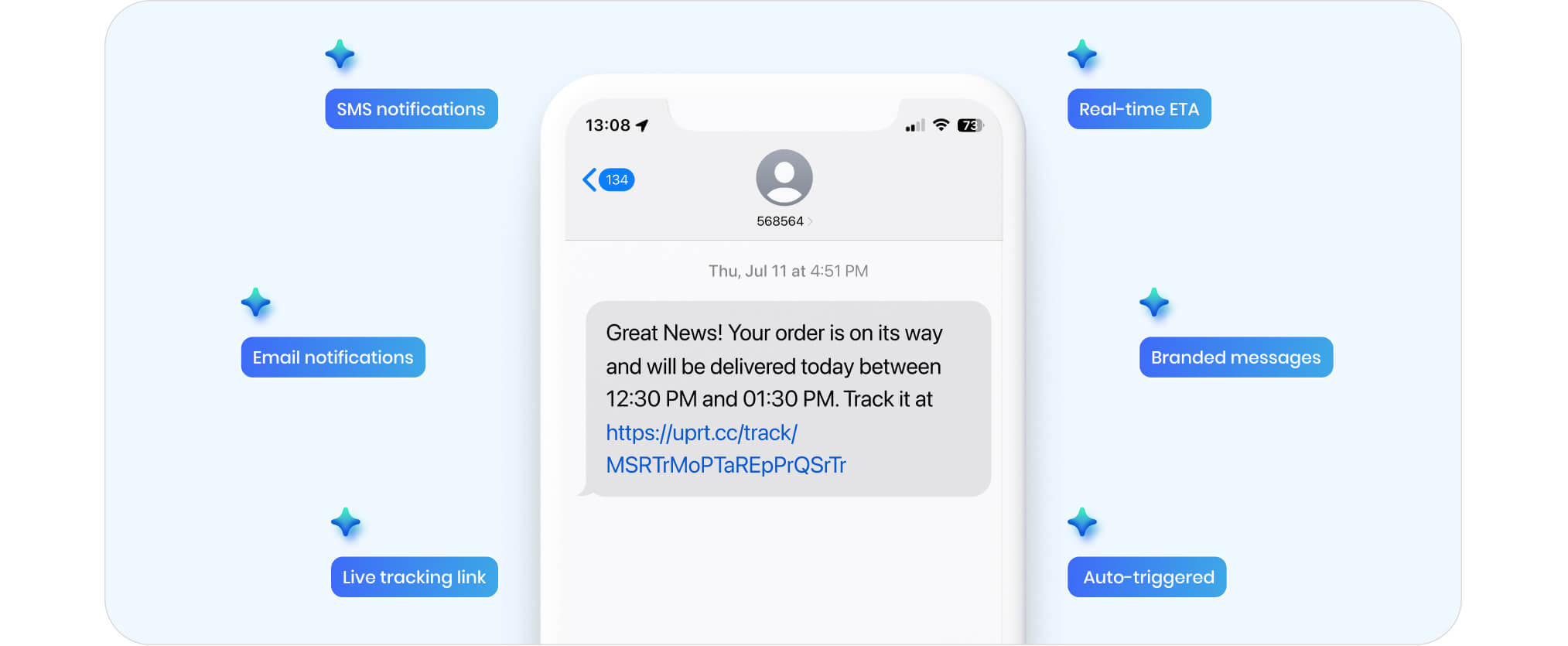
Send notifications via text, email, or both. Reach customers on their preferred channel. No app download required — updates arrive where they already are.
Triggered by Route Events
Notifications fire automatically — when the route starts, the driver departs the previous stop, delivery completes. No manual sending. No forgetting.
Live ETA + Tracking Link
Every notification includes real-time ETA and a tracking link. Customers see exactly where the driver is and when to expect arrival.
Manual Updates vs. Automated Notifications
The Usual Way

Texting customers from personal phones
“We’ll be there today” — no specific time
Customers call to ask where their order is
Generic messages that look like spam
Manually sending updates stop-by-stop
Missed deliveries because customer wasn’t ready

The Upper Way
Automated SMS/email from your business
Real-time ETA updates as driver approaches
Customers track live on their own
Branded notifications with your company name
Notifications trigger automatically at each stage
ETA alerts let customers prepare for arrival
Everything You Need to Keep
Customers Informed
SMS and email are just the start. Upper gives you customizable triggers, branded messages, live tracking pages, and full integration with routes and proof of delivery.
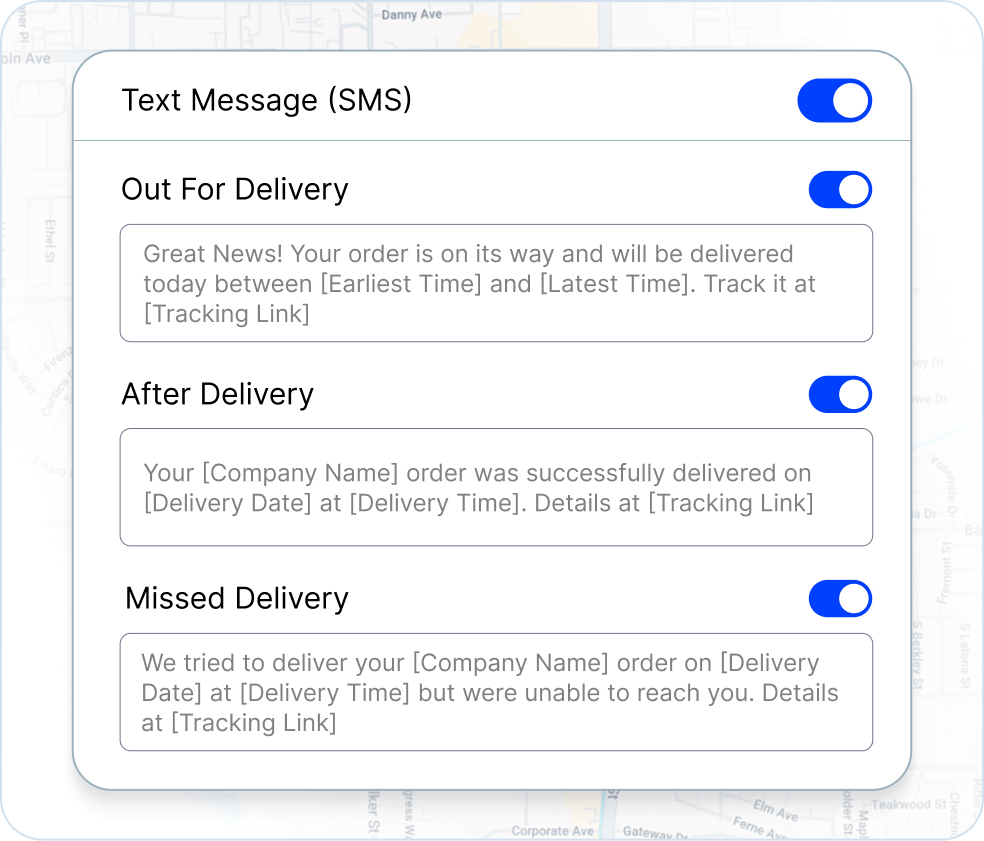
Customizable Notification Triggers Send Updates When They Matter
Choose exactly when notifications go out. Route started, driver en route, arriving in 15 minutes, delivery complete, or delivery failed. Set your triggers once — Upper handles the rest.
-
 Pre-built triggers for every delivery stage
-
Set different notifications for different route types
-
Add or remove triggers anytime

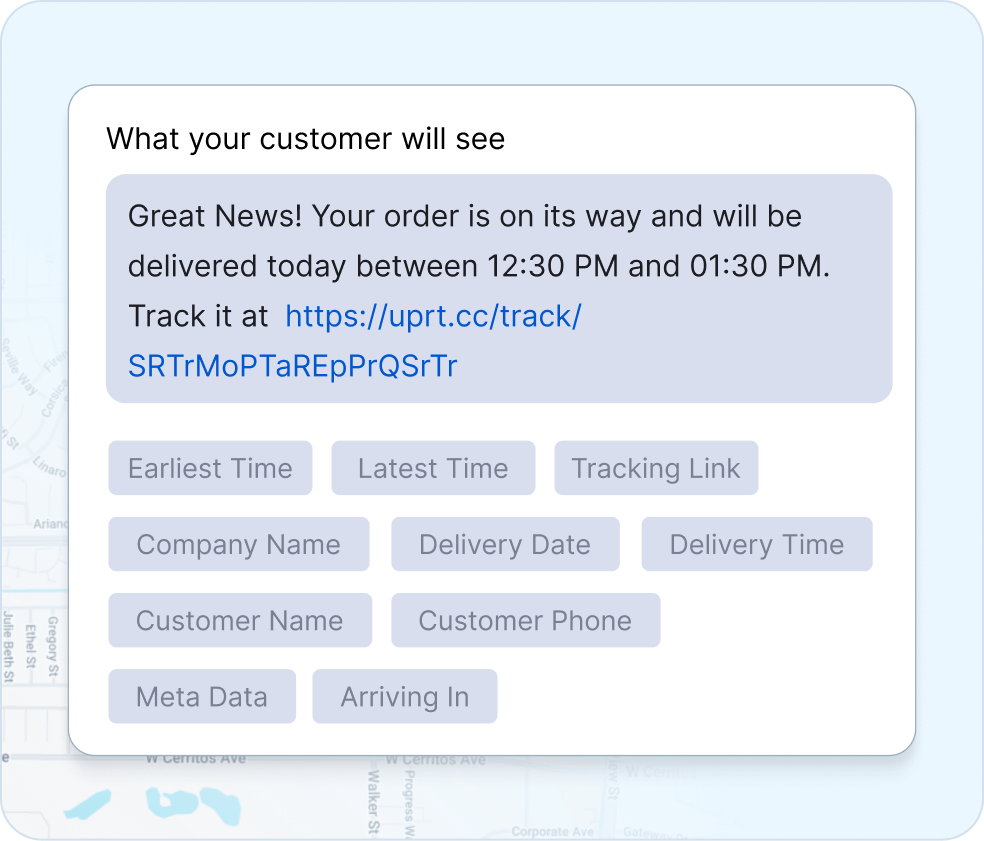
Branded Notifications — Your Name, Not Ours
Notifications come from your business, not generic software. Add your company name, customize message text, and make every update feel like it’s coming directly from you.
-
Your company name in every SMS and email
-
Customize message content per trigger
-
Professional experience that builds trust
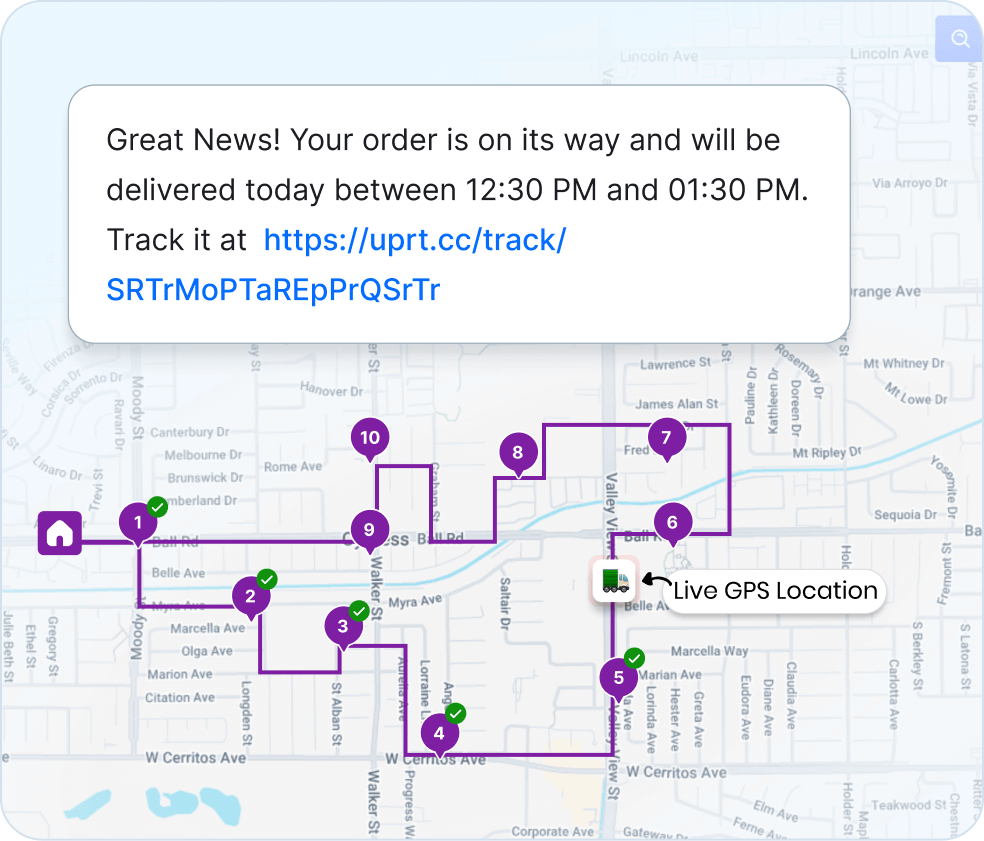
Live Customer Tracking Page — The Amazon Experience, For Your Business
Every notification includes a tracking link. Customers see driver location, real-time ETA countdown, and delivery status — all on a clean, branded page. No app download needed.
-
Real-time map with driver location
-
Live ETA countdown to arrival
-
Works on any phone or browser
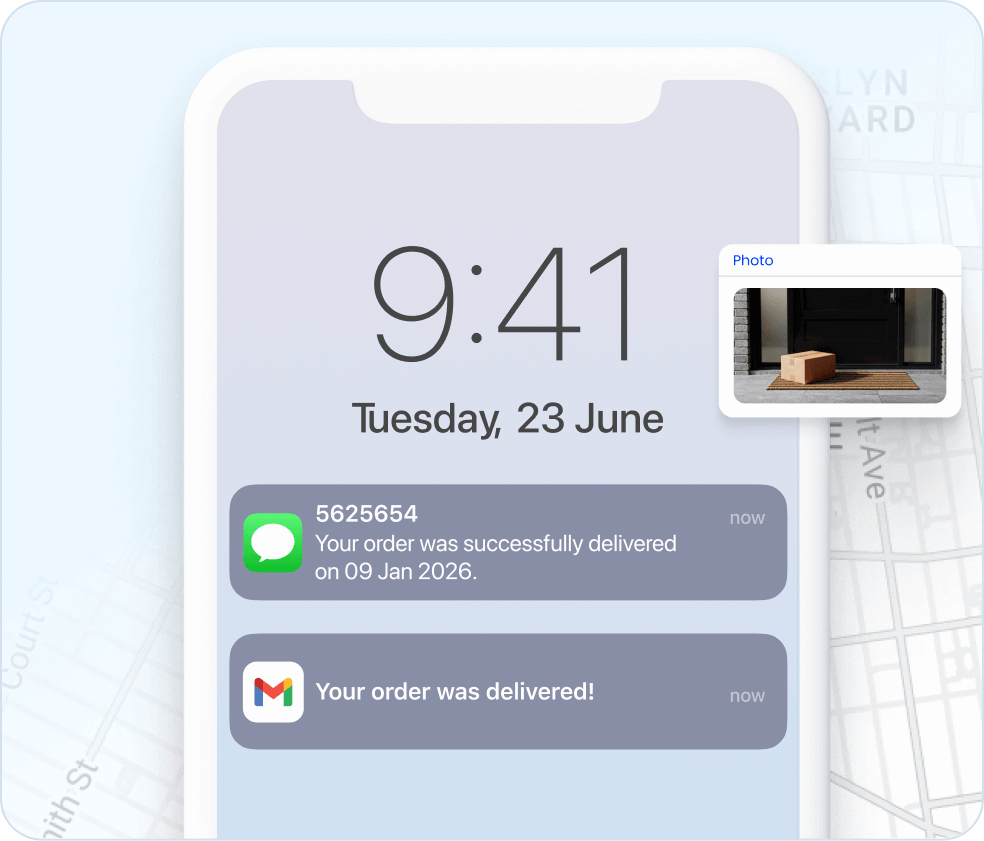
Connected to Routes & Proof of Delivery — Not a Standalone Tool
Notifications aren’t separate from your operations. They’re triggered by route events and linked to proof of delivery. Customers track live, then receive photo confirmation when delivery completes.
-
Notifications triggered by actual route progress
-
POD confirmation sent automatically after delivery
-
Full journey visible: dispatched → tracking → delivered → proof

“We used to spend 2 hours every morning planning routes in spreadsheets. Now it takes 10 minutes. Upper paid for itself in the first week”


“Customers reschedule on us constantly. Before Upper, every change meant phone calls and confusion. Now I move the stop, the driver’s app updates automatically, and the customer gets a new ETA. No drama”


“Our techs actually follow the routes now. Before, they’d ignore the schedule and do their own thing because the routes never made sense. Upper plans routes they trust—so they stick to them.”

Frequently Asked Questions
-
How can I customize delivery notifications for my customers using Upper?
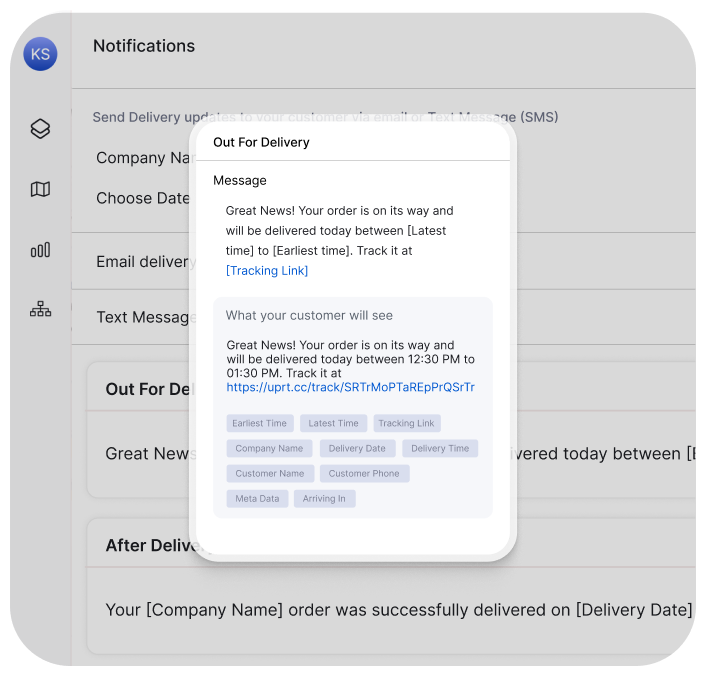
Customizing notifications for your customers with Upper is simple. Navigate to the settings, click on the “Delivery Notifications” tab, and easily customize each notification to suit your preferences and brand messaging.
-
What types of notifications can I send to customers with Upper?
Upper’s customer notifications feature offers a range of communication options. You can send notifications in the form of text or email for various stages such as “Out For Delivery,” “After Delivery,” “Missed Delivery,” and “Notify to Next Customer.” These notifications include real-time updates with dynamic ETAs, ensuring your customers stay well-informed about the status of their deliveries.
-
How does Upper’s customer notifications capability benefit customer communications?
Upper’s customer notifications capability transforms customer communications by ensuring that the right message is delivered at the right time. This leads to a reduction in ‘Where is my order?’ inquiries and ultimately contributes to increased customer satisfaction.
-
Can I provide real-time tracking to customers using Upper’s customer notifications?
Absolutely. With Upper, you can provide real-time tracking to your customers through notifications. These notifications include dynamic Estimated Time of Arrival (ETAs) and updates, empowering your customers to stay in control and enhancing their overall service experience.
-
Why do I need to top up my balance to send text notifications with Upper?
Topping up your balance is necessary to cover the costs associated with sending text delivery notifications. The competitive text message rates offered by Upper vary based on the destination country. Simply visit the Text Notifications page for more details on pricing and to top up your balance visit the “Marketplace” section in the software.
Plan Fast. Adapt Faster.
Try Upper free for 7 days—no credit card require.