

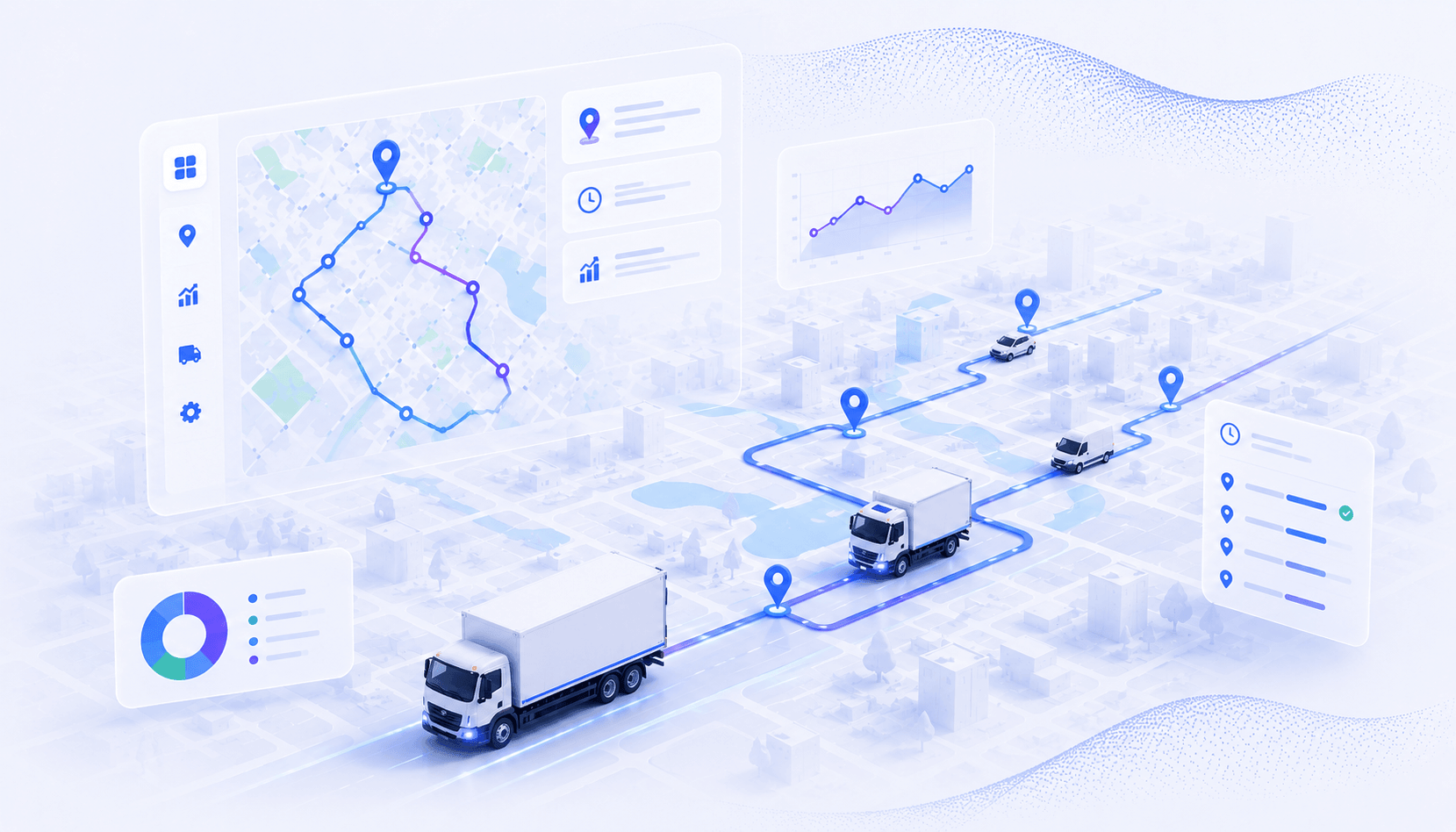
If you manage a delivery fleet with more than a handful of drivers, you already know that planning routes one driver at a time does not scale. Every additional vehicle introduces new constraints around territory coverage, workload distribution, time windows, and vehicle capacity. Without a systematic approach to multi-driver route optimization, fleet managers end up with overlapping routes, uneven workloads, and mileage that climbs faster than the stop count.
The route optimization software market is projected to reach $13.87 billion by 2030, according to Grand View Research. That growth reflects a fundamental shift in how fleet operators approach daily planning: moving from driver-by-driver sequencing to fleet-wide optimization that accounts for every vehicle, constraint, and delivery window simultaneously.
This guide breaks down how multi-driver route optimization works, the measurable benefits it delivers, a step-by-step framework for implementing it across your fleet, common challenges and how to handle them, and best practices for maintaining efficiency as your operation scales.
Table of Contents
- What Is Multi Driver Route Optimization?
- Benefits of Route Optimization for Multiple Drivers
- How to Optimize Routes for Multiple Drivers
- Common Challenges in Multi-Driver Route Planning
- Best Practices for Fleet Route Optimization
- Optimize Routes for Your Entire Fleet With Upper
- Frequently Asked Questions on Multi Driver Route Optimization
What Is Multi Driver Route Optimization?
Multi-driver route optimization is the process of generating efficient routes for an entire fleet of drivers simultaneously, rather than planning each driver’s route independently. The optimization engine considers all stops, all drivers, and all constraints at once to produce a set of routes that minimizes total fleet mileage, balances workloads, and meets every delivery window.
Single-Driver vs. Multi-Driver Optimization
Single-driver route optimization solves a simpler problem: given one vehicle and a set of stops, find the most efficient sequence. Multi-driver optimization is fundamentally different because it must first decide which stops go to which driver before it can sequence them. That allocation decision is where most of the efficiency gains come from.
When you optimize routes for one driver at a time, you are making local decisions without visibility into what other drivers are doing. The result is often duplicated coverage areas, unbalanced stop counts, and routes that look efficient in isolation but waste mileage across the fleet. Multi-driver optimization eliminates these inefficiencies by treating the fleet as a single system.
Core Elements of Fleet Route Optimization
Fleet-wide route optimization considers several interdependent factors that single-driver tools ignore:
- Territory and zone distribution — Grouping stops geographically and assigning clusters to the nearest or most appropriate driver to minimize deadhead miles and overlapping coverage.
- Workload balancing — Distributing stops, drive time, and service time across drivers so no single driver is overloaded while others finish early.
- Constraint management — Accounting for vehicle capacity limits, driver skill requirements, customer time windows, and depot locations for each driver simultaneously.
- Dynamic re-optimization — Adjusting all affected routes when new stops are added, cancellations come in, or a driver falls behind schedule.
These elements work together to produce routes that are not just efficient for individual drivers but optimal for the fleet as a whole. The difference between optimizing routes individually and optimizing them as a fleet typically shows up as a 15 to 25 percent reduction in total miles driven.
Benefits of Route Optimization for Multiple Drivers
The benefits of multi-driver route optimization compound across the fleet. A 10 percent mileage reduction on a single route is meaningful; that same percentage across 20 drivers transforms operational economics.
Reduce Fuel Costs and Total Mileage Across the Fleet
Fleet-wide optimization eliminates the overlapping routes and backtracking that occur when drivers are planned independently. By clustering stops geographically and assigning them to the nearest driver, total fleet mileage drops significantly. For most fleets, this translates to a 20 to 40 percent reduction in fuel spend compared to manual planning or single-driver optimization.
The mileage savings also reduce vehicle wear, extend maintenance intervals, and lower the total cost of fleet ownership over time.
Complete More Stops per Driver per Day
When routes are optimized across the fleet, each driver spends less time driving between stops and more time completing deliveries. Tighter geographic clustering means shorter distances between consecutive stops, which directly increases the number of stops each driver can complete within their shift.
Fleets that switch from manual planning to multi-driver optimization typically see a 15 to 30 percent increase in stops per driver per day without extending shift hours. Additionally, a driver stop time tracking software automates manual time logging and gives drivers more time to focus on operational tasks.
Balance Driver Workloads and Reduce Overtime
Unbalanced workloads are one of the most common problems in fleet operations. Without fleet-wide optimization, some drivers consistently get heavier routes while others finish early. This leads to overtime costs, driver burnout, and higher turnover.
Multi-driver optimization distributes stops based on drive time, service time, and stop count so that all drivers finish within a similar window. This reduces overtime expenses and improves driver satisfaction because workloads feel fair and predictable.
Improve On-Time Delivery Rates and Customer Satisfaction
When routes account for time windows, service durations, and realistic drive times across the entire fleet, on-time delivery rates improve. Customers receive accurate ETAs because the optimization engine has already factored in traffic patterns, priority stops, and driver schedules.
Fleets using multi-driver optimization consistently report on-time rates above 95 percent, compared to 80 to 85 percent with manual planning. That reliability directly impacts customer retention and repeat order rates.
Together, these benefits create a compounding effect: lower costs, higher throughput, happier drivers, and more satisfied customers. The operational improvements are measurable within the first week of implementation.

See it in action
See How Fleet Route Optimization Works in Practice
Upper shows every driver, route, and stop on a single dashboard with automated distribution and live GPS tracking.

How to Optimize Routes for Multiple Drivers
Implementing multi-driver route optimization follows a logical sequence. Each step builds on the previous one, and skipping steps leads to suboptimal results. Here is the framework that consistently produces the best outcomes for fleet operations.
Territory and Zone-Based Distribution
Why Geographic Clustering Comes First
The single biggest efficiency gain in multi-driver optimization comes from geographic clustering. Before the algorithm sequences stops, it needs to group them into zones that minimize the total distance drivers travel between stops. Without this step, you end up with drivers crisscrossing the same neighborhoods.
How to Implement Zone-Based Stop Distribution
Start by dividing your service area into zones based on stop density and geographic boundaries. Natural dividers like highways, rivers, and city boundaries work well as zone edges. Assign each zone a primary driver based on proximity to their start location. The optimization engine then sequences stops within each zone while respecting cross-zone constraints like time windows that require a specific driver to handle stops in an adjacent zone.
Workload Balancing Across Drivers
What Balanced Workloads Look Like
A balanced fleet is not one where every driver has the same number of stops. True balance accounts for drive time, service time at each stop, and the physical demands of different delivery types. A driver handling 30 small-package residential deliveries may have a lighter workload than a driver handling 15 heavy commercial deliveries with longer service times.
How to Distribute Workloads Effectively
Configure the optimization engine to balance on total route duration rather than stop count alone. Set maximum shift lengths for each driver, include service time estimates per stop type, and let the algorithm redistribute stops to keep all drivers within their time limits. Review the output to confirm that no driver is consistently at capacity while others have slack.
Time Window and Priority Management
Handling Time-Sensitive Deliveries Across the Fleet
Time windows are the most common constraint that forces routes away from pure mileage efficiency. A delivery that must arrive between 9:00 AM and 11:00 AM may require a driver to deviate from the geographically optimal sequence. When multiple time-sensitive stops are spread across the fleet, the optimization engine must balance timeliness against mileage across all drivers simultaneously.
How to Build Time Windows into Fleet Routes
Enter time windows for every stop that has a delivery commitment. Classify stops as hard windows (customer will not accept delivery outside this range) or soft windows (preferred but flexible). The optimization engine will prioritize hard windows and fit soft windows around them. For stops without time commitments, leave the window open so the algorithm has maximum flexibility to optimize for mileage and workload balance.
Real-Time Adjustments and Re-Optimization
Why Static Routes Are Not Enough
No fleet plan survives first contact with the real world unchanged. Drivers hit traffic, customers cancel, new orders come in, and vehicles break down. A static route planned at 6:00 AM may be significantly suboptimal by 10:00 AM. The ability to re-optimize routes during the day is what separates functional multi-driver optimization from theoretical planning.
How to Re-Optimize Routes During the Day
Use a platform that supports mid-route re-optimization without disrupting completed stops. When a new stop is added, the system should evaluate which driver can handle it with the least disruption to their remaining route and the fleet overall. When a driver falls behind schedule, the system should automatically redistribute their remaining stops to other drivers with capacity. This requires live GPS tracking and real-time route status for every driver.
Following this framework in sequence produces routes that are geographically tight, workload-balanced, time-window compliant, and adaptable to real-world changes. The key is treating these as interdependent steps rather than independent configurations.
See it in action
See Multi-Driver Route Optimization in Action
Upload your stops, set driver parameters, and watch Upper build balanced, optimized routes for your entire fleet in under a minute.
Common Challenges in Multi-Driver Route Planning
Even with the right optimization framework, fleet managers encounter recurring challenges when managing routes for multiple drivers. Understanding these challenges upfront helps you build processes that prevent them from undermining your route efficiency.
Managing Last-Minute Order Changes Without Disrupting Active Routes
Last-minute additions and cancellations are inevitable in delivery operations. The challenge is incorporating changes without creating a cascade of disruptions across active routes. When a new stop is inserted into one driver’s route, it can push back their remaining deliveries, which may affect time windows for stops that were already communicated to customers.
The solution is a re-optimization engine that evaluates the fleet-wide impact of every change before applying it. Rather than forcing the new stop into the nearest driver’s route, the system should assess which driver can absorb it with the least total disruption, including the downstream effects on time windows and workload balance.
Preventing Driver Resistance to Algorithmically Assigned Routes
Drivers who have been running their own routes for years often resist algorithmically generated routes, even when the data shows clear improvements. This resistance is practical, not just emotional. Drivers know their territories, their customers’ preferences, and the real-world conditions that algorithms may not fully capture.
Address this by involving experienced drivers in the configuration phase. Let them validate zone boundaries, flag stops with special requirements, and review optimized routes before they go live. When drivers see that their input shapes the output, adoption increases significantly. Run a side-by-side comparison during the first two weeks so drivers can see the mileage and time savings in their own data.
Handling Mixed Vehicle Types and Capacity Constraints
Fleets with different vehicle types face additional optimization complexity. A cargo van, a box truck, and a refrigerated vehicle each have different capacity limits, access restrictions, and fuel costs. The optimization engine must match stops to vehicles based on cargo requirements while still optimizing for mileage and workload balance.
Capacity optimization requires entering vehicle-specific parameters including maximum weight, volume, and any special handling capabilities. The algorithm then assigns stops to vehicles that can handle them before optimizing the route sequence. Without this step, you risk assigning stops to vehicles that cannot physically complete them.
Maintaining Route Efficiency as the Fleet Scales
Route optimization that works well for 5 drivers may break down at 20 or 50. As the fleet grows, the number of possible stop-to-driver assignments increases exponentially, and the interactions between constraints become more complex. Zone boundaries that made sense for a small fleet may create inefficiencies at scale.
Plan for scale by reviewing zone structures quarterly, updating driver parameters as new vehicles are added, and monitoring key metrics like average miles per stop and workload variance across drivers. Rebuild zones from scratch when the fleet size doubles rather than incrementally adjusting the existing structure.
Each of these challenges has a systematic solution. The common thread is that multi-driver route optimization is not a set-it-and-forget-it process. It requires ongoing configuration, driver engagement, and performance monitoring to maintain efficiency as conditions change.
Best Practices for Fleet Route Optimization
The difference between good and great fleet route optimization comes down to operational habits. These best practices help fleet managers extract maximum value from their optimization platform and maintain efficiency over time.
Import Stop Data in Bulk to Eliminate Manual Entry Errors
Manual stop entry is the leading source of routing errors. Mistyped addresses, missing apartment numbers, and transposed zip codes all produce routes that look correct on screen but fail in the field. Import stops from spreadsheets or integrate directly with your order management system to eliminate manual data entry.
Before importing, standardize your address format and validate against a geocoding service. Clean data produces dramatically better optimization results because the algorithm works with accurate distances and drive times.
Set Driver-Specific Parameters Before Optimizing
Every driver has different start and end locations, shift hours, break requirements, and vehicle constraints. Entering these parameters before running optimization ensures the output is executable. Without driver-specific settings, the algorithm may generate routes that start at the wrong depot, exceed shift limits, or assign stops to drivers whose vehicles cannot handle them.
Update driver parameters whenever schedules change, new drivers are added, or vehicles are swapped. Outdated parameters are a common reason why optimized routes do not match real-world performance.
Review Route Analytics Weekly to Identify Drift
Route efficiency degrades over time as stop patterns shift, new customers are added, and driver habits change. Weekly review of key metrics catches drift before it becomes costly. Track average miles per stop, planned vs. actual route completion times, on-time delivery rates, and workload variance across drivers.
When metrics drift more than 10 percent from your baseline, investigate the cause. Common culprits include outdated zone boundaries, incorrect service time estimates, and drivers deviating from optimized sequences.
Use Recurring Route Templates for Predictable Schedules
If a significant portion of your stops repeat weekly or daily, build recurring route templates rather than re-optimizing from scratch each day. Templates lock in the zone assignments and driver allocations for predictable stops while leaving room for the optimizer to incorporate new or variable stops.
This approach reduces daily planning time, gives drivers consistency, and ensures that optimization resources are focused on the variable portion of your stop list where the biggest efficiency gains exist.
Run a Pilot Before Full Fleet Rollout
Rolling out multi-driver optimization across the entire fleet at once is risky. Start with a pilot group of 3 to 5 drivers in a defined territory. Use the pilot to validate zone configurations, calibrate service time estimates, and identify integration issues with your existing dispatch process.
Measure pilot results against your baseline for at least two weeks before expanding. This gives you concrete performance data to support the business case for full rollout and surfaces any configuration issues while the scope is manageable.
These practices are not one-time setup tasks. They are ongoing operational habits that keep your route optimization performing at its best as your fleet, customer base, and delivery patterns evolve.
See it in action
Start Optimizing Routes for Your Entire Fleet
Import your stops from a spreadsheet, configure your drivers, and get optimized multi-driver routes in minutes.
Optimize Routes for Your Entire Fleet With Upper
Multi-driver route optimization is not a theoretical improvement. It is a practical operational shift that reduces mileage, balances workloads, improves on-time rates, and scales with your fleet. The framework in this guide gives you a clear path from single-driver planning to fleet-wide optimization.
Upper is route optimization software built for fleet operators who need to plan, optimize, and manage routes for multiple drivers from a single platform. Import your stops from a spreadsheet or API, configure driver parameters and vehicle constraints, and generate optimized routes for your entire fleet in under a minute.
Upper handles territory-based stop distribution, workload balancing, time window compliance, and real-time re-optimization so you can focus on running your operation instead of manually planning routes. Every driver, route, and stop is visible on a single dashboard with live GPS tracking and automated status updates.
Whether you are managing 5 drivers or 50, Upper scales with your fleet without adding planning complexity. Book a free demo to see how multi-driver route optimization works with your actual stop data.
Frequently Asked Questions on Multi Driver Route Optimization
Single-driver route planning optimizes the stop sequence for one vehicle in isolation. Multi-driver route optimization considers all drivers, stops, and constraints simultaneously. It first decides which stops go to which driver based on geography, workload balance, and vehicle capabilities, then optimizes the sequence for each driver. This fleet-wide approach typically reduces total mileage by 15 to 25 percent compared to optimizing drivers individually.
The best software depends on your fleet size and operational complexity. For small to mid-size fleets (5 to 100 drivers), look for platforms that offer bulk stop import, driver-specific constraints, territory-based distribution, workload balancing, and real-time re-optimization. Upper is purpose-built for this use case, generating optimized multi-driver routes from a spreadsheet upload in under a minute.
Modern route optimization platforms can handle hundreds to thousands of stops across dozens of drivers in a single optimization run. The practical limit depends on the platform and the complexity of constraints. Upper supports bulk optimization for large stop lists distributed across your full driver roster without requiring stops to be pre-assigned to individual drivers.
Yes. By eliminating overlapping routes, reducing backtracking, and clustering stops geographically, multi-driver optimization typically reduces total fleet mileage by 20 to 40 percent compared to manual planning. That mileage reduction translates directly to lower fuel costs, reduced vehicle wear, and extended maintenance intervals.
Implementation timelines vary, but most fleet operators can be running optimized multi-driver routes within one to two weeks. The first few days involve importing stop data, configuring driver parameters, and setting up zones. A pilot with 3 to 5 drivers over the following week validates the configuration before full fleet rollout.
Yes, platforms with real-time re-optimization can adjust routes mid-day when new stops are added, deliveries are cancelled, or drivers fall behind schedule. The system evaluates which driver can absorb changes with the least disruption to the overall fleet plan and redistributes stops accordingly. This requires live GPS tracking and real-time route status visibility.