
Stop Repair Shops From Calling About Parts Status — Automate Every Delivery Notification

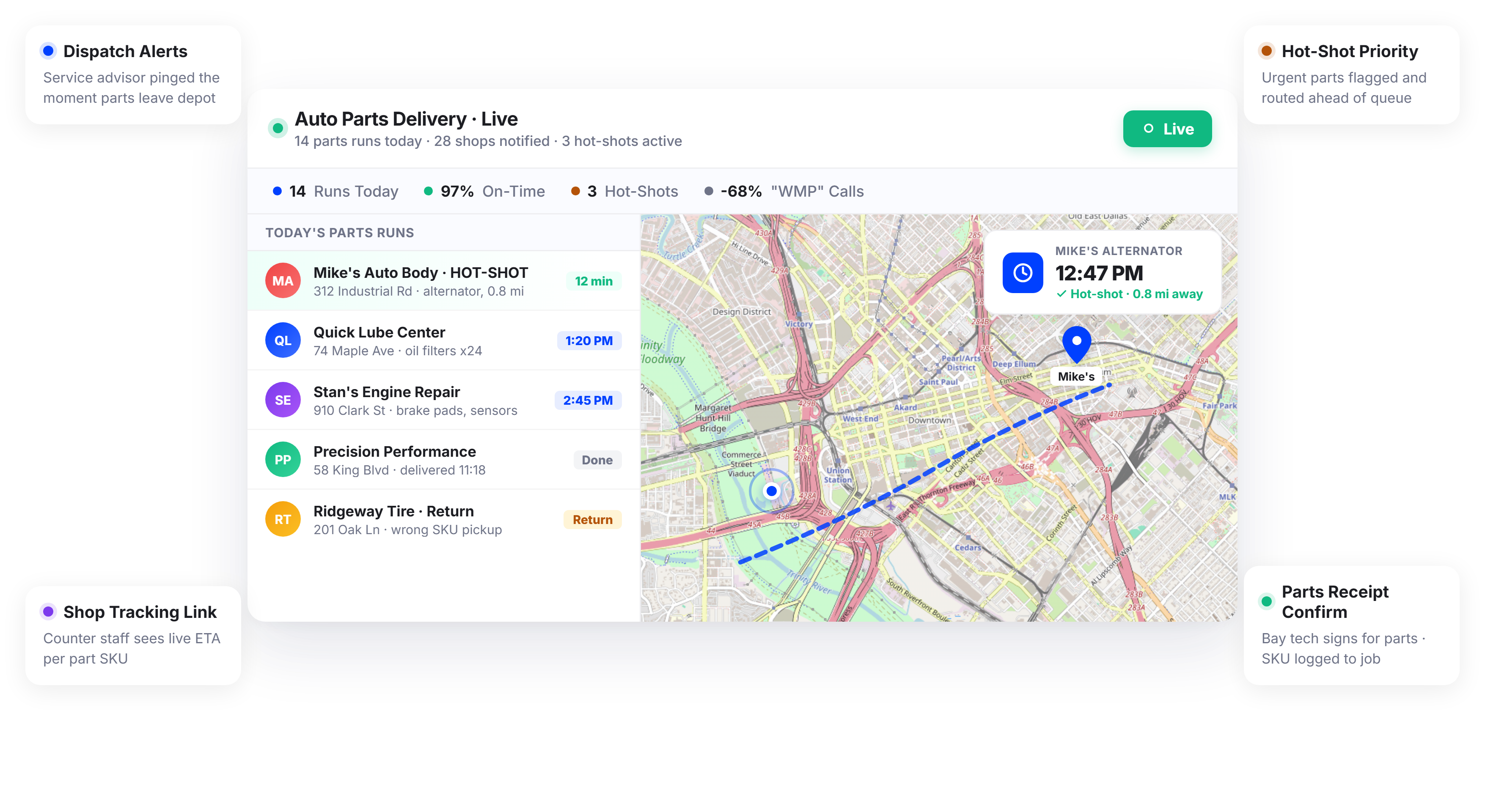
Auto Parts Delivery Teams Using Upper Keep Shops Informed and Bays Running on Schedule






Shops Need Parts Now. All They Get Is “It’s on the Truck.”
What Auto Parts Delivery Communication Promises
-
 Technicians know exactly when parts will arrive
-
Shops schedule jobs around reliable delivery times
-
Drivers handle multiple runs without status call interruptions
-
Every parts delivery is confirmed and documented

What Actually Happens
-
Service advisors call the parts counter three times asking for an ETA
-
Technicians start a different job and aren’t ready when parts arrive
-
Drivers field phone calls while navigating between shop stops
-
Nobody knows if a part was actually delivered until someone checks the counter
Every Notification Your Auto Parts Delivery Operation Needs
Upper’s customer notifications software for auto parts delivery automates communication between your delivery team and the shops, dealerships, and service centers they supply. From dispatch confirmation to doorstep arrival, every stop gets real-time updates without a single phone call.
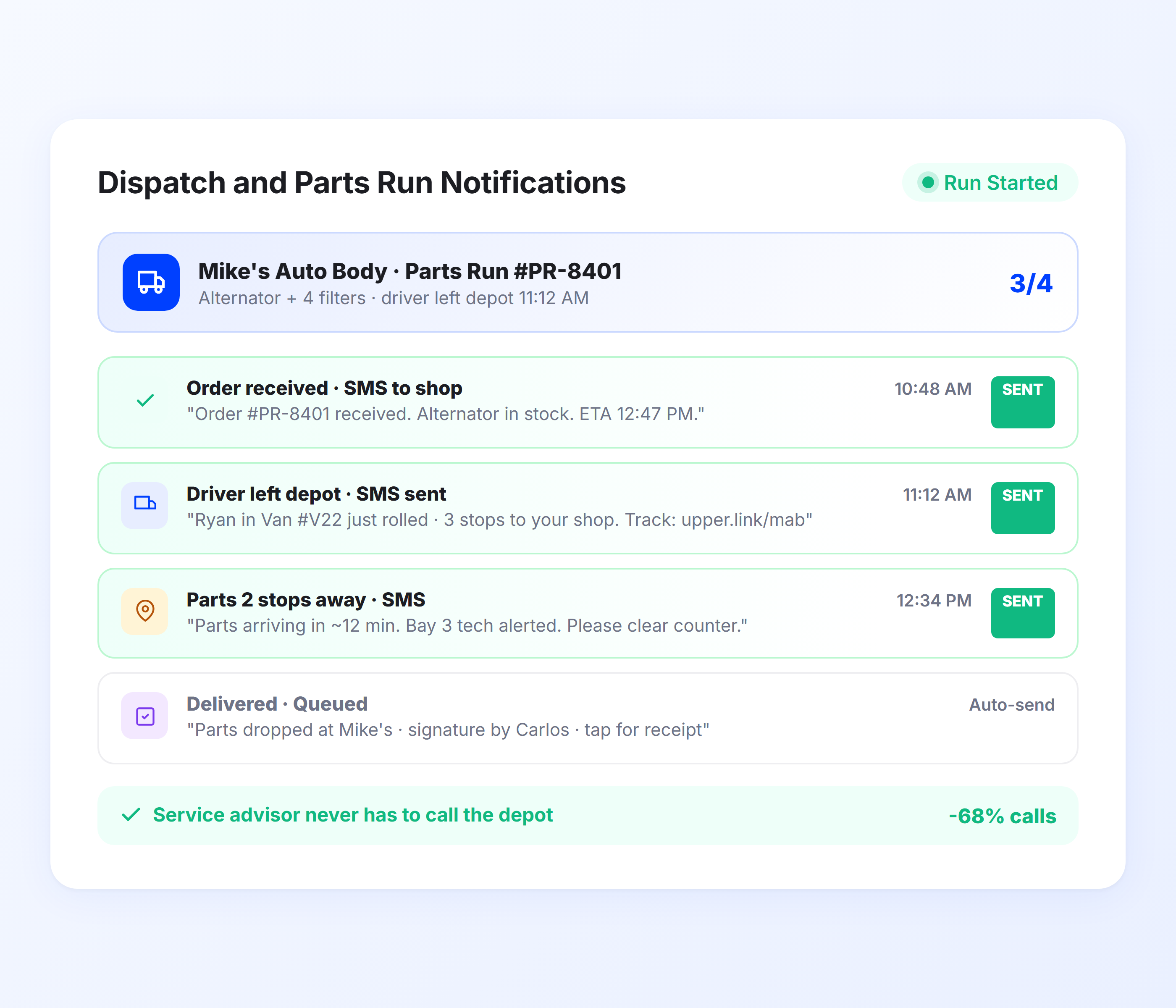
Dispatch and Parts Run Notifications
When a parts run is dispatched, Upper sends an automated notification to every shop on the route with their estimated delivery time. Service advisors know a run is active and can see where their delivery falls in the sequence. No more calling the warehouse to ask if parts have shipped.
-
 Automatic dispatch notification to all shops on the run
-
Estimated delivery time per stop based on route sequence
-
Parts run departure confirmation
-
Multi-shop notification in a single automated batch
-
Customizable templates for different shop types
-
Notification includes driver name and contact info

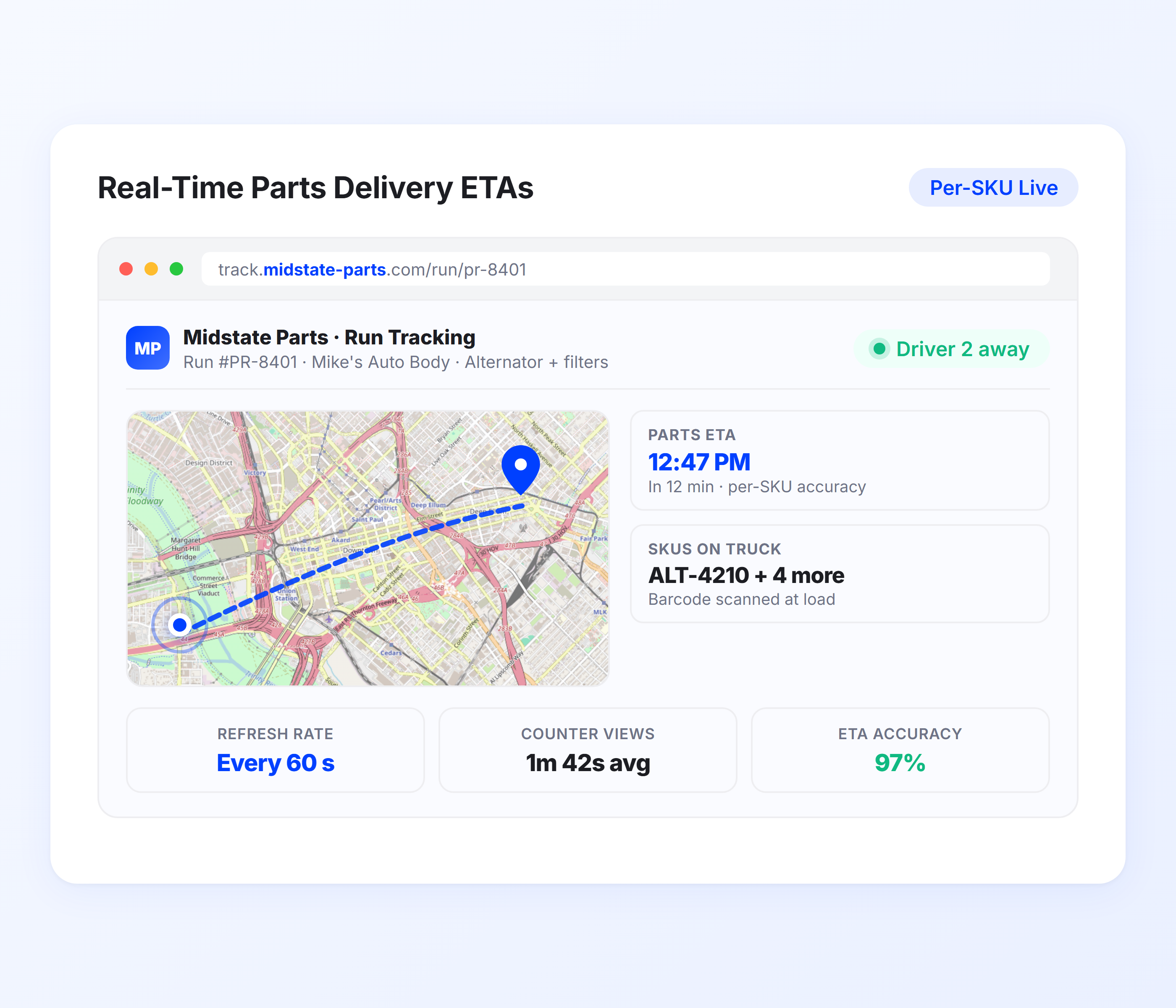
Real-Time Parts Delivery ETAs
Upper calculates ETAs from live route optimization data, traffic conditions, and real-time driver progress. As the driver completes earlier stops, downstream shop ETAs recalculate automatically. Service advisors get a dynamic arrival time they can schedule around, not a vague “sometime this morning.”
- Live ETA from route optimization and GPS data
- Auto-recalculation as driver completes earlier stops
- Traffic-adjusted arrival estimates
- Accurate ETAs even on high-volume multi-stop runs
- SMS and email notification with tracking link
- Same accuracy for stop 3 and stop 30
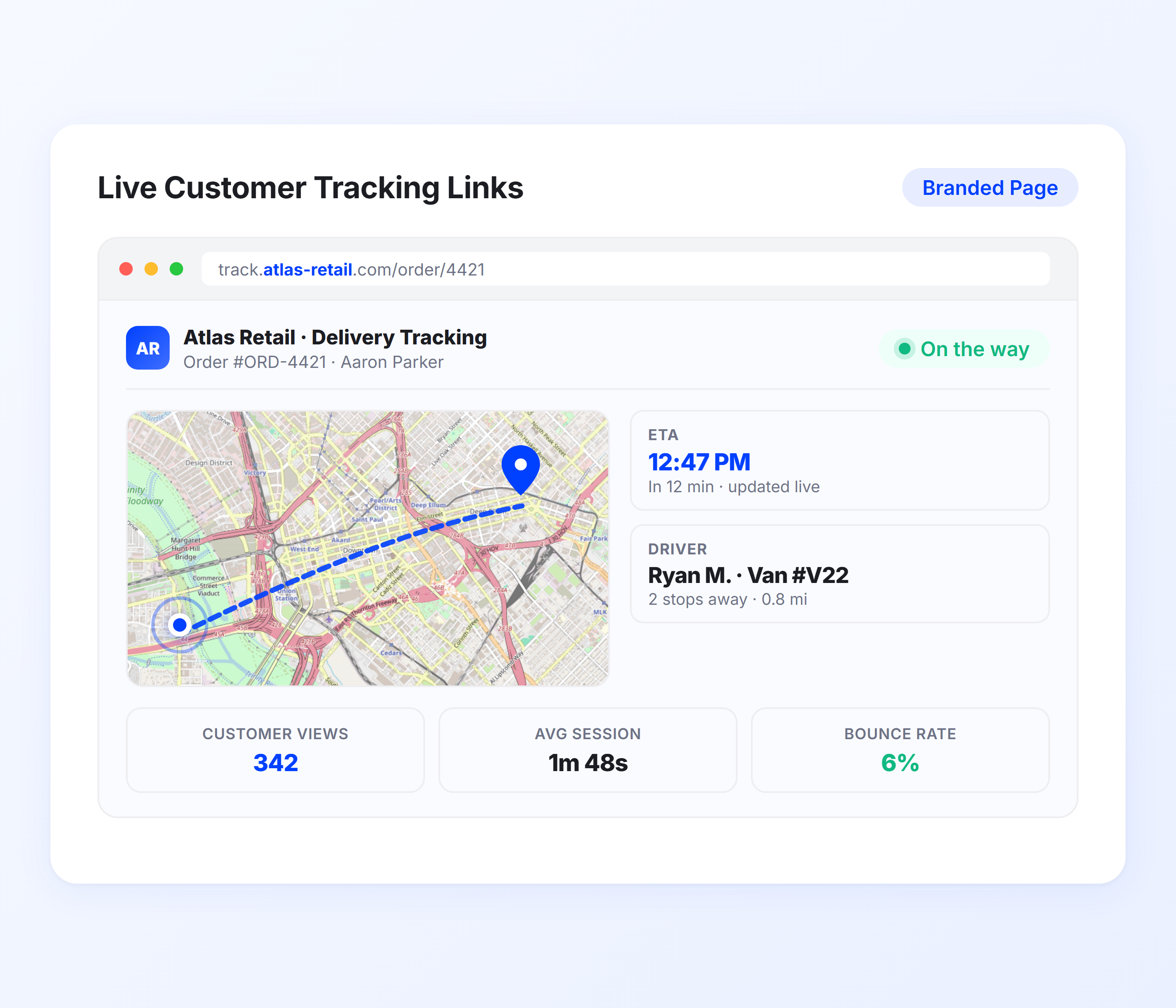
Shop Tracking Links
Every notification includes a tracking link that opens in a mobile browser. Service advisors, parts managers, or technicians can check the driver’s real-time location and updated ETA without calling your dispatch. One link, no app download, no login required.
- Real-time driver location on mobile-optimized map
- Updated ETA visible on tracking page
- No app or account required from the shop
- Shareable with any shop staff member
- Reduces “where’s my parts?” calls by 40-60%
- Branded tracking page with your company info
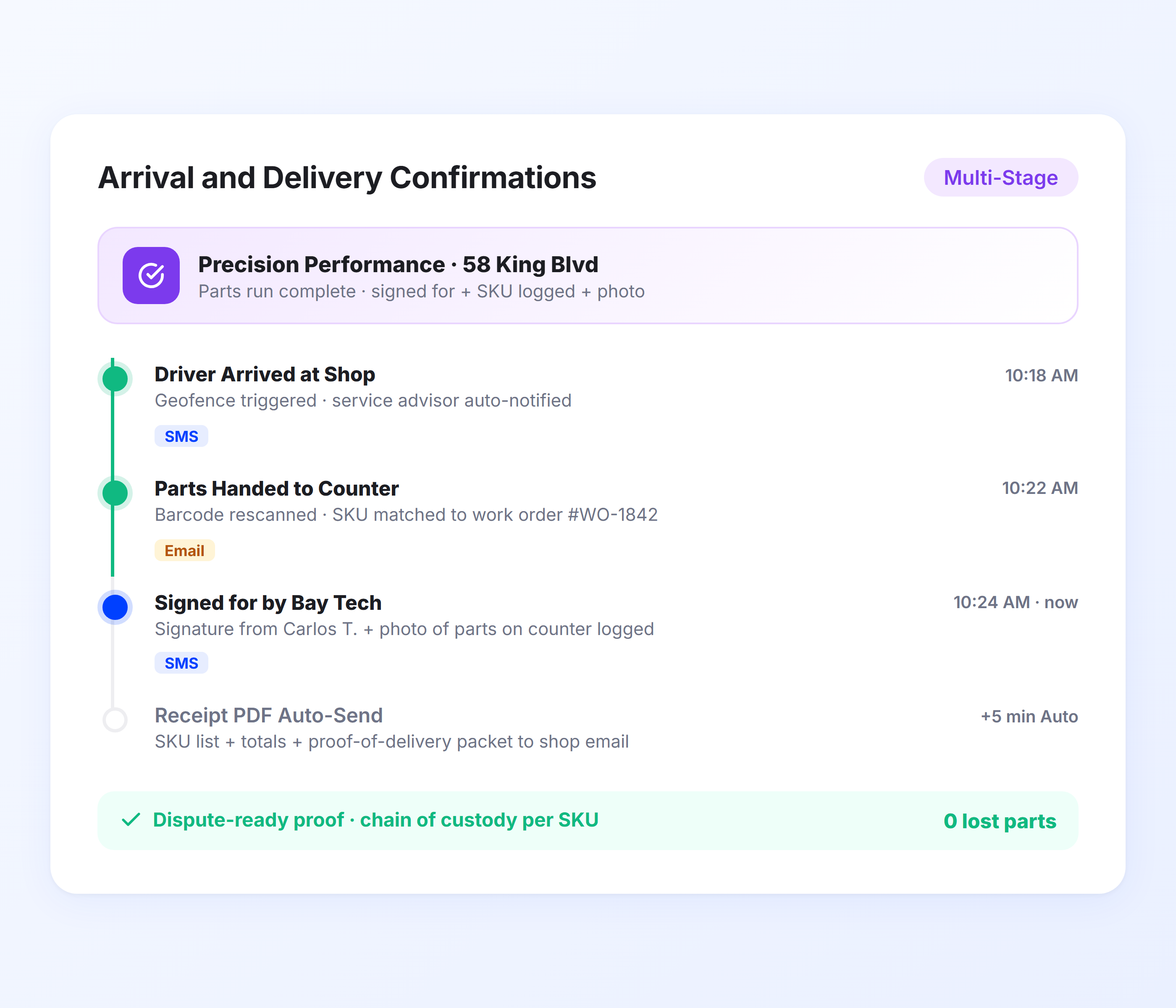
Arrival and Delivery Confirmations
When the driver arrives at a shop, Upper sends a confirmation notification. When the delivery is marked complete with proof of delivery, the shop receives a second confirmation with delivery details, photos, and a signature if captured. This creates a clear record that parts were delivered and received.
- “Driver arriving” notification when entering shop zone
- Delivery completion confirmation with timestamp
- Proof of delivery photo and signature attached
- Digital record for warranty and returns tracking
- Delivery notes for partial orders or backorder items
- Complete audit trail per delivery per shop
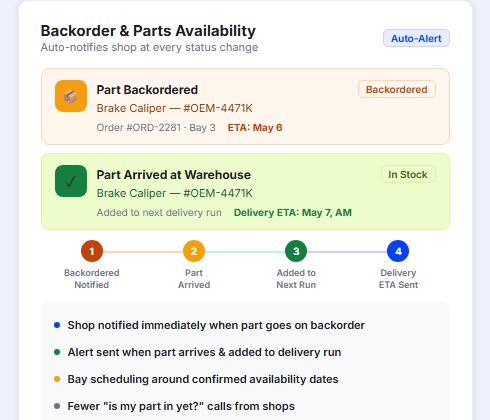
Backorder and Parts Availability Notifications
When a part on an order is backordered or out of stock, Upper notifies the shop immediately with the expected availability date. When the part arrives at the warehouse and is added to the next delivery run, the shop receives a second notification with the updated delivery ETA. Service advisors can keep their customers informed and schedule bay time around confirmed parts availability instead of guessing.
- Automatic backorder notification with expected availability date
- “Part available” alert when backordered item arrives at the warehouse
- Updated delivery ETA when part is added to the next run
- Shop can plan bay scheduling around confirmed availability
- Digital record of backorder timeline for customer communication
- Reduces “is my part in yet?” calls from shops checking stock status
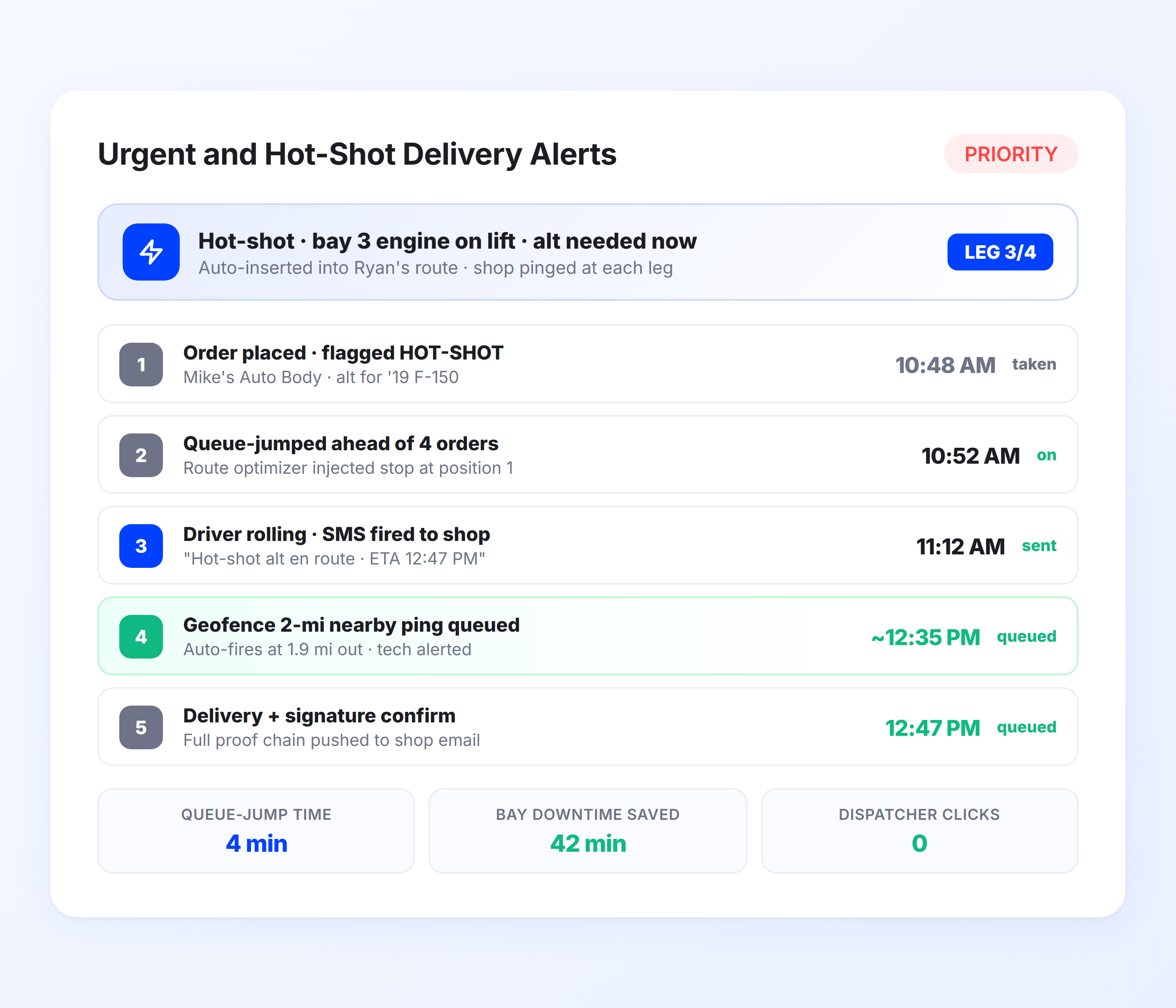
Urgent and Hot-Shot Delivery Alerts
For emergency parts requests where a vehicle is on the lift waiting, Upper can flag priority deliveries and send urgent notifications with tighter ETA updates. The receiving shop knows this delivery is being fast-tracked and gets more frequent position updates as the driver approaches.
- Priority flag for urgent parts deliveries
- More frequent ETA updates for hot-shot runs
- “Driver approaching” proximity alert for urgent orders
- Integrates with driver dispatch for priority routing
- Separate notification template for emergency deliveries
- Shop sees priority status on tracking page
Send Live ETAs to Every Shop on Every Parts Run, Automatically
Upper notifies repair shops the moment parts are dispatched, sends real-time ETAs that update as the driver progresses, and confirms every delivery with proof.
Client Success Stories

“We used to spend 2 hours every morning planning routes in spreadsheets. Now it takes 10 minutes. Upper paid for itself in the first week.”


“What sold me was how easy it is to make changes. My schedules change a lot and I drag & drop stops and we’re back on track in 30 seconds. With our old software, that would’ve been an hour of replanning.”


“Our drivers actually follow the routes now. The app is simple, the navigation works, and they’re not calling me every 10 minutes asking where to go next.”

Auto Parts Delivery Notification Features for Faster Shop Turnarounds
- Notification Templates
- Geofenced Shop Alerts
- Multi-Run Scheduling
- Delivery Analytics
- Return and Warranty Tracking

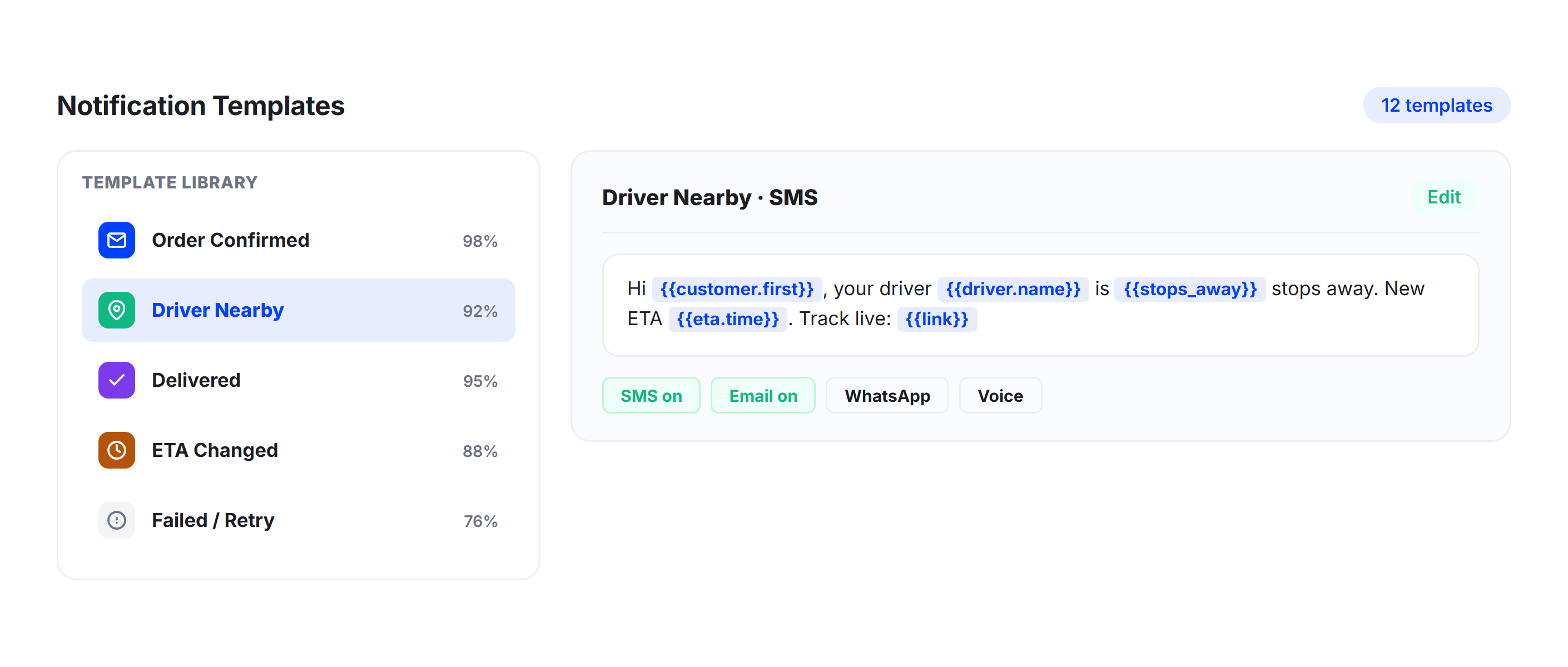
Notification Templates
Build separate templates for standard parts runs, hot-shot deliveries, and backorder arrivals. Include order numbers, part descriptions, or shop-specific instructions in each notification. Templates save time and keep communication consistent across every driver and every run.
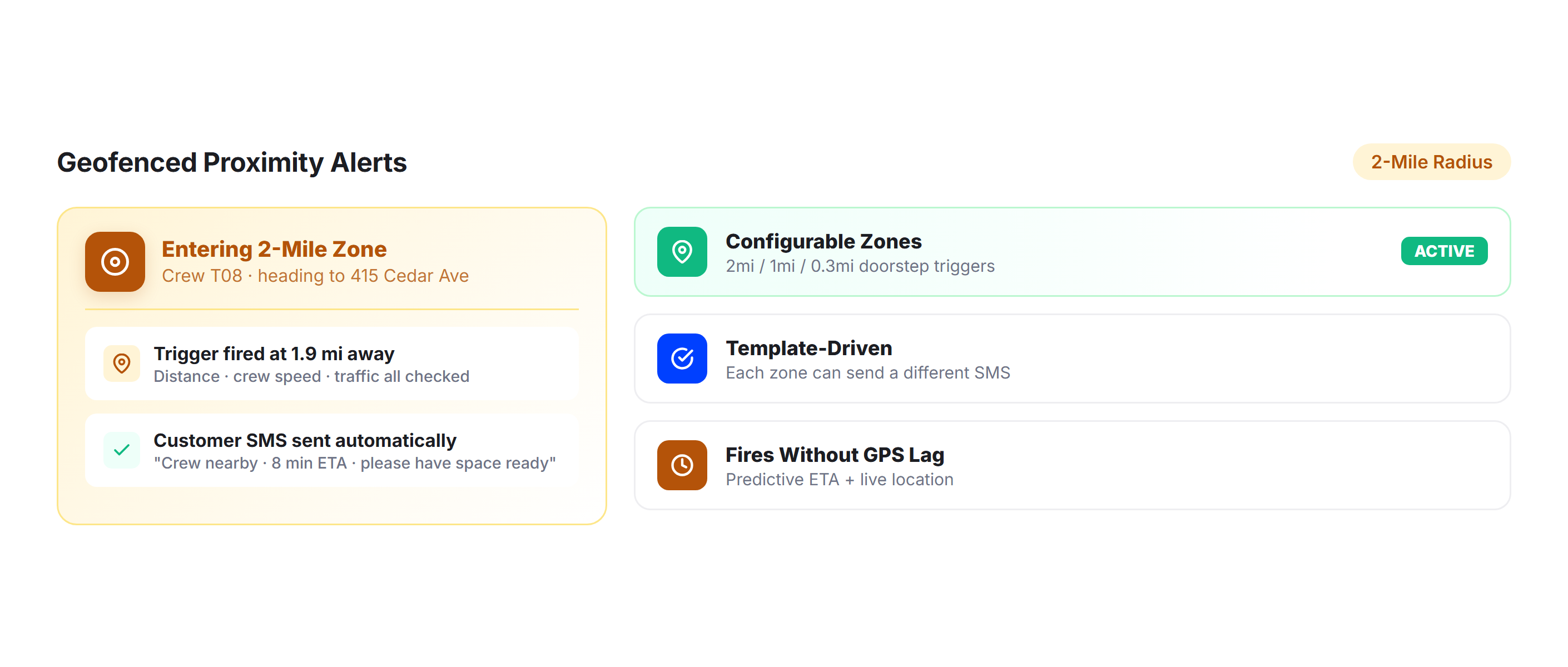
Geofenced Shop Alerts
Trigger automatic “driver approaching” notifications when the delivery vehicle enters a shop’s geofenced zone. Give the parts counter or service advisor a few minutes of lead time to prepare for receiving. Reduces driver wait time at the counter.
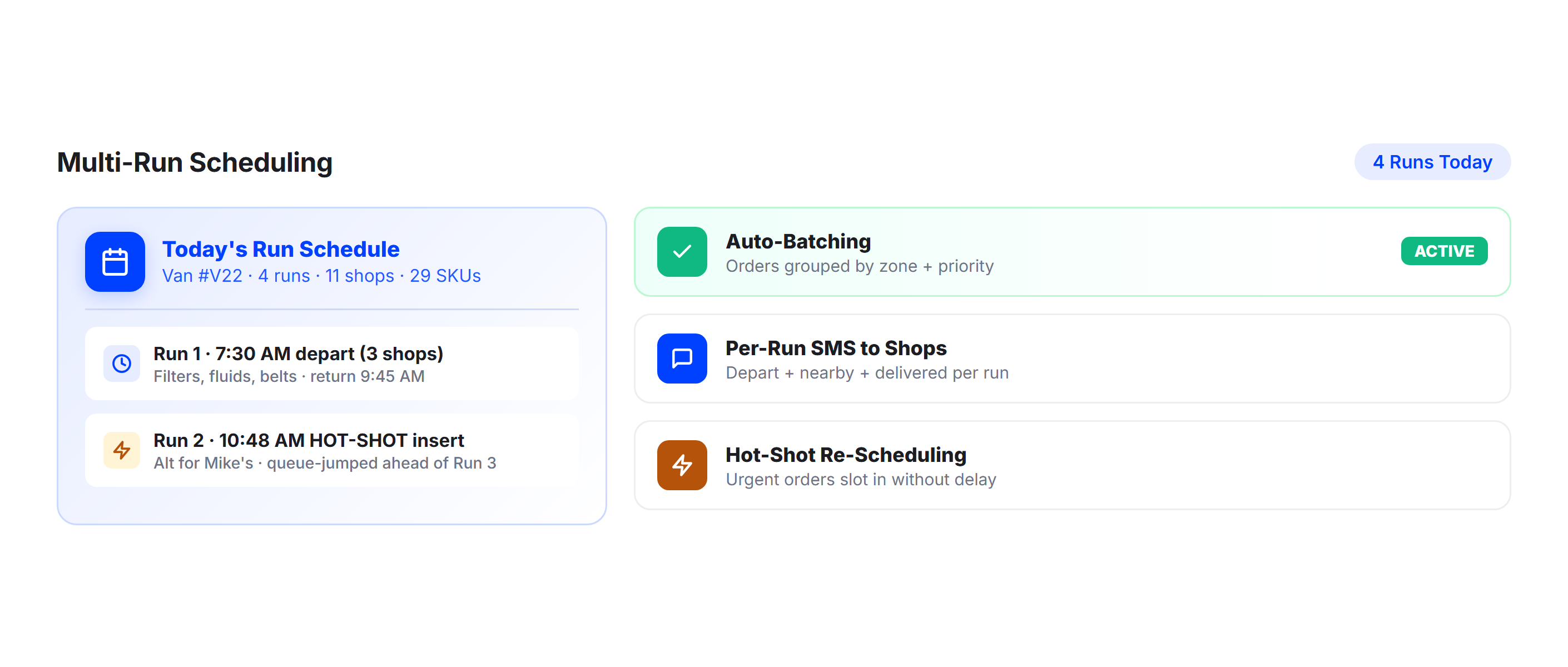
Multi-Run Scheduling
For operations running multiple parts routes per day, Upper sends separate notifications per run so shops know which delivery is coming and when. Each run has its own tracking link and ETA sequence. No confusion between the morning and afternoon runs.
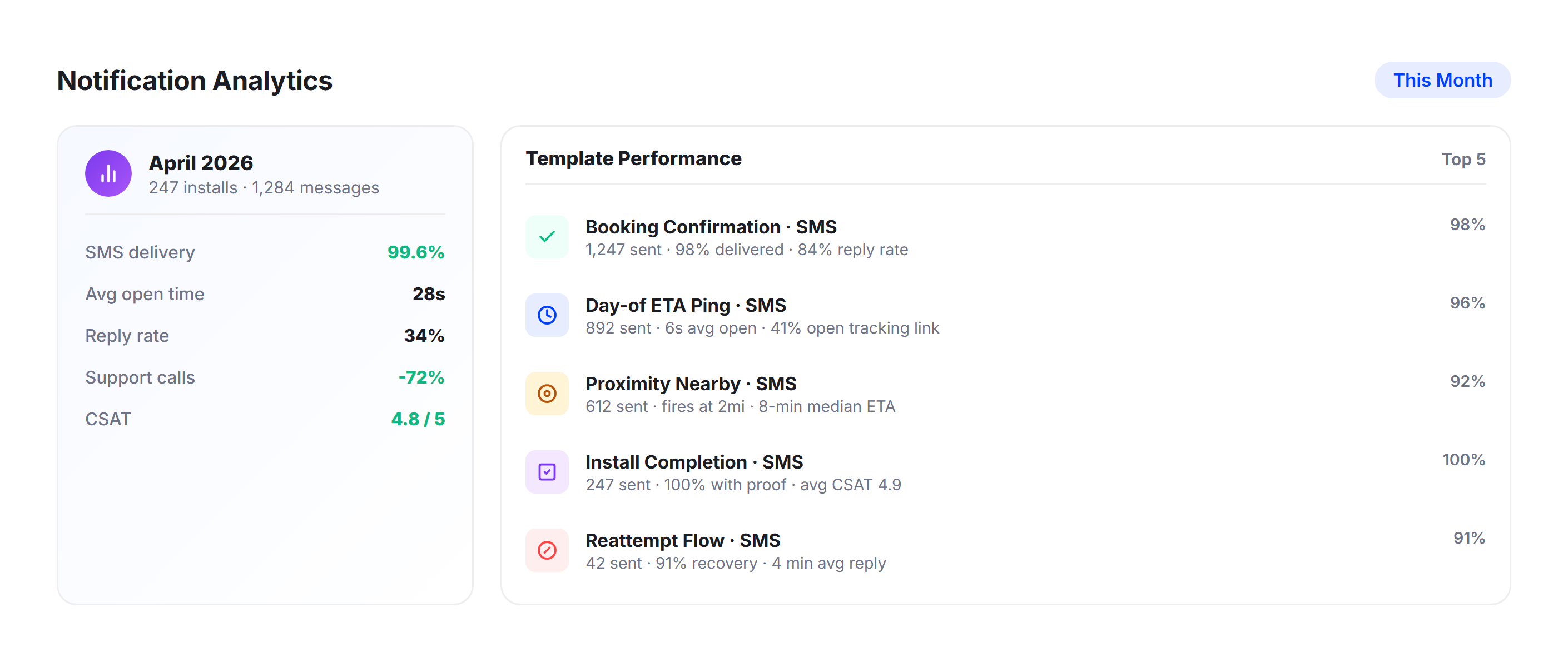
Delivery Analytics
Track delivery times per shop, notification engagement, and first-attempt delivery success rates. Identify shops where drivers consistently wait too long or where parts are frequently unclaimed. Use the data from Upper’s analytics dashboard to optimize run schedules and shop communication.
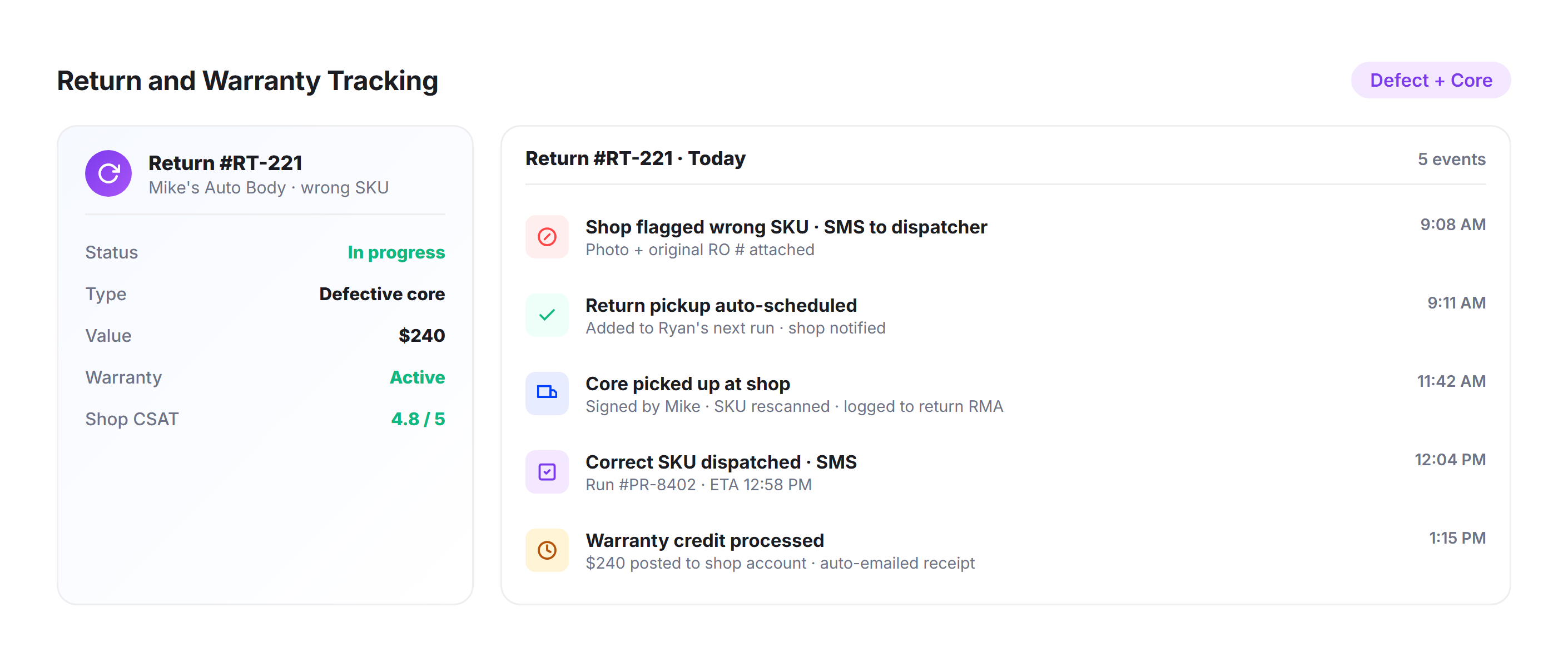
Return and Warranty Tracking
When shops need to return warranty parts, Upper’s notification system works in reverse. Schedule pickups, notify the shop of the pickup window, and capture proof of return with photos and signatures. Keeps your warranty logistics as organized as your delivery routes.
Why Auto Parts Delivery Companies Choose Upper for Customer Notifications

Reduce Bay Downtime at Repair Shops
When technicians know exactly when parts arrive, they schedule jobs around actual delivery times instead of guessing. Fewer idle bays means more revenue for the shop and a stronger relationship with your delivery service.

Eliminate “Where’s My Parts?” Calls
Tracking links and automated ETAs answer the question before anyone picks up the phone. Dispatch teams report 40-60% fewer inbound status calls after implementing real-time notifications.

Keep Drivers Focused on the Road
Drivers fielding phone calls from shops while navigating between stops is a safety issue and a time drain. Automated notifications remove the driver from the communication loop entirely.

Handle Multi-Stop Parts Runs Efficiently
A single parts run can cover 15–30 shops daily. Upper delivers highly accurate, per-shop ETA notifications for every stop, updating instantly and continuously in real time as routes adjust due to traffic, delays, or sequence changes.

Document Every Delivery for Disputes
Proof of delivery photos, signatures, and timestamps create a clear record for every drop-off. If a shop disputes a delivery, you have complete documentation to verify, resolve issues quickly, and maintain accountability.

Scale Without Adding Dispatchers
Whether you run five delivery vehicles or 50, every shop on every route gets the same automated notification experience. Add vehicles, add runs, and the system scales with zero additional manual communication.
Connect Auto Parts Notifications with Your Existing Tools


Keep Every Shop on Every Parts Run Informed from Dispatch to Delivery
Upper automates dispatch alerts, live ETAs, tracking links, arrival notifications, and proof of delivery for every stop on every auto parts run. Start your free trial today.
Frequently Asked Questions
-
Can shops track the parts delivery vehicle in real time?
Yes. Every notification includes a tracking link that opens in a mobile browser. The parts manager, service advisor, or technician can see the driver’s real-time position on a map and an updated ETA. No app download, no account creation, and no login required. Anyone at the shop with the link can check delivery status.
-
Does Upper work for operations running multiple parts routes per day?
Yes. Upper handles multiple daily runs with separate notification sequences for each. Morning, midday, and afternoon runs each have their own tracking links and per-shop ETAs. Shops receive notifications specific to the run that includes their delivery, with no confusion between routes.
-
What proof of delivery options are available?
Drivers capture photos, digital signatures, and delivery notes directly in the Upper mobile app at each shop. For auto parts, this can include a photo of parts left at the counter, a signature from the parts manager, and notes about partial deliveries or backorder items. Every delivery creates a complete digital record for dispute resolution and warranty tracking.
-
How accurate are the ETAs for multi-stop parts routes?
Upper calculates ETAs from optimized route sequences, live traffic data, and real-time driver progress. As the driver completes earlier shop stops, ETAs for remaining shops recalculate automatically. For a 20-stop parts run, shop number 18 gets an ETA just as accurate as shop number 2. The system accounts for actual stop times, not just driving distance.
-
Can I send different notifications for different types of parts deliveries?
Yes. Upper supports multiple notification templates, so you can send different messages for standard parts runs, hot-shot deliveries, backorder arrivals, and warranty return pickups. Each template can include different content, urgency levels, and channel configurations (SMS, email, or both).
-
Will this reduce the number of calls our dispatch team receives from shops?
Significantly. When shops can check a live tracking link and receive automated ETA updates, they have no reason to call asking about delivery status. Businesses using real-time tracking and notifications report 40-60% fewer inbound status calls. For auto parts operations handling dozens of shop accounts, that translates to hours of recovered dispatch time daily.