
Customer Notification Software for Appliance Delivery That Eliminates No-Shows and Redelivery Costs

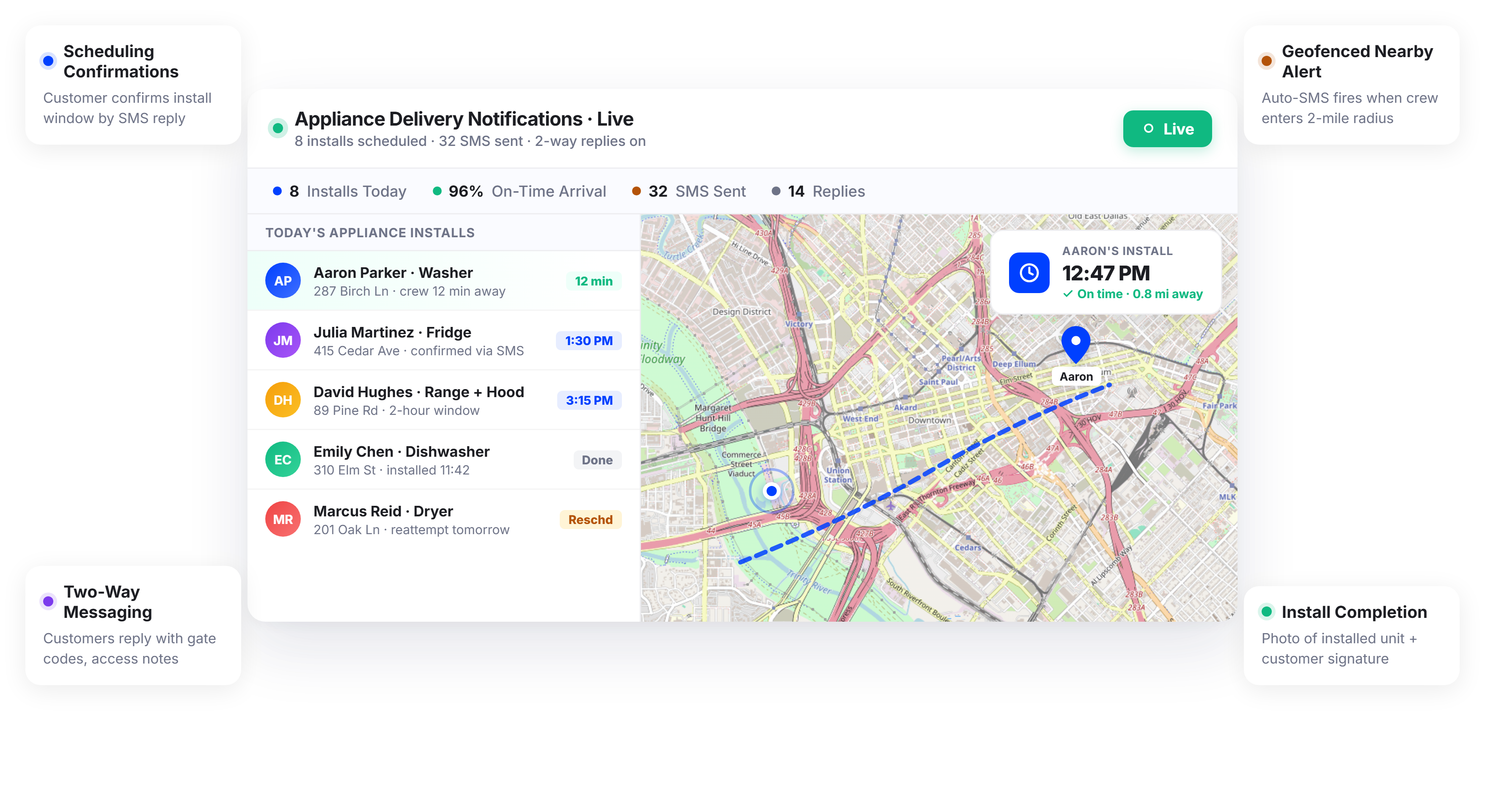
Appliance Delivery Teams Using Upper Cut Missed Deliveries and Redelivery Costs Significantly






Your Customers Took the Day Off. All They Got Was a Four-Hour Window.
What Appliance Delivery Communication Promises
-
 Customers get a tight delivery window they can plan around
-
Recipients receive updates as the truck approaches
-
Your team never shows up to an empty house
-
Every delivery is confirmed with photos and signatures

What Actually Happens
-
Customers get a four-hour window and sit at home all morning
-
The only update is a call from the driver 30 seconds before arrival
-
Nobody answers the door because they stepped out for 15 minutes
-
Dispatchers spend half the day calling customers to confirm availability
Every Notification Tool Your Appliance Delivery Operation Needs
Upper’s customer notification software for appliance delivery automates the entire communication workflow from scheduling confirmation to delivery completion. Your customers receive real-time updates at every stage, and your dispatch team never makes another manual “we’re on our way” phone call.
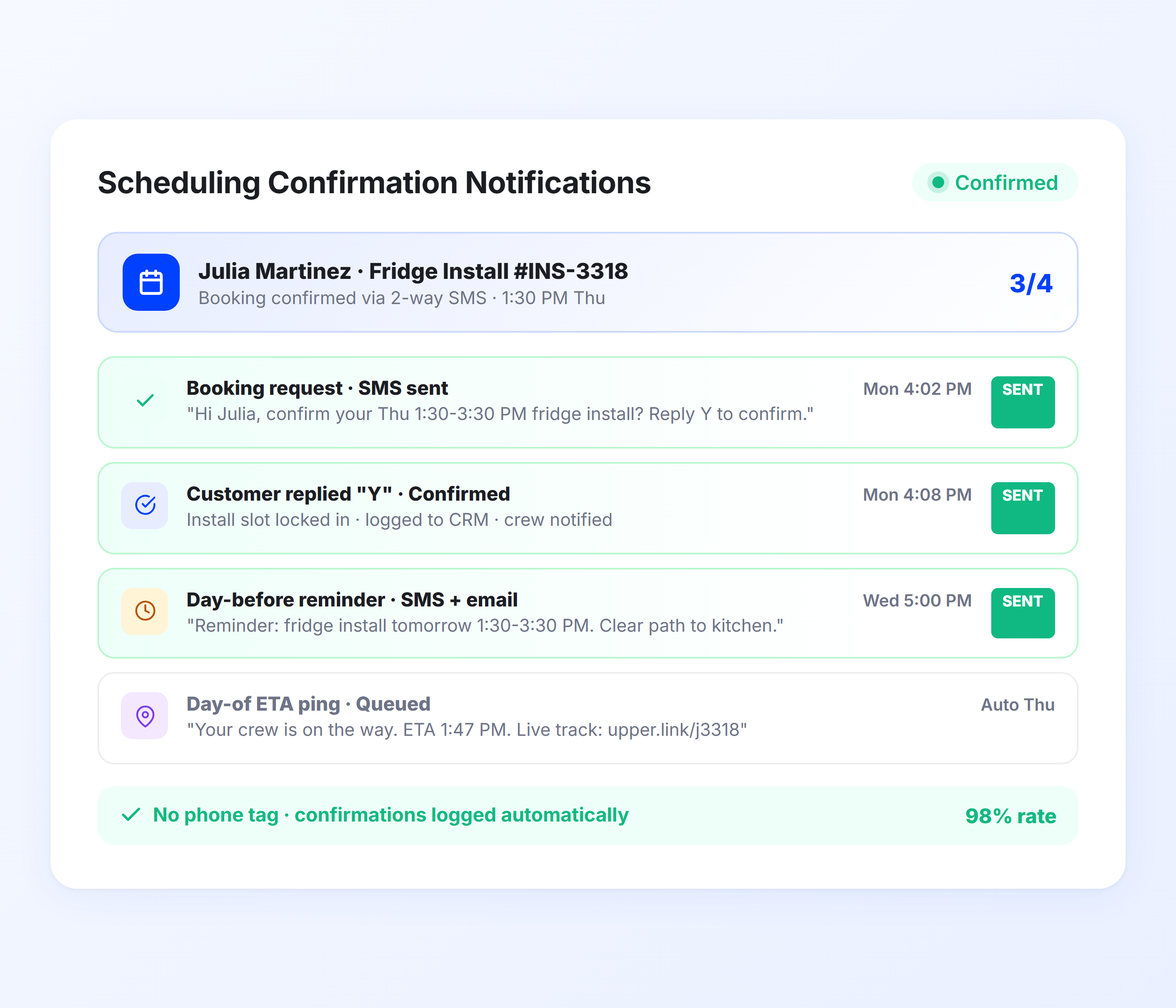
Scheduling Confirmation Notifications
The moment a delivery is scheduled, Upper sends the customer an automated confirmation with the date, time window, and any preparation instructions. For appliance deliveries where customers need to clear space, disconnect old units, or arrange access, this first notification sets the stage for a smooth delivery.
-
 Automated scheduling confirmation via SMS and email
-
Delivery date, time window, and address verification
-
Preparation instructions for the customer (clear path, disconnect old unit)
-
Rescheduling link for customers who need to change the appointment
-
Confirmation sent immediately when route is finalized
-
Customizable templates for different appliance types

Pre-Delivery Preparation Reminders
Upper sends an automated reminder the day before the delivery with preparation instructions specific to the appliance type. For refrigerator deliveries, customers need to clear the path, measure doorways, and empty the old unit. For washers, they need to ensure hookup access and disconnect the existing machine. This single notification prevents the on-site delays that turn a 30-minute delivery into a 90-minute ordeal.
-
Automated reminder 24 hours before the delivery
-
Appliance-specific preparation checklist (clear path, measure doorways, disconnect old unit)
-
Rescheduling link for customers who need to change the date
-
Customers can confirm readiness with one tap
-
Sent via SMS, email, or both
-
Reduces on-site delays from unprepared homes
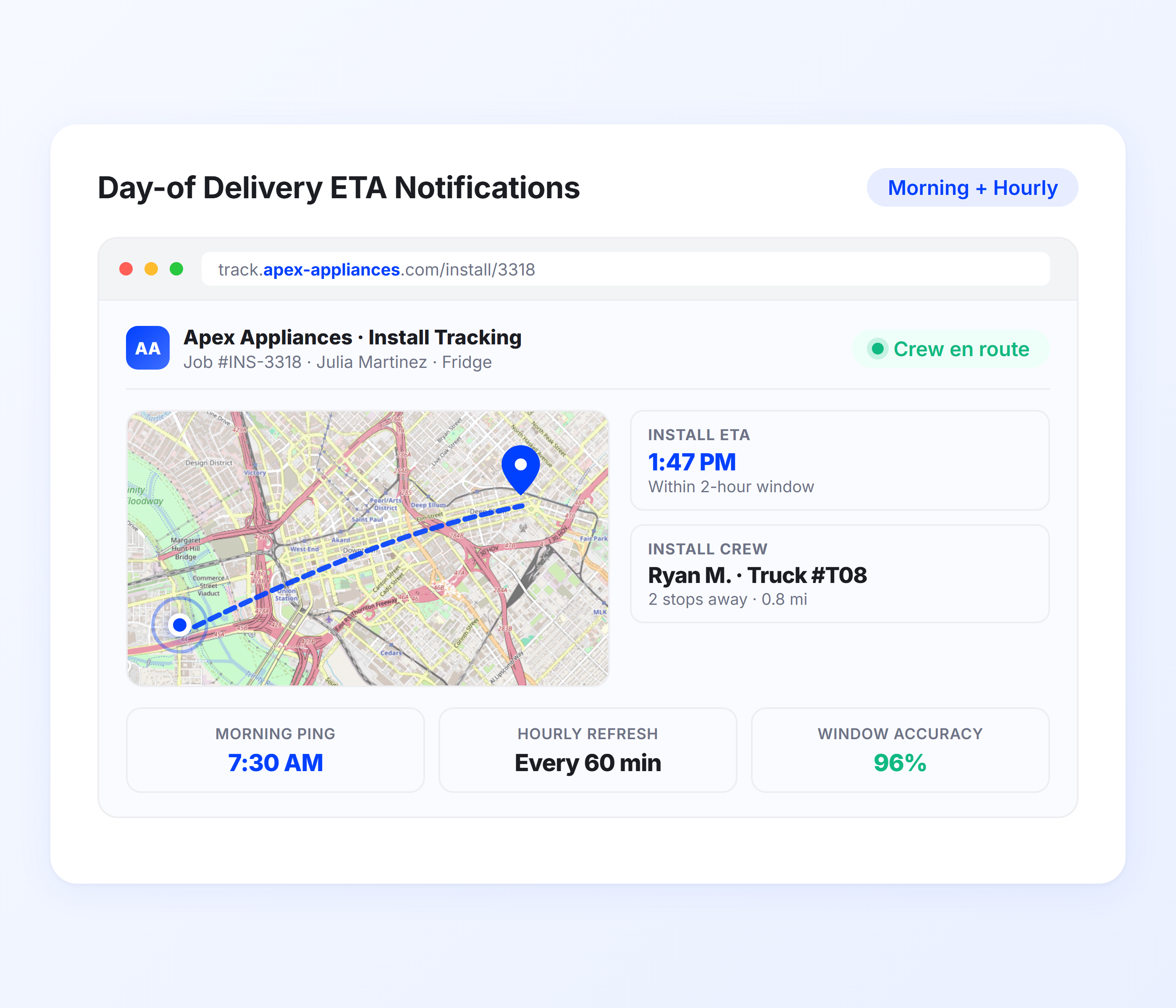
Day-of Delivery ETA Notifications
On delivery day, Upper sends customers a real-time ETA based on live route optimization data and driver GPS positions. Instead of a four-hour window, recipients get a dynamic arrival estimate that updates as your crew completes earlier stops. Customers know exactly when to be available.
-
Real-time ETA from live route optimization data
-
Dynamic updates as crew completes earlier deliveries
-
“Your delivery is next” proximity alert
-
Narrows four-hour windows to precise arrival estimates
-
Automatic recalculation for delays or schedule changes
-
SMS and email delivery with tracking link included
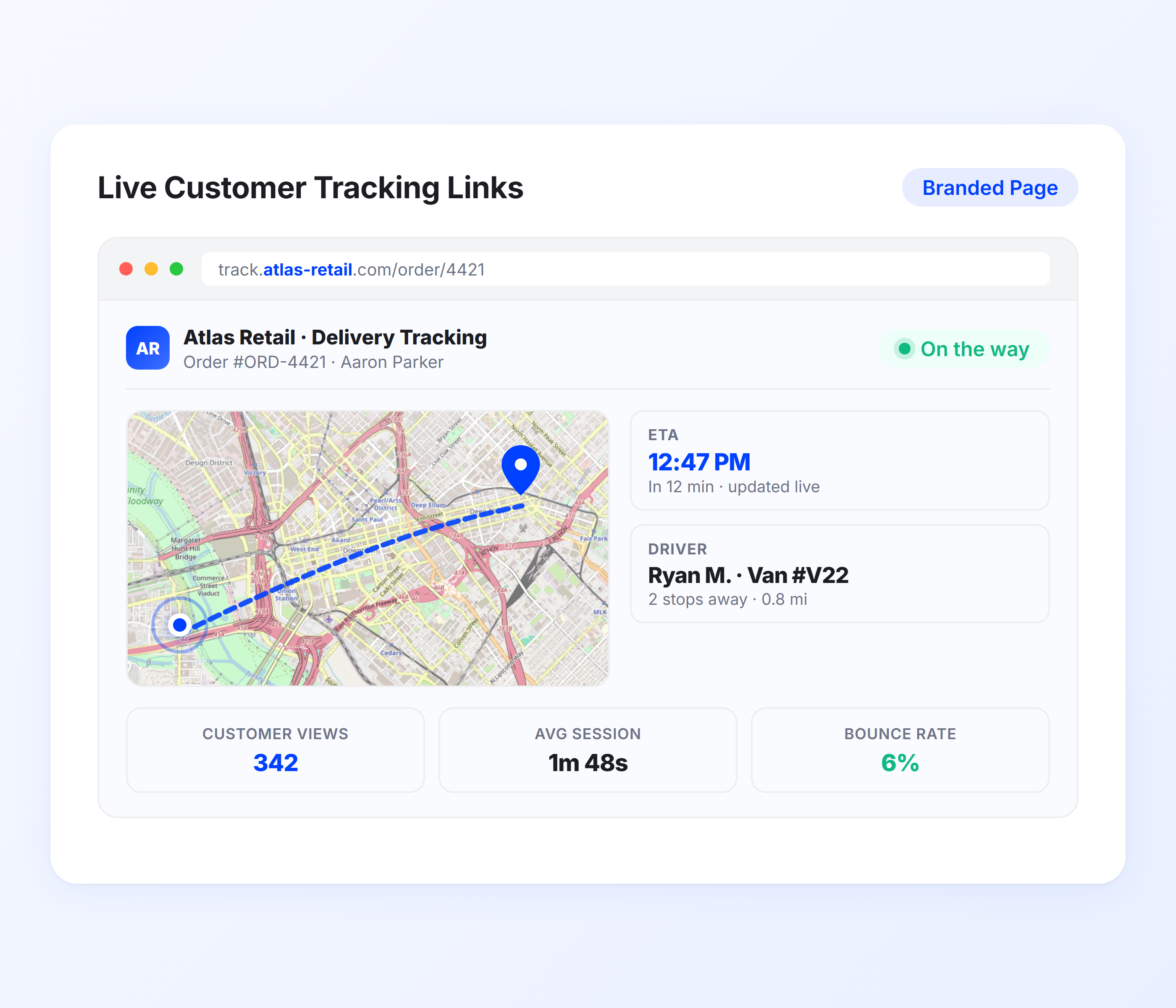
Live Customer Tracking Links
Every notification includes a tracking link that opens a real-time map in the customer’s mobile browser. Recipients can see where the delivery truck is, how many stops are ahead of them, and an updated ETA. No app download required. This eliminates the “where’s my delivery?” calls that tie up your dispatch team.
-
Real-time truck position on mobile-optimized map
-
Updated ETA visible on tracking page
-
No app download or login required from customers
-
Branded tracking experience with your company info
-
Shareable link for household members or building managers
-
Reduces inbound “where are you?” calls by 40-60%
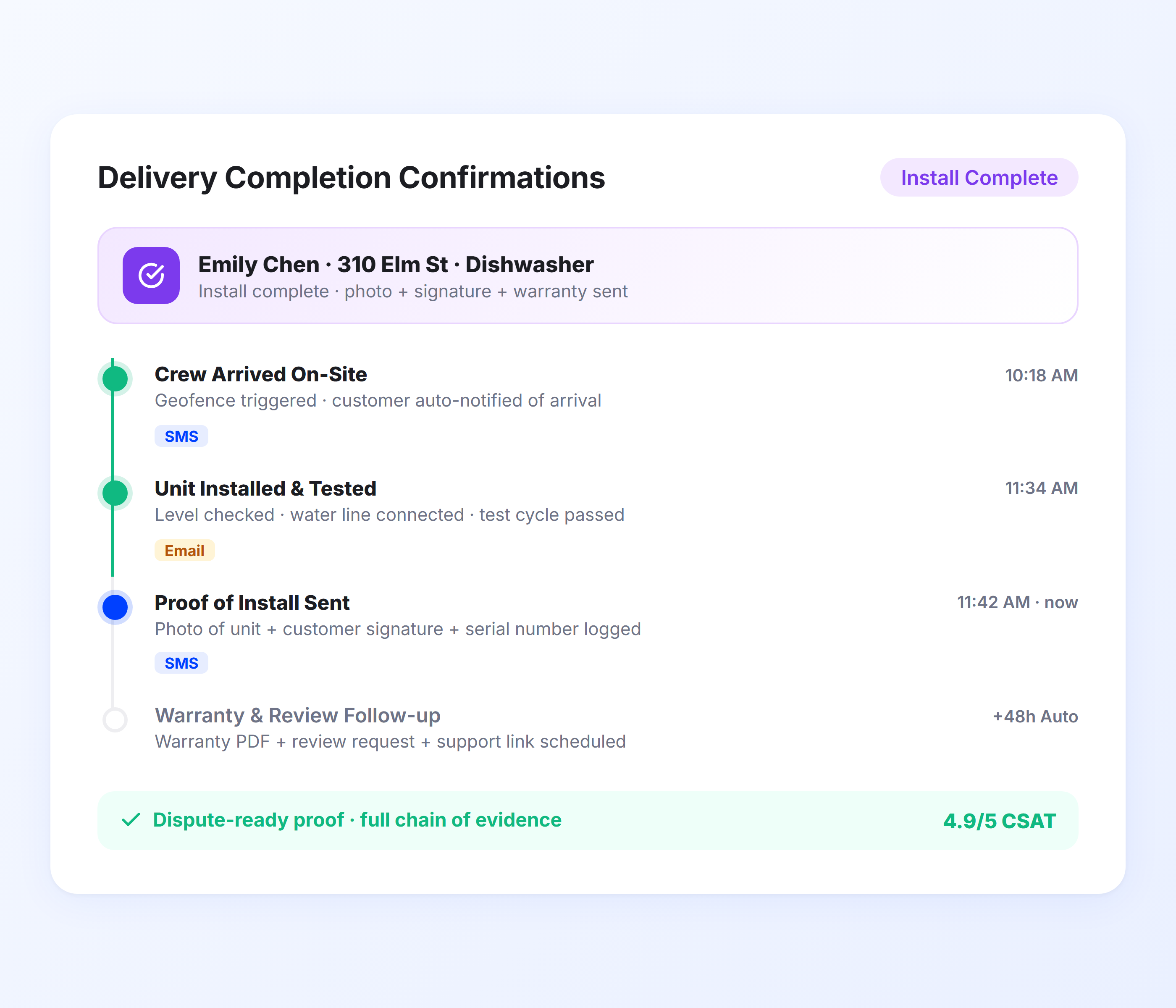
Delivery Completion Confirmations
When your crew marks a delivery complete, Upper sends the customer an automatic confirmation notification. For appliance deliveries, this confirmation can include proof of delivery photos showing the installed unit, a digital signature from the recipient, and notes about old appliance removal or any issues documented on-site.
-
Automatic delivery confirmation notification
-
Proof of delivery photos attached (installed unit, condition on arrival)
-
Digital signature capture from the recipient
-
Delivery notes for installation details or issues
-
Old appliance removal documentation
-
Complete digital record for warranty and claims
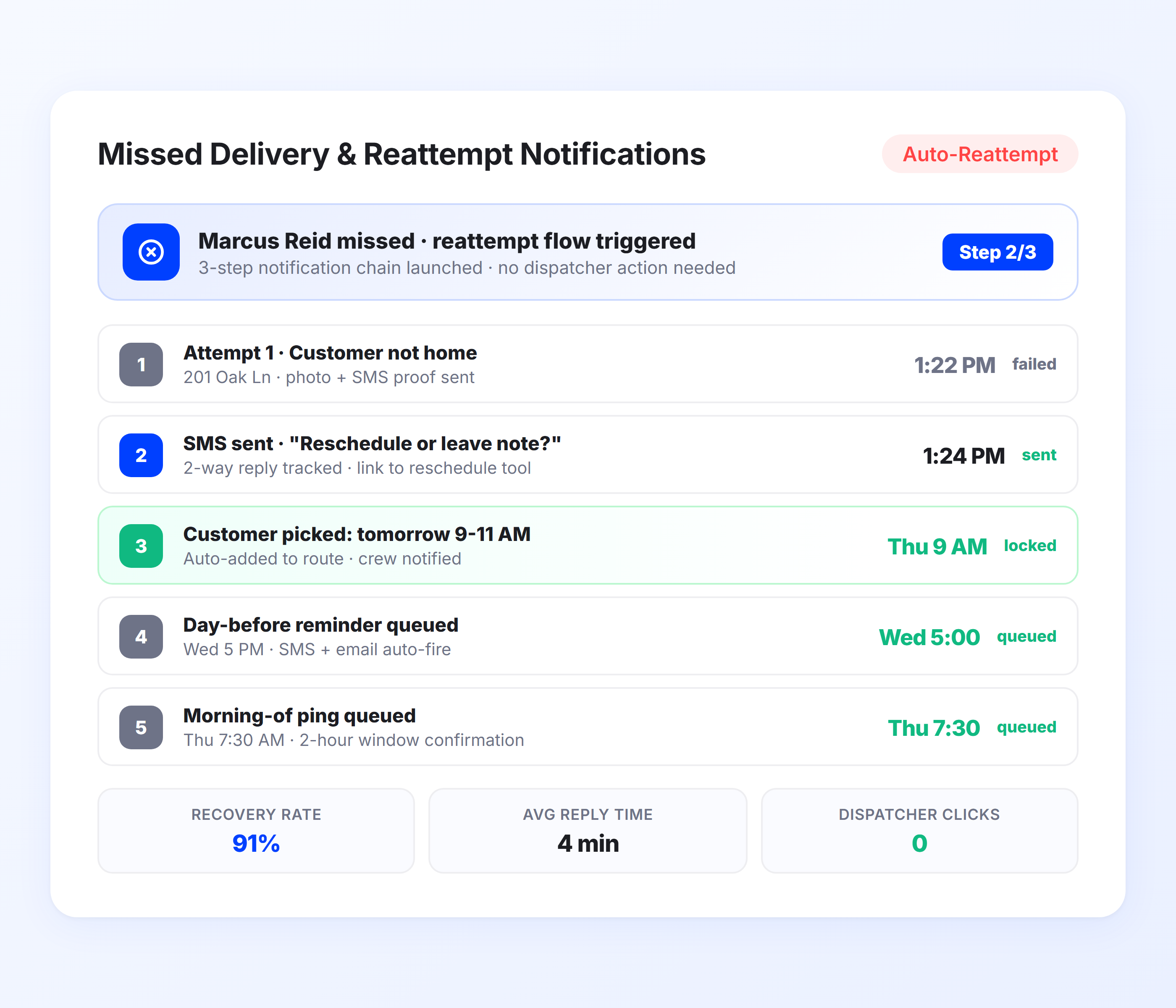
Missed Delivery and Reattempt Notifications
When nobody answers the door, Upper sends the customer a missed delivery notification with the reason and options for rescheduling. Instead of your dispatcher calling to arrange a redelivery, the customer receives an automatic follow-up and can respond on their schedule. This keeps reattempt coordination from consuming your team’s day.
-
Automatic missed delivery notification to customer
-
Reason for failed delivery (not home, access issue, refused)
-
Rescheduling options included in notification
-
Follow-up reminders for unresolved missed deliveries
-
Dispatcher dashboard shows all missed deliveries and status
-
Reduces manual reattempt coordination calls
Automate Every Appliance Delivery Notification from Scheduling to Completion
Upper sends scheduling confirmations, day-of ETAs, proximity alerts, delivery confirmations, and missed delivery follow-ups for every stop on every route.
Client Success Stories

“We used to spend 2 hours every morning planning routes in spreadsheets. Now it takes 10 minutes. Upper paid for itself in the first week.”


“What sold me was how easy it is to make changes. My schedules change a lot and I drag & drop stops and we’re back on track in 30 seconds. With our old software, that would’ve been an hour of replanning.”


“Our drivers actually follow the routes now. The app is simple, the navigation works, and they’re not calling me every 10 minutes asking where to go next.”

Customer Notification Features for Smarter Appliance Deliveries
- Notification Templates
- Two-Way Customer Communication
- Geofenced Proximity Alerts
- Route-Synced ETAs
- Notification Analytics

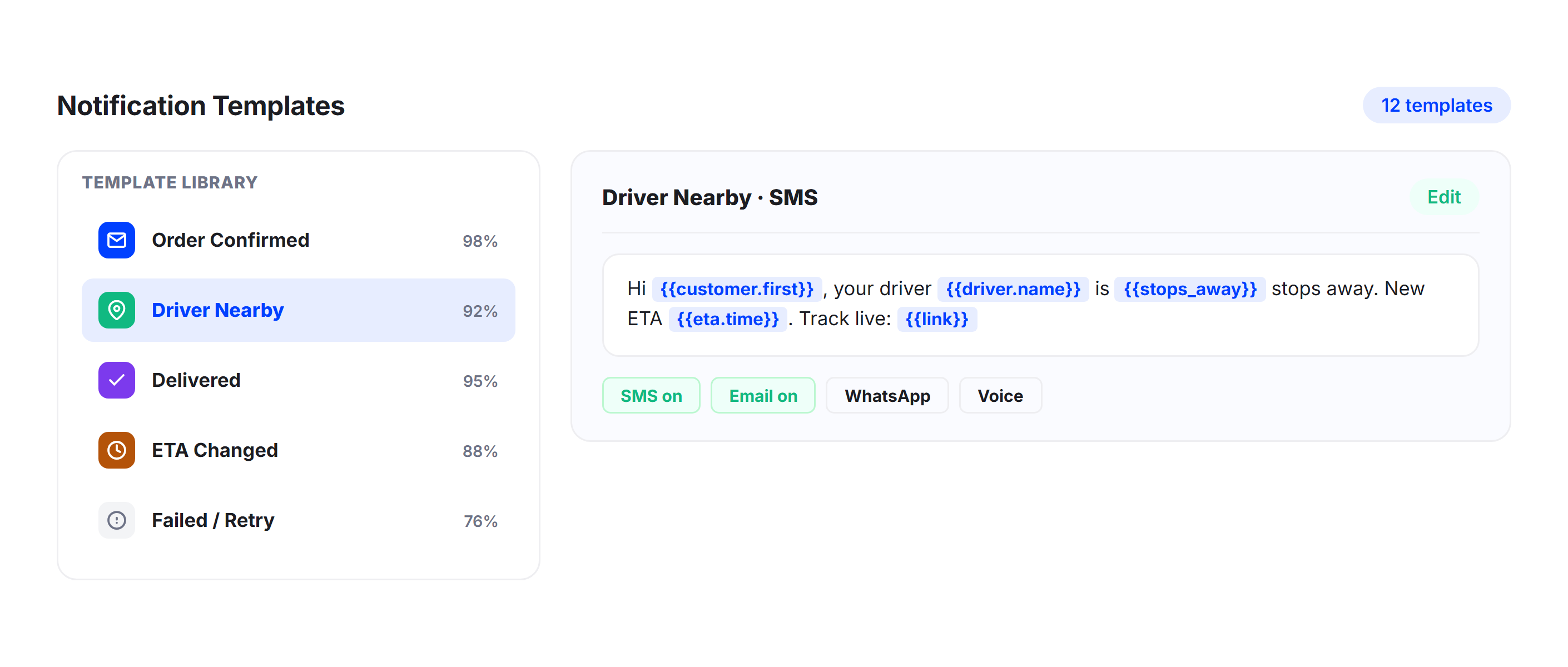
Notification Templates
Build custom notification templates for each stage of the appliance delivery workflow. Set different messages for scheduling confirmations, day-of updates, proximity alerts, and completion confirmations. Include preparation instructions specific to appliance type (clear pathway, water line access, electrical requirements).
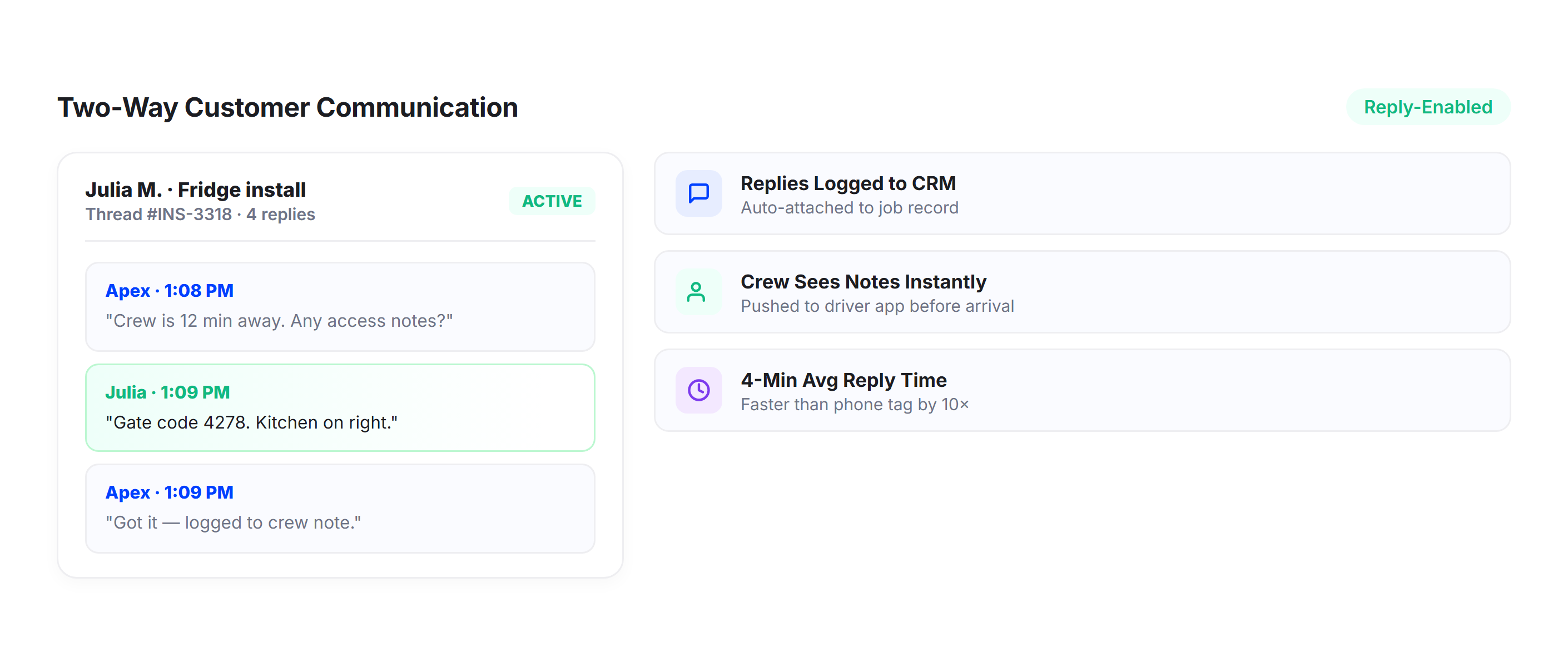
Two-Way Customer Communication
Let customers respond to notifications to confirm availability, request rescheduling, or provide access instructions. Two-way communication reduces the back-and-forth phone calls that slow down your dispatch team and keeps all customer communication in one place.
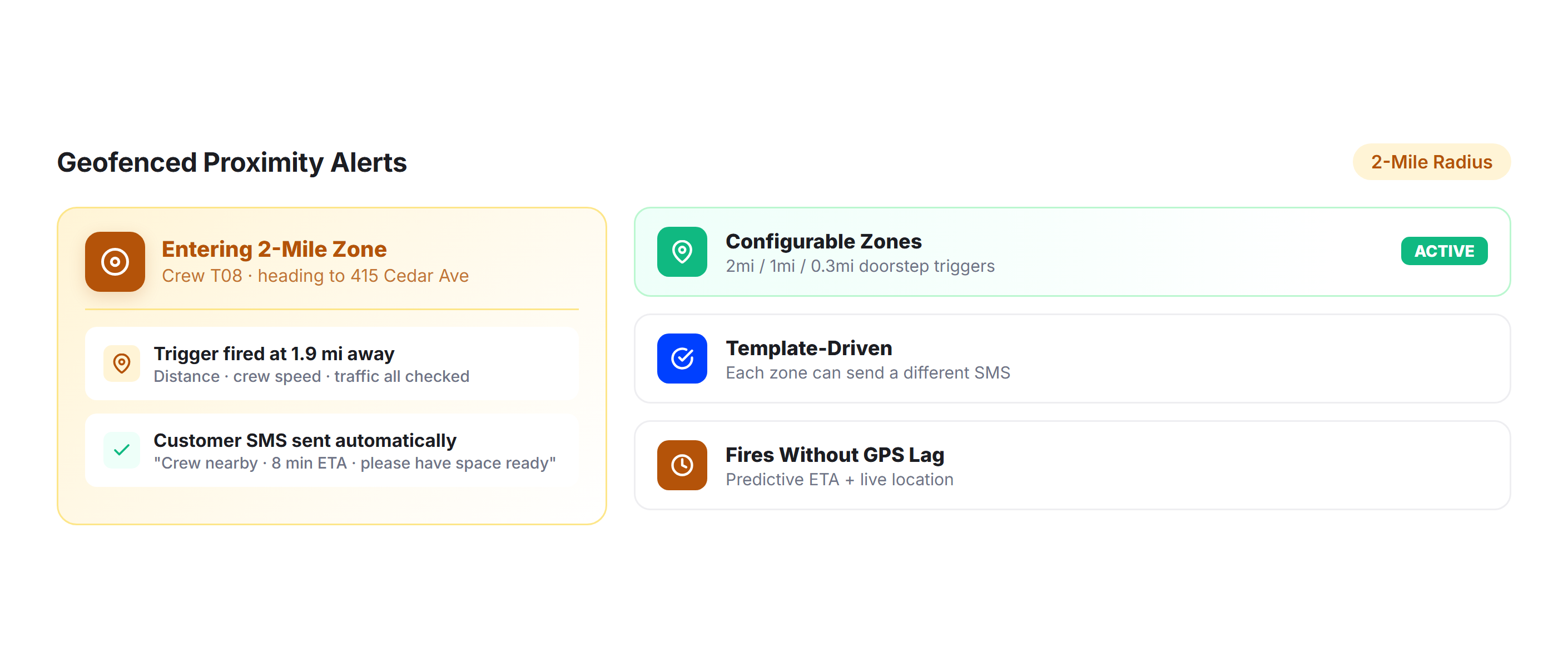
Geofenced Proximity Alerts
Trigger automatic “your crew is approaching” notifications when the delivery truck enters a customer’s geofenced zone. Give customers the five to 15 minutes of lead time they need to be at the door, open the garage, or clear the delivery path.
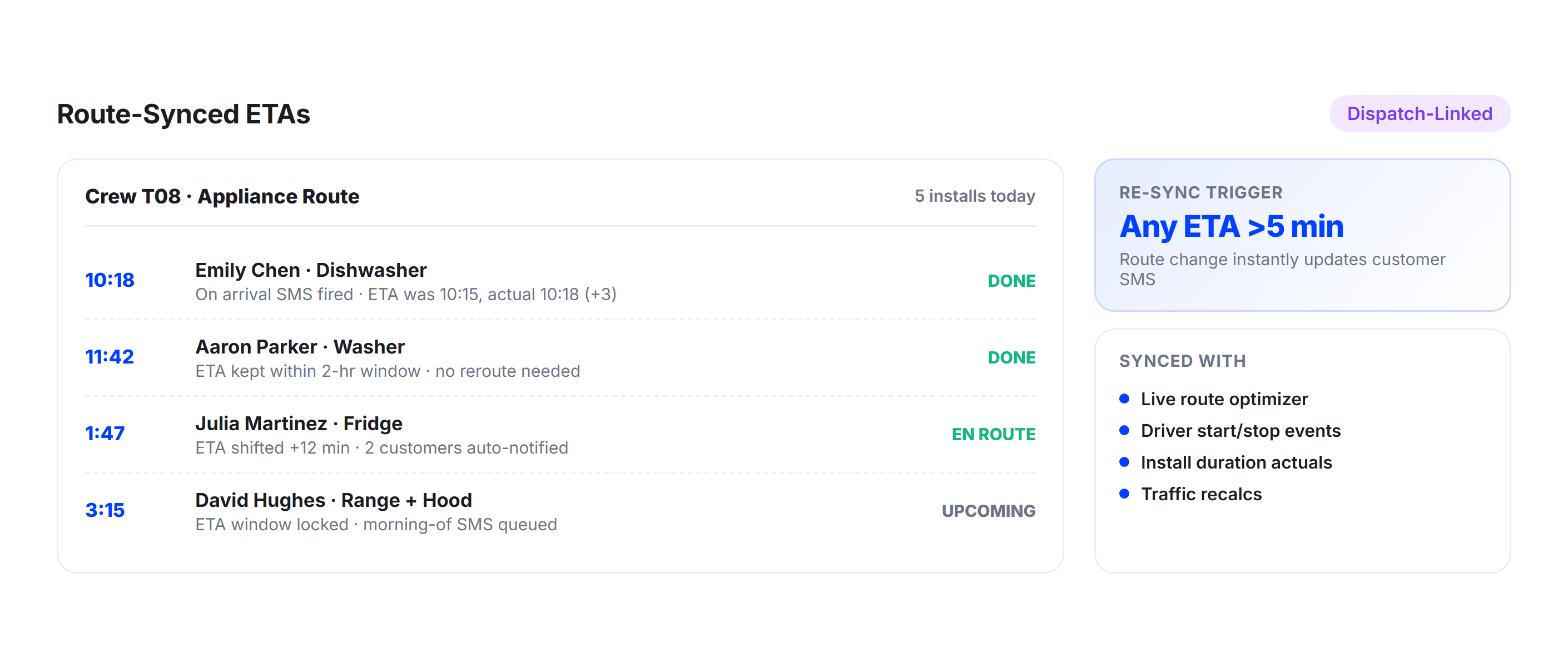
Route-Synced ETAs
ETAs are calculated from Upper’s route optimization engine, not straight-line distance estimates. For appliance delivery routes where service times vary per stop (installation, removal, setup), Upper factors in these variables to give customers an accurate arrival estimate.
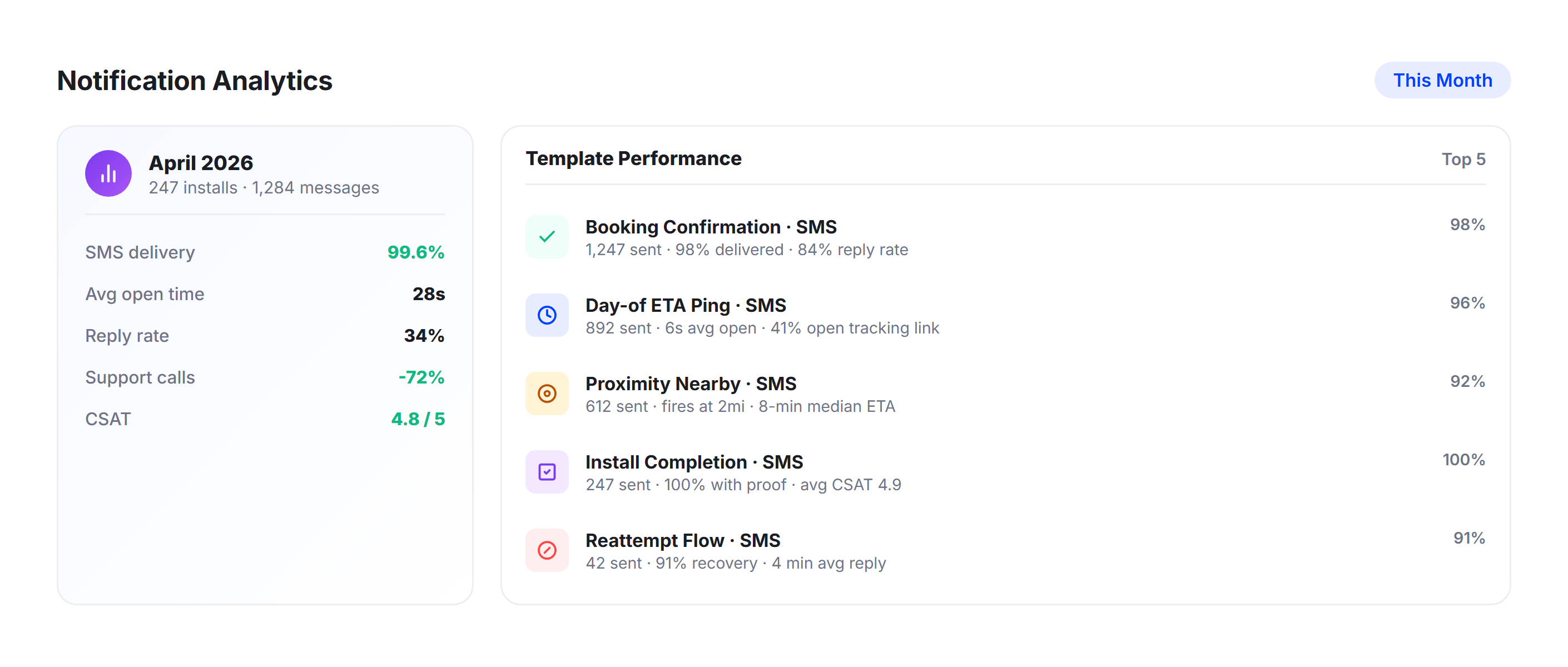
Notification Analytics
Track notification delivery rates, open rates, and delivery success rates by notification type. Identify which notification stages have the biggest impact on reducing missed deliveries and optimize your communication workflow based on actual data.
Why Appliance Delivery Companies Choose Upper for Customer Notifications

Reduce Missed Deliveries on First Attempt
Automated ETAs and proximity alerts ensure customers are home when your crew arrives. Fewer no-shows means fewer wasted truck rolls, fewer overtime hours, and fewer frustrated customers.

Build Customer Trust with Accuracy
ETAs calculated from live route optimization data and real-time GPS are accurate enough for customers to plan around. No more vague four-hour windows.

Eliminate Manual “On My Way” Calls
Your drivers shouldn’t be calling customers while navigating a box truck through residential streets. Upper automates every customer touchpoint from scheduling to completion.

Narrow Vague Delivery Windows Range
Turn four-hour windows into accurate real-time ETAs that update as your crew works through the route. Customers can plan their day around a precise arrival time instead of blocking off their entire morning.

Handle Complex Delivery Workflows
Appliance deliveries involve more than dropping a box. Installation, old unit removal, testing, and customer sign-off all need documentation. Upper’s notification and proof of delivery workflow covers every step.

Scale Notifications Across Your Entire Fleet
Whether you run three trucks or 30, every customer on every route receives the same automated notification sequence. Add crews, add routes, and the system scales with zero additional manual communication.
Connect Appliance Delivery Notifications with Your Existing Tools


Keep Every Appliance Customer Informed from Scheduling to Installation
Upper automates scheduling confirmations, live ETAs, tracking links, proof of delivery, and missed delivery follow-ups for every appliance delivery on every route.
Frequently Asked Questions
-
Can customers track the delivery truck in real time?
Yes. Every notification includes a tracking link that opens in the customer’s mobile browser. The tracking page shows the truck’s real-time position on a map and an updated ETA. Customers can check it anytime without downloading an app, creating an account, or calling your office. Household members or building managers can use the same link.
-
Does Upper handle proof of delivery for appliance installations?
Yes. Drivers capture photos, digital signatures, and delivery notes directly in the Upper mobile app at each stop. For appliance deliveries, the crew can document the installed unit, photograph the delivery location, note old appliance removal, and capture the customer’s signature. This creates a complete digital record for warranty documentation and damage dispute resolution.
-
Can I include preparation instructions in the notification?
Yes. Upper’s notification templates are fully customizable. You can include appliance-specific instructions like “clear a 36-inch pathway from the door to the installation location,” “ensure water line access behind the refrigerator,” or “disconnect and drain the old washing machine before our arrival.” Different templates can be set for different appliance types or delivery scenarios.
-
How accurate are the delivery ETAs for appliance routes?
Upper calculates ETAs from optimized route sequences, live traffic conditions, and real-time crew progress. For appliance delivery routes where service times vary per stop (a 15-minute drop-off versus a 45-minute installation), Upper factors in these time differences when calculating downstream ETAs. The result is an arrival estimate that accounts for the realities of appliance delivery, not just driving distance.
-
What happens when a customer isn’t home for the appliance delivery?
Upper sends an automatic missed delivery notification to the customer with the reason (not home, access issue, refused delivery) and options for rescheduling. The missed delivery is logged in your dispatch dashboard with a timestamp and any notes from the crew. This eliminates the manual phone calls your team would otherwise make to arrange redelivery.
-
Can I send different notification types via different channels?
Yes. You can configure each notification stage to send via SMS, email, or both. For example, you might send scheduling confirmations via email (for detailed preparation instructions) and day-of ETAs via SMS (for immediate visibility). Customer channel preferences are saved per contact and applied automatically on future deliveries.