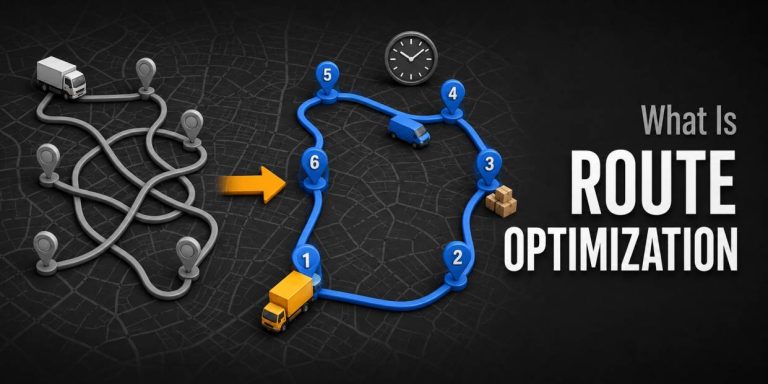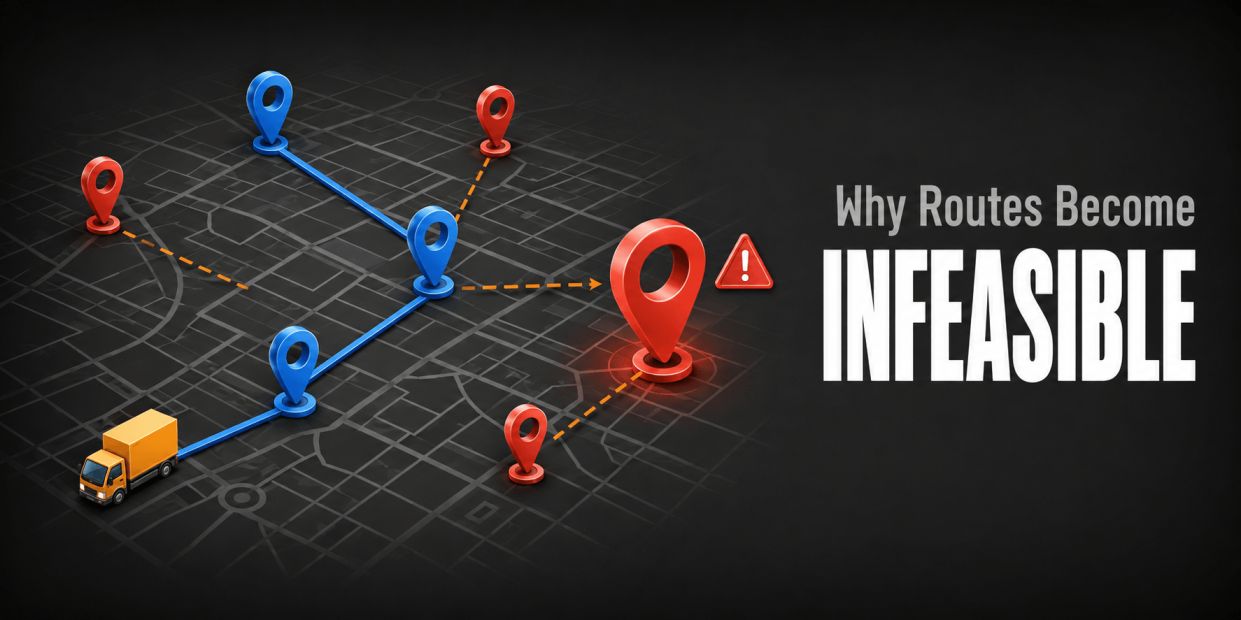
- An infeasible route has no assignment and sequence that can satisfy all active hard constraints at the same time.
- No solution, a timeout, an invalid model, and a feasible plan with skipped stops are different outcomes and need different responses.
- Capacity, time windows, driver eligibility, route duration, dependencies, and start or end rules often become infeasible in combination.
- Diagnose the conflict with a frozen input set, reason codes, and controlled constraint tests instead of changing several rules at once.
- Relax only approved preferences. Keep safety, legal, physical, and contractual hard rules protected and make every trade-off visible.
A route can look efficient and still be impossible to execute. The assigned load may exceed a vehicle’s capacity, 2 promised windows may overlap, or the only qualified driver may be unavailable. When those conflicts enter route planning, a solver may return no plan, skip work, or produce a result that cannot pass your release checks. Understanding the underlying vehicle routing problem helps you separate a hard feasibility failure from a poor but workable route.
The pressure to automate planning does not remove that operational reality. In a McKinsey survey of 60 global supply-chain leaders conducted in May 2020, 93% said they planned to increase resilience across their supply chains. Better planning requires a controlled response to conflicts, not a system that hides them. I work on route planning at Upper, and the useful question is rarely whether the software can draw another line. It is which rule blocks the work and which authorized decision can resolve it.
This guide shows you how to identify an infeasible route, distinguish data errors from real resource shortages, isolate the binding constraints, compare recovery options, and keep every unassigned stop visible through dispatch.
What Is Infeasible Route Optimization?
Infeasible route optimization occurs when no route plan can serve the required work while satisfying every active hard constraint in the model.
Feasibility comes before efficiency. A feasible plan may be long, expensive, or unbalanced, but it can be executed under the rules you declared. An infeasible plan cannot.
The conflict may affect one stop, one route, one driver, or the entire workload. Your first job is to identify the smallest affected scope and preserve the exact inputs that produced it.
How Is Infeasibility Different From a Bad Route?
A bad route is feasible but scores poorly against your objective, such as excess travel or an uneven workload. An infeasible route breaks at least one hard rule. Improving the objective will not fix it until the blocking rule, input, or available resource changes.
How Is Infeasibility Different From a Timeout?
A timeout means the search stopped before the allowed processing time ended; it does not prove that no feasible solution exists. Google’s Route Optimization timeout guidance separates quick validation and infeasibility-detection modes from full solving and recommends longer limits as requests and constraints grow. Treat timeout, invalid input, feasible, and proven infeasible as separate statuses in your operating log.
Once the status is clear, you can look for the rule or combination of rules that made the route impossible.
What Commonly Makes a Route Infeasible?
Routes usually become infeasible when required demand exceeds usable resources or when time, capacity, eligibility, sequence, and location rules leave no valid assignment.
A single rule can cause an obvious failure, such as one delivery that is larger than every eligible vehicle. More often, several individually reasonable rules overlap until no route can satisfy them together.
Write each rule with its unit, owner, effective date, and hard or soft status. Without that record, dispatchers cannot tell whether they found an input problem, a policy conflict, or a real shortage.
| Constraint family | Typical conflict | Evidence to inspect |
| Capacity | Required load exceeds usable vehicle capacity or the load is impossible at one point in the route | Demand unit, pickup or delivery sign, opening load, vehicle limit |
| Time | Travel, service, breaks, or waiting cannot fit between hard windows | Window bounds, service duration, travel basis, shift start and end |
| Eligibility | No available driver or vehicle has the required skill, equipment, territory, or job type | Eligibility matrix, absences, equipment status, territory boundary |
| Sequence | Pickup-before-delivery, precedence, same-resource, or locked-order rules conflict | Job links, locked visits, start state, dependency direction |
| Route limit | Minimum required travel or service exceeds the maximum route distance or duration | Depot, end location, route limit, unavoidable travel and service |
| Data validity | Coordinates, units, timestamps, duplicates, or identifiers make the model contradictory | Import errors, field mappings, time zone, duplicate and missing records |
Can Total Capacity Look Sufficient and Still Fail?
Yes. Google’s capacity-constraint documentation notes that even when total demand does not exceed total fleet capacity, determining whether all items fit across the available vehicles is a form of the multiple knapsack problem. A 9-unit stop cannot fit a vehicle with 8 units of remaining capacity simply because another route has 1 unused unit.
Can Tight Time Windows Create the Same Problem?
Yes. Two mandatory jobs may each fit the shift on their own but become impossible together after travel and service time are included. A locked visit, required break, depot return, or fixed route end can remove the last workable sequence.
Because constraints interact, diagnose them from the smallest failing unit outward rather than blaming the optimizer as a whole.
How Can You Diagnose an Infeasible Route?
Diagnose infeasibility by freezing the failing model, validating the inputs, identifying unassigned work and reason codes, testing necessary conditions, and changing one constraint family at a time.
Do not start by deleting stops or widening every window. That destroys the evidence you need to find the conflict and may create a route that looks complete only because the rules changed.
Use a repeatable triage record so another planner can reproduce the failure and understand every approved change.
1. Freeze the Exact Request
Save the stop set, vehicles, drivers, depots, start and end states, time zone, travel settings, objectives, penalties, solver limit, and model version. Record the time the plan was generated and the release cutoff it was meant to meet.
2. Validate the Data Before the Constraints
Check missing coordinates, duplicate stops, reversed pickup and delivery quantities, mixed units, invalid windows, impossible service durations, unavailable drivers, and vehicles with zero or stale capacity. A malformed request is not proof of operational infeasibility.
3. Start With Necessary Conditions
Compare total required demand with total eligible usable capacity, but also test each stop against the largest eligible vehicle. Compare the shortest possible travel plus service time with each hard window and route-duration limit. Check whether every required skill, equipment type, and territory has at least one available resource.
4. Inspect Unassigned Work and Reason Codes
Modern routing models can expose why work was skipped. Google’s Route Optimization reference includes reason codes such as no vehicle, demand exceeding vehicle capacity, minimum distance exceeding a route-distance limit, and minimum time exceeding a route-duration limit. Review these explanations at the stop level rather than accepting a route total alone. See the official reason-code reference.
5. Remove or Relax One Constraint Family at a Time
Run controlled tests against a copy. First remove preferences and soft costs. Then test one hard family, such as time, capacity, or eligibility, while leaving all others unchanged. The first change that restores feasibility identifies a candidate conflict, not automatic permission to publish that relaxed plan.
6. Rebuild the Smallest Failing Example
Reduce the case to the fewest stops and resources that still reproduce the issue. A 4-stop failure is easier to explain and correct than a 400-stop request. Keep the original model intact for final verification.
After the blocking constraint is isolated, choose a recovery action that respects its business meaning.
Which Recovery Options Can Restore Feasibility?
You can restore feasibility by correcting invalid data, adding an eligible resource, changing the service promise, splitting or deferring work, adjusting route boundaries, or relaxing an approved soft constraint.
Every recovery changes either the facts, the resources, the required work, or the rules. Name that change explicitly and show which stops and customers it affects.
Rank options by operational risk, not just distance. A legal or physical limit should not be weakened because it is the fastest field to edit.
| Recovery action | Use when | Required control |
| Correct the input | The failure comes from a bad unit, duplicate, coordinate, window, duration, or availability record | Source, owner, timestamp, and corrected value |
| Add or replace a resource | More capacity, time, skill, equipment, or territory coverage is genuinely available | Eligibility and availability verified before release |
| Split the work | A stop or load can be served through an approved partial delivery, second visit, or separate route | Customer promise, proof, and follow-up state remain linked |
| Move or defer work | The service date or window can change under policy | Priority, customer communication, owner, and new deadline |
| Change route boundaries | A depot, end location, territory, or cross-route transfer can be changed | Downstream travel, load, labor, and closeout effects recalculated |
| Relax a preference | The rule is explicitly soft, such as preferred time or continuity | Penalty, exception reason, affected party, and approval recorded |
When Should You Add a Vehicle or Driver?
Add a resource when it is available, eligible, and materially resolves the shortage. Re-run the full plan because the new resource may change assignments beyond the original failing stop. Include its start location, shift, capacity, equipment, and route limits.
When Should You Split or Defer a Stop?
Split or defer only when the service and customer rules permit it. Keep both pieces linked to the original requirement, with a reason, owner, status, and deadline. Never let the deferred portion disappear from completion metrics.
When Is Constraint Relaxation Appropriate?
Relax a rule only if its owner has classified it as a preference or approved an exception. Record the original value, revised value, affected stops, decision-maker, and expiry. Re-test every protected hard rule after the change.
This boundary between protected rules and tradeable preferences is the center of a safe recovery process.
What Is the Difference Between Hard and Soft Constraints?
A hard constraint defines a plan that is not allowed, while a soft constraint defines a preference that may be violated at a visible cost or with an approved exception.
The label should reflect the business meaning of the rule, not what makes the solver return a plan. Safety, legal, physical, and non-negotiable contractual limits usually remain hard. Preferences compete through penalties or scores.
Google’s Route Optimization reference, for example, allows distance, duration, load, and time-window concepts to carry hard bounds, soft bounds, or both. That modeling choice changes the meaning of the result, so it belongs in the review record.
| Rule | Possible hard treatment | Possible soft treatment |
| Capacity | Never exceed approved vehicle load | Avoid a lower operating threshold and pay a visible penalty above it |
| Time window | Service must occur between the earliest and latest allowed times | Prefer an arrival band and price earliness or lateness |
| Route duration | Never exceed the approved maximum | Penalize time above a preferred duration below the hard maximum |
| Driver continuity | Required only where policy truly demands the same person | Prefer the familiar driver when eligibility and capacity permit |
| Territory | Never assign outside an authorized boundary | Prefer the home territory but permit an approved cross-territory recovery |
How Should Penalties Be Set?
Set penalties in the same decision unit as the rest of the objective and make their relative order intentional. A penalty should reflect the business consequence of breaking a preference, not an arbitrary large number copied across stops.
Google OR-Tools illustrates the mechanism with 3 locations whose total demand is 60 and one vehicle with capacity 50. With a penalty of 100 per dropped location, the example drops 1 location and returns a route of distance 55. The numbers are instructional, but the lesson is operational: the penalty determines what the solver is allowed to sacrifice. Review the official dropped-visits example.
With hard and soft rules documented, the next check is whether the software reports the resulting trade-offs clearly.
How Should Route Optimization Software Handle Infeasibility?
Route optimization software should validate the request, preserve every required stop, identify unassigned work, explain the blocking constraint, and let an authorized user compare controlled recovery options.
A route map alone is not enough. The dispatcher needs a reconciliation ledger that accounts for every accepted stop and distinguishes invalid data, true infeasibility, configured penalty choice, deliberate hold, and technical failure.
The product should also keep proposed changes separate from released work. A test that relaxes a window or changes a driver should not reach the field until an authorized person approves it.
What Should an Infeasibility Report Show?
Show the affected stop, route, and resource; the blocking rule and current value; the evidence used; compatible alternatives considered; the proposed action; the decision owner; and the deadline. Keep the original and revised model versions for comparison.
What Should You Test During a Software Pilot?
Seed representative conflicts instead of demonstrating only easy routes. Include an oversized demand, overlapping hard windows, an unavailable qualified driver, a route-duration failure, an invalid coordinate, and a stop that is optional by policy. Confirm that each produces the right status and recovery path.
How Does Upper Approach This Problem?
Upper’s current AI dispatcher capability standard permits a specific promise: when no valid option exists, it reports what could not be scheduled and why instead of silently breaking a rule. The AI dispatcher for field service and delivery operations also shows reasoning and confidence for suggestions, while critical conflicts remain subject to human approval. Configure claims and tests around the actual constraints your operation supports.
A pilot should prove that visibility in the edge cases, then connect it with measurable execution outcomes.
What Can You Learn From a Public Upper Customer Example?
WinWaste’s public Upper case study shows why route feasibility and execution records need to remain connected when a team handles hundreds of stops.
WinWaste Solutions assigns cart-replacement work across a 5-person crew, with 200 to 300 stops on a given day. Upper’s public WinWaste case study reports that daily planning fell from 45 to 60 minutes to under 10 minutes, stops completed per crew member increased 30%, and driver productivity increased 52%.
These are vendor-published results for one named customer, not guaranteed outcomes. The useful pattern for an infeasibility pilot is to measure planning time and completed work while keeping proof tied to each stop.
| Measure | Before Upper | Reported with Upper |
| Daily route-planning time | 45 to 60 minutes | Under 10 minutes |
| Stops handled | 200 to 300 across the 5-person crew | Work imported, assigned, optimized, and sent from one workflow |
| Stops completed per crew member | Baseline | 30% increase |
| Driver productivity | Baseline | 52% increase |
| Government contracts | Existing contract base | 8 new contracts in 2 months |
Use the example to design your scorecard, then compare your own accepted work, exceptions, completion, planning time, and proof quality against a frozen baseline.
Which Metrics Should You Track After Fixing an Infeasible Route?
Track feasibility, accepted-work coverage, unassigned stops by reason, constraint changes, route performance, execution, and customer impact together.
A recovery is not successful merely because the solver now returns a route. It must serve the intended work, preserve protected rules, and perform acceptably after dispatch.
Compare the repaired plan with the original request and the actual day. Keep denominators stable so skipped or deferred work cannot make the route appear faster.
| Metric | Calculation or record | What it protects |
| Accepted-work coverage | Assigned required stops / all accepted required stops | Prevents missing work from improving the score |
| Unassigned by reason | Count by invalid input, capacity, time, eligibility, policy, or failure | Shows the real source of exceptions |
| Constraint change rate | Routes released with an approved rule change / routes released | Exposes frequent workarounds |
| Post-dispatch churn | Stops changed after release / dispatched stops | Measures plan stability |
| Completion rate | Completed required stops / accepted required stops | Connects planning to execution |
| Plan-versus-actual | Actual minus planned travel, service, wait, and route duration | Corrects weak assumptions |
| Proof completion | Completed stops with required evidence / completed stops | Keeps the operation auditable |
These measures turn each conflict into a data-quality, capacity, service-policy, or resource-planning decision instead of a recurring emergency.
Conclusion: How Can Upper Help You Manage Infeasible Routes?
Upper helps delivery and field-service teams plan and assign work around operating constraints, surface conflicts, and keep dispatch decisions visible through execution.
Start with accurate stops, service times, time rules, driver availability, and vehicle capacity. Use capacity-aware route planning and route scheduling to test the work before release, then keep every unassigned stop in a reason-coded exception queue.
Run a pilot with normal work plus deliberate capacity, time, eligibility, and data conflicts. Verify that the system distinguishes invalid input, no solution, timeout, and a feasible plan with skipped work. Compare recovery options without weakening protected constraints.

See it in action
See how Upper handles real routing conflicts
Bring one representative workload, your drivers and vehicles, the rules that cannot move, and the exceptions your dispatcher handles manually.

What Are the Frequently Asked Questions About Infeasible Route Optimization?
These answers clarify the most common questions about no-solution results, skipped stops, constraint relaxation, and route recovery.
Use them to align operations, dispatch, customer service, compliance, and technical owners before you change a model or release a recovered route.
The final classification and approval rules should reflect your own contracts, policies, vehicles, workforce, and applicable requirements.
No. No result may mean invalid input, a timeout, a search configuration issue, or proven infeasibility. Preserve the request and status details before changing the model.
Yes, if the model allows optional stops or assigns a penalty for skipping them. The result must show every skipped stop, the applicable penalty or reason, and the policy that permits the omission.
Only when the business owner confirms that the window is a preference or approves a documented exception. Do not change a contractual, safety, or legal bound merely to obtain a route.
The demand may not fit the eligible vehicles in workable combinations, or time, location, sequence, and route limits may prevent the available capacity from reaching the required stops.
Keep it visible with a reason, evidence, owner, decision deadline, and permitted next states. Resolve the input, add a resource, split or move the work, approve an allowed exception, or escalate it.
Track reason codes and actual execution data. Correct recurring service times, windows, demand units, eligibility records, capacity assumptions, and route boundaries through versioned changes rather than daily verbal workarounds.