

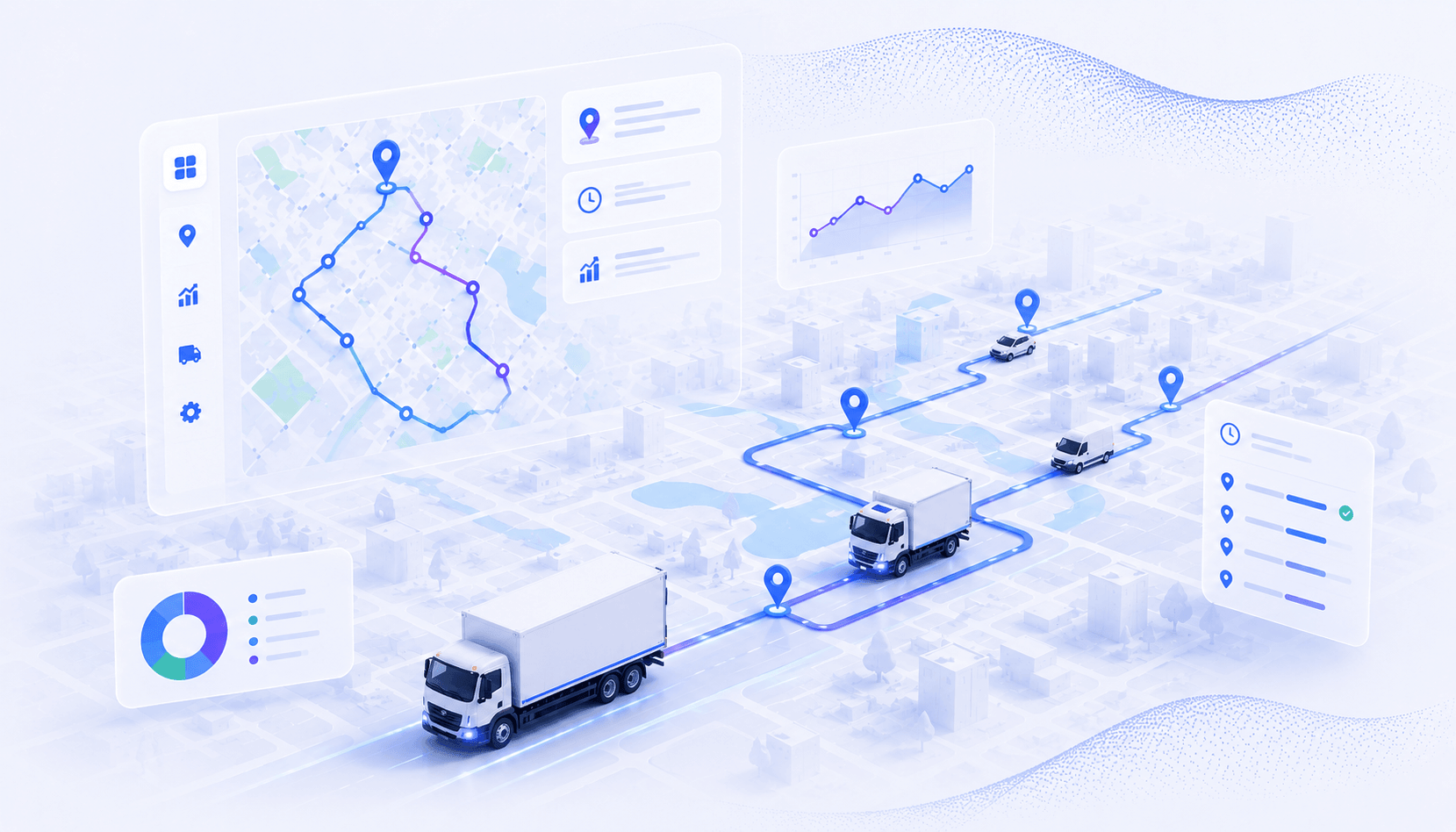
- AI route optimization is valuable when it improves a measurable routing decision and keeps constraints, exceptions, and human review visible.
- AI route optimization combines an optimization solver with route data and, in some products, predictive models. AI does not replace the solver.
- The useful question is not whether a vendor says “AI.” Ask which prediction or decision the model improves, which constraints the solver enforces, and what a dispatcher can review.
- Generative AI can translate a natural-language request or explain an exception. It should not be trusted to produce a feasible multi-vehicle plan without a routing engine validating every rule.
- Better routing can reduce travel or planning work, but no percentage applies to every fleet. Measure miles, drive time, planning time, on-time performance, unassigned stops, and manual edits against your own baseline.
- Run a controlled pilot with clean data, realistic constraints, driver feedback, and a defined go or no-go threshold before a full rollout.
AI route optimization can help when your dispatcher has more stops, vehicles, time windows, and last-minute changes than a map or spreadsheet can handle reliably. But the label is easy to misunderstand. The system still needs mathematical route planning methods to build feasible routes. AI can improve selected inputs, predictions, and decisions around that solver. If the harder problem is assigning changing work to the right person, AI dispatch may be a separate part of the workflow. A multi-driver product such as Upper Crew can connect the approved plan with dispatch and route execution.
That distinction matters when you buy software or measure a pilot. In McKinsey’s logistics research, more than 85% of respondents said digital projects had added value, yet more than 40% said earlier implementations took longer than expected to achieve their goals. Data quality, system integration, and change management remained common barriers. A product cannot learn its way around bad addresses, missing service times, or rules that were never entered.
This guide shows you what happens inside an AI-assisted routing system, where machine learning and generative AI fit, how it compares with manual planning, and how to test it against your own operating baseline. It also gives you questions that expose vague vendor claims before they become implementation problems. If you are still working with a simple route, use a free route planner to test whether you need a more advanced system.
What is AI route optimization?
AI route optimization is the use of predictive or learning models alongside a routing solver to plan and update multi-stop routes under real operating constraints.
A route plan has to answer 2 related questions: which vehicle or driver should serve each stop, and in what order should those stops be visited? The answer may need to respect vehicle capacity, work hours, stop priorities, service duration, start and end locations, and customer time windows.
Those rules make routing much harder than choosing the shortest line on a map. Google’s OR-Tools routing guide shows why: 10 locations can produce 362,880 possible routes, while 20 locations produce 121,645,100,408,832,000. Real vehicle routing adds multiple vehicles and constraints on top of that search space.
Most systems therefore combine 3 layers:
| Layer | What it does | Typical inputs or methods |
| Operational data | Describes today’s work and the road network. | Stops, travel-time matrix, service times, vehicle capacity, driver hours, priorities, and time windows. |
| Optimization solver | Searches for a feasible, high-quality set of assignments and stop sequences. | Heuristics, local search, mixed-integer optimization, or constraint programming. |
| Predictive or AI layer | Estimates uncertain inputs or helps people interact with the plan. | Traffic forecasts, service-time predictions, demand forecasts, anomaly detection, or a natural-language interface. |
Not every product uses every layer. On the same route sample, a conventional solver with accurate inputs may produce fewer rule violations or less drive time than a machine-learning system trained on weak data. A vendor should be able to explain what its model predicts, what data it needs, and what happens when the prediction is wrong.
That three-layer view is the basis for evaluating how a system builds a route.
How does AI route optimization work?
An AI-assisted routing system turns operational data into a constrained route plan, checks that the plan is feasible, and compares actual execution with its estimates.
The workflow is easier to evaluate when you separate it into 6 stages. Some products run all 6. Others stop after producing a morning plan.
1. Collect the route inputs
The system needs accurate stop addresses, expected service duration, vehicle and driver availability, start and end locations, and any rules that affect assignment or sequence. Historical route data may help a model estimate travel or service time, but it is not a substitute for today’s stop list.
2. Build a travel-time or cost matrix
The routing engine estimates the time, distance, or cost of traveling between relevant locations. The matrix may use road-network data and historical traffic. If a vendor says it uses “real-time traffic,” ask whether live conditions affect the initial plan, the ETA, the route sequence, or all 3. Those are different behaviors.
3. Encode objectives and constraints
The planner chooses what to minimize or balance. That might be total distance, total completion time, number of vehicles, lateness, workload imbalance, or a weighted combination.
It also needs to distinguish hard constraints from preferences. A vehicle capacity limit may be a hard rule. A preferred morning arrival may be allowed to move when no feasible alternative exists. If the software does not show that distinction, a route can look efficient while quietly breaking a rule you care about.
4. Search for a feasible route plan
The solver evaluates candidate assignments and sequences until it finds a good solution or reaches a time limit. “Optimal” is often used casually in marketing, but large vehicle-routing problems may be too complex to prove that a solution is mathematically best. Google notes that routing solvers sometimes return good, non-optimal solutions because exact search becomes impractical as the problem grows.
Route quality and response time can trade off, so a fast answer is not enough. Compare systems on the same stops, rules, objective, and solve-time limit.
5. Let a dispatcher review and release the plan
The software should show unassigned work, constraint conflicts, estimated route duration, and the effect of manual changes. A dispatcher can then apply local knowledge the model does not have, such as temporary site access or a customer instruction that never reached the system.
The U.S. Department of Transportation’s AI transportation report warns that overreliance on AI routing can push drivers onto routes that are poor in real conditions. Human review is a control, not evidence that the software failed.
6. Compare the plan with execution
After the route runs, compare planned and actual travel time, service time, arrival windows, failed stops, and driver edits. A predictive model may use those outcomes to improve a specific forecast. Ask what actually updates. “The AI learns” is too vague to evaluate.
These stages also show which part of the system deserves the AI label.
What does AI add to a conventional route optimizer?
AI is most useful when it improves an uncertain input or a repeated decision that the routing solver can then validate.
The strongest use cases are concrete. Machine learning can estimate that a certain stop type usually takes longer than its default service time. A forecasting model can predict tomorrow’s order volume. An anomaly detector can flag a route whose actual duration is drifting away from its plan. The solver still decides whether the resulting assignment and sequence satisfy the route rules.
Google Research offers a good example of the split. Its work on inverse reinforcement learning in Google Maps used observed route choices to learn preferences that are difficult to hand-code, such as trade-offs among ETA, tolls, road surface, and directness. The learned preference model informs route selection. It does not remove the need to search the road network for a valid path.
This leads to 4 practical questions for any vendor:
- What does the model predict or classify?
- Which data fields does it use?
- How is its output passed into the optimizer?
- Can you see, override, and measure the result?
If the answer is only “our AI finds the best route,” you still do not know how the product works or whether it fits your operation.
Generative AI belongs at the interface, not at the final feasibility check.
Does generative AI optimize delivery routes?
Generative AI can help a person describe, inspect, or revise a routing problem, but a constrained optimizer should build and validate the final route plan.
A language model is useful at the interface layer. A dispatcher might type, “Move the urgent pharmacy stop to a qualified driver and avoid overtime.” The model can translate that request into structured fields, retrieve relevant rules, or explain why a route changed.
It should not invent the final assignments from prose alone. Capacity, driver eligibility, and hard time windows need explicit checks. Travel time remains an estimate, but the system should apply that estimate consistently when it tests the schedule. The safest architecture is:
Natural-language request → structured constraints → optimization solver → feasibility checks → dispatcher review
This is an important correction to many current explanations of “route optimization using generative AI.” Generative AI is often the conversational layer around operations research, not a replacement for it.
The next comparison is about workflow, not the sophistication of the label.
How does AI-assisted routing compare with manual and conventional planning?
AI-assisted routing adds predictive or interaction capabilities to optimization, while manual planning relies on dispatcher judgment and conventional software applies fixed rules to current inputs.
Each approach can be appropriate. The decision depends on route variability, number of constraints, data quality, and how often the day changes.
| Approach | Strengths | Limits | Best fit |
| Manual planning | Uses local knowledge immediately and handles unusual exceptions flexibly. | Becomes slow and inconsistent as stops, vehicles, and rules multiply. The process may depend on one person’s memory. | Small, stable route sets with few interacting constraints. |
| Conventional route optimization | Searches far more combinations than a person can and applies defined constraints consistently. | Quality depends on accurate inputs and the rules the product supports. It may use fixed service or travel estimates. | Repeatable multi-stop planning where today’s inputs are known. |
| AI-assisted route optimization | Can improve forecasts, spot patterns, or support natural-language interaction around the solver. | Needs enough relevant data, monitoring, and a fallback when predictions drift. “AI” does not guarantee better routes. | Variable operations where uncertain inputs or repeated exception decisions materially affect the plan. |
The comparison is not a maturity ladder. You do not need the most elaborate model. You need the least complex system that can represent your operation and improve a metric you care about.
Define that operating metric before you evaluate benefit claims.
What benefits can AI route optimization produce?
AI-assisted routing can reduce travel, planning effort, or missed constraints when its predictions solve a real source of route error, but results depend on the starting process and operating context.
Published case examples show what is possible, not what every buyer should expect. McKinsey reports that one global logistics company reduced driver travel time by 15% after it began using AI-enabled daily route optimization. The important qualifier is “one company.” Its baseline, network, data, and rollout are not your baseline.
A historical UPS example shows the same need for scope. In its 2014 sustainability report, UPS said its ORION program reduced each route by 6 to 8 miles and projected annual savings of 100 million miles and 10 million gallons of fuel when fully deployed. Those figures describe UPS’s network and program. They should not be converted into a generic promise for another fleet.
For your operation, measure the benefit chain instead:
| Operational change | Primary metric | Guardrail metric |
| Better stop sequence | Miles or drive time per completed stop | Late or missed stops |
| Better assignment | Stops completed per paid hour | Workload imbalance and overtime |
| Better service-time prediction | Planned versus actual route duration | Driver waiting and schedule padding |
| Faster planning | Dispatcher minutes per route set | Number of manual edits before dispatch |
| Better exception response | Time from disruption to approved new plan | New constraint violations after replanning |
A route that saves distance but creates late deliveries is not better. Neither is a plan built quickly that dispatchers have to rebuild manually.
The same measures will expose bad inputs and weak constraint settings during a pilot.
What does this look like on a real fleet?
Upper’s public SwiftDrop Couriers case study is a useful worked example because it ties the benefit chain above to a specific before-and-after comparison.
SwiftDrop is a 15-driver, same-day courier operation in Chicago. Before Upper, on-demand orders were dispatched through a WhatsApp group chat with no proximity logic, and the company had no way to insert a new stop into an active route. The SwiftDrop case study reports that average delivery time dropped from 3.2 hours to 1.4 hours, on-demand dispatch time fell from a 12-minute average to under 2 minutes, and the company grew daily package volume 35% with the same 15 drivers. This is one operation’s reported result, not a benchmark, but it shows the same mechanism described above: better stop sequencing plus faster reassignment, measured against a real baseline.
| Metric | Before Upper | After Upper |
| Average delivery time | 3.2 hours | 1.4 hours |
| On-demand dispatch time | 12 min average | Under 2 min |
| Daily package volume | ~250 packages | ~338 packages (35% increase) |
| Driver idle time | Baseline | 40% lower |
If you want to see what the same measurement approach would show on your own routes, book a demo and bring a representative day, including your hardest stop.
Why do AI route optimization projects fail?
Common routing failures come from incomplete data, misclassified constraints, weak integration, or low trust in the route plan.
McKinsey found that more than 40% of surveyed companies said earlier digital implementations took longer or much longer than expected to achieve their business goals. Its respondents most often cited data quality and availability, integration complexity, skills, and change management as barriers.
In routing, those problems show up in practical ways:
- An address geocodes to the wrong entrance.
- A default 10-minute service time is applied to jobs that regularly take 30 minutes.
- A preferred time window is entered as a hard rule, leaving otherwise reasonable work unassigned.
- Vehicle capacity exists in the dispatcher’s spreadsheet but never reaches the routing system.
- Drivers may reject an unfamiliar sequence when the reason for it is hidden.
- The team measures total miles but not completed stops, lateness, or overtime.
Treat these as diagnostic categories. Do not respond by adding every possible rule on day 1. More constraints can make the model slower and can eliminate feasible solutions. Start with the rules that would make a route unsafe, impossible, or commercially unacceptable. Add preferences only when you can explain the trade-off.
A controlled pilot helps show which of these issues limits the result.
How should you pilot AI route optimization?
Run AI route optimization against a documented baseline, a representative set of routes, and explicit acceptance criteria before changing the full operation.
The goal of a pilot is not to produce a perfect route on a hand-picked day. It is to determine whether the system makes your normal week easier to plan and execute without hiding new costs.
1. Write down the decision
Choose one primary outcome, such as reducing planning time or improving planned-versus-actual route duration. List the guardrails that cannot get worse, such as late stops, overtime, driver workload, or unassigned work.
2. Capture a baseline
Use several representative route days, including at least one difficult day. Record stop count, miles, drive time, service time, planning time, manual edits, late stops, failed stops, and overtime. Keep the definitions fixed throughout the test.
3. Audit the inputs
Check addresses, geocodes, service times, time windows, start and end locations, vehicle capacity, driver availability, and stop priority. Mark each rule as hard or preferred. If the system cannot represent a core hard rule, stop the pilot and resolve the fit gap.
4. Run the new plan in shadow mode
Build routes without dispatching them. Compare the result with the route your dispatcher would have released. Investigate large differences before deciding which plan is better.
5. Release a limited set and log exceptions
Give drivers a clear way to report incorrect entrances, missing road restrictions, unrealistic service times, and customer-specific rules. Record the reason for every manual override. A list of unexplained edits is not useful training data.
6. Make a go or no-go decision
Compare the pilot with the baseline using the primary metric and guardrails. Separate configuration problems from product limitations. Expand only when the route plan improves the target outcome without creating an unacceptable operational trade-off.
The result is evidence from your own routes instead of a borrowed savings claim.
How do you evaluate AI route optimization software?
Evaluate the operating model, constraint behavior, evidence, and review controls behind the AI label.
Use a real route sample in every product evaluation. A polished demo with generic stops will not reveal whether a system understands your hardest rules.
Ask vendors to show:
- Which constraints are hard and which are preferences.
- What happens when no feasible route exists.
- Which data comes from your operation and which comes from an external map or traffic provider.
- What the AI model predicts, how often it updates, and how drift or low confidence is handled.
- Whether route changes are automatic, suggested for approval, or manual.
- How unassigned stops and rule conflicts appear.
- Whether dispatchers can lock, move, or resequence work without rebuilding everything.
- Which integrations are live now, not merely listed on a roadmap.
- How the product exports route, stop, driver, and exception data for measurement.
Tool lists and pricing comparisons change often, so verify them on current vendor pages. For product evaluation, begin with the route planning capabilities you need and the constraints your team cannot break. If routes repeat on a cadence, include route scheduling in the same evaluation.
The final decision is about workflow fit: whether the system can turn your stops and rules into a plan your dispatcher understands and your drivers can execute.
Conclusion: use AI route optimization as a decision system, not a label
The best AI route optimization setup makes a specific prediction or decision better, validates the route against real constraints, and keeps a person in control of consequential exceptions.
Per Upper’s product documentation, the route optimizer starts with your stops and assigned drivers. It uses distance or time as the objective and can consider historical traffic, time windows, service time, and workload settings. Upper does not need to be described as a model that continuously learns from every delivery. Its value is concrete: your dispatcher can inspect the proposed routes, adjust them when local knowledge demands a change, and send the approved plan to drivers. Upper Crew then keeps that plan connected with route progress, customer notifications, and proof of delivery.
That is the practical standard to apply to any platform: clear inputs, visible rules, a defensible plan, and a measurable result. Book a demo to test Upper with a representative set of your routes and constraints.
Frequently asked questions about AI route planning
These answers clarify the most common questions about data, real-time changes, generative AI, measurement, and dispatch.
Use them to check the meaning of a vendor’s claims before a demo or pilot. Product behavior varies, so confirm each answer against the system you are evaluating.
The solver can build routes from today’s stops, vehicles, travel data, and constraints without learning from your history. Historical data becomes useful when a product predicts values such as service time, demand, or route duration. The required history depends on the prediction, not on the AI label.
Some systems can recalculate remaining work after a cancellation, new order, traffic delay, or driver call-out. The trigger and level of automation vary. Confirm whether the product merely updates an ETA, suggests a new route, or redispatches work, and whether a person approves the change.
A language model can interpret a request and produce structured instructions, but a routing engine should calculate and validate the route. The system should check capacity, eligibility, and hard time windows explicitly, then use a stated travel-time estimate to test the schedule.
Route optimization focuses on stop assignment and sequence. AI dispatch also manages who should take new or changed work as the operating day develops. The functions can overlap, but they are not identical.