


- A solo plow operator is the dispatcher, driver and billing office, so pick the app that fixes your biggest time sink: the route, the proof or the invoices.
- Upper Crew fits a long list where stop order and proof matter. Its driver app keeps working with no signal on a route you already opened. It does not invoice.
- Plow360 Solo ($20 per month, 25 sites) and PlowPilot ($59.99 per month, $39.99 for the first 3 paid months) put routes, proof and billing in one app.
- Plowdesk's Operator plan and Icey's Free plan cost $0, with limits of 3 storm routes and 10 sites.
- Six of the seven apps keep saving field work with no signal. Jobber works offline only in part and can't invoice offline.
The best snow removal software for solo plow operators is Upper Crew. Compare 7 apps on price, routing, offline use and photo proof.
The best snow removal software for solo plow operators with a mix of driveways and small commercial lots is Upper Crew, from $50 per user per month ($40 billed yearly). It orders your stops, keeps working when you lose signal and saves photo proof at every property. If you would rather route and bill in one low-cost app, Plow360 Solo is $20 per month for up to 25 sites, and Plowdesk and Icey have free plans for a short list. Prices were checked on vendor sites on Nov 20, 2026.
What Is Snow Removal Software for Solo Plow Operators?
It is an app that holds your customer list, puts your driveways and lots in a sensible order, records proof that each one was cleared and helps you bill for it. As a solo operator, you build the route at 2 a.m., run it from a phone mount with gloves on, often with weak signal, and send the invoices yourself after the storm.
There are two kinds of tools. Route and proof apps order your stops and save a record at each one, while billing stays in QuickBooks, Jobber or a spreadsheet. All-in-one snow apps add quotes, seasonal contracts, per-push invoices and sometimes card payments, usually with simpler routing. Upper Crew is snow removal business software of the first kind. If your list is short and never changes, a spreadsheet and a free map app may be enough; Upper compares the two in snow route optimization vs spreadsheets.
How We Ranked These Snow Removal Apps
We ranked each app on what a solo operator can check in a free trial:
- Starting price: what you pay per month, monthly and yearly, on the plan with the features below.
- Works from the truck: a mobile app that keeps saving your work with no signal.
- Stop order: whether it sequences stops or you drag them into order. This is the core of any snow removal route planning software.
- Billing: per-push and seasonal billing, and whether customers can pay by card.
- Proof at the stop: photos saved with the time and location.
- Trial and commitment: a free plan or trial, and whether it needs a card or an annual contract.
Sources were vendor pages and help centers only, checked Nov 20, 2026. Every tool below shows a real product screen on its own site, and tools without one were left out.
The 7 Best Snow Removal Apps for Solo Plow Operators
Upper comes first; the other six are ranked by solo fit.
1. Upper Crew, best for solo operators with a long list who want stops ordered and every push proven
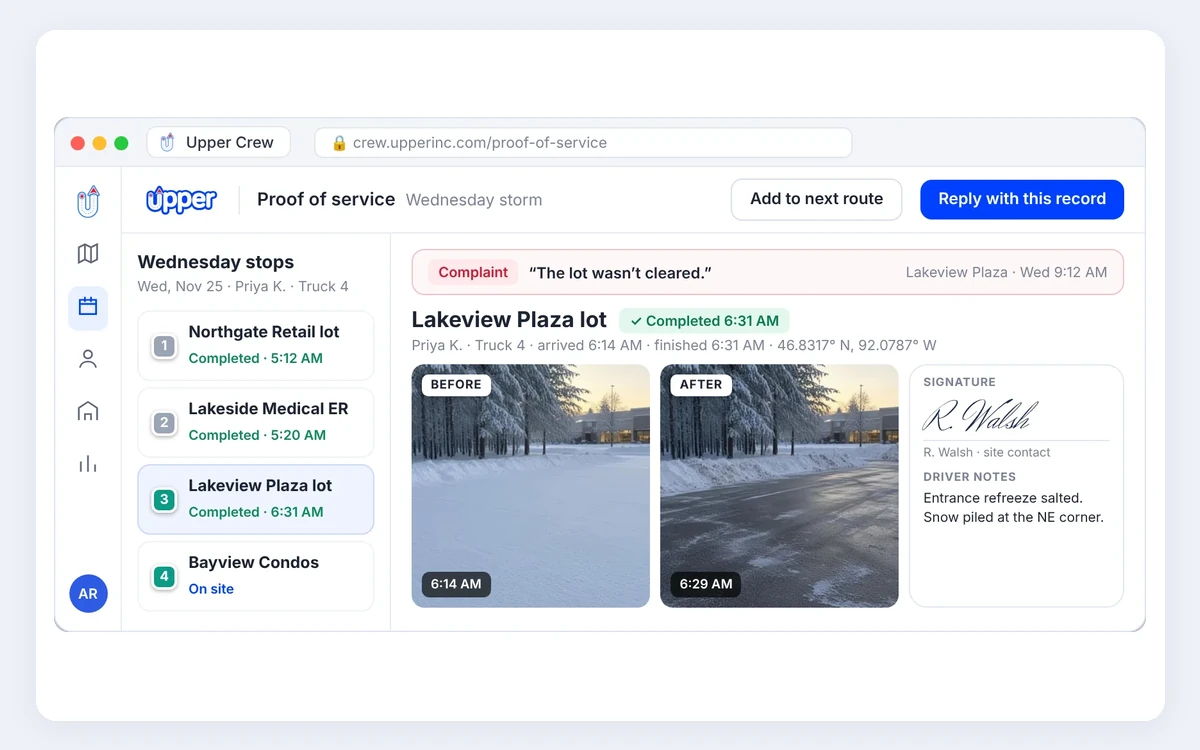
Upper Crew is Upper’s snow plow business software for routing and proof. You import your property list from a CSV into the web dashboard, mark priority lots and let Upper optimize the stop order, with driveways and lots on one route. In the truck, you run the route from the iOS or Android driver app, open each stop in Google Maps, Apple Maps or Waze, and save photos, a signature and notes at each property. Open the route while you have signal, and the app keeps working it offline and syncs later.
- Price: Starter is $50 per user per month ($40 billed yearly) with 250 stops per route. Professional is $60 ($48 billed yearly) and adds time- and GPS-stamped proof, customer notifications, time windows and recurring routes.
- Free trial: a free trial of 7 days with Professional features except customer SMS, no credit card.
- Works offline: yes, on a route opened with signal. Download offline maps in your map app for navigation.
- Pros: optimized stop order, photo and signature proof at every property, and a QuickBooks integration that syncs completed work.
- Cons: costs more than Plow360 Solo or the free plans, routes are built in a web dashboard, and in-app turn-by-turn navigation is a paid add-on.
- Limits: no invoices and no card payments, so per-push and seasonal billing stays in QuickBooks, Jobber or a spreadsheet.
Right for you if: you plow 40 or more driveways and lots, already bill in QuickBooks or Jobber, and lose time to stop order and “did you plow my lot?” calls.
2. Plow360, best low-cost all-in-one app for up to 25 sites
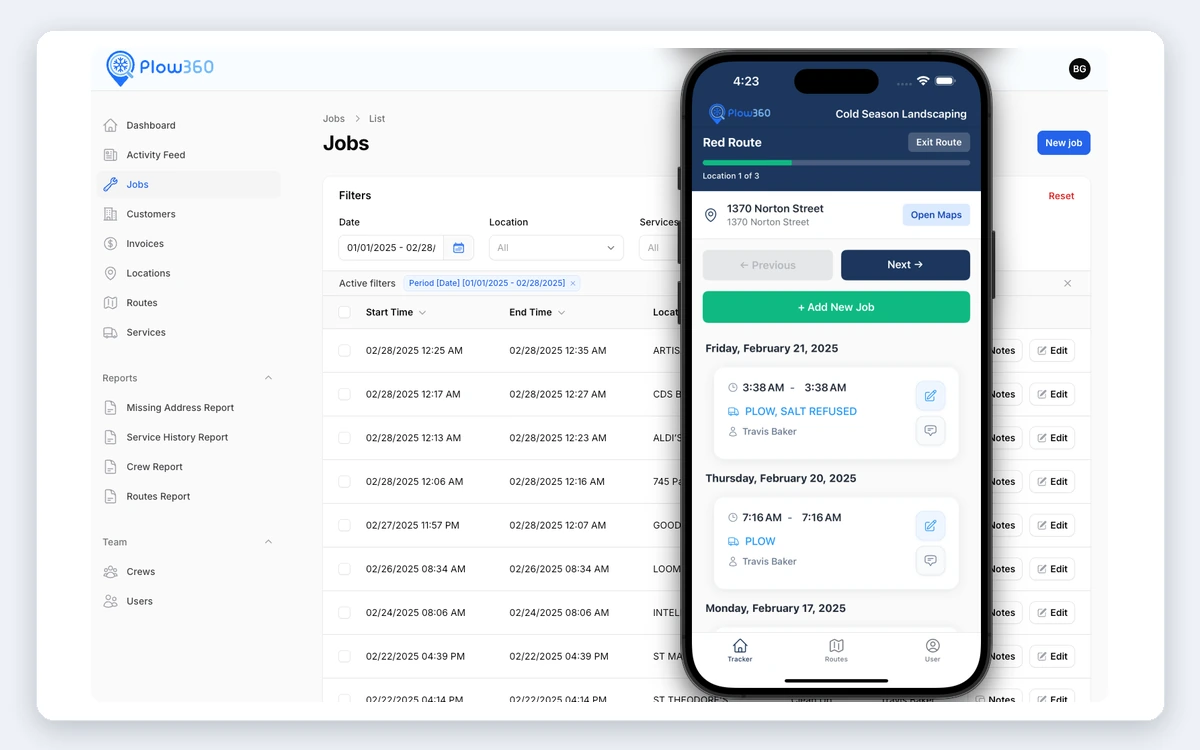
Plow360’s Solo plan is built for an owner-operator: 1 user, 25 customer sites, routes you can build and optimize, and job records with GPS, photos, time and weather. The free iOS and Android app saves jobs and photos with no signal and uploads them later. Completed jobs become invoices, priced per visit or by the hour, with a payment link and QR code.
- Price: Solo is $20 per month.
- Free trial: 14 days. Cancel anytime.
- Works offline: yes.
- Pros: the lowest paid price here, with routes, proof, invoices and online payment links in one app.
- Cons: its pages describe per-visit and hourly billing, not seasonal contracts, and QuickBooks Online sync is on Pro only.
- Limits: Solo stops at 25 sites and 1 user.
Right for you if: you have up to 25 properties and want one cheap app for the route, the proof and the invoice.
3. PlowPilot, best for selling seasonal contracts before the snow
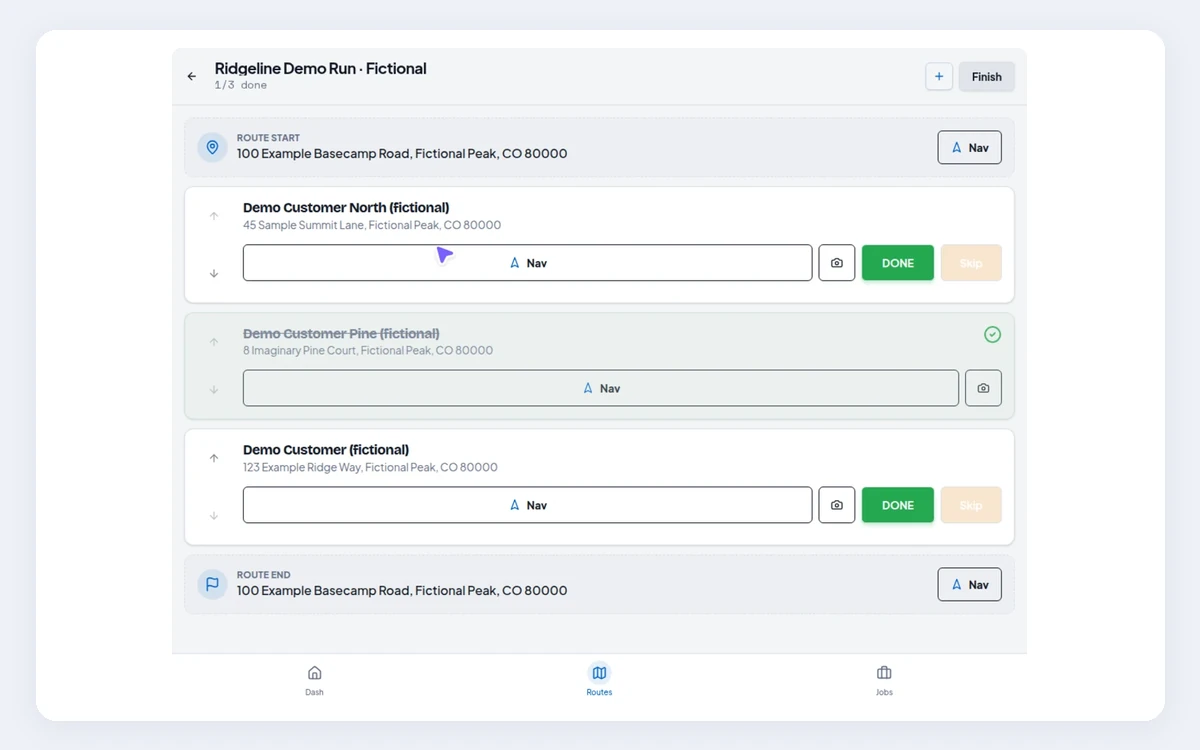
PlowPilot is built first for owner-operators. You write seasonal, per-push or walk-up contract terms once, send customers a link to sign on their phone and see who still owes a signature or payment. On storm day, you run reusable route lists from a phone or tablet, reorder or optimize stops, and record GPS, timestamps, photos and weather at each completion.
- Price: $59.99 per month regular price, or $39.99 per month for the first 3 paid months.
- Free trial: 14 days, no credit card and no automatic charge.
- Works offline: yes for visit updates, if you load your work online first and keep the app open.
- Pros: signed seasonal and per-push contracts, detailed proof records, and income and sales tax reports.
- Cons: customers can’t pay by card in the app, so you record payments by hand, and there is no SMS.
- Limits: one package with no cheaper tier, and QuickBooks Online and FreshBooks get CSV exports, not a sync.
Right for you if: most of your money comes from seasonal driveway contracts you want signed before the first storm.
4. Plowdesk, best free plan with seasonal and per-push billing
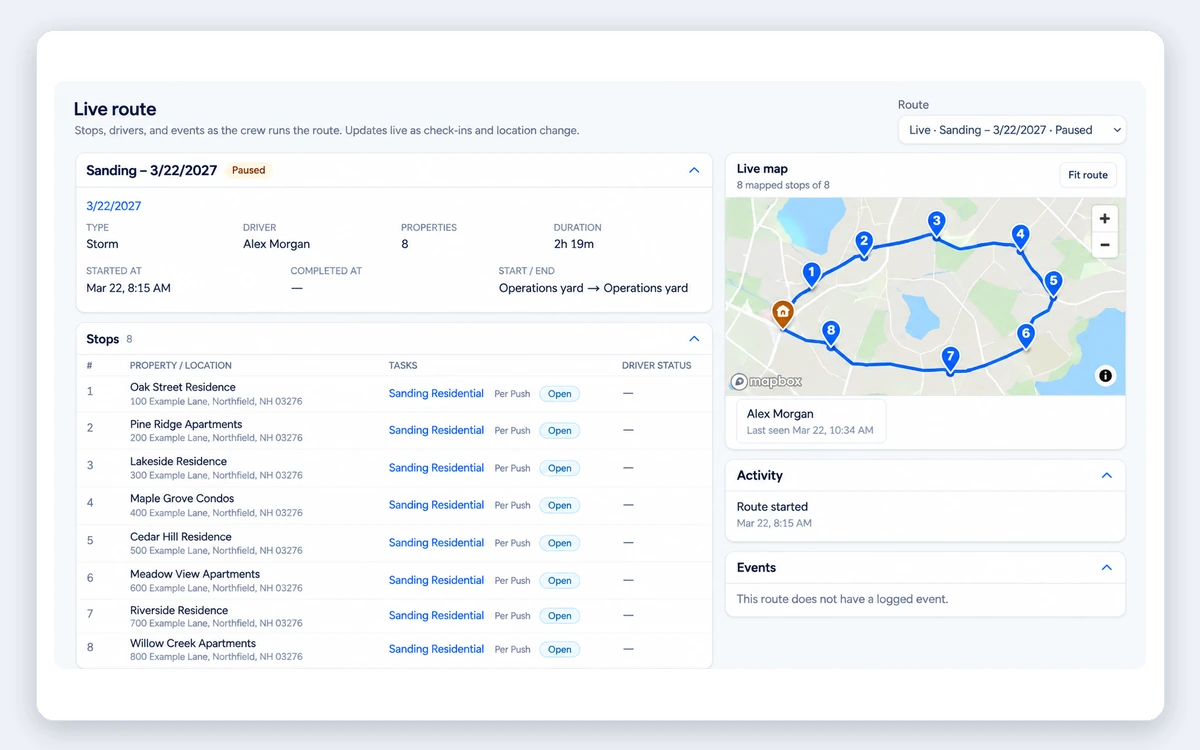
Plowdesk’s Operator plan is free with no time limit, and its FAQ points owner-operators to it. It includes unlimited customers, up to 3 storm routes, site photos, service logging, quotes and invoices for seasonal, per-push, per-inch, hourly and material services. Route templates let you set the stop order, with optional route optimization, and the mobile apps store field work offline.
- Price: Operator is free. Contractor is $95 per month.
- Free trial: not needed for Operator. No credit card.
- Works offline: yes.
- Pros: $0 for the season, every snow billing model and scheduled invoice emails.
- Cons: QuickBooks Online gets a manual CSV export, and its pages don’t say whether customers can pay by card.
- Limits: the free plan caps you at 3 storm routes.
Right for you if: you want quotes and seasonal or per-push invoices without a monthly fee, and 3 storm routes cover your list.
5. Icey Software, best free plan for 10 sites or fewer, with salt logs
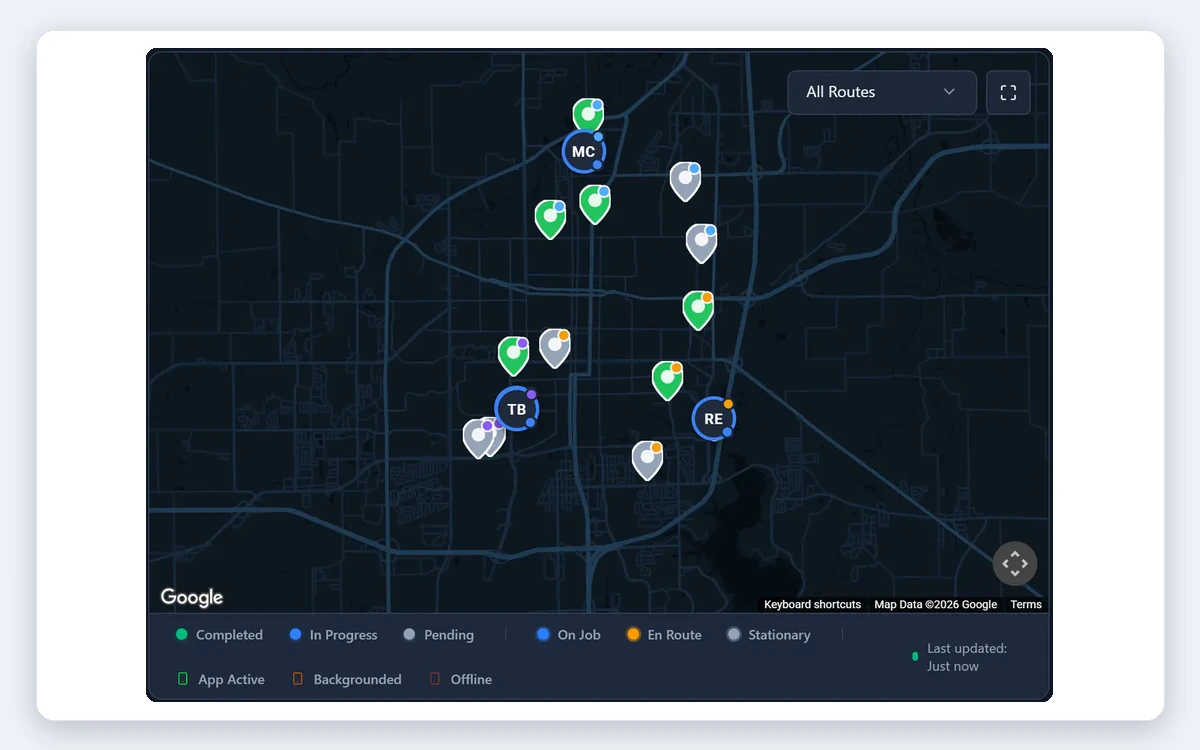
Icey’s Free plan covers up to 10 sites with every feature: a storm board, route optimization, Field Mode with GPS, time and photos at each site, salt and de-icing logs, e-sign contracts and invoicing. Field Mode keeps recording with no signal on iPhone or Android.
- Price: Free up to 10 sites. 11 to 35 sites is $85 per month in USD ($119 CAD).
- Free trial: not needed for Free. Paid plans have a 60-day money-back guarantee.
- Works offline: yes.
- Pros: a full snow app at $0, salt logs for commercial lots and e-sign contracts.
- Cons: no card payments, so you mark invoices paid by hand, and QuickBooks works through a CSV export.
- Limits: the price jumps from $0 to $85 per month at 11 sites.
Right for you if: you are starting out with a handful of driveways and one or two salted lots.
6. SnowBossPro, best for card payments and salt logs in one flat plan
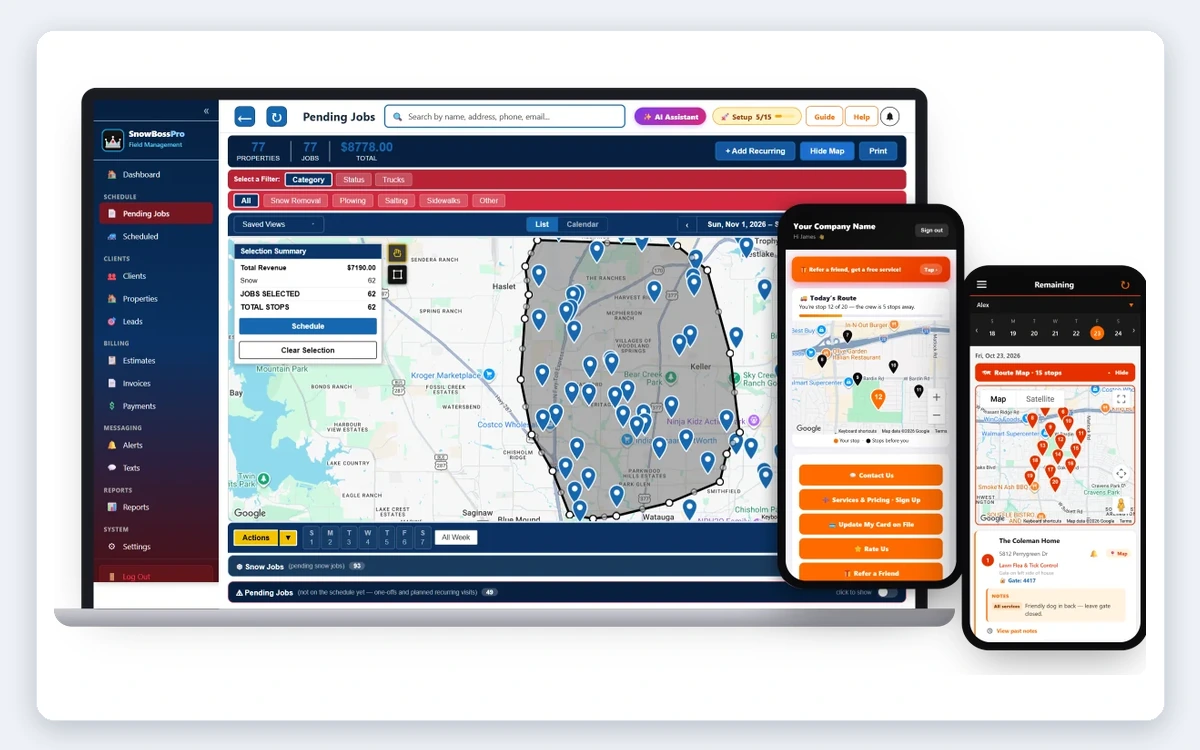
SnowBossPro is built only for snow work. Every plan includes circle-a-map routing, per-push, per-event and seasonal billing, online payments with card on file, salt logs, proof photos and automated SMS. The crew app keeps jobs, notes and photos on the phone with no signal.
- Price: Start is $59 per month with 50 auto-routes and 500 texts a month. Card processing is 2.80% + 25 cents per transaction, plus $15 per month.
- Free trial: 14 days, no credit card. No contract.
- Works offline: yes, in the crew app.
- Pros: card payments and auto-billing, every snow billing model and salt logs.
- Cons: you pay for dispatch, crew tracking and office roles a solo operator rarely uses, and card fees add up.
- Limits: Start includes 50 auto-routes and 500 texts a month. Extra texts cost $15 per 500.
Right for you if: you want customers to pay by card on file after every push and you salt lots.
7. Jobber, best if you already run summer lawn work in Jobber
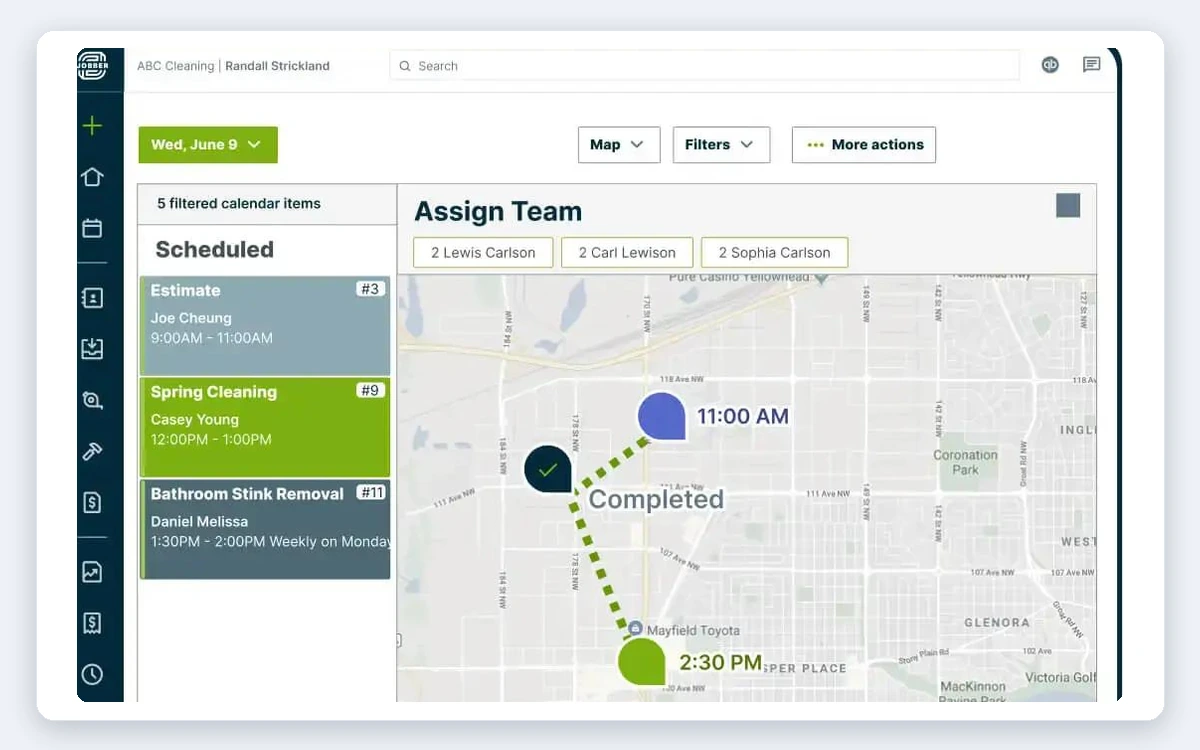
Jobber is a general home service app with quoting, scheduling, invoicing, card payments and client management, so a lawn-and-snow operator keeps one customer list all year. Route optimization is on Connect and higher plans, not Core. Offline, the app saves the day’s schedule, notes, photos and completed visits, but it can’t create invoices.
- Price: Connect is $139 per month, or $99 billed annually. Core is $49, or $29 billed annually, without route optimization.
- Free trial: 14 days, no credit card.
- Works offline: partly. No invoicing offline.
- Pros: one app for lawn and snow, card payments and automated client reminders on Connect.
- Cons: not snow-specific, so you pay for home service features and set up snow billing yourself.
- Limits: you need Connect, at $99 to $139 per month, for route optimization.
Right for you if: you already keep your lawn clients and invoices in Jobber.
Side-by-Side Comparison
Prices as listed on each vendor’s site on Nov 20, 2026. “Not listed” means the vendor’s site does not say.
| Tool | Starting price per month | Stop order | Works with no signal | Per-push and seasonal billing | Card payments | Proof at the stop | Trial |
| Upper Crew | $50 per user ($40 yearly); $60 for GPS-stamped proof | Optimized | Yes, on an opened route | No, bill in your current system | No | Photos, signature, notes; time and GPS on Professional | Free trial of 7 days, no card |
| Plow360 Solo | $20 (25 sites) | Build and optimize | Yes | Per visit or hourly | Payment link and QR code | GPS, photos, time, weather | 14 days |
| PlowPilot | $59.99 ($39.99 first 3 paid months) | Reorder or optimize | Yes, for visit updates | Seasonal, per-push, walk-up | No | GPS, timestamps, photos, weather | 14 days, no card |
| Plowdesk Operator | $0 (3 storm routes) | Set order, optional optimization | Yes | Seasonal, per-push, per-inch, hourly | Not listed | Site photos, service logs | Free plan, no card |
| Icey Free | $0 up to 10 sites, $85 for 11 to 35 | Route optimization | Yes | Quotes, contracts, invoices | No | GPS, time, photos | Free plan, 60-day money-back |
| SnowBossPro Start | $59, plus card fees | Circle-a-map routing | Yes | Per push, per event, seasonal | Yes, card on file | Proof photos, site logs | 14 days, no card |
| Jobber Connect | $139, or $99 billed annually | Yes | Partly, no invoicing offline | General invoicing | Yes | Notes and photos | 14 days, no card |
What Does Backtracking Cost on a Storm Night?
When you plow alone, backtracking costs your own sleep. The FHWA’s road weather page says average arterial speeds decline 30% to 40% on snowy or slushy pavement. So 15 minutes of backtracking becomes about 21 to 25 minutes in a storm, or roughly 7 to 8 unpaid hours over 20 plowing nights; Upper breaks down how much fuel snow plow route optimization saves.
FHWA’s figure is for arterial roads, not driveways. Upper explains how to optimize snow plow routes, how to make sure no snow removal site gets missed in a storm and what snow removal route software costs.
If customers question your visits, see Upper’s snow removal photo documentation app and the best snow removal proof of service apps. On a tight budget, compare the free snow removal scheduling apps, and finish your preseason snow removal route planning before the first storm.

See it in action
Route your own driveway list before the next storm
Bring your driveway and lot list. We will show the stop order Upper Crew builds, how it works with no signal and the proof each push leaves behind.

Frequently Asked Questions
Upper Crew is the best fit if your list is long enough that stop order matters and you want proof at each property, from $50 per user per month, or $40 billed yearly. For routes and invoices in one cheap app, Plow360 Solo is $20 per month for 25 sites, and Plowdesk Operator and Icey Free cost $0.
Most solo operators spend $0 to $60 per month. Plowdesk Operator and Icey Free are $0, Plow360 Solo is $20, Upper Crew starts at $50 per user, SnowBossPro is $59 plus card fees and PlowPilot is $59.99. Jobber Connect, with route optimization, is $99 to $139.
Upper Crew, Plow360, PlowPilot, Plowdesk, Icey and SnowBossPro keep saving field work with no signal and sync later. Upper Crew and PlowPilot need the route opened or loaded while you still have signal. Jobber works offline only in part and can’t create invoices offline.
Yes, with Plowdesk, PlowPilot and SnowBossPro. Icey handles quotes, contracts and invoices, and Plow360 describes per-visit and hourly billing. Upper Crew does not invoice, so you bill in QuickBooks, Jobber or a spreadsheet.
Yes, you can run the storm from your phone with every app here. Setup and imports are easier on a laptop. With Upper Crew, you build routes in the web dashboard and run them from the driver app.
Upper Crew does not create invoices or take card payments, so billing stays in QuickBooks, Jobber or a spreadsheet. In-app turn-by-turn navigation is a paid add-on, so most operators open Google Maps, Apple Maps or Waze from the app.


