

Getting proof of delivery right shouldn’t slow your operations down. Yet for many delivery teams, it still involves manual logs, handwritten signatures, or scattered photo records that are hard to track and even harder to verify. These outdated methods not only create delays but also open the door to errors, disputes, and lost accountability.
That’s where barcode scanning changes the game. By integrating barcode-based proof of delivery into your workflow, every package can be tracked, verified, and confirmed in seconds.
A quick scan at the point of delivery instantly records accurate, time-stamped data, removing guesswork and reducing reliance on manual processes. The result is a faster, more reliable system that keeps both your team and your customers informed at every step.
In this blog, we’ll explore how barcode scanning simplifies proof of delivery, the key benefits it brings to delivery operations, and how you can implement it to build a more efficient and error-free last-mile experience.
Table of Contents
- What Is Barcode Scanning for Delivery Proof?
- Key Benefits of Barcode Scanning for Delivery Verification
- How Barcode Scanning Works for Delivery Proof (Step by Step)
- Common Challenges With Barcode Scanning in Delivery Operations
- Best Practices for Maximizing Barcode Scanning Accuracy
- What to Look for in a Barcode Scanning Delivery Solution
- Verify Every Delivery With Upper’s Barcode Scanner
- Frequently Asked Questions
What Is Barcode Scanning for Delivery Proof?
Barcode scanning for delivery proof is the practice of using barcode technology to verify that the correct package reaches the correct recipient at the correct address. It replaces manual label checking with automated, digital verification that logs every scan as part of the delivery record.
Manual checking relies on drivers visually matching package labels to stop details. This works when a driver handles 10 packages, but it breaks down at 80 or 150. Barcode scanning automates the match by cross-referencing the scanned code against the delivery manifest in real time.
The result is a system that eliminates human error from misread labels, transposed numbers, and look-alike packages. A barcode scanner for delivery verification catches mistakes that even experienced drivers miss, especially during high-volume routes where fatigue sets in.
Types of Barcodes Used in Delivery Operations
1D barcodes (linear) include formats like UPC, Code 128, and Code 39. These are the standard barcodes printed on most shipping labels, encoding a tracking number or package ID in a series of vertical lines.
2D barcodes (matrix) include QR codes and Data Matrix codes. These store significantly more data, including recipient information, delivery instructions, and tracking numbers, all in a compact square format.
Which type to use depends on your data requirements, label printing capabilities, and scanning hardware. Most delivery operations start with 1D barcodes because they are compatible with existing shipping labels and require simpler printing equipment.
What Data a Barcode Scan Captures
Every barcode scan at the point of delivery generates a data record that includes:
- Package ID or tracking number
- Timestamp of the scan (exact second)
- GPS coordinates of the scan location
- Driver ID and associated stop
- Match or mismatch status against the delivery manifest
Understanding the mechanics is the first step. The real question is what barcode scanning delivers in measurable operational outcomes.
Key Benefits of Barcode Scanning for Delivery Verification
Barcode scanning does more than confirm a package ID. When integrated into the delivery workflow, it drives measurable improvements across accuracy, speed, compliance, and customer trust. These are the six operational benefits that matter most to fleet operators evaluating barcode proof of delivery.
Eliminates Misdeliveries and Wrong-Package Errors
Automated matching catches mismatches before the driver leaves the stop. The system compares the scanned barcode to the delivery manifest and flags any discrepancy instantly. This is particularly critical for operations handling similar-looking packages, including pharmaceuticals, e-commerce parcels, and meal kits, where a visual check alone is unreliable.
Reducing “wrong package at wrong address” incidents eliminates the refund requests and redelivery costs that follow every misdelivery.
Creates an Automated, Tamper-Proof Audit Trail
Every scan generates a timestamped, GPS-tagged record that cannot be altered after the fact. This provides indisputable documentation for dispute resolution, insurance claims, and regulatory compliance. For regulated industries like healthcare, pharmaceuticals, and food delivery, this audit trail meets chain-of-custody requirements that manual processes cannot satisfy.
Combined with real-time GPS tracking, barcode scan records create a multi-layered proof that a specific package was at a specific location at a specific time.
Speeds Up the Delivery Process at Each Stop
A barcode scan takes 1-2 seconds. Manual label verification takes 15-30 seconds per package. Across 80-150 daily stops, that difference adds up to 30-60 minutes saved per driver. Faster stop times mean more deliveries per route without extending driver hours or adding vehicles.
Reduces Operational Costs From Failed Deliveries
According to Ship Veho, each failed delivery costs $15–$40 in redelivery expenses, fuel, and labor. Barcode verification at both pickup and delivery catches errors at two critical points in the workflow. Fleets that implement barcode scanning report a 60-80% reduction in delivery disputes, directly protecting margins.
Improves Customer Trust and Satisfaction Scores
Customers receive confirmation that their specific package was scanned and delivered, not just a generic “delivered” notification. Verifiable scan records reduce “I never received it” claims because the evidence is clear and timestamped. This level of transparency differentiates your operation from competitors still relying on manual check-off processes.
Enables Real-Time Inventory Visibility Across the Fleet
Dispatchers see which packages are on which vehicle in real time, updated with every scan. This visibility simplifies rerouting when stops change mid-route and supports accurate end-of-day reconciliation without manual counting. No more guessing which packages are still on the truck; the scan data tells you.
These benefits are clear on paper. The next section walks through exactly how to implement barcode scanning in your delivery operation, step by step.

See it in action
Eliminate Delivery Errors With Barcode Scanning
Minimize misdeliveries and disputes by ensuring every package is verified through Upper’s precise barcode scanning system.

How Barcode Scanning Works for Delivery Proof (Step by Step)
Implementing barcode scanning for delivery proof involves more than handing drivers a scanner. It requires aligning your labeling process, delivery management software, and driver workflow into a connected system. Here is how the end-to-end process works, from package preparation through final delivery confirmation.
Step 1: Label and Encode Packages With Scannable Barcodes
Every package needs a barcode that links to its delivery details in your system. This is the foundation of the entire verification chain. Without a properly encoded barcode that maps to your delivery manifest, scanning at the point of delivery has nothing to verify against.
Choose the Right Barcode Format
1D barcodes using Code 128 work for most standard delivery operations. They encode a tracking number or package ID that your delivery management system recognizes. 2D barcodes like QR codes are better when you need to encode recipient name, address, and special delivery instructions into a single scannable code.
Match your barcode format to your label printer capabilities and scanning app. If your warehouse already prints Code 128 labels, there is no reason to switch formats unless your data needs have outgrown what a linear barcode can store.
Link Barcodes to Your Delivery Manifest
Each barcode must map to a specific stop in your delivery management system. Import your stop list with barcode IDs so the system knows which code belongs to which delivery. This mapping is what enables the automated match and mismatch detection at scan time.
If a barcode scans but has no corresponding stop in the manifest, the system flags it immediately. This prevents orphaned packages from ending up on the wrong truck or at the wrong address.
Step 2: Scan Packages During Pickup and Loading
The first verification point happens before the vehicle leaves the depot. This is where you catch loading errors before they become misdeliveries on the road.
Verify Loaded Packages Against the Route Manifest
The driver scans each package as it is loaded onto the vehicle. The system checks each scan against the assigned route manifest in real time. If a package does not belong on that driver’s route, or if a package for that route is missing, the app alerts the driver immediately.
This two-second check per package prevents the costly scenario of a driver arriving at a stop 30 minutes later only to discover the package is on a different truck.
Confirm Complete Loading Before Departure
The driver app or dispatch dashboard shows loading completion as a percentage. Once all packages for a route are scanned and confirmed, the dispatcher receives a notification that the vehicle is ready to depart. This prevents vehicles from leaving the depot with incomplete or incorrect loads, a common source of failed deliveries and customer complaints.
Step 3: Scan at the Point of Delivery
This is the critical verification moment in the delivery barcode verification process. The delivery scan confirms the right package is being handed to the right recipient at the right location.
Match the Package to the Stop
When the driver arrives at the delivery address, they scan the package barcode. The system confirms the package matches the current stop on the route. If there is a mismatch, the app alerts the driver before the package is handed over, preventing a wrong delivery that would require retrieval, redelivery, and customer communication.
Combine Barcode Scan With Other Proof of Delivery Methods
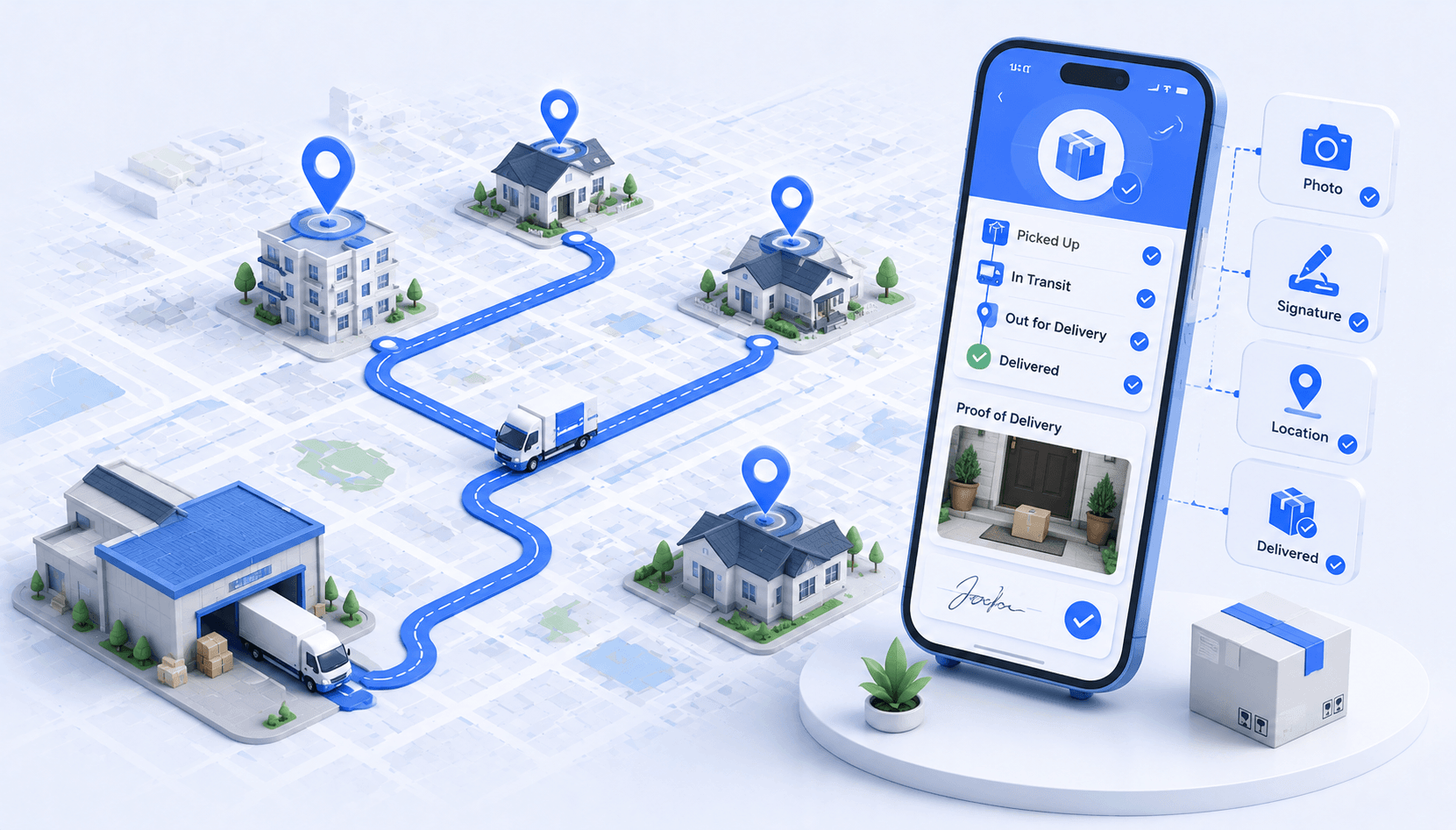
After a successful scan, the driver captures additional proof of delivery: a digital signature, a photo of the package at the door, or written delivery notes. The barcode scan, signature, photo, and GPS coordinates are bundled into a single proof of delivery record for that stop.
This multi-layered verification creates the strongest possible delivery documentation. If a customer claims they never received a package, you have the barcode scan confirming the correct package, the GPS confirming the location, the photo confirming placement, and the signature confirming receipt.
Step 4: Sync Data and Close the Delivery Record
Once the scan and proof capture are complete, the data needs to flow back to the central system for reporting, compliance, and customer communication.
Automatic Data Sync to the Central Dashboard
Scan data uploads in real time when the driver has connectivity. For areas with poor cell coverage, the best systems store scans locally and sync automatically when the device reconnects. Dispatchers see completed deliveries with full proof of delivery details as they happen, and customers can receive automated delivery confirmation notifications.
Generate Reports and Audit Records
End-of-day reports show all scanned deliveries, flagged mismatches, and unscanned stops. These reports are exportable for compliance reviews, insurance claims, or client reporting. Historical scan data also supports trend analysis on delivery accuracy over time, helping you identify which routes, drivers, or package types generate the most exceptions.
This four-step process covers the ideal implementation. In practice, fleet operators encounter several common challenges during rollout and ongoing use.
See it in action
Barcode Scanning Built Into Your Route
No extra hardware. No separate apps. Upper's drivers scan packages, capture proof of delivery, and follow optimized routes in one workflow.
Common Challenges With Barcode Scanning in Delivery Operations
Barcode scanning significantly improves delivery accuracy, but implementation is not without obstacles. Understanding these challenges before you roll out helps you plan around them and avoid disruptions to your existing workflow. Most of these issues are solvable with the right preparation and the right delivery platform.
Damaged or Unreadable Barcodes
Weather exposure, rough handling, and poor print quality can render barcodes unscannable. Rain smears ink on paper labels. Friction during loading scratches thermal-printed codes. The solution is to use durable label materials with protective lamination for packages exposed to outdoor conditions and to ensure your printers produce high-contrast output.
Build a fallback process for the small percentage of unscannable labels: manual entry of the package ID combined with a photo of the damaged barcode. This keeps the delivery moving while documenting the exception for quality review.
Driver Resistance to New Scanning Workflows
Drivers accustomed to manual processes may view scanning as an extra step that slows them down. The reality is the opposite: scanning is faster than manual checking. Demonstrate the time savings by comparing a 1-2 second scan to the 15-30 seconds of reading and matching labels visually.
Start with a pilot group of enthusiastic drivers. Gather their feedback, refine the workflow, and use their endorsement to drive broader adoption across the fleet. Drivers who see the reduction in accountability disputes tend to become the strongest advocates for scanning.
Connectivity Issues in Rural or Low-Signal Areas
Real-time barcode verification requires a data connection to cross-reference the delivery manifest. In rural or low-signal areas, this can create scan failures or delays. The solution is to choose a delivery app that supports offline scanning with local manifest storage. The app downloads the full route manifest before the driver departs, processes scans locally, and syncs all data when connectivity returns.
Test cell coverage on your most common routes before full deployment. If specific areas consistently lack signal, offline mode becomes a requirement, not a nice-to-have.
Integration With Existing Warehouse and Labeling Systems
Barcode-based proof of delivery requires barcodes that map to your delivery management system. If your warehouse uses one system for order management and another for delivery routing, the barcode IDs need to be consistent across both. The solution is to use a delivery platform that imports stop lists with barcode IDs from your existing warehouse or order management system via CSV or API.
Standard barcode formats like Code 128 and QR ensure compatibility across most label printers and scanning apps. Avoid proprietary formats that lock you into specific hardware vendors.
These challenges are manageable with the right planning. The following best practices help you get the most out of barcode scanning once your system is live.
Best Practices for Maximizing Barcode Scanning Accuracy
Getting barcode scanning deployed is one thing. Getting consistent, high-accuracy results across your fleet requires attention to labeling standards, driver training, and process design. These best practices come from operations that have successfully maintained 99%+ scan accuracy rates.
Standardize Label Placement and Print Quality
Place barcodes in the same location on every package. The top-right corner is the most common standard because it is visible without rotating the package. Use high-resolution thermal printers with fresh ribbons to ensure consistent readability. Set minimum barcode size requirements based on your scanning distance: at least one inch wide for 1D codes scanned at arm’s length.
Inconsistent label placement is one of the top reasons drivers skip scans. When the barcode is always in the same spot, scanning becomes muscle memory.
Train Drivers on Proper Scanning Technique
Hold the device 4-8 inches from the barcode at a slight angle to avoid glare. Scan in adequate lighting, or use the device’s built-in flashlight for low-light doorstep deliveries. These sound like minor details, but they are the difference between a first-attempt scan success and repeated failed attempts that frustrate drivers.
Run hands-on training sessions with practice packages before the first live route. Ten minutes of practice eliminates most scanning errors that would otherwise slow down the first week of adoption.
Build Exception Handling Into the Workflow
Define what happens when a barcode will not scan: manual entry with a photo, supervisor override, or return to depot. Every delivery operation needs a clear exception process so drivers do not waste time figuring out what to do when a scan fails.
Log every exception for review so you can identify recurring issues. Is a specific label printer producing faded codes? Is one package type consistently hard to scan? Set exception rate thresholds, for example, flag any driver exceeding 5% manual entries for retraining or equipment inspection.
Audit Scan Data Weekly to Catch Process Gaps
Review scan completion rates by driver, route, and time of day. Look for patterns: are certain delivery areas consistently producing scan failures? Are specific drivers skipping scans during the afternoon rush?
Use the data to refine training, adjust label quality standards, and optimize your scanning workflow. Weekly audits turn your barcode scanning system from a static tool into a continuously improving process.
With the right processes in place, barcode scanning becomes a reliable backbone for delivery verification. The next consideration is choosing the right tool to bring it all together.
See it in action
Upgrade Your Deliveries With Barcode-Based Proof
Track, verify, and confirm every delivery instantly using Upper’s smart barcode scanning system.
What to Look for in a Barcode Scanning Delivery Solution
Not all delivery management platforms handle barcode scanning the same way. Some require third-party scanning hardware or separate apps, while others build scanning directly into the driver’s mobile workflow. Here are the capabilities that matter most when evaluating your options.
- Built-in barcode scanner: The scanning functionality should live inside the same app drivers use for navigation and proof of delivery, not a separate tool that requires switching between apps at every stop.
- Offline scanning support: Drivers need to scan packages even when cell signal drops, with automatic sync when connectivity returns. Any solution without offline mode will fail on rural routes.
- Multi-format barcode support: The scanner should read both 1D (Code 128, UPC) and 2D (QR, Data Matrix) barcodes to accommodate different label types across your operation.
- Combined proof of delivery: Barcode scans should integrate with photos, signatures, and delivery notes into a single record per stop. Separate systems for scanning and proof capture create data silos and extra work.
- Real-time visibility for dispatchers: Scan data should appear on the central dashboard as deliveries happen, not in a batch upload at end of day. Dispatchers need live information to manage exceptions and reroute drivers.
- Route optimization integration: The ideal platform combines barcode scanning with route planning, so drivers work from optimized routes and verify deliveries in one unified workflow. This eliminates the need to stitch together multiple tools for different parts of the delivery process.
Platforms that combine barcode scanning with route optimization and proof of delivery eliminate the need to manage multiple tools, reducing cost and complexity for fleet operators.
Verify Every Delivery With Upper’s Barcode Scanner
Barcode scanning for delivery proof transforms how fleet operators verify deliveries, reduce disputes, and maintain compliance. The technology is straightforward: scan, match, confirm. The operational impact is significant: fewer misdeliveries, faster stop times, stronger audit trails, and happier customers.
Upper Route Planner gives fleet operators a complete delivery verification system built directly into the driver’s mobile app. Instead of juggling separate scanning hardware, proof of delivery tools, and route planning software, Upper combines barcode scanning, digital signatures, photo capture, delivery notes, and optimized routing in a single platform.
When a driver arrives at a stop, they scan the package barcode inside the Upper app. The system instantly verifies the package against the delivery manifest and flags any mismatch before the package leaves the driver’s hands. After a successful scan, the driver captures a signature or photo as additional proof of delivery. Every scan, signature, and photo is timestamped, GPS-tagged, and synced to the central dashboard in real time.
For dispatchers and operations managers, this means full visibility into which packages have been scanned, delivered, and confirmed across the entire fleet. End-of-day reconciliation takes minutes instead of hours. Delivery disputes drop because every transaction has verifiable, tamper-proof documentation. And because Upper handles route optimization alongside barcode scanning, drivers follow the most efficient routes while verifying every package at every stop.
If your fleet is still relying on manual package checks or disconnected scanning tools, barcode scanning for delivery proof through Upper eliminates the errors, disputes, and wasted time that come with fragmented workflows. Book a demo to see how Upper’s barcode scanner and proof of delivery work together on a live route.
Frequently Asked Questions on Barcode Scanning for POD
The two main categories are 1D barcodes (linear codes like Code 128 and UPC) and 2D barcodes (matrix codes like QR codes and Data Matrix). 1D barcodes are standard on most shipping labels and encode basic tracking numbers. 2D barcodes store more data, including recipient details and delivery instructions, making them useful for operations that need richer verification records.
Barcode scanning automates the package-to-stop matching process. When a driver scans a package, the system instantly checks whether that package belongs at the current delivery address.
If there is a mismatch, the app alerts the driver before the package is handed over. This real-time verification catches errors that manual label checking misses, especially when drivers handle dozens of similar-looking packages per route.
Yes, if the delivery app supports offline mode. The best solutions download the route manifest to the driver’s device before the route starts. Barcode scans are stored locally and matched against the downloaded manifest. When the device reconnects to cellular or Wi-Fi, all scan data syncs automatically to the central system.
Choose 1D barcodes if you only need to encode a tracking number or package ID and your existing labels already use a linear format. Choose 2D barcodes (QR codes) if you need to embed additional data like recipient name, delivery instructions, or return information.
Consider your label printers, scanning hardware, and whether your delivery management software supports both formats.
Most delivery platforms offer a manual entry fallback. The driver types the package ID or tracking number manually and documents the damaged barcode with a photo. This exception is logged in the system for quality review. Operations teams should monitor exception rates to identify recurring label quality issues with specific printers, packaging materials, or shipping partners.