


The best snow route planning software for landscapers is Upper Crew, because it builds winter routes from the same customer list you mow from and, from its Professional plan, sends storm-night route changes straight to the driver app. Jobber suits landscapers who want quotes, invoices and routing in one app, and Service Autopilot suits per-push billing. Zentive is the low-cost all-in-one pick, Yeti fits snow-heavy commercial work, RealGreen fits lawn treatment companies and LMN logs plow passes and salt. Every price below was read on the vendor’s own site on Nov 23, 2026.
Many landscapers plow in winter for the same customers they mow in summer, and the overlap is wide: the FHWA says over 70 percent of U.S. roads sit in snowy regions that average more than five inches of snow a year. Lawn visits follow a weekly schedule, but snow work starts whenever a storm hits, and the plan often changes after trucks leave the yard. Some tools here are full snow removal business software, but this guide ranks them on routing: how the list becomes a route, how a change reaches the driver and what proof each visit leaves.
- Judge a tool on what happens after dispatch. Moving a property to another truck mid-storm, and getting that change onto the driver's phone, separates these 10 tools more than price does.
- Upper Crew suits landscapers who keep their current CRM or billing software. Multi-truck routing, route changes after dispatch and GPS-stamped proof start on Professional at $48 per user per month billed yearly, or $60 monthly.
- The routing plan is rarely the headline plan. Jobber Core is $29 a month billed annually, but route optimization starts on Connect at $99, and Service Autopilot routing starts on Pro at $199.
- Not every snow tool runs lawn routes. Yeti's site describes it as snow contractor software, not landscape software, so lawn routes would stay in a second tool.
- Seven of the 10 tools publish a price, and only Upper Crew, Jobber and Zentive list a free trial. RealGreen, Aspire and Route4Me sell by quote.
What Is Snow Route Planning Software for Landscapers?
Snow route planning software sets the order your trucks clear properties in winter, sends that plan to drivers and records what happened at each stop. For a landscaper, it should start from the same customer list used for lawn care routing software in summer, so nobody retypes addresses when the first storm is forecast. Plow-only contractors have no summer list to reuse, so the best snow plow routing apps for contractors suit them better than this landscaper-focused shortlist.
Winter demand comes in events, not totals. The USGS Mineral Commodity Summaries 2026 note that the number of winter weather events, including freezing rain, sleet and snow, is a better predictor of rock salt demand than total snowfall. For a route planner, that means many separate storm nights, each with its own priority order, its own deadlines and its own changes after the trucks leave the yard.
Judge any tool on four jobs:
- One list for both seasons: Can you build snow routes from the summer list without retyping addresses?
- Storm-night changes: Does a change after dispatch reach the driver’s app without a phone call?
- Priority and zones: Can commercial lots go first, with each truck kept to its own area?
- Proof of service: Does each visit save a photo, time and GPS location you can find months later?
What it is not:
- Not accounting or quoting software: A route planner on its own will not replace your books, contracts or a landscaping scheduling app built around quotes and crew calendars.
- Not a weather service: Some tools send weather alerts, but you still decide when crews go out.
- Not a salt calculator: Material logs vary by tool, and Upper Crew does not track salt.
How We Ranked These Snow Route Planning Tools
Each tool was checked on its own vendor pages, pricing pages and help docs on Nov 23, 2026, against the five criteria below. These are checks of published vendor information, not hands-on tests, so confirm anything that matters to your operation in a trial or demo. Where a vendor does not publish a detail, the entry says “Not listed” instead of guessing.
- Routing for both seasons: The plan where route optimization starts, and whether lawn and snow routes share one tool.
- Changes after dispatch: Whether a live route can change and reach the crew’s app.
- Proof per visit: Photo, time and GPS location, and how long the record is kept.
- Published price and basis: Per user, per site or a flat bundle.
- Free trial or demo: What a buyer can test before paying.
The 10 Best Snow Route Planning Software Tools for Landscapers in 2026
These 10 tools cover the lawn care and snow removal routing software landscapers weigh most. They include field service suites, one snow-first platform and one routing-only planner. Each entry follows the same order: what it does, price, free trial, limits and who it suits, so you can compare the same facts from one tool to the next before you book a trial or a demo.
1. Upper Crew, best for landscapers who run lawn and snow routes from one customer list
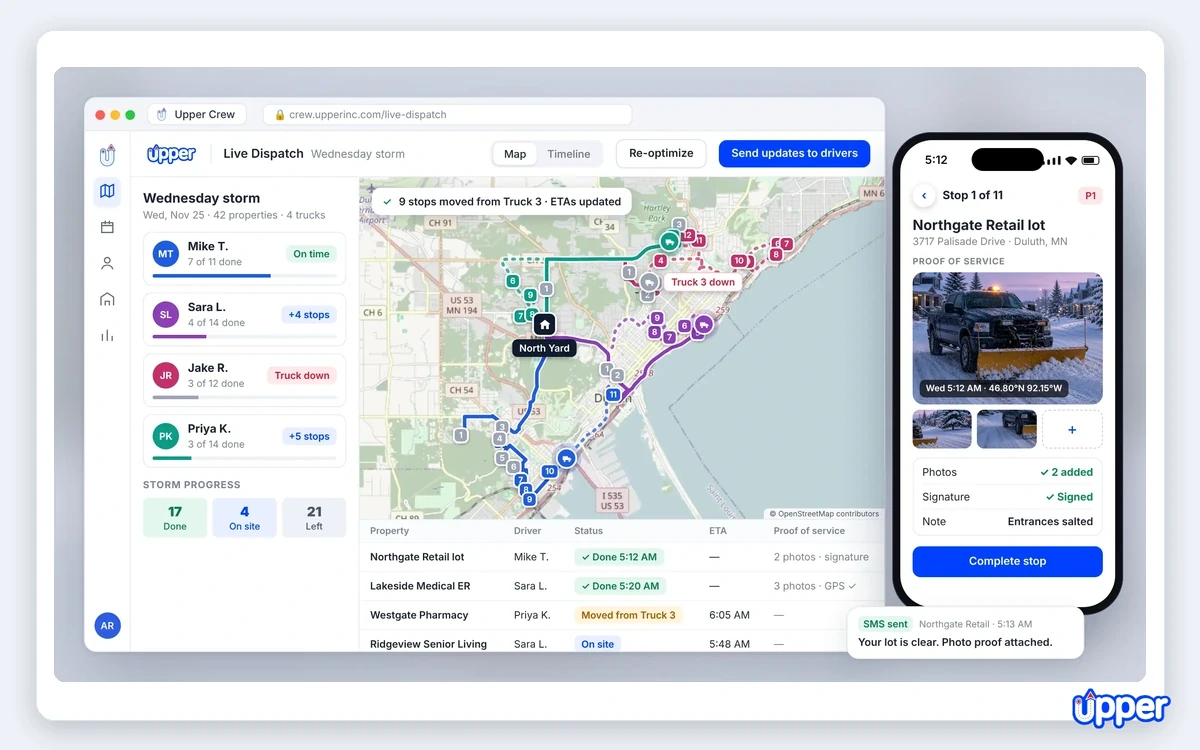
Upper Crew is Upper’s route optimization software for teams with a dispatcher and several drivers. Landscapers import the customer list they mow from and build snow routes from it. Priority stop handling, on every plan, puts medical sites and commercial lots first. From Professional, Upper splits one list across trucks in a single run, and route changes after dispatch reach the driver app instead of a group text. Zone-based routing and recurring routes for weekly lawn visits are on Optimize. See snow removal route planning software for the storm-night workflow.
At each stop, drivers save photos, e-signatures and notes on every plan. From Professional, each record is stamped with the GPS location and time. Records are kept 6 months on Starter, 1 year on Professional and 2 years on Optimize, which matters when a slip-and-fall claim arrives in spring. Navigation opens in Google Maps, Apple Maps or Waze, so drivers keep the map app they already know.
- Price: Starter $50, Professional $60 and Optimize $89 per user per month, or $40, $48 and $71 billed yearly (Upper pricing). Customer live tracking is included on Optimize and a $20 per driver add-on below it.
- Free trial: 7 days with Professional features except customer SMS, up to 5 users, no credit card. Start the Upper Crew free trial.
- Limits: Upper Crew does not create quotes or invoices, log salt or bill per push. Time windows are preferences, not hard rules. Starter has no multi-truck balancing or live route updates.
Best suited for: landscapers with several trucks who plan lawn and snow routes in one app, alongside their current CRM or snow removal business software. Skip it if you want quotes, contracts and invoices in the same tool as your routes.
2. Jobber, best for landscapers who want quotes, invoices and routing in one app
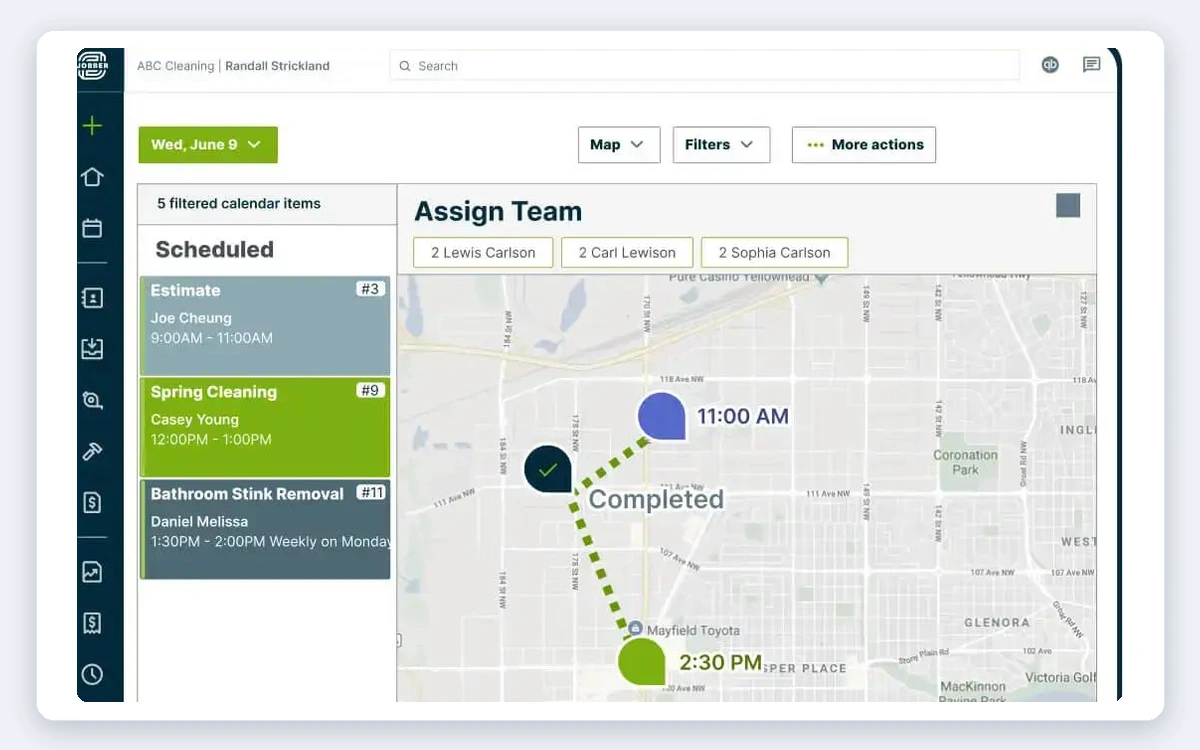
Jobber is home service software that runs a business from first quote to final payment. It covers quoting, scheduling, invoicing, payments and a client hub. Route optimization builds daily or multi-day routes for one person, a few team members or the whole crew, and drivers get push notifications when routes change. For snow, Jobber’s snow page describes assigning jobs when it snows and generating plow routes from a map. Lawn work runs as recurring jobs, and crews add notes and photos to each job.
- Price: Core is $49 a month for 1 user, or $29 billed annually. Connect is $139 a month, or $99 billed annually. Extra users are $29 a month each.
- Free trial: 14 days on the Grow plan, no credit card.
- Limits: Route optimization is on Connect, Grow and Plus, not Core. Jobber’s help center says it only optimizes “anytime” visits without a set start or end time, and it must be run on Jobber.com, not the mobile app.
Best suited for: year-round landscaping companies that want quoting and invoicing beside routing. Skip it if your storm routes depend on fixed-time visits, which the optimizer leaves out.
3. Service Autopilot, best for lawn and snow companies that bill per push
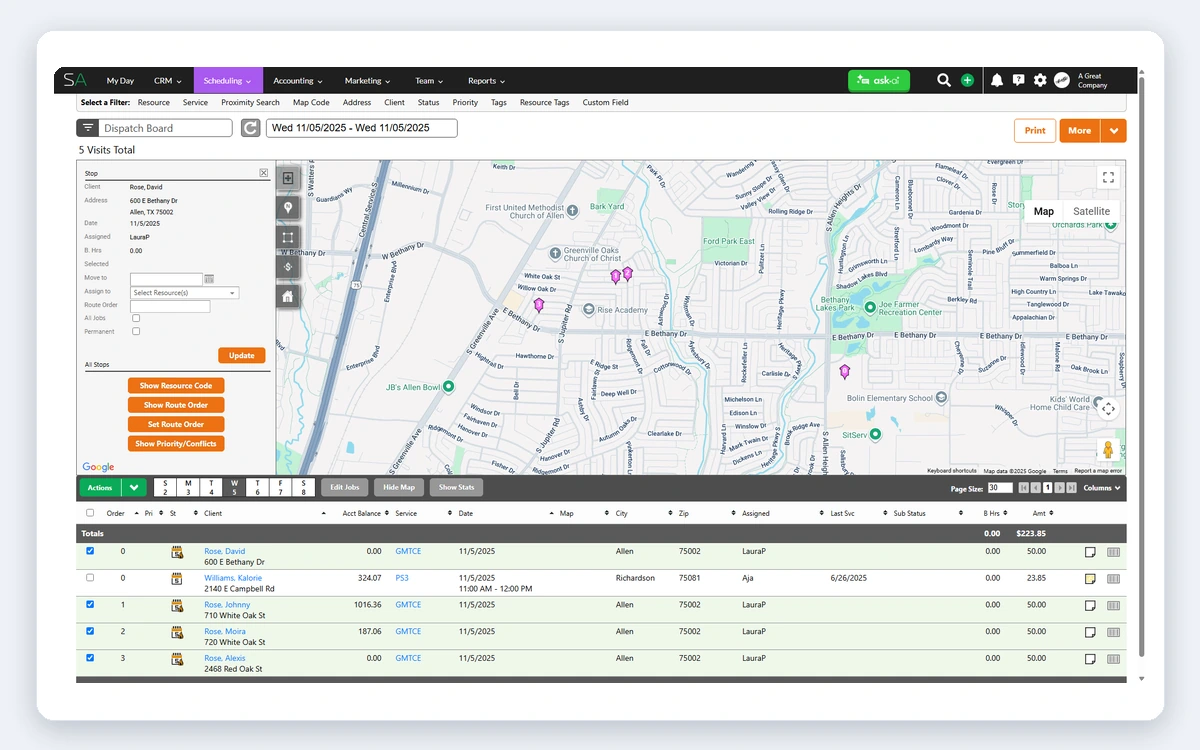
Service Autopilot is field service software for lawn care, landscaping, snow removal and cleaning companies. Weekly, biweekly or monthly mows are set once and repeat all season. For snow, you build master routes before the storm and dispatch crews in a click. Crews can add or cancel jobs from the app mid-storm and take before-and-after photos with timestamps. Snow work can be billed per push, per event, per inch, hourly or at a flat rate.
- Price: Startup $49, Pro $199 and Pro Plus $499 a month, each plus a sign-up fee, on annual rates. Elite is priced on request.
- Free trial: Not listed. Its self-signup page currently says signup is temporarily disabled, so sales or a demo is the way in.
- Limits: Route optimization, snow dispatch and chemical tracking start on Pro, not Startup. The sign-up fee is not published.
Best suited for: lawn and snow companies that want per-push billing and snow dispatch in one suite. Skip it if you want a full published price before talking to sales.
4. Yeti, best for snow-heavy commercial work with subcontractors and SLAs
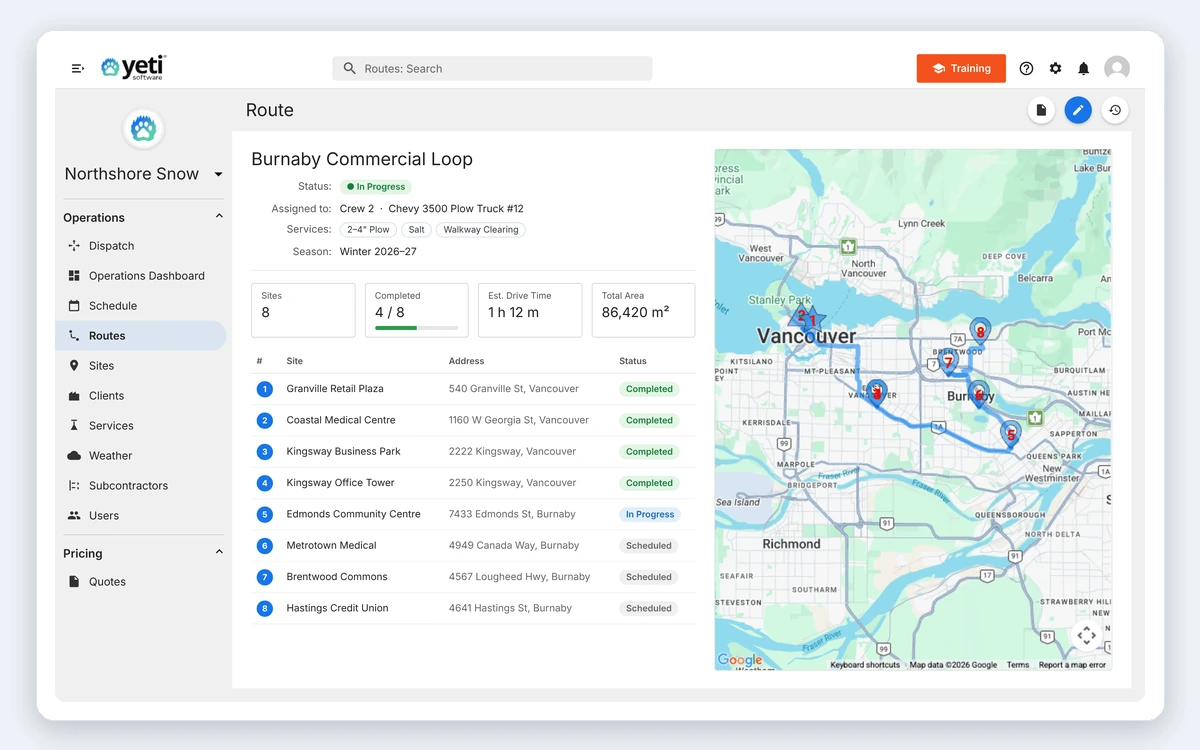
Yeti is snow contractor software built for overnight storm operations, and its site says it is not landscape software with a snow add-on. Its support guide lists Standard Routes, built before the season and reused, and Dispatch Routes for one-time events. Live dispatch shows each site’s status in real time, and crews and subcontractors are tracked by GPS with required photos and geofencing rules. The crew app has one-tap GPS clock-in and live schedule updates in English, French and Spanish.
- Price: One plan priced by sites, from $66.50 a month billed annually for 1 to 25 sites ($798 a year), with unlimited users. The price rises with site count.
- Free trial: Not listed. A 60-day money-back guarantee applies.
- Limits: A route needs at least 6 sites to optimize and holds up to 150. Lawn routes would stay in another tool.
Best suited for: landscapers whose snow side now spans many commercial sites, subcontractors and SLAs. Skip it if snow is a small add-on to lawn work, because you would run two systems.
5. RealGreen, best for lawn treatment companies adding snow
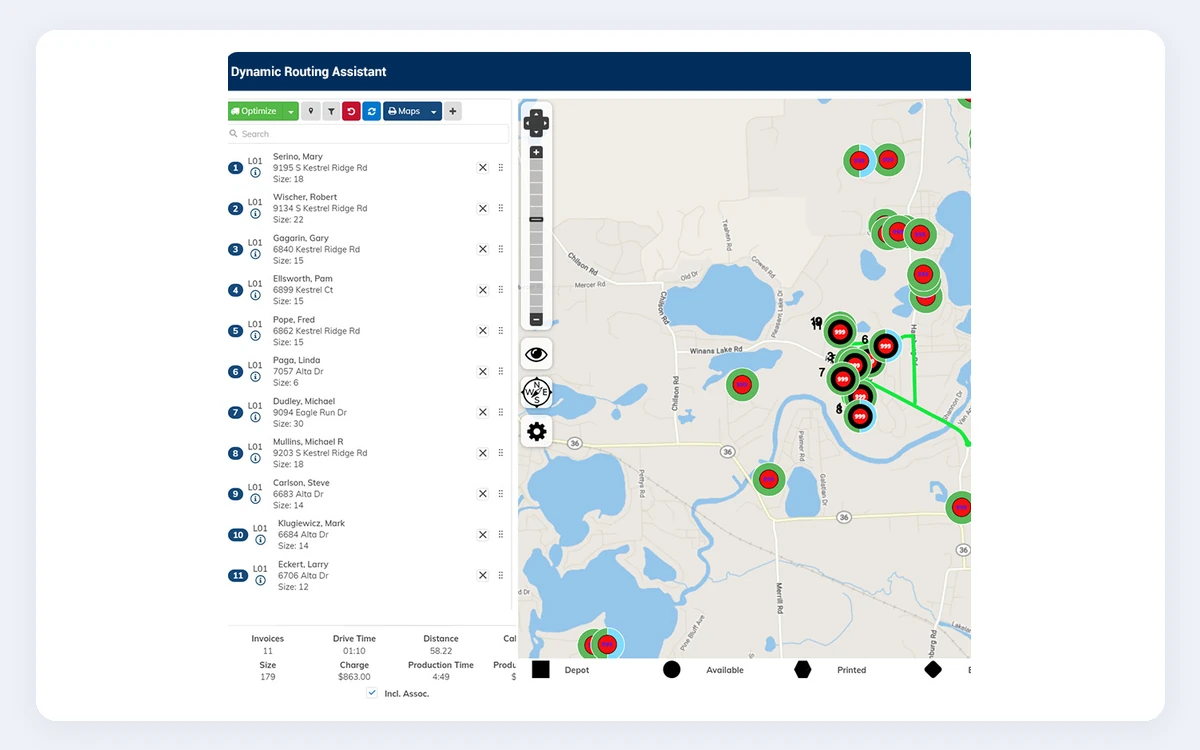
RealGreen is all-in-one software for lawn care and other green industry companies, and it lets you move from lawn to snow with the same software. Dynamic Routing builds routes around your business rules, and work missed because of weather becomes “loose work” you can reroute in bulk. Snow routes can split residential from commercial and plowing from snow blowing. Properties carry flags such as a circular drive or “don’t use salt.” The mobile app adds live truck tracking, timestamped and geotagged photos, signatures and offline use.
- Price: Not listed. RealGreen quotes each business on usage and users.
- Free trial: Not listed. RealGreen offers a demo.
- Limits: The entry package, Small Business, is described as ideal for 3 crews or more.
Best suited for: lawn treatment companies that want routing, billing, including per push, and marketing in one platform. Skip it if you want a published price before booking a demo.
6. Aspire, best for large commercial landscape firms
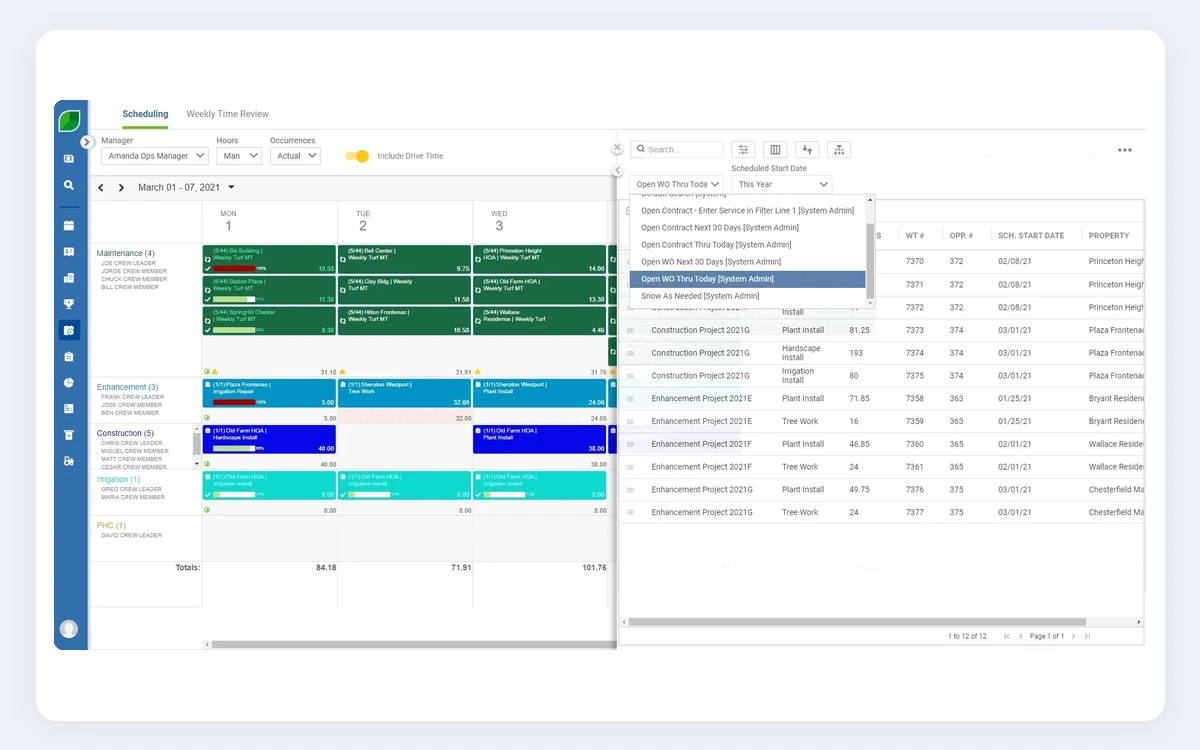
Aspire is enterprise business management software for landscape companies, with a snow removal product on the same platform. Its scheduling page says routes can be optimized by day, route or workload, and last-minute jobs slot into existing routes. Schedule changes show up for crews in the Crew Mobile app. During snow events, crews are assigned by drag and drop, clock in and out with geotagged records and report issues with photos and video.
- Price: Not listed. One monthly license fee, priced by company size, covers unlimited users, implementation and training.
- Free trial: Not listed. Aspire offers a demo.
- Limits: Electronic payments, payroll and GPS fleet management are quoted on top. Aspire points small businesses to its lighter Crew Control product instead.
Best suited for: commercial landscape companies with $1 million or more in annual revenue, the floor of Aspire’s Growth program. Skip it if you run a small crew.
7. LMN, best for landscape companies that log plow passes and salt
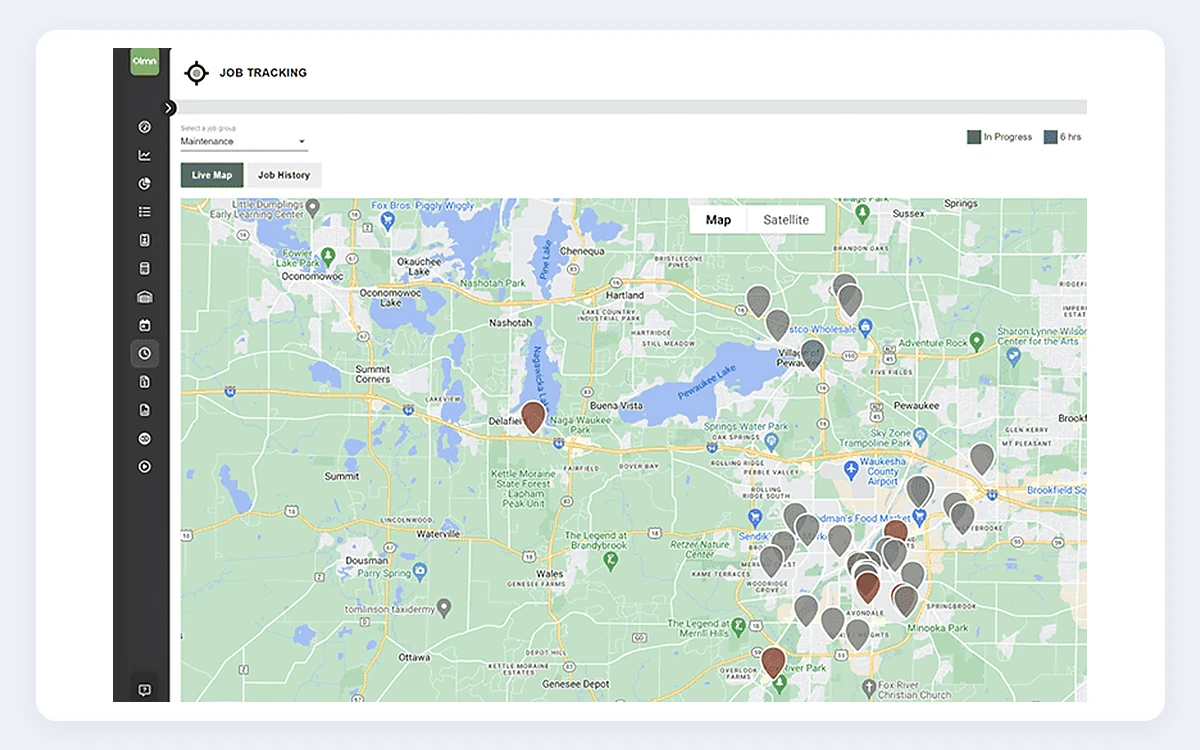
LMN, now part of Granum, is landscape management software with scheduling, timesheets, estimating and route optimization on its plans. For snow, Granum says LMN plans snow passes, plow routes and priority zones and tracks plow passes, salt applications and proof of service. Snow pricing can be set seasonal or per event from your time, salt and machine costs. The LMN Crew app records GPS timestamps and weather notes, works offline and runs in English and Spanish.
- Price: Starter is $297 a month with 1 office or crew lead license and 5 crew licenses. Professional is $648 a month with 3 lead and 15 crew licenses. Both are billed monthly, after a one-time onboarding fee.
- Free trial: Not listed. LMN offers a demo.
- Limits: Files and photos on job documents are added on Professional, not Starter. Extra licenses cost more.
Best suited for: landscape companies that want snow passes, salt logs and scheduling in one system. Skip it if you need files and photos on job documents on the entry plan or a price under $297 a month.
8. Route4Me, best for a routing-only tool beside an existing landscaping CRM
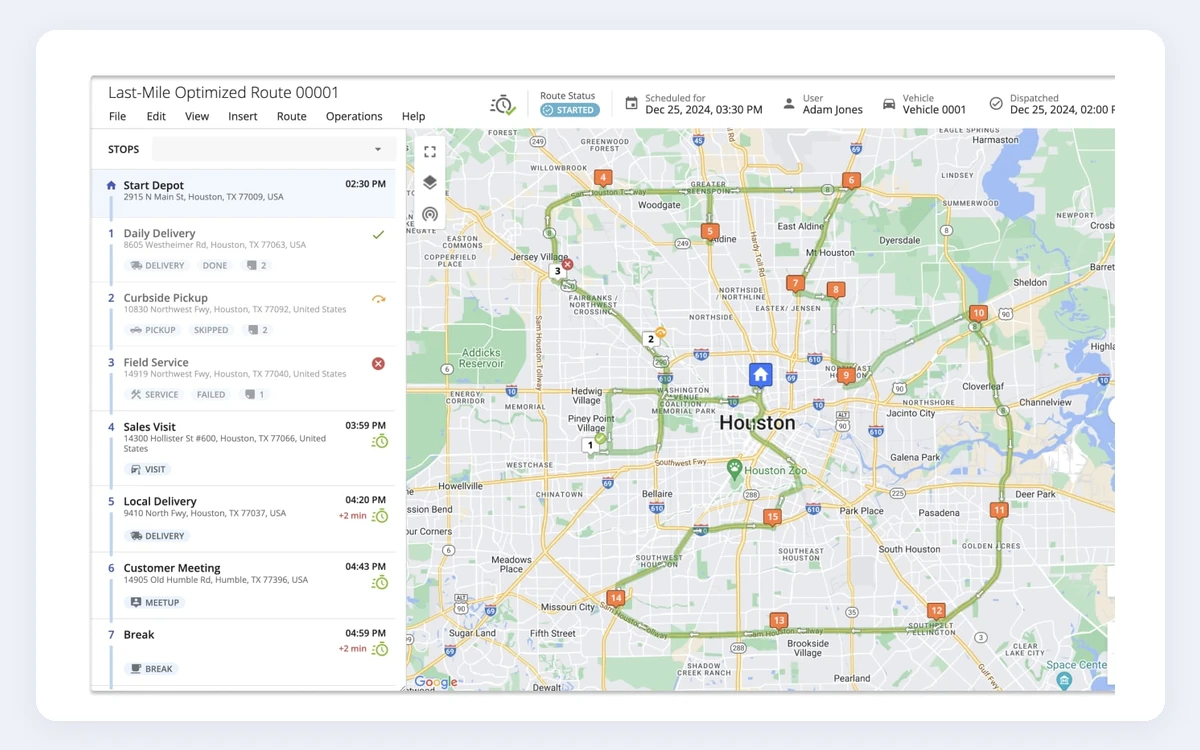
Route4Me is a general route planning and optimization platform, not landscaping software. It is sold in three packages: Route Optimization, Business Optimization and Enterprise Optimization. Its feature table lists dispatch, dynamic re-optimization, real-time GPS tracking, customer notifications and proof of service with e-signatures, photos, videos and notes. Recurring routing, which suits a weekly lawn list, is a paid add-on.
- Price: Not listed. Every package says “Contact us.”
- Free trial: Not listed on its pricing page.
- Limits: Optimizing across drivers, vehicles and facilities is on Business Optimization. Recurring routing is a paid add-on on every package.
Best suited for: landscapers with a CRM who want a general route planner for both seasons. Skip it if you want lawn or snow workflows built in.
9. Zentive, best for small lawn and landscape teams that want a low-cost all-in-one app
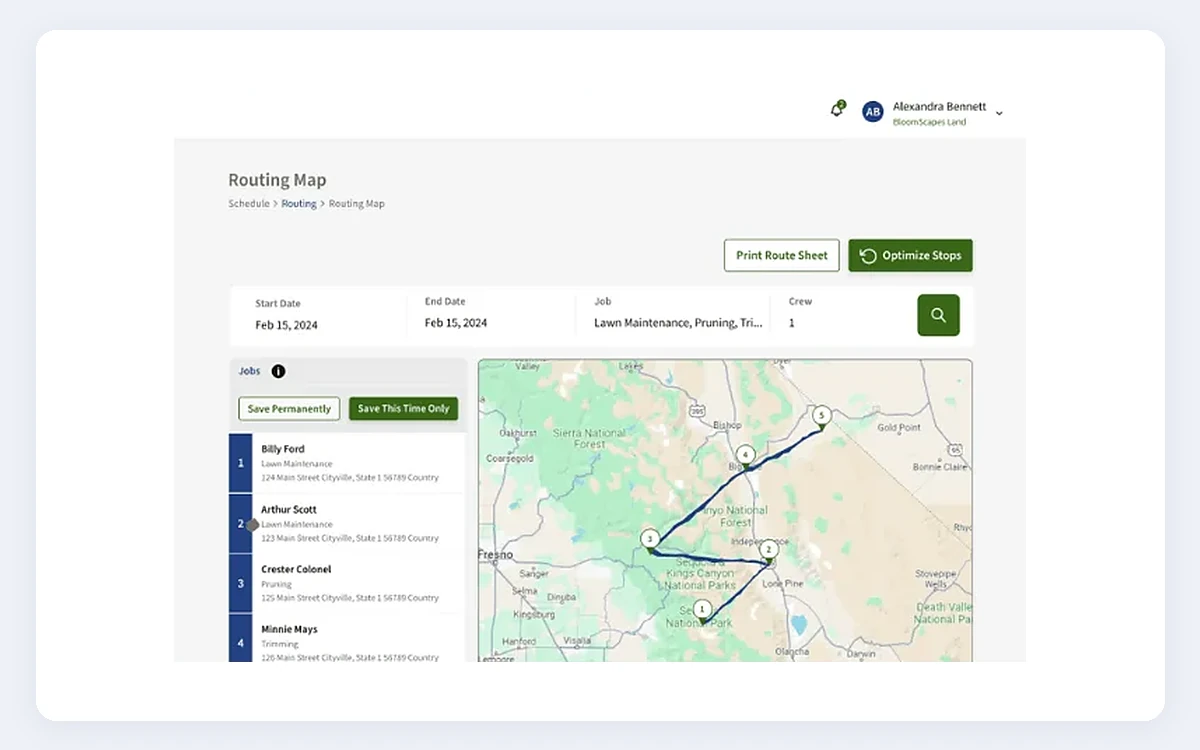
Zentive is field service software for landscaping, lawn care, tree care and snow removal companies. It covers scheduling, quotes, invoices, payments and a client portal. Route optimization builds daily routes for each crew, keeps routes inside service zones and, by Zentive’s own description, recalculates when jobs are added and pushes the change to the crew app. For snow, its page covers plowing, sidewalks, salting and hauling across drives, lots and HOA sites, and crews add photos, notes and time records to each visit.
- Price: Starter $51, Standard $95 and Growth Pro $175 a month billed annually, with 1, up to 5 and up to 15 users. Monthly billing costs more.
- Free trial: 14 days with full access, no credit card.
- Limits: Route planning first appears on Standard, not Starter, and Zentive says routing and GPS are on “eligible plans.” Its snow page does not claim weather triggers or automatic per-push or storm-rate calculations, so you enter agreed prices yourself.
Best suited for: lawn and landscape teams of 2 to 15 users who want quotes, invoices and crew routes in one low-cost app. Skip it if you need per-push billing worked out for you.
10. ArborGold, best for tree care and landscape companies adding snow contracts
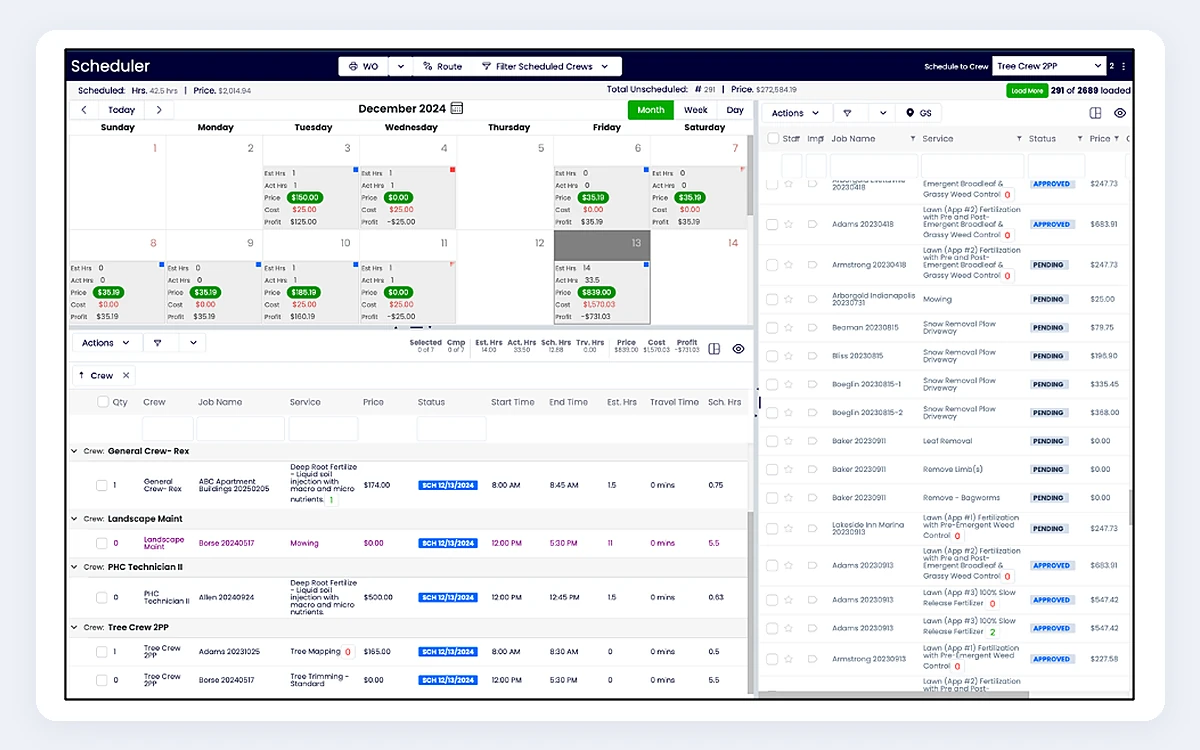
ArborGold is business management software for tree care, landscaping, lawn care and snow removal companies. Route optimization is listed on every plan from Starter, and its snow page describes crew routing with custom start locations and GPS crew tracking. The MobileCrew app shows work orders on an interactive map so crews can route their day, records each punch in and out on a map, and holds checklists and photos. For snow contracts, it lists an auto-price calculator and automated renewal estimates.
- Price: Starter $129, Professional $299 and Enterprise $499 a month with annual payment, or $149, $343 and $573 with monthly payments. Every plan needs a 12-month contract, and extra users cost more.
- Free trial: Not listed. ArborGold offers a demo and a product tour.
- Limits: The auto-price calculator and renewals are Professional features, not Starter. Contracts renew automatically and need 60 days’ notice to cancel.
Best suited for: tree care and landscape companies that want estimating, renewals and snow work in one system. Skip it if you want month-to-month terms or a self-serve trial.
What Happens When the First Storm Hits a Summer Route List?
Here is how one storm plays out against a summer route list, from the week before the season to the first spring mow. Each step shows what to check in a tool before winter, so a trial covers the moments that actually cost you time. The preseason snow route planning guide covers the setup in more detail.
| Step | What happens | What to check in the app |
| 1. Before the season | The mowing list becomes the snow list | Can you import the same spreadsheet and keep property notes? |
| 2. Set the order | Commercial lots and medical sites must clear first | Can priority stops go to the top of each route? |
| 3. The storm starts | Every truck needs its route at once | Do routes reach every driver’s phone in one dispatch? |
| 4. The plan changes | A lot drifts over or a truck goes down | Does the change reach the driver app without a call? |
| 5. Prove it | A client says the walk was never cleared | Is a photo, time and GPS record saved for that visit? |
| 6. Spring returns | Crews go back to weekly mows | Are the summer routes still saved and ready to reuse? |
Step 4 is the one to test hardest. A tool that only redraws the office map leaves drivers on the old route, so the dispatcher ends up phoning each truck anyway. During a trial, move one property to another truck mid-route and watch whether the driver’s phone updates on its own. If it does not, you are back to dispatching plow drivers by group text.
Summer drive times also stop holding. The FHWA’s snow and ice page says average arterial speeds drop 30 to 40% on snowy or slushy pavement. A route with 40 minutes of arterial driving in July takes about 57 to 67 minutes in a storm (40 ÷ 0.7 = 57; 40 ÷ 0.6 = 67). That is why snow routes need their own stop order and their own deadlines, even when the addresses match the lawn list.
See it in action
Turn your mowing list into storm routes.
Bring your summer customer list and watch Upper Crew build snow routes and push a mid-storm change to the driver app.
Snow Route Planning Software for Landscapers: Side-by-Side Comparison
This table puts the 10 snow route planning tools side by side on the facts that change a landscaper’s storm night: the routing plan, the price basis, changes after dispatch and proof per visit. Prices and features are as listed on each vendor’s site on Nov 23, 2026, and “Not listed” means the vendor’s site does not say.
| Tool | Type | Cheapest published price | Where routing sits | Lawn and snow routes in one tool | Changes after dispatch | Proof per visit | Free trial |
| Upper Crew | Routing and dispatch | $40 per user per month, yearly | Every plan; multi-truck from Professional | Yes; recurring routes and zones on Optimize | From Professional | Photos, signature, notes; GPS and time from Professional | 7 days, no card |
| Jobber | Field service suite | $29 per month, yearly (Core) | Connect, from $99 per month yearly | Yes | Push notifications to crews | Notes and photos on jobs | 14 days, no card |
| Service Autopilot | Field service suite | $49 per month plus sign-up fee | Pro, $199 per month | Yes; snow dispatch from Pro | Add or cancel jobs mid-storm | Timestamped before-and-after photos | Not listed |
| Yeti | Snow-first platform | $66.50 per month, yearly (1 to 25 sites) | Single plan | No; snow only | Live dispatch, real-time updates | GPS, required photos, geofences | Not listed |
| RealGreen | Lawn care suite | Not listed | All packages (Dynamic Routing) | Yes | Dynamic route updates for same-day changes | Timestamped, geotagged photos; signatures | Not listed |
| Aspire | Landscape business platform | Not listed | By day, route or workload | Yes | Changes shown in Crew Mobile | Geotagged clock-in, issue photos | Not listed |
| LMN | Landscape management suite | $297 per month plus onboarding fee | Every plan | Yes | Automatic updates to LMN Crew, per Granum’s snow page | Proof of service logs; GPS timestamps; photos on documents from Professional | Not listed |
| Route4Me | Route planner | Not listed | Multi-driver on Business Optimization | Yes; recurring routing is an add-on | Dynamic re-optimization listed; driver push not stated | E-signatures, photos, videos, notes | Not listed |
| Zentive | Lawn and landscape suite | $51 per month, yearly (Starter, 1 user) | Standard, $95 per month yearly | Yes | Live route changes pushed to the crew app | Photos, notes and time records | 14 days, no card |
| ArborGold | Tree and landscape suite | $129 per month, annual payment (Starter) | Every plan, from Starter | Yes | Not listed | Photos in the crew app; clock-ins shown on a map | Not listed |
Nine of the 10 tools run lawn and snow routes in one system. Among those, the plan where changes after dispatch and stamped proof start decides the real price, so compare the routing plan, not the headline plan. A cheap entry plan that leaves out routing, live updates or GPS-stamped photos will cost you more once the first storm arrives.
Which Snow Route Planning Tool Fits Your Landscaping Operation?
Find the row closest to your operation, then start with the tool in the third column. “What breaks the day” is the problem that usually sends landscapers shopping for snow route planning software, so match on that pain first and on truck count second. The fourth column is the fallback if the first pick misses one of your must-haves.
| Your operation | What breaks the day | Start with | Also look at |
| 2 to 15 trucks, lawn and snow, billing already works | Mid-storm changes sent by group text | Upper Crew | Route4Me |
| Small crew that wants quotes, invoices and routes in one app | Retyping jobs between apps | Jobber | Service Autopilot |
| Lawn and snow company billing per push | Counting pushes for invoices after the storm | Service Autopilot | RealGreen |
| Many commercial snow sites with subcontractors | Proving each sub visited each site | Yeti | Aspire |
| Lawn treatment company with 3 or more crews | Weather pushing visits into loose work | RealGreen | Service Autopilot |
| Commercial landscape firm over $1 million in revenue | Job costing across crews and events | Aspire | LMN |
| Landscape company that bills salt per event | Salt use missing from the invoice | LMN | Service Autopilot |
| 2 to 5 users on a tight budget who want quotes and routes together | Paying for a big suite to get routing | Zentive | Jobber |
| Tree care and landscape company adding snow contracts | Renewing seasonal snow contracts by hand | ArborGold | Aspire |
Choose by how often the plan changes after dispatch, not by truck count. Four trucks serving medical lots can face a harder storm night than twelve trucks on fixed driveways. Read the “Start with” column as a shortlist for a free trial or demo, not a final verdict, and check each pick against your own property list and your worst storm from last winter.
How Do You Test Snow Route Planning Software Before the First Storm?
Test any tool on your own list and your worst storm. Load the spreadsheet you mow from, then build snow routes with the lots that must clear first, as in how to build snow removal routes. Dispatch routes to two phones, then change the plan the way last winter did. If your list is short and rarely changes, a spreadsheet may still be enough; Upper compares the two in snow route optimization vs spreadsheets. Check four things on the driver’s phone:
- Did the change arrive without a phone call?
- Did the property keep its notes and gate codes?
- Did the photo save with the time and location?
- Can the office see which properties are still open?
Before a demo, know your storm-night truck count, your deadline lots and your billing system. Those answers decide both the tool and the plan. You can run this exact test in Upper Crew during a free trial with no credit card. For a full season budget, see how much snow removal route software costs, and for claim-ready records, compare the best snow removal proof of service apps.
Plan Your First Storm Route Before the Snow Arrives
The right snow route planning software for landscapers is the one that keeps working after the trucks leave the yard. Your customer list is already built from summer. What changes in winter is the order, the deadlines and how often the plan moves mid-shift, so test that before you compare feature lists or prices.
If billing and quotes already work in your CRM, start with routing. Upper Crew turns the list you mow from into snow routes, puts priority lots first and, from Professional, sends storm-night changes to each driver’s phone with GPS-stamped photo proof at every stop. Load your spreadsheet, build one storm route and send it to two phones before the first snowfall.

See it in action
Build your first storm route from your mowing list
Bring the customer list you mow from. We will show how Upper Crew puts priority lots first, sends mid-storm changes to each driver and saves GPS-stamped photo proof at every stop.

Frequently Asked Questions
Upper Crew is the best fit for landscapers who run lawn and snow routes from one customer list, with route changes after dispatch from the Professional plan. Jobber is better if you want quoting and invoicing in the same app, and Service Autopilot is better for per-push billing.
Yes, nine of the 10 tools here plan lawn and snow routes in one system; Yeti is the snow-only exception. In Upper Crew, recurring routes for weekly lawn visits are on the Optimize plan.
Import the summer customer list, mark priority lots and optimize the stop order before the season. During a storm, the dispatcher sends route changes to drivers’ phones, and drivers record a photo at each stop. The snow plow route optimization guide walks through each step.
Upper Crew starts at $40 per user per month billed yearly, so a 6-truck crew plus one office user on Professional pays 7 × $48 = $336 a month. Among flat-priced tools, the cheapest published plan with routing ranges from $66.50 a month (Yeti, 1 to 25 sites, billed yearly) to $297 a month (LMN Starter, plus an onboarding fee). RealGreen, Aspire and Route4Me quote on request.
No, Upper Crew plans, dispatches and tracks routes and records proof of service at each stop. Service Autopilot and RealGreen handle per-push billing, and LMN tracks salt applications.
Yes, Upper Crew plans and tracks routes while your quotes and invoices stay in your CRM. Its Zapier connector, on the Optimize plan, links it to other apps without code.
In a routing tool, it is mostly a re-ordering job: import the same list, flag priority lots and save the snow routes before the first storm. Run one test storm with two drivers during a free trial, and keep the summer routes saved so spring starts from a finished plan.
No, one route planner can cover both seasons if it handles storm changes and proof per stop. A snow-first platform like Yeti makes sense once snow becomes most of your revenue and subcontractors do much of the work.


