Table of Contents
- What Is Dispatch and Delivery Automation?
- How Does Automating Dispatch and Delivery Improve Operations?
- How to Automate Dispatch and Delivery in 6 Steps
- What Are the Biggest Challenges With Dispatch and Delivery Automation?
- When Dispatch Automation May Not Be the Right Fit
- How Do You Get the Most From Dispatch and Delivery Automation?
- What to Look for in Dispatch and Delivery Automation Software
- Automate Your Dispatch and Delivery Workflow With Upper
- Frequently Asked Questions
Managing dispatch and delivery manually becomes harder as order volumes grow. Dispatchers spend hours assigning drivers, planning routes, updating customers, and handling last-minute changes.
These repetitive tasks slow down operations, increase delivery costs, and leave more room for human error.
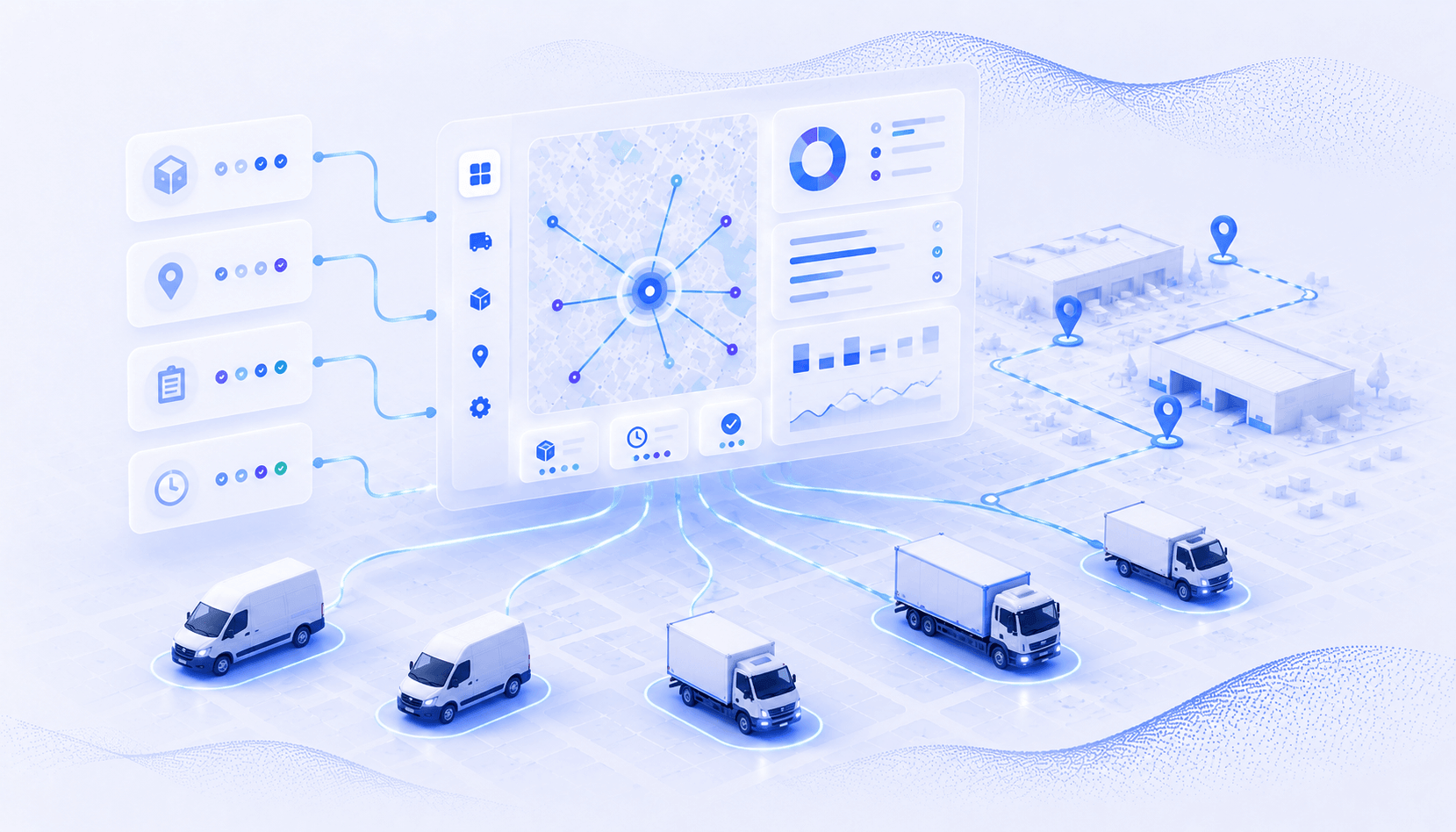
Automating dispatch and delivery replaces manual work with software that assigns drivers, optimizes routes, tracks deliveries in real time, and keeps customers informed through automatic notifications.
An automated delivery dispatch software helps businesses complete more deliveries, reduce delays, and give dispatch teams more time to focus on exceptions instead of routine tasks.
In this guide, you’ll learn what dispatch and delivery automation covers, how it works, and the measurable benefits it can bring to your operations. Explore the step-by-step implementation framework, common automation challenges, practical solutions to overcome them, and the key factors to consider when choosing a dispatch automation platform.
What Is Dispatch and Delivery Automation?
Dispatch and delivery automation is software that manages the full delivery workflow. It covers route optimization, driver assignment, real-time tracking, proof of delivery, and customer notifications, all without manual coordination at each step.
Think of it as the operational layer between your order intake and a confirmed, documented delivery.
This is different from basic route planning, which only optimizes stop order. It’s also distinct from enterprise TMS platforms built for complex supply chains. Dispatch and delivery automation sits in the middle.
How Dispatch and Delivery Automation Works
The core automation loop follows this sequence:
- Import stops from spreadsheets, order systems, or manual entry
- Optimize routes using algorithms that factor in traffic, time windows, and vehicle capacity
- Assign to drivers through a centralized dashboard with one-click dispatch
- Track progress via real-time GPS on a live map
- Capture proof of delivery with photos, signatures, and timestamped notes
- Notify customers with automated SMS or email updates at key milestones
- Analyze performance using route efficiency and driver productivity metrics
The key inputs are stop lists, driver availability, vehicle capacity, time windows, and service priorities. The key outputs are optimized assignments, real-time visibility, delivery confirmation records, and performance data.
With that foundation in place, here’s what dispatch and delivery automation delivers in measurable operational outcomes.
How Does Automating Dispatch and Delivery Improve Operations?
Manual dispatch processes create bottlenecks that compound across every driver, every route, and every day. Delivery automation eliminates these bottlenecks systematically. Here are six measurable improvements operations see after automating dispatch and delivery.
1. Reduces Route Planning Time From Hours to Minutes
Manual planning for a 10-driver team takes 2-3 hours daily. That’s a dispatcher plotting stops on a map, guessing at the best order, and dividing work based on gut feel.
Automated optimization processes hundreds of stops in under a minute. It factors in variables no human can juggle at once.
2. Cuts Fuel Costs by Optimizing Every Mile Driven
Unoptimized routes waste 20-40% in extra mileage. Drivers zigzag across zones, backtrack through areas they already passed, and take longer paths between stops. Fuel costs are one of the highest operating costs for delivery fleets.
Optimization algorithms cut total distance by analyzing traffic, stop proximity, and delivery windows. Fuel savings of 25-40% are common, and they add up across every driver, every day.
3. Increases Delivery Capacity Without Adding Drivers
Better stop sequencing and workload balancing mean more stops completed per driver per shift. Operations using route optimization report 15-25% more completed deliveries with the same team.
That’s the difference between hiring two more drivers and getting more from the ones you already have. When volume grows, automation handles it; the default doesn’t have to be “add a driver.”
4. Eliminates Manual Coordination Between Dispatch and Drivers
No more phone calls to assign routes. No text chains to relay changes. No morning whiteboard sessions to divide stops. With AI dispatch, drivers get their routes on a mobile app with navigation, stop details, and customer notes.
Changes push instantly without a single call. The coordination that used to eat 60-70% of a dispatcher’s day now happens on its own.
5. Creates a Digital Record for Every Delivery
Photos, digital signatures, and timestamped notes replace paper logs and verbal confirmations. When a customer claims they never got a package, you have geotagged proof. The dispute resolves in seconds, not days. This audit trail protects your business and satisfies compliance needs.
6. Reduces Customer Service Calls With Automated Updates
Automated SMS and email notifications replace “where’s my delivery?” calls. Customers get updates at key milestones: dispatched, en route, arriving, and delivered. The result? Up to 80% fewer inbound status calls.
How Dispatch Automation Stacks Up: Before and After
| Metric | Manual Dispatch | Basic Route Planner | Full Dispatch Automation |
|---|---|---|---|
| Daily planning time | 2-3 hours | 45-60 minutes | Under 5 minutes |
| Miles per stop | 8-12 miles | 5-8 miles | 3-6 miles |
| On-time delivery rate | 70-80% | 80-88% | 92-98% |
| Fuel cost per route | $80-120 | $55-80 | $40-60 |
| Dispatcher calls per day | 25-40 calls | 10-20 calls | 2-5 calls |
| Delivery dispute rate | 8-12% | 5-8% | 1-3% |
Note: Ranges reflect urban/suburban delivery operations, 5-50 drivers. Actual results vary by stop density, geography, and operational complexity.
These benefits compound. A delivery operation automating dispatch and delivery doesn’t save time in just one area. It creates a system where every improvement feeds the next. The question is how to implement it. Here’s the step-by-step framework.

See it in action
Dispatch Optimized Routes to Your Team in One Click
Upper assigns routes to all drivers simultaneously from a centralized dashboard. No phone calls, no morning meetings.

How to Automate Dispatch and Delivery in 6 Steps
Automating your dispatch and delivery workflow isn’t a single software purchase. It’s a transformation that happens in phases.
The following framework takes you from manual coordination to a fully automated dispatch-to-delivery loop, starting with the foundation and building toward real-time optimization.
Before You Start: Quick Readiness Check
Before diving into the steps, assess whether your operation is ready for dispatch automation:
- Are your delivery addresses stored in digital format (spreadsheets, order systems)?
- Do you run 3 or more drivers daily with enough volume to justify automation?
- What tools are you currently using, and what will you replace?
- Are your drivers comfortable using mobile apps for navigation?
- Does management support the transition with time for training and adjustment?
- Do you have baseline metrics (planning time, fuel costs, on-time rates) to measure against?
If you answered yes to most of these, you’re ready to start. If not, focus on the gaps first, then return to this framework.
Step 1: Centralize Your Stop Data in One System
1.1 Replace Scattered Inputs With a Single Import
Stop lists often live in spreadsheets, emails, order systems, and handwritten notes. Your first step is getting all addresses into one platform.
Most tools accept CSV or Excel imports, so you can upload hundreds of stops in seconds. If you’re moving from Excel dispatch to AI dispatch, this is where the shift starts.
Address validation runs automatically. It catches errors, flags duplicates, and verifies geocoding before your drivers hit the road.
1.2 Set Constraints and Priorities Upfront
Assign time windows, package sizes, service priorities, and special instructions to each stop. Define driver availability, shift times, and vehicle capacity constraints.
These inputs feed the optimization engine directly. Better inputs produce better routes, so investing 10-15 minutes in accurate constraints saves hours of inefficiency later.
Step 2: Automate Route Optimization Across Your Team
2.1 Let Algorithms Handle Stop Sequencing
Route optimization software analyzes traffic, delivery windows, stop density, and vehicle capacity all at once. It builds the best route for each driver in seconds.
A human planner can’t match this across multiple drivers with dozens of variables. Consider the math: a 10-driver operation with 200 stops has millions of possible route combinations.
2.2 Balance Workloads Across Drivers
Automated distribution through capacity-aware auto-assignment ensures no driver is overloaded while others run light routes.
The system factors in driver skill level, vehicle type, and service area familiarity. Even distribution improves morale, reduces overtime, and increases on-time delivery rates across the board.
Step 3: Dispatch Routes to Drivers Instantly
3.1 One-Click Assignment Replaces Morning Meetings
Assign optimized routes to all drivers simultaneously from a centralized dashboard. Each driver receives their route on a mobile app with stop details, turn-by-turn navigation, and customer notes. No more printing route sheets, making phone calls, or sending group texts.
3.2 Handle Day-of Changes Without Disrupting Operations
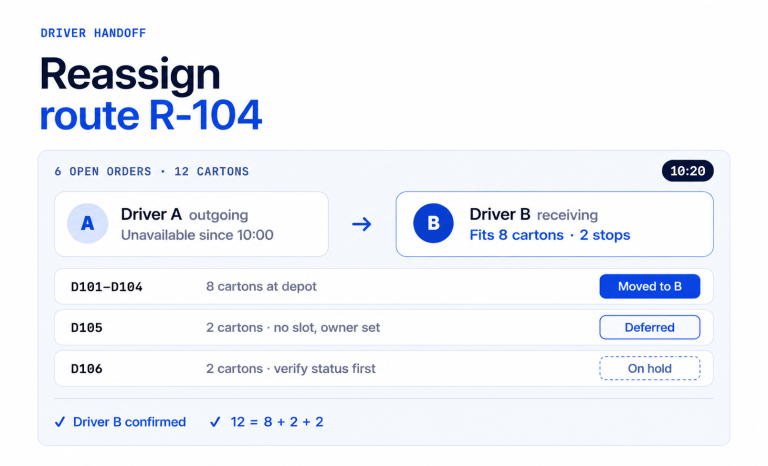
Last-minute additions, cancellations, and priority changes are pushed to drivers in real time. Re-optimization adjusts the remaining stop sequence without requiring manual re-planning. Dispatchers manage exceptions, not routine assignments.
Step 4: Track Driver Progress in Real Time
4.1 GPS Visibility Replaces Status Check Calls
A live map shows every driver’s location, route progress, and ETAs. You can see which stops are done, in progress, or coming up. No phone calls needed.
This kind of hardware-less fleet tracking runs through the driver’s smartphone. Delays show up early, so you can reroute before missed windows pile up.
4.2 Monitor Operational Metrics as They Happen
Track on-time rates, stops per hour, and route adherence in real time. Spot patterns as they develop: which routes consistently run late, which drivers complete stops fastest, which zones have the tightest margins. Data-driven decisions replace gut-feel dispatching.
Step 5: Automate Proof of Delivery and Customer Notifications
5.1 Capture Digital Proof at Every Stop
Drivers collect photos, signatures, and delivery notes through their mobile app at each stop. Every record is automatically timestamped and geotagged, creating a digital evidence trail. This eliminates paper-based logs and the “the driver said they delivered it” disputes that cost time and money.
5.2 Send Automated Status Updates to Customers
Trigger SMS or email notifications at key milestones: route started, driver approaching, delivery completed. Include real-time ETAs so customers know exactly when to expect their delivery.
This reduces inbound “where’s my delivery?” calls and improves customer satisfaction without any manual effort from your dispatch team.
Step 6: Analyze Performance and Optimize Continuously
6.1 Review Route Efficiency Metrics Weekly
Track miles per stop, time per delivery, fuel cost per route, and on-time delivery rates. Compare driver performance across consistent metrics. Identify which routes, zones, or time windows need adjustment. Weekly reviews catch inefficiencies before they become habits.
6.2 Use Data to Refine Your Automation Rules
Adjust vehicle capacity settings, time window buffers, and driver assignment rules based on actual performance data. Automation improves over time as your operational dataset grows. Set quarterly reviews to recalibrate constraints and priorities based on what the numbers show.
Typical Implementation Timeline
| Phase | Timeline | What to Expect |
|---|---|---|
| Account setup and data import | Day 1 | Upload stop list, add drivers, configure vehicle types |
| Pilot routes with 2-3 drivers | Day 2-3 | Test optimization, gather driver feedback, adjust settings |
| Full team rollout | Week 1 | All drivers using the mobile app, routes dispatched daily |
| Optimization and tuning | Week 2-4 | Refine time windows, capacity settings, zone boundaries |
| Ongoing refinement | Month 2+ | Weekly analytics reviews, quarterly constraint recalibration |
These six steps build on each other. Start with data centralization, add optimization, then layer on tracking and confirmation. Each step reduces manual work and creates operational data that makes the next step more effective.
But implementation isn’t without obstacles. Here are the most common challenges and how to handle them.
See it in action
Stop Managing Deliveries Manually. Dispatch Smarter with Upper.
Assign drivers, optimize routes, and track deliveries from one platform. Reduce manual dispatch work and keep your operations running smoothly.
What Are the Biggest Challenges With Dispatch and Delivery Automation?
Automating dispatch software transforms operations by improving efficiency and reducing manual work, but the transition isn’t always frictionless. Most implementation challenges fall into four categories: people, process, data, and technology. Here’s what to expect and how to handle each one.
Challenge #1: Driver Resistance to New Technology
The Problem
Many drivers are set in their ways. They know their routes and may see a new app as an unnecessary oversight. GPS tracking and performance monitoring concerns add to the pushback. A poor rollout can lead to drivers ignoring the app and going back to old habits.
How to Fix This
Start with the driver benefit: the app eliminates confusion about the stop order and provides turn-by-turn navigation, so they spend less time figuring out where to go next. Involve 2-3 receptive drivers in the pilot phase and incorporate their feedback on usability.
Most drivers prefer the app within the first week because it reduces guesswork and backtracking.
Challenge #2: Messy or Incomplete Stop Data
The Problem
Addresses come from everywhere: emails, phone orders, handwritten notes. Formatting is all over the place. Missing apartment numbers, wrong zip codes, and duplicates lead to failed deliveries. Algorithms can’t fix bad data. Garbage in, garbage out.
How to Fix This
Use a platform with built-in address validation and duplicate detection during import. Standardize your input process with one spreadsheet template and one import method.
Clean your existing address database before going live with automation. This single step prevents the majority of failed delivery attempts.
Challenge #3: Handling Exceptions and Last-Minute Changes
The Problem
Real delivery operations face rush orders, cancellations, and priority changes daily. Rigid automation systems break when plans change mid-route. Dispatchers often fear losing the flexibility that manual coordination provides, where they can call a driver and redirect on the fly.
How to Fix This
Choose a platform that supports real-time re-optimization and mid-route adjustments. Build buffer time into routes (10-15% padding) for inevitable disruptions.
Automation handles the routine 80% of assignments, which frees dispatchers to manage the exceptional 20% with full attention.
Challenge #4: Measuring ROI During the Transition Period
The Problem
Leadership wants results fast. But the first 2-4 weeks involve learning curves and process changes. Comparing before and after requires baseline data that most operations don’t have. Partial adoption (some drivers on, some off) skews the numbers. For the full financial case, see this breakdown of dispatch automation ROI.
How to Fix This
Capture baseline metrics before launch: planning time, miles per stop, on-time rate, and fuel spend. Set a 30-day window and commit to full team adoption during that period. Track leading indicators like planning time saved and calls eliminated.
These show results within the first week, well before lagging metrics like fuel costs catch up.
Every one of these challenges is solvable with the right preparation and platform. The operations that succeed treat automation as a process improvement project, not just a software installation.
When Dispatch Automation May Not Be the Right Fit
Full dispatch automation isn’t the right move for every operation. If you run fewer than three drivers, the overhead of a full automation platform may not justify the time savings. Start with a free route planner and scale up when volume grows.
If your daily stop counts swing wildly (5 stops one day, 200 the next), stabilize your operations first. Build consistent processes before adding automation on top. And if your stop data lives in handwritten notes or verbal orders, digitize those records first. Without clean digital data, automation tools have nothing to work with.
For operations that aren’t ready yet, start with Upper’s free route planner for up to 20 stops. Standardize your data, build baseline metrics, then graduate to full dispatch automation when the foundation is solid.
For operations that do meet these thresholds, the next step is making sure you get the most from your automation investment.
How Do You Get the Most From Dispatch and Delivery Automation?
The technology handles optimization and coordination. But your habits determine whether you capture 50% or 100% of the gains. These six practices separate teams that keep improving from ones that plateau early.
1. Standardize Your Data Input Process Before You Automate
Create one template for stop imports with required fields: address, time window, package details, and priority level.
Eliminate multiple input sources (emails, texts, verbal orders) by routing everything through your platform. Data quality is the single biggest predictor of automation success.
2. Run a Pilot With Your Most Receptive Drivers First
Select 2-3 tech-comfortable drivers for the initial rollout. Let them work through early friction before the full team onboards.
Their positive experience becomes social proof for skeptical drivers. If your best drivers endorse the app, adoption resistance drops significantly.
3. Set Time Window Buffers for Realistic Scheduling
Build a 10-15% buffer into delivery windows to account for parking, customer interaction, and loading.
Overly tight time windows trigger unnecessary “late” flags and frustrate drivers. Adjust buffers quarterly based on actual service time data from your analytics dashboard.
4. Review Route Analytics Weekly, Not Monthly
Weekly reviews catch inefficiencies before they become habits. Track average stops per driver, miles per stop, on-time rate, and total planning time.
With Upper, the analytics dashboard breaks this down by driver, route, and time period, making it easy to spot where efficiency is leaking.
5. Automate Customer Communication From Day One
Don’t phase in notifications later. Start with automated ETAs and delivery confirmations immediately.
The reduction in “where’s my delivery?” calls is one of the fastest ROI wins. Customers expect delivery updates, and automation delivers them without any dispatcher effort.
6. Keep Dispatchers Focused on Exceptions, Not Routine Assignments
Automation handles routine stop assignment and route building. Free your dispatchers to manage rush orders, customer escalations, and driver issues.
This shift turns dispatchers from data entry operators into operations managers, which is a better use of their experience and judgment.
How Automation Applies Across Industries
- Courier and package delivery: High stop counts with speed priority. Optimization focuses on stop density and sequencing. Barcode scanning adds package-level verification at each stop.
- Food delivery: Tight time windows and temperature sensitivity. Optimization prioritizes delivery windows and minimizes total route time to keep perishables fresh.
- Field service: Appointment-based scheduling with skill matching. Optimization factors in technician qualifications, appointment windows, and equipment needs. Learn more about auto dispatch for field service operations.
- Waste management: Recurring routes with capacity constraints. Optimization handles weekly schedules, truck capacity limits, and zone-based service territories.
These practices apply whether you’re automating a 5-driver operation or a 50-driver team. The common thread is treating automation as an ongoing operational discipline, not a one-time setup. The next question is which tools actually deliver on this promise.
See it in action
Turn Your Dispatch Process Into an Automated Workflow
Simplify scheduling, dispatching, and route optimization with Upper. Give your team the tools to plan faster and deliver smarter.
What to Look for in Dispatch and Delivery Automation Software
Not every dispatch tool covers the full workflow. Many handle routing but skip proof of delivery. Others track drivers but don’t optimize routes. Here’s what matters when choosing a platform for the complete dispatch-to-delivery loop.
1. Route Optimization That Handles Real Constraints
You need multi-stop, multi-driver optimization with time windows, vehicle capacity, and driver availability. Traffic-aware routing is essential. So is the ability to re-optimize mid-route when plans change.
2. One-Click Dispatch With Driver Mobile App
You should be able to assign routes to all drivers at once from one dashboard. The driver app needs stop details, built-in navigation, and delivery instructions. Changes should push in real time. No calls needed. Explore what a full AI dispatcher software platform looks like.
3. GPS Tracking Without Hardware Installation
Software-based live GPS driver tracking through the driver’s mobile app eliminates the need for OBD-II devices or fleet hardware. Look for a live map with route progress, stop status, ETA updates, route deviation alerts, and idle time monitoring.
4. Built-In Proof of Delivery
Your platform should capture photos, digital signatures, and notes at each stop. Automatic timestamps and geotags create a record for every delivery. A searchable history makes dispute resolution fast and compliance audits simple.
5. Automated Customer Notifications
SMS and email triggers at key delivery milestones keep customers informed without dispatcher involvement. Look for real-time ETA updates and customizable message templates for different notification types (dispatched, en route, delivered).
6. Analytics and Performance Reporting
Route efficiency metrics (miles per stop, time per delivery, fuel cost per route), driver performance dashboards, and exportable reports are essential for continuous improvement. Without analytics, you’re automating without learning.
What to Budget
Most SMB-focused platforms charge $30-70 per user per month. Some charge per task or per order instead. Before committing, check what’s included in the base plan. GPS tracking, proof of delivery, and customer notifications are sometimes locked behind higher tiers.
A platform that checks all six boxes automates the complete dispatch-to-delivery cycle. Operations that settle for partial solutions end up plugging gaps with manual processes, which defeats the purpose of automation.
Automate Your Dispatch and Delivery Workflow With Upper
Automating dispatch and delivery eliminates the manual coordination that drains time, inflates costs, and limits delivery capacity. The 6-step framework covered in this guide, from data centralization through performance analytics, transforms reactive operations into data-driven systems that scale.
Upper Route Planner automates the complete dispatch-to-delivery loop in one platform. Import stops from spreadsheets, optimize routes for your entire team, dispatch with one click, track drivers in real time, and capture proof of delivery at every stop. No switching between disconnected tools, no hardware to install, no complex IT integrations.
For delivery operations running 5-50 drivers, Upper replaces the patchwork of spreadsheets, phone calls, and disconnected apps with a single workflow. Route optimization handles multi-stop, multi-driver planning in under a minute.
Book a demo to see how Upper automates your dispatch and delivery operations from route planning to delivery confirmation.
Frequently Asked Questions
Automated dispatch software uses algorithms to assign stops based on driver availability, location, vehicle capacity, delivery time windows, and workload balance. The system distributes work evenly across your team and sends optimized routes to each driver’s mobile app with one click from the dispatch dashboard.
Yes. Small teams with 5-15 drivers often see the largest relative impact because every inefficiency has an outsized effect on a smaller operation. The time savings on route planning alone typically cover the software cost within the first week, and fuel savings compound from day one.
Most delivery operations are running optimized, dispatched routes within 1-3 days. You upload stops from a spreadsheet, add your drivers, configure vehicle types, and start optimizing. No complex IT integration or lengthy onboarding is required for most SMB-focused platforms.
At a minimum, you need delivery addresses in digital format, a driver list, and vehicle types. For better optimization results, include time windows per stop, package sizes or weights, driver availability schedules, and historical delivery data. The more constraints you define upfront, the more accurate your optimized routes will be.
No. Automation handles routine assignment and coordination so dispatchers can focus on exceptions, customer escalations, and strategic decisions. The role shifts from manual data entry and phone-based coordination to operations management. Most dispatchers find the work more meaningful when they’re solving real problems instead of plotting routes.
Most operations see measurable ROI within the first 30 days. The fastest returns come from planning time savings (hours recovered daily), fuel cost reduction (25-40%), and increased delivery capacity (15-25% more stops per driver). Track leading indicators like calls eliminated and hours saved for early proof points.
Yes. Platforms with real-time re-optimization can inject rush orders into active routes and recalculate the remaining stop sequence on the fly. The key is choosing software that supports mid-route adjustments, not just pre-planned optimization. Look for dynamic re-routing capabilities in your evaluation.
No. Software-based dispatch platforms use the driver’s smartphone for GPS tracking, navigation, and proof of delivery capture. You don’t need OBD-II devices, dash cams, or any fleet hardware for core dispatch automation. The driver app handles tracking, routing, and POD in one place.
Platforms with GPS tracking and route deviation alerts notify dispatchers when a driver leaves the optimized route. This provides accountability without micromanaging. The dispatcher sees the deviation in real time and can follow up if needed, whether the driver took a shortcut or missed a turn.
Most modern platforms are designed for minimal training. Drivers learn the mobile app in under an hour (open the app, see stops, tap to navigate, capture proof of delivery). Dispatchers typically onboard to the dashboard within a day. Start with a pilot group of 2-3 receptive drivers, let them get comfortable, then expand to the full team with their endorsement.