

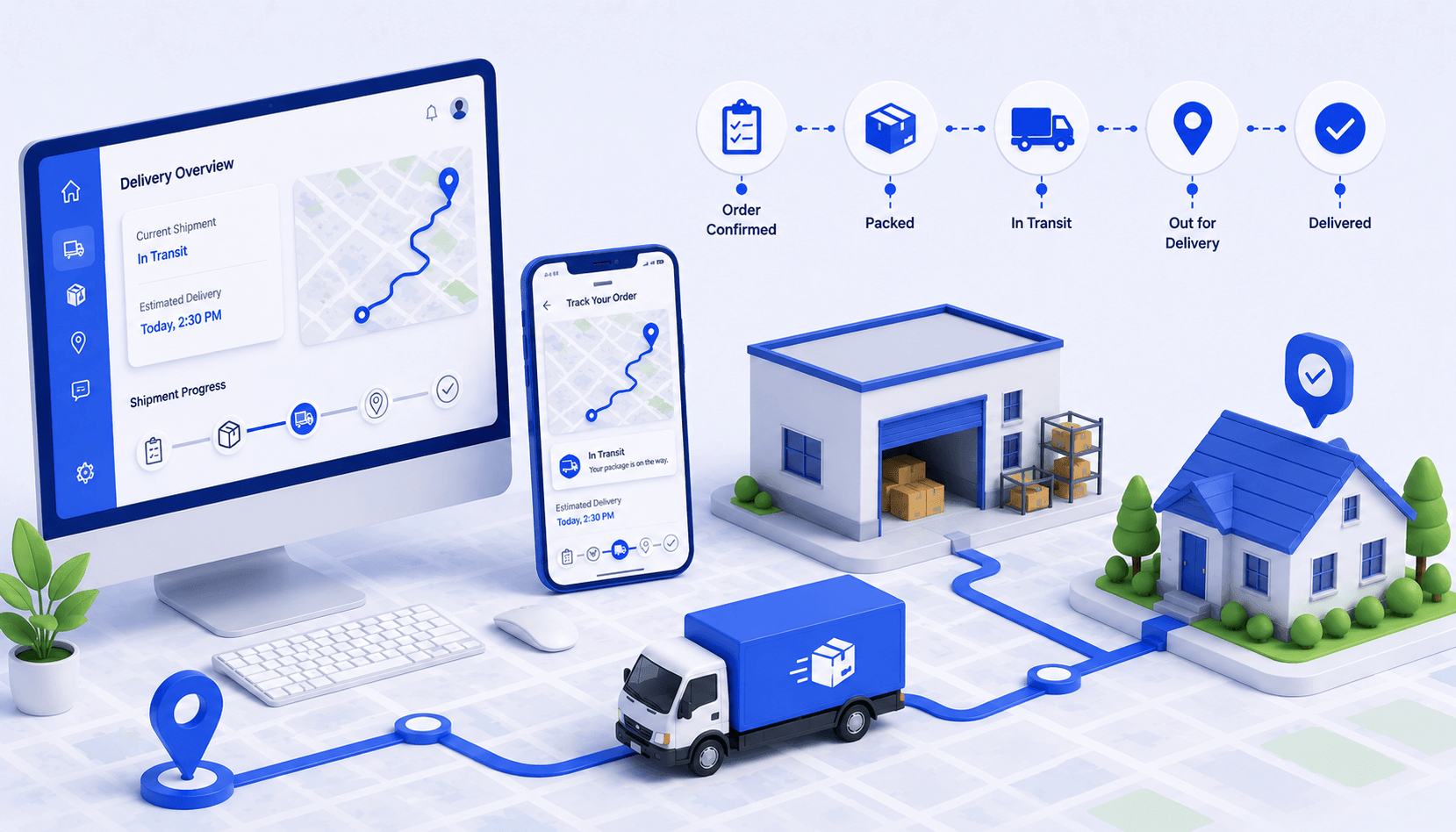
- Freeze accepted work by cutoff and timezone before assigning routes or resources.
- Translate customer requests into explicit boundary events, windows, and change authority.
- Confirm driver, vehicle, equipment, capacity, and break feasibility before release.
- Release one current schedule pack and route live changes through thresholds and ownership.
- Close every work item and compare planned versus actual events without shrinking the denominator.
Delivery scheduling is the daily process that turns accepted orders or jobs into one controlled execution plan. It determines what is due, which promises apply, who and what can perform the work, how stops are grouped and ordered, when the plan becomes current, and what happens when reality differs from the schedule.
The schedule must be more precise than a calendar entry. Google’s time-window documentation distinguishes global operating bounds, shipment visit windows, and vehicle start and end windows. That model illustrates why a promised window, a resource shift, and a route boundary cannot be treated as one generic time field.
This guide gives you an accepted-work register, promise gate, availability board, assignment ledger, release pack, day-of exception protocol, closeout queue, and denominator-safe scorecard. Each artifact has an owner and failure state, so missing data and unassigned work remain visible instead of disappearing inside a new route version.
No scheduling method guarantees faster planning, lower costs, more stops, better on-time performance, or fewer customer calls in every operation. Geography, service work, access, demand, commitments, vehicle and driver rules, data quality, and unexpected events set real limits. Compare methods on the same accepted work and preserve every held, failed, canceled, returned, and open item.
I have spent years at Upper watching delivery schedules break at the handoff rather than at the routing step. This playbook is built around those seams.
What Is Delivery Scheduling?
Delivery scheduling is the controlled daily workflow that assigns accepted delivery work to eligible resources, places it on a feasible route timeline, releases one current instruction set, and reconciles every work item at closeout.
A usable schedule connects the commercial promise to field execution. It records the population, customer and service requirements, resource availability, route and sequence, planned events, current version, release authority, live changes, and final work state. A list of addresses lacks most of these controls.
| Layer | Core question | Artifact |
| Intake | What work is accepted for this scheduling cycle? | Accepted-work register |
| Promise | What date, window, boundary event, and policy apply? | Promise register |
| Resources | Who and what can legally and operationally perform it? | Availability board |
| Plan | Which assignment, sequence, and timeline are feasible? | Assignment and route ledger |
| Release | Which version is current and executable? | Schedule release pack |
| Execution and closeout | What changed, happened, failed, and remains open? | Exception and closeout ledger |
Where Does Delivery Scheduling Start and End?
It starts when an authorized source places work into the scheduling population and ends when each item has an approved terminal or next state. The route itself is only one part. Work can remain held, rejected, canceled, failed, returned, rescheduled, or open, and those states must survive every schedule version.
How Is Delivery Scheduling Different From Schedule Optimization?
Delivery scheduling is the operating workflow your team executes. Schedule optimization is a method for comparing feasible candidates against an objective and constraints. You can schedule without a mathematical optimizer, but you still need population, promise, resource, release, exception, and closeout controls.
The first control is deciding exactly which work belongs in the cycle.
How Do You Collect Work for a Delivery Schedule?
Collect work in one accepted-work register with a stable identifier, source, cutoff, timezone, service requirement, customer commitment, data owner, and explicit state for missing or late information.
Freeze a version before planning. Continue to capture late additions, but do not silently insert them into the original population. A separate late-work queue lets the authorized owner decide whether to accept, hold, schedule later, or change an existing commitment.
| Field | Required content | Failure path |
| Work identity | Unique stop or job ID, order or service source | Repair duplicates and missing IDs |
| Cycle membership | Cutoff, timezone, due date, accepted state | Hold late or unauthorized work |
| Location and access | Validated point, entrance, restrictions, contact | Return for correction or approved fallback |
| Service | Work type, duration basis, handling, proof | Use permitted default or hold |
| Load | Quantity, unit, compatibility, transitions | Change resource, split if allowed, or hold |
| Ownership | Data owner, promise owner, scheduling owner | Escalate missing authority |
What Should You Do With Duplicate or Conflicting Records?
Quarantine them until an owner resolves identity and precedence. Retain both source records, the decision, and the surviving value. Do not merge customers, addresses, quantities, windows, or proof instructions from appearance alone.
How Should Late Orders Enter the Schedule?
Use a late-work request with request time, source, customer impact, priority basis, required resource, deadline, affected commitments, and approving owner. Only an approved request can create a new schedule version. If it is declined or deferred, preserve that state.
A clean intake register is necessary, but it does not yet define what was promised.
How Do You Turn Customer Requests Into Delivery Promises?
Convert each request into a clear boundary event, date or window, timezone, early-arrival rule, service and access requirements, change authority, and communication record.
A window can govern arrival, service start, or completion. State which one. Also state whether the endpoints are inclusive, whether waiting is allowed, when a commitment becomes fixed, and what an approved reschedule requires. The scheduling team should not reinterpret a commercial promise to make the route fit.
| Promise element | Definition to record | Owner decision |
| Boundary event | Arrival, service start, completion, pickup, or return | Which event satisfies the commitment |
| Time basis | Date, start, end, timezone, inclusivity | How the window is calculated |
| Early behavior | Wait, contact, serve if permitted, or return later | What the field team may do |
| Access and recipient | Entry, identity, availability, contact, wait rule | What constitutes a valid attempt |
| Change control | Cutoff, authorized role, customer approval need | Who can revise the promise |
| Evidence | Source, version, communication state, proof rule | What demonstrates the current commitment |
How Tight Should Delivery Windows Be?
There is no universal width. Set windows from the service promise, feasible resource and route capacity, access, duration uncertainty, geography, and customer need. Test actual arrival, waiting, service, failure, and reschedule outcomes before narrowing the offer.
What If the Requested Window Is Infeasible?
Do not hide the conflict inside a more aggressive route. Route it to the promise owner with the blocking constraint and feasible alternatives. Record the accepted change, unchanged commitment, hold, or rejection and any customer communication.
Once promises are explicit, the scheduler can test who and what is available.
How Do You Confirm Delivery Resources Before Assignment?
Build an availability board that records driver, vehicle, equipment, shift, start and end location, eligibility, capacity, breaks, maintenance state, and the owner of every exception.
Availability is more than attendance. A present driver may not be eligible for a work type. An empty vehicle may lack the needed equipment or legal access. A nominal shift may not contain enough time for travel, waiting, service, breaks, and return. Treat each of these as a gate.
| Resource gate | Evidence | If unavailable |
| Driver | Availability, authorization, skill, jurisdiction, shift | Reassign or hold |
| Vehicle | Availability, class, access, operating status | Substitute if eligible or hold |
| Equipment | Required tools, temperature, lift, protective gear | Add, substitute, or reject candidate |
| Capacity | Units, load transitions, compatibility, reserve policy | Change load, sequence, resource, or scope |
| Time | Start, end, travel, wait, service, break, return | Revise candidate or commitment |
| Handoff | Start location, key or device access, load state | Resolve before release |
How Should Breaks and Legal Limits Be Treated?
Treat applicable safety and work rules as hard boundaries. In the United States, FMCSA’s hours-of-service guidance describes on-duty and driving limits plus required rest periods for covered commercial motor vehicle operations. Confirm the rules, scope, and exceptions that apply with qualified owners.
Can You Reserve Capacity for Same-Day Work?
Yes, if the operation defines the reason, unit, owner, and decision rule. Do not use a universal reserve percentage. Compare requested, used, released, and unused reserve by work type and operating condition, then adjust the local policy from evidence.

See it in action
Turn accepted work and resource rules into one route schedule
Add the stops, enter relevant constraints, inspect assignments and timing, and retain the schedule version your operation approves for dispatch.

Verified resources and promises define what the routing step is allowed to build.
How Do You Build Routes and Assign Delivery Work?
Group and sequence stops only after validating work, promises, resources, and service times; then reconcile every accepted item as routed, held, rejected, canceled, or still awaiting a decision.
A route candidate should include travel, expected waiting, service duration, breaks, start and end requirements, and the applicable return or closeout rule. Geographic proximity helps, but it cannot override eligibility, capacity, access, or time-window feasibility.
Google’s response guidance shows why reconciliation matters: a response can list skipped shipments when constraints or configured penalties prevent or discourage assignment, and its metrics separate travel, wait, delay, break, visit, and total duration. Keep unperformed work and time components beside the candidate you evaluate.
| Candidate check | Pass condition | Failure response |
| Coverage | Every accepted item appears once with a candidate state | Repair duplicate, missing, or hidden work |
| Eligibility | Assigned driver and vehicle satisfy the work rules | Reassign or hold |
| Capacity | Load and compatibility remain valid after each stop | Change resource, load, sequence, or scope |
| Time | Travel, waiting, service, breaks, windows, and return fit | Revise candidate or promise through owner |
| Objective | Reason for choosing the candidate is recorded | Compare again with an explicit objective |
| Execution readiness | Access, contact, handling, proof, and exception paths exist | Return for completion |
Should You Group Stops by Zones?
Zones can be a useful planning rule when they reflect current demand, access, travel, eligibility, and service conditions. Treat them as an input or preference, not a universal efficiency guarantee. Record when a route crosses a boundary and why.
How Do You Handle Unassigned Stops?
Keep them in the work ledger with reason, evidence, owner, decision deadline, and permitted next states. Distinguish invalid input, true infeasibility, configured objective choice, resource shortage, promise conflict, deliberate hold, and technical failure.
See it in action
Practice the intake-to-route handoff on a small scope
Use a limited set of validated stops to test identity, sequence, timing assumptions, and work reconciliation before applying the workflow more broadly.
A feasible candidate still needs a controlled release before it becomes executable.
What Should a Delivery Schedule Release Include?
Release one current schedule pack with a version ID, effective time, approver, work manifest, route assignments, planned events, instructions, proof rules, exception path, recipient list, and acknowledgment state.
Mark candidates as non-executable. When the approver releases a version, distribute the same instruction basis to dispatch and drivers. If a dashboard, spreadsheet, printout, or app can contain a different version, define which record is authoritative and how older versions are superseded.
| Release item | Required content | Control |
| Identity | Schedule ID, version, creation and effective times | One current executable version |
| Manifest | Routed, held, rejected, canceled, and open work | Population reconciles |
| Assignments | Driver, vehicle, route, sequence, planned events | Eligibility and timing pass |
| Instructions | Access, service, handling, contact, proof | Driver can execute the work |
| Exceptions | Thresholds, permitted responses, owners, escalation | Live changes have authority |
| Distribution | Recipients, channel, acknowledgment, fallback | Missing receipt has an owner |
What Should Drivers Receive Before Departure?
Provide the current route, stop order, timing basis, access and service instructions, load or equipment notes, customer-contact rules, proof requirements, and the exact day-of exception path. Drivers should not have to infer which message or sheet is current.
What If a Driver Does Not Acknowledge the Schedule?
Treat missing acknowledgment as an exception with a threshold, owner, contact method, fallback, and release consequence. Do not assume silence means receipt. Retain the send and acknowledgment states separately.
Once the version is released, changes must be controlled rather than overwritten.
How Do You Manage a Delivery Schedule During the Day?
Manage live execution by comparing expected and observed events, applying defined thresholds, assigning one exception owner, changing the smallest affected scope, issuing a new version when instructions change, and retaining the decision.
Location alone is not a decision. It becomes operational evidence when linked to route version, expected event, actual event, and an approved response. Common signals include missing departure, travel variance, service overrun, failed contact, added work, cancellation, and resource failure.
| Signal | Check first | Permitted response | Record |
| Missing departure | Readiness, resource, load, acknowledgment | Resolve, hold, or release new version | Cause and affected work |
| Travel variance | Location, route state, traffic basis | Monitor, communicate, or revise later stops | Threshold and decision |
| Service overrun | Waiting, access, work, duration input | Update expectation or revise affected scope | Events and reason |
| Customer unavailable | Contact, access, wait, proof, attempt rule | Retry, reschedule, return, or fail | Attempts and disposition |
| Added or canceled work | Authority, cutoff, capacity, recipient impact | Accept, hold, revise, or decline | Request and before-after state |
| Resource failure | Safety, eligibility, load, transfer rule | Stop, substitute, transfer, or reschedule | Failure and new assignment |
When Should You Reschedule?
Reschedule when the current version cannot perform the remaining approved work inside the permitted rules and a new plan justifies the handoff and disruption. Preserve the old version, all affected stops, the decision owner, new instructions, communication state, and any newly unassigned work.
How Should Customer Updates Be Recorded?
Retain the trigger, audience, time, channel, content version, send state, delivery state if available, and fallback. A sent message is evidence of a send attempt, not proof of receipt, understanding, or acceptance.
See it in action
Review live route and driver state against the released schedule
Use driver location and route progress as observed events, then apply your own thresholds, owners, permitted responses, and communication rules.
Day-of events are incomplete until every work item reaches an approved closeout or next state.
How Do You Close and Reconcile a Delivery Schedule?
Close the schedule by reconciling every accepted item, route, proof packet, exception, return, and reschedule into an approved terminal or next state with a named owner.
Do not close the day simply because vehicles returned. Completed, failed, canceled, held, returned, rescheduled, and open work need distinct states. Proof review, item returns, customer decisions, and billing or service closeout may finish at different times.
| Work state | Required evidence | Next owner |
| Completed | Required service and proof accepted | Closeout or downstream owner |
| Failed attempt | Arrival, contact, access, reason, proof, disposition | Retry, reschedule, or return owner |
| Canceled | Authority, time, customer or source record | Closeout and inventory owner |
| Held | Missing condition, decision deadline, authorized owner | Scheduling or promise owner |
| Returned | Item identity, condition, custody, destination | Origin or inventory owner |
| Open exception | Signal, scope, decision status, last action | Named exception owner |
How Should Failed Attempts Affect the Schedule Record?
Keep each due attempt in the denominator and lifecycle. Record when the attempt occurred, location and access evidence, contact attempts, reason, required proof, disposition, and next owner. Do not group invalid addresses, recipient absence, unsafe access, item problems, and resource failures as one cause.
When Is a Schedule Fully Closed?
When all accepted items and related exceptions have approved current states, required evidence has passed or entered a correction queue, physical returns reconcile, customer or promise changes are recorded, and open work has owners and deadlines.
The reconciled record supplies the denominator for performance review.
Which Metrics Improve Delivery Scheduling Decisions?
Use population coverage, promise feasibility, release stability, planned-versus-actual time components, on-time counts, first-attempt outcomes, exception decision time, and open-work counts with explicit definitions.
Keep schedule quality separate from execution outcome. A feasible schedule can encounter unexpected conditions. A day can also appear successful because work was canceled or left open. Report counts, missing events, cutoff, timezone, source version, and exclusions beside rates.
| Measure | Definition | Companion |
| Population coverage | Accepted work with explicit schedule state divided by all accepted work | Routed, held, rejected, canceled, open counts |
| Promise feasibility | Accepted promises passing schedule gate divided by promises reviewed | Conflict reason and owner |
| Release stability | Stops unchanged after release divided by released stops | Change reasons and affected commitments |
| On-time completion | Accepted due work completed inside the rule divided by all accepted due work | Late, failed, held, canceled, open counts |
| Time-component variance | Actual minus planned travel, wait, service, break, or total time | Missing events and percentiles |
| Exception decision time | Decision event minus threshold or request event | Reason, owner, unresolved count |
Why Use Counts and Percentiles?
A rate can improve because the denominator shrank. An average can hide a long tail. Report numerator, denominator, missing-event count, median, and a preselected high percentile where useful. Do not choose the statistic after seeing which one favors the new method.
How Often Should Scheduling Performance Be Reviewed?
Use day-of thresholds for execution, daily closeout for record repair, and weekly or service-cycle review for recurring causes. Change policies only when the observation period and work population support the decision.
The scorecard makes a controlled workflow pilot possible.
How Do You Pilot a Delivery Scheduling Workflow?
Pilot the workflow on one fixed route family, service type, or operating period with a stable population, owners, current-method baseline, normal and stress cases, protected measures, and rollback authority.
The pilot should test the control artifacts, not only the planned route. Include missing input, a promise conflict, resource change, late order, failed acknowledgment, service overrun, customer unavailability, and proof correction where those cases are material to the operation.
| Step | Action | Output | Gate |
| 1 | Define population, promises, resources, metrics, and owners | Pilot contract | Scope is explicit |
| 2 | Validate intake and event coverage | Missing-state queue | Work can be reconstructed |
| 3 | Record current scheduling and closeout method | Baseline versions and scorecard | Open work remains visible |
| 4 | Build, validate, and release the candidate workflow | Schedule pack and acknowledgments | All hard gates pass |
| 5 | Run normal and stress cases | Exception and closeout ledger | Stop authority remains active |
| 6 | Compare matched planned and actual outcomes | Result with counts and limitations | No denominator drift |
| 7 | Keep, revise, reject, or expand | Decision, rollback, next scope, owner | Evidence is reproducible |
What Invalidates the Pilot?
Stop or qualify the result when the population, promises, constraints, resources, or decision cutoff changes materially; required events disappear; safety or service gates fail; unfinished work is excluded; or the workflow depends on an unsupported manual workaround.
When Is the Workflow Ready to Expand?
Expand only when the artifacts are repeatable, owners and fallbacks are clear, hard gates remain effective, stress cases have approved responses, open work reconciles, rollback is tested, and another reviewer can reproduce the decision from retained records.
The finished pilot provides a bounded basis for evaluating delivery scheduling software.
Conclusion: How Can Upper Support Delivery Scheduling?
Upper can be evaluated for stop entry, constraint-based route scheduling, assignment, route editing, schedule distribution to drivers, route progress, and driver location while your operation retains responsibility for promises, source data, safety, eligibility, exceptions, proof rules, and outcomes.
Bring one matched schedule-day baseline and one stress case. Include the accepted-work register, promise definitions, resource board, route and assignment ledger, release pack, expected events, exception thresholds, closeout states, protected measures, and scorecard. Verify how the configured workflow treats every held, rejected, changed, failed, returned, and unfinished item.
Do not credit a product for an improved schedule if the candidate drops work, changes commitments or constraints, shifts time into waiting or service, reduces the denominator, or leaves a manual exception queue unmeasured. Compare the current and candidate workflows on the same accepted work and record the verified capability ceiling.
Use the pilot to decide whether Upper fits the scheduling controls your operation actually uses. Book an Upper demo.
See it in action
Test Your Hardest Scheduling Day
Bring one real operating day with its promises, resources, and exceptions, and see how Upper handles the release and closeout.
The most common questions concern the first step, scheduling time, windows, route changes, failed attempts, software evaluation, and safe resource planning.
Use these answers as operating checks. Your contract, jurisdiction, workforce, cargo, customer, data, and approved product configuration determine the final rule set.
What Are the Frequently Asked Questions About Delivery Scheduling?
Freeze the accepted-work population by cutoff and timezone, assign stable IDs, identify data and promise owners, and preserve a separate late-work queue. Do not build routes from an unversioned list.
Create it early enough to validate data, resources, promises, and handoffs before release, but close enough to the execution cycle that the inputs are reliable. Define a local cutoff and late-change protocol rather than using a universal clock time.
State whether the window controls arrival, service start, or completion; record boundaries, timezone, early behavior, access, and change authority; then test the window against resource and route feasibility.
Yes, through a defined threshold and authorized decision. Change the smallest affected scope, issue a new version when instructions change, preserve the former version, and communicate the new state to every affected recipient.
Validate location, access, contact, recipient, time window, item, handling, and proof requirements before release. Define wait, contact, retry, reschedule, return, and failure paths, and keep each due attempt in the denominator.
Verify the input version, accepted work, promises, resources, constraints, assignments, planned events, unassigned states, current release, live changes, closeout states, and metrics needed by your operation. Do not infer an integration or outcome from a generic feature label.
There is no universal number. Use feasible travel, waiting, service, breaks, access, load, shift, proof, and return time for the actual work. Protect safety and service rules, then measure the complete scheduled and completed population.