

- Poor route optimization leads to backtracking, wasted fuel, and lower driver productivity, making route quality the most important factor when evaluating route optimization software.
- The best route optimization platforms should be assessed based on real-world performance, route logic, scalability, and user feedback rather than marketing claims alone.
- Many route planning tools struggle with multi-stop and clustered routes, especially as delivery volumes increase.
- Upper, Routific, Route4Me, OptimoRoute, and Samsara are the top route optimization software solutions in 2026, each designed for different operational needs and business sizes.
Your drivers finish late. Your fuel spend climbs every quarter. Your dispatcher rebuilds the same routes every morning because the software produced a sequence nobody trusts.
Most delivery operations do not have a routing problem. They have a route quality problem. The software optimizes on paper, then sends a driver across town and back for two stops that sat four blocks apart.
We tested 10 route optimisation software platforms to find which ones produce routes drivers actually follow. We signed up for each, built real routes between 150 and 600 stops, and checked what happened when the stops clustered, the time windows tightened, and the volume climbed.
This guide covers what we found. It is written for delivery operations managers, dispatchers, and owners running multi-stop routes daily, whether that is courier work, food distribution, waste collection, or field service.

See it in action
Still Planning Multi-Stop Routes Manually?
Automate route planning, optimize stop sequences, and help drivers complete more deliveries with less time on the road.

How We Picked the Best Route Planning Software?
Instead of relying on marketing claims, we did our homework. We analyzed over 50 route optimization tools and delivery route optimization software platforms, then shortlisted the 10 most widely used by delivery and field service operations.
We put them through a rigorous testing process (detailed below) to see which ones truly delivered.
Here’s a peek behind the curtain at our selection process:
- We signed up, explored features, and created routes (150-600 stops) to see how each software handled real-world scenarios.
- We prioritized critical features like route optimization, ease of use, dispatch management, and real-time tracking.
- We evaluated customer-facing tools, such as notifications about ETAs and completed deliveries.
- We assessed additional features like user interface, route quality, and pricing. Every route optimization app was judged on its ability to deliver efficient, driver-friendly routes.
- We scoured Capterra and G2 for user insights on customer support, pricing, and overall satisfaction.
Lastly, while navigation apps are not part of a route planner’s core functionality, many integrate with Google Maps, Apple Maps, or Waze for turn-by-turn directions and live traffic updates.
If you’re looking for more information about navigation apps, check out our blog on the Best Navigation Apps and Map Apps for Android & iOS.
Now, let’s explore the top contenders!
Head-to-Head Comparison: 10 Best Route Optimization Platforms
| Platform | G2 Score | Base Price | Best For |
|---|---|---|---|
| Upper | 4.8/5 | $40/user/month | Businesses needing high-quality multi-stop route optimization, real-world constraints, and scalable dispatch |
| Routific | 4.8/5 | $150 for 1000 orders | Local delivery teams with simple routing needs |
| Route4Me | 4.6/5 | Custom Pricing | Feature-heavy operations needing custom add-ons |
| MyRouteOnline | 4.5/5 | $19 | Small teams needing basic route planning only |
| Circuit / Spoke | 5/5 | $125 for 1000 stops | Small startups with light delivery volumes |
| OptimoRoute | 4.8/5 | $35/driver/month | Businesses handling complex time windows & pickups |
| Onfleet | 4.6/5 | $599 | Mid-market & enterprise on-demand delivery ops |
| RoadWarrior | 4.5/5 | $49/month | Solo drivers and small route teams |
| Badger Maps | 4.7/5 | $58/month | Field sales teams optimizing visit routes |
| Samsara | 4.5/5 | Custom Pricing | Large fleets needing end-to-end fleet management |
This was a quick glance at the route optimization software. Now, let’s dive into the details of each of them.
See it in action
Replace Inefficient Route Planning
If your current software struggles with clustered stops or route logic, Upper is a smarter alternative built for last-mile delivery.
Route Planner or Route Optimization Software: Which Are You Looking For?
A route planner maps your stops. Route optimization software decides the best order to visit them and accounts for real-world constraints.
The two terms get used interchangeably, and the difference costs money when you buy the wrong one.
A route planner takes a list of addresses and shows them on a map in a workable order. That serves a solo driver with 15 residential drops.
Route optimization software runs an algorithm across every possible sequence, weighing traffic, time windows, service duration, vehicle capacity, and driver shift limits. That is what a courier company running six vans and 240 stops needs.
The practical test is whether your operation carries constraints. A pharmacy delivering temperature-sensitive medication inside two-hour windows needs optimization. A florist making 12 drops across one afternoon needs a planner.
Most tools on this list do both. The ones built purely for planning show their limits fast once your stop count passes 100 or your time windows tighten. We cover the distinction in full in route planning vs route optimization.
Detailed Overview of the Top Route Optimization Tools
1. Upper
Ideal for: Last-mile delivery teams that need advanced route optimization, real-world constraint handling, and scalability
User rating: 4.8
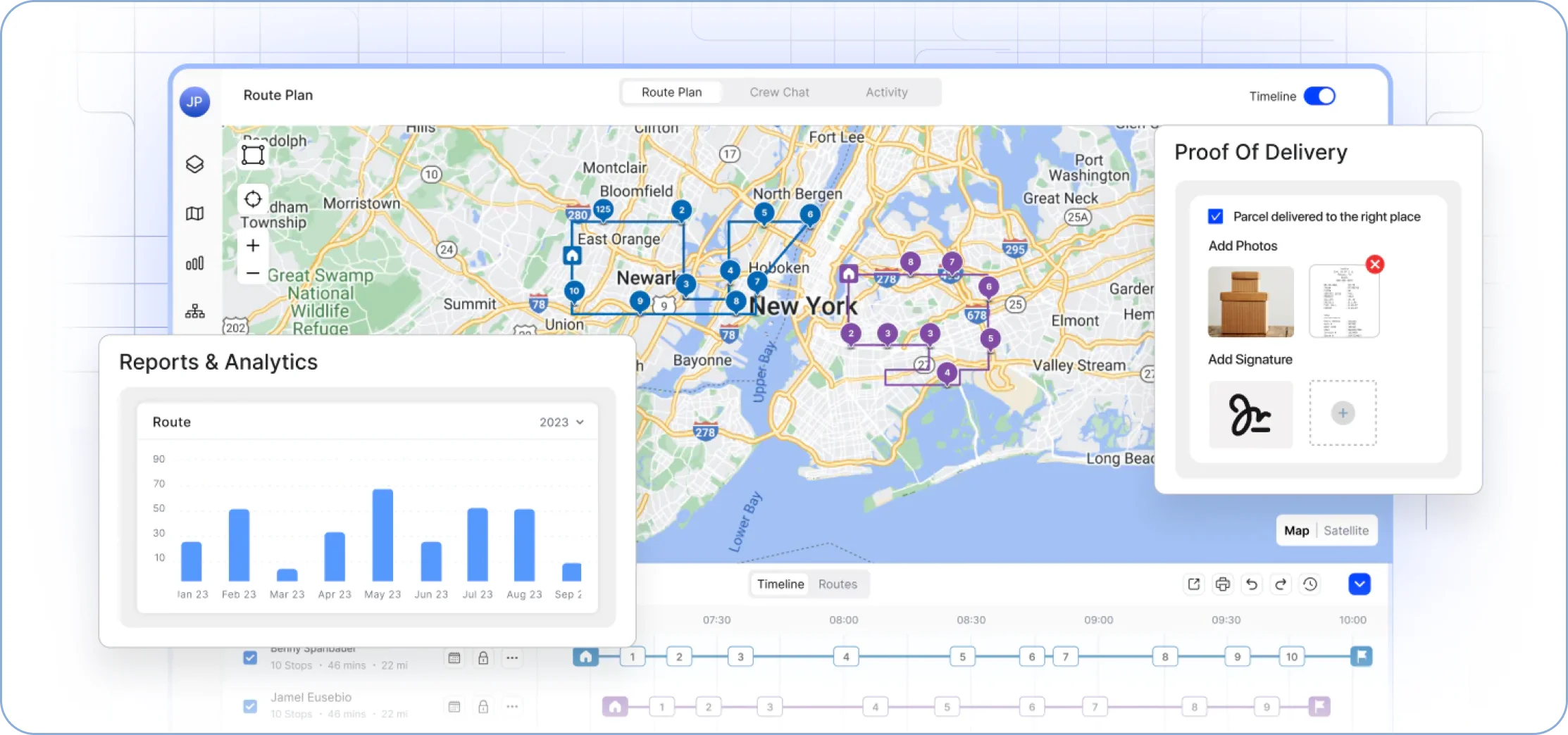
Upper is a route optimizer built for last-mile delivery route optimization, designed to remove the inefficiencies and communication gaps that manual route planning creates.
It offers collaborative route optimization suitable for teams of any size, from startups to enterprises.
Upper isn’t just another route management software; it’s a complete solution for handling complex delivery schedules, reducing operational costs, and improving overall efficiency.
It’s perfect for businesses needing route customization options, real-time adjustments, and an easy-to-navigate platform.
Upper’s Features
Upper provides a plethora of features for efficient route management:
- Dynamically updates routes based on traffic and last-minute changes
- Calculates optimal stop order for minimal travel time and distance
- Manages vehicle space for maximum capacity utilization
- Considers delivery/service time windows for punctuality
- Easily dispatch multiple routes to delivery drivers with a single click
- Provides accurate ETAs with live driver tracking
- Keeps customers informed with automated updates
- Capture digital signatures and photos for verification
- Barcode scanning for package verification
- In-app navigation for easy turn-by-turn directions that most of the route planners don’t provide
Upper continuously improves its routing algorithms to deliver more efficient routes that reduce travel time and fuel consumption.
Its mobile route planner app simplifies route execution for delivery drivers, providing clear stop details, turn-by-turn navigation, and all essential information in one place.
In addition, Upper offers 24/7 customer support to ensure operations run smoothly without disruptions.
Backed by an in-house product and engineering team, Upper can quickly roll out updates and adapt the platform to evolving business requirements.
Key USPs of Upper
- User interface: Upper designed it to be clear and easy to navigate so almost anyone can use it, regardless of their tech skills.
- Ease of use: Upper requires minimal training. Upper serves 625+ businesses completing 17M+ stops per year, and has been building delivery infrastructure since 2017.
- Free trial: For 7 days, no credit card required
- Route quality: Across Upper’s customer base, the median time from signup to a first optimized route is 11 minutes. That number matters more than a feature list when you are evaluating during a 7 days trial.
With minimal overlap and optimized sequencing, drivers cover the shortest distances, saving time and fuel costs.
Upper’s Pricing
| Plan | Price | Includes |
|---|---|---|
| Starter | $50/user/mo, or $40 billed annually | 250 stops per route, route optimization, driver app, Excel/CSV import, route history, basic reports |
| Professional | $60/user/mo, or $48 billed annually | 500 stops, live GPS tracking, proof of delivery, customer notifications, time windows, custom fields, territory management |
| Optimize | $89/user/mo, or $71 billed annually | 1,500 stops, AI driver assignment, recurring routes, vehicle capacity planning, zone-based routing, business rules |
| Enterprise | Custom | 3,000+ stops, API and webhooks, custom integrations, dedicated success manager, SLAs |
User Reviews of Upper
“We are a small company. The software is easy to manage and a great value for our subscription price” — Andrew V., Administrator
“Upper has been a lifesaver for managing our daily routes. It’s super easy to adjust routes on the fly, which is crucial for us because our schedule changes all the time. The interface is intuitive, and even our less tech-savvy drivers picked it up quickly. Plus, the customer service is top-notch—they’ve been really responsive whenever we’ve had a question.” — Verified user in Real Estate
A2Z Logistics: Route Quality Under Constant Change
Industry: Third-party logistics | Location: Dallas, Texas | Fleet: 10 drivers
Route quality matters most when the plan changes. A2Z Logistics builds routes the night before, then absorbs cancellations, fifteen-stop additions, and shifting priorities every morning before the first driver leaves.
“The manifest was useless by 9 AM.” — Harry D., Dispatcher, A2Z Logistics
| Metric | Before Upper | After Upper |
|---|---|---|
| Daily Replanning | 45 to 60 minutes | 5 to 10 minutes |
| Driver Calls per Day | 15 to 20 | Near zero |
| Driver Productivity | Baseline | 56% increase |
| Client Capacity | Limited by operations | 3 new clients, no new staff |
See it in action
See What High-Quality Routing Looks Like with Upper
Discover how AI-powered route optimization improves last-mile delivery efficiency. See cleaner routes, faster dispatch, and no complex setup.
2. Routific
Ideal for: Medium-sized local delivery businesses
User rating: 4.9
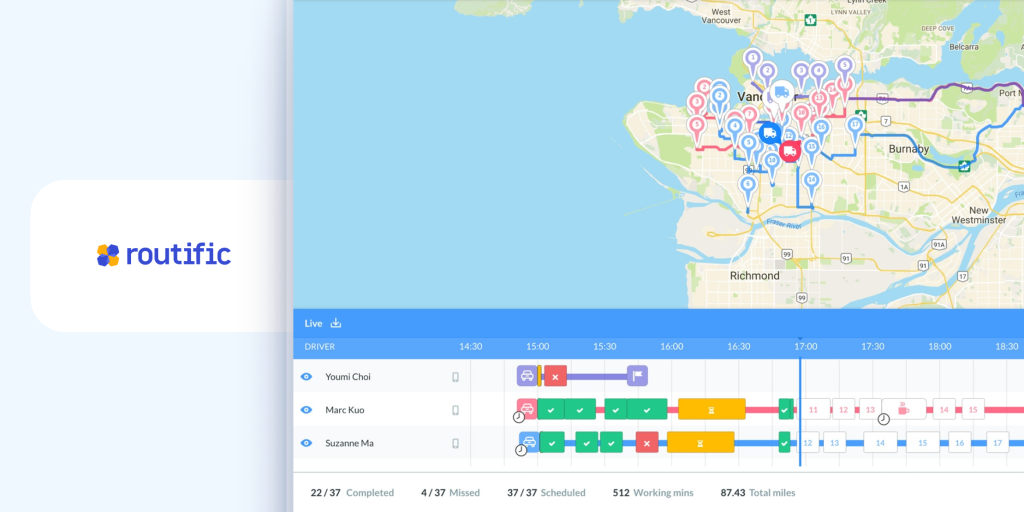
Routific is a suitable option for a local delivery business, excelling at basic route optimization and delivery management.
When we tested Routific, we found its user-friendly interface and smooth setup process impressive. This delivery optimization software efficiently optimizes routes by considering traffic patterns and driver preferences.
Dispatching routes to the driver app on a mobile device was also straightforward.
However, as we explored Routific’s features in more depth, some limitations became apparent. The essential plan restricts access to valuable features like real-time driver tracking and proof of delivery apps, which require higher-tier plans.
Additionally, while it handled basic deliveries well, it struggled with multiple clustered stops and specific delivery requirements.
Looking for better options? Check out these Routific alternatives to find the perfect fit for your needs.
Additional Considerations
- User interface: Routific’s interface is mostly clean and straightforward. However, navigating the timeline is a bit tricky.
- Ease of use: The setup process is simple, and basic tasks are easy to manage. However, making route adjustments might require more effort.
- Free version: Yes. Up to 100 orders per month, no time limit, all features except SMS notifications.
- Free trial: 7-day
Route quality: Routific’s route quality was adequate but not exceptional. While it managed to reduce delivery times, we noticed some inefficiencies and occasional overlaps in the routes.
Pricing: Routific’s pricing starts at $150 for 1000 orders
What do people think about Routific?
“Routific is quick to get started with and user-friendly, making it ideal for startups juggling multiple priorities. The platform allows us to efficiently plan and optimize delivery routes without spending excessive time. We started using Routific from the early beginning of our company and are happy with it.” — Verified G2 User in Wholesale
“The spaghetti routes or overlap in routes, which is changing with the new Routific. I look forward to working on it once all the changes have occurred.
Address errors – If client addresses aren’t formatted perfectly, that stop can cause issues where it maps out of town or opposite end of the city.” — K B., Logistics Manager
3. Route4Me
Ideal for: Businesses with intensive last-mile delivery needs
User rating: 4.6
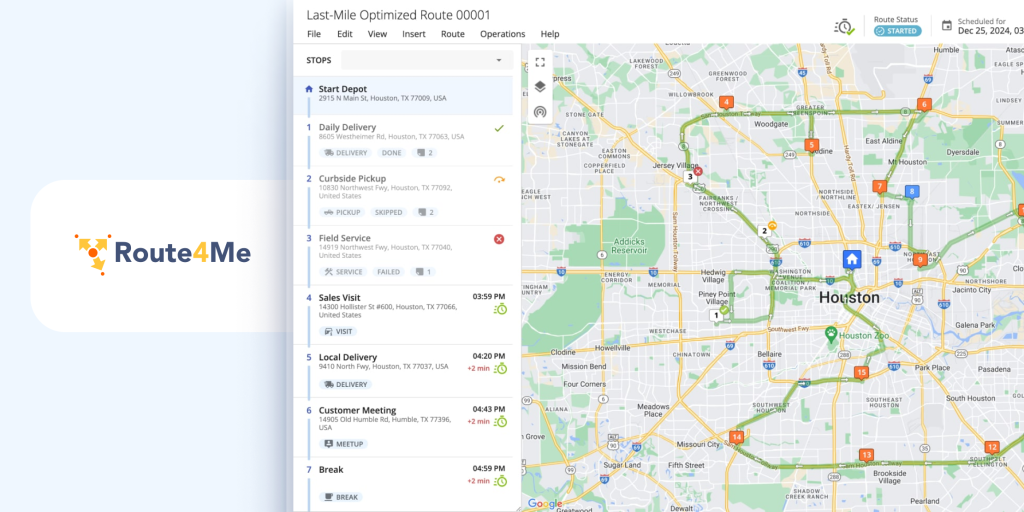
Route4Me has established itself as a long-standing player in route optimization, serving businesses heavily reliant on last-mile deliveries since 2009.
During our hands-on experience with Route4Me, we appreciated its extensive add-on options. It offered features like customer notifications, proof of delivery, and curbside support. In fact, it allowed us to cherry-pick features to suit our operations.
However, the user interface felt somewhat dated and cluttered.
A notable aspect of Route4Me is its real-time location tracking capabilities and seamless integrations, making it suitable for route planning and management.
Yet, we encountered some quirks that raised eyebrows.
Its optimization algorithm occasionally falters, leading to impractical routes and inaccurate ETAs. Furthermore, the cost of essential add-on features can significantly escalate expenses.
Overall, Route4Me is versatile delivery route optimization software with a few bumps along the road that may require some workaround.
If Route4Me doesn’t meet your requirements, here are some top-rated Route4Me alternatives worth exploring.
Additional Considerations:
- User interface: Route4Me’s interface presents many features but may confuse users due to its complexity and cluttered design.
- Ease of use: While basic tasks are manageable, the platform’s modularity and feature-rich environment create a challenging learning experience.
- Free version: No
- Free trial: None as of 2026. Pricing moved to contact-sales.
Route quality: Route4Me’s route optimization algorithm generally generates efficient routes, although there are occasional inaccuracies, overlapping routes, and underestimated ETAs.
Pricing: Route4Me’s pricing is custom and based on fleet size and required features
Wondering which software is better? Here’s a detailed comparison of Upper vs. Route4Me, Route4Me vs. Routific, and Upper vs. Routific, so you can make the right choice.
What do people think about Route4Me:
“Slow optimization and performance, high cost, and limitations in its basic package that require upgrades for essential features like multi-driver optimization” — Sahil M., Data Analyst
“User Friendly, 24/7 support, they have truly thought about everything when optimizing a route. Ability to map any file with custom mapping and export the results.” — Mudassir A., Senior IT Manager.
4. MyRouteOnline
Ideal for: Businesses with basic route planning requirements
User rating: 4.5
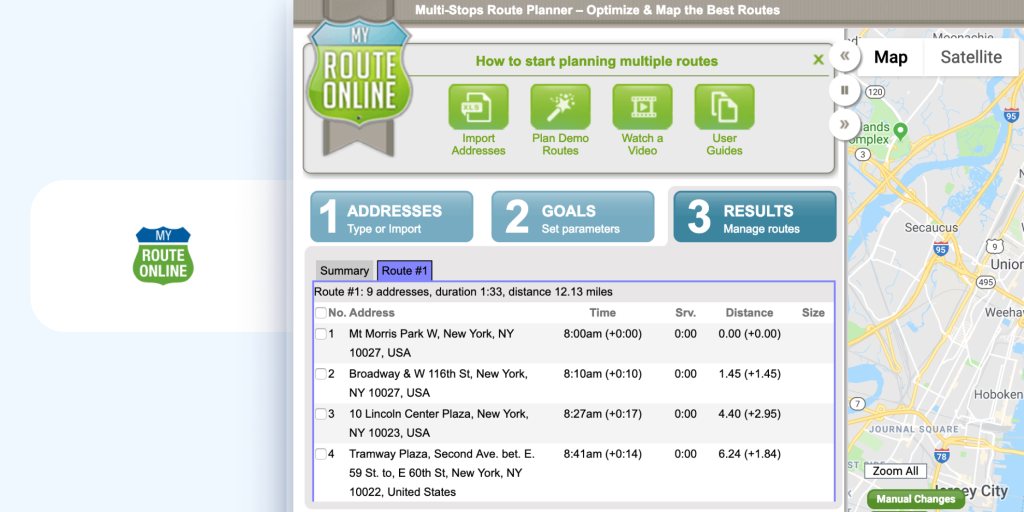
We tried out MyRouteOnline to see if it could streamline our delivery routes. It is a straightforward route planner that lets you upload and optimize addresses for the quickest route.
The good news is that MyRouteOnline is perfect for basic route planning. If you just need a quick way to map out deliveries for a handful of stops, it gets the job done.
However, for businesses with more complex delivery needs, MyRouteOnline falls short.
There are no advanced features here. You can’t track delivery drivers in real time, and there’s no way to notify customers about their deliveries automatically.
Even the pricing structure, which is based on credits, can be confusing to understand.
Searching for the perfect fit? These MyRouteOnline alternatives might be just what you need.
Additional Considerations
- User interface: The interface is basic and simple to use.
- Ease of use: Users can navigate the platform with ease, even without prior experience in route planning software.
- Free version: MyRouteOnline has a free version for navigation, but to optimize routes, you’ll need to either subscribe or input up to six addresses.
- Free trial: No
Route quality: The route optimization felt a little basic. While it did find more efficient routes, we weren’t convinced they were always the most logical. A couple of times, the optimized route required drivers to backtrack or go out of their way.
Pricing: MyRouteOnline’s pricing starts at $19 for limited access.
What do people think about MyRouteOnline?
“It is easy to use, works well and very simple for people to learn to use.” — Erin T., Senior Scheduler
“I dislike that if you want to add someone you have to go back two steps add them and then go back forward two steps and possibly have the route you already made get messed up.” — Verified G2 User in Construction
5. Circuit/Spoke
Ideal for: Small businesses or startups seeking a simple route planning
User rating: 5.0
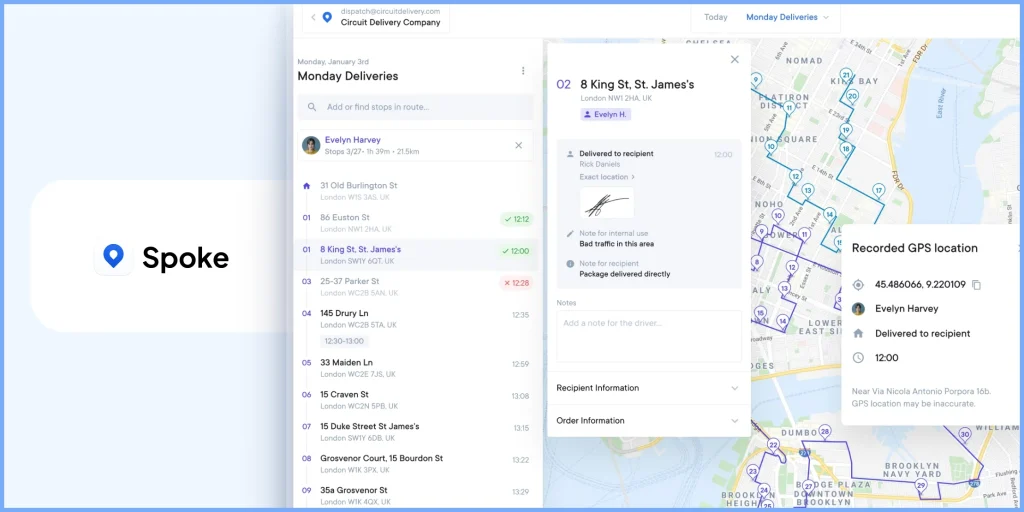
After trying out Spoke/Circuit for Teams, we found it to be a decent option for businesses looking for a straightforward route optimization solution.
Circuit focuses on essential features like route planning, dispatching, live tracking, and proof of delivery. However, Circuit’s route optimization left us wanting more.
While efficient in words, the routes it generated often seemed illogical in practice. We saw a lot of crisscrossing and backtracking, which could add unnecessary miles and time to deliveries.
Also, there wasn’t a way to edit routes after sending them to delivery drivers, which felt inflexible.
Overall, while Circuit for Teams is a viable option for smaller businesses or those just starting with route optimization, it may fall short for companies with more complex routing needs.
If you want something better, here’s a roundup of the best Circuit alternatives to match your unique requirements.
Additional Considerations
- User interface: Circuit for Teams has a clean user interface.
- Ease of use: Setting up routes and managing deliveries is simple, where one person can handle multiple roles.
- Free version: Up to 10 stops
- Free trial: 7-day
Route quality: While Circuit provides efficient route planning, we found that the routes could sometimes be tangled and not as optimized as we hoped.
Pricing: Circuit’s pricing starts at $125/month for 1,000 stops.
Struggling to pick? Check out our guides on Upper vs. Circuit, Circuit vs. Routific, and Route4Me vs. Circuit for a side-by-side comparison.
What do people think about Circuit?
“Effortless Route Planning with Spoke Dispatch” — Vijay P., Operations Executive
6. OptimoRoute
Ideal for: Businesses with complex routing needs
User rating: 4.8
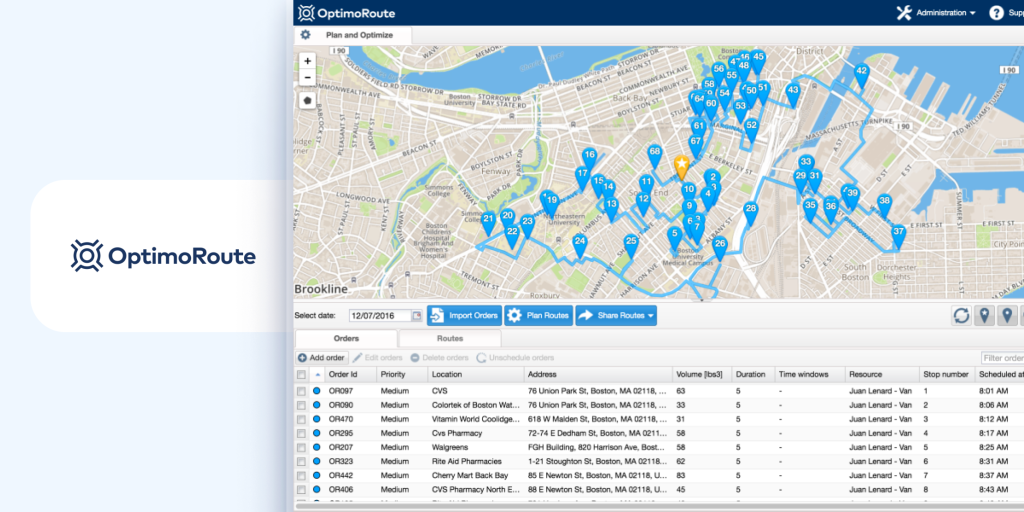
OptimoRoute boasts many features, from real-time tracking to driver workload balancing. Up front, it looked impressive. We liked that it could handle complex routing scenarios like multi-day deliveries and pickups.
However, during our trial, a few things gave us pause. For one, the pricing structure is per driver, which can get expensive quickly as you scale your team.
Even while planning the routes, we found some routes were longer than expected.
The mobile route planner app also had limitations. Drivers couldn’t re-optimize routes on the fly, and communication with dispatchers seemed clunky.
Overall, OptimoRoute seems like powerful route mapping software for businesses with specific routing needs. But the complexity and cost might be overkill for small businesses.
Not satisfied with OptimoRoute? Discover these OptimoRoute alternatives that could work better for you.
Additional considerations
- User interface: OptimoRoute’s web route optimization app appears powerful, with many features on display. This can be too much to take at first glance.
- Ease of use: OptimoRoute definitely requires some learning. While basic route planning seems uncomplicated, utilizing its advanced features likely requires training or experience.
- Free version: No
- Free trial: 30 days, capped at 250 stops, no credit card required
Route quality: OptimoRoute efficiently plans multiple routes, considering time windows and order priorities. However, it lacks live traffic updates or dynamic adjustments, which can affect real-time adaptability and delivery times.
Pricing: OptimoRoute’s pricing starts at $35/month.
What do people think about OptimoRoute?
“The ability to input every order in my queue into OptimoRoute so that I can see a month in advance what my inspector’s schedule looks like and where new orders can fit in. The ability to add and remove orders while my inspector is on the road actively working is another key feature that I use all the time.” – Briana R., Office Administrator
“When I have to do re- routing in case of adding stops are the route is formed. I would like if I can freeze or lock from Stop in a certain position as when we do re routing my previous location moves and the whole route is made again.” — Aditi M., Founder, CEO
7. Onfleet
Ideal for: Mid-market to enterprise-level last-mile delivery companies
User rating: 4.6
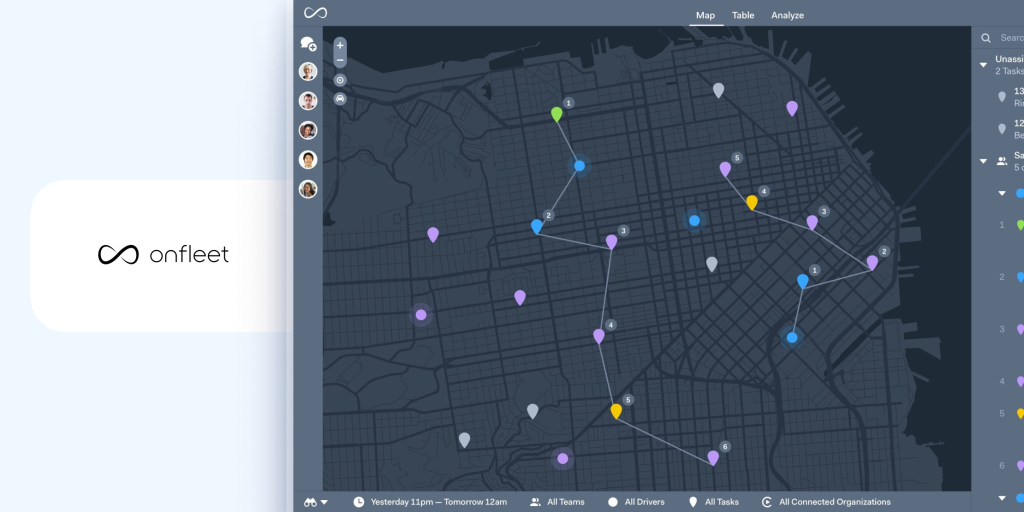
After thoroughly testing Onfleet, we found it a comprehensive solution for last-mile delivery management.
It offers many features, including route optimization, automatic driver assignment, and a live chat feature in the driver app, making it a great fit for on-demand courier businesses.
However, the route planning interface is a bit complex and lacks detailed route visualization and real-time route progress monitoring, which can be challenging for dispatchers.
Additionally, occasional overestimated ETAs and limited custom options are areas for improvement.
Overall, Onfleet is powerful delivery management software that is rough around the edges.
Explore these Onfleet alternatives that deliver similar or even better results.
Additional Considerations
- User interface: Onfleet offers many features, which can be overwhelming at first.
- Ease of use: While basic tasks are simple, getting the most out of its features requires dedication and training.
- Free version: No
- Free trial: 14-day
Route quality: Onfleet’s route optimization feature is effective, but we encountered issues such as overestimated ETAs and lags in optimizing routes with a number of stops.
Pricing: Onfleet’s pricing starts at $599/month.
Struggling to decide? Here’s how Upper vs. Onfleet and Onfleet vs. OptimoRoute stack up against each other.
What do people think about Onfleet?
“At times, the software can become slow, especially when multiple filters are applied simultaneously, which makes the overall experience less than ideal.” — Jimmy H., Logistics Specialist
“Onfleet empowers us to provide a transparent delivery experience with consistently at scale.” — Branden H., Director of Ecommerce Operations
8. RoadWarrior
Ideal for: Solo drivers and small teams
User rating: 4.5
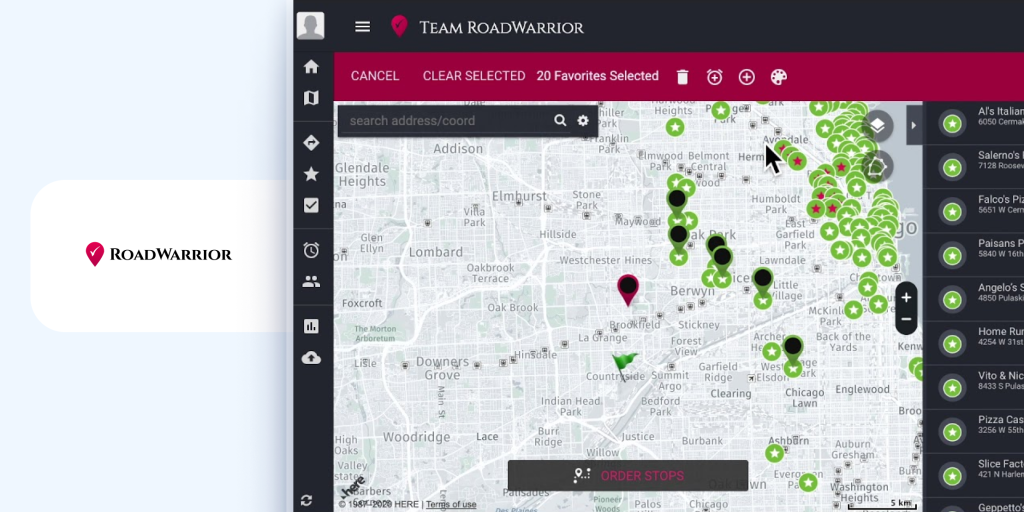
We used RoadWarrior extensively to evaluate its performance as route planning software. It promised super-fast route optimization for solo drivers and small teams.
Entering stops was easy, and the route planning app optimized routes in seconds. We liked that it factored in traffic and could handle up to 200 stops simultaneously.
However, we also faced some issues. Uploading routes from spreadsheets wasn’t always smooth, and some key features, like collecting delivery confirmations, required a paid add-on.
While the interface was simple for basic tasks, some aspects felt clunky. Also, there were occasional glitches, like misplaced markers on the map.
Overall, RoadWarrior is a decent option for basic route planner software. The free trial lets you try it out, but be aware that a credit card is required.
Why settle for less? Take a look at these RoadWarrior alternatives that would suit you better.
Additional Considerations
- User interface: RoadWarrior’s interface is straightforward but can feel a bit tricky initially.
- Ease of use: While entering stops and optimizing multiple routes is intuitive, learning all features can take time.
- Free version: No
- Free trial: 7-day
Route quality: The route optimization is generally reliable. However, it doesn’t flag duplicate or incorrect routes, so users need to double-check their entries.
Pricing: Starts at $49 per month
What do people think about RoadWarrior?
“Road Warrior allows for easy route building and tracking with an easy to use interface that is great for both desktop and mobile. At the price point for a small business it is a great and valuable tool that was easy to introduce and keep using as our routes grew larger.” — Jacy C., Warehouse & Logistics Manager
“Poor customer service. Glitches a lot- loose data, routes, stops. Customer service prefers to not address issues or blame other things at first. When I push back lead person seems to get involved to things are addressed then.” — Corey O., Small Business Owner
9. Badger Maps
Ideal for: Field sales teams and service teams
User ratings: 4.7
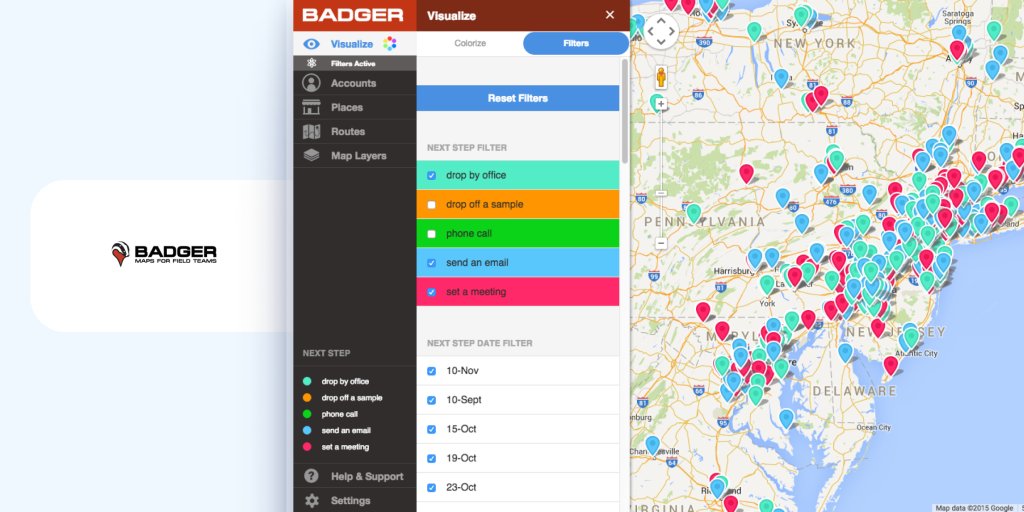
We tested Badger Maps, focusing on its route optimization for sales teams. The app simplifies scheduling and mapping multiple routes, promising to boost sales.
We found the software user-friendly, and features like “Lasso” to select groups of stops for routing are really helpful.
We liked that it integrated with our CRM, keeping customer data up-to-date. It’s great for visualizing territories and prioritizing customers.
Planning sales routes and optimizing them with over 100 stops is straightforward. However, it struggles with complex logistics, like accounting for traffic and weather. While it saved us time, the mobile app had glitches, making on-the-go adjustments difficult.
Here are some additional tips to improve sales route planning. Check it out.
Overall, it’s ideal for sales reps who need efficient multi-stop route planning but may lack advanced logistics.
Additional Considerations
- User interface: Badger Maps offers a user-friendly interface that’s visually appealing and easy to navigate.
- Ease of use: The onboarding process is well-supported with personalized training. However, some users might find certain features, like exporting data, a bit technical.
- Free version: No
- Free trial: 14 days. No card required on the web, card required on iOS.
Route quality: The route optimization feature is efficient for basic routing needs, handling over 100 stops.
But it falls short in managing complex logistics, such as real-time traffic updates and weather conditions, which can affect ETA accuracy.
Pricing: Starts at $58 per user/month
Expand your options with these top-rated Badger Maps alternatives that professionals trust.
What do people think about Badger Maps?
“I love how Badger Maps is amazingly easy to use, which has drastically reduced the time I spend on planning my routes. What used to take me three to four hours to plan out my entire week now takes just about fifteen minutes. This efficiency in planning my weekly routes day by day has been incredibly beneficial for my work. Badger Maps provides the most efficient route for visiting stores, ensuring all my notes and customer information are kept handy in one place. The initial setup was very simple, allowing me to be up and running in minutes, which was a great convenience.” — Steven F.
“I encountered a technical difficulty during the day of my demo, which was a bit inconvenient. Additionally, I would prefer if the software could display distances in kilometers instead of miles to better cater to Canadian users like myself.” — Jennifer S., Senior Territory manager Aesthetics Device
10. Samsara
Ideal for: Large companies with significant fleet management needs
User ratings: 4.5
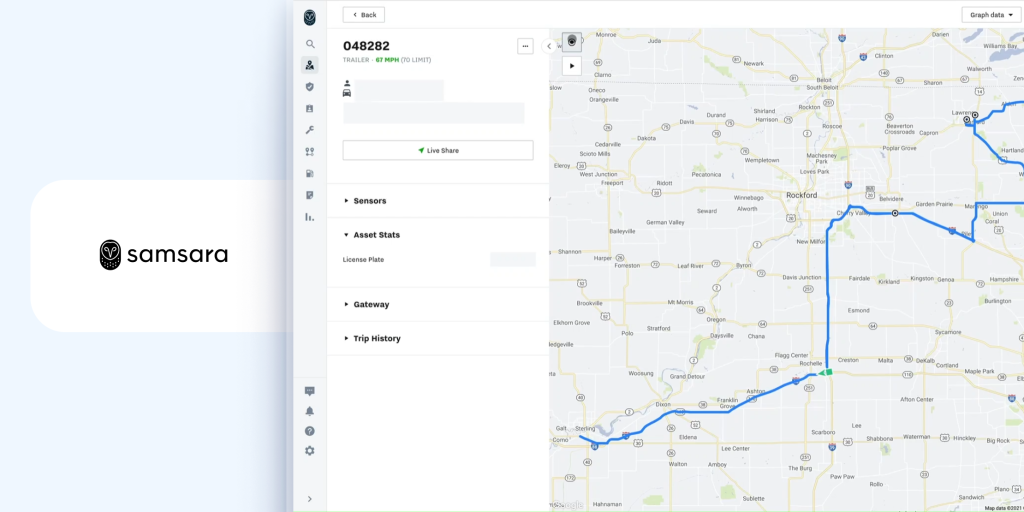
Samsara felt like a powerful fleet management platform, but it was overkill for our needs. It tracked everything—driver behavior, fuel usage, and engine health. Creating optimal routes was straightforward, thanks to smart map overlays and live traffic updates.
The interface was user-friendly, with intuitive dashboards. However, the route optimization app for delivery drivers did experience occasional glitches and slowdowns, which were a bit frustrating.
Plus, there isn’t any way to try it out for free before committing to a lengthy 3-year contract.
Despite these drawbacks, Samsara excels in fleet management and safety features. It’s best suited for large companies needing extensive fleet management solutions. However, be prepared for custom pricing and the lack of a trial period.
Additional Considerations
- User interface: Samsara’s interface is clean and intuitive. The dashboards are straightforward, presenting data in a clear and organized manner.
- Ease of use: The routing software for deliveries has a learning curve due to its vast features. Initial setup and customization may require some time, but the overall experience is smooth once you get familiar with it.
- Free version: No
- Free trial: Samsara does not offer a free trial. However, they offer a demo that potential customers can request to understand the software’s capabilities.
Route quality: Samsara excels in route optimization. It provides real-time GPS tracking, smart map overlays, and live traffic updates for efficient multi-stop route planning.
Pricing: Samsara offers custom pricing based on fleet size and specific needs.
What do people think about Samsara?
“The system is very user-friendly for drivers and carriers, and it doesn’t take long to learn. The overview map with weather is also cool for dispatch and safety.” — Kate S., Safety manager
Which Route Optimization Software Is Free?
Most route optimization software offers a free trial rather than a free plan, and the few free plans cap stops low enough that only solo drivers can use them.
Free matters more in this category than in most software, because a dispatcher wants to test route quality on their own addresses before committing a budget. Here is what each platform actually gives you without paying.
| Platform | Free Plan | Free Trial | Card Required |
|---|---|---|---|
| Routific | Yes. 100 orders/month, no time limit | 7 days, 5,000 orders | No |
| Upper | Free route planner, up to 20 stops | 7 days | No |
| MyRouteOnline | Up to 6 addresses | None | N/A |
| Circuit | Up to 10 stops | 7 days | Yes |
| OptimoRoute | None | 30 days, 250 stops | No |
| Onfleet | None | 14 days | Yes |
| Badger Maps | None | 14 days | No on web, yes on iOS |
| RoadWarrior | None | 7 days | Yes |
| Route4Me | None | None as of 2026 | N/A |
| Samsara | None | Demo only | N/A |
Routific is the only platform here with a genuine free plan. It covers 100 orders a month with no time limit and includes every feature except SMS notifications.
OptimoRoute has the longest trial at 30 days, but caps it at 250 stops. That is generous for evaluation and restrictive for anyone testing at volume.
Route4Me no longer offers a free trial. Budget for a sales conversation before you can test it.
How Many Stops Can Each Route Optimization Software Handle?
Stop capacity is the constraint that breaks most routing tools, and it is rarely stated on pricing pages.
A platform that sequences 30 stops cleanly can produce tangled routes at 300. We tested each tool at volumes between 150 and 600 stops to see where route logic degraded.
| Platform | Stop or Order Capacity | Pricing Model |
|---|---|---|
| Upper | 250 on Starter, 500 on Professional, 1,500 on Optimize | Per user, per month |
| Routific | 100 orders free, 1,000 on the $150 plan | Per order |
| Circuit | 10 free, 1,000 on paid | Per stop bundle |
| OptimoRoute | 250 during trial, then per driver | Per driver, per month |
| RoadWarrior | Up to 200 stops | Per month |
| Badger Maps | Up to 120 per route | Per user, per month |
| MyRouteOnline | 6 free, then credit-based | Credits |
Notice that the pricing models are not comparable. Routific and Circuit charge by volume, OptimoRoute and Upper charge by person, MyRouteOnline charges by credit. A fleet of three drivers running 1,000 stops a month pays very differently under each.
Which Route Optimization Software Has the Best Driver App?
The dispatcher chooses the software, but the driver decides whether it gets used.
A routing platform fails quietly when drivers stop following it. The app is where that happens, so it deserves evaluation separate from the planning dashboard.
Four things determine whether drivers adopt an app:
- Offline capability. Rural routes and parking garages drop signal. An app that stalls without connection loses trust in week one.
- Navigation handoff. Drivers already trust Google Maps or Waze. An app that hands off cleanly beats one that forces its own navigation.
- Stop detail visibility. Gate codes, contact numbers, and delivery notes belong on the stop screen, not in a text message.
- Proof of delivery in-flow. Capturing a photo or signature should take one tap inside the same screen.
Upper ships native apps on iOS and Android with in-app navigation, which most planners on this list do not provide.
How to Choose the Right Route Optimization Software?
Choosing the best route optimization software isn’t about picking the tool with the most features. Whether you need a simple route optimizer or a full delivery route planning software platform, the same principle applies. It’s about finding software that consistently produces routes that make sense in the real world for dispatchers, drivers, and customers.
Here’s what to evaluate before making a decision:
1. Prioritize Route Quality Over Feature Count
Many platforms claim to “optimize routes,” but not all deliver logical, driver-friendly routes. Poor route optimization leads to backtracking, overlapping stops, and wasted fuel, exactly the frustration highlighted by delivery teams and Reddit users alike.
Look for software that:
- Minimizes criss-crossing and circular routing
- Handles clustered stops intelligently
- Produces routes drivers trust without constant overrides
Route quality should always come before dashboards, reports, or add-ons.
2. Test How the Software Handles Multi-Stop & High-Volume Routes
Some tools work well for 20–30 stops but break down at scale. If your operation runs 100, 300, or 600+ stops, the routing engine must remain stable and accurate.
Before committing, test:
- Multi-stop routes with dense delivery clusters
- Time windows, priorities, and service durations
- Performance as stop count increases
The best route optimization software maintains route logic even as delivery volume grows.
3. Separate Live Navigation From Live Re-Optimization
Buyers ask for one feature and mean two. Rerouting around traffic and re-optimizing your remaining stops are different capabilities, and plenty of tools have the first without the second.
The request usually sounds like this: there is an accident on the interstate, so I want the software to reroute me. That splits into two things.
Rerouting around the accident is navigation. Any tool that hands each stop off to Waze or Google Maps gives you this automatically, because Waze does the work. It is not a routing feature at all.
Re-ordering your remaining stops mid-run is optimization. A customer cancels at 11 AM, an urgent job comes in, or a road closes for the afternoon. The question is whether the software can rebuild the rest of the day around what has already been completed, without starting over.
How to test it in five minutes: build a route and mark the first three stops complete, delete a stop from the middle of what remains, add a new stop somewhere else in the territory, then ask for re-optimization. Some tools rebuild the entire day and lose the completed stops. Some refuse once a route is dispatched. Some handle it in one tap.
Ask this specific question on every demo: can you re-optimize the remaining stops while a driver is mid-route, without rebuilding the completed portion? Vendors answer “yes, we integrate with Waze” to a question that was not asked.
4. Evaluate Real-World Constraints, Not Just Distance
Distance-based routing alone isn’t enough in 2026. Strong route optimization software considers real-world constraints, including:
- Traffic conditions and road restrictions
- Delivery or service time windows
- Vehicle capacity and stop duration
- Driver schedules and route continuity
Software that ignores these variables may look efficient on paper but fails in practice.
5. Consider Ease of Use for Dispatchers and Drivers
Even the most advanced routing engine fails if teams don’t adopt it. Look for platforms that:
- Require minimal dispatcher training
- Provide clear route visibility and easy edits
- Offer driver apps with simple navigation and stop details
High adoption usually signals high route acceptability.
6. Check Scalability and Pricing Transparency
Route optimization software should grow with your business—not force you into frequent platform switches.
Before choosing, confirm:
- Pricing scales predictably with stops or drivers
- Advanced routing features aren’t locked behind costly add-ons
- The platform supports multi-driver and multi-route operations
Transparent pricing and scalability are key indicators of long-term value.
7. Use Reviews to Validate Real Performance
User reviews often reveal what product pages don’t. Platforms like G2 and Capterra help uncover:
- Common routing complaints
- Support responsiveness
- Long-term usability at scale
Pay close attention to comments about route logic, not just UI or integrations.
Final Tip: Match the Software to Your Operation Size
Not every business needs enterprise fleet management—and not every tool can handle complex delivery routing.
- Small teams may prioritize simplicity
- Growing delivery operations need scalable, high-quality route optimization
- Large fleets may require advanced compliance and tracking
That’s why the top route optimization software in 2026—Upper, Routific, Route4Me, OptimoRoute, and Samsara—stand out for different use cases.
See it in action
Plan Routes Up to 24% More Efficiently
Upper helps delivery teams cut unnecessary miles and complete more stops per day with better routing logic.
What Does It Cost to Switch Route Optimization Software?
Switching route optimization software costs a mid-sized fleet roughly $3,000 to $8,000 in lost productivity, and almost none of that appears on an invoice.
That figure comes from the parts nobody quotes you: a week of reduced stops per driver while the team adapts, dispatcher hours spent rebuilding route templates and service durations, and engineering time if routing connects to your order system. A 10-driver operation losing 15% productivity for one week, at typical loaded driver cost, lands in that range before anyone touches the subscription.
The most common regret in this category is not overpaying. It is choosing a tool that fits today and breaks at double the volume. Before committing, check four things that determine how hard it is to leave.
- Data portability. Can you export customer addresses, service durations, and recurring route templates? Some platforms export stops but not the constraint data you spent months tuning.
- Contract length. Monthly billing lets you leave. Annual and multi-year contracts do not. One platform on this list requires a three-year commitment with no trial.
- Driver retraining. Every switch costs a week of adaptation and a temporary dip in stops completed. Fleets above 15 drivers should budget for it.
- Integration rebuild. If routing connects to your order system, ecommerce store, or CRM, switching means rebuilding that connection.
The practical advice is to start on monthly billing wherever possible, even at a higher rate. The premium over annual pricing is usually less than the cost of being locked into the wrong tool for a year.
When You Do Not Need Route Optimization Software
Route optimization software earns its cost above roughly 25 stops per driver per day. Below that, free tools will serve you.
We would rather you skip this category than buy something you do not need.
Stay with free tools if you run fewer than 20 stops a day with one driver. Google Maps handles 10 stops, and Upper’s free route planner handles 20 without an account. Neither costs anything.
You may only need scheduling if your stops barely change week to week. A fixed weekly route for a pool service or waste collection round does not need daily reoptimization. It needs route scheduling and templates.
You may need something else entirely if your problem is knowing who takes which route rather than the sequence of stops. That is dispatch, not optimization, and we cover the difference in AI dispatching vs route optimization.
Buy optimization when you run three or more drivers, your stop count exceeds 25 per driver, your addresses change daily, or you carry time windows you cannot afford to miss. Below those thresholds, the subscription is hard to justify honestly.
Route Optimization Software Evaluation Checklist
Run every shortlisted platform through the same test before you commit. Use your own addresses, never a demo dataset. Demo data is chosen to make the software look good.
- Upload a real day. Import a full day of actual stops, not a sample. Watch how the tool handles messy addresses and duplicates.
- Check the clusters. Find the densest part of your delivery area on the map. Look for crisscrossing and backtracking within it.
- Add a stop mid-route. Simulate the 10 AM emergency. Time how long reoptimization takes and whether the rest of the route survives.
- Send it to a driver. Route quality on screen means nothing if the driver overrides it. Ask them directly whether the sequence made sense.
- Break a time window. Add a stop that cannot be met and see whether the software flags the conflict or silently produces an impossible route.
- Scale it. Run double your normal volume. Note whether the logic holds or degrades.
Score each platform on the same six points. The tool that wins on route quality at your real volume is the right choice, regardless of which has more features.
Try Upper — AI-Powered Route Optimization Software for Last-Mile Delivery
Choosing the best route optimization software ultimately comes down to route quality in real-world last-mile delivery. Poor routing leads to backtracking, wasted fuel, missed time windows, and frustrated drivers, especially when routes include dense stop clusters and frequent changes.
In this guide, we reviewed 10 route optimization solutions and compared them on real-world testing, scalability, route logic, and user feedback rather than marketing claims. Each one handles delivery route optimization differently, and the right route optimization system depends on your fleet size and constraint complexity.
While each tool serves a specific use case, only a few consistently handle multi-stop routes without creating overlapping or circular paths.
Upper stands out for last-mile delivery teams because it focuses on what matters most: logical multi-stop routing, real-world constraints like traffic and time windows, and the flexibility to adapt routes without breaking their structure.
The result is cleaner routes, fewer manual overrides, and more reliable deliveries at scale.
If your current routing software struggles with route quality or requires constant dispatcher intervention, it may be time to upgrade. Book a demo with Upper to see how AI-powered route optimization can reduce fuel costs, save driver time, and deliver routes your team actually trusts.
Frequently Asked Questions
Route optimization software is a specialized solution that streamlines business routing with multiple stops.
It uses algorithms to find the most efficient routes, considering traffic conditions, distance, time constraints, and delivery priorities.
Route planning involves mapping out a series of stops or destinations for a journey or delivery route.
Route optimization takes this further by using algorithms to determine the most efficient order of stops, considering traffic conditions, distance, and time constraints.
Delivery route optimization software offers numerous benefits. It saves time by reducing driving distance and lowering fuel and maintenance costs.
Additionally, it optimizes schedules, minimizes idle time, and ensures timely deliveries, enhancing overall productivity and customer satisfaction.
Apart from specialized route optimization software, there are other route planning tools like MapQuest, RouteXL, and Speedy Route.
Each offers unique features and capabilities for planning and optimizing routes based on user needs and preferences.
While Google Maps is a solid navigation tool, businesses with complex routing requirements benefit more from specialized route optimization software.
These tools offer advanced features to optimize routes efficiently for multiple stops and constraints.
Here is a list of free multi-stop route planner apps:
- Google Maps
- Waze
- MapQuest
For businesses requiring efficient route planning for multiple destinations, platforms like Upper, OptimoRoute, Route4Me, and MyRouteOnline are known for their speed and effectiveness.
These solutions are designed to handle complex routing scenarios and deliver optimized routes quickly.
Route acceptability ensures optimized routes are practical for real-world navigation, not just mathematically efficient.
Drivers prefer logical routes without unnecessary criss-crossing. Intuitive routes build trust in the system and reduce overrides.
AI enhances route optimization by analyzing traffic patterns, delivery time windows, and stop priorities.
It learns from historical data, adapts to real-time changes like traffic jams or last-minute stops, and keeps routes optimized throughout the day.
No. Route optimisation and route optimization refer to the same type of software. “Optimisation” is the spelling commonly used in the UK, Australia, and India, while “optimization” is more common in North America. The underlying software and functionality are the same.
Partly. Many route optimization platforms send drivers to navigation apps such as Google Maps or Waze, which can automatically reroute around traffic between stops. However, re-ordering the remaining stops after a disruption is a separate capability, and not every platform supports automatic route re-optimization after dispatch.
Free route planning tools generally support a limited number of stops per route. Google Maps allows up to 10 stops, Circuit allows 10, MyRouteOnline allows 6, RouteXL allows 19, and MapQuest allows 26. Upper’s free route planner supports up to 20 stops. Businesses handling more than roughly 25 stops per day may quickly outgrow free routing tools.
Route optimization is a complex mathematical problem, and finding a perfect solution becomes increasingly difficult as the number of stops grows. Different platforms use different algorithms, constraints, and optimization approaches, which can produce noticeably different routes even when given the same stops and requirements.
You can outgrow route optimization software if you choose a platform based only on your current delivery volume. Before selecting a tool, check its maximum stop capacity, multi-driver optimization capabilities, pricing limits, and whether routes can be re-optimized during the day. Choosing software that can scale with your delivery volume can help avoid switching platforms as your business grows.
Yes. Many route optimization platforms support importing customer and stop data from Excel or CSV files. However, the required file format and column structure can vary between platforms. Before choosing a tool, test the import process using your actual customer list to see whether it requires significant reformatting.